

TP-Link Archer AX72 Pro AX5400Mbps Wi-Fi 6 Router, Ultra-Fast Wired Speed With 2.5G WAN/LAN Port, Dual-Band WiFi Router With 6x Antennas, Beamforming, 160 MHz, USB 3.0 Port, VPN, HomeShield
Original price was: £129.99.£109.99Current price is: £109.99.


Price: £129.99 - £109.99
(as of Jun 06, 2025 08:25:49 UTC – Details)
From the brand


Wi-Fi 7 Routers
Gaming Routers
Wi-Fi 6 Range Extenders
Wi-Fi Extender PLC Adapters
Gigabit Wi-Fi for 8K Streaming – Equipped with an advanced 4×4 HT160 structure for peak speeds at 4804 Mbps on the 5 GHz band, giving you full access to multiple 8K streaming and high-speed downloading.
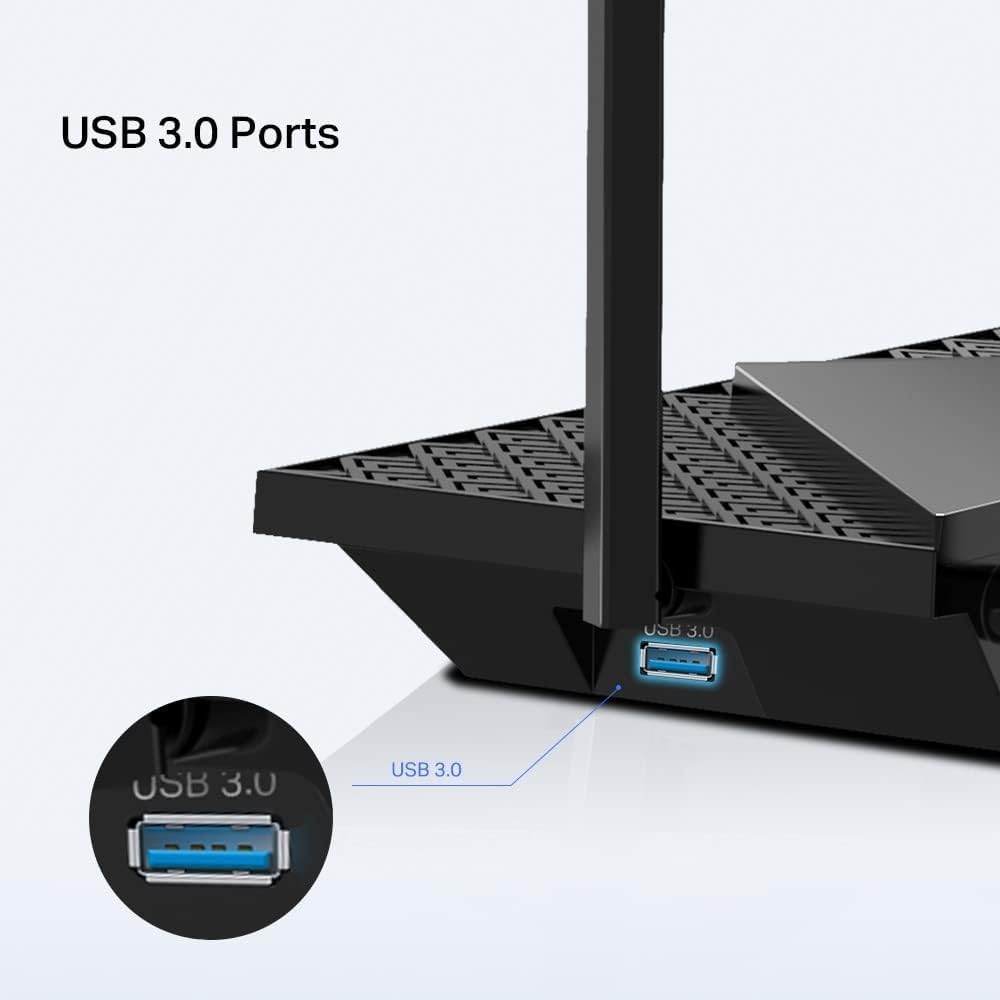
2.5G Multi-Gigabit Port: 1× 2.5 Gbps WAN/LAN port + 1× 1 Gbps WAN/LAN port + 3× Gigabit LAN ports + 1× USB 3.0 port ensure max flexibility and boosted throughput.
Connect 100+ Devices– Supports MU-MIMO and OFDMA to reduce congestion and quadruple the average throughput. 6× antennas and Beamforming ensure broad coverage.
More Vents, Less Heat – Improved vents area unleashes the full power of the whole machine. With 1× USB 3.0 port enables easy media sharing and private cloud building.
HomeShield – Provides comprehensive network protection, robust parental controls, and real-time IoT security. With 3 years manufacture warranty.
Archer AX72 can connect 64 devices on the 5 GHz band, and 48 devices on the 2.4 GHz band. Performance may vary depending on the applications and environmental factors
Customers say
Customers praise the router’s fantastic Wi-Fi signal, stable connections throughout the house, and its ability to deliver great speeds with no lag even when multiple devices are connected. They find it easy to set up with a menu that’s simple to navigate, and appreciate its value for money and solid reliability. The functionality receives mixed reviews, with some customers saying it works well while others report it doesn’t work at all.
8 reviews for TP-Link Archer AX72 Pro AX5400Mbps Wi-Fi 6 Router, Ultra-Fast Wired Speed With 2.5G WAN/LAN Port, Dual-Band WiFi Router With 6x Antennas, Beamforming, 160 MHz, USB 3.0 Port, VPN, HomeShield
Add a review
Related Products


Original price was: £129.99.£109.99Current price is: £109.99.
KevinS –
Great WIFI 6 Router, with VPN Client.
Bought this for its VPN Client function and faster speeds, as replacement for existing TP-Link router (One Mesh). Swapping out the two routers was quick and easy, pairing with all our devices around the house – including our RE450 extender – was simple and 100% effective.Setting up VPN client on the router (NordVPN) was straightforward, and works like a charm.Really happy with the extra speed and VPN capabilities. The AX55 gives great coverage, fast speeds, plays well with devices that it should, and is supported with good set up instructions and software/app.
Devang radadiya –
Exceptional Router for Gaming and Streaming!
The TP-Link Archer AX72 is hands down one of the best routers I’ve ever owned. It ticks all the boxes for speed, reliability, and advanced features. Hereâs why I love it:Blazing Fast Wi-Fi 6 Performance: With speeds up to 5400 Mbps, this router handles everything I throw at itâfrom 4K streaming to competitive gamingâwithout any lag. My Xbox and PS5 now perform like a dream!Ideal for Gaming: Latency is virtually non-existent. Whether Iâm on Xbox, PS5, or Steam, the connection is stable and responsive, even when multiple devices are online. Itâs a perfect choice for gamers who demand top-tier performance.Easy Setup and OneMesh⢠Support: The setup was incredibly simple and truly plug-and-play. OneMesh support is a game-changer; it integrates seamlessly with TP-Link range extenders to cover my entire house in strong, uninterrupted Wi-Fi.Advanced Features: TP-Link HomeShield provides excellent security features, like parental controls and real-time protection, giving me peace of mind about my network. The dual-core CPU ensures smooth performance even with multiple users.Wide Coverage and Strong Signal: The signal strength is impressive, covering my entire home without dead zones. The six high-performance antennas deliver a robust and consistent connection in every corner.Modern Design: The sleek, futuristic design of the Archer AX72 looks great on my desk. Itâs functional and aesthetically pleasing.This router is a fantastic investment for anyone who needs high-speed, reliable Wi-Fi for a connected lifestyle. Whether youâre a gamer, streamer, or just need strong internet for a smart home, the Archer AX72 delivers. Highly recommend!
Denis –
Great Router, But Doesnât Work with iOS Private Relay
The TP-Link Archer AX72 WiFi 6 Router has been an excellent addition to my home network overall. The performance is impressive, but thereâs one significant drawback that impacted my experience. Hereâs my review after using it for a few weeks:Pros:Fast Speeds: The WiFi 6 technology delivers excellent speeds, even when multiple devices are connected. Streaming, gaming, and browsing are smooth, and Iâve noticed an improvement in overall network performance.Stable Connection: The router offers reliable and stable connections throughout the house, and the signal strength is excellent, even in areas that were previously weak spots with my old router.Multiple Ports: The inclusion of Gigabit Ethernet ports and a USB 3.0 port is great for wired connections and additional device support. Itâs perfect for connecting my desktop or other network devices.Easy Setup: Setting up the router was straightforward using the TP-Link Tether app, and the user interface is intuitive, making network management a breeze.Cons:Doesnât Work with iOS Private Relay: One huge downside for me is that the router doesnât work with iOS Private Relay. This feature is crucial for privacy-conscious users like myself, and the lack of support is a significant drawback.Overall Impression:The TP-Link Archer AX72 is a fantastic WiFi router with excellent speed, range, and features. However, the incompatibility with iOS Private Relay is a big minus for me, especially considering its importance for privacy. If you donât rely on Private Relay, this router would be a great choice, but it might not be ideal for privacy-focused users.
EKRAMY –
رائع ب٠عÙ٠اÙÙÙÙ Ø©
alaa sweidan –
I have been using it for more than 6 months. It is very stable and speedy, and there are no issues. I bought this with an extender as my house has 2 floors and both work well.
Al A. –
Update 5/21/24:We just dropped our ISP and went with a new Fiber Optic 1GB ISP just on our street. no matter if you have a cable modem or a Fiber Optical connection, they all terminate to a standard ethernet connection. Our old cat 5e/6 ethernet cable works fine with this and were are getting ~800mbps upload and 725 mbps download speeds on wifi. (wired ethernet will almost always be fastest, but, our speeds are excellent for our wifi setup with the AX3000). I swapped out the WAN cable from my old Motorola cable modem, plugged in the ethernet cable from our Fiber Optic box, rebooted the AX3000 and bingo, back in business. It was that easy. The tech doing the installation here said he wished others would choose the right Router for higher speed internet services and he said he knows about the TP-Link routers and that the AX3000 was a great choice for our new internet service.—————————————————————————————————————————-After about 10 years with an apple airport extreme that was working well, but, was outdated and no longer supported with firmware updates by Apple nor have adequate range in our house for Wi-Fi, I decided to look on Amazon for a newer and higher speed Wi-Fi six router.I tried a couple of other brands of wifi 6 routers, but, they just did not work out that well and lacked the desired GUI and setup screens I wanted. The TP Link AX 3000 router was my next choice to try and its GUI, setup and performance has been superb since set up.We use XfinityComcast Internet service and our plan has a maximum of 450 Mbps download/12 mbps upload and right after setup, this router is seeing about 150 Mbps more speed using wireless in the house then AirPort Extreme could do even standing next to it. The AX3000 gives us our plan speed!I tried many varied settings for the airport extreme to see if I could get more speed out of Wi-Fi including trying different channels for 2.4 and 5 GHz, as well as a few changes for ipv4 and ipv6 settings and nothing I’ve tried could raise the numbers at all and at best, speeds were best about 250 mbps for Wi-Fi when within a room away from or even standing next to the router. The attached pic for a speed test for the AX3000 was done a room away from the AX3000 which is mounted high in a closet situated in the middle of the house (in a hallway) for best signal everywhere inside. The wifi speeds I am seeing now are close to what my wired ethernet speeds are and at the speed our plan is. That’s impressive!What I’m seeing with the AX3000 for general Wi-Fi speeds are between 400-425 Mbps. I am also noticing a huge improvement in the Wi-Fi signal strength over-all. I can be at either end of my house or even out in the backyard now and still have plenty of signal and Internet speed to use.I could not do that with the airport extreme in which the wifi signal strength fell off much quicker by distance whether I was in the house, or in my backyard (where there was a weak signal to connect to, if I could connect at all from outdoors).We have a metal enclosed patio room and due to the metal walls, the Airport Extreme just could not reach there well out there from its closet/hallway location and internet speeds were reduced to around 200 or sometimes a lot lower mbps. I used a wifi extender out there as needed (with the Airport Extreme), but, as tested, the AX3000 has very adequate signal and speeds out there as well. Wifi speeds drop just a little out there using the AX3000 at around 375 mbps vs the 400+ mbps indoors and away from any metal. Impressive! No extender needed for my setup.A few reviewers noted, there’s some special settings required for the AX3000 and some cable company ISPs. We have Comcast/Xfinity and I ended up having to mimic the MAC address of our old router to be able to finally connect. Having the ability to use default, clone or a unique MAC address on the AX3000 made the setup so much easier. Comcast does have an app where you can switch over to the new router basically where you will update the MAC address (to the Comcast server for your internet connection) for the new router so it works with your cable modem. I chose to work around that so I wouldn’t have to use any app and that works better for me if I ever have to put the airport extreme temporarily back into use because I’ll be using the same MAC address as I am now.Some of the routers I tried previously had no way to just put in their IP address and do the setup using a browser. These routers required an app to setup the router. The AX3000 lets you set up either directly at it’s IP address using a browser or by using the free TP-Links “TETHER” app.One feature I really like in the advanced settings for the AX3000 is that you can choose either to have the IPV4 and IPV6 channels separate (using two separate WiFi network names for the 2.4 and 5 GhZ) or combine them into just one name and the router in that case will choose which one (2.4 or 5 GhZ) to connect to based on the signal quality, the device wifi capabilities and the location of your devices. My air airport extreme only allowed a separate 2.4 and 5 GHz Network to select from, but, with the AX3000 you can combine both into one (network name) and let the Router handle the best and fastest way to connect to each of your devices. That’s nice for me because one name to connect you for Wi-Fi and your Network is all you need. It just simplifies things a little bit. The setup for the Guest network is similar.The AX3000 does have a very significant amount of adjustment and settings in the advanced mode, and I did change a couple things there, including the DNS servers that we normally use. Are use open DNS servers, using a primary and a secondary DNS and I put those into the router settings so that’s where I’m connecting to (and then to Comcast). I have found better Internet speed overall when I’m using a public DNS rather than going directly to Comcast service. Your mileage may vary!I also use TunnelBear VPN here and the AX3000 has the option to basically always login and connect through the TunnelBear VPN servers which is really nice. Again because it’s a much outdated model, my Apple Airport Extreme did not allow that but with the AX3000 I have the option of having a VPN on 100% using the router to connect to the VPN servers and not having to deal with turning it on it on each device using an app…very nice!Be advised that typically using a VPN will slow down your Internet connection a little because then you have a third-party access point in the loop that you’re utilizing for your connection, but, for me, I have found that my VPN service does a superb job of keeping the Internet speed up substantially over a few others that I tried in the past which degraded speeds substantially. Given the large speed improvement using the AX3000, I’m fine with loosing some speed with a VPN. Also be aware the AX3000 has a full VPN setup that can b used to connect to your VPN through your router, rather then the need to install and use an app on each of your devices. VPNExress is supported in the AX3000 internally so if you have an active account with VPNExpress, you are good to go! My TunnelBear does not support router installation for it’s app so I’m still using their app on each device to turn it on or off.Moving to a new router is always a bit of trial and error and tweaks to get it right and become familiar with a new GUI and protocol on the new router. The AX3000 took some time to tweak, but, once that’s done, you going to be very happy with the maximum speed it will give you as well as the great signal coverage it has.Be sure to back up each time you change some settings. Its far easier to do that then try to remember all the changes you just made that did not work out. Backup and restore is the way to go.So far, so good and I’m very impressed with this new wifi 6 router. I’ll update this review as required while this model is still current and available to buyers.5 Stars all around!
Luke –
Setting up the router was easy:start with admin password change/set new passwordconfigure name for SSID and choose to leave both separate or combine to smart switch. I selected smart optionsetup internet connection or skip. I choose to skip so I could copy info from my old routerlogged in to my old router from another device & setup internet side by sidesBandwidth, Speed, Coverage:wow it had long range with good bandwidth. I curranty had one main router and an extender as the main router could not cover my full house. I just replaced both with this one single router.even to the ends of my house I get 40-50MB bandwidth, which is like 2-3 walls behind.Multiple Network for isolation and protection plus Mesh:the router can be configured with network separation for more security.each network has 2.4 or 5G optionYour home privet network can be combined with Smart option which broadcasts s single SSID but switched devices between 2.4 or 5G based on coverage or reachThere are 4 network options and all can be managed or kept separateHome/privet network, IoT device network, guest network and LAN network (via cable)you can easily setup one mesh by adding more LP-Link mesh devices to extend you network if required (support only TP-link devices)Security option, Parental control and Tether app:the router comes inbuilt with basic security that checks for your router configuration if weekor if you have a less secure configuration or password for your Wi-Finetwork isolation, where you can isolate IoT devices from your home networkit has paid upgrade to prevent intrusion, web filter and IOT device protection (monthly or yearly plan)the router can be managed over the internet via the tether app, you need to link it to your account to use it.parental control creates separate profiles per home user so you can add all their devices to their own profile & configure it separately.allow or block access using Tether app made easy.Over this router is a great option if you are looking for an upgrade with wifi 6 with inbuilt basic security options.
Amazon Customer –
We get great a signal throughout our single level 3Brm house .More modem than 95% of people will ever need .