

USB Switch, USB 3.0 Switcher 2 in 2 Out, Switcher 2 computers Sharing 2 Devices for Printer, Keyboard, Scanner, Mouse, Compatible with Mac/Win/Linux
£16.98




Price: £16.98
(as of Jun 11, 2025 03:06:57 UTC – Details)
Product Description


Why is there no mirror effect around the LED light like in the picture, and there are some small scratches.
There is a transparent protective film on the black panel around the LED light, just peel it off around the edge and it will become more beautiful.
What material is the shell of this USB switch made of?
This USB Switch is an aluminum alloy shell
Product Dimensions : 5.92 x 6.4 x 1.7 cm; 82 g
Date First Available : 10 Mar. 2025
Manufacturer : AUKOKIOULA
ASIN : B0DYMDHX5C
Item model number : HA-418-US-01
Country of origin : China
Guaranteed software updates until : unknown
【USB 3.0 Switcher 2 in 2 Out】 AUKOKIOULA USB switch is equipped allowing you to easily switch between two computers using a two usb devices. Whether you need to connect multiple devices or share resources between different systems, our USB switcher provides seamless and efficient data transmission. (NOT included USB 3.0 Cable)
【High-speed USB 3.0 Switch Transfer】 With support for USB 3.0 technology, our USB switch enables lightning-fast data transfer at up to 5Gbps. The Blue LED lights will indicate the active computer. Note: This USB Switch doesn’t support HDMI Output.
【Streamline Your Workspace】 Say goodbye to unnecessary clutter and confusion caused by multiple peripherals. Our USB switch 2 computers solution simplifies your setup by allowing you to control multiple computers with just one set of keyboard, such as printer, scanner, mouse, keyboard, card reader, flash drive, external hard disks, webcams and more Switch effortlessly between systems and enhance productivity with ease.
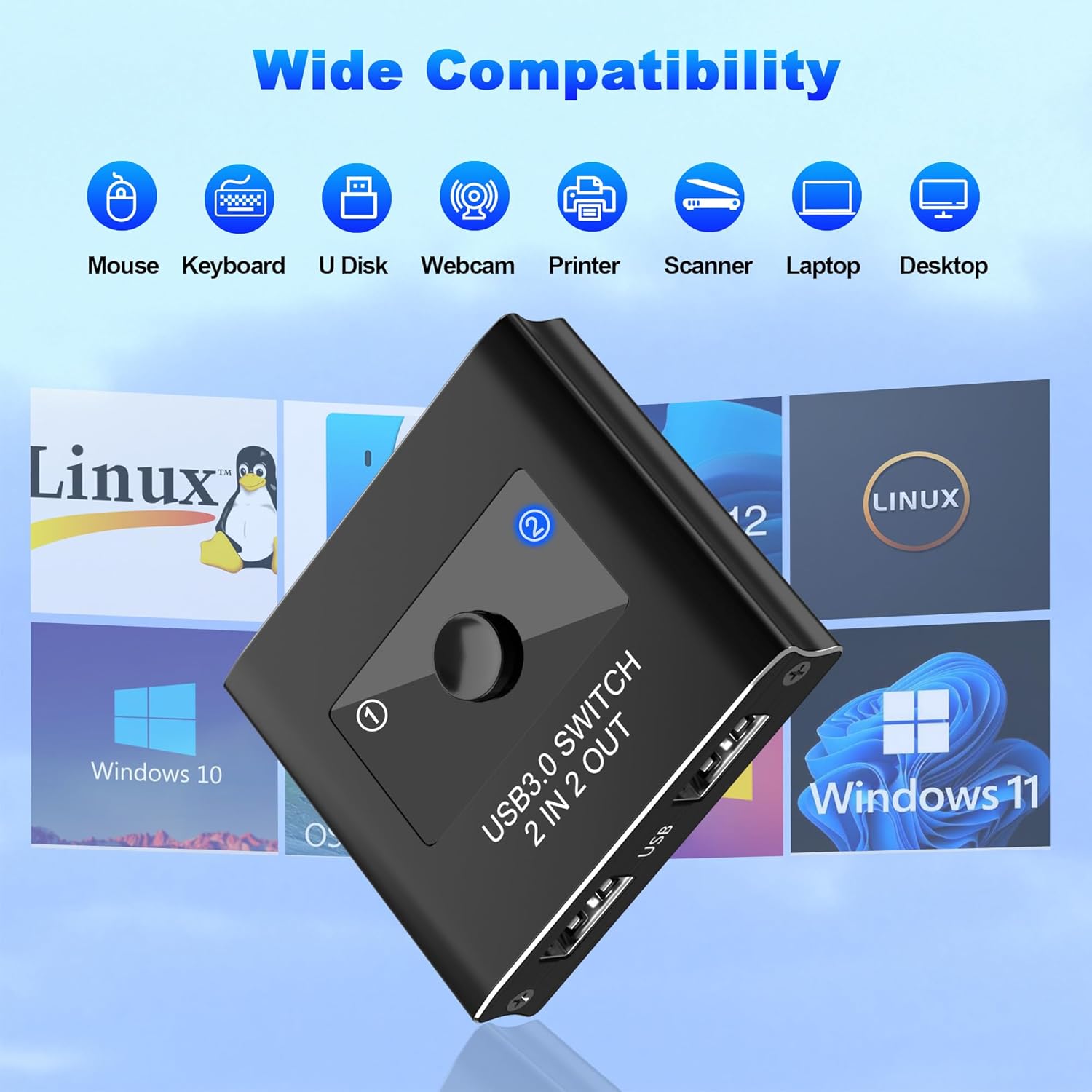
【Versatile Input and Output Options】 Whether it’s two input to two outputs, our USB switch offers flexible configuration options to suit your specific needs. with Windows 10/8/8.1/7/Vista/XP, Mac OS, Linux, and Chrome OS,for most USB devices with USB 3.0/USB 2.0/USB 1.1 ports.Ideal for sharing USB devices or computers in Offices, Multimedia Teaching, Conference Rooms, Schools, Meeting Rooms and Training Facilities.
【Quality Guarantee】Package contains: 1*USB 3.0 Switcher 2 in 2 Out,1*User Manual. AUKOKIOULA provides lifetime technical support and a 12-month after-sale warranty for this USB Switch. if you have any problem, please feel free to contact us by email and we will get back to you as soon as possible within 24hours/7day technical support.
13 reviews for USB Switch, USB 3.0 Switcher 2 in 2 Out, Switcher 2 computers Sharing 2 Devices for Printer, Keyboard, Scanner, Mouse, Compatible with Mac/Win/Linux
Add a review
Related Products


£16.98
Jamie G –
Saves time if you’re constantly switching mouse and keyboard between laptops
Solid switcher. A great time saver if you are like me and spend a lot of time switch my mouse/keyboard between 2 laptops. Only downside is it doesn’t include HDMI so there are better options out there if that’s what you are after.
Juri –
USB Switch, USB 3.0 Switcher 2 in 2 Out, Switcher 2 computers Sharing 2 Devices for Printer,
Nearly perfect. So when you running pc and laptop at the same time in your house this is great tiny device to switch between them. I have one hub which connects both hut always had to switch the cable between them. Now one click and happy days problem solved soo easy. Build quality nearly perfect but missing some rubber or soft protection on the bottom to avoid any scratches on the surface. Additionally you can hook additional device which is always really lovely. Thank you.
S. Jones –
A well made Kvm switch and a great addition to your computer kit at a very reasonable price
A review of the AUKOKIOULA Usb 3, 2 in 2 out switch.I ordered two of this but as they were different prices I presumed they were different brands so it was only when doing this review I realised they are not.That is not a bad thing as I thought the first was a great piece of kit though it is worth noting that price difference as this one is cheaper because it is just the Kvm unit itself, no cables are included.The other came with the two Usb-A cables so you could set it up and use it immediatey.Before you can use this one you need to have the cables.If you are using it to replace an existing Kvm that you have it is not a problem as you would simply swap the unit over and use the cables you have.If not you need to buy two Usb-A to Usb-A cables before you can wire it into your system.So, with that said, It is a 2 port Kvm switch.It is well finished, and being made of aluminium is solid.It is easy to set up, just two usb-3 inputs on the front and another two on the back.The two on the back connect to your two computers and you plug whatever you want into the two on the front.The push button switch on the top sends the output to whichever computer you select.It doesn’t require power so there’s no power supply involved.So, in a nutshell, if you are replacing and old Kvm this one is ideal as you save a few £’s.If however you are buying it as your first Kvm then you would be better off buying the other as the few £’s extra it cost is less than the cost of buing the canles you would need.They are both the same brand and both from the same seller.Either way it really is a well made Kvm switch and a great addition to your computer kit at a very reasonable price.
Jove Jupiter –
Recommended
I have two computers in my office â a laptop and a desktop. I also have a scanner and a printer with USB connections. Both computers are connected to the network so in principle it should be possible to access peripherals on one computer from the other via the network. Unfortunately my employers IT department have configured the machines in a way that prevents me accessing peripherals on one computer from another computer.This is why the USB switch is ideal â It allows me to connect the scanner and printer to the switch and then access them from either computer. Switching is instant and I havenât noticed any reduction in data transfer rates.The case is metal and seems well made.The only negative issues are that I needed two USB A to USB A cables to connect to my computers which are not a common cable type (luckily I had a couple in stock) and the price is a bit high compared to other similar products available on Amazon.Itâs a good product that works well.
A Jones –
Perfect usb switcher
Great, does exactly what its supposed to
Dave Williamson –
USB 3.0 Switch – 2 port
Very good, solidly made USB switch for connecting 2 USB devices between computers. Works brilliantly.Allows me to share mouse/keyboard and portable storage between my Linux and Windows PC’s at the touch of a button.Pity that it doesn’t include 2 x USB-A – USB-A cables for connection to the PC’s.Solidly constructed unit and the quality is excellent but for the price I would have expected cables.
LondonBoy –
A neat little gadget that actually keeps things simple
This has been a brilliant fix for my home setup. Iâve got a work laptop and my personal PC side by side, and being able to share my mouse and keyboard without constantly yanking out USB cables is an absolute win. This thing does exactly what it says on the tin â lets you switch two devices between two computers with one press of a button.Iâve got it hooked up to my mouse and scanner, and switching between systems is instant â no lag, no tantrums from the devices. Itâs USB 3.0 too, so transfers and connections are quick and stable. I’ve tested it on Windows and Linux â both worked without any drivers or faffing about. Just plug in, press the button to switch, and off you go.Itâs small enough to tuck out of the way, and the LED indicators make it clear which machine is active. Couldnât ask for much more really, especially when desk space is already a premium thanks to bottles, nappies, and an overfed printer.Pros:Easy to install â no drivers or nonsenseSolid USB 3.0 performanceWorks with Windows, Mac, and Linux without issuesQuick switching with clear LED indicatorsSaves loads of desk cable clutterCons:Youâll need your own USB cables to connect the computersManual switching only â no auto-detectionIf youâre switching between two systems and want to keep things clean and efficient, this little box sorts it without any drama. Makes working from home that bit smoother â which is all we really want these days!
Abbas –
Neat little gadget for desk setups
This USB switch is a clever bit of kit. Iâve got two computers on the same desk and this lets me share my keyboard and mouse between them without unplugging anything. It switches quickly and Iâve had no lag or weird disconnections. Only thing is the cables stick out quite a bit, so it takes up a bit more space than I expected. Still, itâs doing its job well.
Alice & LaDarrius Sanders –
Device was very sturdy had good weight to it and a good quality. It didnât work for me so Iâm not sure if there was a compatibility problem or not but the owner did give me a full refund without any problems so for that I give it five stars.
Jer in CA –
This was just an ok order for me. I ended up having to look for a usb data cable as I couldn’t find one on hand. Kinda set me back.The switch is good, does what it says. The button is a bit clunky, but the metal housing was a nice surprise.I feel like it should come with at least one short cable so you can figure out the length you need on the second cable.. I should have read and prepared.
Fred Bloggs –
The USB 3.0 Switch, designed for sharing two devices between two computers, is a practical solution for users who need to switch peripherals like printers, keyboards, scanners, and mice between different systems. Hereâs a detailed review based on its features, performance, and user feedback:Features:2 in 2 Out Design: This USB switch allows two computers to share two USB devices, making it ideal for setups where multiple systems need access to the same peripherals.USB 3.0 Compatibility: The switch supports USB 3.0, providing high-speed data transfer rates up to 5 Gbps, which is beneficial for devices that require fast connectivity.Cross-Platform Compatibility: It is compatible with various operating systems, including Mac, Windows, and Linux, making it versatile for different user environments.Easy Switching: The device features a simple button for toggling between computers, allowing for quick and hassle-free transitions.Plug and Play: The USB switch is designed for easy installation, requiring no additional drivers or software, allowing users to set it up quickly.Performance:Reliability: Users have reported that the switch operates reliably, with minimal lag or connectivity issues when switching between computers.Ease of Use: The straightforward design and easy switching mechanism have been praised, making it user-friendly for both tech-savvy individuals and those less familiar with technology.Data Transfer Speed: Many users appreciate the fast data transfer speeds provided by USB 3.0, which is particularly important for tasks involving large files or high-bandwidth devices.Considerations:Power Supply: Some users may find that certain high-power devices require an external power source, so itâs important to check compatibility with specific peripherals.Cable Length: Depending on the setup, users should ensure that the length of the USB cables used is sufficient for their needs, as longer cables may affect performance.Conclusion:The USB 3.0 Switcher 2 in 2 Out is a versatile and efficient solution for users needing to share USB devices between two computers. Its high-speed data transfer, cross-platform compatibility, and ease of use make it a valuable addition to any workspace. If youâre looking for a reliable way to manage multiple devices across different systems, this USB switch is worth considering.
jesse –
I have always had two separate computers on my desk, a Linux and a Windows, I have also always had two keyboards and mice. It made things cluttered, and I often found myself using the wrong keyboard at times. This little device solved that. My only little complaint about it is it does not use regular USB cables to connect to the computers. You will need two male type A to type A cables for that. Once connected using it simple, press the button on the front to switch computers and a light will switch displaying which computer is active. It works surprisingly well, and I have not noticed and delay in the keyboard or mouse on either system. If you use multiple computers and want to clear up some space this is a nice little device.
Robert Stango –
This USB switch is exactly what I was looking for! The design is clean and modern, and the build quality feels solidâdefinitely not a flimsy product. The setup was a breezeâjust plug it in, and youâre ready to go. No complicated software or extra steps required.Switching between two computers is seamless, and it works perfectly with all the devices I need, including my printer, keyboard, and mouse. Itâs a real timesaver and keeps my workspace clutter-free. Highly recommend for anyone who needs a simple, efficient solution for sharing devices between two computers!