

ScanSnap iX1400 Black A4 Scanner – 40ppm, Duplex scanning. Automatic Document Feeder. USB 3.2
£359.13






Price: £359.13
(as of Jun 15, 2025 03:19:47 UTC – Details)
Product Description

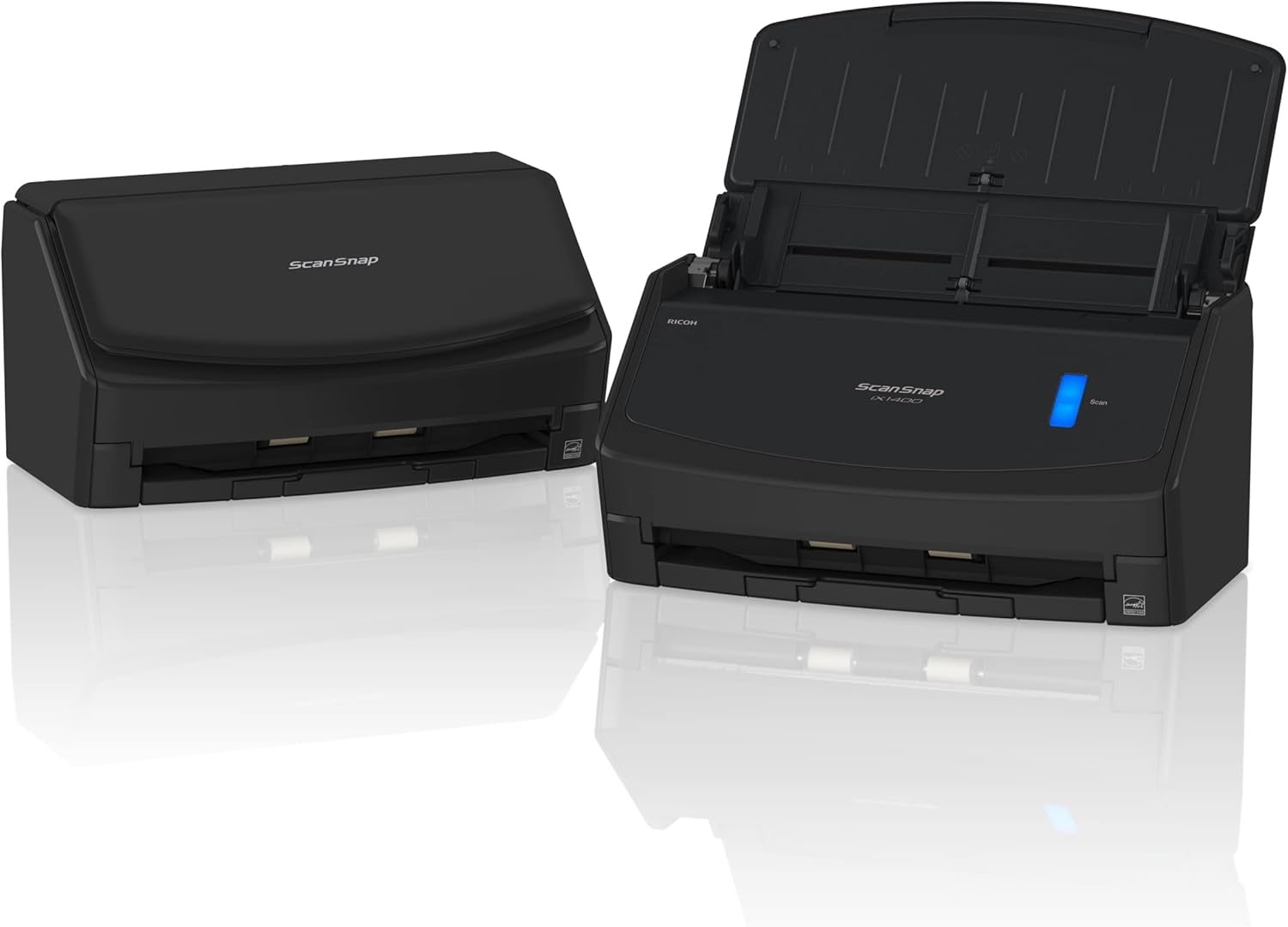
For individuals and IT novices, the beautifully simple ScanSnap iX1400 desktop scanner can digitise, process and organise all your documents from one easy device. You don’t need to know IT. You just need to press the blue button.
The ScanSnap iX1400 offers advanced, yet refreshingly simple technology that anyone can use. Its one-touch scanning is the smarter way to work for busy individuals, turning time-consuming chores into simple tasks at the push of a button. Just scan, save, and share – it’s that easy.
With no complex settings to configure, the iX1400 will be up and running from the box in record time. While the Quick Menu function lets you instantly create the type of file you want, whether it’s a searchable PDF, editable Word, Excel or PowerPoint, or extracting data from receipts and business cards.

ScanSnap iX1400 Desktop Scanner – Beautifully simple, effortlessly efficient
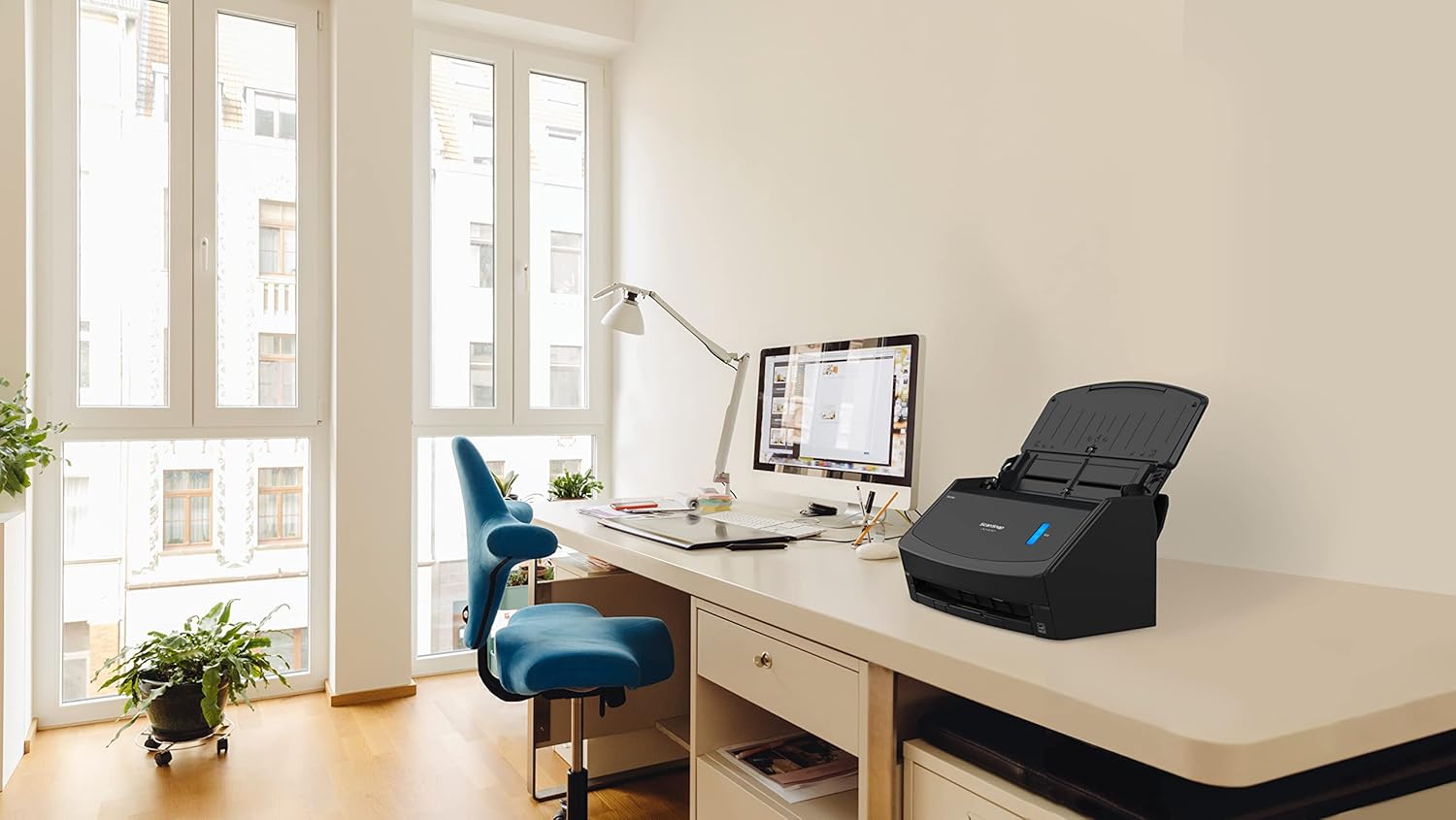
Built for modern, clutter-free businesses, the iX1400 is also compact and stylish enough to fit into most workspaces, whether that’s an office desk or coffee table. It’ll be by your side, wherever your work takes you.
And should you want to make your scanning activities even more efficient, the intuitive ScanSnap Home software allows you to automatically create the files you need, saving them to the places you want, while providing powerful search and retrieval of your scans.
Designed by the world’s leading scanner manufacturer, the beautifully simple iX1400 makes paper work for you as easily as can be, connecting your worlds with one touch.

Out of the box, ready in minutes
The iX1400 is so easy to set up, anyone can do it. Wave goodbye to complex settings or driver compatibility issues. Just unbox, set up in minutes, and press the blue button to start enjoying one-touch scanning right away. It really is that simple.
With no complex settings to configure, the iX1400 will be up and running from the box in record time. While the Quick Menu function lets you instantly create the type of file you want, whether it’s a searchable PDF, editable Word, Excel or PowerPoint, or extracting data from receipts and business cards.
The scanning experience you’ll love

Quick Menu instant file creation
The ScanSnap Quick Menu allows you to instantly scan straight into the applications you know and use. Choose to scan images directly to a folder, email or even a printer. Extract data from receipts and business cards into csv files, or export scans to cloud storage locations. Create searchable PDFs, or instantly open your scan as a fully editable file in Word, Excel or Powerpoint. You can even add other applications to the Quick Menu, the choice is yours.

Industry-leading reliability
With professional grade feeding technology and ultrasonic sensors, ScanSnap handles multi-page documents with ease. It can also alert you if two or more pages are fed through the scanner at once, delivering peace of mind that not a single page of your documents will get lost along the way.

Instant, secure connection
No one wants to spend time on installation. The fuss-free USB 3.2 connector plugs straight into your laptop or PC.

Fast and easy
Simply open the cover and ScanSnap is ready to go. Scan up to 50 sheets of single or double sided documents with ease at a speedy 40 sheets per minute. With a host of intelligent image processing functions done for you, you can scan confidently without adjusting any settings.

Compact, stylish, versatile
The sleek ScanSnap iX1400 fits right into a modern working space, wherever you call your desk. The large Automatic Document Feeder is perfect for A4-size documents as well as larger items that can be folded in half. This scanner packs advanced functionality into its beautifully compact size. The two-sided (Duplex) scanning feature will also cut job completion times in half.

Receipts and business cards are no longer a hassle
Effortlessly scan small documents with the Receipt Guide. Designed to be a comfortable fit even when the cover is closed, it dramatically simplifies document loading before hitting the scan button.
Total document management

Image Processing Functions Size Detection / Colour Detection Cropping / Deskew / Rotation Blank Page Detection / Deletion Image Smoothing / Image Emphasis Error Diffusion Edge Correction JPEG Compression Vertical Streaks Reduction Multi-feed Detection
Overlap detectionLength detection
ScanSnap Home software
Documents are automatically recognised and grouped according to document type (receipts, photographs, business cards etc.) while folders, tags, and keywords allow you to organise, search and find information more easily than ever before. ScanSnap Home software allows you to easily manage, edit, and utilise scanned data from:
DocumentsReceiptsBusiness cardsPhotosA3, A4, A5, A6, B4, B5, B6Post CardLetterLegalCustom Paper Sizes
Add To Basket
Add To Basket
Add To Basket
Add To Basket
Customer Reviews
4.5 out of 5 stars 279
4.4 out of 5 stars 984
4.4 out of 5 stars 348
4.5 out of 5 stars 314
4.0 out of 5 stars 95
Price
£416.47£416.47 £386.47£386.47
— no data
£339.13£339.13 £221.05£221.05
Colour
Black White Black White White
Scanning Speed
40ppm/80ipm 40ppm/80ipm 30ppm/60ipm 40ppm/80ipm 12ppm/12ipm
Touchscreen
✓
✓
✓
no data
no data
USB
✓
✓
✓
✓
✓
WiFi
✓
✓
✓
no data
✓
Duplex
✓
✓
✓
✓
no data
ScanSnap Home
✓
✓
✓
✓
✓
ScanSnap Manager
✓
✓
✓
✓
✓
Kofax Power PDF Standard
✓
✓
✓
no data
no data
ABBYY FineReader for ScanSnap
✓
✓
✓
✓
✓
From now until 31st December 2024, when you buy the ScanSnap iX1600 or iX1400 document scanner, we’re offering a free* Leitz IQ Home Office P4 Shredder – you must apply for this after purchase by visiting scansnapit.com
Effortlessly scan your documents, digitize receipts, business cards and invoices to PDF, Searchable PDF, JPEG and many editable formats
Duplex scanner: Scan different types of documents from A8 to A4 (single or double sided) with ease at a speedy 40 sheets (80 images) per minute. Manual A3 Scanner Mode for larger documents
Customers say
Customers find the scanner reliable and easy to use, with the ability to scan both sides of a page at once. They appreciate its functionality, with one customer noting it works really quickly.
13 reviews for ScanSnap iX1400 Black A4 Scanner – 40ppm, Duplex scanning. Automatic Document Feeder. USB 3.2
Add a review
Related Products

![Scanners: (Limited Edition) [4K UHD / BD]](https://i1.wp.com/m.media-amazon.com/images/I/81KqcO26mcL._AC_SL1500_.jpg?w=300&resize=300,300&ssl=1)


£359.13
SarahR –
Works very well
Wanted a fast, simple to use, reliable scanner for a large quantity of documents I need to scan and convert. This has proved to be excellent, good results, easy to use, and processes a large number of documents with no problems.
Anna Carroll –
Excellent product
This is a great scanner which I would highly recommend. We have three in our workplace. Quick and efficient delivery.
Paul M. –
Excellent Scanner
Purchased this scanner to transfer medical records to digital storage, so itâs purely mono scanning. It scans both sides of the page at once and misses out any blank pages (optional). The user interface on the software isnât that great and thatâs the only thing that lets it down. It is manageable, however, and once configured and understood, itâs all pretty straightforward.
AmericanCarBuff –
Replacement for an old ScanSnap machine
Having upgraded my computer I was forced to upgrade my scanner as the drivers of the old machine were no longer available. The old machine was a good reliable work-horse, the new one is superior in every way and very user friendly.
biddyderby –
Works
Good machine with great features. It’s used every day and sometimes scanning bundles of documents with no problem.
HB –
Great product
Works really quickly, scanning both sides of multiple page documents, good quality scan.
Dr M. –
software unnecessarily complicated compared with earlier iterations of this scanner
The scansnap scanners are great, we’ve had several over the years but they have now made the software very complcated with an unnecessary emphasis on cloud storage in a not very user friendly software package. Why? Why would you not want to keep scans of confidential documents local? Fortunately you can avoid this but it takes some extra work when you are setting up.
Richard W –
Fujitsu iX… are wonderful scanners!
After many many years replaced my original iX500. Absolutely dependable machines.
R. W. P. Fhij –
Ik heb 5 snap scan scanners op kantoor staan. De oudste twee zijn al ouder dan 5 jaar en doen het nog perfect. Net als bij printers willen de doortrek rubbers na verloop van tijd wel eens te droog worden. Dan kun je ze met een tikkeltje wasbenzine (zoek dit even op met de browser want het kan ook terpentine of alcohol zijn, omdat de apparaten verschillen) even opfrissen en dan loopt het weer tijden door. De nieuwste versies hebben een speciale intrek plaats voor kaartjes, kunnen vaak een taak vervolgen, waardoor je veel meer bladen in een scan kunt doen, kunnen standalone of aan de pc werken en als het moet hele boekwerken scannen. In het laatste geval heb je wel een goed snijmes nodig. De nieuwe versies komen van Ricoh, zijn iets lichter en qua constructie iets kwetsbaarder. Als je er normaal mee omgaat is dat geen enkele probleem.
Musacci S. –
Ho comprato questo apparecchio per scannerizzare i miei documenti importanti, lo avevo visto prima presso il mio Patronato,Fiscale, quindi ho pensato che se loro devono conservare molti documenti, io ne ho meno ma ho troppa carta in casa che occupa spazio e si deteriora con il tempo, consigliatissimo, dovevo farlo prima.
José Manuel Leal Gómez –
Es un escáner muy rápido y de muy buena calidad. Que escanee las dos caras viene genial. Estoy encantado con el producto.
NEUKUNDE –
Ich brauchte einen Scanner und mir wurde dieser zum Kauf empfohlen, weil er einfach funktioniert und leicht zu bedienen ist. Papier lässt sich gut scannen und es kommt tatsächlich selten zu einem Papierstau.Angeblich soll man auch Ausweise und Visitenkarten scannen können, aber das funktioniert bei mir leider nicht.
papin –
super