

Logitech MX Anywhere 3S Compact Wireless Mouse, Fast Scrolling, 8K DPI Any-Surface Tracking, Quiet Clicks, Programmable Buttons, USB C, Bluetooth, Windows PC, Linux, Chrome, Mac – Graphite
Original price was: £89.99.£69.99Current price is: £69.99.






Price: £89.99 - £69.99
(as of Jun 15, 2025 09:34:25 UTC – Details)
From the manufacturer
The video showcases the product in use.The video guides you through product setup.The video compares multiple products.The video shows the product being unpacked.
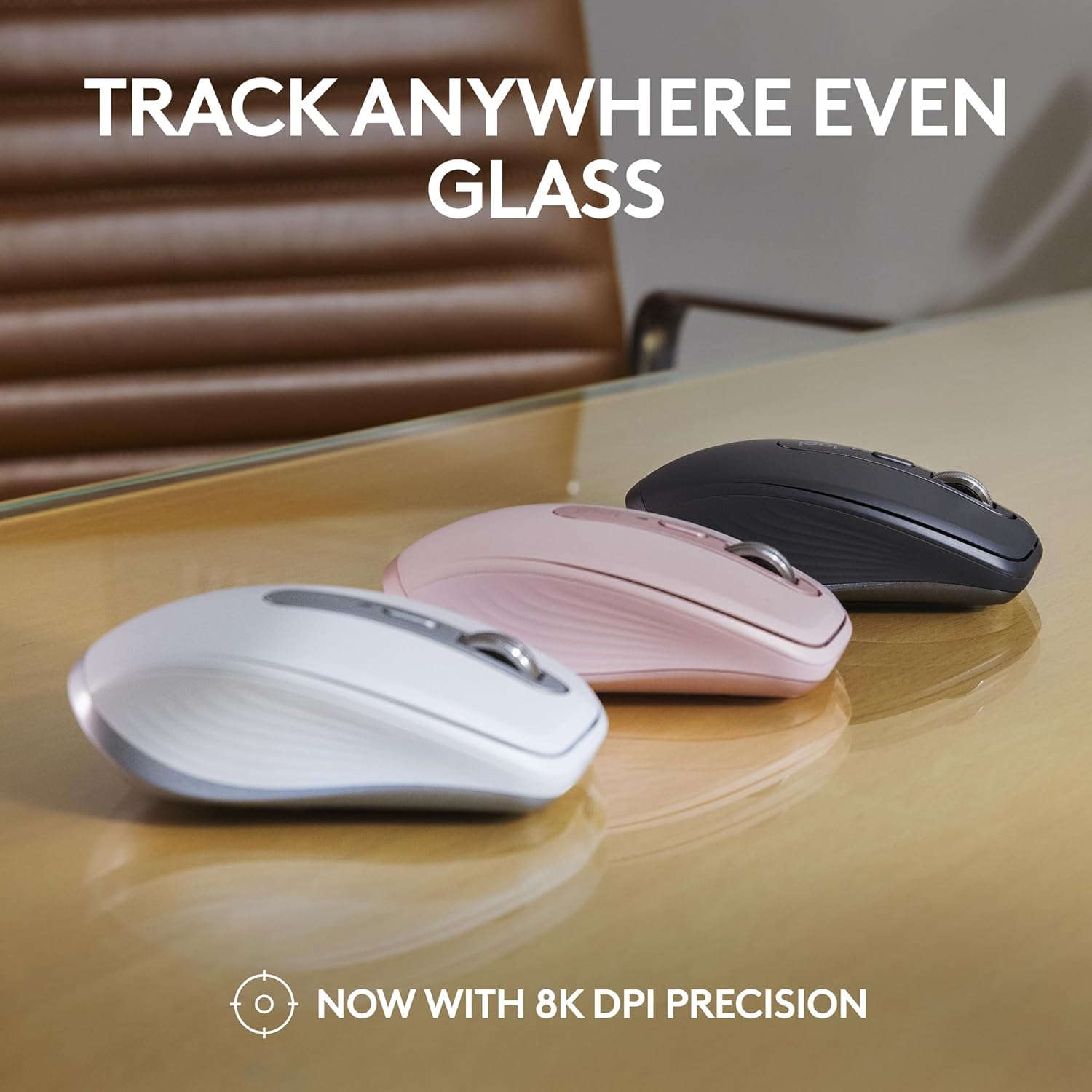
 TRACK ANYWHERE, EVEN GLASS
It’s Logitech’s most accurate sensor ever, that’s faster and 5x more precise than the basic mouse(2). 8k DPI tracking with customisable sensitivity means you can cover more ground with subtle movements.
 SCROLL 1,000 LINES PER SECOND
with the Magspeed scroll wheel . 90% (5) more speed and 87% (4) more precision with its 2 modes: ratchet & hyper fast scroll. (compared to regular Logitech mouse)
 USB-C QUICK CHARGING
Stays powered for up to 70 days on a full charge – and gets 3 hours of use from a 1-minute quick charge (8).
 PRODUCTIVITY IN ANY WORKSPACE
Save space and work anywhere with this high-precision compact mouse that is easy to set up and takes little space.
 WORK COMFORTABLY FROM ANYWHERE
With a compact, low-profile design contoured for the shape of your hand, you’ll be comfortable for hours no matter where you work
 COUNTLESS CUSTOMISATIONS
Customise buttons, set tracking speed, and use ready-made app-specific customisations to optimise your workflow with Logi Options+.(7)


 MULTI-COMPUTER, ONE FLOW
Pair MX Anywhere 3S to work on multiple computers and cross-OS – and transfer text, images and files between them. – just copy on one and paste to the other. (7)
 PAIR WITH MX MECHANICAL MINI
Enjoy a next-level typing experience with fluid mechanical switches and a minimalist form factor.
 PAIR WITH MX KEYS MINI
For those who prefer laptop-like typing made even better with keys shaped for your fingertips and smart illumination on a compact keyboard
Tracks Anywhere, Goes Everywhere: Work on any surface, even glass (1), with MX Anywhere 3S Bluetooth Mouse – now with an 8K DPI sensor so you can cover more ground with subtle movement
Deeper Flow with Quiet Clicks: MX Anywhere 3S Wireless Mouse introduces Quiet Clicks – the same satisfying feel but with less click noise (than MX Anywhere 3) for less distraction and more focus
Scroll 1000 Lines Per Second: With MagSpeed, Logitech’s fastest (5) and most precise scroll wheel (4)
Multi-Device, Multi-OS: Connect with up to 3 devices via Bluetooth on Windows, macOS, Chrome OS or Linux. Compatible with Logi Bolt USB receiver only (receiver not included) (6).
Seamless Connectivity: MX Anywhere 3S portable mouse is Engineered for Intel Evo which verifies it meets technical specifications for optimal Bluetooth connection: no dongles, no wires, no hassle
Optimise Your Workflow: Work across devices, set tracking speed, customise buttons and use ready-made app-specific customisations with Logi Options+ (7)
Quick Charging, Long-Lasting USB C Mouse: Stays powered for up to 70 days on a full charge and lasts up to 3 hours off a 1-minute charge (8); charge with the included USB C cable
Made with Recycled Plastic: Plastic parts in MX Anywhere 3S include certified post-consumer recycled plastic – 78% for Graphite, 61% for Pale Grey and Rose (10)
Customers say
Customers find the mouse responsive and functional, particularly noting its performance on difficult surfaces. They appreciate its comfort, smooth operation, and compact size that suits both small and large hands. The build quality and value for money receive mixed feedback, with some customers describing it as well-made and worth the price, while others find it poorly built and not worth the cost.
10 reviews for Logitech MX Anywhere 3S Compact Wireless Mouse, Fast Scrolling, 8K DPI Any-Surface Tracking, Quiet Clicks, Programmable Buttons, USB C, Bluetooth, Windows PC, Linux, Chrome, Mac – Graphite
Add a review
Related Products


Original price was: £89.99.£69.99Current price is: £69.99.
M. joyce –
â â â â â Small but Powerful â Donât Be Put Off by the Size
Wasnât sure at first because itâs a small mouse and Iâve got big hands, but honestly, this thing punches well above its weight. Feels premium and comfortable â donât let the compact size put you off.Fast, smooth scrolling. Tracks perfectly on any surface (even glass), and the clicks are super quiet. DPI adjustment is easy, glides effortlessly, and the programmable buttons are actually useful. USB-C charging is a win.What really stands out is the seamless switching between devices. I jump between my laptop and desktop with one click â works every single time, zero hassle.If you want something compact that still feels like proper kit, this is it. Best small mouse Iâve used, hands down.
Magicbean –
Feels nice and works well
I write software professionally and do quite a lot of computer-based CAD on Windows 10 machines. This mouse feels nice, a good weight, glides nicely and works much better on difficult surfaces than the cheaper Logitech mouse that it replaced. I never need to use the mouse over paper or a mat – my desk surface is fine.I use it with the MX Keys keyboard – together they are lovely. Battery life seems fine and can be plugged in to the USB-C cable for a short while if it needs topping up. The nicely-weighted wheel is easily switched from frictionless to ‘detent’ with a single click next to the wheel and it is really fast to scroll through large web pages and documents but under control. You can control the detent ‘notchiness’ and the spin rate below which which it turns on. That means that you can fast spin through a document and then stop the spin and you have your detents back if you want – that works really well.I love the copy buffer transferring form one computer to another. The Logitech ‘flow’ (the automatic transfer from computer to another sometimes just by moving the mouse cursor feels a bit sluggish and sometimes seems to not work correctly, in which case I end up turning the mouse over and manually selecting the other computer.If you want, you can program the two side buttons as a global functions or even per application but, despite doing a lot of design, I never think to use them; the rear one is too far back for my thumb to remember that it is even there. Just occasionally I remember that I can scroll sideways using the mouse wheel if I press a side button.Despite that, I love it and would definitely buy it again. It definitely feels to me like a mouse that is worth paying the extra for.
D. Rundle –
Love this mouse.
Yes it was expensive, but wow! Definitely a step up from any other mouse I have had, and better than my previous Logi mouse. Well made, good size (and I have big hands), comfortable to use for the long periods I spend editing photos, and looks great. Quiet, works on any surface and battery life is amazing. It connected easily and quickly to my PC and is very stable.I did wonder whether it was worth spending so much on a mouse, but I am glad I did, I can’t see me ever going back to using a cheap mouse again.
MJA –
Another amazing MX mouse.
An upgrade from an Anywhere 2, which I’ve been using for work for over 4 years and remarkably still looks fairly new. I just wanted to have USB C charging and to try the magnetic scroll.On the whole not a huge amount has changed. The base mouse is just as solid as before, with a quick and precise pointer action that works on pretty much any surface.The biggest difference is of course the scroll wheel. Instead of a mechanical ratchet, it uses a magnet to artificially produce the notches. The well-tuned magnet releases the wheel into free spin if you scroll with enough force, switching back to notched scroll when the wheel slows enough for the magnet to grab. Pressing the button above the scroll wheel changes to full free spin mode. It is a much more fluid action than before and moving the scroll switch to a button means the scroll wheel now has a normal middle mouse button. Just bear in mind the scroll wheel left/right tilt buttons are no longer here. The scroll notch isnât as strong as before, but it does the job well.In the case of the Anywhere 3S, the left/right click are quiet. I’ve had Logitech quiet mice in the past and they do a good job of silencing the clicks without making the mouse buttons feel mushy.The only thing I dislike about the 3S is the side buttons (back/forward) are overly stiff compared to the Anywhere 2 and therefore feel awkward to use. Maybe these will loosen over time.Finally, just to comment on the pricing (not going to remove a star, but something to keep in mind). Iâve been monitoring the Anywhere 3 pricing for 3 years. In all this time the lowest sale price is more than double what I paid for the Anywhere 2 on sale. It feels like the price of the Anywhere series is now artificially inflated, perhaps to make the MX Master look less expensive in comparison. With this in mind, if youâre a first-time buyer looking for a premium Bluetooth mouse, Iâd honestly recommend the Anywhere 2S instead. In the grand scheme of things, the Anywhere 3 is not the leap in quality the price would suggest.
Peter Fenton –
Expensive
I’ve recently been given a Macbook for work and my existing mouse didn’t work very well and needed an adaptor. I bought this as I believed it was specific for Mac but it also appears to work with other operating systems too, so maybe I should have bought the ‘non S’ version. The good news is that it works. It pairs easily with bluetooth and after charging it should last for up to 70 days. The cursor now moves as it should – there are two options: you can have a traditional click wheel or a free scroll option which moves incredibly quickly through long lists or documents. There’s also a back button and another which I haven’t assigned yet. (You can download software to customise/configure the mouse to your own requirements). Size wise it’s fairly comfortable, I have medium size hands and it fits quite snugly without causing strain. Build quality seems good, certainly better than my usual £20-£30 mice, but that aside, I can’t see why this is so expensive. Perhaps I’ll discover the reason as I use it and make more use of the features.
John Cornelis –
Handig in gebruik zonder kabels
Giuseppe Nostro –
Dopo 4 anni è ancora PERFETTO. Comodissimo per la portabilità , lo metto in tasca quando sono in mobilità . Ora l’ho sostituito col Master Mouse MX3 originale ergonomico. Ancora migliore l’MX3 a pieno formato, come presa e ergonomia fantastica, ti evita il solito dolorino alla mano/polso da sindrome del tunnel carpale…
Bernardino –
Il mouse è perfetto per dimensioni, non è troppo grande nè troppo piccolo. La mia mano ha dimensioni nella media.Se posso segnalare alcune cose, dopo un poche settimane di utilizzo posso dire che:-è vero, la batteria dura; lo uso tutto il giorno e si scarica molto lentamente, complice anche il fatto che non ha led rgb;-il software lg non consente di avere a disposizione una iconcina nella barra delle applicazioni che mi segnali il livello di batteria, per cui ogni volta bisogna aprire il programma e andare a guardare;-se siamo un un pdf e non tocchiamo sul foglio una riga specifica, lo scroll è troppo veloce e non consente di gestire gradualmente lo scorrimento della pagina pdf. Questa è una funzione che agevola da un lato, ma può diventare fastidiosa dall’altro. Devo capire se è possibile disattivarla, ma penso di no e ciò non ha nulla a che vedere con l’altra funzione che regola la frizione della rotellina, che riguarda appunto solo quest’ultima.-ricordate che se avete il bios navigabile con mouse, dovrete usare il cavo perchè il bios ad oggi non rileva il mouse bluetooth e quindi occorre collegare il cavo.
Adrien –
La souris Logitech, parfaitement fonctionnelle, constitue une solution idéale et pratique pour un ordinateur portable. Ses fonctionnalités Bluetooth et sa batterie sont appréciables, et son ergonomie est satisfaisante.
Silvia –
Perfecto, silencioso, rueda super rapida. Muy contenta lastima del precio tan elevado