

Portkeys LH7P Camera Field Monitor 7” 1000nit Touchscreen Camera Monitor Wireless Control Camcorder Monitor for A7S III/FX3/A7M4 BMPCC 4K/6K/6K Pro/CANON R5 R6ⅱ R7 (White)
£399.00









Price: £159.69 - £399.00
(as of Jun 17, 2025 05:41:57 UTC – Details)
From the brand

Portkeys EU Official

Portkeys Technology Co. Ltd. has always strived to provide high-quality videography and cinematography on camera monitors. Creating value-oriented products that provide professional cinema camera accessories for RED, Blackmagic Design, Sony, Panasonic, Canon, Zcam, Tilta and more
Camera Control Monitor
Electronic Viewfinder & Monitor

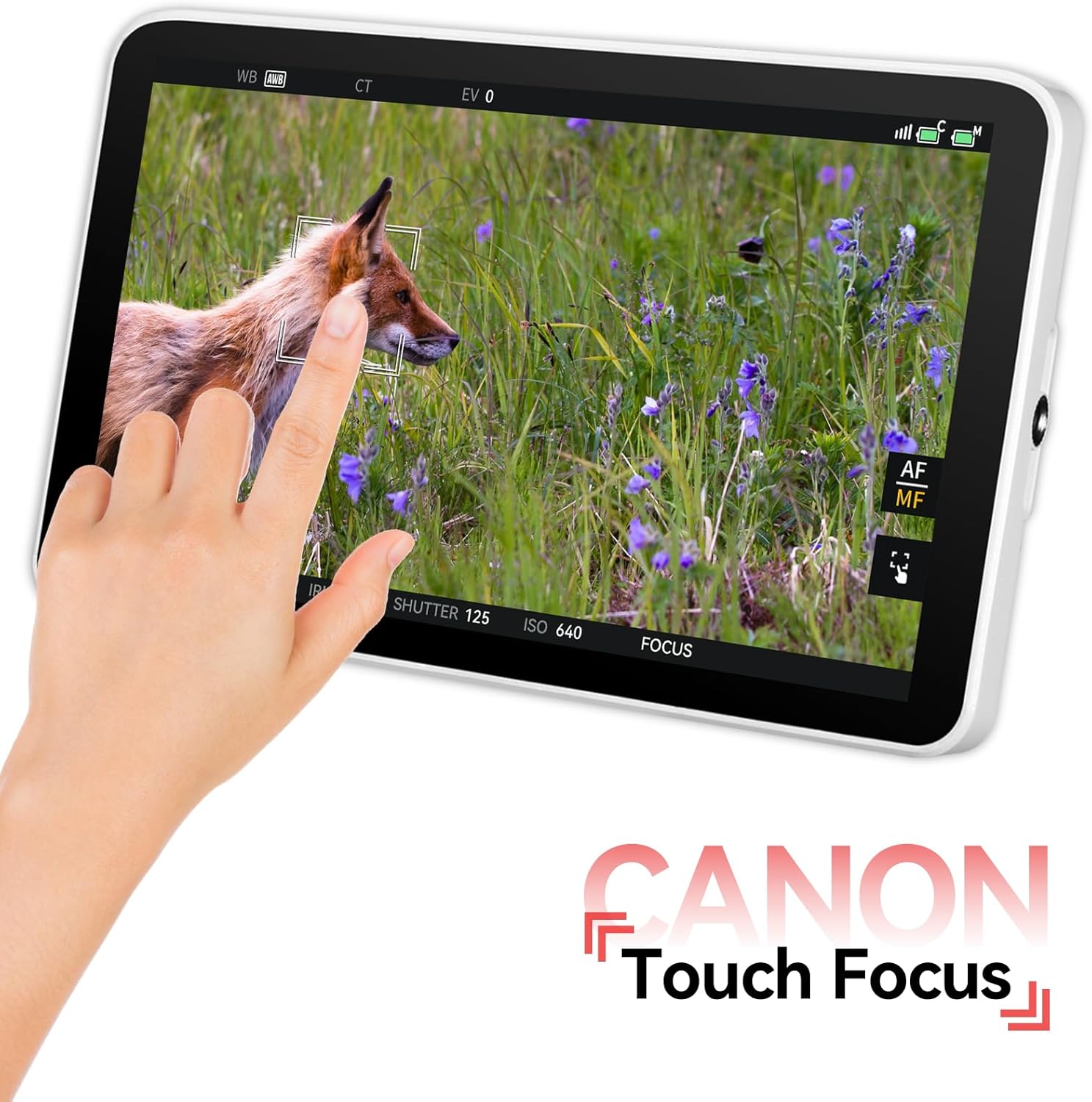
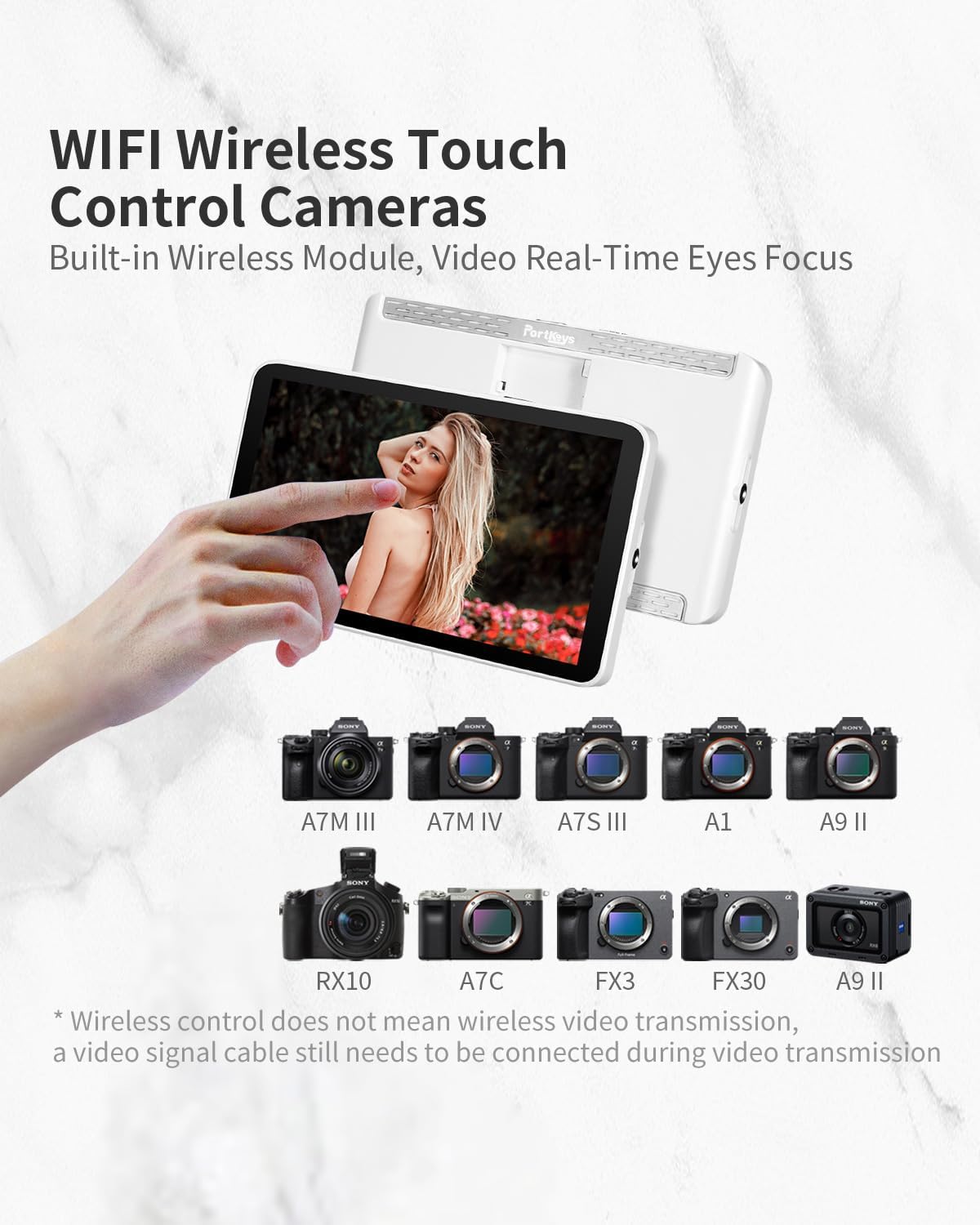
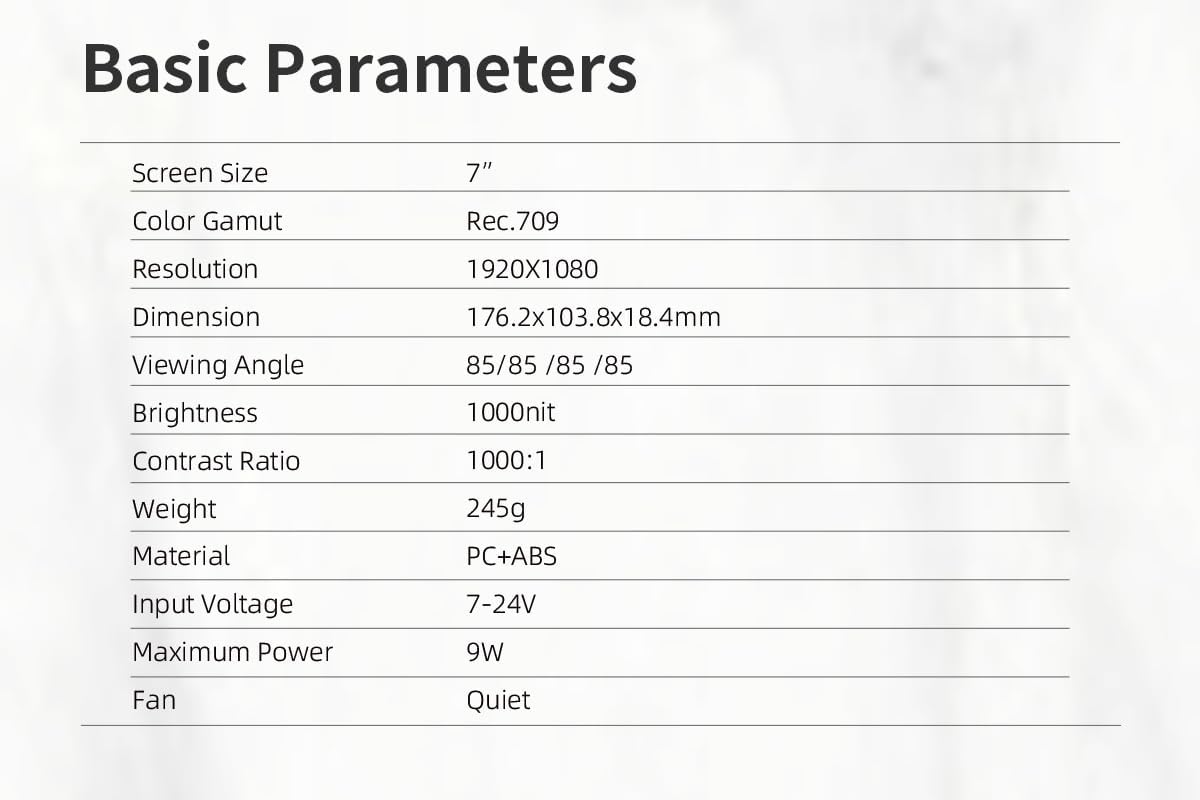
Portkeys LH7P camera field monitor features a brightness of 1000 nit, a Full HD resolution of 1920*1080, a contrast ratio of 1000:1, and a 16:9 aspect ratio. It is a touchscreen monitor for wireless camera control. It has a built-in wireless module for real-time video eye focus function
Wirelessly control A7S III/FX3/A7M4, BMPCC 4K/6K/6K Pro, etc via Bluetooth connection. Canon R5 R6ⅱ R7
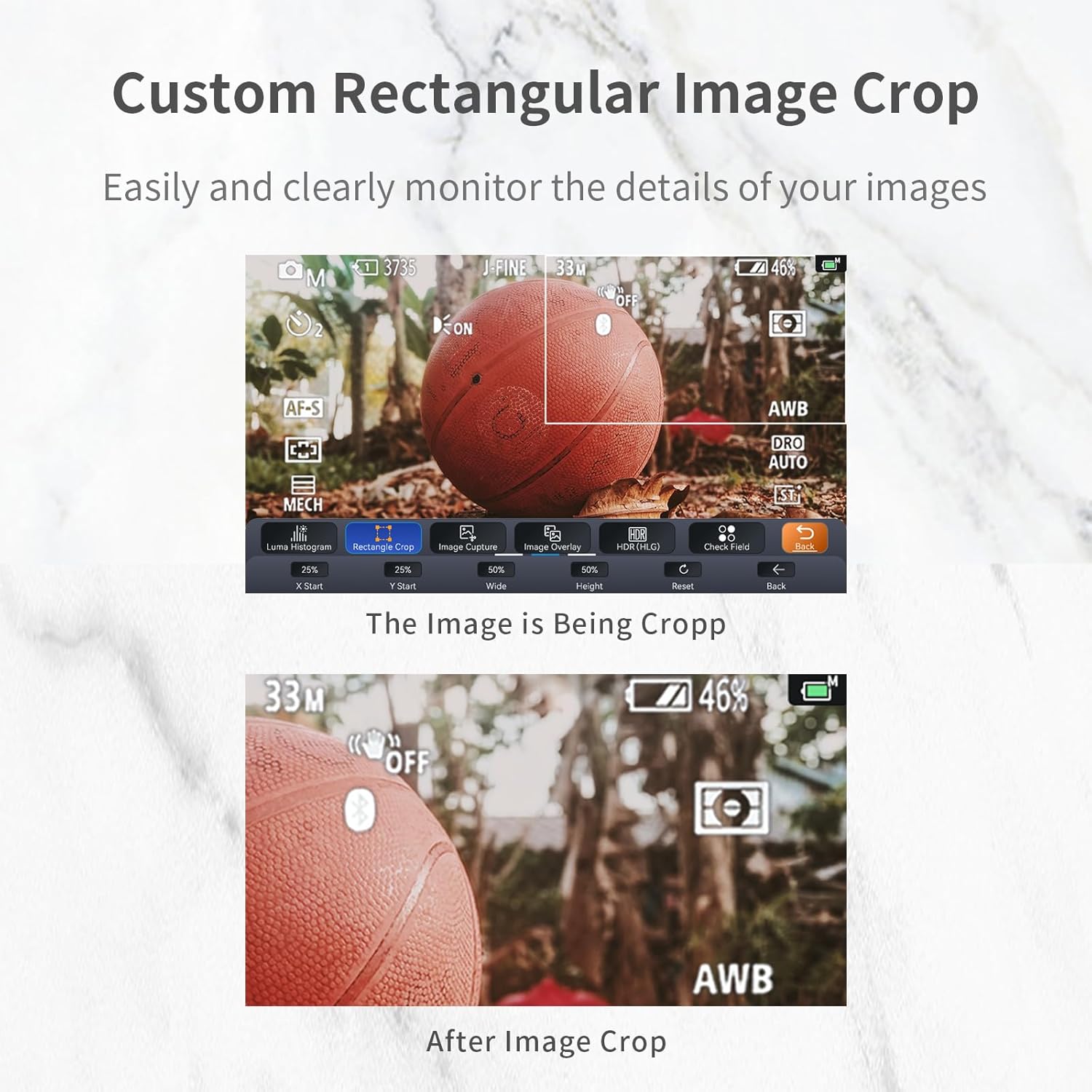
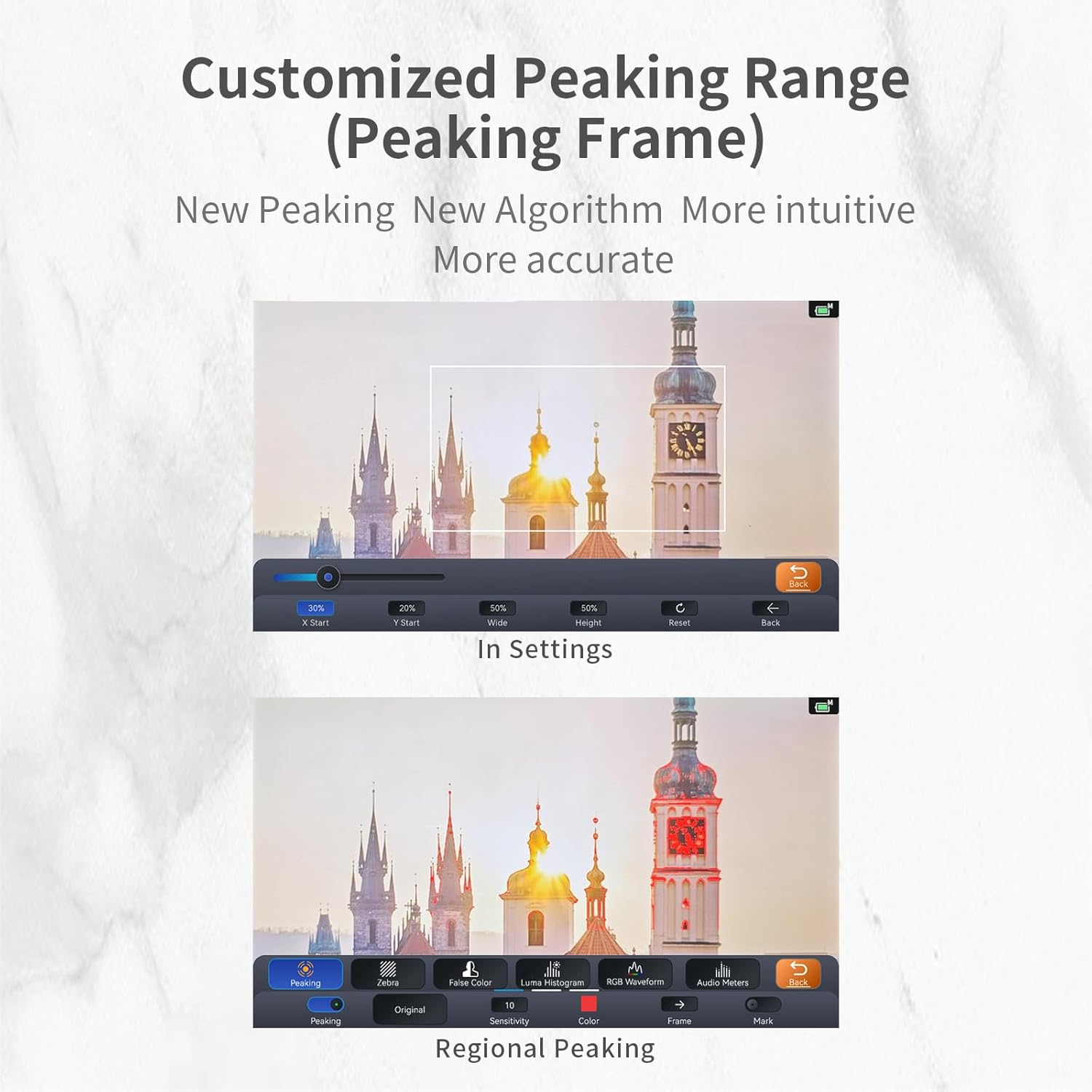
You can load custom LUT files into the camera monitor for color calibration using the included USB disk. It supports a variety of functions such as histogram, vector scope, waveform, false colors, peaking focus assist, zebra exposure, zoom, and more. Additionally, it has HDR functions and allows monitoring of stretching effects when shooting vertically in real-time.
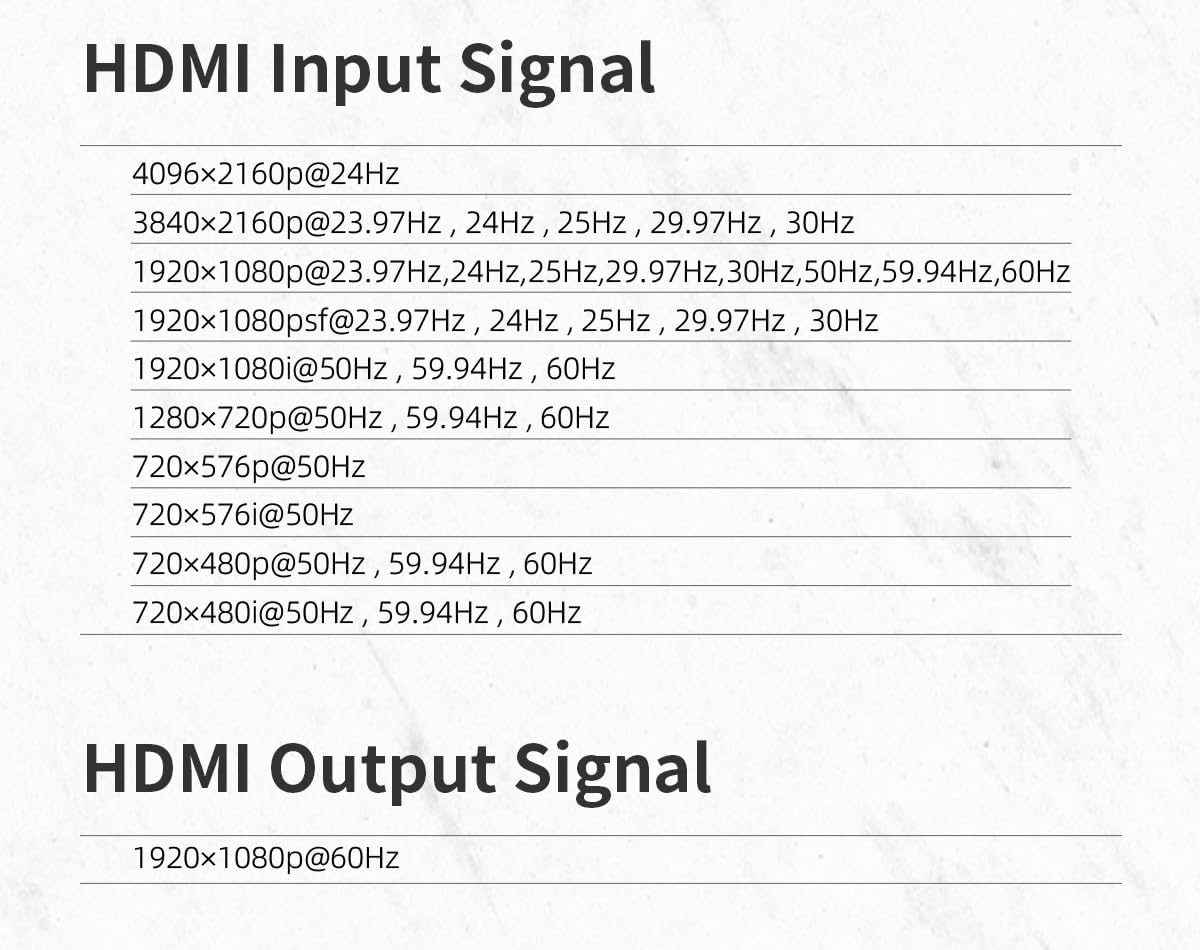
Supports 4K oversampling to 1080p. Professional monitoring tools: Waveform, Vectorscope, Anamorphic, Peaking, ARRI False Color.
The LH7P monitor supports ARRI False Color mode and user-defined mode. When you use the user-defined mode, you can freely set the IRE values.
Customers say
Customers praise the monitor’s solid metallic frame build and stunning screen, with one noting how colors really POP. The display is bright enough, and customers find it great for camera use. The functionality receives mixed reviews, with some saying it works decently.
13 reviews for Portkeys LH7P Camera Field Monitor 7” 1000nit Touchscreen Camera Monitor Wireless Control Camcorder Monitor for A7S III/FX3/A7M4 BMPCC 4K/6K/6K Pro/CANON R5 R6ⅱ R7 (White)
Add a review
Related Products


£399.00
Yes I`m Okay –
Very Good
Light, Very Good Quality, you can control A lot cameras with this
Kip Hakes –
Nicely built – stunning screen
This isn’t a ‘cheap’ monitor, but it’s also not a stupidly expensive one. It sits nicely in the middle – you really do get what you pay for though. The metal construction is LOVELY – it really feels good of good quality. The screen too.. WOW – it’s lovely – the colours really POP, and it gives a nice accurate reproduction. It’s not overly reflective, and the viewing angles are top notch too!It has an inbuilt fan to keep it cool, you can control the speed of it so it doesn’t interfere with quieter recordings (to be fair even on the highest setting – it’s pretty quiet!).I LOVE that it comes with a hard storage case too – this could only be made better by a little section in it to store cables – but that’s just being SUPER picky!It didn’t seem to be able to control my Canon M6 Mk 2 – and that’s fine – it’s not on the list of supported cameras, however you can easily update the firmware on this, so if it does become available then that’s great!The touchscreen is snappy and responsive – the interface is VAST though – there are so many settings and tweaks you can make. It’s a bit daunting to start with – but you get the hang of it in time.This is my first PortKeys product, and I’m really pleased with it. Looking forward to taking it out and about with me more!
Volodymyr Svyryda –
Great monitor for a camera.
Great monitor for a camera. I gave it 4 stars only because the camera controls are not fully functional. I hope this will be fixed in future firmware. But overall everything is good.
John C. –
It Stoped working
This product stopped working after 2nd use. Amazone refuse to repair
patrick acum –
Fantastic screen
Very pleased with this little fella. Use it on my b cam, a bmpcc4k – it’s brilliant for gimbals with the bluetooth camera control and can be powered from a dtap. The screen is great and on smaller cameras, this is the perfect size. It’s plenty bright enough too and sharp enough for focussing from. I’ve already got a portkeys as my directors monitor but this new one is better quality with a metal body. If I ever manage to move on from gemini to raptor, I’d definitely look at portkeys again, the 7″ monitors are just too big for raptor or komodo. One issue to note though – a problem on blackmagic’s end rather than portkeys, is that it doesn’t automatically re link when you power off and on again. Apparently, something needs updating at BMD’s end to make this happen.
T Reeder –
Previously Opened/Used but Sold as New
Unfortunately the monitor I was sent had been opened, handled and used before. It had fingerprints over the screen and a greasy long fingerprint in the middle. I bought it on a Spring Deal discount so I couldn’t return/exchange. Disappointed
Fiendish –
Quality screen let down by poor software
This feels like a quality monitor with a solid metallic frame build. The screen is very bright (although no way to be sure it hits the 2200 nits it claims). The problem is the software.The UI is clunky at best. To access menus you either swipe up, down, left it right depending what you want to access, but only after you press the screen first. This action takes you out of full screen viewing mode, shrinking the display so the icons can appear. This is extremely annoying as it reduces the effective screen size to probably around 4-4.5″.Other monitors if you want to enable/disable features you can just press the button and it’s done. No loss of screen size, no need to go into an additional menu to activate (yes, some items you have to do this). You even have options in the menu for transparency but this makes no difference as there’s no image behind the buttons. Going into the menus also does black out the screen for a fraction of a second. That annoyed me.I also came across a bug, a significant one. When you first turn on the monitor, when in picture settings you can alter things like brightness, contrast, sharpness. However, you’ll only see these once. Once you start going through the menus, these options will never appear again and you’ll need to reset the monitor. And no, it’s not just a case of swiping a menu bar because they are hidden, no they literally aren’t there.Overall in use, I did have some issues with sharpness – everything seemed a bit soft. I did try to correct this in the field but because of the picture settings bug, I couldn’t access the right screen until I got home and reset the monitor.Using the camera control was okay for the A7S III, the main reason I bought it. The touch focus though the only mode I could get it in was touch tracking, regardless of the focus mode I was in. Not ideal in all situations.I’ve sent this monitor back. Maybe after a few more firmware updates it might be decent but right now, it’s a tad annoying to use for any length of time.
Amzon Customer –
Canon 5DMkiv with cable from Portkeys
The product information indicates that the monitor is compatible with a canon 5DMkiv using a micro cable. So far I have not found a cable which will connect the two. Email portkey and they just say use that cable.I would now like to inform you all that Portkeys have been in touch with me and are sending to me a cable which will do the job.That is a great response from Portkeys. Thank you.
jond –
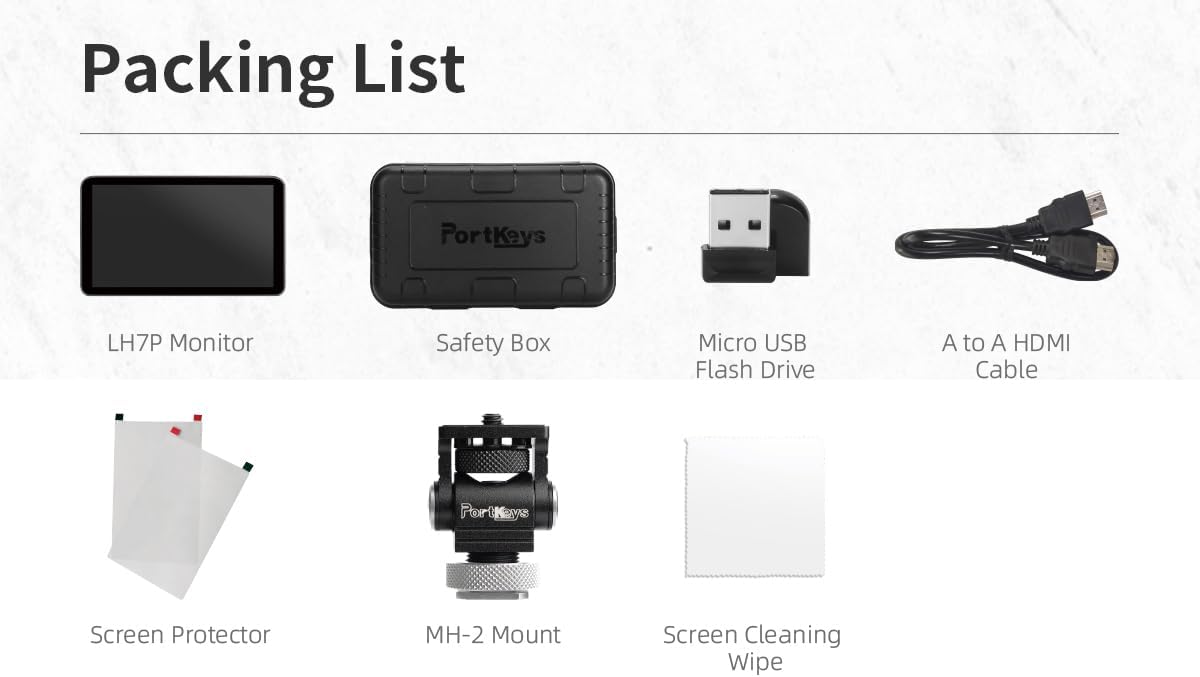
Deutsch :Ich habe den Portkeys LH7P schon oft im Einsatz gehabt und mir nun endlich meinen eigenen zugelegt â einfach, weil ich ihn für den besten Kameramonitor halte, den ich bisher benutzt habe.Er ist superhell, kompakt gebaut, extrem übersichtlich im Menü und lässt sich schnell und intuitiv anpassen. Alle Anschlüsse liegen auf der Unterseite â kein Kabelsalat an der Seite â was generell praktisch ist. Doch was für mich den Unterschied macht: Auf der rechten Seite befindet sich zusätzlich ein Schraubgewinde, sodass man den Monitor perfekt auch für vertikale Setups nutzen kann â ideal, wenn man viel vertikal dreht.Die konfigurierbaren Tasten oben am Monitor sind Gold wert â so kann ich mit einem Klick Focus Peaking oder die Waveform aktivieren, ohne erst durchs Menü zu müssen. Und die Touchfunktion ist nicht nur angenehm, sondern richtig smart: Ich kann meine A7S III direkt über den Monitor steuern â ISO, WeiÃabgleich, Blende, alles. Ich muss nicht mehr auf das kleine Kameradisplay schielen, sondern kann entspannt auf dem Portkeys alles im Blick behalten und anpassen.Die Aufnahmeanzeige mit dem roten Rahmen oben und unten ist für mich ein kleines, aber superwichtiges Feature â ich weià einfach sofort, ob aufgenommen wird. Kein Rätselraten mehr.Ein weiterer Riesenvorteil ist der LUT-Support. Ich kann gröÃere LUTs mit mehr Tiefe laden, vorab Looks designen und direkt on Set sehen, wie mein Material in der Post aussehen wird.Der Monitor kommt in einem kleinen, gut gepolsterten Case â schützt super beim Transport. Ein Mount für den Zubehörschuh ist dabei, aber ich nutze lieber einen Ari-Locating-Mount an meinem Top-Handle. Praktisch ist es trotzdem, beide Optionen zu haben. Auch HDMI-Kabel, USB-Stick für LUTs und sogar zwei matte Schutzfolien sind dabei.Einziger kleiner Kritikpunkt: Der Lüfter ist im Standby recht laut. Aber sobald die Aufnahme läuft, wird er automatisch leiser â was mir sehr wichtig ist.Für mich ist das Gesamtpaket absolut überzeugend. Ich gebe volle Punktzahl.⸻English :Iâve worked with the Portkeys LH7P many times before and finally decided to get one for myself â simply because I think itâs the best camera monitor Iâve used so far.Itâs super bright, compact, and the user interface is very clear and intuitive. All the power and HDMI ports are located on the bottom â no cable mess on the sides â which is generally a great design. But what really makes the difference for me is the threaded mount on the right side of the monitor. That makes it super easy to rig vertically â a huge plus when shooting vertical content.The customizable function buttons on the top are brilliant â I can quickly toggle things like waveform or focus peaking without digging through menus. And the touchscreen isnât just responsive â itâs smart: I can control my A7S III directly from the monitor. ISO, white balance, aperture, shutter speed â all adjustable right there. No more squinting at the tiny camera screen.Another great feature: the red recording frame on the top and bottom edges of the screen. I always know when Iâm recording â no second-guessing or missed takes.LUT support is also excellent. I can load large, detailed LUTs, design looks ahead of time, and accurately monitor them on set â a big advantage for dialing in exposure and color.It comes in a nicely padded little hard case, which protects it perfectly. It also includes a cold-shoe swivel mount, though I personally prefer using an Ari-locating pin mount on my top handle. Still, having both options is great. HDMI cable, USB stick for LUTs, and even two matte screen protectors are included.Only minor downside: the fan can be a bit loud when the monitor is in standby. But during recording, it automatically quiets down â which is super important to me.All in all, this monitor ticks every box for me. Full rating, no hesitation.
Stephen Hawkins –
Purchased this monitor for a Sony FX30 for personal video projects. Wanted something above 1000 nits brightness as the summers in Ozz can be very hot and bright. Very Impressed with the quality and touch sensitivity of this monitor. It will connect to my FX30 and allow me to Touch Focus from the LH5P, which is a god send when in bright sunlight. Only niggle that I can come up with is, with the FX30 each time you start the camera, you have to reconnect to the monitor. This maybe only related to this camera. Other than that if you are looking for a very bright 2000 nit monitor with excellent touch interface, plus Aluminium body, I recommend you have a look at this Portkeys monitor.
Joshua Collins –
Iâm a commercial director filming for brands like adidas and Derrick Rose. I have a run and gun shoulder rig and needed a monitor that would pair well with my Sony a7iv. I love love love this monitor! Easy to use and connect. I can control my camera settings from the monitor easily without having to pull my camera off my shoulder. So good for the price. Screen is really bright and clear as well. I film outdoors on the go and have never had issues seeing the screen, not even remotely close to having difficulty in the brightest of scenarios.
François –
Utilisé avec une caméra Blackmagic Pocket 6K Pro, c’est un écran endurant avec une bonne luminosité. L’accès tactile aux réglages est appréciable. Prévoir une bonne batterie d’alimentation.
Téo F. –
Franchement j’ai profité de l’offre prime day, et je recommande ce magnifique moniteur, il possède tout, il est très grand, et moins cher qu’un atomos qui est plus petit.