

Phomemo M08F Thermal Printer – A4 Portable Wireless Bluetooth Mobile Printer for Home, Business, Photo, Tattoo, Compatible with Phone & Laptop
£132.46



Price: £132.46
(as of Jun 18, 2025 16:28:02 UTC – Details)
From the brand

M08F A4 Thermal Printer
Make your life and small business more convenient


M08F A4 Thermal Printer
M08F Thermal Printer
M08F Thermal Printer Set
M08F A4 Thermal Paper
M08F Holder M08F Bag
M08F Tattoo Printer
M08F Tattoo Printer Set
M220 Label Maker Machine
Batteries : 1 Lithium Ion batteries required. (included)
Product Dimensions : 30.5 x 3.4 x 6.5 cm; 907.18 g
Date First Available : 14 April 2023
Manufacturer : Phomemo
ASIN : B0C2GR9BX3
Item model number : M08F
Country of origin : China
Guaranteed software updates until : unknown
Delivery information:: We cannot deliver certain products outside mainland UK ( Details). We will only be able to confirm if this product can be delivered to your chosen address when you enter your delivery address at checkout.
[Versatile Printing] Print a variety of files including PDFs, test papers, web pages, contracts, photos, and more. This portable printer is an excellent assistant for study and office work, accommodating various printing needs
[Simple Phone Printing Setup] Follow these steps to print from your phone: 1) Power on the printer. 2) Download the “Phomemo” app from your app store. 3) Enable Bluetooth on your phone, then return to the Phomemo app and click to add the device. 4) Select the M08F printer. Setting up and printing takes just minutes. If pairing takes too long, reboot the printer by holding the power button, then try pairing again through the app
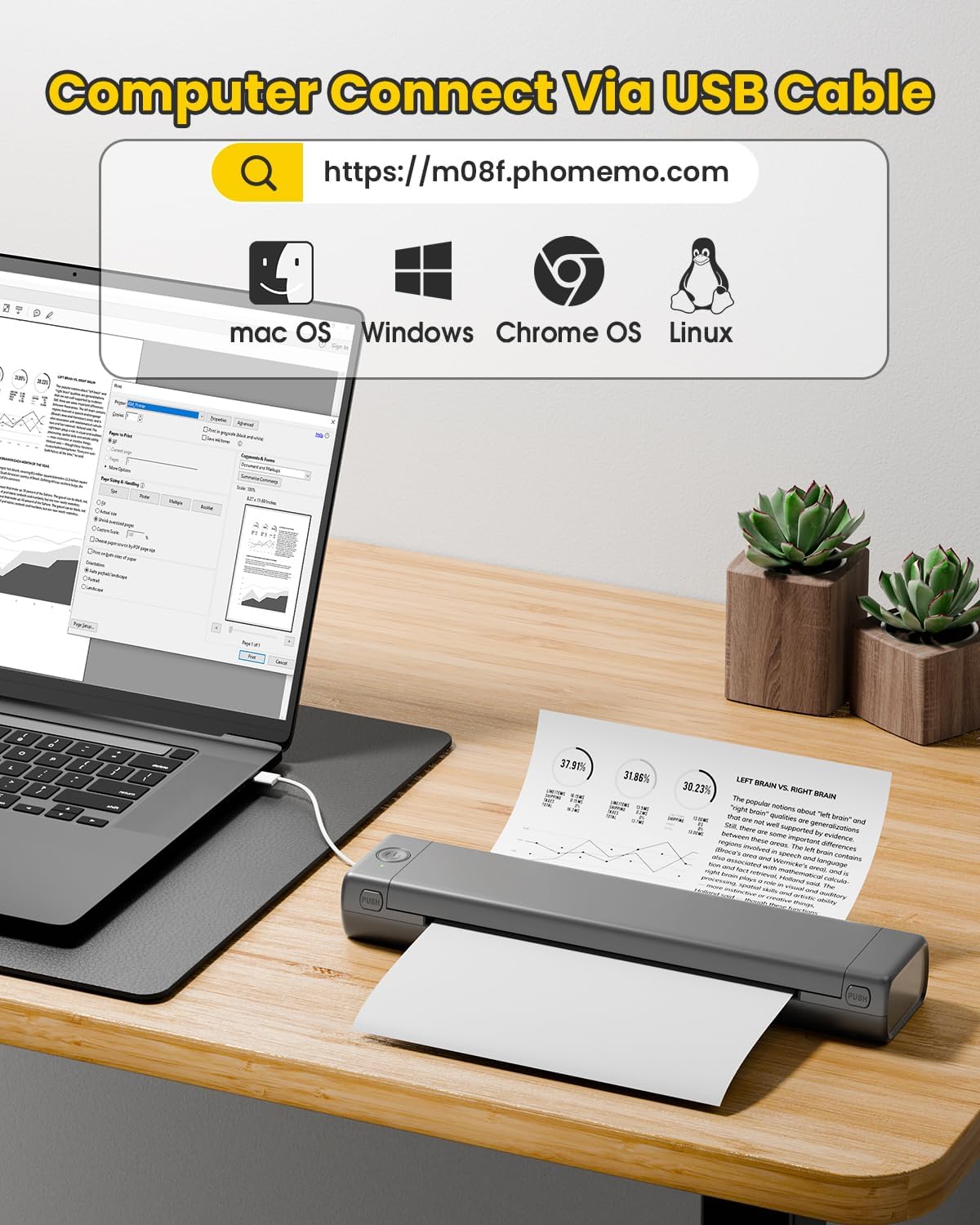
[Compatibility] Print PDFs, Word documents, images, and web pages directly from your phone, anytime and anywhere. You can also connect the printer to your computer using a USB cable
[Compact & Space-saving Design] Weighing just 2lb and measuring only 1.5in thick, this portable printer is designed for ultimate portability. It easily fits in your bag or briefcase, making it ideal for long commutes or travel. Whether you’re working from home, the office, car, or university, take this compact printer with you for on-site printing convenience
[Inkless Printing] The Phomemo M08F travel printer features a high-quality print head and thermal printing technology. This environmentally friendly approach ensures easy printing wherever you need it. Enhance printing clarity by using Phomemo A4 Thermal Paper
Customers say
Customers find the thermal printer has good quality for its type, is easy to use and set up, and appreciate its compact size that fits almost anywhere. They like that it requires no ink and produces clean stencils, and consider it handy for home office use. The functionality and value for money receive mixed reviews – while some say it works well, others report it doesn’t work properly, and while some find it cost-effective, others consider it overpriced.
13 reviews for Phomemo M08F Thermal Printer – A4 Portable Wireless Bluetooth Mobile Printer for Home, Business, Photo, Tattoo, Compatible with Phone & Laptop
Add a review
Related Products


£132.46
Amy –
Absolutely Fantastic
I recently purchased this thermal printer, and I couldnât be happier! The print quality is crisp and clear, and it works flawlessly with my phone, computer, and POS system. Setup was a breezeâno messy ink or toner, just plug-and-play simplicity.The speed is impressiveâreceipts and labels print almost instantly, saving me so much time. Plus, itâs compact, durable, and looks sleek on my counter. The low maintenance (no ink costs!) makes it a cost-effective choice.Whether you run a small business, sell online, or just need a reliable printer for shipping labels and receipts, this thermal printer is a must-have. Highly recommend!
Gotta collect them all! Q-poskets! –
It does a superb job!
The gadget is the perfect size to take with you anywhere in the lovely case it comes with. I had also bought the paper printer holder which is an accessory that holds the paper for you which if youâre like me who can’t put a single sheet of paper straight will come out wonky. You’ll need to download the app (which is also super cool by the way,with lots things you can do from like customising) and make sure that your phones Bluetooth is switched on. From the app you can print off any document of your choice. The connection between the phone, app and the device was instant and very smooth. So yeah 5 stars!
Iris Dempsey –
One of the best portable printers with a few caveats
Iâm a big fan of Phomemo thermal printers, I have a label maker and a photo printer from them and canât fault them. I use them in home organisation and arts and crafts.Due to my job, I often need to print an invoice or a standardised letter on the go. For reasons beyond the scope of this review, digital copies are not permitted. So I was keen to find a way to be able to print a page or two every so often without having to go back to the office and printing and then sending through the post. So for me this was a worthwhile purchase.Pros- Good size and comes with a velvet carry pouch, which is a nice touch. Itâs a bit heavy but not to the point that it compromises on portability.- Print quality is decent for text and simple logos. I printed a test page and was actually quite impressed.- Prints very quickly.- As a thermal printer, it doesnât require ink which is undoubtedly the most costly aspect of running a regular printer.- It connects seamlessly to my iPhone and my laptop. The iOS app is quite easy to use and it offers a lot of options and some fun graphics.Cons- Only prints in black and white.- It is quite fiddly to get the paper straight but you get the hang of it eventually. So far I have gotten the paper at an ever so slight angle a couple of times but the printer didnât jam -the print was just slightly off.- Thermal paper is quite expensive.- You can only print on one side of the paper.Overall, I think that if you have a use for it, it is a great solution.Personally, I bought a bundle of 100 sheets of paper for around £20 and they will probably last me a year or two as I will use it sparingly. Without the need for ink, the running costs are on par with a regular, non-portable printer. The price of the printer itself is on the high side, but it is a quality product and one of the few offerings in the market right now.
Lucy –
Fantastic customer service and printer
Iâm amazed at the customer service I received from this company when I had a charging issue. I was immediately sent a new printer and everything was explained to me.They were extremely polite and very fast with their responses and in fact chasing me up to see if everything was okay now.Iâm very very impressed with this company and the printer is a great printer too. Itâs very handy to not to have to buy ink! Itâs a small printer too which is great.I will definitely recommend this printer and have a friend that wants to buy one now as well.
elizabeth busby –
Easy to use
Brilliant – does what it says in the tin. Very easy to set up and use
Girlinlondon –
Very Disappointing
I was very excited about this little printer but sadly it is very disappointing:1) it will not connect via bluetooth on a MacBook pro2) it can be connected via USB cable and will work this way BUT it has stopped working after using it just twice.I have tried everything to resolve this issue (new cable,, reset, reconnect) it just wont work. Shows as “printer offline” and will not change.For this price I expect much better.I will be returning.
My Review. –
Get one!
This portable printer has been amazing.I was wary purchasing at first but after reading the reviews I decided to buy it.Every household should have one instead of the massive printers most of us have!.I still have a big printer too but haven’t used it for a while.The cons are you cannot print anything in colour also when you do print it has to be one page at a time,you also need thermal paper.Positive comments-its so handy! it works via Bluetooth so WiFi isn’t needed,it’s portable extremely travel friendly for people that need to print a document on the go,it’s well worth buying!.The thermal paper isn’t expensive compared to ink cartridges.I am very happy with mine.I am surprised that they haven’t released thermal colour paper yet which would of course be an added plus for every customer.I can’t recommend enough it’s so handy!.
Kaarters –
Thermal printer
Doesn’t take up much space and is easy to use.
yayan –
a mi hija le encantó, la impresora es pequeña, fácil de transportar en la mochila, obviamente no ocupa tinta es térmica y se pone fácil el papel
Works good for tattoo stencil prints –
Bought this cause the âhigh quality oneâ from the tattoo shop was not affordable for me. Was impressed how good it works. The example Iâve printed was really small and detailed, used some tape to remove the ink in the darker areas to get the exact design.Using it for a few weeks now and I am more than happy. Battery lasts long, simple to use, good stencil quality and definitely a good price compared to similar products.
Vincent Paquet –
Simple et rapide impression sans tracas d’ancre ou de bourrage de papier ou de mechanique complexe et qui brisent vous metter la feuille scanner le code qr et hop une impression de qualiter professionnel et a moindre cout vien meme avec quelque feuille pour tester l’appareil. Seul point l’appareil gagnerai a avoir un revetement en aluminium parcequ’un revetement en plastique sa s’echappe une foi et c’est briserer et je parle meme pas des possible choc en voyage ou si vous trimballer appareil avec vous, un etui de protection est recommander ou sont emballage d’origine peut faire. Sans compter que tout l’appareil est en plastique des rouage juaqu’au revetement a voir si cette appareil est durable. Sinon j’adore cette imprimante je la recommande fortement pour un usage normal et pas intensif c’est du bon plastique mai je cerai surpri si sa dure pour un usage quotidien intensif a voir.
Joshua J. –
Disclaimer: I was compensated for the cost of the printer by the manufacturer without any request other than to provide feedback directly to them on what would make this printer better which I also offer here.Phomemo M08F Letter Size Thermal PrinterStraight-to-the-Point Overall UsabilityGreat portable printer for the times when you absolutely must have a hard copy a non-intricately detailed document. Works well for text and line art in non-permanent things like tickets or event signage which I happen to print often enough. Since this printer uses thermal paper, I would not recommend it for long-term legal documents (Quick Guide states 7-10 year print viability if kept dry, at room temperature, and out of sunlight) but if you need a semi-permanent document, it completely fits the bill. You will likely want to purchase additional thermal paper to do any appreciable printingLikes⢠Compact⢠No ink – no mess⢠Easy to use hardware⢠Easy to use Android app⢠Easy to print on Windows with driver installation⢠Relatively quick for a non-industrial thermal printer⢠Great quality prints for the right use-cases⢠Great battery lifeDislikes⢠Paper can get misaligned on insertion every now and again⢠Difficult to cancel or know if a print job has been cancelled⢠Noisy prints if on a resonant surfaceThings to consider⢠Prints can be expensive at 15¢ to 26¢ per page⢠Photos and very small text are not the intended use for the printer⢠Color graphics should be converted to grayscale before printingIn the Box⢠Printer carefully supported in foam⢠Two Quick Start Guides (one more graphical and the other more text laden)⢠2 ft. USB-A to USB-C for computer connectivity and charging⢠USB flash drive of computer drivers⢠Velvet carry bag⢠5 sheets Phomemo thermal letter paper which are creased in thirds from being packed in the box and best to flatten a bit before useBuild QualityAs with all the Phomemo products I own, the quality is tops. There is no wasted space in the case and the entire printer feels sturdy if not a bit heavy (721g / ~1.6lbs). The hinge and hinge opening buttons, which allow for paper release or roller and thermal head cleaning, have a good feel without any play. The printer has two rubber feet which do a good job of preventing printer movement but they do little to address one of my few complaints about printing.Phomemo App (Android)I have used and generally like the Phomemo label printer Android Apps âPrint Masterâ and âLabelifeâ. The eponymously named âPhomemoâ App is no different. In app, it is easy to connect the printer with Bluetooth or the QR code on the printerâs top sticker, change settings (Auto Shutdown â I recommend setting to at least 30 mins.), and print all or individual pages from various sources of documents (browse the filesystem or Share to âPhomemoâ from an open document. There is even an available library of line art drawings over a range of categories for simple sign or coloring sheet printouts. The one thing that wasnât entirely clear with the app was the best method for cancelling a multi-page print and what I found to work for me was powering off the printer and force stopping the app.Windows 10 DriverThe âPhomemoâ App, Quick Start Guides, and the printerâs top sticker all make it easy to locate the drivers form Windows and MacOS. I only have Windows machines and had no issues finding, downloading, and installing the M08F driver. Printing was as simple as connecting the printer to the computer with the USB-A to USB-C cable and choosing the printer by name in any print dialog.PrintingMy test prints were done from a 100-sheet pack of Phomemo branded letter thermal paper that was on-sale for $20.99 (21¢ per sheet, a 200-sheet pack is available for $29.99 for 15¢ per sheet). Inserting paper and getting it to be properly aligned in the printer can be tricky if done too slowly. Make sure the thermal paper is oriented with the correct side up (âThis side should face up.â is labeled on one side) and insert it as straight and swift as you can until it butts up against the roller bar inside. An improperly aligned sheet will print but the page can be skewed and the page edges torn ragged (only 2 of 20 printed sheets). If a sheet is inserted incorrectly, it is possible to open the printer and re-insert the sheet again. I printed using both Medium and Heavy darkness settings and observed a minimal difference in quality for most documents. If you have very small details or text (8pt or less) the Heavy darkness setting will make those parts more legible. Be warned that 6pt or smaller font can be spotty or illegible. All linear bar, Data Matrix ,and QR codes on tickets that I printed scanned with ease using my cellphone. The average time for a full sheet print was ~25 seconds.Battery Usage and ChargingWhen unboxed, the printer had 97% charge. I printed 20 sheets, 18 at Heavy darkness, and that only took the charge to 84%. I cannot envision many scenarios that would have this printer use more than 25% charge. Charging back to 100% took about 30 minutes and, as stated in the text heavy Quick Start Guide, had to be done using the 5V 2A power which I had on my computerâs USB hub. Neither my Samsung Fast or Super Fast phone chargers nor my Anker 20W or 45W chargers would charge the printer.Recommendations to Phomemo to Improve the Printer⢠Adding pop-out or fold-out paper guides could ease proper paper alignment on insertion⢠Adding thicker or more dampening rubber cushions on the bottom of the printer could reduce the amount of resonant sound generated by the printer⢠Depending on the desired typical usage per charge, the battery size could be halved and still allow for 50+ pages per charge while likely taking the weight of the printer to less than a pound
Y-takeyuki –
ä¾¡æ ¼ãç¶æ ãé é大å¤æºè¶³ãã¦ã¾ããæ¬å½ã«è¯ãåã§ããã