

StarTech.com USB C Dock – Triple 4K Monitor USB Type-C Docking Station – 100W Power Delivery – DP 1.4 Alt Mode & DSC, 2x DisplayPort 1.4/HDMI 2.0 – 6xUSB (2x 10Gbps) – Windows/Chrome (DK31C2DHSPDUE)
£144.05



Price: £144.05
(as of Jun 20, 2025 00:39:13 UTC – Details)
From the manufacturer

About us
StarTech.com makes hard-to-find easy by offering a broad and trusted portfolio of connectivity accessories designed to meet the rigorous technical performance needs of IT professionals. While we may manufacture IT connectivity accessories, StarTech.com is truly in the business of making the lives of IT professionals easy. Founded in 1985 in London, Ontario, Canada by Paul Seed and Ken Kalopsis, StarTech.com has always been dedicated to solving technology problems faced by IT professionals.

USB C Dock
Provided with this device, the application improves performance and security, featuring MAC Address Changer, USB Event Monitoring, Windows Layout & Wi-Fi Auto Switch utilities, This USB-C Gen 2 10Gbps docking station turns USB-C or Thunderbolt 3 Windows laptop or Chromebook into a powerful workstation. A USB 3.2 Gen 2 Type-C dock features everything need, from triple video outputs up to 4K 60Hz to 10Gbps USB-C & USB-A downstream peripheral ports to 100W Power Delivery. Power and charge USB-C/Thunderbolt 3 workstation laptops & ultrabooks with 100 watt power delivery, to keep high performance laptops sufficiently charged during heavy productivity usage.
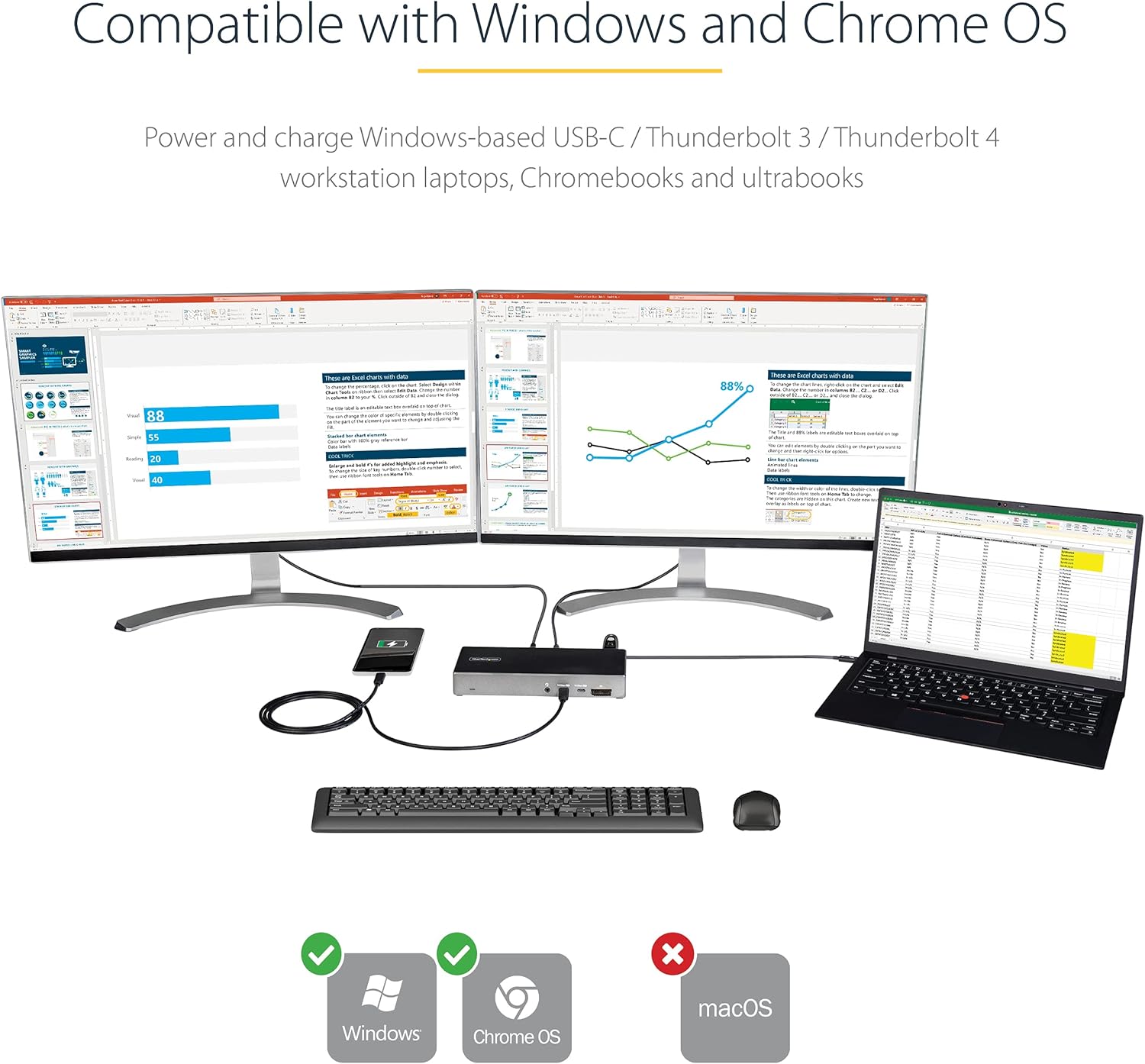
HIGH PERFORMANCE USB-C DOCK: USB-C docking station for Windows/Chrome OS, featuring up to three 4K video outputs (2x DisplayPort 1.4 & 1x HDMI 2.0), 100W PD, 6 port USB Hub (10Gbps), SD 4.0 Card Reader, Gigabit Ethernet, and headset port
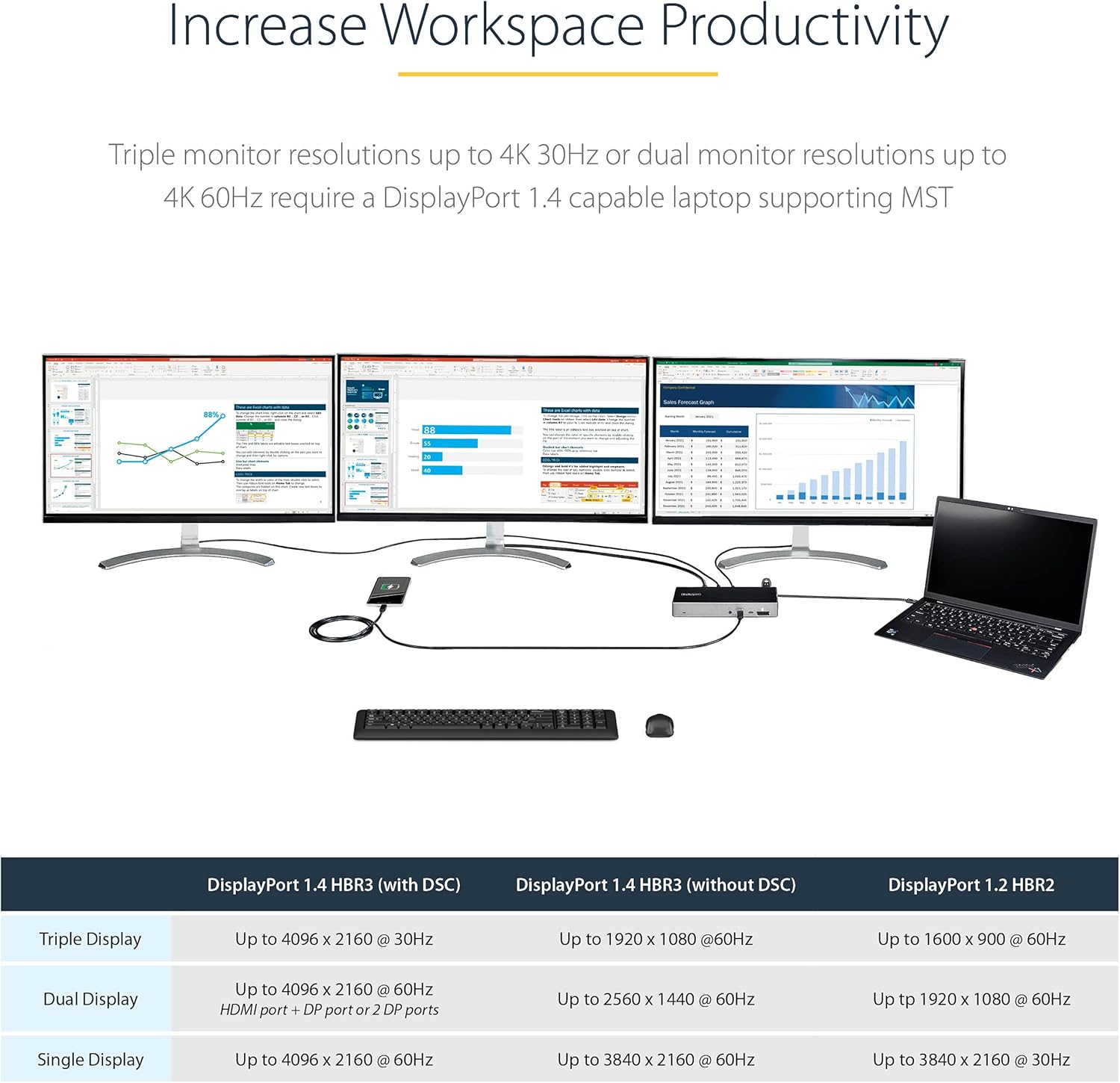
DISPLAYPORT 1.4 WITH DSC: Triple monitor USB-C docking station (MST) supports dual 4K 60Hz or triple 4K 30Hz on DP 1.4 Alt-Mode HBR3 w/ DSC enabled laptop (min. Intel 11th Gen); works with DP 1.2 supporting dual monitor 1080p @ 60Hz (see image gallery)
100W POWER DELIVERY CHARGING: Power & charge Windows-based USB-C/Thunderbolt 3 workstation laptops, Chromebooks, ultrabooks including Lenovo X1 Carbon, ThinkPad P Series, Dell Latitudes, Precision, XPS 15, HP Spectre, and ZBook
6-PORT USB HUB: 2x 10Gbps USB-C (USB 3.2/3.1 Gen 2), both BC 1.2 fast charge always-on ports), 2x USB 3.0 5Gbps, and 2x USB 2.0; a variety of USB ports to connect many peripherals incl. two 10Gbps high speed USB-C ports for external drives
DEPLOYMENT READY: Universal multi monitor USB Type-C docking station with no driver setup, features 2x security lock k-slots, On/Off button, 3.3ft (1m) USB-C host cable; Windows/Chrome OS support
4 reviews for StarTech.com USB C Dock – Triple 4K Monitor USB Type-C Docking Station – 100W Power Delivery – DP 1.4 Alt Mode & DSC, 2x DisplayPort 1.4/HDMI 2.0 – 6xUSB (2x 10Gbps) – Windows/Chrome (DK31C2DHSPDUE)
Add a review
Related Products


£144.05
G. Dallas –
Unreliable and Failed After One Night
When this dock first arrived, I couldnât get it to work at all. The white LED, which is supposed to remain solid when functioning properly, just kept flashing. After a lot of fiddling, I eventually got it to stay solid by chance. It did work for one night.Unfortunately, the next day it was back to flashing again. Now the dock refuses to do anything. I suspect the issue may lie with the large, brick-like power supply it came with, but I canât say for sure. Either way, it is completely unreliable and not fit for purpose. Iâm sending it back for a refund. Avoid.
Joey –
Stopped working
I work in the IT department and manage several docking stations. This particular dock is the only one experiencing issues. I replaced the USB cable with a high-speed alternative, suspecting the original cable might be damaged, but it made no difference. I also swapped the extension lead and tried various other cables, including HDMI and DisplayPort, but nothing resolved the problem. After testing different alternatives, I confirmed that the device itself is functional because it works with another dock. Unfortunately, this dock seems to have malfunctioned within one to two months. It is unfortunate, but it appears the dock is faulty.
Utilisateur –
La station répond parfaitement à mon besoin :Je voulais pouvoir utiliser deux écrans via DisplayPort en mode MST, pour quâils soient gérés directement par la carte graphique et non par un logiciel tiers comme DisplayLink.Cela libère une charge, même minime, sur le CPU et, surtout, en tant que musicien, cela me permet de réduire la latence puisque mon PC, assez puissant, le supporte facilement.Avec DisplayLink, jâavais des craquements audio dans mon DAW, ce qui est totalement inacceptable.Depuis que je passe par la carte graphique en direct, les craquements ont disparu.La station dispose de deux ports USB-A et deux ports USB 3 à lâarrière, ce qui correspond exactement à ce dont jâavais besoin.Une station avec moins de ports aurait suffi, mais cela aurait impliqué un adaptateur supplémentaire, que je nâai pas ici, car tout est fourni nativement.Pour le port réseau, jâai branché mon câble mais je nâai pas encore eu lâoccasion de le tester, donc je ne peux pas me prononcer dessus.Les ports USB-C à lâavant sont très pratiques : je peux y brancher ce dont jâai besoin, y compris de lâUSB 3 via un adaptateur, donc câest top.Le lecteur de carte fonctionne aussi, même si je ne lâai pas encore beaucoup utilisé.Installée depuis hier, je suis pour lâinstant plutôt satisfait.Points négatifs :La station ne charge pas mon PC.Cela ne vient probablement pas de la station elle-même, mais plutôt de la compatibilité de mon PC avec le DisplayPort.Mon PC (un Lenovo LOQ) se recharge bien avec une batterie externe 100W, mais pas avec cette station ni avec une autre station testée juste avant.Je ne peux donc pas incriminer la station, câest sûrement un problème lié à mon PC.Au début, après une mise en veille des écrans par le PC, les écrans externes ne se rallumaient pas automatiquement.Jâai dû modifier certains réglages dans Windows et dans le panneau Nvidia pour que tout fonctionne correctement.Que dire de plus ?Pour le moment, rien dâautre à signaler, jâespère juste que la station tiendra dans la durée.Je nâavais rien trouvé dâautre qui corresponde aussi bien à mes besoins.Je cherchais une alimentation dâau moins 130W, ici jâai 170W avec 100W en DisplayPort, même si cette recharge ne fonctionne pas chez moi.Le reste est vraiment très bien.Petite remarque supplémentaire :Contrairement à un Lenovo ThinkPad, le bouton dâalimentation de cette station éteint réellement la station et tous les périphériques connectés, mais il ne rallume pas le PC sâil est éteint.Je nâai pas encore testé les réglages du BIOS à ce sujet.
Muhammad Asad Sukkurwala –
the functionality is fine