

USB 3.0 Docking Station, HDMI Splitter Extended Display Dual HDMI Adapter USBC Laptop Universal USB Docking Station with 2 Hdmi Dual Monitor Dock for M1 M2 MacBook Pro/Air, Microsoft, Dell, HP
£118.40




Price: £49.99 - £118.40
(as of Jun 02, 2025 03:05:44 UTC – Details)
From the brand


Selore&S-Global
Selore&S-Global
Product Dimensions : 8 x 4 x 1.2 cm; 80 g
Date First Available : 7 Dec. 2022
Manufacturer : Selore&S-Global
ASIN : B0BP9QG1GC
Guaranteed software updates until : unknown
PLEASE NOTE DRIVER INSTALLATION REQUIRED: This USB to dual HDMI adapter needs to install drivers. This USB Docking Station needs you to download the drivers from SiliconMotion(DisplayLink). (PLEASE CHECK THE USER MANUAL from the Reference ). PLEASE LET US KNOW IF YOU CAN’T INSTALL DRIVERS or CAN’T DETECT MONITOR.】
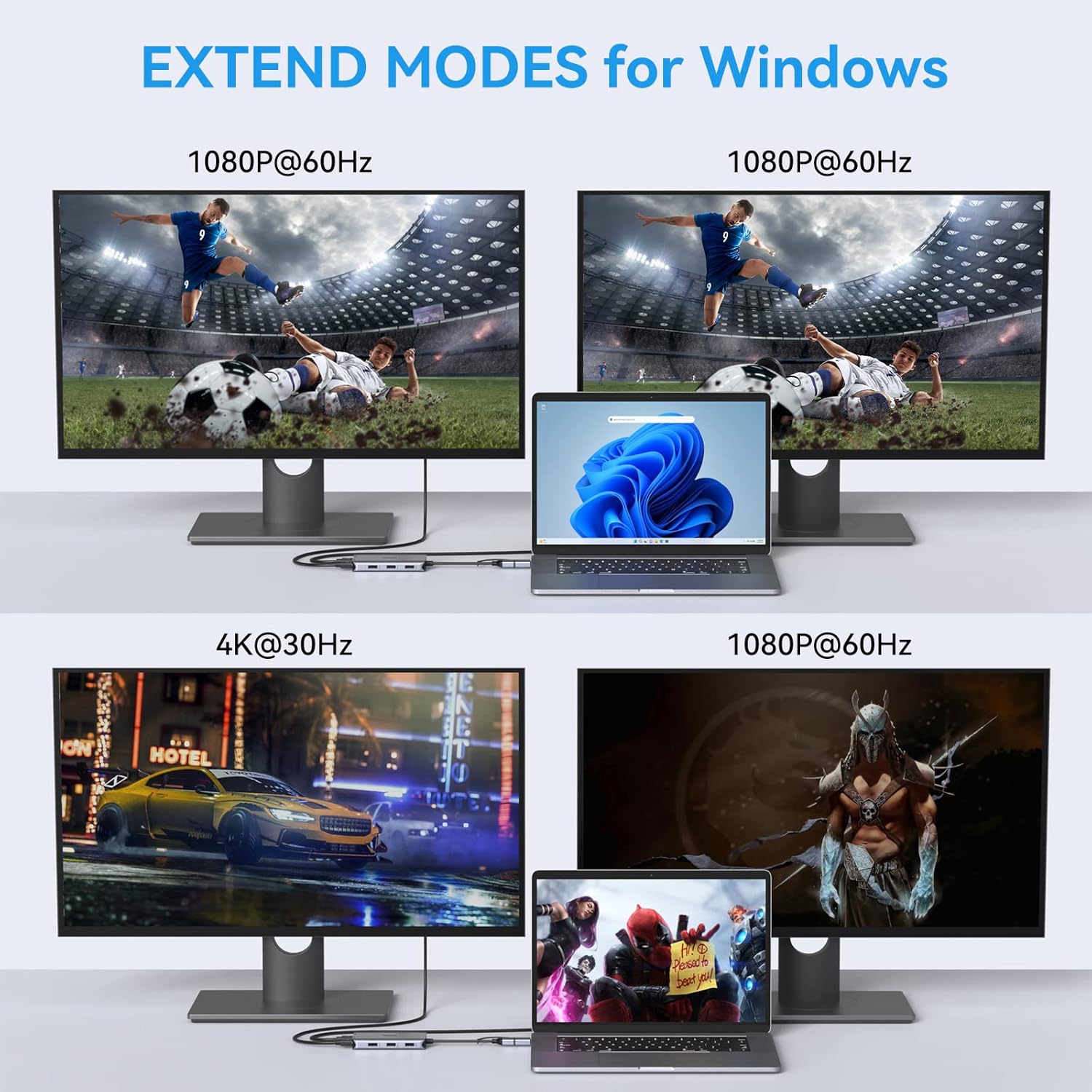
HDMI Splitter Extended Display: This USB 3.0 docking station turn a single USB 3.0/USB C into dual HDMI port(1*4Kx2K@30Hz, 1*1080P@60Hz) and 3 USB 2.0 port. Easily connect your smartphones, tablet, hard drives for effortless data transfer, using multiple apps at the same time by adding two independent HDMI monitors. The USB 3.0 docking station needs to install drivers, please install the drivers after plug. PLEASE LET US KNOW IF YOU CAN’T INSTALL DRIVERS or DO NOT DETECT THE MONITOR
Dual HDMI Docking Station for Window or MacOS System: Universal docking station supports both SST/MST. Extends or Mirror your Macbook with the HDMI port and directly stream Full HD 1080p video to 2 monitors, projectors or HDTV. Brings the vivid 3D effect video sync
Super-fast Data Transfer with USB 2.0 Port: This USB docking station with 3 USB 2.0 ports that output 900mA and ensure instant sync and file transfer at 480 Mbps accordingly. Designed for the connection of 2.4 GHz wireless devices, such as wireless keyboards/mouse adapters, etc. 3 x USB 2.0 allows you to connect wireless keyboard/mouse without any lag
Broad Compatibility: An ideal HDMI dual monitor docking station for MacBook, MacBook Air/Pro M1 2020, MacBook Air/Pro M1 2021, MacBook Air/Pro M2, MacBook Pro/Air, iMac/iMac Pro, Huawei Matebook, PS4 Pro, Chromebook, Dell, ASUS, HP, surface Pro, Samsung and more other Thunderbolt 3 /USB 3.0 laptops. Works on Mac OS X 10.6 or higher; Windows XP, 7 or higher; Android. Made of premium aluminum alloy, sleek & compact, pocket size for convenient using at anywhere anytime
Customers say
Customers find the docking station works well and is easy to set up, with good build quality and value for money. They appreciate its design and ability to run two monitors, with one customer noting it works seamlessly with their MacBook Pro 2012. The USB port compatibility receives positive feedback, with one customer mentioning it works well with their Mac Book Air. The connectivity aspect receives mixed reviews.
AI-generated from the text of customer reviews
8 reviews for USB 3.0 Docking Station, HDMI Splitter Extended Display Dual HDMI Adapter USBC Laptop Universal USB Docking Station with 2 Hdmi Dual Monitor Dock for M1 M2 MacBook Pro/Air, Microsoft, Dell, HP
Add a review
Related Products


£118.40
Vanderson Araujo –
My best office device ever!!!
I recently purchased the Selore&S-Global USB C Dual HDMI Adapter Docking Station, and it has proven to be an absolute game-changer for my productivity and connectivity needs. This docking station is a true gem, and I couldn’t be happier with how it has improved my work setup.
First and foremost, the dual HDMI ports are a lifesaver for me. They allow me to connect my laptop to two external monitors simultaneously, providing me with a spacious, multi-screen workspace that’s perfect for multitasking. Whether I’m working on spreadsheets, coding, or editing documents, having two screens has greatly enhanced my efficiency. The video quality is crisp and clear, and there’s no lag or distortion, even when running high-resolution content. the deveice cames with a third DVI port but I didn’t tested theat port because I don’t have monitor with this input.
The USB C compatibility is a fantastic feature, as it simplifies the connection process and provides fast data transfer speeds. It effortlessly connects to my laptop with just one cable, eliminating the need for multiple adapters and reducing cable clutter on my desk. Additionally, the docking station offers a plethora of other ports, including USB-A, Ethernet, and an SD card reader, which have proven to be incredibly convenient for connecting various peripherals and transferring data.
In terms of build quality, the Selore&S-Global docking station feels robust and well-made. It’s compact and sleek, fitting seamlessly into my workspace, and it stays cool even during prolonged use. This docking station has truly transformed the way I work, making it an indispensable addition to my home office setup. If you’re looking to enhance your productivity and streamline your workspace, I highly recommend the Selore&S-Global USB C Dual HDMI Adapter Docking Station; it’s a reliable and versatile solution that won’t disappoint.
Abu269 –
Works perfectly for my dual screen setup!
I was in need of a dual screen setup to be able to work effectively on days when working from home. So I managed to get hold of a couple of monitors and needed to somehow connect my work laptop to both screens. When I initially searched, a lot of sites were recommending USB Type-C docking stations and the prices for those are at least 3 figures, especially for ones that have HDMI and Display Ports. When I came across this, I was reluctant considering the huge price difference, but gave it a shot anyway and to my surprise, it works!
I didn’t need to tinker with anything, I simply plugged in my monitors using Display and HDMI ports, connected a keyboard, mouse and headset using USB ports, then power input via USB Type-C and all works fine.
The only catch is, the USB Type-C power input takes 100w max charge. So if you have devices that require a higher power input, it just means you laptop will charge a bit slower than normal, but still works as normal. It even works without the power input so long as you have battery life on your laptop.
Also, I’ve not had any lag issues with my connected devices.
Sean –
Great Customer Service
Tis is a great little device and worked well for 3 months before one of the HDMI ports stopped working, annoying but the customer service from these guys was amazing. Immediate response from the customer service team and within a few days I have a replacement unit on my desk. 10 out of 10 guys.
Curious George –
Works well – but for install set your PC/Laptop to 1080p
Delivers great functionality for it’s size. I initially used it for an ancient work PC used for remote working, and it worked a treat. I then tried it with my own laptop which has a 2800×1800 screen resolution and got 2 blank screens. Contacted support, who responded within 48 hours, suggesting I change laptop resolution to 1080p. I did this – it worked straight away… and my laptop automatically reverted to 2800×1800 with my external screens at 1080p. I should deduct a star for not working immediately, but support was so good, I won’t. I am also not sure that I actually read the instructions before using it!!
Summer reader –
Disappointing
Never worked. Problems installing driver and too lengthy. Wasted quite a lot of money.
Mohammed riaz –
AMAZING CUSTOMER SUPPORT ( NO CAP)
This is the best customer support I have ever gotten from an amazon buy. I was having trouble getting my monitors to load up using the device and they literally messaged me asking how it was going and if everything was working correctly. they helped me debug any issues and explained how my laptop being an older one wasn’t compatible with all of the features but also pointed me toward something that would work for me if I wanted the option. I work as a Remote Software Dev so I had an idea but these guys literally did all the work and I double checked. they are amazing 10/10 Would recommend. I gave the device to my dad who has a newer laptop and he is now using it with a 2 screen setup and there are no issues at all. If your not too tech savvy or need extra HDMI ports this is a worth while investment esp if you travel a lot which I do.
Ava Drzazgowski –
HDMI doesnât work through USB
Works great through USB-C but if you remove it and try and connect the hdmi through usb, it doesnât work. My laptopâs usb-c port doesnât work so I was wanting to hook up my screens through this product through my usb port – but the hdmi connection doesnât work through the usb port so I wasted my money
Jonuk74 –
Nice product
Does what it says