

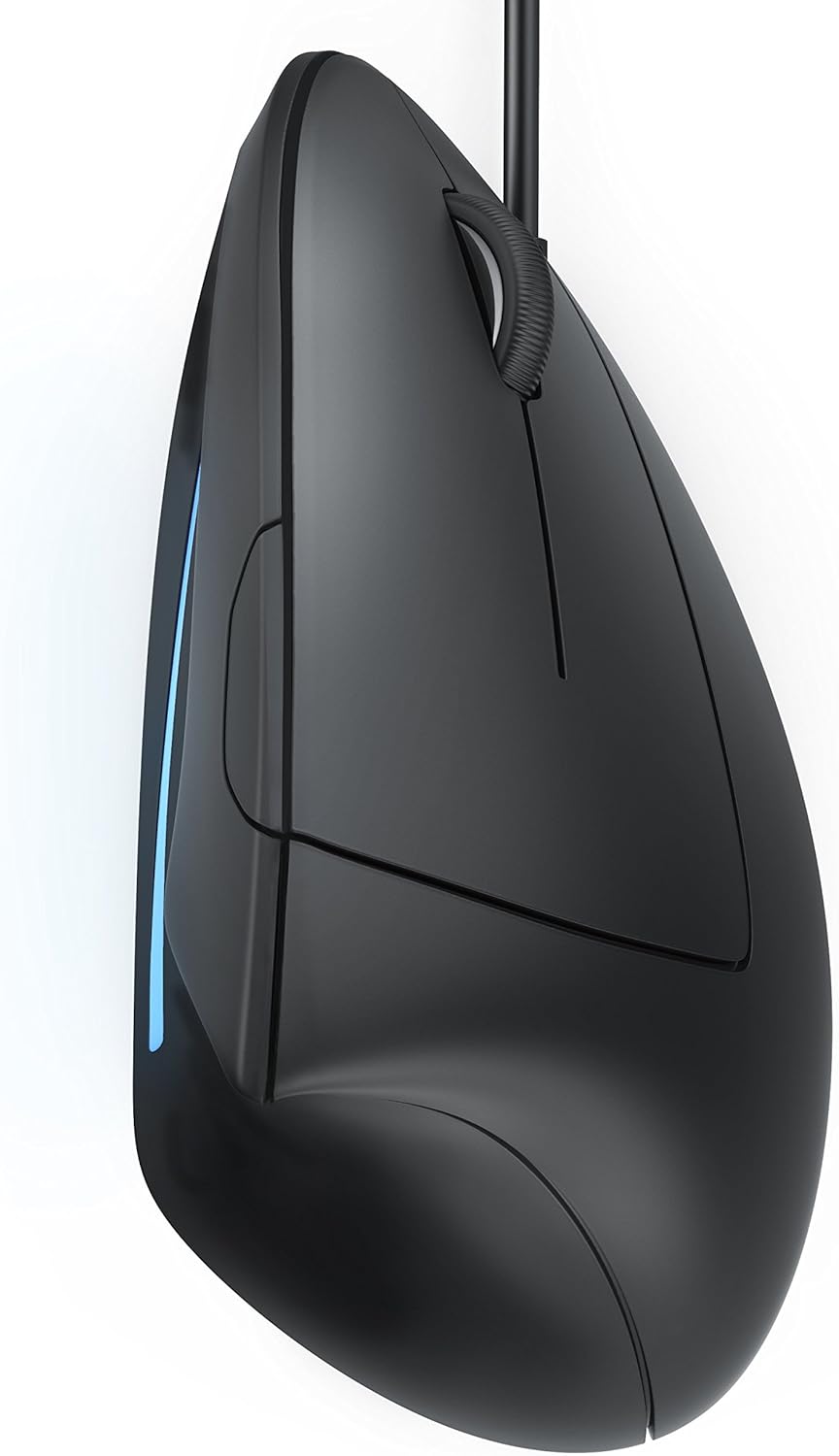
CSL – Vertical Ergonomic USB Mouse – Wired Optical Mouse TM137U – Mice with Ergonomic design – 5 Buttons – 1600dpi – prevention against mouse arm tennis elbow – For Laptop Desktop PC Computer Macbook
£16.99




Price: £16.99
(as of Jul 09, 2025 18:42:45 UTC – Details)
Product Description


Ergonomic work made easy – Minimise health stresses when working on the computer for a long time!
The vertical design of the TM137U enables a neutral hold and provides high comfort. In this way, your arm is held in an unturned, neutral position when working on a PC or laptop and is not forced into a distorted position as it would be when working with a conventional mouse.
Simply try give it a go:
Place your arms in a relaxed position on the table and note the natural position of your hand – the hand surfaces face each other just as when you shake hands with each someone.
This is the same position that this vertical mouse holds your arm in:
Just like with handshaking, your arm remains in a relaxed position. Your hand is also supported by the ergonomic design and the anti-slip surface of the mouse. The USB mouse has a right and left mouse button, both a forward / backwards button for comfortable surfing the internet and a dpi selection switch, with which the sampling rates can be switched from 1000-1600 dpi during operation. Due to an optical sensor the vertical USB mouse can be used on almost all surfaces with the highest precision.
Product summary:
CSL TM137U / ergonomic USB mouse / vertical designparticularly arm-friendly for preventing mouse arm/tennis elbow (RSI syndrome)USB 2.0 / optical sensor / sampling rates 1000 – 1600dpi (freely selectable)precise operation thanks to 1600dpi support5 buttons & scroll wheel / left & right mouse button / forward & backward buttonperfectly suitable for long periods of use on laptop/PCworks on nearly every surface with a high degree of precision
Is discontinued by manufacturer : No
Product Dimensions : 8 x 10.21 x 8.2 cm; 199.58 g
Date First Available : 14 April 2014
Manufacturer : CSL-Computer
ASIN : B00JOC5WZI
Item model number : A26068x30
Country of origin : China
Guaranteed software updates until : unknown
Model: CSL TM137U wired optical USB mouse vertical model particularly arm-friendly
Connectivity: USB 2.0, optical sensor, high sensitivity in comparison with other conventional optical mice. Sampling rates 1000 – 1600dpi (freely selectable with dpi selection switch) / precise operation on nearly every surface
5 buttons & scroll wheel, left & right mouse buttons, Forwards & backwards button optimally provides remarkable comfort while surfing the internet. Easy to operate buttons and scroll wheel
Prevent possible mouse arm or tennis elbow (RSI syndrome). The right choice for internet surfers as well as for people who work long periods on the computer every day.
Improved handling compared with conventional mice. Colour: black. For computer / notebook / laptop / notebook on Microsoft Windows XP / Vista / 7 / 8 / 8.1 / 10 / 11 (32- und 64-Bit), MacOS and Linux.
Customers say
Customers find the ergonomic mouse comfortable, with one mentioning it provides good wrist support, and many noting it works well with Windows 10. Moreover, the mouse is easy to use and set up, and customers consider it well worth its price. Additionally, they appreciate its build quality, with one noting it survived drops, and its classy matte black finish. However, opinions about size are mixed, with some finding it suitable for large hands while others say it’s too big for small hands.
4 reviews for CSL – Vertical Ergonomic USB Mouse – Wired Optical Mouse TM137U – Mice with Ergonomic design – 5 Buttons – 1600dpi – prevention against mouse arm tennis elbow – For Laptop Desktop PC Computer Macbook
Add a review
Related Products


£16.99
John B Parkin –
Excellent – A Must Try To Believe It Mouse
CSL – TM137U optical mouse / vertical model | ergonomic design – prevention against mouse arm/tennis arm (RSI syndrome) – particularly arm-friendly | wireless | 5 buttonsThis is an excellent Vertical Mouse. I was going to get another Anker Wireless Vertical Mouse (also excellent) – but then I thought “How do I tell them apart on the desk.” I then came across what looked like the ‘same mouse’ – only from CSL. And it was cheaper – definitely worth the risk.The CSL is almost identical to the Anker – or perhaps the Anker is almost identical to the CSL? Differences are 1. no branding name on the surface of the CSL 2. The wheel hub of the the CSL is shiny black while the Anker wheel is shiny chrome 3. The palm surface area of the CSL is a nice flat matt black with a great feel while, also with a great feel, the Anker is a sort of Pearl black finish. Holding the two side by side you can see the different “shades of black” – both look good. 4. The CSL came in an excellent “white box” – the Anker in a retail package – both great for their purpose … but as a consumer I’d rather have the money saved by not having a ‘retail attractive box’ to throw away, than pay extra for it. 5. The CSL came with 2 AAA batteries to get you started.The ‘mouse’ tilt / angle will help with people having wrist / lower arm problems when using a ‘normal mouse’. I noticed an almost immediate ‘relieving’ of the problems I was having (see Anker review). The only change I’d make to either of them would be to ‘steepen’ the palm face angle a bit more – but that may not suit everyone. If you are at all ‘iffy’ about trying a vertical mouse this is the model to try – you will find it quite easy, and quick, to re-learn your grip. At this price (including postage) you’d be silly not to give it a try – and it’s wireless so no cluttering cables, and the wireless receiver is a tiny usb stub that requires no setting up – I use mine in Windows 7 and Linux Mint, laptop and desktop, without problems – it just worked.The only downside to both these vertical mice is the thumb operated web page forward / backward buttons are not right for my thumb. I never use them so I don’t have a problem with this. The wheel works well, right & left mouse clicks are good, the body is easy and light to hold and move – together with the improved wrist angle that’s enough for me. I don’t know why it took so long for me to try this type of mouse, I should have tried them years ago – perhaps it was the high cost of the earlier ones that put me off – too much to ‘risk’.How long the batteries will last I don’t know – but a good feature of both CSL & Anker is that they have an ‘auto-off’ after a certain time of non-use; a real battery saver. A single clicks powers it up again (earlier wireless mice I’ve had I was always leaving ‘on’ – not good).All in all an excellent, and very sensible, vertical mouse at an excellent price.
DirkPlunger –
Really, if you have RSI, get this.
As a long time sufferer of RSI and having previously tried the Logitech M570 trackball cordless, I thought I’d give this a try. The Logitech M570 was brilliant for 6 months till my thumb became very tender and painful which is a shame because that is a very high quality piece of kit. I may return to it once the thumb recovers, though this may turn out to be temporary because it is heavy on the thumb. Ordinary mice are out of the question, just a day with one makes the RSI return with a vengeance. It isn’t as sophisticated in action as the Logitech M70 Trackball. I wish Logitech would do something like this, there is clearly a market for it as I’m sure those of us crippled with RSI will buy them.Enough moaning about my cold dead hand and the R&D failures of Logitech and onto this little rodent: No drivers to install, it uses the generic drivers in Windows, so it’s plug and play and installs pretty much instantly. Inserted the dongle into a spare USB port, added the batteries to the mouse – they were included, alkalines too. Then nothing happened on the mouse end, no lights, so I took out the batteries, put them in again and it woke up flashing red on the stripe which is the only time the flashy curl on the side of the mouse actually does anything. Build quality is good, much better than I was expecting at this price. It’s quite light and comfortable to hold.After eleven days of use, I must say the RSI hasn’t yet returned. I’m sure this is to do with the more vertical hand position, there is no tiny turn needed at the shoulder which keeps the deltoid and trapezius muscles on the right in tension, leading to neck pain on the opposite side, due to the body attempting to balance forces using the left trapezius. There’s no twist or strain on the forearm muscles or wrist either. Consequently, you are able to use this mouse with a much more relaxed position, comfortable too if you get a bean bag wrist rest.The middle click takes a lot of force, and it’s given another facet to my RSI. Switched back to my Logitech Trackball till my thumb hurts. I can’t believe I have to switch between three mice. Bring on thought controlled cursors, then all I’d have to worry about is headaches and brain tumours.I have no idea what the gentleman is on about in one of the reviews where he complains about the mouse moving when you click the left button – this will not happen if you possess a thumb. It works brilliantly, though it’s a little bit dozy, meaning it nods off to sleep within a couple of minutes but you can easily wake it up by moving the mouse wheel up and down a bit. There is no indication of what DPI you are on when you press the DPI toggle switch – it’s using generic drivers so there is no real facility for it to tell you. This mouse very occasionally (very rarely) misses left clicks made while the mouse is still moving but that’s a minor niggle compared to the pain it saves you. You get used to it very quickly and compensate subconsciously. This is the sort of thing that would have been fixed by proprietary drivers and software had the manufacturers programmed them, which they would have if they were Logitech, who sadly don’t make vertical mice. If Logitech had made this, the Forward/Back buttons could be programmed to do things like Cut/Paste or Page Up/Down for instance, or indeed any available key combination, but those buttons are not programmable on this device.My verdict: Really, if you have RSI, get this.Update: After using this mouse for over a year, my hand developed RSI in brand new ways, too much twisting at the wrist because the angle is not close enough to vertical, this mouse is not vertical enough! After much deliberation, I bought an Evoluent, sure it’s expensive (and the Evoluent mouse software setup is not a matter of plug and play, very lazily programmed), but bearing in mind RSI stops me making a living so the buying substantially more expensive Evoluent made sense, it’s much more upright and occasionally the pain returns in the hand (not the arm, shoulder or neck), which is when I switch back to this less vertical mouse for a few days, then back to the Evoluent etc. Let’s face it, gripping mice while sitting at a desk is not something we have evolved to do, therefore those of us with RSI will always suffer with it to some extent. This mouse is a good start but I find switching between mice of various types prevents the buildup of RSI pain. When fingertips become paiful, soaking individual fingers in Ibuprofen helps: wrap each digit in gel filled cling film for an hour at a time.
Mr. J. McGuirk –
Have Now Bought My Second, So Very Recommended
This mouse was so good I bought it twice, after the first one went to my second PC.Pros:Very functional in terms of what it’s meant to do. Easy to use.Very comfortable, both ergonomically, and the texture of the mouseSensitive mouse that responds well.Good enough cable length for more situationsVery good value for money.Clicks are satisfying and accurate.Looks greatConsThe material of the mouse can get sticky if you’re not careful and use it with oily hands. So, keep your hands clean and the mouse will feel great. Otherwise it can get sticky and doesn’t actually clean very well. This is because of the material.Might have been nice if the side light was LED and could be changed, but sadly it’s just blue and cannot be turned off.
Client d’Amazon –
Super prise en main, installation rapide