

GL.iNet Remote KVM Control Over Internet, 4K Resolution,Tailscale Support, Remote Keyboard, Video, Mouse Control for Home Offices, Data Center, IT management and Industrial Applications
£89.99


Price: £89.99
(as of Sep 28, 2025 03:17:39 UTC – Details)
Product Description


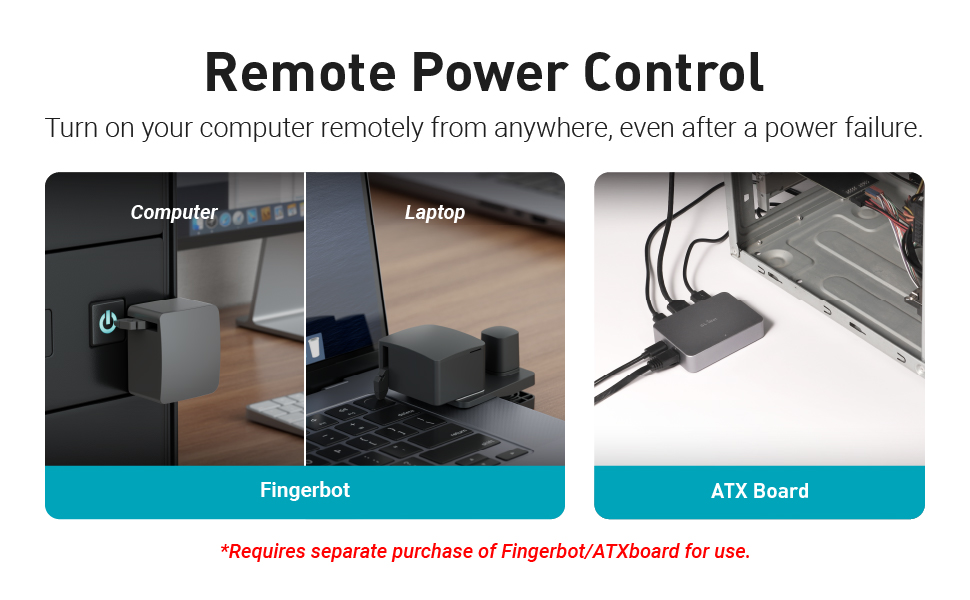

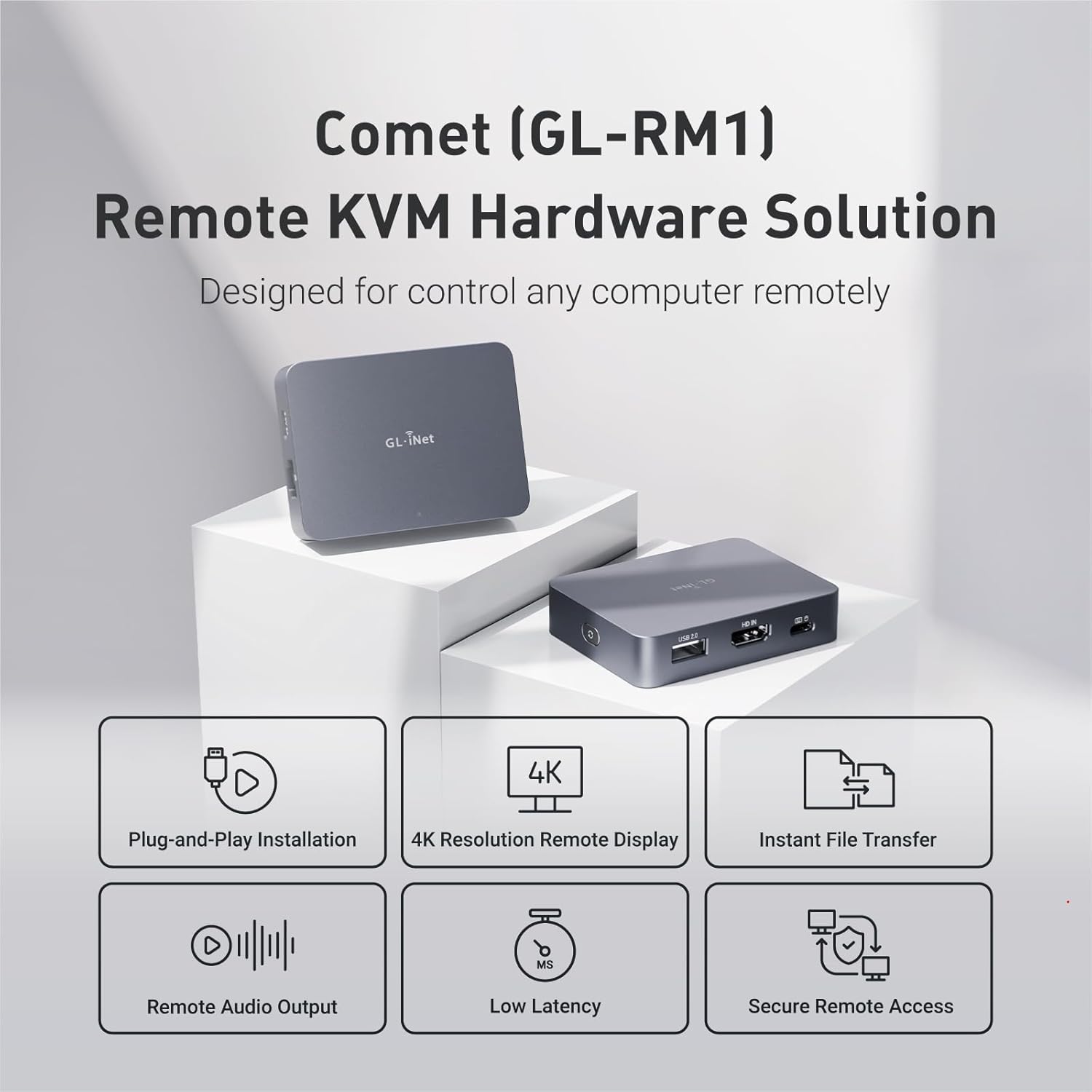
【Effortless Remote Device Control】 Remotely reboot, install operating systems via BIOS interface, and power on computers – all without ever setting foot in the data center. Ideal for IT professionals and smart home users alike. (Note: PD adapters cannot be used.)
【Universal Compatibility & Easy Setup】 Seamlessly connect to laptops, desktops, servers, and more. Simple one-click connection via app – the computer being controlled requires no additional software.
【Crystal-Clear Remote Experience】 Enjoy desktop-quality visuals (3840×2160@30Hz resolution, 30-60ms latency) Remote audio output for immersive and complete remote control.
【Instant File Transfer】 Transfer files between computers effortlessly. No more tedious synchronization issues when working remotely.
【Access Anytime Anywhere】 Maintain constant remote access to your computers, boosting productivity whether you’re at home or on the go. Perfect for remote work and managing multiple computers.
Customers say
Customers find the KVM device works well, with minimal lag and is easy to set up. They appreciate its quality, with one customer noting it’s readable even at high settings. The connectivity receives mixed feedback, with some customers reporting compatibility issues with Synology routers. The power supply also gets mixed reviews, though one customer mentions it can be powered by the USB-C port.
12 reviews for GL.iNet Remote KVM Control Over Internet, 4K Resolution,Tailscale Support, Remote Keyboard, Video, Mouse Control for Home Offices, Data Center, IT management and Industrial Applications
Add a review
Related Products


£89.99
RuPa –
Excellent small kvm for remote access to PCs-servers-firewalls etc,
Excellent. Really small KVM that will prove useful in accessing systems remotely. I didnt realise how compact it was until I unboxed it. Really well made also. HDMI video input – so if you have a VGA monitor connection – like I have – you will need a VGA to HDMI converter. (also available on Amazon).Works very well from the local LAN + Tailscale already setup – just needed to be authorised with my tailscale account.The PC I tried it with previously failed using PiKVM which complained about Video signal mismatch. Not so with this one. (Not saying that PiKVM isnt any good – it is – just didnt have the time to spend to fix the video mismatch). Only area I am not certain of is the lack of 2FA on the unit itself. This is included with PiKVM from the outset. When you search for 2FA, it points to the Glnet web site supporting 2FA. So basically, you login to their remote cloud portal (after signing in) using 2FA and then are able to access your KVM. IMO, Tailscale is the better approach. I dont want another cloud account.
Alison Rice –
Works well
Only had it for about a week. Works very well. Plugged in and on first connect it had an update, that went smoothly. Aftet that, no tinkering, it connects to network every time and I can connect immediately.On the internal network, lag is minimal.Graphics qualify is decent, not as good as a RDP session. Text is kinda fussy but readable even at High quality setting.Can be powered by the USBC port on my Mac mini, so I no longer use the included adapter. I only need it to be on when my Mac is on so that’s perfect.It boots quickly so I dont missed much.
Andrew –
Great little device
Great option for a kvm for any of my home servers. It was mostly plug and play other than needing a firmware update out of the box.Itâs not necessary to use the âappâ as a simple web interface is available you just have to figure out its assigned up via your router.
MN –
Ready to go KVM
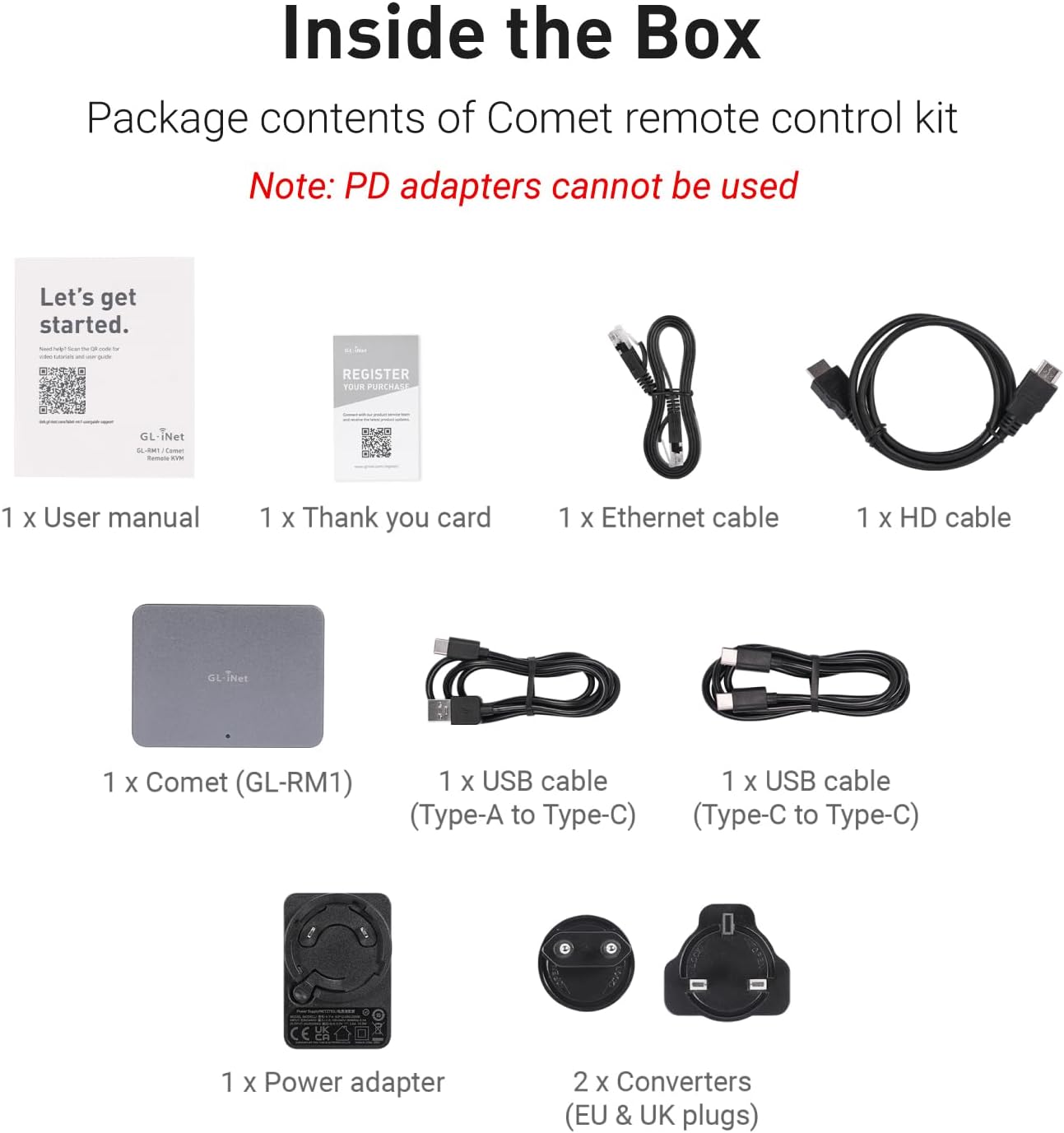
Great KVM, is is really plug-and-play! Everything is included: ethernet cable, power supply, HDMI and USB cable it is ready to go! The speed of the local connection is fine, the latency is low. The unit itself is small and it’s not cheap but the quality and the fact that it’s ready to go well worths it.
David Wood –
Successful resolving of BIOS problem on remote PC causing windows not to start using KVM
On Tuesday (2 days ago) my parents (90) has a power surge, which messed up the PC’s at their house – which is about 100 miles away from me.I ordered the Gl.iNet KWM on Wednesday on Amazon, and it arrived the same day at their house.This morning (Thurs) I managed to talk my Dad through wiring it up to a quite old PC without USB3 – so he needed an extra old USBA->usbC cable, which luckily he had.The kit came with one USBA->UsbC for the PSU, but the cable for the PC was only usbC->usbC.Luckily one PC at the house was working – so I used Splashtop to remote into the working PC and then got into the interface ok on the GL-RM1 using Chrome on that PC.I think you might be able to access the GL-RM1 remotely – but I haven’t needed that yet.I upgraded the firmware on the GL-RM1, then got into the BIOS ok on the broken PC – after quite a lot of investigation of the BIOS and BCDEDIT it turned out that it was a problem with the disk ordering.the PC has 3 hard disks – and windows wanted them to be ordered 0,2,1 in the BIOS, rather than 0,1,2 – As windows is on disk 2 – and the startup stuff is on disk 0.The power surge and BIOS reset had put the order back to the default 0,1,2.Eventually after quite a few retries I managed to sort out the issue.The only problem I had with the Gl.iNet KWM was inconsistent ability to send Ctrl+Alt+Del (from a Mac) via Splashtop, via a Windows PC to the GLRM1- it worked sometimes from the hotkey toolkit but not all of the time – and it is quite hard from windows recovery to restart the computer – but I did manage to find a way.Anyway after an hour of so I managed to figure out the issue with the broken PC and it is all now sorted.So the KVM has saved me 200 miles of driving (or possibly 400 as I may well have had to bring to PC home to sort out the issue).So overall very happy with my purchase.Need to sort out surge protection too.PS/ I have heard that ISO downloading and usage is quite slow on this device, but hopefully still usable – but luckily haven’t needed it yet.
SimonR –
Another great GL.iNet product!
It arrived today and I had it up & running in sub 5 mins. I didn’t bother with registering it with them, on their server. Just find the assigned IP address on your router and connect to that locally (or via VPN).The web interface it presents is pretty good & very intuitive.The resolution is impressive. Latency is not too bad. Perfectly usable for anything except games, I would say.I’m using it to remotely connect to a local LLM on a headless workstation – such that I can use it from anywhere.
Mr D. –
Great little toy, could be powerful with some additional tweaks
Quick easy to setup.Works out the box , no software.the badIf trying to be discrete in a WFH setup the hd audio driver over cdmi has the word kvm in it.For teams calls no easy way to route the microphone from local laptop back to host, only the hosts audio output via hdmi is sent to the client.Warnings about using PD power adapters.Supplied USB power cable supplied is short.Is a poe version on their website, not on amazon yet that may be more useful.No fault of GLI but many laptops including my dell won’t send the video to HDMI, on boot , ;laptop screen only, so seeing the screen for botlockerds pin’s etc is a no go.
Luis –
This box is very impressive, it runs Linux (my OS of choice), but , you don’t have to know anything about Linux really, although there is a drop a terminal if you want.I have a surveillance system and a lot of the functionality is done from the DVR, many things can’t be done from the APP, or even web / desktop version. So, this is ok as long as you are at the DVR site, but I wanted to be able to manage the DVR completely remotely, hence why I decided to try this device. It worked perfectly right from the start, I was up and running in 10 minutes. Mind you, I played with the settings for a while to get things to how I liked. One thing I lost after connecting this device is the Screen display of the DVR locally, because the HDMI output of the DVR now goes to the KVM, so I ended up getting an inexpensive powered HDMI splitter from Amazon , was about $20 CDN, and that solved the problem.Update: I am hitting the KVM from 3 browsers and displaying the DVR video and I can’t see a degradation at all. Running top on the kvm shows cpu, memory usage etc, and doesn’t look like I’m pushing it. The temperature (obtained from command line) is 66 deg C so that should be Ok.
Antoine Engelen –
This IP kvm is super. Latency is low. 4K support and audio if you want
Max –
Excellent produit, firmware assez stable pas encore à 100% mais produit récent. Si difficultés de pairing, il faut changer le DNS avec deux lignes de code (vu sur reddit) via l’interface Web.Le kvm peut être utilisé via l’application Windows / mac par internet au travers d’un tunnel wireguard ou via un navigateur en local.Tout à l’image des routeurs de la marque, bien pensé et bien exécuté.
Fabi –
I was in need of a reliable and robust KVM. After I received the Comet, I installed it on a server which unfortunately does not support IPMI.The UI of the Comet is really easy to use and simple, which is a big plus in my books.The network settings in 1.3 unfortunately need to be done over console, but in version 1.4 (beta) they have added a UI feature for it, which makes it very fast to set up the device and that shows that they consider feedback from the community.And with that, the biggest plus is the fast response of their support. I was encountering a problem with port-forwarding the web interface. I then contacted them and they were very fast to respond and happy to help me to solve my problem. They provided a solution using the new 1.4 (beta) because for some reason the video stream won’t work on 1.3 over port-forwarding.The device itself is very well made and small, so it can fit into any place in my rack, and the software is also very good and robust I haven’t run into any problems.I would strongly recommend this KVM for anyone who is in need of a robust and reliable KVM.And thank you again, support team, for your awesome support 🙂
zoonie –
There were two primary functions I wanted to test this KVM for: 1. Using WOL to wake up a headless host and then be able to remotely connect to it both via LAN and WAN.  Previously I had to use one utility to do the WOL and have a client loaded onto the host which meant that you couldn’t remote to it until the OS had booted. The KVM allows me to use a single interface to WOL and then connect to the device. Having no client means you can also connect during POST if needed.2. Connect to a Chromebook remotelyPreviously to connect to a Chromebook remotely you needed to have Chrome Remote Desktop installed and you had to enter a code to allow remote access at the host meaning someone had to be at the host Chromebook. The KVM allows full access to the Chromebook now but with the caveat that the Chromebook is turned on as Chromebooks don’t support WOL. (You could do with a remote power switch if you need to as most Chromebook will boot on power up).The unit is well made with an aluminum body which does get a bit warm even when in standby.  You can connect via the app but that’s only available for Windows and Mac at the moment and as primarily a Chromebook user, I use a Wireguard VPN into my home Flint 2 and then just use the web interface direct to the KVM. I can’t seem to see any major differences in performance using the different connection methods ( Windows app vs Chromebook VPN). For remote access this unit works wonders. There’s no software client or subscription fees which is a huge bonus and initial capital cost is low. The ability to do whatever I need to on the remote host is great and I can even stream videos with audio. There’s a heap of settings to play with to get the most optimal solution for your requirements so it’s pretty flexible.At the moment I don’t have any use for the more advance functions like ATX or Fingerbot control but nice to know they’re there if I ever need it. Well worth the money if you need simple, clientless and easy remote access.