

HP Smart Tank 7007 All in One Printer | Perfect for Home | Colour | Wireless | Print, Scan, Copy | Includes up to 3 Years of Ink | Refillable | 2-Sided Printing | Easy Setup | Reliable Wi-Fi
Original price was: £209.99.£129.98Current price is: £129.98.





Price: £209.99 - £129.98
(as of Nov 23, 2025 10:48:18 UTC – Details)
From the manufacturer


The video showcases the product in use.The video guides you through product setup.The video compares multiple products.The video shows the product being unpacked. smart tank printer Merchant video


1 HP Smart Tank 2 HP app 3 Sustainability
BEST FOR FAMILIES – Print a variety of colour documents in high volumes
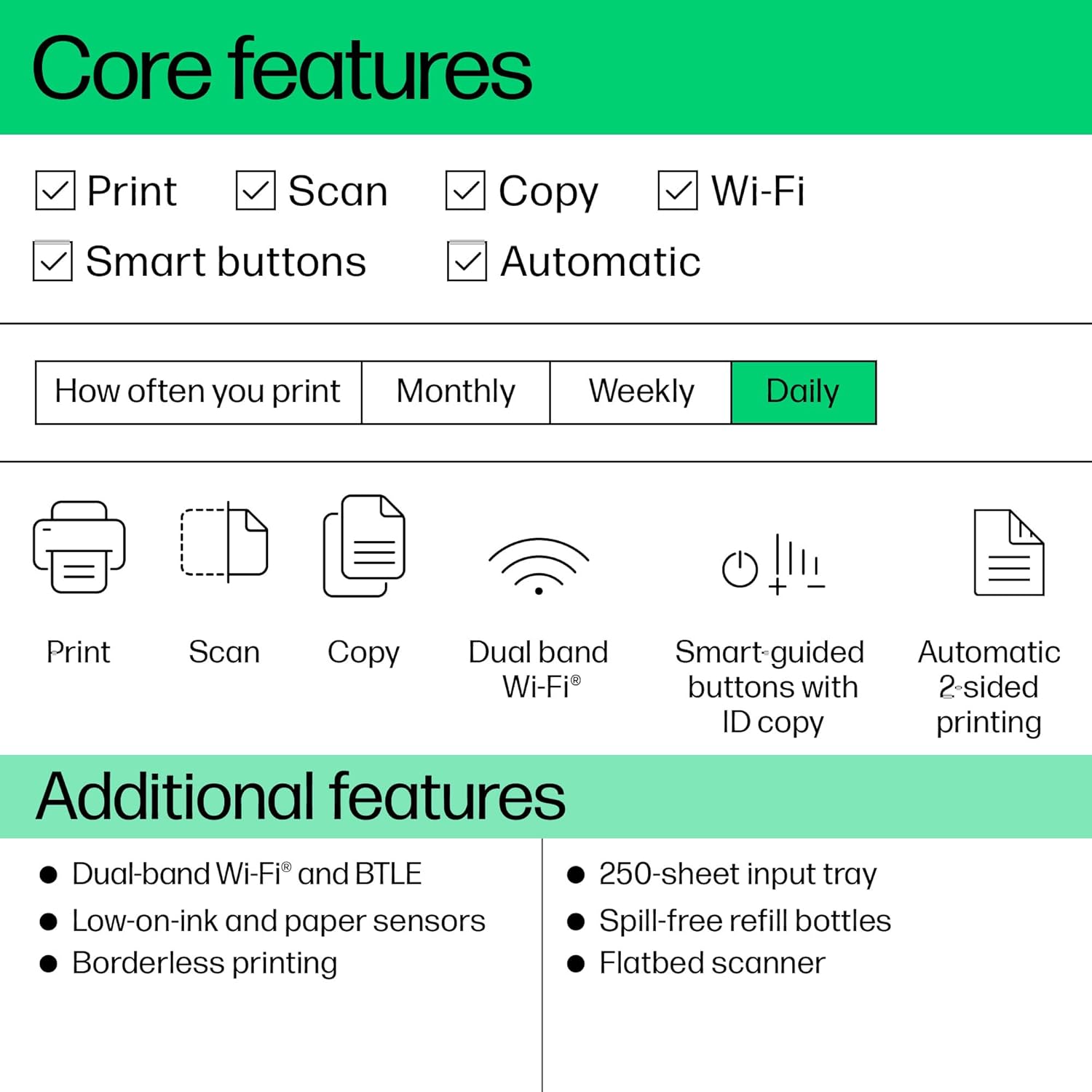
KEY FEATURES – Print, copy and scan, plus automatic 2-sided printing, borderless prints, mobile and wireless printing. Print up to 15 ppm black and 9 ppm colour.
FULLY LOADED WITH SAVINGS – Perfect for low-cost, high-volume printing—up to 3 years of Original HP Ink Bottles included get up to 8,000 colour pages or 12,000 black pages right out of the box
EXCEPTIONAL HP QUALITY – Consistently delivers outstanding colour graphics, photos and crisp text for all your prints
SIMPLE, SPILL-FREE REFILL – Replenish ink with HP’s easy-access, spill-free refill system. Simply plug the Original HP 32XL Black Bottle or Original HP 31 Colour Bottles into the ink tank and let them drain—no squeezing, no spilling.
EASY TO USE – Smart-guided buttons illuminate to guide you through everyday print, scan and copy tasks
ESSENTIAL SECURITY – Protects from viruses, malware and helps maintain privacy and control with basic encryption and password protection
RELIABLE CONNECTIVITY – Self-healing dual-band Wi-Fi automatically detects and resolves connection issues
HELPING TO PROTECT OUR PLANET – Printer made from recycled materials—more than 25% by weight of plastic. Help stop deforestation and protect wildlife: Use FSC-certified HP-branded paper made with responsibly sourced fibre.
3 reviews for HP Smart Tank 7007 All in One Printer | Perfect for Home | Colour | Wireless | Print, Scan, Copy | Includes up to 3 Years of Ink | Refillable | 2-Sided Printing | Easy Setup | Reliable Wi-Fi
Add a review
Related Products
![SCANNERS TRILOGY [Blu-ray] New Release – Restored and Uncut – Special Edition (David Cronenberg)](https://i0.wp.com/m.media-amazon.com/images/I/51zoqeC-0cL._AC_.jpg?w=300&resize=300,300&ssl=1)


Original price was: £209.99.£129.98Current price is: £129.98.
alexander campbell –
Alex
Easy to set up, large paper storage tray
Grace Lazarou –
Reliable, efficient, and surprisingly user-friendly
Iâve been using this HP Smart Tank printer for a few weeks now, and Iâm genuinely impressed by how straightforward and reliable it is. From unboxing to the first print, the process was smooth. The setup guide is clear, and the whole ink-filling procedure is almost foolproof â the bottles are designed in a way that makes spills very unlikely, which is a relief compared to traditional cartridges.Once connected to Wi-Fi, the printer integrated seamlessly with both my laptop and phone. I appreciated that I could add it manually via system settings without needing to rely on the HP software, which sometimes struggled with connectivity on my older devices. The printer wakes quickly from sleep mode and responds immediately to print requests, whether sending documents from my laptop or photos from my phone.Print quality is excellent. Text comes out crisp and professional-looking, while colour prints, even on standard A4 paper, are vibrant and sharp. Iâve tried a few photo prints on premium paper, and the detail and saturation were far better than I expected for a home printer. Duplex printing works smoothly, and I havenât encountered any paper jams despite regularly printing multiple pages at a time.The ink tanks are a major advantage. The included supply is generous, especially the larger black ink bottle, and refills are far more cost-effective than cartridge replacements. Being able to see the ink levels through the transparent tanks is really practical and helps avoid surprises.In terms of design, itâs larger than some compact home printers, but that size accommodates the generous paper tray and easy-access ink tanks. Itâs not noisy, and the overall build feels solid. The printer also supports scanning and copying effortlessly, which I use frequently for work and household documents.Overall, this printer feels well thought out for home or small office use. It combines excellent print quality, low running costs, and a straightforward setup that doesnât require technical expertise. Iâve been very happy with it and would confidently recommend it to anyone looking for a reliable, versatile printer.
Bernardette Lugner –
Economical Printer for home office or small business
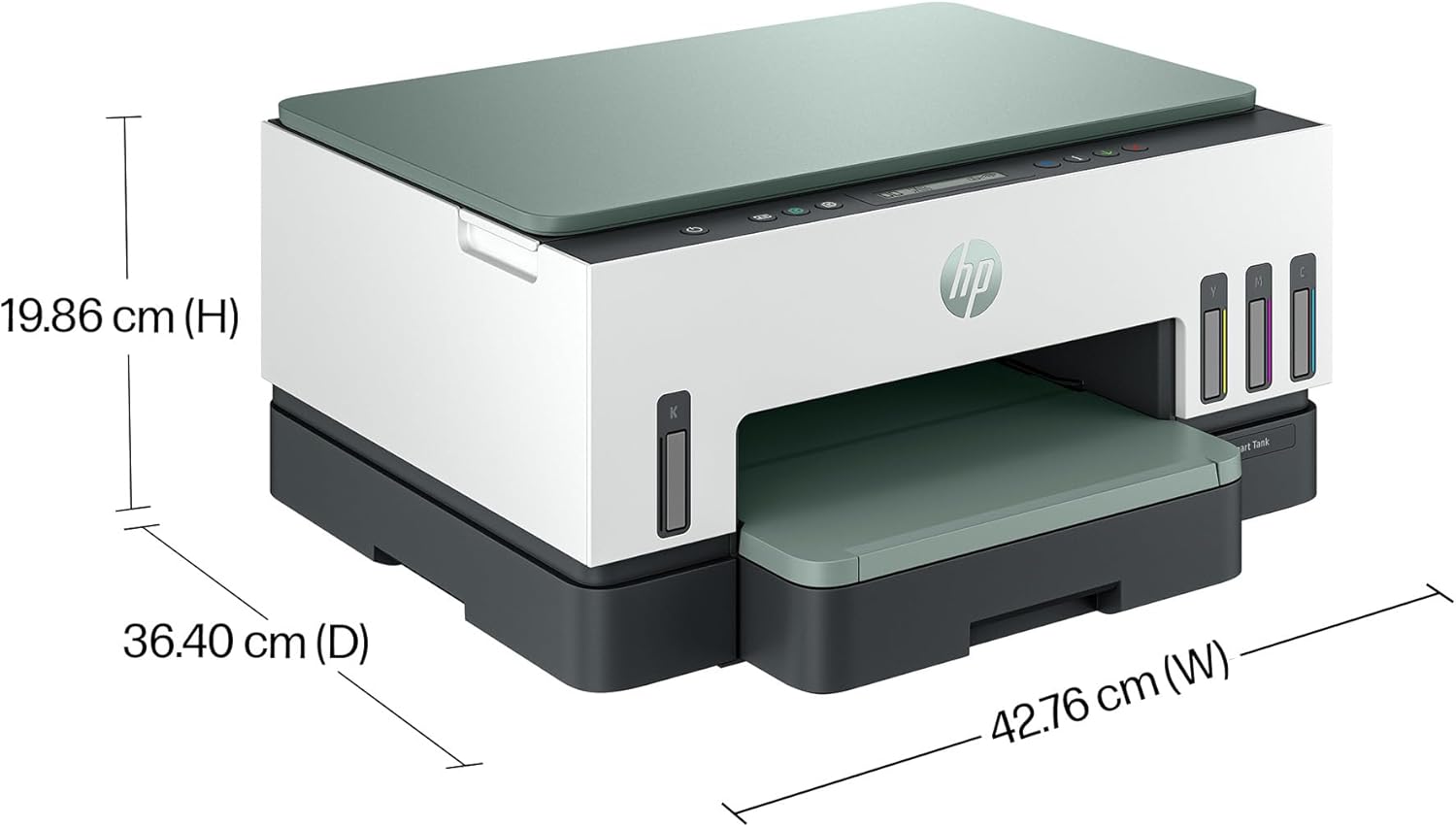
If high-cost printer cartridges annoy you, the answer could be an ink tank printer, because these have markedly lower running costs while still having the good quality printing of an ink-jet. HP’s Smart Tank 7007 is good-looking, rather like an architectural model of an HP distribution centre. It is best installed at about waist height. If you put it higher up, on a shelf, you won’t be able to see the dim little black-on-grey display (no colour touch screens here, folks) or the dark grey buttons on a dark grey background, because all these are horizontal, on the top surface. Some of the buttons light up helpfully when you might need them. There’s the usual flip-up scanner and photocopier lid on the top, but no document feeder.The front of the printer shows level indicators for the three colour inks on the right side, and the black ink on the left. The printer comes with a bottle of each of the colour inks, and two larger bottles of black ink, so you won’t be buying more ink for quite a while. When you do, it’s a lot cheaper than buying OEM or compatible cartridges.First, you will have to set up the printer. The power cord is short — only about 1.8m, so you can’t be too far from a socket. I had to substitute a somewhat longer one. The set-up guide that comes with the printer is very clearly written and illustrated, and will take you through every step. Allow plenty of uninterrupted time, and all should go smoothly.After unpacking as instructed, you are then recommended to install the HP Smart software to guide your next steps. Don’t. I took option2, manual setup, switched on the printer and followed the guide through loading the four inks, which come in cleverly designed bottles that make spills unlikely. Make sure you put the inks in the correct tanks. Then you instal the two print heads, for colour and for black. Now you load some paper and the printer prints an alignment sheet for the printer to scan. You can buy replacement print heads if they should clog up or otherwise fail.You are again asked to instal the HP software. I did so, but it failed to do its job of connecting by wi-fi with my router (4 feet away). After a few tries I did what I should have done right away. I switched the printer off and on again, made sure its wi-fi light was flashing and pushed the WPS button on the router. Connected in a few seconds. Now you can instal the printer on your computer. I used the usual “System Settings > Printers and Scanners > Add Printer” function on my Mac and could then print and scan. I also did it in Windows 11 on a PC with “Settings > Printers and Scanners > Add Device”. Both Mac OS and Windows have scan apps, too, so I don’t think that the HP software has anything useful to do. A detailed user manual for the printer is available on-line at HP’s website.Printing quality is really excellent, and I use the two-sided printing nearly all the time. Even on cheap paper, colour rendition is good. Scanning and photocopying work very well, and I am pleased with the performance. You can load a good quantity of paper at a time, but do be sure to pull out the paper catcher, because printed sheets shoot out quickly.