

Plustek S410 Plus – Small USB Portable Sheet-Fed A4 Document Scanner for Windows 7 / 8 / 10 / 11 , OCR Software Include
£94.99



Price: £94.99
(as of Jan 08, 2026 11:21:09 UTC – Details)
Product Description

The video showcases the product in use.The video guides you through product setup.The video compares multiple products.The video shows the product being unpacked.


 OCR Technology
Convert scanned paper document into search PDF or editable files.
 Automated image crop and deskew
Put paper , scanner will Auto scan and save, no need to push any buttons or click any screens.

 TWAIN Compliant
The included TWAIN driver ensures compatibility with thousands of software application and systems
1 OCR Technology
2 Crop and Rotate
4 Enhance image process
5 TWAIN Compliant
S410 Plus 
1
2
3
4
5
6
My Laptop/PC don’t have CD-ROM How can I install driver & software?
For user who’s Laptop/PC don’t have CD-ROM, can follow quick installation guide driver download link, or visit Plustek website download driver to install.
How can I launch DocAction software with Windows system to change scan setting
After install the driver and software, you can open DocAction by double click the icon in the taskbar, which is located on the bottom right corner.
Is scanner can auto crop image size? if I scan receipt or letter size document
The S410 Plus default enable auto deskew and crop function.You will get the complete scanned image without any black edge.
How to deal with the strips or bands on the scanned images?
If the colors of scanned images are not correct or there are strips on the images. Use bundle calibration target to calibration the scanner, you can visit Plustek website, select S410 plus to see tutorial video
Where I can find help for Plustek MobileOffice S410 plus?
If you need help with any issue or question, Visit Plustek website, click the chat windows at the bottom right corner to contact our engineer.
Button Free Scan – S410 plus is a auto scan device, There is no need to push any buttons or click any screens.
Digitize on the Go – USB powered connect to your computer; No batteries or external power supply required
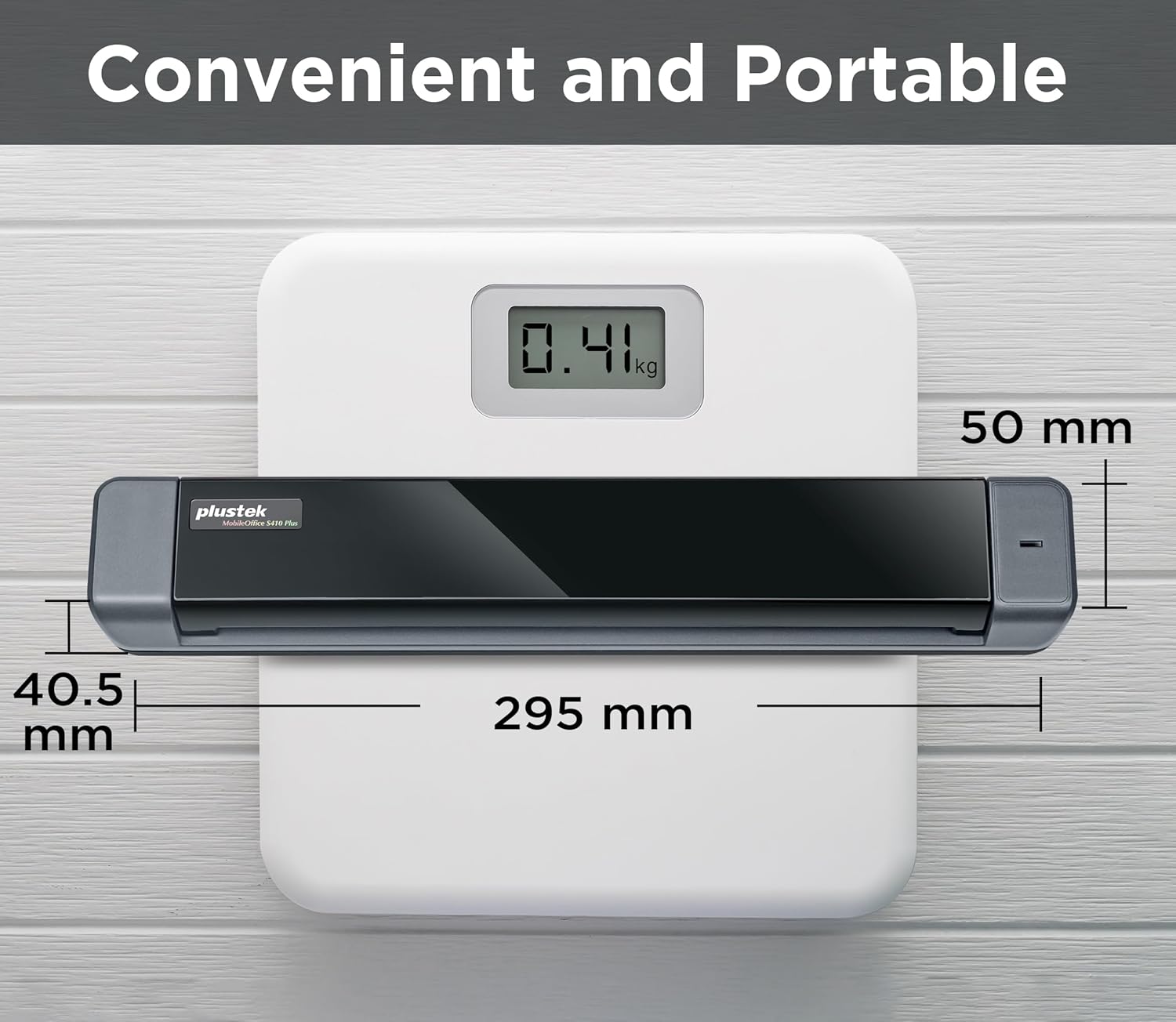
Ultra compact – Only about 410g in weight you can fit this device virtually anywhere (a bag, a purse, even a pocket).
Versatile Paper Handling – Easily scan documents up to A4 sized document, as well as business cards, plastic ID cards, invoices and receipts.
Work smarter with Plustek Docaction – Built-in OCR allows you convert the files into editable, such as searchable PDF, excel or word. Seamless save to your local computer, FTP and even shared folder.
Compatible with Most Software Solutions – included TWAIN driver allows you to easily incorporate your data into most document management software.
13 reviews for Plustek S410 Plus – Small USB Portable Sheet-Fed A4 Document Scanner for Windows 7 / 8 / 10 / 11 , OCR Software Include
Add a review
Related Products


£94.99
G. Jones –
Plustek s410 plus
item recommended I have bought it for a present
Chris G –
Great Quality For Price
I got this because I travel around and often need to scan documents. Considering the price I’ve been more than happy with the scan quality and ease of use.The provided software makes scanning to JPEGs and PDF files a doddle.I’d recommend it for someone like myself who needs a portable scanner at a very reasonable price.
Amazon Customer –
Ideal for travelling ð§³
Ideal for travelling with but donât forget to take thermal paper with you found it difficult to get hold ok overseas.
Wulli –
not bad for the price
works well image quality excellent easy to get the hang of also not bad for the cost .
Scifibuff66 –
Returned item
Tried everything to get this scanner to work my windows 11 laptop. The PC would not recognise the scanner.Drivers downloaded but would not start calibration software . Could not start scanner error. Windows scan app fed paper through but error and no scanned image. Can only assume Faulty unit.
Julie –
Fantastic portable scanner
Fed up with carrying around a printer/scanner when these days I hardly print anything out.Bought this portable scanner so I could send a proper pdf file for a passport.Only took 20 mins for me to set up and send. Extremely pleased with this purchase (same price as a big clunky printer/scanner) but now fits in my bag.Best purchase if the year, highly recommend.
Oana M –
Portable A4 Sheet-Fed Document Scanner with OCR Software for Easy Document Management!
ProsCompact and Portable: The small, lightweight design makes it easy to carry, allowing for scanning documents on the go, which is ideal for home, office, or travel use.User-Friendly: Simple setup and operation, making it accessible for users of all skill levels, including those who may not be tech-savvy.Sheet-Fed Functionality: The sheet-fed design allows for quick scanning of multiple pages, enhancing efficiency compared to flatbed scanners.A4 Document Capability: Suitable for standard A4-sized documents, which covers most everyday scanning needs, from receipts to contracts.OCR Software Included: Comes with Optical Character Recognition (OCR) software, allowing users to convert scanned documents into editable text, which is beneficial for digitizing paperwork.High-Quality Scanning: Delivers good resolution for scanned documents, ensuring clarity and detail, which is important for both personal and professional use.Windows Compatibility: Compatible with various Windows operating systems (7/8/10/11), ensuring broad usability for users on different platforms.ConsLimited to A4 Size: The scanner is designed for A4 documents, which may not accommodate larger formats without additional steps, such as scanning in sections.No Wireless Capability: Lacks built-in wireless features, requiring a direct USB connection to a computer, which may limit flexibility in placement and use.Speed Limitations: While sheet-fed, the scanning speed may not match higher-end models, which could be a drawback for users needing rapid document processing.Plastic Build: The construction may feel less sturdy compared to more expensive, professional-grade scanners, potentially raising concerns about durability over time.Limited Software Features: The included OCR software may lack advanced features found in more comprehensive document management solutions, which could limit usability for power users.Driver Compatibility Issues: Some users have reported occasional issues with driver compatibility, particularly when upgrading operating systems or changing computers.
LDC –
Easy to use
Iâve been using the S410 Plus for a while, and itâs a real game-changer for scanning on the go. The auto-scan feature makes it super easy just load the paper, and it scans without me needing to push any buttons. Itâs lightweight and fits in my bag, so I can take it anywhere. I love how versatile it is, handling everything from business cards to A4 documents. The OCR software is a huge bonus, letting me convert scans into editable files like PDFs, Word, or Excel. Itâs become an essential tool for my digital organisation.
SusanS –
Great little scanner! Works fine with my Surface Pro 8, does exactly what I need it to do. Images are quite nice. I have mainly used it to scan and file documents but so far it works great. Comes with a cord that hooks right in to the A port on my dock that sits on my desk.
Kenneth Brattey –
Scanning receipts is dreadful. If the unit has the tiniest piece of dust you end up with black edges all around. I contacted support who were very helpful, 1st I needed an updated driver, then it was all down to cleaning. I cleaned and cleaned and cleaned until finally I managed to scan a receipt to the correct size without horrendous black edges. Didn’t last long. I bought this as a replacement for my Opticslim M12 which worked flawlessly for 15 year and never cleaned it once. With this new model, I can scan one receipt if I am lucky before I get back edges again. Now consigned to the bin. I will use my phone to take pictures from now on.
D Will –
Excellent scanner! It’s durable, easy to use and stores in any location because of it’s small size. It’s easy to install as well.
Wasim Sabir –
Itâs Pretty Good. But in my Opinion I should have Bought Cordless, overall the results are very good Itâs very easy to use.
Kaimi –
This scanner is small and portable–which I love! It fits nicely in my travel bag and helps me prepare expense reports on the go.