

Tecknet Auto Laptop Cooling Pad Fits 12″-17.3″ Notebooks, Adjustable Height Gaming laptop cooler With 2 USB ports And 2 Powerful Fans, Silent Ergonomic Laptop Fan Stand For Desk with LED display
Original price was: £19.99.£19.07Current price is: £19.07.





Price: £19.99 - £19.07
(as of Jun 02, 2025 03:29:21 UTC – Details)
Product Description
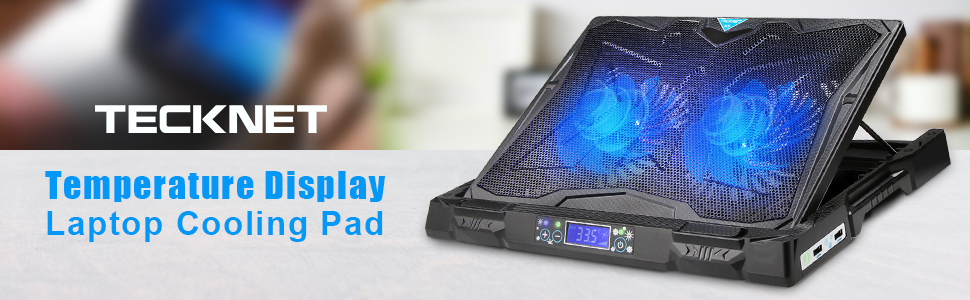
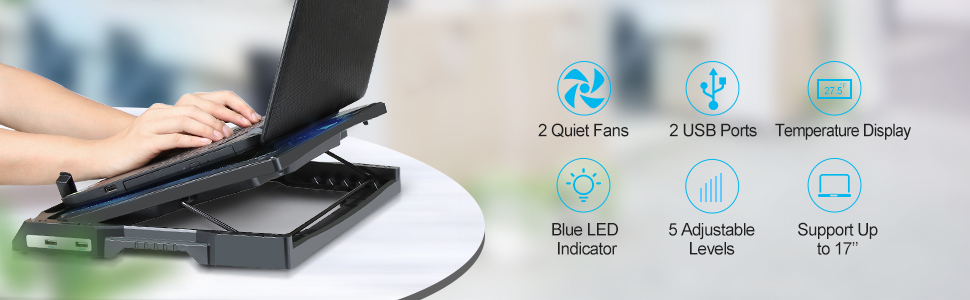
TeckNet Gaming Cooling Pad – Massive N9
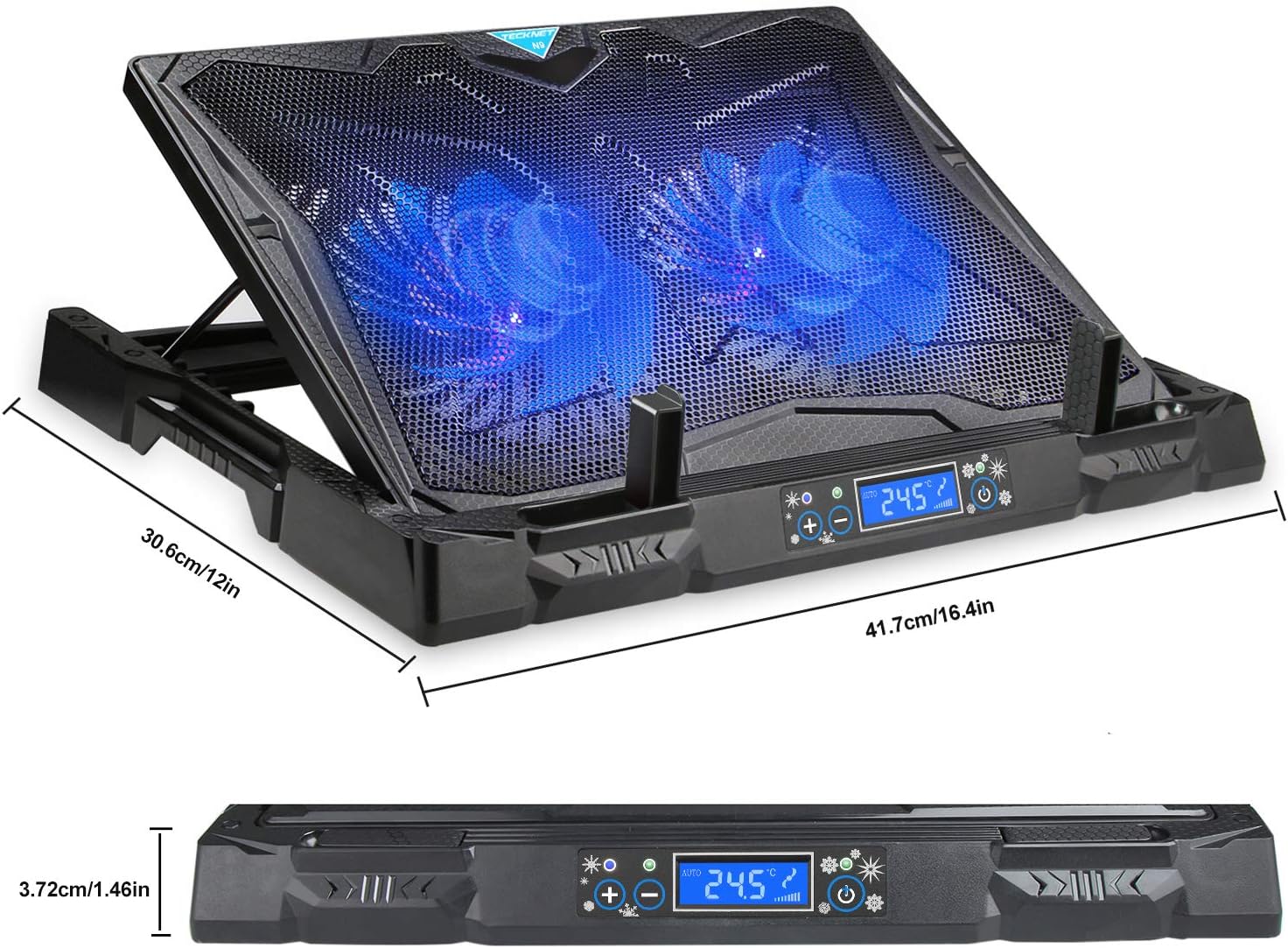
Massive N9 Gaming Laptop cooling pad, built with two massive 130mm LED fans at 1200 RPM enables laptop cooling capacity pushed to extreme. The ergonomic design of appearance and the most comfortable viewing angle while using are suitable for 17-inch or relative types of laptop.
Whisper Quiet Fan Technology
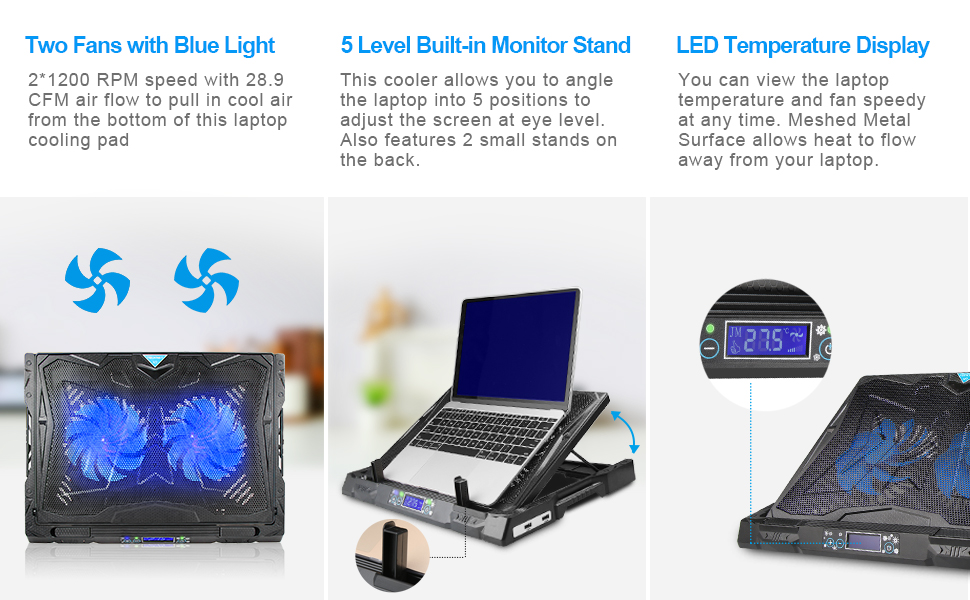
Our innovative design utilizes two 130mm high quality fans to provide abundant cooling to your Notebook and processor. Capable of providing over 42 cubic feet per minute of refreshing air flow, you will never feel the heat from your laptop ever again.
Large LCD Screen Design
You can view the laptop temperature and fan speedy at any time.
Meshed Metal Surface
Allows heat to flow away from your laptop. Plastic and rubber materials offer durability.
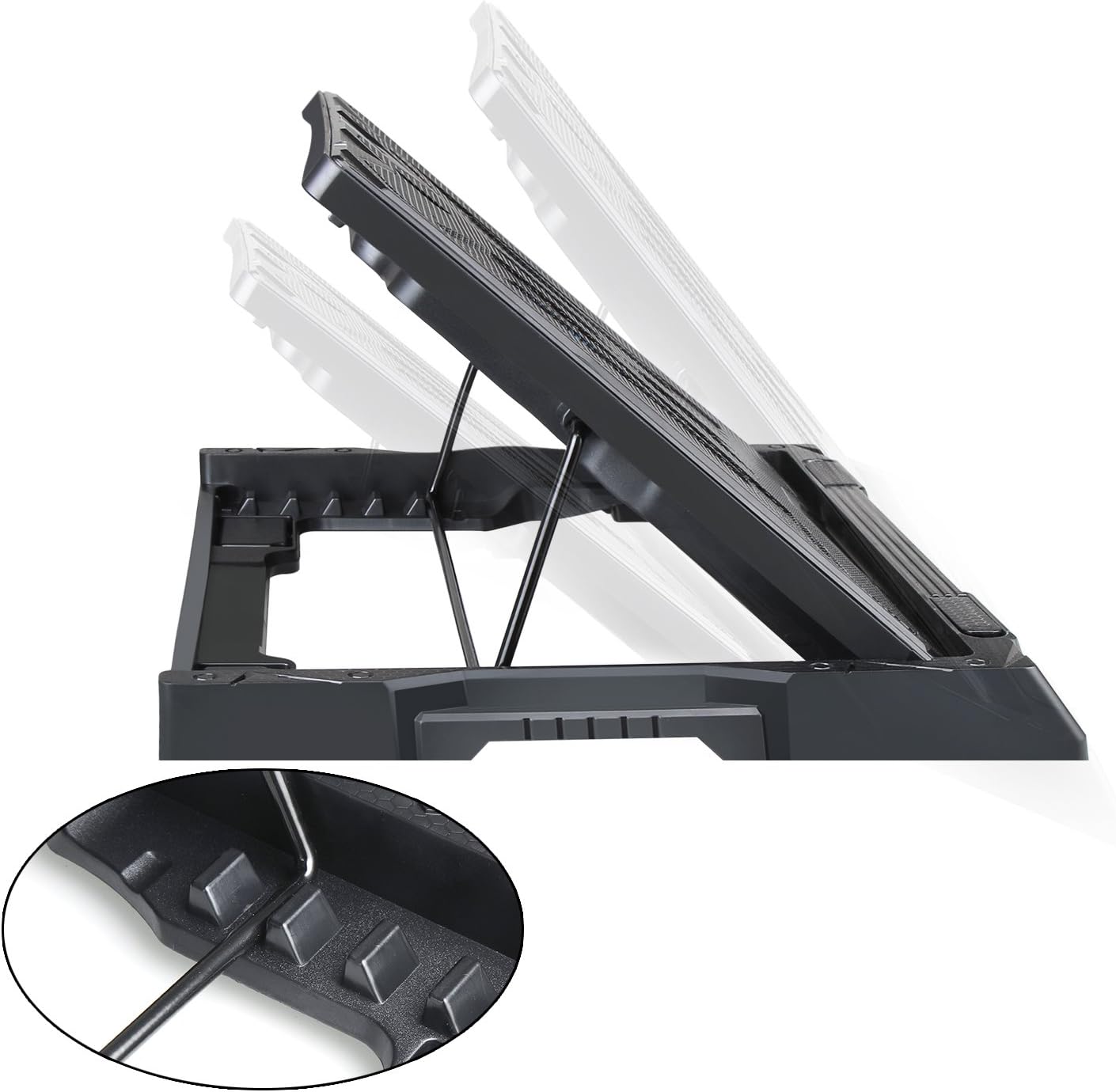
5 Level Built-in Monitor Stand
Designed to fit up to 17″ Laptops, our cooling wedge can also be used as a Laptop or Desktop Monitor Stand. Built into the top of our cooling wedge is a retractable monitor stand, that allows you to position the screen at eye level, for a more relaxed reading position.
Compatible with most laptops up to 17″
It supports a variety of laptop sizes up to 17”, and the extremely sturdy polished metal mesh provides a stable surface for you to enjoy working on the computer.
USB Powered
This laptop cooling pad is conveniently powered by the USB port on your computer, with no power adapter needed. It offers an additional USB port for you to connect other devices.
Is discontinued by manufacturer : No
Product Dimensions : 30.7 x 3.7 x 41.3 cm; 1.04 kg
Date First Available : 18 Aug. 2015
Manufacturer : TECKNET
ASIN : B0164R65YC
Item model number : 846985
Country of origin : Switzerland
Guaranteed software updates until : unknown
【Auto Temperature Control】 TECKNET Laptop Cooler can intelligently detect the temperature and adjust the rotational speed, rapidly lower both surface and internal temperature automatically will keep your equipment cool in every situation.
【Auto or Manual】 TECKNET Laptop cooling pad can be switched from Auto model to manual mode to set up the speed as you want.
【Temp & Rotational Speed Display】 Shows the laptop temperature and cooler RPM. Adjust the fan speed automatically or manually.
【Finding Your Angle 】The stand can be adjusted in 5 different steps, up to 190mm high. As a result, you will be able to find the perfect viewing height and angle. You won’t just stay cool, but you’ll have a better overview of your matches.
【Peak Performance 】The sturdy aluminium design of the stand fits every laptop up to 17.3”. Even the biggest ones will stay cool, thanks to the Auto Temperature Control. Keeping your laptop cool will result in the best possible performance.
【No Extra Power Supply Required】Fans are powered using a standard USB connection connected to your laptop or computer using a USB cable.
【Metal mesh Ventilated Grill】It optimizes the airflow to rapidly dissipate the enormous heat generated in the laptop housing; it helps dissipate extra heat, so your laptop remains cool during operation.
【What You Get】: TECKNET N9 Gaming Laptop cooler, USB cable, welcome guide, 3 Year Warranty, and our friendly customer service.
Customers say
Customers find the cooling pad effective, with good build quality featuring hard-wearing plastic construction, and appreciate its ability to keep temperatures under control during gaming. They like the adjustable fan speed feature, and while some find it relatively quiet, others note it can be noisy. The design receives mixed feedback, with some finding it well-designed while others consider it bad, and customers disagree on whether it’s bulky or light. Customers disagree on the size, with some appreciating that it fits 17′ gaming laptops while others find it too big.
AI-generated from the text of customer reviews
4 reviews for Tecknet Auto Laptop Cooling Pad Fits 12″-17.3″ Notebooks, Adjustable Height Gaming laptop cooler With 2 USB ports And 2 Powerful Fans, Silent Ergonomic Laptop Fan Stand For Desk with LED display
Add a review
Related Products


Original price was: £19.99.£19.07Current price is: £19.07.
Celso Alves –
Good cooling solution for laptop up to 17.7 inches
I needed a cooling pad to use with a 17 inch laptop, and this cooling pad can take my laptop perfectly. I have used it for a week every day and used StreessMyPc to cause my laptop to heat up. With the cooling pad I got 10 degrees difference between using the cooling pad or not. The cooling pad has 2 fans that can be controlled using the panel on the front to increase or decrease rotation, or set to Auto and it will detect the temperature and act accordingly. The fans run silently, and even in full rotation speed I can barely hear them. There is an LCD displaying the fan speed and a temperature, but I am not sure what the displayed temperature is. I got temperatures between 25 and 28.5 degrees, so really could not understand what was being measured. There are also a power button and a + and â to change fan speed. The pad can be tilted to 5 different positions so I could adjust it to better suit the use of the laptop, on my lap or on a table. The pad has 2 USB ports and you have to use one to power the pad, so you get an extra USB port. The unit is made of plastic but feels very sturdy. In conclusion, if you are looking for a cooling solution at good price, I really recommend it.
Scott M. –
Good allrounder
Overall this is a pretty good laptop cooling stand. It does what it says and the customisation of the height and the size of laptop it can take is a good benefit. The LCD screen is good and shows exactly what the temperature is and you can set it to auto-cool (although I’m unsure what temp it wants to cool it down to) or manual, where you can control the level of the fan a bit more.
The minor problems I would say I encountered is that the fan is louder than I thought it would be. I would say it was “ultra quiet” like the product name suggests. I feel like if you were using your laptop mic for Zoom calls etc. then it could be picked up and interfere but thankfully for me it’s non-issue. The other “problem” is that it is quite bulky, though saying that, it does mean it is pretty sturdy.
Working from home and the setup I had, I was getting a really sore shoulder with the way my laptop was sitting but using this has remedied my shoulder problem.
G.E.F –
Solid Laptop Cooling Stand
We have an old gaming laptop at home that the kids use, which gets too hot to touch at times.
We took it all apart, cleaned it and made sure the fans were free of dirt as a first step. This helped, as it now takes longer to get to the heat levels it did before – however with them home schooling the laptop is often on for 4-6 hours at a time.
So we decided to try a laptop cooler and see whether that helps. The cooler has a temperature gauge on it, which has hit 28 degrees without the fans turned on, but with the fans turned on sticks at around 26 max. This makes the difference in so much that it isn’t too hot to touch now, but is certainly still warm. I’m not sure why the laptop runs so hot, just poorly designed I guess.
I would also say that it helps if your laptop has a fan vent on the underside of the laptop. We didn’t find it as useful on a laptop with rear/side fan vents which probably makes sense, as it is blowing air upwards at plastic casing rather than into the ventilation system itself?
It has the added benefit of being a decent laptop stand for raising a laptop monitor too. If you have an external keyboard, you will find that this is very useful. It is very sturdy and supports our brick of a gaming laptop quite happily, so you don’t need to worry about it giving way.
The most annoying thing about this fan though, is the fact that it doesn’t remember settings by default. You press on and it sets the fans automatically. I find that they run at 50% and are quite noisy. It has a secondary mode which allows manual operation – setting the fans above 80% reduces the noise. Every time you turn the laptop on it defaults to Auto again and you have to change it.
Tywin –
Less than a year, and fans start making a loud noise
It did its intended job (holds the laptop and operates the fans to cool it down) only for a while. I’m marking it down mainly for the fact that, already in less than a year, the fans are faulty. After 10 or so minutes of use, they begin making a very loud grinding noise and it forces me to unplug it. For the most part, I use this product as a laptop stand only. A very heavy laptop stand.
To give further thoughts….
PROS:
– When it worked, it did cool the laptop
– Very sturdy build (don’t see it snapping any time soon)
CONS:
– Fans begin making noise (as mentioned)
– Very heavy – can be uncomfortable to place on lap
– Pretty big, so not very portable. Difficult for travelling.
– The dials/buttons aren’t very clear in what their exact functions are