

CITLLA Wireless Bluetooth Mouse, Ergonomic Rechargeable Silent Mouse with Multi-Device, Adjustable DPI, Flying Scroll & Thumb Wheel, Bluetooth Mice for Laptop, Computer, Tablet, Smartphone, Black
Original price was: £49.16.£46.27Current price is: £46.27.




Price: EUR49.16 - EUR46.27
(as of May 07, 2026 13:52:06 UTC – Details)
Product Description
CITLLA PRO MAX E510 Wireless Bluetooth Mouse 


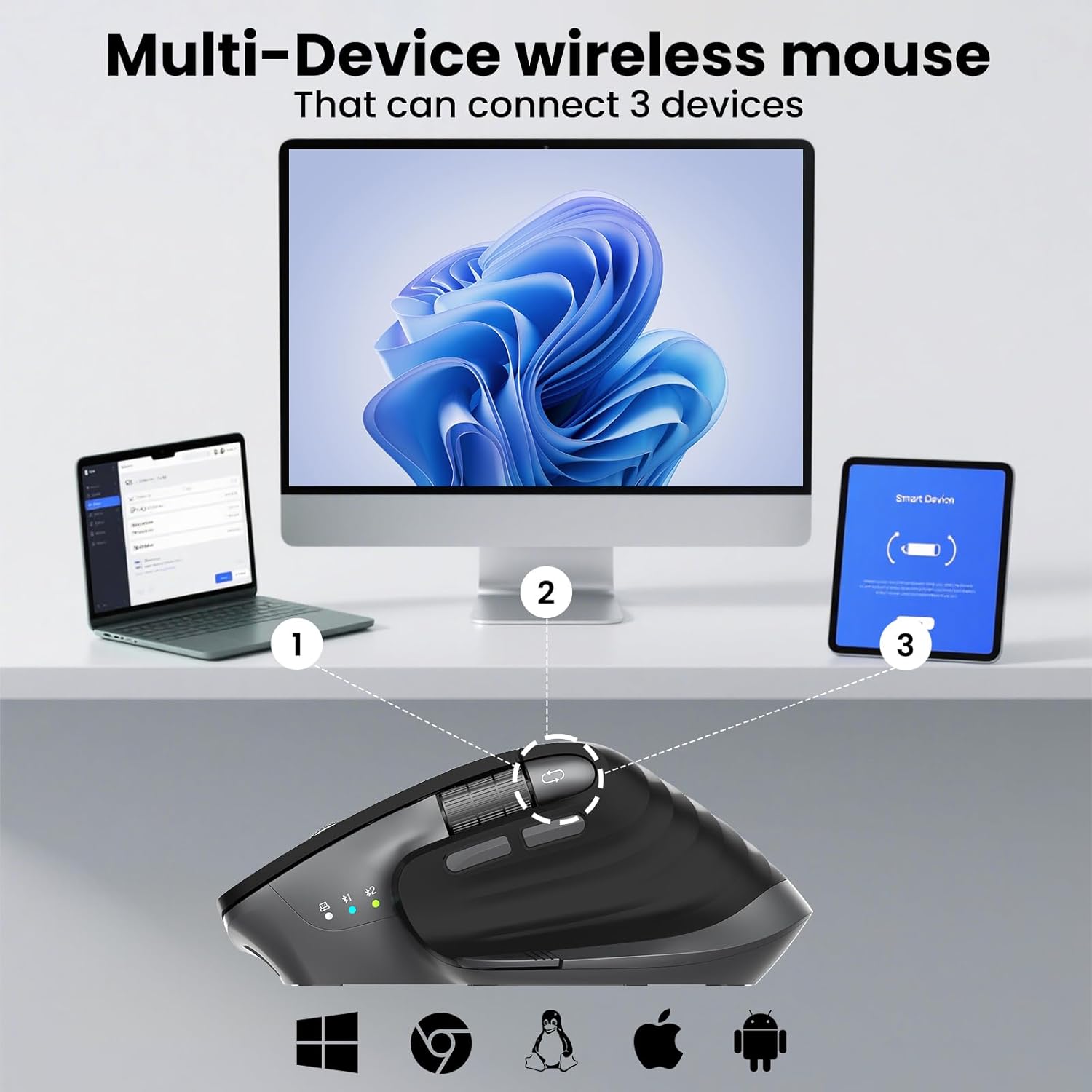
1 Mutil-Device Mouse
2 Wide Compatibility
3 Adjustable DPl
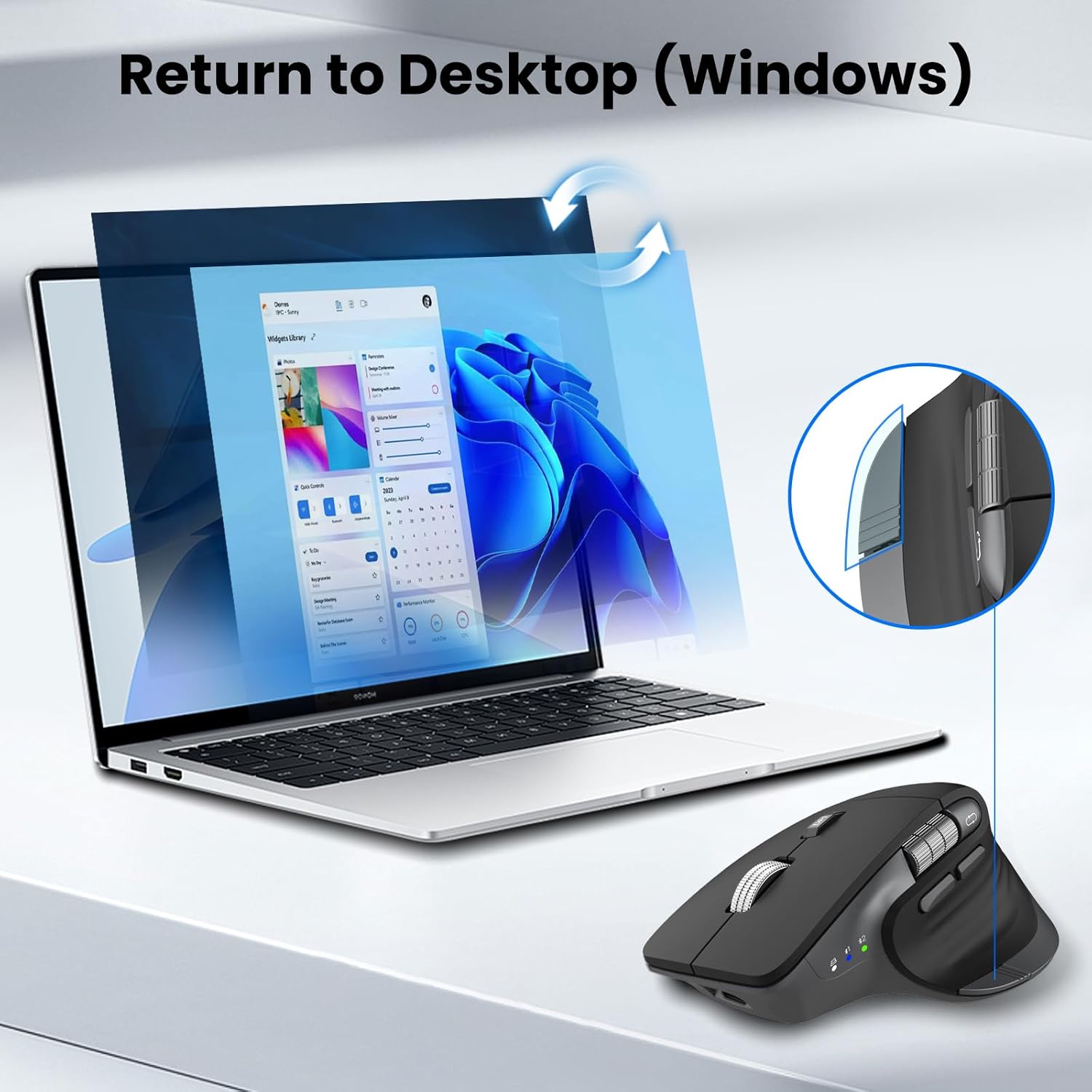
Return Desktop (Windows) 
Rechargeable Battery Mouse 
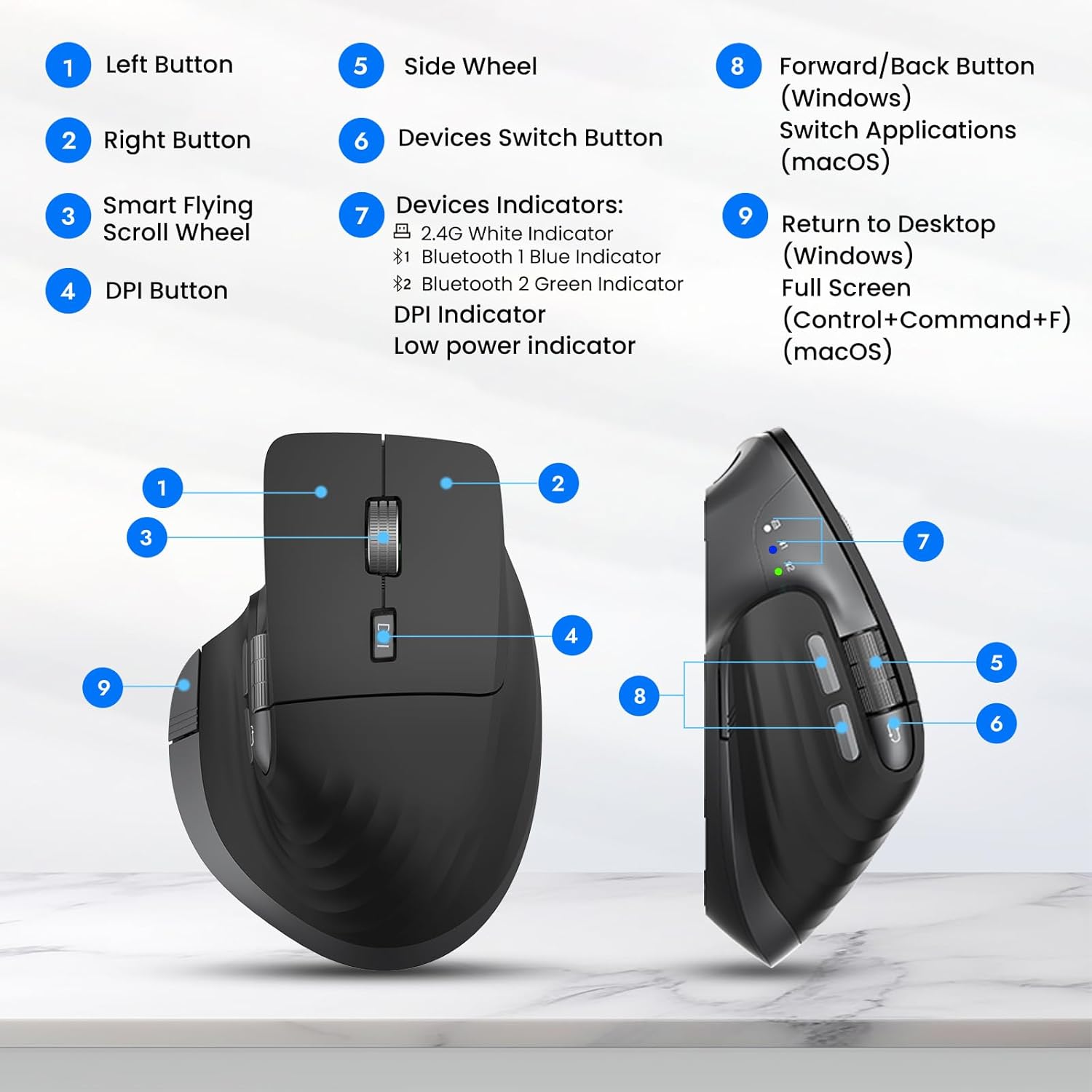
Powerful Mouse Functions 
Wireless Mouse, Save Your Office Space 
What is DPI? Can the wireless mouse pointer speed be adjusted if it’s too slow or too fast, and how can it be adjusted?
DPI (Dots Per Inch) measures mouse sensitivity. Wireless mouse has 4 levels DPI to adjust: 1000-3200DPI. Recommend 1000 for browsing, 1600 for precision, and 3200-4800DPI for gaming. Adjust DPI with the button located under the scroll wheel.
Bluetooth mouse not starting? How to fix it? For connection problems, key repetitions, or delays:
1. Fully charge 2. USB users: Reconnect the receiver → try another USB port 3. Bluetooth users: Delete the Bluetooth connection – restart the device → reconnect according to the instructions 4. Try on another device
How can I tell when the mouse battery is low?
The red LED flashes when the battery is low until the device switches off. In addition, response delays, sticky keys, or a jumping mouse pointer may occur.
Ergonomic Wireless Mouse for Comfortable All-Day Use: CITLLA wireless ergonomic mouse features a contoured shape that fits perfectly in your palm, reducing wrist fatigue during long office or study sessions. Designed as an ideal office mouse and computer mouse for laptop, desktop, or tablet use.
Smart Flying Scroll: The CITLLA mouse features a sleek metal scroll wheel designed for ultra-fast, nearly silent scrolling—making it easy to breeze through long pages with ease. The side thumb wheel for fast horizontal scrolling. Its adaptive system works seamlessly with both Windows and Mac, so there’s no need to switch settings manually.
Dual Bluetooth & 2.4G for 3 Devices Switching: This bluetooth mouse supports seamless switching between up to 3 devices via dual Bluetooth channels and a 2.4G wireless USB receiver. It’s the perfect wireless mouse for laptop, desktop, tablet, and smartphone users who need productivity across multiple screens.
Ultra-Precise DPI Adjustment for Smooth Control: The CITLLA wireless Bluetooth mouse features 4 adjustable DPI levels (1000/1600/2400/3200/4800), giving you precise cursor control for every task. Whether you’re working on detailed spreadsheets or gaming after hours, this computer mouse adapts perfectly to your workflow.
Silent Click & Wide Compatibility: The silent mouse design keeps clicks quiet—great for shared workspaces and libraries. Works smoothly on Windows, Mac, Chrome OS, Linux, iOS, and Android. A versatile wireless mouse for laptop, desktop, and mobile devices.
Rechargeable Mouse with Smart Power Saving: Say goodbye to disposable batteries. This rechargeable mouse uses a USB-C port and lasts up to 60 days on a single charge. Low power alerts ensure you never lose control, making it a reliable bluetooth mouse for office or travel.
One-Touch Return to Desktop (Windows Only): This wireless Bluetooth mouse features a convenient one-touch “Return to Desktop” button—instantly minimizing all windows to show your desktop with a single press. Note: This feature is only supported on Windows systems. For compatibility with other operating systems, please refer to the user manual.
6 reviews for CITLLA Wireless Bluetooth Mouse, Ergonomic Rechargeable Silent Mouse with Multi-Device, Adjustable DPI, Flying Scroll & Thumb Wheel, Bluetooth Mice for Laptop, Computer, Tablet, Smartphone, Black
Add a review
Related Products


![ASUS TUF Gaming K1 RGB Keyboard, 5-Zone RGB, Membrane Switches, 19-Key Rollover, Dedicated Volume Knob, Spill-Resistance, Side Light Bar, Programmable Macros, Black [UK Layout]](https://i2.wp.com/m.media-amazon.com/images/I/61FlfyGpDdS._AC_SL1500_.jpg?w=300&resize=300,300&ssl=1)
Original price was: £49.16.£46.27Current price is: £46.27.
Blix –
Fits a treat and the horizontal roller.
I agree with everyone it’s great. And love the horizontal roller superb.
Kasey –
If you are a Windows user then just buy this mouse, Mac users read on because there’s a caveat. I got this when my MX 3S died because it’s less than half the cost of a new one. I love the fly wheel scroll of the MX and demand horizontal scrolling along with forward/back buttons. The scroll wheel is not quite the same as an MX but for my needs it’s simply a matter of adjusting to something new to get basically the same experience. There is no ability to make it entirely clickless like the MX but that is not a feature I used. The horizontal scroll on the MX has no tactile bumps while this one does have them. All of that is well and good enough for me. The major issue comes to the forward and back buttons. The reason they don’t perform those operations on Mac is that they send a Left Alt + arrow left or arrow right keyboard sequence when clicked and that is the Mac command for switching windows. There is no software for the mouse but there is other software that can fix the problem by simply re-mapping what those key sequences do. The easiest and most free is USB Overdrive but it requires installing a kernel driver extension which is not allowed on many workplace computers. Multitouch and BetterTouchTool are not free but solve the problem without requiring driver extensions. You need to map the keyboard shortcuts previously mentioned to Command + [ and Command + ] as those are the forward and back commands in Mac. It’s worked with every Mac app I’ve tried so far but I did need to make a new mapping in Parallels for a Windows VM. This will of course stop the default shortcut for switching applications from working but that’s not something I use or even knew existed. USB Overdrive may even limit the scope to only when it sees those keys from this mouse (which actually acts like a mouse and keyboard) but I cannot use that tool so I’m not certain. It’s a suitable competitor to the Logitech series and far more affordable.
Joe C –
Great alternative to an MX3 at 1/2 the price… The logi MX3 seems to have SLIGHTLY better materials… only SLIGHTLY. The Citlla works and feels almost identical. The Logi supports has 3 simultaneous channels and one 2.4G wireless USB. but does NOT come with the Logi wireless dongle. The Citlla supports 2 simultaneous BT channels and one 2.4G wireless USB. The wirless dongle is included with the Citlla and neatly stores inside the mouse. Both weigh about the same… there is some weight to both products which you want in a mouse. They both respond and operate the same as far as I can tell. The Logi may offer more key or button programing via there software. But I do not need that. The Citlla has a button preprogrammed for Windows One-Touch Return to Desktop which in the blink of an eye will minimize all windows and return you to the home screen. Very handy when you have many windows open and want to clear the screen.The Citlla seems very well made and should last. Best part is… about 1/2 the price of the Logi…. so for me this was a no brainier.
Alexander –
Its fine but If you click the Main buttons in the wrong place they wont activate. But normaly you would hold a Mouse Like that but still
Refaat S. –
It’s a fantastic product! Love logitech!!!
Burako20 –
Super Artikel, Akkulaufzeit und Handling waren meine wichtigsten Punkte, beides super!Habe den von Logitech als Vergleich gehabt, meiner Meinung nach noch besser als der von Logitech (weil das Switchen zwischen Verbindungen an der Seite geht, bei Logitech muss man die Maus immer anheben)