

UGREEN Docking Station, Revodok Pro 209 DisplayLink USB C Dock with Dual 4K@60Hz HDMI and DisplayPort, 3x 10Gbps USB-C & USB-A Data Ports, Ethernet, 100W PD for M4 MacBook Pro/Air, Mac Mini and More
Original price was: £169.99.£109.99Current price is: £109.99.




Price: £169.99 - £109.99
(as of Jun 02, 2025 14:50:05 UTC – Details)
Product Description
UGREEN Revodok Pro 209 USB C Dock for Mac
The video showcases the product in use.The video guides you through product setup.The video compares multiple products.The video shows the product being unpacked. hero-video Merchant video


1 Multi-Display Mode
2 A-B-C Usage Scenario
3 A-A-B Usage Scenario
4 A-B-B Usage Scenario


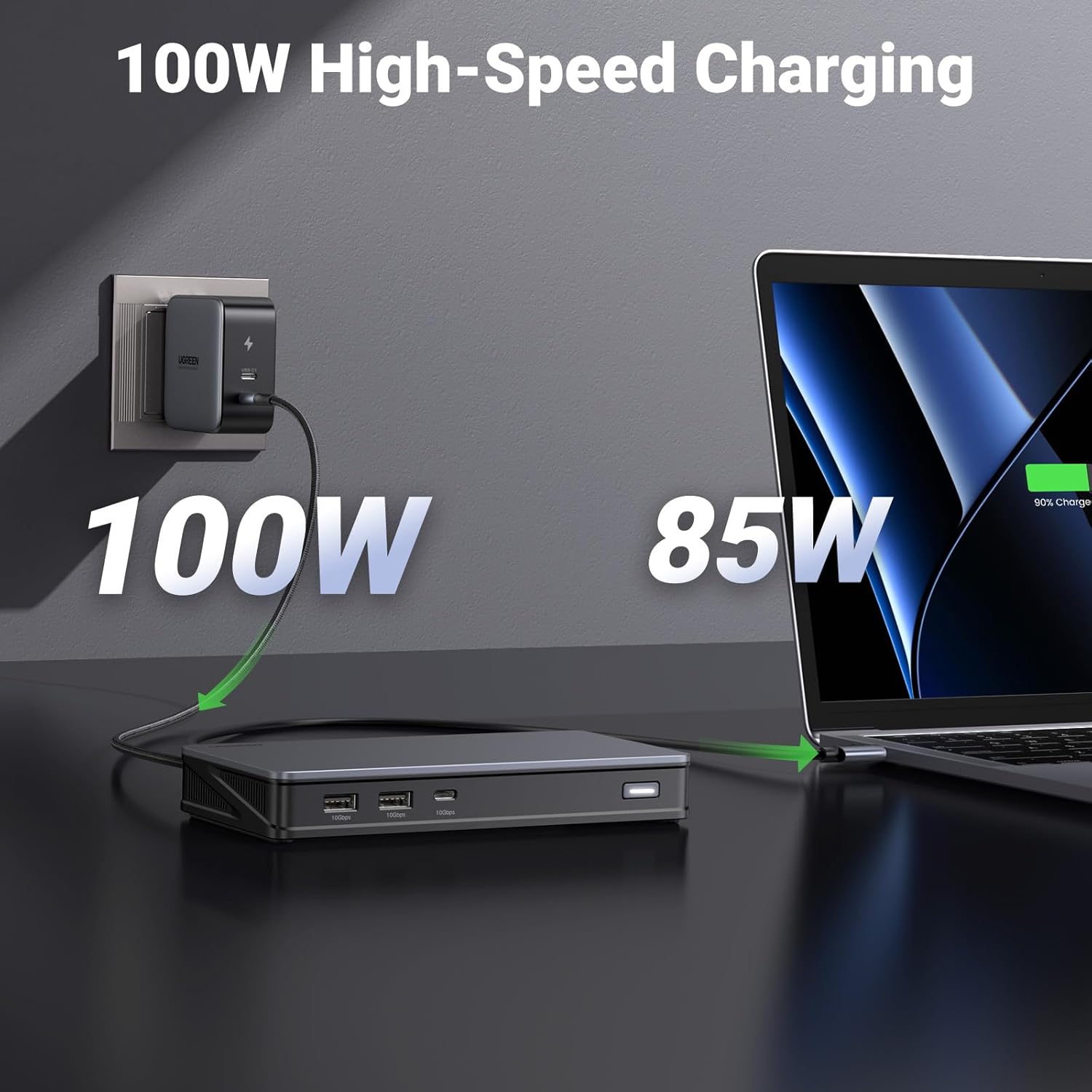
1 85W Pass-Through Charging
2 10Gbps File Transfer
3 Gigabit Ethernet Port


Must Read
Note 1 The DisplayLink software must be installed to ensure media display and network functionality can be used correctly. Note 2 The HDMI and DP ports in “Display 1” or “Display 2” can’t work together, please choose one port in Display 1 and one port in Display 2 to work together. Note 3 macOS users must enable “Screen Recording” permission for the DisplayLink driver to work properly. Note 4 The dock does not support the HDCP, and cannot play HDCP content, including some Netflix and YouTube paid content. Perfect for Web and productivity software at home or the office. (Not recommended for gaming)
UGREEN Revodok Docking Station Comparison Table
Add To Basket
Add To Basket
Add To Basket
Add To Basket
Add To Basket
Add To Basket
Customer Reviews
4.2 out of 5 stars 558
3.5 out of 5 stars 151
4.1 out of 5 stars 380
4.3 out of 5 stars 20
3.9 out of 5 stars 40
4.2 out of 5 stars 21
4.3 out of 5 stars 12
Price
£109.99£109.99
£99.99£99.99
£39.99£39.99
£159.99£159.99
£209.99£209.99
£299.99£299.99
—
Connection Technology
DisplayLink
SiliconMotion
MST
Thunderbolt 4
Thunderbolt 4
DisplayLink
Thunderbolt 4
Thunderbolt 4 Port
—
—
—
4 (1 Host, 3 Downstream)
3 (1 Host, 2 Downstream)
—
2 (1 Host, 1 Downstream)
HDMI Port
2
2
2
—
—
2
1
DP/VGA Port
2x DP Ports
—
1x VGA Port
—
1x DP Port
1x DP Port
1x DP Port
Maximum Resolution
4K@60Hz
4K@60Hz
4K@60Hz
8K@30Hz
8K@30Hz
8K@30Hz
8K@30Hz
USB-C Port
1x USB 10Gbps
1x USB 10Gbps
2x USB 10Gbps
—
1x USB (10Gbps, 20W)
1x USB 10Gbps
2x USB (2x10Gbps, 1x 18W)
USB-A Port
2x USB 10Gbps
2x USB 10Gbps, 1x USB 5Gbps
2x USB 10Gbps
3x USB 10Gbps
2x USB 10Gbps, 2x USB 5Gbps
1x USB 10Gbps, 2x USB 5Gbps
1x USB 10Gbps, 2x USB 5Gbps
Charging for Laptop
Up to 85W
Up to 85W
Up to 85W
Up to 85W
Up to 90W
Up to 85W
Up to 60W
Ethernet Port
1000Mbps Ethernet
1000Mbps Ethernet
—
1000Mbps Ethernet
2.5Gb Ethernet
1000Mbps Ethernet
1000Mbps Ethernet
SD/TF Card Slot
—
SD/TF 3.0
—
—
SD/TF 3.0
SD/TF 3.0
SD/TF 3.0
3.5mm Audio
—
—
—
—
In&Out Combo
In&Out Combo
In&Out Combo
Power Supply
—
—
—
140W GaN AC Adapter
180W GaN AC Adapter
100W GaN USB-C Charger
140W GaN AC Adapter
Product Dimensions : 16.6 x 8 x 2.3 cm; 510 g
Date First Available : 7 Nov. 2022
Manufacturer : Ugreen Group Limited
ASIN : B0BLNCNCMZ
Item model number : 90912
Country of origin : China
Guaranteed software updates until : unknown
9-in-1 Connectivity: The Docking Station offers 9 ports for expanded connectivity: 2x HDMI, 2x DisplayPort, 100W USB-C Power Delivery, 10Gbps USB-C 3.2 Gen2, 2x 10Gbps USB-A 3.2 Gen2, and 1000Mbps Ethernet
Dual 4K@60Hz Display: Transform your MacBook into a powerful workstation with the Docking Station Dual Monitor, supporting dual 4K@60Hz displays via HDMI and DisplayPort for effortless multitasking
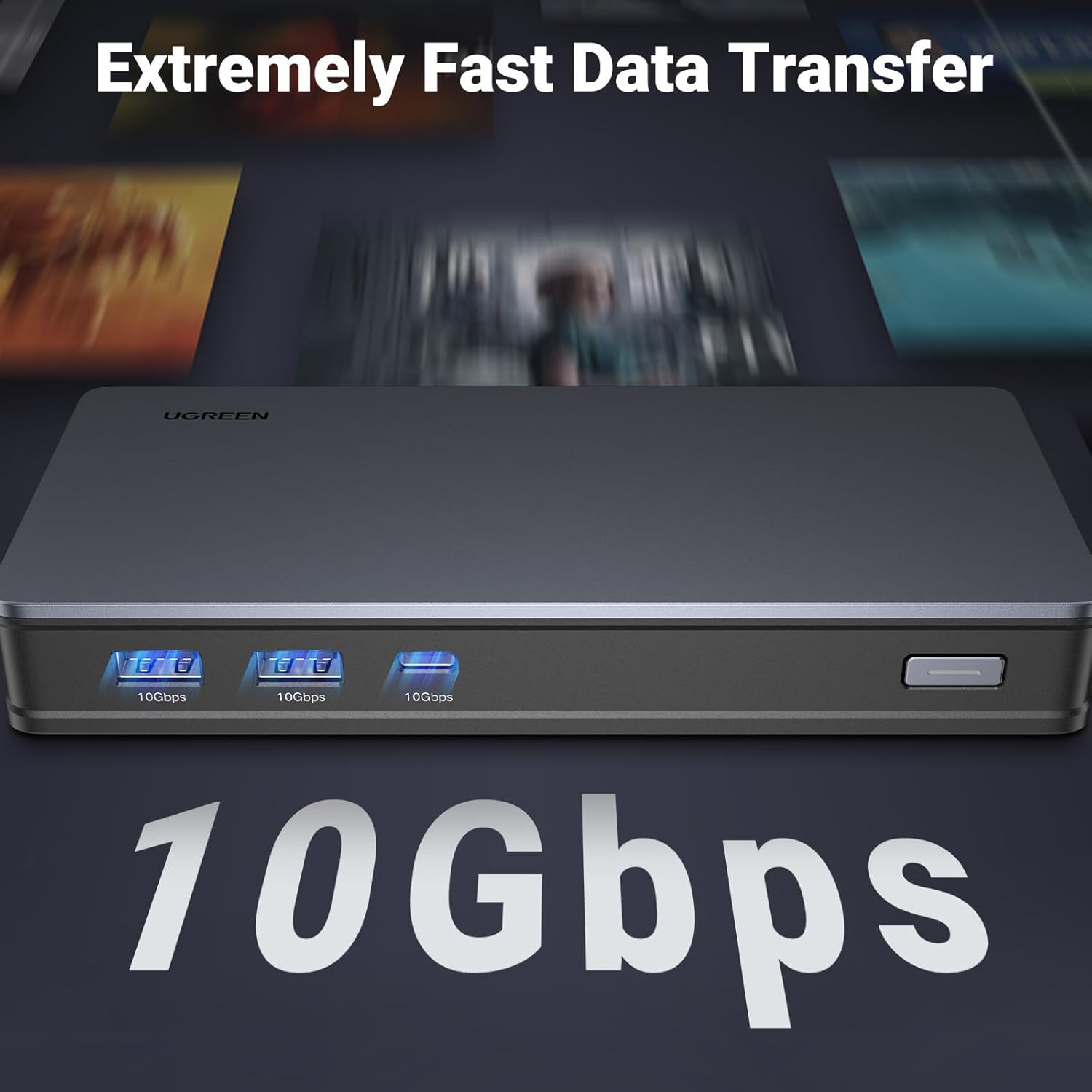
Transfer files in seconds: With 3x 10Gbps USB ports (USB-A and USB-C), the MacBook Docking Station enable 10GB file transfers in just 16 seconds. Ideal for external SSDs and 8K RAW video workflows
100W PD Charging: Power virtually any USB-C laptop including the latest MacBooks with up to 85W via the 100W USB-C Power Delivery port, ensuring uninterrupted productivity
1000Mbps Network: Connect to the Gigabit Ethernet port via the USB C Dock and enjoy a fast and stable network up to 1Gbps
Must Read: The DisplayLink software must be installed to ensure media display and network functionality can be used correctly
Customers say
Customers find the docking station works well with MacBooks and appreciate its fantastic build quality and value for money. The device is easy to set up, with one customer noting it’s simple as connecting display cables, and another mentioning it’s perfect for triple screen use. They like its compact size, with one noting it fits perfectly at the back of their desk. However, the user experience receives mixed feedback, with several customers describing it as sub-par.
AI-generated from the text of customer reviews
13 reviews for UGREEN Docking Station, Revodok Pro 209 DisplayLink USB C Dock with Dual 4K@60Hz HDMI and DisplayPort, 3x 10Gbps USB-C & USB-A Data Ports, Ethernet, 100W PD for M4 MacBook Pro/Air, Mac Mini and More
Add a review
Related Products


Original price was: £169.99.£109.99Current price is: £109.99.
Ashley Rodwell –
A really great dock for Mac users
This dock is great, it does exactly what it says it does and it works with both my work provided MacBook Air (M1) and my personal MacBook Pro (M3 Pro) and allows me to use two external monitors with the MacBook closed.I do have some issues with it though, but these arenât big enough to stop me using the dock. The dock shows up in finder and desktop all the time as itâs for two files stored on the dock that links you to the required software for display link for Mac and windows. Itâs easy to ignore, but I wish this was listed in the product page as it took me a while to recognise what this new random drive was. It also shows up as an available microphone on Microsoft teams, but it has no mic built in so not sure why this happens.Apple then being apple will keep displaying the purple screen sharing icon in the taskbar, which Iâll be honest is super annoying when I remember itâs there, but this isnât ugreens fault, itâs apples.The dock itself doesnât get that hot and the size of it is perfect, itâs not too big so doesnât take up lots of room and fits perfectly at the back of my desk.Overall, compared to other docks on the market this one is great value for money, itâs a great build quality and an all round great dock.
Amazon Customer –
Brilliant – best to install the driver
Bought this to use with my MacBook Air M3. Happily drives two external monitors and the laptop screen. Also used it with a windows laptop, installed the driver on both the Mac and the windows machine and its faultless.
Mike Harris –
Plug and play at its best
Works nicely with a number of laptops that I have tested. No drivers required, but are included on a built-in USB drive. Very nice and high quality device
Amazon Customer –
Fantastic for triple screen use with Macbook air
Excellent dock, very easy to set up and within minutes I finally had triple screen view for my mac. I was able to view the laptop screen and two external monitors all wth different content and the mac could remain open. This also enabled me to have ports for my mouse and keyboard, so everything is neatly tucked away with the dock. Highly recommend.
Amazon Customer –
Automatic mounting of USB volume for “driver install” is pointless and causes problems
The approach of automatically mounting a USB storage volume to facilitate Display Link driver installation is good in theory, except when it interacts with endpoint security policies which attempt to encrypt any USB volume attached to a corporate laptop – causing an endless loop of mounting and unmounting. It becomes utterly pointless when you connect the hub to another machine and find out that the “drivers” are nothing more than browser shortcuts to the Display Link website. An utterly useless over complication which could otherwise be served with a short URL or QR Code being included in the quickstart guide.
JP –
Works perfectly for adding another work monitor
I bought this so I could add another monitor to my macbook air setup from work and it’s done its job perfectly. I am still a bit dubious of having to run custom software for it to work but it looks like that is a technical requirement of the technology and can’t be helped.Just wish apple didn’t handicap their products so you will have to buy the more expensive model. But that’s their business model.
John Dente –
Need a driver on a MAC
I tried this product on a 16″ M1 Max MacBook Pro and a 14″ M3 MacBook Pro. In both cases using a single cable with power delivery to the hub from a Phillips Monitor and pass through to the Mac would not drive the screen. It did however charge the laptop. Only when I added the Drivers did this eventually work and was intermittent even then. It required the use of DisplayPort or HDMI as well as the USB C to work. No other hub device I have tried needed drivers even with Ethernet Ports. Overall not well explained and not recommended
Stu –
Fantastic quality
Great quality – everything just works as you’d expect. I have this dock in a cable tidy under a standing desk, connected to a M2 MacBook Air, an old Dell monitor, wired mouse and ethernet.The M2 MacBook Air can’t send a signal to more than one external screen, but with this UGREEN dock it’s as simple as connecting the display cables – it just works! Now I can run the Mac with the lid open plus 2 external screens. It just works – no hassle, perfect picture across all screens. Very pleased with this purchase.There are other hubs out there, and this one was not cheap, but it’s worth every penny.
Jérémy T. –
Un dock compact avec toute la connectique qu’il faut.Commandé, reçu et utilisé quasiment tous les jours depuis le Janvier 2024 en USB-C avec un Macbook Pro M2 Pro pour y raccorder deux écrans DELL 34″ 21/9 3440x1440px 60Hz, je l’ai associé à un chargeur UGREEN Nexode 140W. Ce dock fonctionne très bien, seul hic, il chauffe pas mal.On verra bien sur la durée, mais après un an d’utilisation quotidienne ce dock fait ce qu’il doit faire et fonctionne à merveille.
Luca Scarlatti –
Perfetto, spedizione velocissima.
Steve –
I use it mostly for the ROG Ally, with an external drive. Works great. Can also be used as a power hub. Two downsides. It can’t be used with Steamdeck. And a little pricey. But it does it’s job well
TH –
UGREEN markasının neredeyse tüm ürünlerini kullanmaktayım bu üründe beni yanıltmadı gayet baÅarılı bir ürün yazılım kullanarak monitörü extend etmesi bir sorun teÅkil etmez kafanızda soru iÅareti kalmasın gayet stabil çalıÅıyor tavsiye ederim.
RAUL –
It was simple to install. Works instantly. Absolutely hazzle free.