

VEIKK A30 Digital Graphics Drawing Tablet, 4 Touch Keys 1 Panel, Battery-free Pen Pad, 10×6 Inch Electronic Writing Tablet,for Laptop PC Windows Mac and Linux
Original price was: £45.99.£41.85Current price is: £41.85.



Price: £45.99 - £41.85
(as of Jun 03, 2025 02:43:23 UTC – Details)
From the brand

Connect creativity through technology
Fill the digital world with possibilities

Founded in 2009, Veikk has been dedicated to the research, design, R&D, production, and marketing of digital pen tablets and we have obtained more than 60 product patents.Now Veikk’s products are sold to more than 100 countries and regions around the world and are widely used in drawing, signing, e-learning, gaming, and other fields.
VEIKK Drawing Tablet
VEIKK Drawing Tablet

Creator Pop VK430
Designed for OSU!
290 PPS Report Rate

Studio VK1200
11.6 Inch FHD Screen
60 Degree Tilt Function

Studio VK2200 Pro
21.5 Inch IPS Monitor
2 Customized Quick Dials 8 Express Keys
【Unique Touch Pad Design】: The VEIKK A30 graphic tablet features a unique touch pad design with 4 touch keys and one gesture pad. Its modern design appeals to younger users and provides a perfect touch experience, offering stable performance for your artistic endeavors
【8192 Levels Pressure Sensitivity】: With 8192 levels of professional pressure sensitivity, the VEIKK A30 delivers exquisite strokes, making lines smoother and more natural. The battery-free pen allows for constant uninterrupted drawing, without the need for charging or batteries
【Versatile Digital Art Tablet】: The VEIKK A30 digital art tablet is specifically designed for drawing, design, online education, e-signature, as well as photo and video editing. It offers compatibility with Windows 7 or later , Mac OS 10.12 or later and Linux, ensuring you can start your artwork in most software such as Adobe Photoshop, SAI, Adobe Illustrator, Corel Painter, Clip Studio, SketchBook, MediBang, Zbrush, Krita, Gimp and more
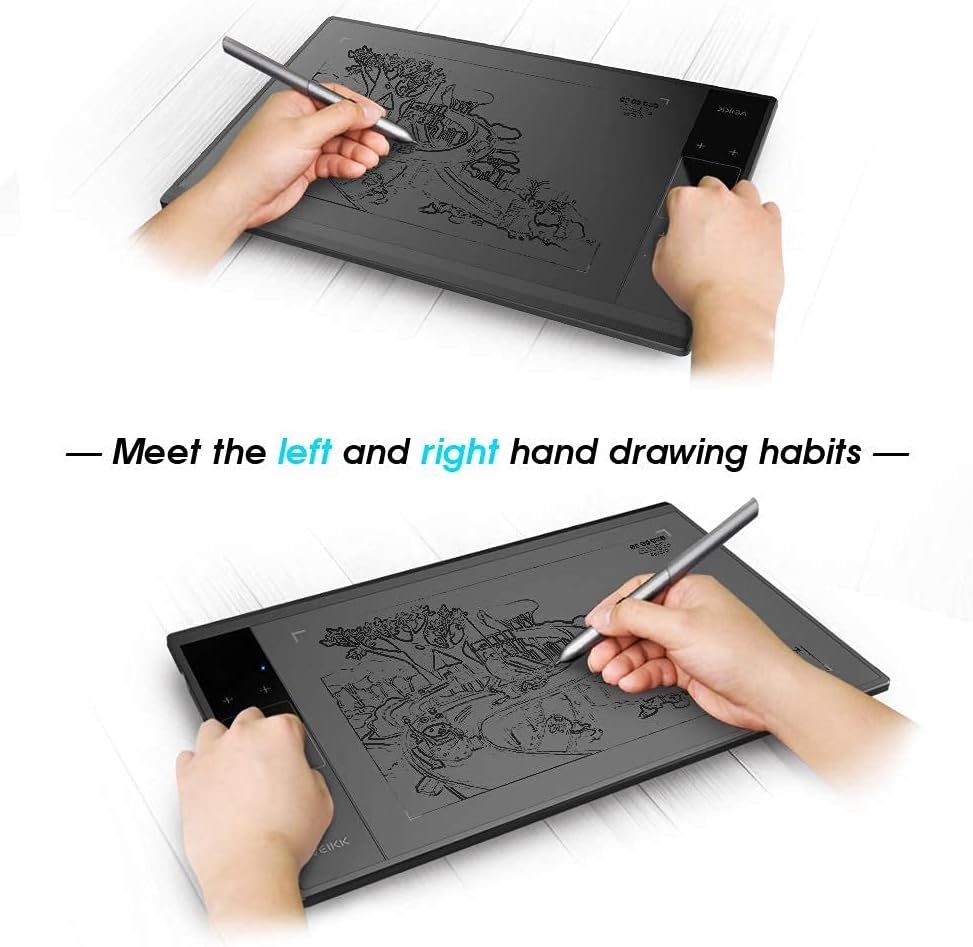
【Ultra-Large Drawing Area and Convenient Type-C Port Design】: The A30 pen tablet boasts a 10×6 ultra-large drawing area, providing ample space for artistic creation. It features a type-C port design, allowing for convenient plug-in and out with either direction, ensuring stability and ease of use. Also, it suits for both right and left hand users
【Best Customer Service】: VEIKK offers a one-year of hardware and all free driver updates. With extra accessories such as 8 pen nibs, 2 OTG connectors, artist glove, pen pocket, without the hassle of purchasing accessories, making A30 an ideal choice for all art creators
Customers say
Customers find the graphics tablet easy to use, with a quick start guide and software menu that’s easy to understand. Moreover, the tablet offers good value for money as a low-cost, decently sized option, and customers appreciate its nice design and large working area. Additionally, the 12 programmable buttons are a useful feature, and the tablet functions well with various drawing applications, including PaintTool Sai and Photoshop. Customers also praise its build quality, describing it as solid and reliable.
AI-generated from the text of customer reviews
8 reviews for VEIKK A30 Digital Graphics Drawing Tablet, 4 Touch Keys 1 Panel, Battery-free Pen Pad, 10×6 Inch Electronic Writing Tablet,for Laptop PC Windows Mac and Linux
Add a review
Related Products


Original price was: £45.99.£41.85Current price is: £41.85.
Stuart Turvey –
VEIKK A30 Pen Tablet – Easy to use with great specs at an amazing price!
I received my Veikk A30 tablet this week, delivery was extremely fast (and free for Amazon Prime members!). The box design had me excited from the get go, tells you what you need to know in terms of report rate speed (250 RPS), Lines per inch (5080 LPI), levels of pressure sensitivity (8192) and size 10âx6â all of which are particularly impressive given the low price of the tablet.On opening the box, all components were well packaged with the tablet itself on immediate view with the accessories tidily stored underneath. You get;⢠A30 tablet⢠Battery free stylus pen with two hot key buttons⢠Type C USB adaptor cable⢠Nib replacement tool with spare nibs⢠Quick start guideHandling the tablet it feels light, looks extremely sleek and barely thicker than my smart phone. I was thrilled to find that it fit comfortably inside one of my padded laptop bag compartments although I can see the benefit of buying a tablet pouch to protect it rather than leave it on my desk inbetween uses.Setup was surprisingly straightforward and devoid of some of the language issues Iâve encountered when installing other Chinese gadgets. The tablet is powered via the USB cable so no need to charge it for first time use and plugging it into my Windows 10 laptop launched the setup utility. After a reboot, the utility launched on startup to enable me to set the hot key settings. Even though by default the stylus is set to work as a pen rather than a mouse, hovering the stylus over the tablet, without making contact gained immediate control of the mouse cursor. By default the primary stylus hot key was set to right mouse click but this was quickly changed to left mouse click whilst I configured the tablet and got used to using the stylus. The position of the stylus hotkeys and moving the cursor when hovering above the tablet takes a bit of getting used to but very quickly I stopped looking at the tablet and was navigating the software just from looking at my screen.In addition to the two hot keys on the stylus, there are an additional 4 hot keys on the tablet that you can tailor to input your most frequently used settings in your sketching software. Within 10 minutes of opening the box, I was already using the stylus to sketch directly into photoshop. If I had one criticism, the stylus feels a little light and could do with being heavier but thatâs probably a personal preference. I would also love to see a stylus holder mounted on the tablet itself, I can see myself spending time hunting for this in future!I want to spend a few weeks using the tool in earnest and complete a full drawing project before I can really comment on how the tablet has helped my creative process but on first impressions the VEIKK A30 appears to be a well designed quality product, simple to use with very good performance specs for an amazing price. Highly recommended.
KangahRoh Creations –
Affordable and perfect for a new or old artist
Iâm so excited to bring you guys a review of the new Veikk A15 drawing tablet. They recently reached out to me and asked I look at their product and I have to say I am pretty pleased with it. It arrived super quickly via Amazon, the box was a touch damaged but this is down to Amazon and not Veikk. Box was clean with all information that you needed, the clean graphics of the box gave me this kind of ports car vibe. I dunno why.I got the version that came with a glove, which is a lil snug on my hand so if youâve got larger hand it might not fit comfortably, it was just right for me and Iâll be using it over my wacom glove. As well as the glove, inside the box youâll find replacement nibs, there are only one type of nibs from what I can see on their website which is the former plastic ones. The pen, the usb power cable and of course the tablet.First things first, the pen. It was a really nice size, itâs also a non rechargeable pen so no worries about it not working suddenly because it needs a charge up. However I found it a bit light, this is probably just because the pen to my other tablet is heavy and Iâve grown used to that. This is something that can be eased with a pen sleeve so is only one small issue.The power cable is honestly pretty cool, there is so wrong way to plug it in, so regardless of if youâre right or left handed itâll be out of your way. The tablet itself was bigger than I pictured inside my head, with a 10×6 in work are. There are 12 configurable buttons, I admit I was a bit stupid and honestly thought the red circle was a dial of some kind. Should have seen me spend 30 minutes trying to work out why I couldnât program zoom to it. I should have read everything first, speaking of the dial comes in four colours I believe? Black, gold, blue and red.The work area has a papery texture, but not overly textured giving a natural drawing feel.Now onto the main part. Installing was a lil bit of a pain for me, the drivers were easy to find on the website. However the first time I installed they didnât take. It wasnât til I realised I needed to uninstall my pre-existing tablet drivers that they finally worked. I use mainly Paint tool sai 2 and Clip Studio Pro.Despite my earlier worries of the pen being too light and causing me issues, it didnât, in fact I was able to draw for a good few hours before wrist pain kicked in and I needed a break, the wrist pain isnât something I can blame on the tablet either, if youâve got healthy joints and stretch before drawing I donât see it being an issue.I LOVE, LOVE the sensitivity on this tablet, like I can not express how happy I was while drawing. The sensitivity and pressure was fluid, there were no big jumps in brush size. Iâm very heavy handed with my pens and I rarely get those subtle movements. I hate to say it though, but the pressure on this might be better than my $600+ tablet that I use daily.I really enjoyed drawing with this, it took a lil time to get used to drawing on it as my currently tablet has been a digital screen tablet, itâs been three or four years since I last used my bamboo.I also want to add their tech support was spot on. I had issues getting the tablet to work with Clip Studio pro, my main art program, if I had dual monitors. We sat down over teamviewer and troubleshooted. It was an easy fix but they were great and kept in contact with me the whole time. (If you get this problem just switch which monitor is 1 and 2)The TLDR;Basically if youâre starting out or professional Iâd recommend this tablet, itâs affordable, well made and great to work with.ProsAffordable. At £45.99 currently I canât fault the price.Professional QualityLooks greatAmazing to draw withConsPencil is a little light weight for me.
Jess Parnell –
Good little tablet for the price
When I opened my VEIKK A15 I was very impressed with how the product looked – very smooth and professional looking, and matches the aesthetic of my desk well.This tablet offers a lot of features for the price. I very much enjoy the large drawing surface, as it allows a lot of fluid hand movements for expressive lines. The hot keys are very easy to assign to do whatever I want, and works well in any drawing program – I’ve been using it mostly with clip studio paint.My favourite part about it is just how many levels of pressure sensitivity there are – all of my drawing lines come out incredibly smooth and this allows me a lot of freedom with line weights in my drawings and digital sculptures.I did have issues getting pressure sensitivity to work with Photoshop, but I usually draw in other programs and found it to work perfectly in these, such as CSP, SAI and Medibang. For the price, however, the tablet has great potential and I really enjoy drawing with it.
ALFREDO –
buen producto, se recibió lo que se pidió
ä¸æææ¥é¦ –
ãã¦ã¹ã¨ä½µç¨ã§ä½¿ã£ã¦ã¾ã!ç§ã¯ä½¿ããããã¼!ã¨ã£ã¦ãåå¿è ç¨w
Enosh Gonmei –
This is my first pen-tablet and it was pretty easy to install. The Veikk driver for laptop is simple and has customisation regarding pen pressure, device-screen margins for both laptop and pen-tablet.It’s quiet light-weight and simple in design.Very good value with the dial that comes in this price.It comes with a glove which feels nice to use.The buttons are also great, very handy.It’s a pretty solid pen-tablet for this price.I bought it for digital drawing and it feels great to use.
Ù Ø٠د اÙشاطر –
٠٠تاز
Orly Blanco –
Nicely packed. Easy to use and features are functional. Really helped me to start sketching again. A very useful tool in many aspects. I’m also using it whenever I teach my kids far away from home for their home school studies. Great product at good cost. Highly recommended!