

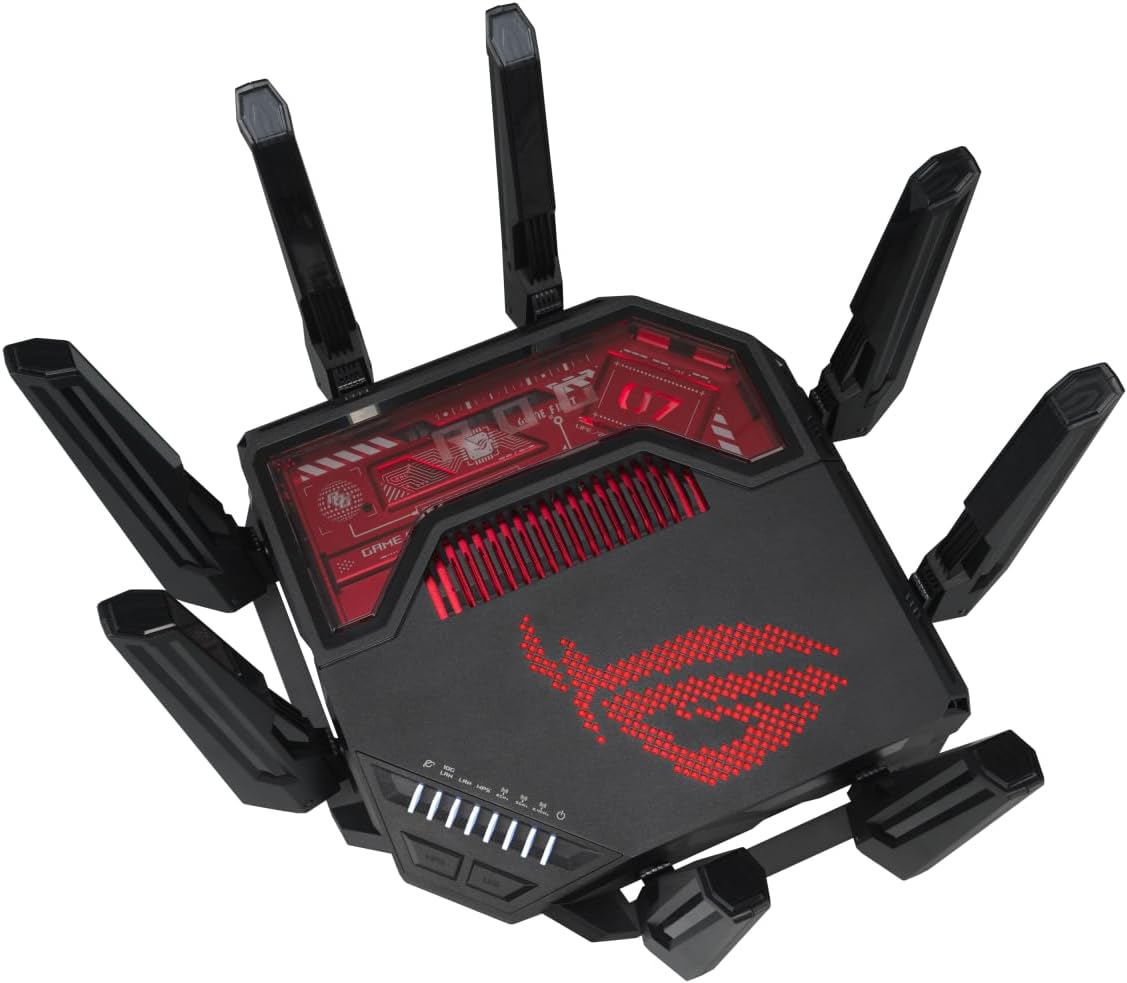
ASUS ROG Rapture GT-BE19000 Tri-band WiFi 7 Gaming Router (320MHz Channels & 4k-QAM, MLO, 2x 10G ports, AI WAN detection, Triple-level Game Acceleration, AiMesh, free network security, VPN features)
Original price was: £659.99.£494.99Current price is: £494.99.




Price: £659.99 - £494.99
(as of Jun 05, 2025 12:51:58 UTC – Details)
From the manufacturer

The new ROG Rapture GT-BE19000 is a tri-band 12-stream WiFi 7 gaming router tailored for next-gen gaming and computing. With speeds of up to 19 Gbps, powerful 31G wired capacity and the exclusive ROG Gaming Network, it offers new ways of accelerating your gameplay.
 Wire-Like Gaming with WiFi 7
WiFi 7 technologies deliver up to 2.4 times blazing-fast speeds, extremely low latency, and enhanced reliability. The ROG Rapture GT-BE19000 boasts up to twelve simultaneous WiFi streams and a superior 6 GHz band, empowering immersive experiences and enabling agile gameplay in online arenas.
 Up to 31G Wired Capacity
The GT-BE19000 comes with dual 10G ports and four 2.5G ports that combine for up to 31G of blistering WAN and LAN capacity. Advanced network configurations are made easy with multi-WAN auto detection, convenient mobile tethering backup via USB and powerful VLAN controls.

 Forged for Performance
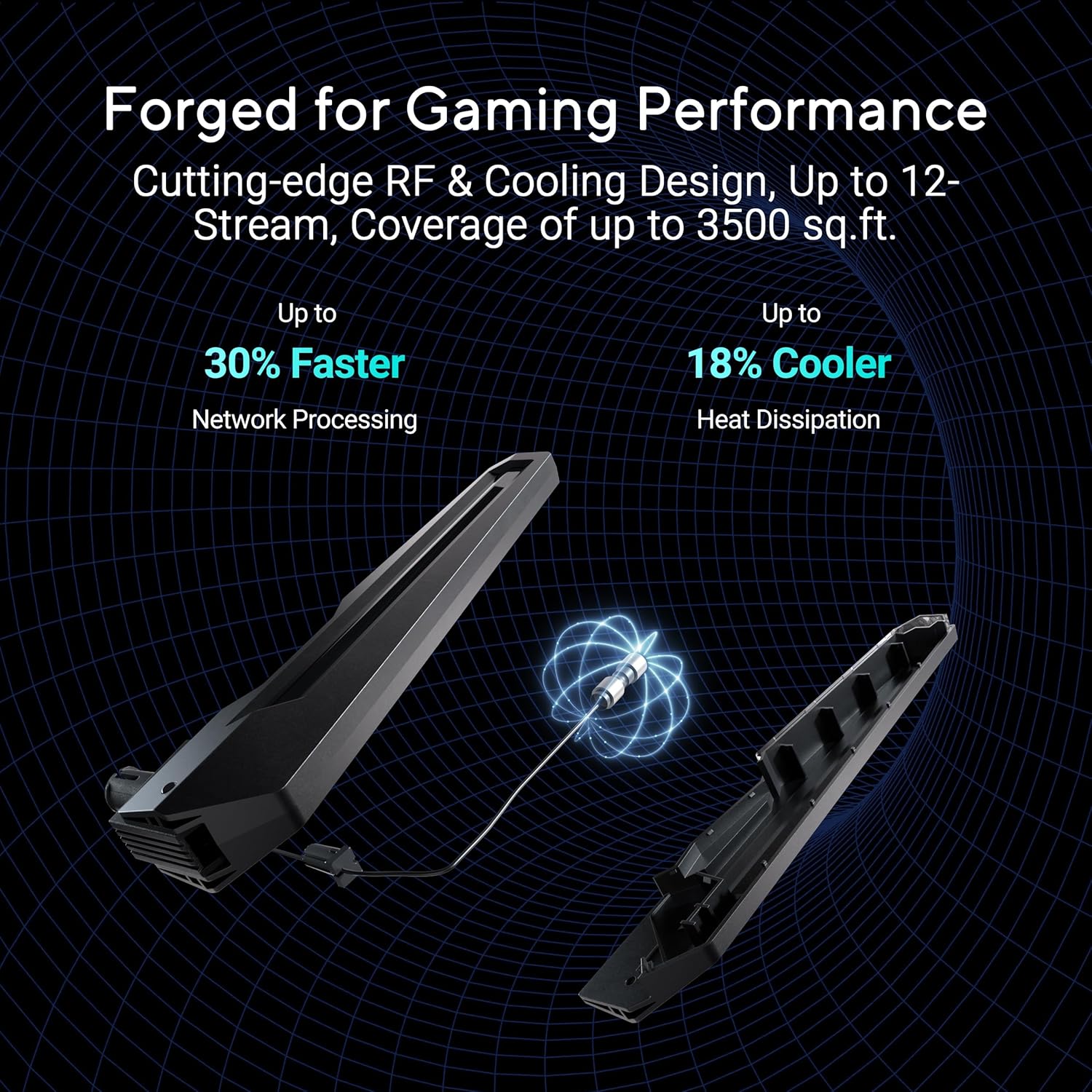
ROG Rapture GT-BE19000 boasts next-gen quad-core 2.6 GHz CPU, delivering up to 30% faster gaming performance. ASUS RangeBoost Plus and RF engineering further boost up to 25% wider signal coverage. The improved airflow with up to 18% better heat dissipation ensures always-on reliable WiFi.
 Light Up Your Game In Style
The ROG Rapture GT-BE19000 offers customizable color and light effects, allowing users to create a stylish vibe. These effects can be easily adjusted through the web GUI or ASUS router app. Additionally, the new exclusive night mode provides a cozy ambience for your bedtime.
 ROG Exclusive Gaming Network
Gaming Network opens a new chapter for renowned Triple-Level Game Acceleration. It simplifies the process of creating or connecting to one dedicated SSID or gaming port for advanced game acceleration.
 Guest Network Pro
Guest Network Pro simplifies creating and connecting to dedicated SSIDs or VLANs. Enjoy features like easy IoT device setup, instant VPN connection, and customizable Guest Portal.
 Network Security
Triple-Level Protection
ASUS Network Security deploys a triple-level protection design and commercial-grade cloud database powered by Trend Micro, safeguarding your network from end-to-end and 24/7.
 ROG First Exclusive Game Boost
ROG First creates a direct connection between a ROG router and ROG notebook or motherboard, boosting any selected game for smooth performance.
 Triple-level Game Acceleration
Enjoy the most stable connections, preventing jitter, reducing lag, lowering ping and boosting speeds for fantastic gaming experiences.
 IoT Network
Manage all your IoT devices under a secure SSID for enhanced protection with commercial-grade security.
 VPN Network
Connect to your preferred VPN service through a dedicated subnetwork with just one click.
Beyond-fast WiFi 7 (802.11be) with new 320MHz channels in the 6 GHz band and 4096-QAM significantly increases network capacity and throughput, with speeds of up to 19 Gbps
Always-on internet with versatile WAN options, hassle-free AI WAN detection on 2.5G or 10G WAN/LAN ports and convenient 4G LTE & 5G Mobile Tethering via USB
Easily establish up to five SSIDs with Guest Network Pro for easy IoT device setup and management, instant VPN connections, and convenient parental controls.
Boost and secure all your gaming devices with Gaming Network, a single dedicated SSID that combines our gaming features, including triple-level game acceleration, without the need for device-by-device configuration.
Up to 25% expanded coverage with ASUS RangeBoost Plus and a powerhouse quad-core 2.6GHz CPU.
Stay secure with commercial-grade AiProtection Pro powered by Trend Micro, one-tap security scanning, comprehensive VPN support, and site-to-site VPN
Ensure seamless connectivity for all devices with a feature-rich whole-home network powered by AiMesh and an AI-enhanced backhaul connection.
AFC* supported to extend spectrum utilization efficiency, signal coverage and WiFi performance for channels up to 320MHz in 6GHz band. Disclaimer: *AFC-enabled 6 GHz band may be unavailable in some regions/countries due to regulatory restrictions
Customers say
Customers praise the router’s signal strength, with one noting excellent coverage everywhere, and appreciate its speed, with one mentioning stable connections above 200mbps. The device is easy to set up, with one customer noting it takes just 5 minutes to configure. While customers find it secure and stable, they report connectivity issues with the router losing connection. Moreover, the firmware quality receives mixed feedback, with several customers reporting buggy firmware. Additionally, the device lacks a UK plug, and opinions on value for money are divided between those who find it affordable and those who consider it expensive.
10 reviews for ASUS ROG Rapture GT-BE19000 Tri-band WiFi 7 Gaming Router (320MHz Channels & 4k-QAM, MLO, 2x 10G ports, AI WAN detection, Triple-level Game Acceleration, AiMesh, free network security, VPN features)
Add a review
Related Products


Original price was: £659.99.£494.99Current price is: £494.99.
S. Howes –
Impressive, ugly and some bugs to iron out…very, very fast!
I would only consider buying an Asus router and I have had a few in the past, the RT-AC68U, the RT-AC86U, the RT-AX82U and the RT-AX86U. Now I have the GT-BE98. Not everything was perfect along the way, the RT-AC86U lost its Gb WAN and would only run at 100, so that hastened one of the upgrades along the way. I did try a Zen WiFi mesh system, but that was so unstable, it had to be returned. Asus routers are highly configurable and operate an outstanding mesh system, called AiMesh, which makes whole home WiFi a breeze.No review would be complete without talking about the price. This router has just about everything and you pay for that. No one is forced to buy such an expensive router, so anyone buying it is a volunteer to the price-tag, so I am not going criticise the price.After using the GT-BE98 for a couple of weeks, I would call it impressive. Physically, it is big, very big and no amount of styling is going to detract from it looking the wrong side of ugly. Yes, it does look like an upside-down cybernetic giant spider! With the size comes the power consumption. Not really a criticism, because if you are going to spend a very large amount of money on router like this, you are probably not going to be put off by the fact that it uses over 20 watts of electricity just to be idle and goes above that when under a load.Features are just vast, you get WiFi 7, which hopefully adds a bit of future-proofing, you get a 10Gb LAN port, a 10Gb WAN port, 4 x 2.5Gb LAN ports and just one 1Gb LAN port. The LAN ports are fast, very fast, to a point that I noticed a difference when web browsing on my PC coming from the RT-AX86U to the RT-BE98. The array of features in the firmware is nothing short of staggering.WiFi does not seem to have much more reach over my AX router, but it is faster and access to files on my NAS appears much faster. It should be noted that I have not tried WiFi 7 clients yet, so that will (hopefully) impress even more. When at a distance from the router and the WiFi signal is weak, it does carry more data and speedtests do show solid performance, so the signal does not travel much further, but is useful for further.I have the router setup on a wired 2.5Gb LAN connection for an AiMesh system with my RT-AX86U as a node. My previous AiMesh system was with the RT-AX86U as the router and the RT-AX82U as the node and that was perfect and stable for many years, but was starting to fall over, with buffering and other glitches appearing, where there were no hints of problem for years. It was ready for a re-set and if I was doing that, it would be with a new router.As you might expect with a recently released router, there will be issues to iron out in the firmware. Before adding any settings, there was the obligatory firmware update and I manually added the settings that had worked so well in my previous AiMesh setup.In my original review (based on Jan 2024 firmware), I listed three bugs which caused me some concern, all now appear to have been resolved in the April 2024 firmware update, so this review has been updated to remove details of the no longer relevant bugs and the rating has been raised to 5 stars.
BorisTheCat –
Great all rounder
I have been very impressed with this, yes its not the cheapest of things but it’s also the most important piece of your home network. The extras you get with this though more than make up for the cost, easy built in VPN and family protection all come built in with no subscriptions have been great.My biggest surprise though was the coverage, i have had a number of large routers over the years and due to the old house I have the coverage has always been restricted. I have rewired my house and have data points all over which I used to wire access points, the router being in the middle and a access point on the top floor then another in a extension. That is how its been for years and i expected to need the same 2 extra points with this, however I was wrong! This device fully covers my whole house on its own even more so than when I had the extra points. Now my setup is even simpler and much faster, I thoroughly recommend it to anyone who is having coverage issues with old buildings and wants to go for wifi 7.One negative tough is currently with wifi 7 being so new some older devices seem to have issues with it. However its a easy fix to turn off the extra wifi 7 features for now and keep the networks separate rather than 2.4, 5gh and 6gh all being on one. However again the UI so easy to use to spin up a IOT network and high speed one is really easy. So that’s is all i have done for the older devices, now everything is running smooth and my devices that support it can use the new WIFI 7 features.
Kook –
GT-BE98 Deeply flawed in many ways, does nothing well
GT-BE98 – Don’t Bother!I had high hopes for this router. We had bought the AXE11000 and that was pretty awful, dropping connections, wouldn’t accept a drive in the USB ports without malfunctioning. So this seemed like as though it would have been a better bet, faster processor, more ram, what could possibly go wrong?At first, everything seemed ok, we have anything up to 20 devices connected at any given time, and that’s including the IoT devices. I had set up an IoT guest network, which seemed to work ok initially, but the signal strength for that network was particularly poor, and so things kept dropping off and not reconnecting. I added everything onto the main 2.4Ghz network and things still kept dropping off, sometimes reconnecting and often not.I then noticed that this router did not seem to like Apple devices, of which we have at least 5 or 6. Again, the router logs were showing that the signal strength for the Apple devices was really low, sometimes as low as -100 in the same room as the router! And if that was’t weird enough, we have a Mac upstairs that was dropping off and back on the network and I went and removed all traces of our network from it and then logged it back on, and the signal went from virtually nothing, to excellent in just a few clicks. By the end of the day, it was back to -100, -90 etc. Same for an iPhone 14 Pro Max, even when in the same room as the router and connected to one of the 5Ghz bands (I’ll come to those later), it would be reported in the logs as a really weak signal, and that it was deauthorizing constantly, on and off, all day long. Macbook was the same. Really odd.My NAS supports link aggregation, as does the GT-BE98, so I set it up. Within a few hours, the router had globally disconnected everything, and continued doing so, every few hours, even when idle. The logs showed nothing about the link aggregation, but there were lots of error 30, and kernel errors, but relating to other devices around the time of the global disconnects. I undid the link aggregation and the global disconnects became fewer.This router, is also marketed as being able to support a hard drive from its USB ports, so I did a test. My music library, on a 2.5″ SSD and the global disconnects started again. Tried a couple of other different drives, and ways of formatting the drives, but it just did not like having anything plugged into the USB ports with data on that can be accessed over the network. Why bother marketing this as a feature?The firmware. As with many Asus routers at the moment, especially ‘high end’ ones, like the BE98 that have been abandoned, is partuclarly buggy and completely unsupported. Even the web UI that looks like a 90s w a r e z site, glitches and sometimes partially loads, requiring you to close and reopen, but then you are met with a message saying that you are logged in twice, and this happens on Safari and Firefox. If you can get hold of Asus support from the UK, it’s the same, scripted instructions to reset this and start from scratch, or turn this feature off etc. The latest firmware for the BE98 is broken in so many ways that there would not be enough room here to list them all. Just know, that if you buy one of these, there is no aftermarket firmware, Merlin do not support it, and the only other fork, Gnuton, only has an old beta version available, so you are in the hands of Asus, who don’t seem to care that people have paid the best part of £700 for a router, and for that money, they expect it to not only work, but to be reliable, supported with firmware updates, and worthy of the price tag. This router is not worthy. It does not give you stronger wifi. It struggles with wired connections. The build quality is pretty poor at this price, just cheap, cast plastic parts with the usual awful ROG styling that makes it look like a huge dead spider.Reverted back to our old router and all the issues went away.On my travels to find a replacement, it seems that a lot of current Asus routers are like this, so it’s time to look elsewhere. There has got to be better than this for the money. Asus need to get their finger out and get pushing out some much needed firmware updates to fix all the bugs and broken ‘features’.
Demiurge –
Great but came only with a European plug.
Great but came only with a European plug.
William Irvine –
Amazing router
Very big bit cool looking router, bit fiddly to configure 2.4ghz devices as wouldnât connect but 5ghz devices and newer was really easy. Range is a lot better than previous Linksys router. Works with Airband UK Internet fibre ok
Giuseppe –
Non ci sono parole per descrivere questa bomba di router , asus non delude mai le aspettative . Sì costa parecchio ma è un router che aumenta di parecchio le prestazioni della mia connessione , il sistema integrato nel router è fatto molto bene , câè qualcosa da migliorare ci sono dei piccoli bug che molto probabilmente asus risolverà .
Magnus –
Bättre täckning, stabilt internet. Lätt att installera men tänk igenom alla produkter som använder internet. Nödvändigt att ominstallera alla.
H.ÅAHiN –
10 Gbbs yi Nas a BaÄlandım , normalde link aggre ile 2 gbit baÄlantı ile kullanıyordum bir yükseltme yapayım dedim bakiyim nasıl olacak , Böyle bir aktarım hızı yok 🙂 , Nas da 2 TB SSD , 6 adet de 20 TB NAS HDD si var , SSD lere eriÅim hızı mükemmel , Mekanik HDD ler ise Tam kapasite yani sanki HDD aÄ da deÄilde direk sata ile pc ye baÄlı gibi çalıÅıyor , Toplamda 120 TB ArÅive son sürat eriÅim saÄladım , Asus Pro WS WRX90E-Sage SE TR5 Soket Anakart ile bire bir uyumlu çalıÅıyor. Bu hızlara çıkabilmek için iyi bir iÅlemci ve iyi bir anakart a da sahip olmanız gerekli , yoksa böyle bir modem alıp 1Gbbs ile yerel aÄ kullanmanın anlamı yok. TürkNET 1 Gbbs internet veriyor bildiÄiniz gibi Türknet te ne hız alırsanız onu verir , Gpon u da 10 Gbbs yaparsanız Ä°nternetiniz 9980 Mbbs Download / 9950 Mbbs Upload Hızınır olur. Alacak arkadaÅlara tavsiye Åuan alınabilecek en iyi aÄ cihazı , Wifi 7 320 mhz de hiç kanal yok etrafımda telefondan bile nerdeyse tüm internet hızını kullanabilecek kadar hız alıyorum , ama Åöyle bir sorun var , çok hızlı kullanım sonucu telefonun bataryası hızlı tükeniyor 🙂 , ona da yapcak biÅe yok.. Herkese selamlar…
Ringo Content –
Router is enorm goed, alleen kan die niet opgehangen worden zoals onze vorige router & deze is wel enorm groot! Lastig om mooi op te hangen als dat mogelijk was geweest
Gabriel –
il router è molto interessante. ha parecchie funzionalità (anche troppe per un uso standard) che permettono una configurazione massima del dispositivo stesso.Il design è moderno con linee dritte e molto eleganti. Le antenne sono molto potenti e gestiscono il Wifi6 con possibilità di configurare sia 3 linee guest che il wifi smart: quest’ultimo combina il 2.4Ghz e il 5Ghz così che, senza dover cambiare rete, ogni dispositivo si connette con la frequenza migliore. Il router è motlo potente: posizionato al centro dell’appartamento, vicino alla scala, porta il segnale sino al piano superiore. L’unico posto in cui fatica a prendere bene è un punto al secondo piano nel controsoffitto dello sgabuzzino dove ho un ricevitore, ma direi che ci può stare :)Sul retro ci sono 4 porte ETH 1GB e una porta ETH da 1GB/2.5GB a cui connettere il cavo che esce dall’ONT della Fibra (non vi consiglio di comprare questo router se non avete la fibra). A queste si aggiunge una porta USB da usare per un hard disk o per connettere una chiavetta internet con SIM: è infatti possibile configurare la Double WAN che unisce insieme due fonti internet in una sola (utile in caso sia necessario essere sempre connessi e ci sia un guasto alla rete). Per quanto riguarda la connessione fibra, cercate su internet qualche guida, perchè il campo in cui inserire il codice vlan è un po’ arduo all’inizio (si trova sotto LAN > IPTV)Il menù è molto intuitivo e se si desidera il minimo indispensabile, la configurazione rapida è la cosa migliore. Per accedervi è sufficiente seguire le istruzioni sul retro o scansionare il QR Code. Nella pagina principale ci sono diversi tasti rotondi che se vengono cliccati mostrano un menù rapido in cui impostare o controllare lo stato del router: per la maggior parte degli utenti comuni questo è sufficiente. In alto ci sono, invece, degli indicatori di stato e di funzione del router stesso (rete guest, wan, wifi, ecc…).Con questo router, sono disponibili anche tante APP per controllare il device da remoto e poter gestire la famiglia: c’è infatti il parent control che permette di scegliere per ogni dispositivo connesso quanto tempo può usare internet o a che siti può accedere. Il parental control può essere diviso anche per fasce di età .Come tutti i dispositivi recenti, ha una buona gestione del QoS (Quality of Service) che a richiesta permette di prediligere i dispositivi che navigano su internet, o che giocano, o che guardano qualcosa in streaming, …Se vi interessasse un router alla buona giusto per connettervi ad internet, lasciate perdere: la spesa non vale la pena. Se invece aveste intenzione di smanettare un po’ senza però avere tra le mani qualcosa di ingestibile, penso che questo router sia la scelta giusta e il prezzo diventa valido se comparato a tutte le funzionalità che si possono gestire.Dimenticavo, il router è mesh-compatibile: questo significa che acquistando altri prodotti AiMesh (questo il nome della tecnologia tra i modelli Asus) si possono collegare tra loro per estendere il range del wifi. La differenza tra AiMesh e un semplice Extender (anch’esso valido acquisto) è la possibilità di non dover cambiare rete Wifi quando ci si sposta 🙂 con l’AiMesh si è sempre connessi alla stessa rete lan.Comunque se siete ancora indecisi, compratelo, lo provate e al massimo fate il reso (anche se non è molto eco-friendly, ma almeno vi togliete eventuali ulteriori dubbi).