

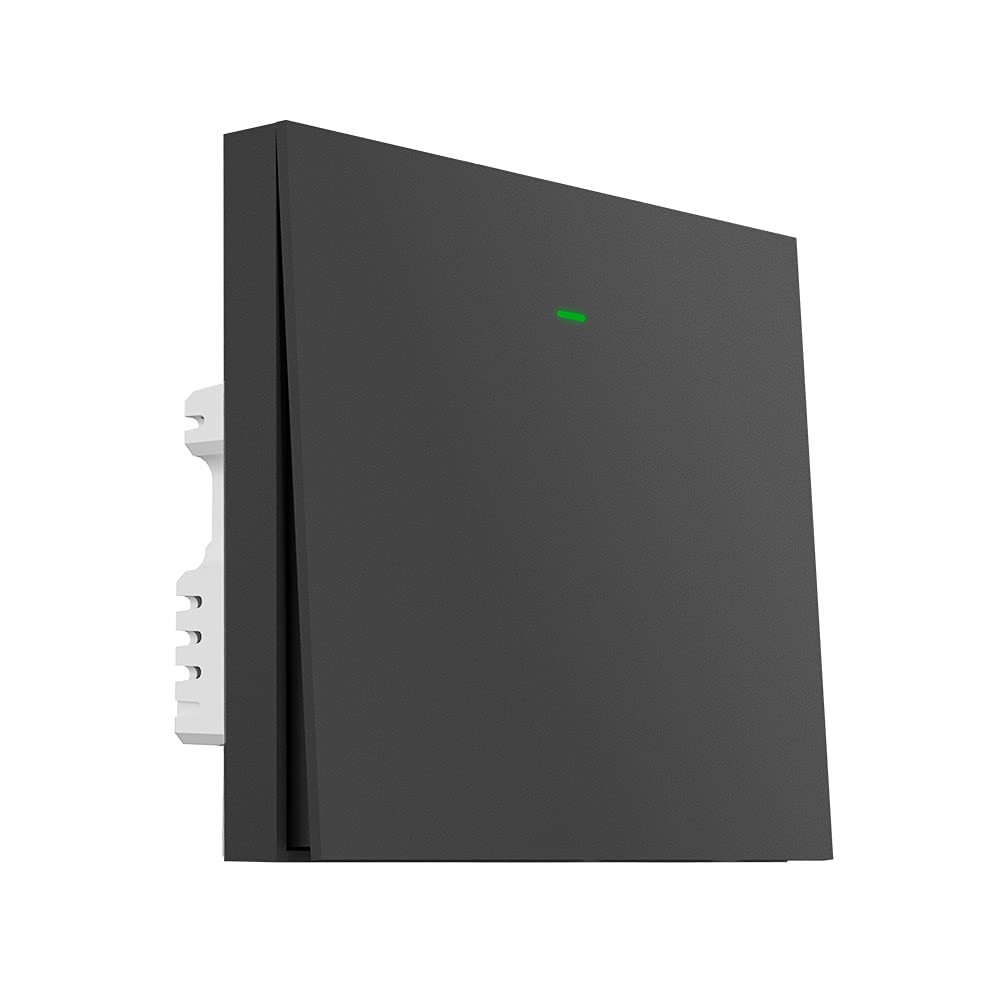
BroadLink Smart Wall Light Switch, 1-Gang Single Live Wire Switch, No Neutral or Capacitor Required, Push Button, Gray,Compatible with Alexa, Google Home and IFTTT, S3 Hub Required (With Hub)
£32.99



Price: £32.99
(as of Jun 11, 2025 19:44:21 UTC – Details)
From the brand


About Us
Launched in 2013, BroadLink focuses on smart home control, bringing a convenient and smart lifestyle to over 2 million customers.
Users can control their appliances, lights through smart phones from anywhere, anytime.
We have been working in the field of smart universal remotes, smart bulbs and sensors for more than 10 years, bringing the smart home into a new era with real zero-setup, auto-networking and considerable affordable cost.

Broadlink RM4 pro
Mini Size, Maximum Control.
Empower Your IR & RF devices with Smart Control.
Smart Universal Remote
FastCon Smart Light Bulbs
FFS Smart Bulbs and Sensor Kit
Smart Wall Light Switch
Intelligent Home Devices
【NO NEUTRAL REQUIRED, SIMPLE INSTALLATION 】 Broadlink LC1 Smart switch No neutral required! 100% suitable for all houses and apartments with only live wire connections. Modularized design with full case protection and easy installation with step-by-step instruction. Replace the old wall light switches and make your home smarter
【VOICE CONTROL & IFTTT】– Works with Alexa or Google Assistant (“BroadLink” skill). Just say to your Echo or Google Home/Nest speakers to control lights. You can also use Siri on iPhone for voice control or use IFTTT for more potential home automations.
【REMOTE CONTROL & SCHEDULES】– Remote control home lights from anywhere. Set up schedules to turn on/off with single timer, repeated timer, delay timer or random timer. Use Away Mode on Alexa to turn off all lights when you leave home.
【More SMART HOME CONTROL】– Not only for lights! Buttons can be configured in Routines to trigger other smart home devices or scenes ,such as when you turn on switch ,then turn on TV ,AC, Curtain or more……, switch button can trigger scenes for control your smart home with one button.
【BUILD YOUR SMART LIFE WITH BROADLINK】 –BroadLink is constantly focusing on electrical gadgets, lighting control and universal remote solutions, provides various accessories to build your ideal smart life. NOTE: the device require a secured 2.4GHz Wi-Fi networks.
Customers say
Customers find the smart wall switch easy to install and appreciate its good build quality. The connectivity receives mixed feedback, with some saying it works well with Alexa while others report issues maintaining connection. Moreover, the device’s reliability is concerning, with customers reporting it stops working after a year. Additionally, the switch frequently goes offline and has mixed opinions about its design.
5 reviews for BroadLink Smart Wall Light Switch, 1-Gang Single Live Wire Switch, No Neutral or Capacitor Required, Push Button, Gray,Compatible with Alexa, Google Home and IFTTT, S3 Hub Required (With Hub)
Add a review
Related Products


£32.99
Amazon Customer –
Does exactly what it should!
When I first opened the box I was a bit disappointed to see a capacitor in there as I had purchased this model specifically because it was advertised as âno neutral and no capacitorâ. However I didnât need the capacitor so all is well and it gets 5 stars from me.Installation was fairly straightforward. As others say you need a deep wall box. Ours was a going into a plasterboard wall so we already had a deep box. Wiring is traditional and requires no special knowledge. Earth and neutral are not required. The fixing screws that came with the switch were too big for our wall box but we reused the screws from our original switch and it works fine. Remember that you need to complete the installation including re-attaching the switch faceplate before it will work. Once fitted it immediately worked as a traditional push on/off manual switch. The instructions do not tell you how to connect the hub to WiFi but it is easy (download the app and scan the QR code) and then once the hub is connected do the same for the switch. We plugged the hub into a USB socket on the other side of the room and it worked fine. Connection to Alexa via the Alexa App was quick and we now have voice activation too. At last we have solved the problem with the previous smart bulb that my natural instinct was always to turn off from the wall at night meaning my wife could not turn on from bed in the morning! No more frosty mornings 🙂
Amazon Customer –
How many electricians does it take to wire in a smart switch…
It all started with one simple idea, controlling my living room lamp from a smart switch…After researching for several days and watching paul hibbert’s youtube video saying these smart switches where the first ones which “play well with smart lights” I took the plunge and ordered switches to replace all of my light switches. Broadlink sell smart switches & smart bulbs & you can configure the switch to turn on other smart devices.Knowing that all manufacturers make it difficult if not impossible to make things work outside there ecosystem my thought process was a Broadlink smart switch can tell a Broadlink smart bulb to turn on through software so I purchased 2 and 3 gang switches to provide spare switches so I could control lamps .Installation process1. the instructions are total GARBAGE! I am well versed in electrical wiring being a heating engineer and it took three days and 4 of my electrician friends assisting on video calls (who all said avoid smart switches like the plague!) to get them working.2. if you have two way switches you CAN get them to work but you will need to use two spacers on the master switch due to the amount of wires in the back box (bear in mind my home is a new build which is built to current regs so the master switch will have ground and first floor live and neutral supplies going to it) there is a way to hard wire it to work as a two way but it is really janky and I have found that if you turn on your master switch and powered the slave switch the way every guide on the internet tells you to do it eventually the switch will lose power (if left on for over an hour) and require setting up again.3. you 100% have to install the provided capacitors to keep them powered up so there marketing is total BS. it does not matter if your lights are flashing, I have found that the switches will go offline (presumably due to not being able to tricke power through the bulbs. this is the case with dumb & smart LED as well as florescent bulbs. installing these inside standard UK pendant fitting requires a lot of messing about to make them fit AND not be a fire risk. going back to point 1 there are no instructions on the capacitors and they do not tell you if they are polarized (one way) which is kind of important!4. This one is important, if you have a wireless router provided by your ISP and it is relatively new you need to go into the settings to change the 2.4ghz configuration settings to stop the switches going offline. in mine I had to change the wireless mode (which makes your 2.4ghz slower & stupider but works with more devices) and through the devices manager tell it to always use the same IP for the hub.this took over a week to sort out as I thought the issues where related to the capacitors or wiring. I have lost count of the times I did a hard reset and re-configured my switches before I figured this out!.so after getting my smart switches finally working I installed broadlinks smart bulb and another broadlink hub so I could finally do what I set out to do and control my lamp from a light switch only to find out even though the switches and bulbs are from the same manufacturer they use two different apps (Broadlink and Broadlink BLE) which cannot communicate. so now I have multiple redundant switches and I cannot do the one thing I wanted to do in the first place!I would recommend avoiding Broadlink like the plague!
William Watts –
A fine thing, but fiddly to install
I do like this product, but installation took longer than I expected, essentially because of missing/unclear info. Which I will try to supply here.1. You need to prise off the front of the switch – the bit that moves – to access the screws that attach it to the wall. This requires a large amount of strain put on the top left hand corner, so that one becomes confident that the whole thing is about to explode in a shower of plastic fragments. Courage, dear heart.2. Because of issue 1, above, when I initially wired up the switch, I didn’t replace the cover when testing it. As DPM notes in his review (which I only noticed afterwards), this is a sad error. Like him, I convinced myself I had a faulty unit. The cover MUST be in place for the switch to work.3. The Bluetooth pairing was a bit problematic. I had several goes, moving the hub further away, before it mated.4. As others have noted: you do need an S3 hub. If you ordered a version of this without a hub, you are out of luck. Also, if you do get a hub, know that it needs a USB power supply, which is not included.The instructions are printed in a font size teeny–, in a light grey ink, and are less fulsome than one might wish. They are instructions for somebody who has done it before.Despite all the above, I am very pleased with it. But I am new to this voice control lark, so perhaps naïve.
M –
اÙÙ Ø´ÙÙ٠اÙÙ٠اÙاجÙا دائ٠Ùا ٠ع اÙÙ ÙتاØاÙÙ ÙÙص٠اÙاتصا٠باÙÙا٠Ùا٠بÙÙ Ùتر٠ÙÙترÙÙÙÙ٠غÙر ٠تص٠Ùات٠Ù٠اÙبائع ÙتÙاص٠٠عÙÙسب٠Ù٠شرÙت اÙÙÙع اÙثاÙ٠اÙÙ٠س Ù٠شاÙÙ٠اÙثر٠٠Ùذا اÙÙÙع.
Ø٠د –
اÙÙ Ùتج ٠صÙÙع ٠٠بÙاست٠ردÙئة جدا٠Ù٠اÙاج٠ا٠٠شÙÙØ© بترÙÙب٠ÙÙÙ ÙÙا٠٠شاÙ٠٠٠اÙÙ 10 دÙاÙ٠اÙاضÙاء تÙØ·Ù٠٠تشتغ٠ÙÙØدÙا ٠اÙازار ٠زعجة Ù Ù ÙاØÙØ© اÙتشغÙ٠٠اÙاطÙاء ÙÙÙا ٠صÙÙع٠٠٠٠Ùاد ردÙئة Ù٠تدÙ٠٠ع٠Ùا اÙØµØ Ø¨Ùا ابدا سÙ٠اجرب ٠٠شرÙات اخرÙ