

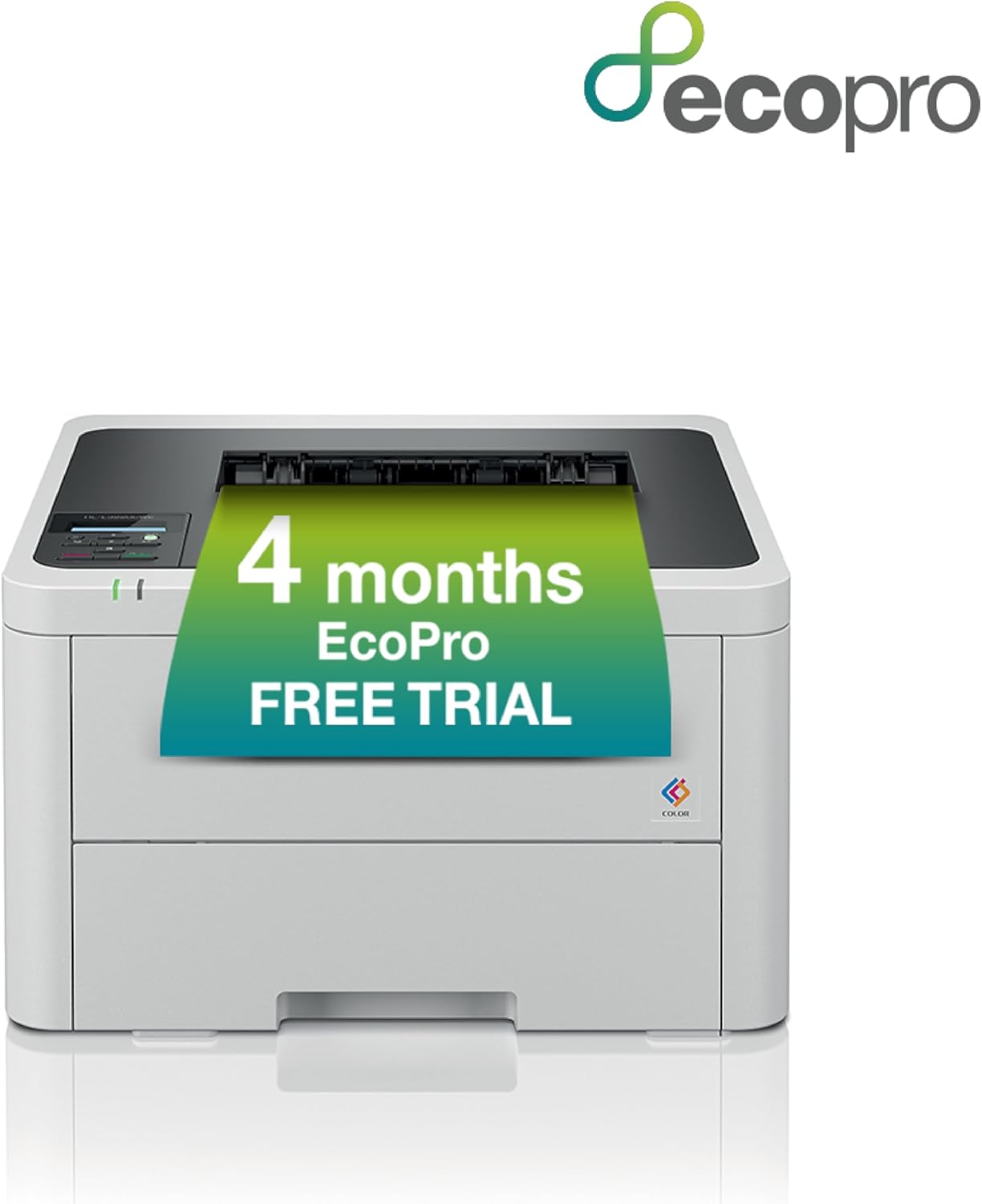
BROTHER HL-L3220CWE Colour Wireless LED Printer with EcoPro Subscription, Single Function, USB 2.0, A4, 4 month no charge trial, Automatic toner delivery, UK Plug
£216.97


Price: £216.97
(as of Jun 04, 2025 08:20:51 UTC – Details)
From the manufacturer

Benefits of EcoPro

Save up to 72% on printing costs*

Automatic delivery of free toner – so you never run out, plus free toner cartridge recycling

Change or cancel your subscription at any time – Roll over any unused pages

Extended printer manufacturers protection throughout your subscription with ongoing first class customer support

Why an EcoPro subscription?
Sign up to EcoPro today and receive a FREE trial subscription, which covers repairs to your Brother printer for added peace of mind, ongoing first-class support and the flexibility to cancel your subscription at any time.
With EcoPro you can choose a plan which matches the amount you print. So, whether you print 50 or 500 pages per month, there’s a subscription plan for you.

Brother Mobile Connect
Activating your FREE EcoPro trial couldn’t be easier. Simply download the Brother Mobile Connect app, add your printer, select your preferred subscription plan and you’re ready to print. Once setup, you can manage your subscription completely via the app. You can view your payments, download invoices, change your subscription or cancel anytime within the app.

Supplies delivered to your door
Our EcoPro print subscription makes printing hassle-free. You’ll never have to worry about having enough toner again, as your EcoPro printer automatically detects when your printer is running low and orders a replacement to be delivered directly to your door, so you are always fully stocked and ready to print. With a Brother EcoPro subscription, you will automatically receive Brother Genuine Supplies.

Extended manufacturers protection included
The manufacturers protection included with your EcoPro subscription means that should your printer ever need fixing, you can send it to us and we will repair or refurbish your device using recycled parts, and return it to you good as new.
Why an EcoPro subscription?
Brother Mobile Connect
Supplies delivered to your door
Extended manufaturers protection included

Step 1
Choose your plan and sign up online with a free six month trial.

Step 2
Download the Brother Mobile Connect app to connect your printer and manage your subscription.

Step 3
Automatic toner deliveries when your printer is running low.
Add To Basket
Add To Basket
Customer Reviews
4.3 out of 5 stars 4,230
4.3 out of 5 stars 4,230
4.3 out of 5 stars 4,230
Price
£216.97£216.97 £249.00£249.00
— no data
Functionality
Print Print, copy and scan Print, copy, scan and fax
Max Paper Size
A4 A4 A4
Print Speeds
Up to 18ppm Up to 18ppm Up to 18ppm
Display
One line LCD control panel Two line LCD control panel 8.8cm colour touchscreen
Max paper input
250 sheet 250 sheet 250 sheet
Connectivity
USB and wireless USB and wireless USB, wired and wireless
In-box supplies
500 page BK/C/M/Y 500 page BK/C/M/Y 500 page BK/C/M/Y
Mobile compatibility
Apple & Android Apple & Android Apple & Android
4 month EcoPro trial: Choose your plan and sign up online with a no charge four month trial Plus you can change or cancel your subscription at any time
Automatic delivery of Brother Genuine Supplies: so you never run out, plus no charge toner cartridge recycling
LCD CONTROL PANEL: 1 line control panel for quick and easy navigation of the printer fuctions, at your fingertips
Wireless and mobile connectivity: The Brother mobile connect app offers a range of options from printer function to managing your EcoPro subscription
UP TO 18 PPM PRINT SPEED: With fast print speeds, print your professional documents in no time at all without compromising on quality
Customers say
Customers find the printer solidly made, easy to set up with clear WiFi instructions, and appreciate its value as a budget color laser printer. The print speed receives mixed feedback – while it’s quicker than inkjet printers, some find it very slow. Customers disagree on the printer’s size, with some praising its compact laser design while others note it takes up more space. The image quality receives mixed reviews, with some praising the color and mono prints while others find the software poor. Customers report the printer stops working after 6 years.
9 reviews for BROTHER HL-L3220CWE Colour Wireless LED Printer with EcoPro Subscription, Single Function, USB 2.0, A4, 4 month no charge trial, Automatic toner delivery, UK Plug
Add a review
Related Products
![Scanners [Blu-ray]](https://i0.wp.com/m.media-amazon.com/images/I/81LRrjJhvbL._AC_SL1500_.jpg?w=300&resize=300,300&ssl=1)


£216.97
David Croucher –
NOT THE CHEAPEST OFFICIAL CONSUMABLES; VERY EASY TO USE AND MAINTAIN
See the note at the end about extracting from packing carton.In this 3000 series, Brother has produced a ridiculously easy printer to set up and use, which gives crisp and accurate results. The printer is quiet in operation, though there are mechanical clicks in feeding, etc. It is quicker than any consumer inkjet as well as far cheaper to run. It works well with the cheapest paper, even double-sided, and gives superb results with heavier papers and thin card – there’s a straight-through feeder if needed, though you’ll need plenty of space behind for that.Some rival models have cheaper-to-use ‘official’ consumables, a few have cheaper-to-use remanufactured toners.But if you buy remanufactured high-capacity toner cartridges and then refill these several times, in the way that U-refill Toner Ltd. recommends, it’s about as cheap as any colour laser printer gets. There are no cheating lockout chips which prevent using third party consumables or refilling.Operation is very straightforward: press ‘on’ and allow a few seconds warmup (the failing of all laser printers, though these are actually LED , not laser), then print from your USB, wired or wireless network; it can (I think) also be set to print wirelessly from a phone. Copying and scanning are as straightforward: a few seconds after switch-on, press the touchscreen for what you want and feed the originals in. No messing about unless you want something awkward, in which case the manual is voluminous and online – I downloaded it as a PDF and have it ready in the computer.This model is ‘basic’ in Brother’s L5000 touch-screen controlled printer/copier/scanner/fax series; the top model is faster and is the only one with auto-duplex copy/scanning as well as the duplex printing all models have. Worth £100 more? Your call. They share consumables with the MFC-L basic printer-copiers and and HL-L printers, including new drum units at 18,000 cycles, waste toner box similarly and transfer belt and fuser unit at 50,000 cycles. That’s better than most rivals, and low-volume users will probably not get to replacing the last two before wanting a more modern replacement – 100 packets is a lot of paper!The paper draw (the usual half-packet paper load) is at the bottom of the printer. Single sheets can be fed in from a drop-down tray just above the paper draw – all very convenient. The 50-sheet auto-feed scan unit lifts up for flatbed copying, and rises to accommodate books and hold them flat ; below it, the paper is delivered onto the top of the ‘works’ in the centre section. Paper is fed from front to rear, and unless the ‘straight-passage’ exit is opened at the rear, paper then exits forwards between the printer and the scanner; there’s plenty of space for a pile of copies.Unpacking and setup is similar to other lasers, beginning with getting rid of plenty of sticky tape, and removing the securing whatchamacallits – Brother has allowed for serious mishandling during shipping across the world. There’s a driver CD in the info pack and a fold-out setup sheet, but best to go online for help. The instruction sheet is OK, and the YouTube setup videos meticulous.The central ‘works’ of the printer includes the four “drum unit + toner cartridge” sets, the paper transfer belt below them and the fuser at the back. A latch opens up the whole scanner and top of the printer to replace these; they’re very easy to get at – drum/toner units just lift out. Essentially, to set up a new printer, each of the four drum unit/toner cartridge assemblies needs to be taken out (just slide the lock tabs and lift), the securing cradles removed and disposed of, then the units dropped back in, one by one. Takes a few minutes. Note that, as with all lasers, don’t touch any roller surface or gold electrical contact or you’re likely to damage it with finger grease. While they’re out, check one for how to pop out the toner cartridge on its own – by sliding the green tab on the right when pulling the handle. This is what you’ll replace when toner runs out. Only a ‘Toner Value Pack’ starter is supplied as new – typical these days.Finally, a WARNING.The lifting points of the printer (it’s quite heavy, though much less than older models) are at the BOTTOM SIDES and nowhere else. Unlike some other brands, there are no warnings or help at all for where to lift the printer out of its box (except on the printer, so only visible when it’s already out!) The correct lift points are difficult to access and not at all obvious, deep in the box. I found ‘secure’ points halfway down, but they turned out to include the handle to open the printer, and by lifting there, the safety catch is operated, so that only the securing tape then holds most of the weight. If this breaks, the printer falls apart – which can destroy it! In the end, I discovered that the strong bag in which the printer is packed in the box can be used to lift it out safely – though it needs to be pierced to construct handles.
George –
Bigger than you think
– Read the dimensions! We just made it fit where we needed it although it is wireless so could be set up anywhere with sufficient space.+- The toners cartridges are pricey but work out better than inkjet page per print+ No hassle or faults that come with inkjets- Periodic long-term maintenance as the drum will need replacing eventually+ Overkill for the home environment but with 4 kids doing homework all sent online but requiring printing it seems like this will be a solid investment+ Paper feed scanning plus scanning bed,+ duplex printing without turning the page by the long side and reinsert paper thank god+ Software is easy to use, set up Install and WiFi instructions clear and easy, don’t forget to get the password and SN number off the back for firmware updates and registering for warranty.+ In summary use laser printers at work and love how quick efficient and low maintenance they are. Our old inkjet from certain brand that now has disgusting chipped ink cartridges forcing buying from them saying empty when not and even when you buy only official product 2 out of 3 cartridges have to be returned as the don’t work. Paper wouldn’t feed right is now where it belongs, in the scrap. Expensive buy in but to press print and it work flawlessly is well worth it.Would recommend over any inkjet.
Dan –
Seamless Performance and User-Friendly Design
A quick summary:⢠Brother DCP-L3550CDW Colour Laser Printer excels in easy setup and user-friendliness.⢠I haven’t had a single paper jam or connection issue, it is highly reliable.⢠The touch screen user interface is fantastically easy to navigate and set up; in contrast with some of the horrible UI designs from other brands.⢠Print quality is great; results are sharp and vibrant.⢠The built-in scanner captures intricate details with precision.⢠Automatic firmware updates which can be done from the touch screen panel make staying up-to-date buttery smooth.⢠My only minor gripe is that documents can be a little slow to send over WiFi despite me having a great Asus router and connection speed.The Brother DCP-L3550CDW Color Laser Printer has truly transformed my home office, impressing me across the board. Its effortless setup, unswerving reliability, outstanding print and scan quality, and a convenient touchscreen display for automatic firmware updates make it an excellent addition.Setting up the Brother DCP-L3550CDW is a breeze. Guided by an intuitive installation process, I was up and running within minutes. Even if you’re not tech-savvy, this printer’s setup is straightforward, thanks to clear, step-by-step instructions and a well-designed touchscreen display.The printer’s reliability is its hallmark, having never experienced a single paper jam during my usage. It effortlessly handles various paper types and sizes, eliminating worries about technical interruptions and boosting productivity.The Brother DCP-L3550CDW consistently delivers exceptional print quality. Whether it’s text documents, colorful brochures, or high-resolution images, this printer produces sharp, vibrant, and professional-looking results. Vivid colors and crisp text enhance document quality.The built-in scanner matches the printer’s impressive capabilities. It captures intricate details with precision, generating sharp and clear scanned documents. Whether digitizing important paperwork or preserving old photos, the DCP-L3550CDW excels in delivering exceptional scan quality.One slight drawback is a minor WiFi speed issue when sending documents, even on a robust network. While not a deal-breaker, it’s worth noting for those who prioritize speed and efficiency.A standout feature is the printer’s ability to perform firmware updates directly from the touchscreen display. This convenience ensures the printer remains up-to-date with the latest enhancements without requiring manual intervention.In summary, the Brother DCP-L3550CDW Color Laser Printer stands out as a reliable workhorse for any home office.
AlanK –
Very easy to install printer
After a lot of research decided to go with Brother laser printer. Good deal on the ECO model, easy to get out of the box with the bag lifting system, just as easy to set up following a simple guide sheet. Software easy to locate and download and follow instructions. Print quality very good, small footprint and a choice of connections.
Yenny Antonia Baltes –
Sehr gut ðð» ich bin zufrieden
Eichinger Helmut –
Sehr guter Drucker 🙂
Pierre –
Super fonctionne a merveille. utilisation réseau et wifi sans problème. scanner au top rapide et de qualité en changeant les paramètres. je conseille
Dustin –
Der Brother DCP-L3550CDW A4 Farblaserdrucker ist ein solides Gerät, das meine Erwartungen gröÃtenteils erfüllt hat. Die Druckqualität ist ausgezeichnet, insbesondere bei Farbdokumenten, und die Einrichtung war einfach und unkompliziert.Ein kleiner Nachteil dieses Druckers ist jedoch, dass er etwas langsamer druckt als erwartet. Dies ist jedoch kein gravierendes Problem für mich, da die Druckqualität und Zuverlässigkeit für mich Vorrang haben. Wenn Sie groÃe Druckaufträge haben oder hohe Druckgeschwindigkeiten benötigen, könnte dies jedoch ein wichtiger Faktor sein.Abgesehen davon bin ich mit den Funktionen des Druckers zufrieden, insbesondere mit der drahtlosen Konnektivität, die das Drucken von verschiedenen Geräten aus erleichtert. Die Scan- und Kopierfunktionen funktionieren einwandfrei und bieten zusätzliche Vielseitigkeit.Insgesamt betrachtet halte ich den Brother DCP-L3550CDW A4 Farblaserdrucker für eine gute Investition und vergebe ihm vier Sterne. Während die Druckgeschwindigkeit etwas langsamer ist als erwartet, überzeugt er dennoch durch seine ausgezeichnete Druckqualität und Zuverlässigkeit.
Jean-Baptiste Domage –
Impression sans problème, par internet et à la maison.Pas fait pour la photo