

Canon PIXMA TS5151 3-in-1 Printer – White
£59.99




Price: £59.99
(as of Jun 06, 2025 04:55:06 UTC – Details)
From the manufacturer

PIXMA TS5151
Fun, this small, stylish family printer takes all the hassle out of creating beautiful borderless images and documents at home with smart wireless connectivity to your devices and the cloud.

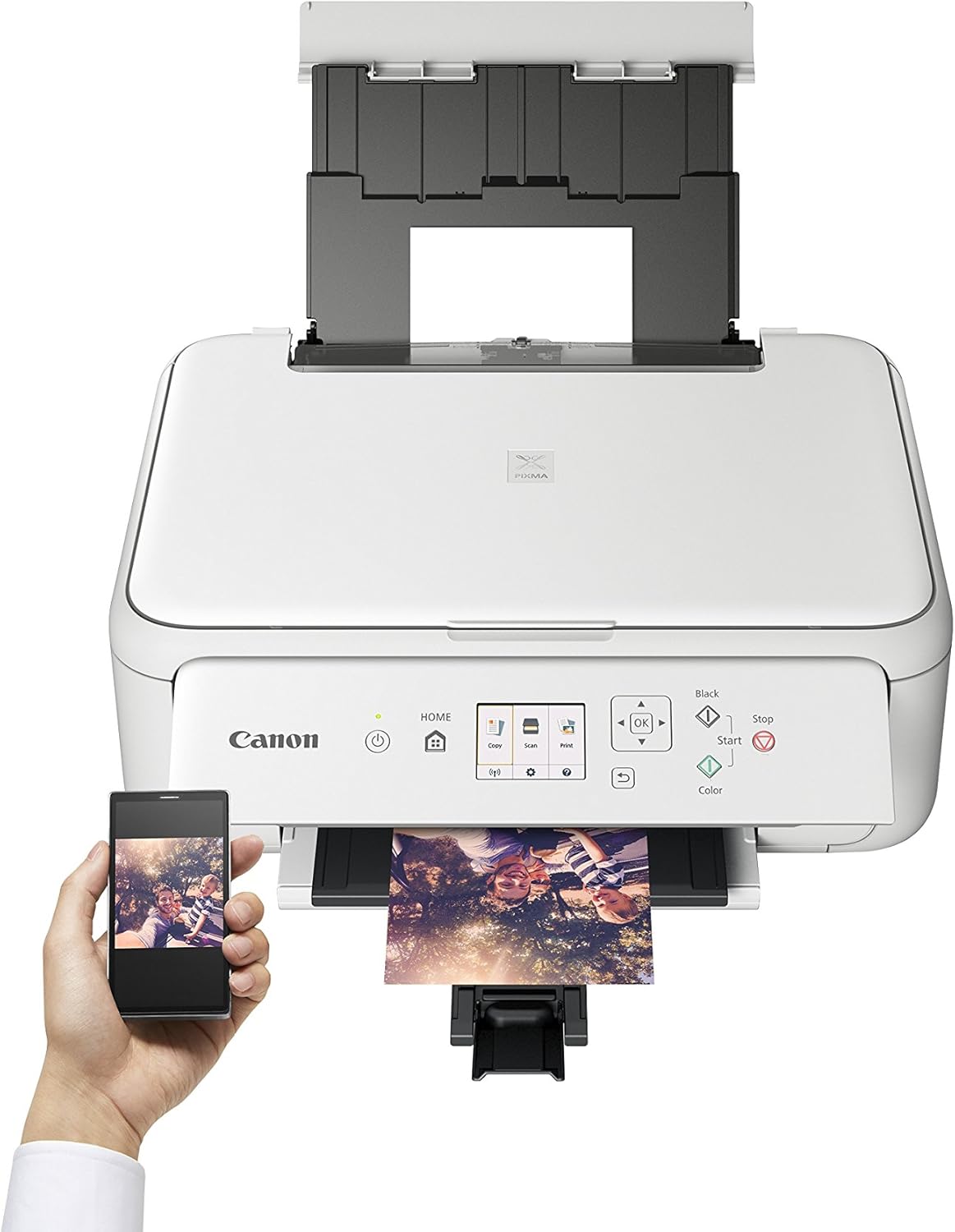
Simple Wi-Fi connectivity to smart devices or cameras
Simply download the Canon PRINT app to effortlessly print, copy and scan wirelessly using your smartphone or tablet (iOS & Android) and access cloud services.
Compatibility with Bluetooth low energy technology* enables connection between your smart device and printer for fast activation of full Wi-Fi.
Apple AirPrint, Mopria for Android, Windows 10 Mobile and Google Cloud Print support complete your mobile connectivity options.
Easily print directly from compatible wireless cameras with WLAN PictBridge.
Create fun hidden animations, music, stickers or video links to your images with the Message in Print app for iOS devices.
*Equipped with Bluetooth low energy technology (Bluetooth print and scan is only available on Android devices). The functions available with Bluetooth communication and the Canon PRINT Inkjet/SELPHY app are not assured on all Android smartphones. The Bluetooth word mark and logos are registered trademarks owned by the Bluetooth SIG, Inc. and any use of such marks by Canon Inc. is under license. Other trademarks and trade names are those of their respective owners.

Freedom to cloud print and scan via the Canon PRINT app
Enjoy the freedom to print from and scan** to the cloud – straight from your smart device via the Canon PRINT app
Print in seconds from social media and cloud services like Facebook, Dropbox, Evernote, Google Drive and Instagram using PIXMA Cloud link.
Instantly upload scanned pdfs and jpegs to popular cloud services.
**Scan to cloud is only available to genuine Canon ink users.

Simple 6.2cm colour display and buttons for easy navigation
Quickly and easily navigate menus, select functions, preview images and connect to your smart devices thanks to easy access buttons and crystal clear 6.2 cm colour display.
A simplified user-friendly interface mirrors the Canon PRINT app for a unified printer/smartphone experience.
Place the printer where you want and use it from a comfortable angle with the manual-tilt operating panel.

Print more pages for your money with optional XL inks
Print more pages for your money using highly cost effective, optional XL ink cartridges.
Save on paper and quickly create professional double-sided documents with auto 2-sided printing.
Simultaneously handle photo and plain paper – including square 13 x13 cm (5×5”) glossy media ideal for social style prints – thanks to dual paper feeders.
Enjoy quick printing with a 10 x 15 cm borderless photo in around 43 seconds.

Creative, versatile and family printing
Small, stylish this All-In-One is ideal for high quality colour printing, copying and scanning in any home.
For maximum convenience, quick replacement and optimum durability the FINE Cartridge system combines inks and print head in one single handy unit
Produce sharp text in documents with dedicated pigment black ink.
Add To Basket
Customer Reviews
4.2 out of 5 stars 1,691
4.1 out of 5 stars 2,567
4.3 out of 5 stars 1,640
4.0 out of 5 stars 54
—
4.4 out of 5 stars 1,156
Price
— no data
£49.99£49.99
— no data
— no data
— no data
— no data
Available Functions
Wi-Fi Print, Scan & Copy, Cloud Wi-Fi Print, Scan & Copy, Cloud Wi-Fi Print, Scan & Copy, Cloud Wi-Fi Print, Scan & Copy, Cloud Wi-Fi Print, Scan & Copy, Cloud Wi-Fi Print
Print Technology
Inkjet system 2 FINE Cartridges Inkjet System 2 FINE Cartridges ChromaLife100 inks Inkjet system 5 Single Inks ChromaLife100 inks Inkjet system 5 Single Inks ChromaLife100 inks Inkjet system 6 Single Inks ChromaLife100 inks Inkjet system 5 Single Inks ChromaLife100+ inks
A4 Document Print Speed in ISO Pages / Min (approx.)
7.7 ipm mono 4.0 ipm colour 13 ipm mono 6.8 ipm colour 12.6 ipm mono 9.0 ipm colour 15.0 ipm mono 10.0 ipm colour 15.0 ipm mono 10.0 ipm colour 15.0 ipm mono 10.0 ipm colour
10 x 15 cm Borderless Photo Print Speed (approx.)
65 seconds 43 seconds 39 seconds 37 seconds 17 seconds 21 seconds
Display
3.8 cm LCD segment mono Colour 6.2 cm Colour 7.5 cm 7.5cm LCD (TFT colour / Touch) 10.8 cm LCD (TFT colour / Touch) – no data
Connectivity
USB Wi-Fi Access Point Mode WLAN PictBridge USB Wi-Fi Access Point Mode WLAN PictBridge Wireless Direct Bluetooth USB Wi-Fi Access Point Mode Memory Card Slot WLAN PictBridge Wireless Direct USB Wi-Fi Access Point Mode WLAN PictBridge Wireless Direct Bluetooth USB Wi-Fi Access Point Mode Memory Card Slots WLAN PictBridge Wireless Direct Bluetooth USB Wi-Fi
Paper Input (max.)
60 sheets (rear tray) 20 photos (rear tray) 100 sheets (front cassette) 100 sheets (rear tray) 20 photos (rear tray) 100 sheets (front cassette) 20 photos (rear tray) 100 sheets (front cassette) 125 sheets (cassette 1) 20 photos (cassette 2)
Dimensions (W x D x H)
435 x 316 x 145 mm 425 x 315 x 147 mm 372 x 315 x 126 mm 372 x 315 x 139 mm 372 x 324 x 139 mm 451 x 368 x 128 mm
Weight
Approx. 3.9 kg Approx. 6.5 kg Approx. 5.5 kg Approx. 6.2 kg Approx. 6.5 kg 6.6 kg
Connect to smart devices via range of options including Bluetooth for easy Wi-Fi print and scan via Canon PRINT app
Experience the freedom to print from social media and scan to the cloud with PIXMA Cloud Link
Print more pages and save using optional XL FINE ink cartridges and auto 2-sided printing
Control, view and connect with ease using easy access buttons and 6.2 cm colour screen
Small, stylish and affordable All-In-One for high quality colour printing, copying and scanning at home
Customers say
Customers find the printer produces quality output and is easy to set up and use, with fast printing capabilities including double-sided printing. They appreciate its functionality, value for money, and appearance. The size receives mixed feedback, with some praising its compact design while others find it too small. The wireless connectivity aspect also gets mixed reviews, with one customer successfully connecting to all OS devices while others report connectivity issues.


Mr. S. R. Phillips –
Brilliant quality, took minutes to fit
I only usually go out of my way to leave reviews when a product is either really good or really bad, and this printer has surprised me enough to be worthy of a great review; here’s why.I’m barely a novice when it comes to setting things up from flat pack to – printers! This is a Christmas (2018) gift for my 14yr old daughter for her ChromeBook. Now I haven’t bought a wifi printer before, and certinaly never set up a Chromebook printer previously, and annoyingly, there isn’t much help on the internet!Anyway, within mere minutes of switching on the printer, and going to the WPS setup option, pressing the WPS button on the wifi router, it was all done!!! Then after switching on the Chromebook, going to print settings, there it was, all ready to print! Genius!!! The advantage of this printer over some other Wifi printers, is the size and versatility of the LCD screen. This means you have control over what type of setup you want, Direct, Canon App, Google Cloud, or Bluetooth etc. Defo get this one. The only alternative is the TS6150, but the only difference is that one has touch screen LCD, but so what.
FirthFoto –
Excellent printer but……
I selected this printer from a very crowded field for two main reasons. First: I was reluctant to buy one made by the main rival because I’m fed up with being forced to buy their own brand cartridges at grossly inflated prices. Second: because this model specified Bluetooth connectivity.It does NOT have Bluetooth connectivity. It will not print wirelessly unless you are connected to the internet.Having said that, it does a great job. The quality and speed are excellent. and I found it fairly easy to set up. I downloaded the driver from the web which may have caused slight complications. Once set up, it works perfectly via the internet, or, if you prefer via a direct USB connection.Speaking personally I’m nervous of having material I send to the printer going out on the web, and therefore I use the direct USB link. This is why I wanted the Bluetooth facility. If this doesn’t bother you this is a great printer at a fantastic price, with a large range of quality settings, paper sizes &CThe copier and scanner work well, though I haven’t used them much.
MDKB –
Wireless and connects to all devices seamlessly.
This product looks good, itâs neat and compact and produces quality output. The setup instructions were very clear and should be a model for others to follow. The price was very competitive and the product is a significant upgrade on my previous PiXMA.
Keith –
So far, so good
As others have said, the instruction manual is worse than useless. However, after some persistence, I managed to get it set up and Iâm happy with the print quality and speed.I decided to use WPS to connect the printer to the network then spent ages looking for a WPS button. I didnât find a button because there isnât one, but you can make it discoverable using the printer on screen set up menus then press the WPS button on your router. That worked first time.I then downloaded the Canon printer app to my Apple devices as per the instructions, but none of them could find the printer. After searching for answers on the internet, I discovered that you donât need the Canon app; just air drop and it finds the printer.I also successfully connected a Windows 10 laptop by WiFi and a desktop connected by USB cable.I havenât tried the scanner, or photocopier yet.
drclin –
SUCCESSFUL Purchase of Canon w/ UK_Stores
Jul 20 After discussing w/ UK_Stores, we agreed on Win-Win aspects. I am now Content w/ a quality Printer, & Seller, who was understanding, patient w/ this Slow 74yo Disabled Veteran w/ ++ Underlying illnesses./s/ Dr M Len//////////////DO NOT BUY AVOID, AVOID.. [and 2 Addenda 7 JulCanon Printer TS51513 Jul ’21 18501. Only buy if Canon promises to pay You for taking this thing.2. You will spend hours to set up, to discern how to use, to get it to do simple jobs like print, copy.2A. You may as well charge Canon per hour.AVOID, AVOID../S/ Dr M Len7 JUL ’21 UK 0925 Not wishing to appear just irrascible in my Review , 3 JUL — HERE are just 2 examples of “instructions” being incomplete, missing: ;1. Try to Copy a coloured sheet, it said ” Unable, [or like words], Check rear paper tray”. THERE IS NO REAR PAPER TRAY!1A. Are Black and Color buttons on the lid. Trying to do a Color Copy, or Print, or Scan, how does one know if a Click has to be made to choose Color rather than Black…2. It is like we are supposed to be mind readers to buy this thing.2A. Wed 30 Jun, had threatened to send back… then they sent me Instructions by email. Too too long to Register, so I go off the link.3. On 17 Jun after much research. I glommed to “UK best reviews. guide/canon-printers. for this Pixma TS 5151. bought on Amaz as well, B & W carts, after lots research. for £28, as said that accompanying carts were paltry.Amended by Dr. M. Len, Wed 7 Jul, ’21 0940 UK——Wed 7 July ’21 1635NOW the thing will not Copy! THIS IS A DISASTER….Dr M Len W 7 Jul ’21 1640
karen –
canon in white
delighted with this printer easy to install and use thanktyou delivery was early and parcel intact canon products are excellent
nico wallaschkowske –
Alles Super
Danielle JOUSSELIN –
très sactifaite
Klaus Brucker –
Einlage von 10 x15 nicht möglich ( Fotoformat)
Client d’Amazon –
J’ai acheter cette imprimante pour le prix très abordable mais aussi et surtout pour la qualité.J’ai su la réglé et l’utiliser correctement en suivant les étapes écrit sur la notice d’utilisation, jusque là tout aller bien et je tien a précisé que les images que je souhaite imprimé sont des petites choses qui demande une précision parfaite.Pour le coup je peux dire que la précision est présente et je suis ravis de l’imprimante pour ce prix là qui rentre dans mon budget !Malheureusement et ça je ne sais pas si c’est là machine de base ou juste un défaut de fabrication.sur toute mes impression il y a comme des “bavures”…Pour mieux expliquer, mes images laissent apparaitre des lignes tout les 1cm environs ce qui est plus visible sur certaines couleurs que d’autres.Cela me déçois un peu car c’est pour une utilisation professionnel, je compte donc surement là changer prochainement en espérant en trouver une qui ne laisse pas de trace comme ici…Je laisse une image a l’appuie <==En résumé :Malgré ce petit défaut minutieux je recommande quand même cette imprimante car pour ce prix si vous n'avez pas un budget énorme comme le mien je pense que ça peut tout de même faire votre bonheur.Encore une fois, ce genre de trace n'ai visible que sur certaines couleurs donc selon ce que vous imprimerais ( si le défaut est général ), alors les trace ne seront pas ou très peu visible.Je laisserai donc la note de 4 étoile sur 5 pour le rapport qualité prix et la facilité d'utilisation, suivez bien les consignes de la notice et bonne continuation a vous !
TT Rasant –
Du canonRapide et efficace en impression