

Contour Design Rollermouse Go – Mobile Wireless Roller Mouse for Carpal Tunnel Relief, Compact Mouse with Bluetooth & USB, Ambidextrous 5-Button Design, Lightweight Aluminum, Mac & PC Compatible
£19.58




Price: EUR19.58
(as of Jan 11, 2026 12:30:06 UTC – Details)
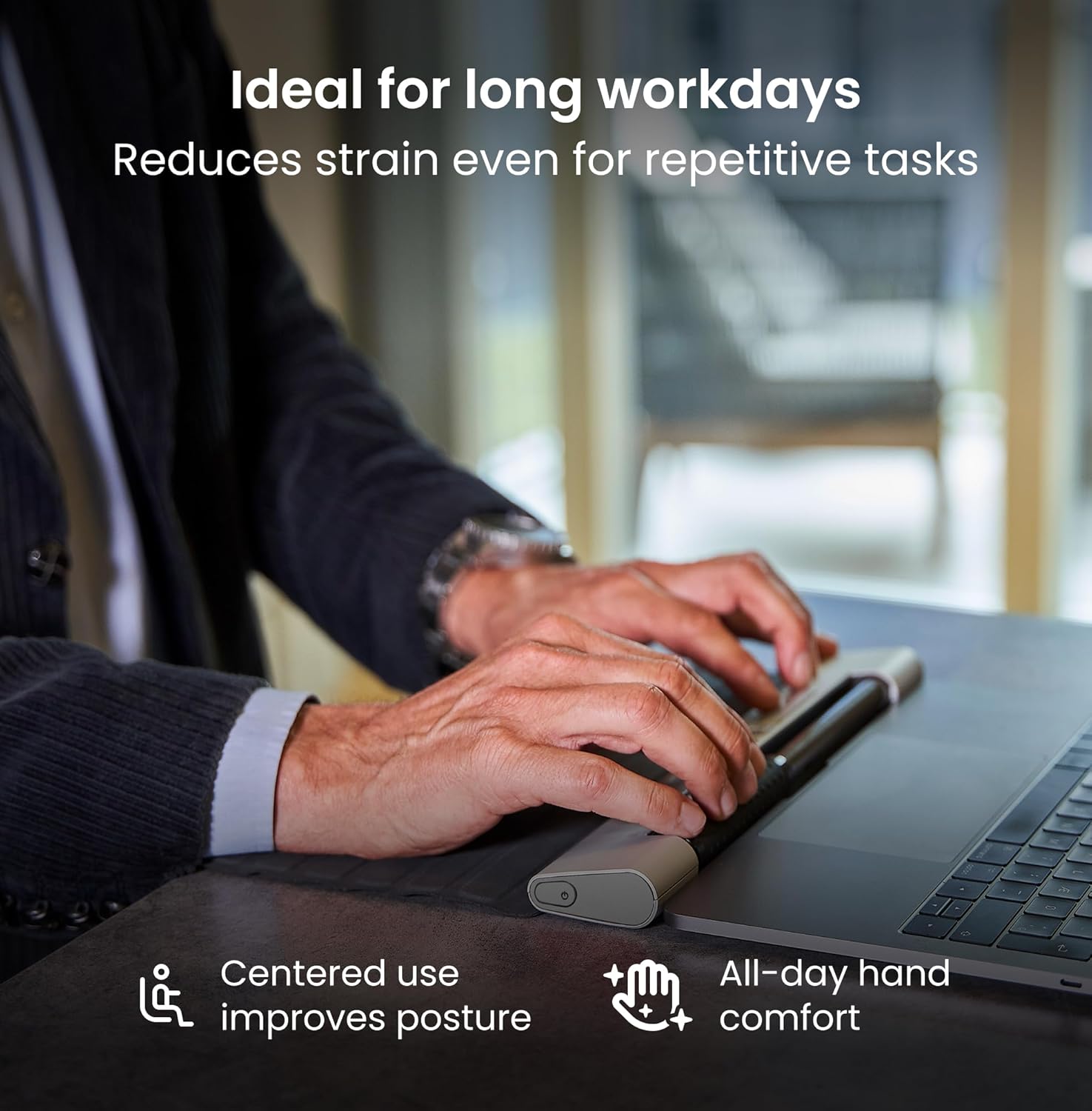
A light, compact, and travel ready version of our prize-winning RollerMouse, the GO is an upgraded alternative to the traditional or vertical computer mice. It is designed to keep computer users’ pain-free and performing at their best, while on-the-go or at their workstation. Place RollerMouse Go’s directly in front of your keyboard, bringing your hands closer to your body and keyboard, in a more natural posture, preventing the strain that can develop when you’re working in non-office settings. This improved posture supports natural hand and finger movements, rather than creating strain in your neck, shoulders, elbows or wrists. Its compact size and lightweight construction, coupled with a protective sleeve, make it the ideal travel companion, fitting easily into any laptop bag or backpack. Whether you’re replying emails, navigating spreadsheets, or editing video, the RollerMouse Go adapts to your workflow with precision and ease. Customize shortcuts for your most frequent actions, streamlining your workflow, reducing repetitive clicks, and boosting your productivity, even when working remote or traveling. The intuitive roller bar allows for precise, ambidextrous control, letting you navigate your screen comfortably with either hand, a significant advantage when you’re not in your usual ergonomic workstation setup. In a Nordic survey with 4,000 participants conducted in collaboration with Coxit, as many as 99% of those surveyed who had experienced pain or discomfort associated with mouse work stated that a centered mouse had eliminated their pain and discomfort. RollerMouse Go is more than just a mouse. Say goodbye to the discomfort of using trackpads or awkward traditional mice while traveling or hot-desking. Invest in the RollerMouse Go for pain-free, efficient computing, no matter your location. Work smarter, not harder, with the ultimate portable ergonomic solution.
ALL-DAY ERGONOMIC COMFORT – RollerMouse Go’s centered design promotes a neutral posture to reduce strain in your neck, shoulders, forearms, hands and wrists – whether you are working at home, at the office, or on the go.
AMBIDEXTROUS CENTERED DESIGN – Symmetrical layout works for left- or right-handed users and promotes alternating hands when in use. The centered design encourages you to use your fingertips with light movements to control the cursor – reducing repetitive strain and fatigue over long hours.
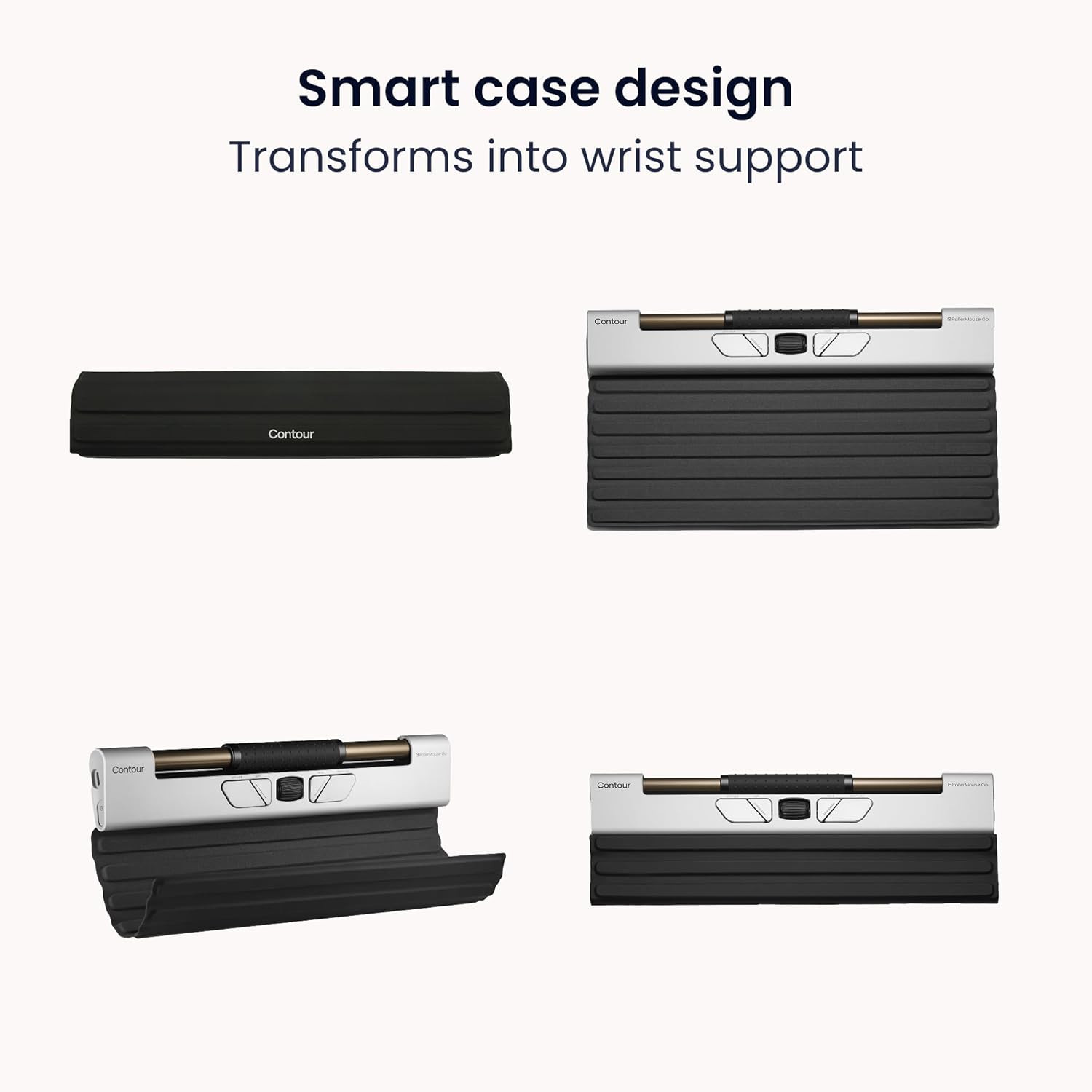
COMPACT TRAVEL-FRIENDLY MOUSE – The slim, lightweight aluminum build fits easily in any bag, making it perfect for remote work and travel. The included cover folds into a wrist rest for support and protects the mouse on the go, so you have ergonomic comfort anywhere you need.
VERSATILE WIRELESS CONNECTIVITY – Enjoy plug-and-play use on both Mac and PC, with no drivers needed – ideal for hybrid work environments and moving between laptop and desktop.
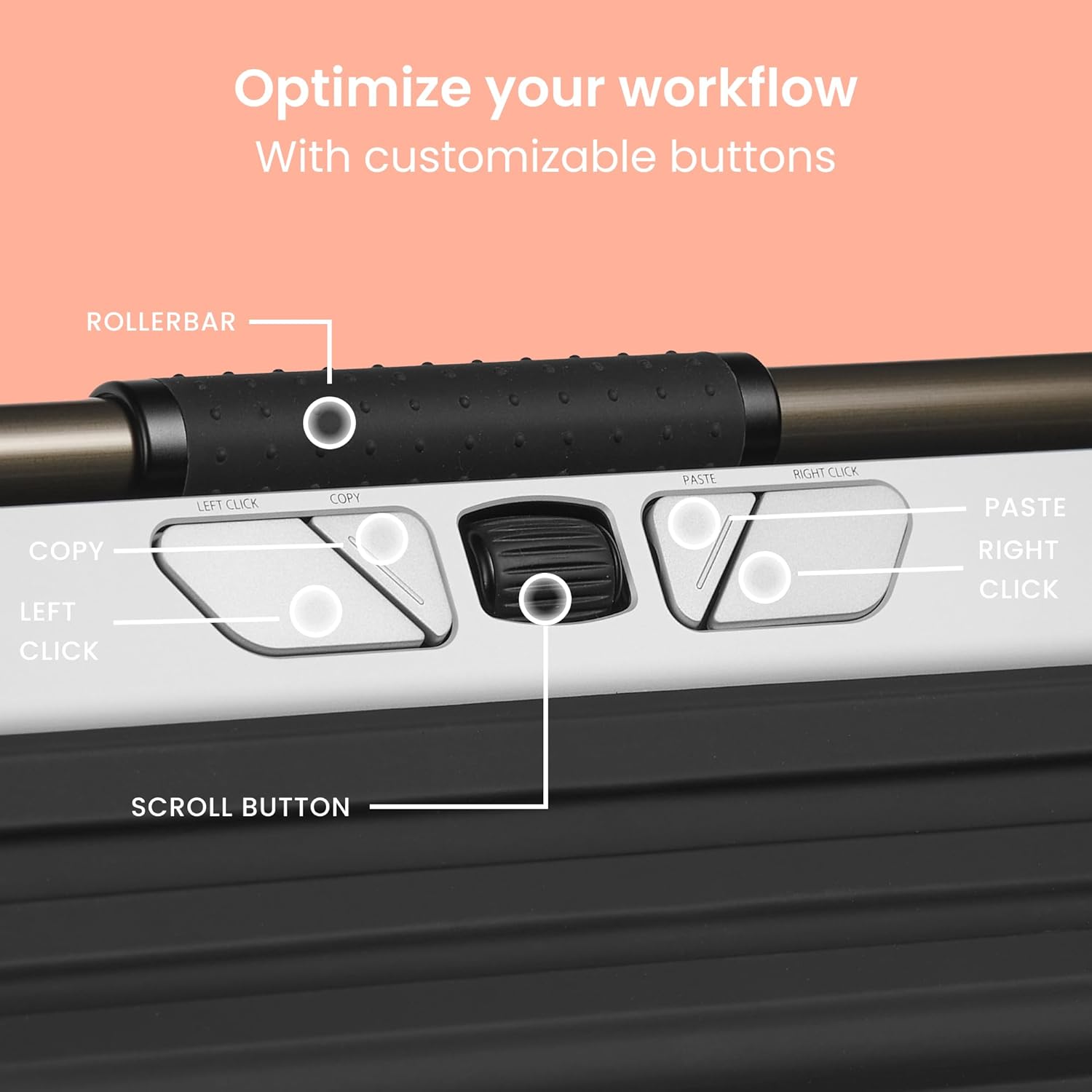
CUSTOMIZABLE 5-BUTTON CONTROL – Five programmable buttons and an intuitive scroll wheel put productivity shortcuts at your fingertips. You can change the settings to copy/paste or switch apps with a click and adjust cursor speed between 600 to 4000 DPI for precise design tasks or faster navigation when you need it.
EXTENDED BATTERY LIFE – Rechargeable battery lasts up to 3 months per charge, so you can work wirelessly without frequent recharging. Go from office to travel without worrying if your mouse can keep up; quickly recharge via USB-C cable for convenience. Ensuring you work in comfort no matter where you’re working from.
ECO-FRIENDLY & DURABLE BUILD – Built with 29% recycled aluminum and post-consumer recycled plastic, the RollerMouse Go is a sustainable choice for eco-conscious professionals. High-quality construction ensures longevity, reducing electronic waste while providing a reliable ergonomic tool for the long term.
5 reviews for Contour Design Rollermouse Go – Mobile Wireless Roller Mouse for Carpal Tunnel Relief, Compact Mouse with Bluetooth & USB, Ambidextrous 5-Button Design, Lightweight Aluminum, Mac & PC Compatible
Add a review
Related Products


£19.58
Sammy –
fantastische “Maus”. Nicht für alles geeignet (ganz sicher nicht für Gaming), aber perfekt für Arbeitslaptops!
Robbster –
The Contour roller mouse Go is an excellent alternative to a traditional mouse! Due to some forearm pain I have been testing out a lot of different pointing devices, everything from trackballs to touch pads to left and right handed ergonomic mice. Many of these have improved my ability to mouse with limited discomfort, however, the Contour roller mouse go seems to be the best so far. I think this is because none of the fine motions when using the Contour are the same as traditional mice. This then uses different muscle groups which avoids irritating those already irritated by traditional mouse movements. To avoid to avoid irritation with the contour I’m simultaneously using a left handed ergonomic mouse The contour device and a right handed large ergonomic track ball. Constantly switching between these devices minimizes discomfort.key positives:* Fluid accurate mouse movement* Intuitive buttons* smooth scrolling* Excellent selection of resolutions* very compact* Very sturdy aluminum build* All three key connection options – Bluetooth, dongle, Wired* Ambidextrous useThe only downside I see is the cost however high quality ergonomic pointing devices are expensive. This one seems worth the money.I’m testing it out on my desktop now and if the results are favorable with longer term use I plan to put this in my laptop bag and use it when I’m traveling. It seems like the most compact ergonomic pointing device that I can find that works for situation.Recommended
John –
Smidig, mobil variant av en rollermouse! Enkel att få med den i väskan och börja använda på nya platser.
Jarda –
Perfektnà produkt pro ÄlovÄka který má problémy s použÃvánÃm bÄžné myÅ¡i
Crafty Jan –
I am a big fan of Contourâs Rollermouse Products. I wanted to try this because my keyboard and RMW 3 take up a lot of real estate on my desk. I was going for a shorter Apple keyboard and wanted the slimmer RM to match so I bought it to try it out. I knew thereâd be a learning curve so I used it full time for 2 weeks as I work from home. Overall, it performs well. Some things to keep in mind:1) this size is for a laptop and I was using this with a 24â monitor. It wouldnât always slide the cursor sideways as well as itâs larger counterpart2) the most annoying thing was that the left and rt click buttons were too short. It was awkward to press the button and then try to slide the roller bar out to the screen edges at the same time. Those two outer rt and lt-click buttons should be at least an inch longer to alleviate this hand strain.3) at times the cursor would just float from mid- screen to the right or left of the monitor randomly without me touching it. I donât know if this was a software issue, OS issue or what? It was funny til it wasnât anymore.So, mostly due to the awkwardness using it on a 24â monitor, I returned it and went back to my RM Wireless 3. More productive and have to worry less where my hand is on the mouse in relationship to my screen. It didnât work for me but it might work for you.