

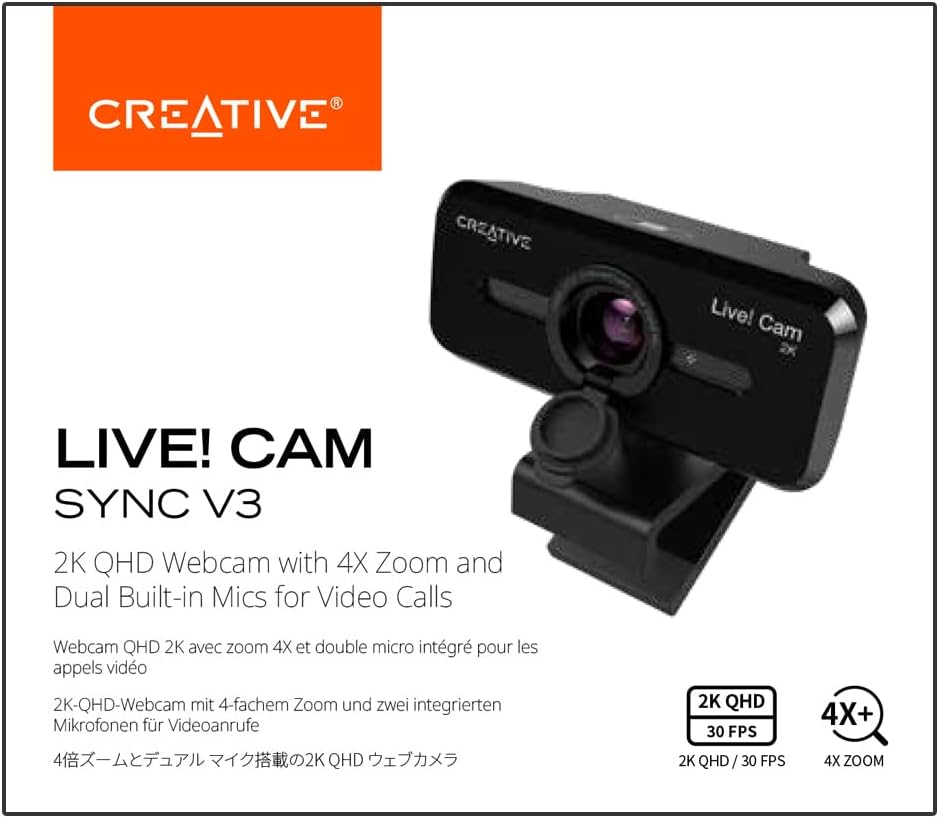
CREATIVE Live! Cam Sync V3 2K QHD USB Webcam with 4X Digital Zoom and Microphones, 1080P HD, Up to 95° FOV, Privacy Lens, for PC and Mac
£33.99





Price: £33.99
(as of Jun 04, 2025 07:42:40 UTC – Details)
Product Description
Be ready in an instant and be seen at your best in 2K QHD clarity!

2K QHD Webcam with 4X Digital Zoom and Built-in Mics
Be ready in an instant and be seen at your best in full HD clarity! Creative Live! Cam Sync V3 is a plug-and-play 2K QHD webcam that delivers remarkably detailed and smooth visuals. With 4X digital zoom, you will be able to select from a variety of zoom ranges that are best cropped for your needs and environment.
Show a lot of your background by choosing an optimally spaced zoom range that fits a group of 4 or capture only yourself with a perfectly-framed head-to-shoulder view for one-on-one calls. This webcam comes with dual omni-directional mics, and is ideal for any setups, be it for web conference, an online interview, or just catching up with loved ones.
Simply plug it in and be ready to connect!

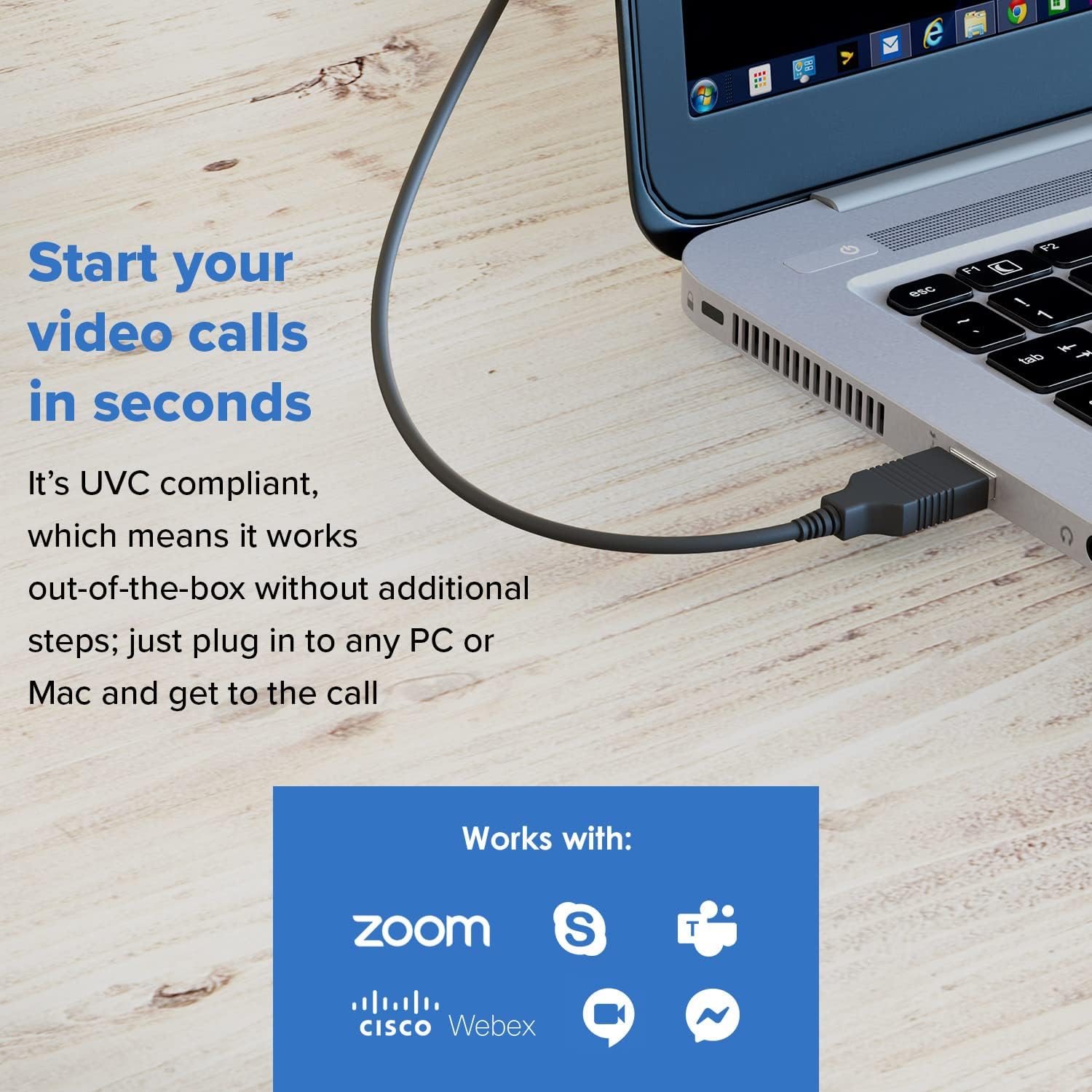
It’s UVC compliant for plug-and-play
Requiring no additional driver installation, the Creative Live! Cam Sync V3 is compatible with all PC and Macs, as well as most of the popular video apps. Just plug it into your computer and get to the call right away, even the last-minute ones.

Be seen in 2K QHD
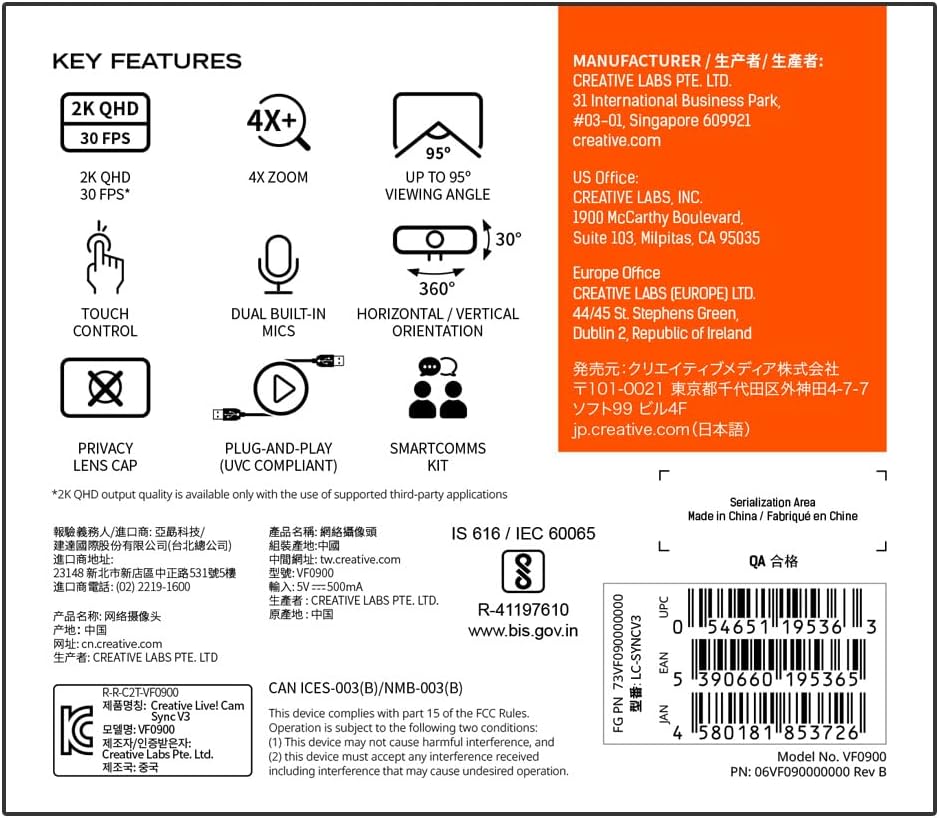
Show up in 2K QHD* resolution at 2560 x 1400 @ 30 fps that captures most of your surroundings and is ideal for online demonstrations requiring a physical whiteboard. *2K QHD output quality on Windows and Mac is available with the use of free and open-source software like OBS.
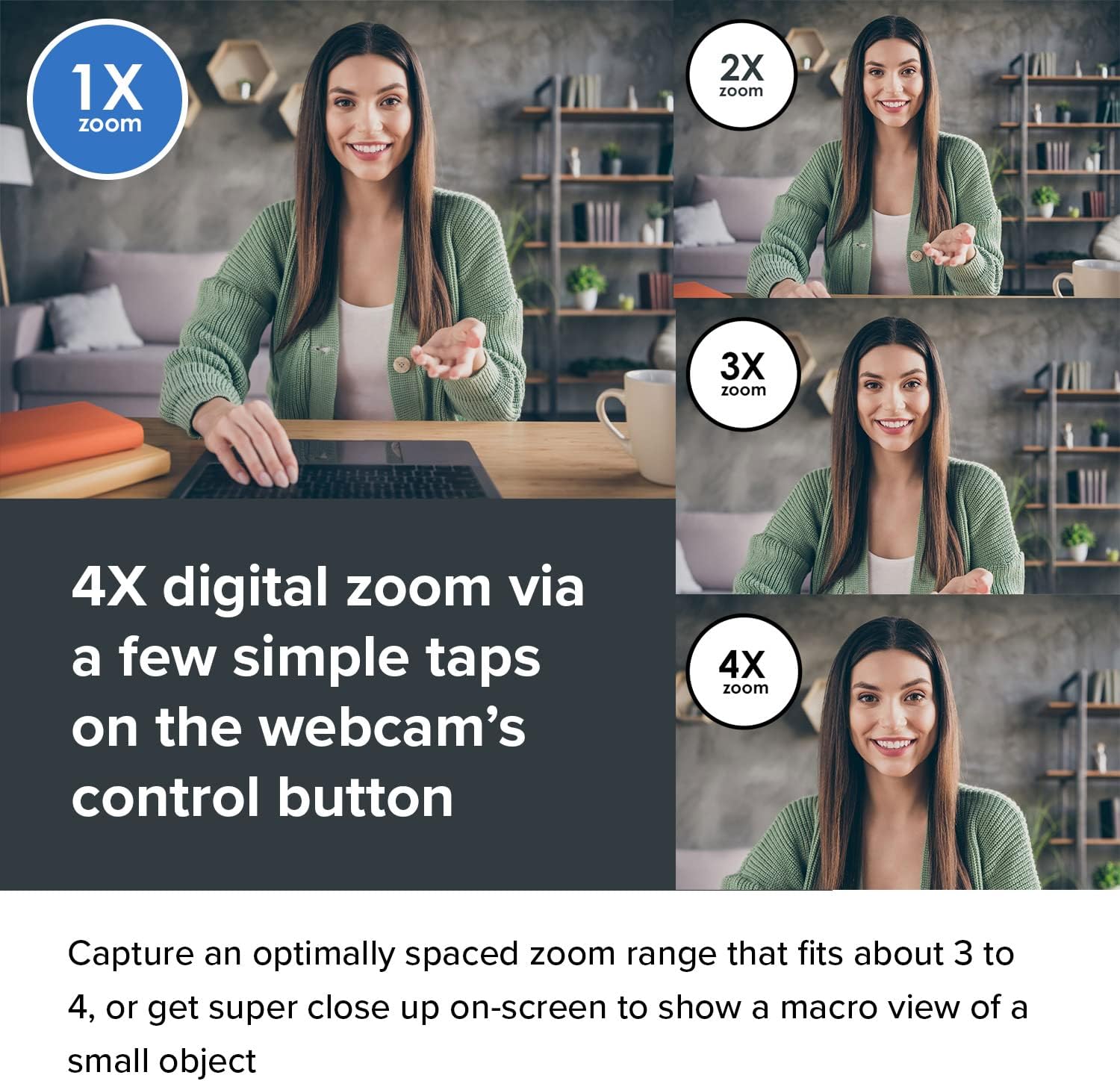
4X digital zoom for different zoom ranges

Optimally spaced (default 1X zoom)
Fits any group presentations of up to 4 pax or even an adequately spaced single-person setup so you won’t appear too close on the screen.

Focused (2X zoom)
The ideal head-to-shoulders view, perfect for one-on-one conversations with optimal eye contact, like an online interview, and where the focus is on you.

Close up (3X zoom)
Shows the best setup for intimate conversations, cropping out much of your background, so it feels like you are closer with your loved ones.

Super zoom (4X zoom)
Crops out most of your background, so if you need to get as close to the screen as possible, like showing a small object, three light taps will get you there.
Communications

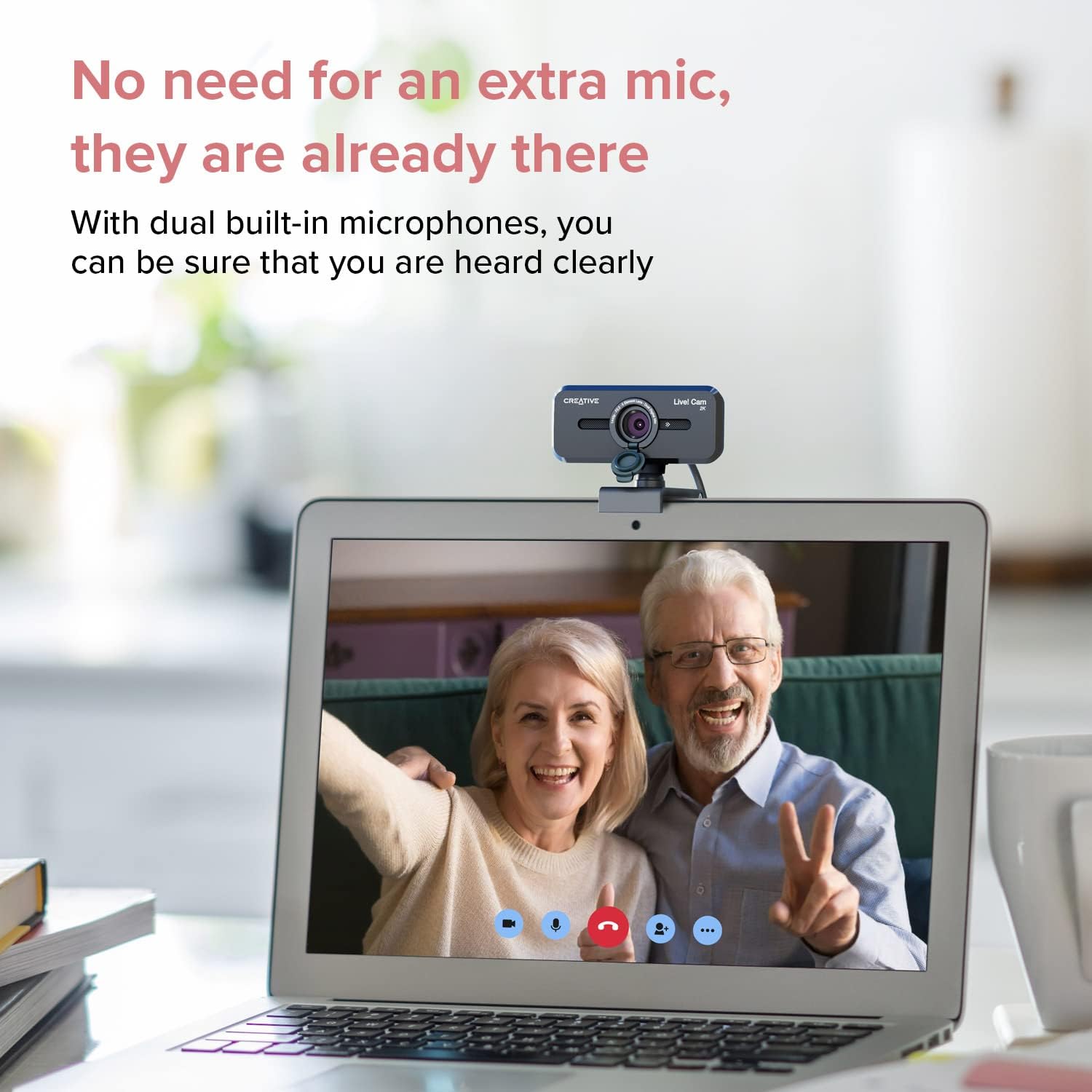
Comes with dual built-in microphones
We make sure you are heard clearly. With dual omni-directional digital microphones built into the webcam, your voice gets picked up clearly and accurately, and you will sound more natural and realistic. For example, a call with gramps will sound as if you are conversing in person!
Communicate smarter
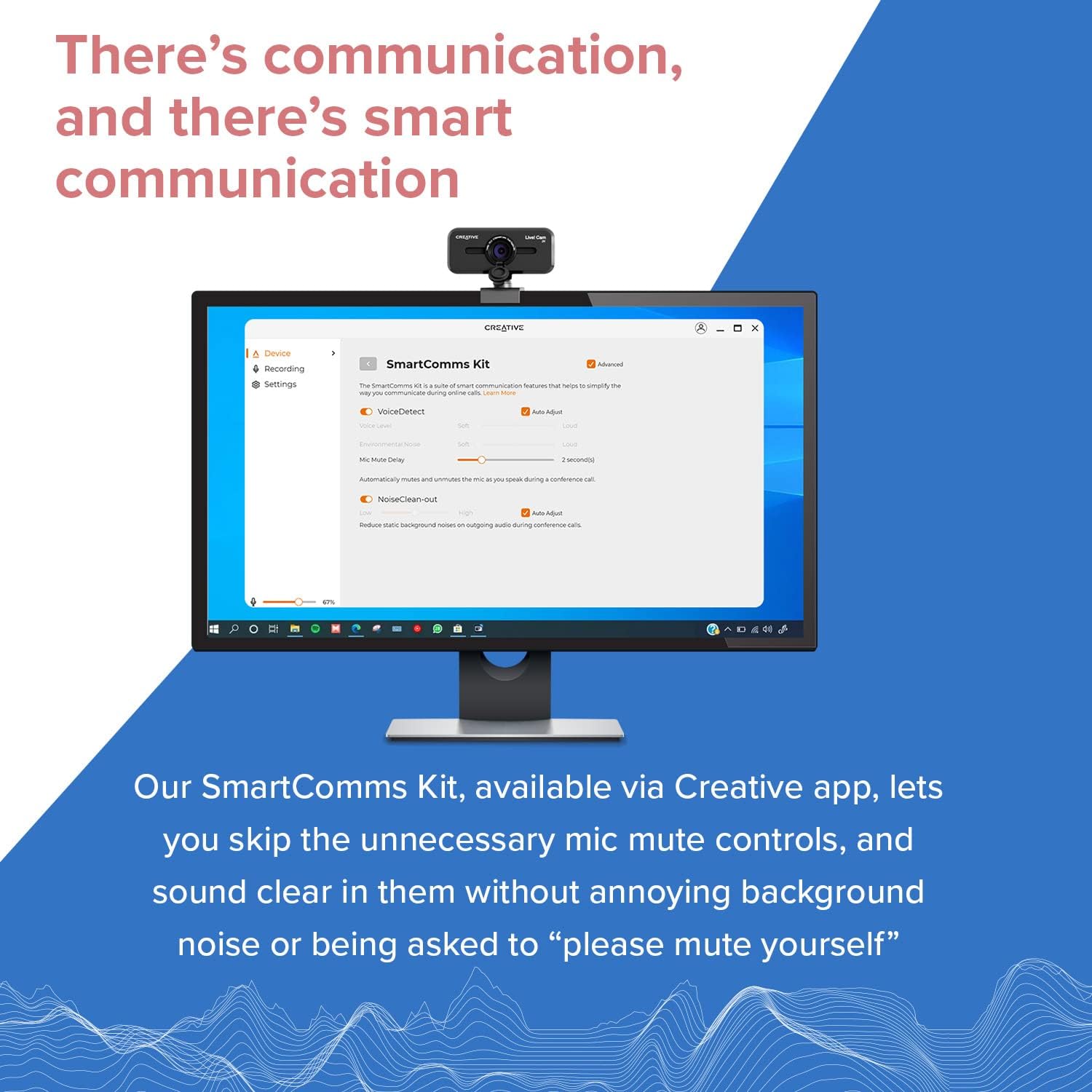
On the other hand, you could also skip the unnecessary microphone controls, focus on your online chats whether for work or play, and sound clear in them without the annoying background noise or being told to “please go on mute”.
Our SmartComms Kit, available via the downloaded Creative app on our Worldwide Support page, features a suite of smart communication features designed to help you speak and converse with ease.
VoiceDetect:Designed to intelligently pick up your voice when you speak and cuts off when you’re done, say goodbye to the days of accidental muted conversations. VoiceDetect works by voice detection and frees up your hands and mind for other important tasks.NoiseClean-out:Sometimes, we are the problem. NoiseClean-out removes unwanted background noise from YOUR side of the call so others can hear you clearly. Your background noise is suppressed, delivering only your clean voice to them on the other end.
Privacy, Angles, and Design

Privacy lens cap
Privacy matters, and that’s why Creative Live! Cam Sync V3 sports an integrated privacy lens cover that guards you from unwanted access to your webcam via spyware when not in use.
Lift up the lens cap and cover it up for privacy (or emergency).

Get your best angle
Whether you are mounting the webcam on your PC or a tripod, it is fully adjustable with a 360° horizontal rotation and 30° tilt.
Find the perfect angle according to your needs and look your best all the time.

Place it how you like it
Mount the webcam firmly on any laptop or monitors with its universal mounting clip. You can also attach the webcam to any universal tripods* for more versatility.
The webcam’s cable measures at 1.8m (5.9 ft), suitable for those who needs it placed at a distance.
*Tripod not included
Add To Basket
Add To Basket
Customer Reviews
4.4 out of 5 stars 573
4.5 out of 5 stars 3,439
Price
£33.99£33.99 £27.27£27.27
Digital Zoom Range
Up to 4X x
Resolution
Max: QHD (1440p) @ 30 fps / FHD (1080p) @ 30 fps FHD (1080p) @ 30 fps
Field of View
Up to 95° 77°
Built-in Mics
✓
✓
Dimensions, Weight
82 x 53 x 58 mm, 95.7g 83 x 58 x 60 mm, 100g
Cable Length (end-to-end)
1.8m 1.8m
Privacy Lens Cover
✓
✓
SmartComms Kit
via Creative app for Windows only via Creative app for Windows only
Platform Compatibility
Windows PC, macOS Windows PC, macOS
2K QHD WEBCAM FOR ANY PLATFORMS – Capable of remarkably detailed and smooth 2K QHD visuals at 2560 x 1400 @ 30 fps*, UVC compliant, and compatible with PC, Mac. *Third-party application required
4X DIGITAL ZOOM – Fits 3-4 pax in a group presentation (default) to super zoomed close ups (4X zoom) for when you need to demonstrate a small object to others in the call
MICS INCLUDED WITH SMARTCOMMS KIT – With two built-in mics, your voice gets picked up clearly and accurately. It also features SmartComms Kit that helps remove unwanted background noise, and more
PRIVACY LENS CAP – The integrated lens cover protects you from unwanted access to the webcam via spyware and prevents dust from accumulating around the lens edge to keep it clean for visual clarity
ADJUSTABLE ORIENTATION – The webcam comes with a cable length of 1.8m (5.9 ft) and a universal mounting clip, and is also fully adjustable with 360° horizontal rotation and 30° tilt
Customers say
Customers find the webcam’s image quality good and consider it a great value for money.
12 reviews for CREATIVE Live! Cam Sync V3 2K QHD USB Webcam with 4X Digital Zoom and Microphones, 1080P HD, Up to 95° FOV, Privacy Lens, for PC and Mac
Add a review
Related Products


£33.99
T. N. F. LYNCH –
Good price, good camera, consider the V2 if it’s a lot cheaper.
I’ve bought at least one of each of the v1/v2/v3 versions of the Creative Live Cam Sync webcams. All have good sound and picture, generally better than Zoom or Teams will be able to transmit.The v3 gains 2k picture and 4 zoom levels over the 1080p v2. To be honest the v2 is sufficient but I’m pleased I bought this at £6 more than the v2. At the current £15 difference, I think I’d buy the v2.The v2 gains an improved lens cap over the v1, which is worth it as the v1 lens cap is sometimes a bit reluctant to stay on. Image and sound quality is similar.The v1 is perfectly good, but the design is not as nice looking as the v2/v3, and the lens cap doesn’t always like staying on. Not really worth buying now.
David Andrews –
Great value
Easy to set up and worked as expected. Image is good quality for this price. Happy with purchase and would recommend.
FraserD –
Passable for video calls but not for recordings
This review is for the Creative Live! Cam Sync V3 2K QHD USB Webcam with 4X Digital Zoom and Microphones, 1080P HD, Up to 95° FOV, Privacy Lens, for PC and Mac£59.99 at the time of review.I was really keen to get my hands on this webcam as Iâve used lots of Creative stuff over the years and have generally been happy with them, but not so much with this webcam.It is plug & play under Windows 10 and it started working right away. It has about 10o of tilt left and right, and about 25o forward and a little less backward. You can adjust the base over the back of a monitor to increase the forward and backward angles if you need to and it has a tripod screw hole in the bottom as well. There is a flip down privacy cover and dual microphones. The top has a sensor which you tap to cycle through the 3 zoom steps it has which is also excellent and easy to use. So far so good. The USB lead is captive.In use, there was a small amount of fisheye around the edges and the colour was a little yellowish. You could download software to give you more control, but Windows 10 provided a lot of control as standard. The video was good in daylight, but got grainy in lower light conditions. This was improved by turning the sharpness setting a little.The microphone(s) worked well in Skype for me although I was told my voice did sound a little muffled. However, when I tried to record a video or just record my voice with audio software, the recording level was very low, muffled and hard to make out. The audio could be boosted post-recording, but you shouldnât have to do that with a webcam this expensive and certainly not from a company such as Creative who majored in audio products and software.This is a not bad webcam for video meetings and so on and the quality for video and sound are acceptable, however, there are better and less expensive alternatives out there. If you want to record yourself for video/audio purposes though, look elsewhere as this webcam just wonât cut it.In balance then, it is small and light and if you want it only for webinars etc., and although expensive, it will do the job, so 4 stars, just. If you want it for recording video and audio, then keep looking as it is simply not good enough for audio recordings.
Amazon Customer –
A good quality wbcam
This webcam seems very good. You do need to set up the microphones in the Windows settings before use which is a bit of a nuisance, though. This is down to Windows and Zoom, the latter now does not get you to check that all is well before admitting you to a meeting.
Mike –
Brilliant value for money !
Used this to replace my old desktop PC Microsoft 3000 webcam which I have recycled and now use on my laptop, replacing the relatively poor built-in webcam that came with my laptop. I thought my “old” webcam was good, and indeed everyone has always said how clear the audio and video quality was on Zoom calls, for example. However, the Creative Live Cam is a big step up, it really is in another class altogether, and the built-in Digital zoom facility is a bonus.
Amazon Customer –
This webcam is very good.
Very good.
A. D. Beaney –
Initial review From use with OBS
Was looking for a secondary camera for so OBS use on tutorials, whilst there are thousands of no name brands i tend to stay away from these as build quality and longevity is normally poor. This unit is replacing a 720p lifecam studio which has done nearly 10 years of dutyI needed digital zoom as the image needed to be cropped. My main camera is a logitech streamcam which is an excellent main device but too expensive for a secondary.I think now the issue is the fact that most name brand devices rely on microsoft drivers rather than specific drivers for their devices. Anyways things i have found so farPros2K image quality is acurate not some weird false scaling no name brands doImage quality is very good with decent fps when lit with led studio lightsImage quality is good with a slight lag in fps when using room lightingI dont use the camera in the dark as well image is never going to be any good anywayBuild quality is Okay its a plastic camera not much weigth to itConsThe ball joint on the front does not tilt as downwards as much as my 2 other cams which is a painThe drivers in use are Microsofts 2006 drivers, yes thats right 2006 drivers seems to happen with a lot of devices now not just this, the software updates the audio driver onlyThe Zoom button only works in 1080p or below, this seems rather stupid, surely digitally zooming a 2k image will result in better image quality but no, in 2k mode no digital zoomThe 3 stages of zoom dont really crop in that farOkay well lets use the amcap control panel to change the zoom then in 2k mode, this works on the streamcam and the 10 year old microsoft cam, aww nope cant do that its disabled.Most features enabled on the amcap control panel in advanced tab are disabled here also, all are avaliable on both my other devices.However, i got this using the £15 quid off vouchers and a gift card so overall its a decent cameraIf you are just going to plug it in and use a video conference software like zoom you wont go wrong and it is a good price, if however you want to use it like i am for tutotrials or where you need a good crop then look at the streamcam, it may be £30 more but in the long run its a better package overall with a lot more tweaks avaliable under the hood, here you have the bare minimum controls
Robbi –
Alles Bestens. Versand und Funktion super.
Despax –
Rien a redire elle est super meme pour le multi stream
Umar –
Je doute de cet appareil photo, un appareil photo 2K avec cette résolution peut être acheté pour 10 euros
Muhammadanwar –
Ajman Amazon Delivery very bad, called me 1 km away and gave me the parcel. This is the second time this has happened to me. Very bad service from Amazon right now
Baron Hutchinson –
I have used many models of web cams over the years to stream outdoor scenery on my web site. The last three being the Creative Live Cam Socalize HD 720P which I bought back in 2019, and the Spedal 920 Pro purchased in 2020 and 2024.They all work well, until the sunlight starts to disappear. When it reaches a certain point, the image turns red and starts blinking. Just can’t handle the transition from sunlight to darkness.So, thought I would give this Sync V3 a try. Happy to say the transition is flawless. Absolutely nothing to complain about. Even in total darkness I am seeing lights that I didn’t see on the other three, it’s just that good.Here’s hoping it lasts many years. Have a feeling I am going to order another one a little later as a backup. You never know!