

EZCast 2 Wireless HDMI Display Adapter – 4K UHD, Miracast, AirPlay, DLNA, Compatible with Android, iOS, Windows, macOS, Wi-Fi 2.4/5GHz
£37.99




Price: £37.99
(as of Jun 07, 2025 03:18:49 UTC – Details)
Product Description


1 Meeting
2 Teaching
3 Home
EZCast 5GHz Wireless Display Receiver
Turn your HDTV into a smart TV with EZCast 2 Wi-Fi display receiver.
2.4 GHz and 5 GHz Wi-Fi network connectivityDLNA, Miracast, EZAir, Google Home and Google Cast supportUse EZCast app to create unique video playlists and autoplay on startupSupports Google Home voice controlSupports quick setup via Bluetooth and QR code (Note: Bluetooth is not capable of casting) 
 Quick Setup via Bluetooth
Instantly connect to the internet, or turn on the Bluetooth on your phone to quickly pair the device with your phone
 Peer to Peer Mode
With Peer-to-Peer Mode, EZCast 2 lets you cast directly to any screen without needing a router or internet connection
 Awesome Compatibility
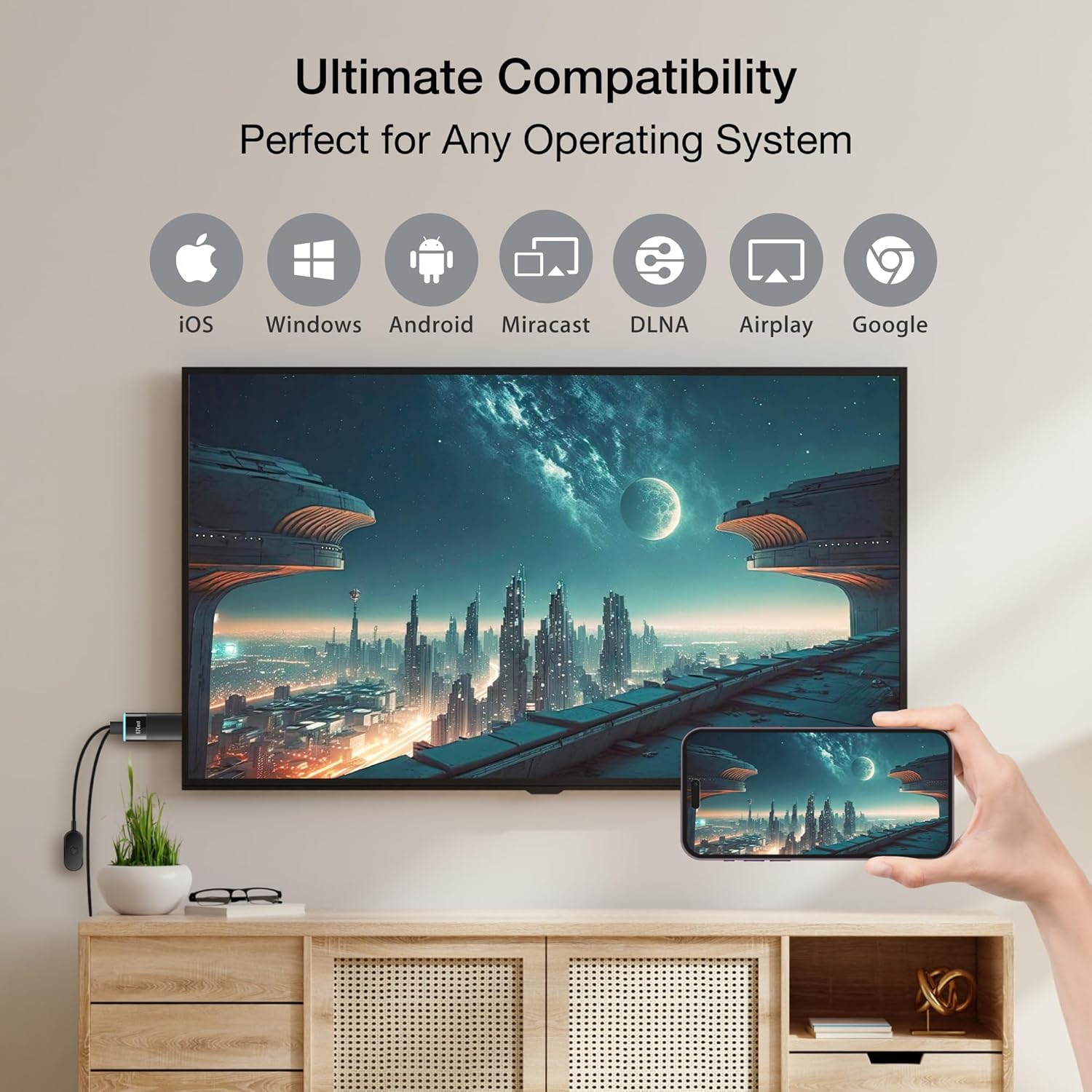
No need to worry about compatibility between devices. EZCast 2 works perfectly with Windows, macOS, Android and iOS
 Power with H.265 Decoding
With dual-core CPU and H.265 decoding, enjoy faster streaming, stronger playback, and reduced bandwidth—all in stunning quality

Do I need the Internet to use EZCast?
With the built-in soft AP (virtual router) function, users can connect your device to EZCast dongle via Wifi Direct and cast media saved in your device to your TV without local Wifi connection.
How to pair my cell phone with EZCast?
Install the EZCast App to your phone, then you can connect to EZCast by scanning the QR code on the TV screen for casting. For Android 10 users, you may need to manually select the EZCast device in the Wifi list due to system restrictions.
How to connect EZCast 2 to my Wi-Fi router?
First connect your phone/laptop to the device (locate the Wifi settings on your phone/laptop and select EZCast dongle) and use the EZCast app (Setting > Internet) to share the Wifi credentials to the device.
Can I stream videos without the EZCast App?
Yes, all EZCast dongles support Airplay and Miracast. These wireless connection protocols enable iOS, MacOS, Android and Windows users to directly stream content from your device without needing to install the app.
How to install the dongle to my TV/monitor?
EZCast 2 dongle is around 12 cm length, Please first make sure you have enough space between your TV and the desk or wall to install the dongle.
Is discontinued by manufacturer : No
Product Dimensions : 7.63 x 2.8 x 0.9 cm; 16.5 g
Date First Available : 8 May 2019
Manufacturer : Actions Microelectronics Co., Ltd.
ASIN : B07YKGGTJL
Item model number : EZCast 2
Country of origin : China
Guaranteed software updates until : unknown
✅【BETTER MEDIA EXPERIENCE】Upgraded Wireless Display Dongle for stable video streaming, mirror 3840 x 2160 @ 30Hz high resolution video from your device to TV
✅【iOS+Android, UNIVERSAL COMPATIBILITY】A device for all family members. EZCast Ultra is compatible with iOS, Android, MacOS, Windows and ChromeOS. Supports multiple wireless display protocols, including DLNA, EZAir (Airplay), Miracast, Google Home Mirror, Chrome Browser Mirror.
✅【DUAL BAND WIFI】Supports both 2.4GHz and 5GHz 802.11ac Wifi Channel. Connect to 5GHz Wifi for a smoother viewing experience.
✅【iOS streaming restriction】Due to copyright protection, streaming videos from your iOS device to a TV screen is not supported by some online video providers such as Netflix, Amazon prime video, Hulu, etc. However, Android users may use Miracast to watch streaming videos, please check the specs of your devices before purchasing
✅【Connection issues troubleshooting】Use a 5V/1A adapter (NOT INCLUDED IN THE PACKAGE) to power the device for best streaming quality. This item comes with a 1 year warranty and most of the issues can be solved by Firmware Upgrade. If you still have any connection issue, please contact the seller or brand owner for technical support.
Customers say
Customers find the HDMI display adapter easy to connect their devices to. However, the quality receives negative feedback, with multiple customers describing it as poor.
13 reviews for EZCast 2 Wireless HDMI Display Adapter – 4K UHD, Miracast, AirPlay, DLNA, Compatible with Android, iOS, Windows, macOS, Wi-Fi 2.4/5GHz
Add a review
Related Products


£37.99
urbansumo –
READ THIS EXTENSIVE REVIEW FIRST
First off, thias is NOT a chromecasting device (Ive tested and it doesnt work!) so there are certain apps that you can’t cast to this device, you’ll need a chromecast supported device for that, I will explain all below, but basically, its a screen sharing device that has its own app to share the screen, or a single app, you do this through a PROPRIETARY APP called EZCAST, you download it by scanning a QR code on the TV screen when you first set it up.(they claim that it can be used without the app but I have not been successful in setting this up without the ezcast app)Why 5 stars?I gave this 5 stars because it does what I wanted it to do, which is to screenshare while watching Udemy tutorials on my TV. I’m not sure if this was just a lucky course I am on, but I dont think it has the same DRM as the apps I will talk about next:Apps that is does not work on (streaming video services)This includes Full screen sharing and “share a single app” functions:Amazon Prime Video – Audio Only – Black Screen on TVDisney+ – Audio Only – Black Screen on TVITVX – Adverts played on TV – Video only, but the main feature black screened on the TV (again possibly DRM protection from screen sharing)Other likely fails (but untested) will beNetflix (untested but likely to also fail)Paramount+ etcI dont have those accounts so couldnt test, but im pretty sure they run the same type of DRM that prevents screen sharing while watching films / TV series etc, so if your buying it for this reason, you will be wasting your money, find another device that supports Chromecast.Bottom line, this isnt a chromecasting device, screensharing is not allowed for DRM protected content.Most of these services have some sort of DRM that blocks screen sharing, in my case, Amazon Prime and DisneyPlus played audio only on the TV.Its also worth noting that I did also try to “cast to this device” with the cast icon, in the Disney+, ITVX and Prime Video apps natively, but they could not detect this device, confirming my suspicion that this was NOT a chromecast supported device. This is OK for me and it doesnt lose any stars to that, as I kind of expected that when I bought it, but would have been very nice and convenient if they did, as I have an older Smart TV that doesnt have Disney+ in its appstore. But Hey ho I didnt buy it for that.Apps that worked:YoutubeMost all of my games, most notably:MinecraftHill Climb RacingGetaway 2Chess.comThe TowerFallout ShelterUdemy – the main reason I purchased this device – Video only but does what I need it to do.Would seem like the ideal sort of device for presenting on for example a powerpoint slideshow etc or for using as a dashboard for some app you have, for me, I use it for watching Udemy Classes on a larger screen from my mobile and it works great for that, heres how I do it1. open the EZCAST app2. Click on find device icon3. Click the burger menu4. Click Mirror5. Choose App or Full Screen6. Open Udemy7. Watch a class8. Turn up the volume a bit on the phone (Audio and video on phone, but video only on TV)This suits my needs, Hope this helps inform your buying decision.
James –
Bad
No matter what screen I use it on, the quality is just quite bad, and the darkness is way too dark, rubbish.
Matt Edwards –
Disappointingly adequate performance.
Easy to set up but follow the instructions step by step.Fine for streaming your pictures off your iPhone but this unit struggles with 1080p video streaming. I have a fast home network but there was a lot of frame drop and subsequently the audio sync slipped rendering the movie (airplayed from MacBook) unwatchable.In short, this is not a viable solution for movie streaming to televisions without built-in Airplay functionality. Consider a miracast app (full, paid for version) on your Amazon Firestick / ChromeCast instead.
laura green –
Stopped working after 6 months
It was very good for casting my iPad to the boards at work (teacher) my daughter also used it to cast to the TV at home.After 6 months though it will only work if at a very precise angle (itâs like the cable that goes into it is loose) and itâs meant Iâve had lessons planned that I was unable to use.A little stuck now as clearly Iâm going to need a new one but I canât afford to replace them multiple times a year to be able to do my job.They arenât cheap and sadly donât last.
MrChairman –
Still the best way to airplay without an Apple TV
I have been using EZCast (and non-branded equivalents) for years, primarily to watch my own stuff from an iPhone or iPad on hotel TVs when travelling.This newer version has much stronger wi-fi due to having a dongle attached to the power cable. That makes it a bit bulky.It’s always been easy to connect your device to the EZcast and Airplay to it, but the wi-fi pass through was a bit hit and miss. The new version let’s you connect to wi-fi with Bluetooth and is a breeze.Until Apple produces something similar (likely never), this is still the best way to Airplay to a TV.Note that you cannot Airplay/cast Netflix, Prime etc as their own protocols prevent it, but if you have material downloaded to your iPad then no problems.
Unusable –
Unusable
It might be that this product actually works well, but I will never know. It was impossible to set it up through their App, which is the only way to use it. I got stuck in a loop where it couldnât detect my home WiFi and the suggested fix was to go to âsettingsâ and alter something but then it wouldnât let me into âsettingsâ without already being connected to WiFi. The âhelpâ functions are not helpful if they always just lead you back to FAQs that tell you to connect to WiFi. Just poor. I gave up after an hour and put it back in the box and sent it back for a refund. What a waste of time.
Aaliyah –
Great
Thank you everything came perfectly
Cheshire Paul –
EZcast 2. Good when everything is working
I found this a bit fiddly to set up. It can still be a bit fiddly at times when you come back to use it but you get used to it. It would be better if they gave a step by step written explanation rather than rely so much on qr codes which seems to be the way things are going now. They have their uses, but are overrated. Once everything is connected the picture quality is good overall. There can be some breaking up and stuttering at times, but when things are working well the picture quality is good. I find EZcast is best rather than the basic mirroring option. I don’t think there is a casting device that is perfect, especially if you don’t have an ideal wifi setup. There is other stuff on the device eg channels which I didn’t need. I just wanted a pure casting device. I don’t know if these additional items get in the way of the casting. I think if a power adapter is needed as they say the manufacturer should supply one with the device. Paul
Isaac –
I had the older v1 version of this product that only worked on 2.4Ghz. The new version functions very well and casts better picture quality with only minor sporadic packet loss. It’s a good upgrade if you know what you are doing.FYI you do not need the app at all.
Christian Schad –
Funktioniert tadellos! Nutze den EZ Cast mit meinem iPad und Fernseher oder dem Displayboard
Maggy –
Muy practico funciona rn TV viejitas pero lamentablemente salio fallado de la.parte en la.conexion estaba flojo
Pascal Nguyen –
J’ai acheté un écran portable de 15 pouces que j’emporte dans mon sac. J’utilise ce dongle pour afficher le contenu de mon smartphone sur cet écran (car la prise USB-C de mon téléphone ne supporte pas le partage d’écran même avec un dongle adapté ; à mes souvenirs il faut de l’USB-C 3.0 ou 3.1 pour pouvoir brancher un écran directement sur le smartphone, et le mien est en 2.0).Ãa fonctionne très bien, et la résolution est correcte. Et depuis mon portable, j’utilise l’application Steam Link (ou tout autre appareil de contrôle à distance depuis le portable) pour contrôler mon ordinateur à distance. Et en utilisant un dongle pour contrôler le portable à l’aide d’un clavier et une souris, ça me permet d’avoir mon ordinateur fixe où que j’aille.Conseil : vérifiez le mode de connexion entre le dongle et votre appareil depuis l’application dédiée. J’avais connecté le dongle au réseau Wi-Fi local, mais la connexion se faisait à travers Internet, ce qui causait des latences et des coupures plus fréquentes à l’affichage. En vérifiant dans les options de l’application, j’ai pu activer une option qui permet de passer directement par le réseau local, dans la mesure où le dongle et le portable étaient connectés sur le même réseau par Wi-Fi
ã«ã –
ã¨ã«ããç°¡åã«æ¥ç¶ã§ãã¾ãããã©ã¼ãªã³ã°æ©å¨ã¯åãã¦ã§ãããæè¦çã«è¨å®ã§ãã¾ããiphoneã¨æ¬ä½ã®é»æ³¢æ¥ç¶âæ¬ä½ã¨wifiæ¥ç¶âiphoneæ¬ä½ã§ãã©ã¼ãªã³ã°ã§ãããã«TVã«æ ãã¾ããè¨å®ã®é²æç¶æ³ã¯TVå³ä¸ã«åºã¾ãã®ã§ããããããã§ããæ¥æ¬èªã®èª¬ææ¸ãæ·»ä»ããã¦ãã¾ãã