

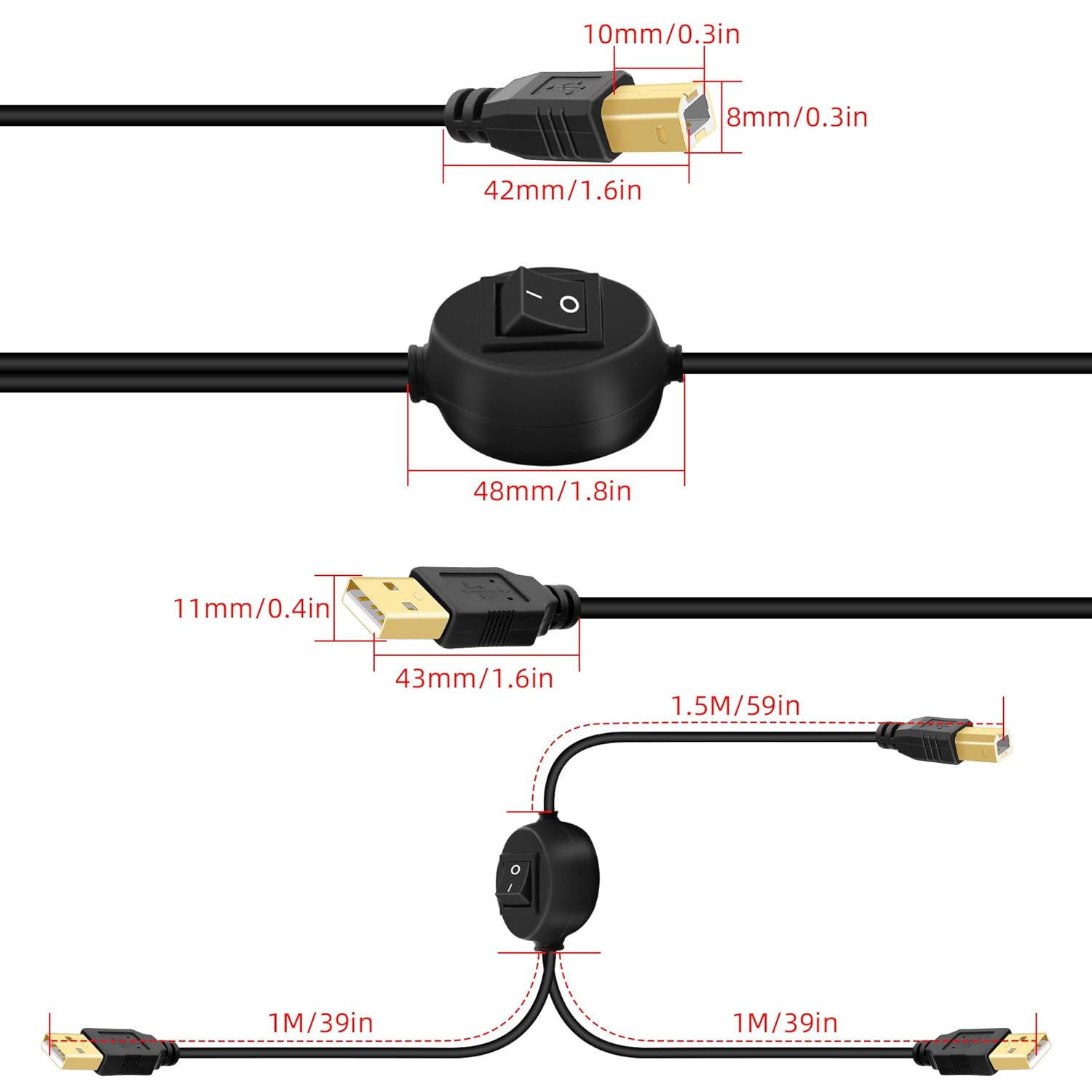
GELRHONR USB B Printer Cable Splitter, USB B to USB A Printer Cable,USB-B Male to Dual USB2.0 Male Y Cable 1 in 2 Out Cord Switcher 2 Computers Share Keyboard Mouse Scanner (2.5M/8.2Ft)
£14.98





Price: £7.99 - £14.98
(as of Jun 07, 2025 17:38:16 UTC – Details)
Product Description
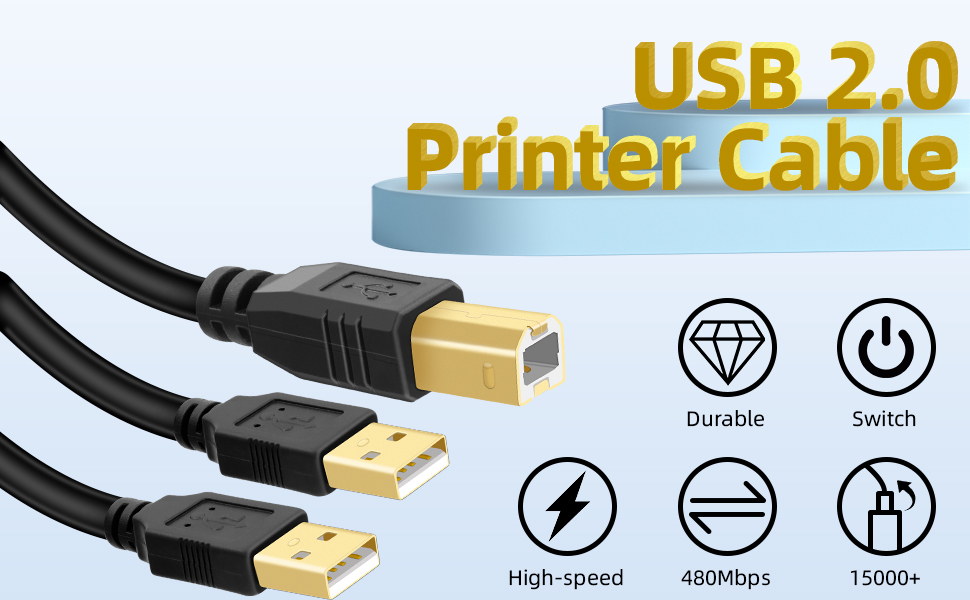
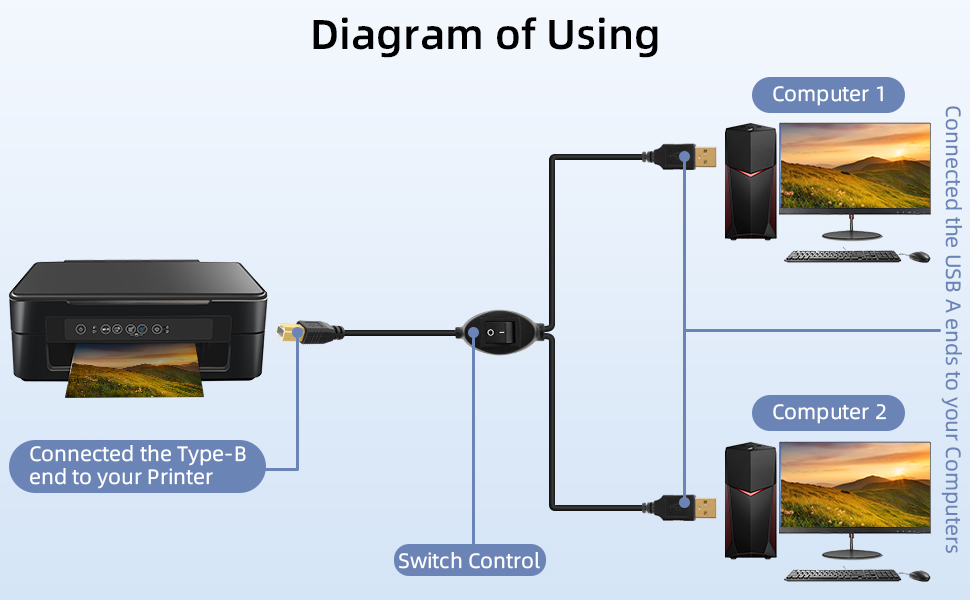
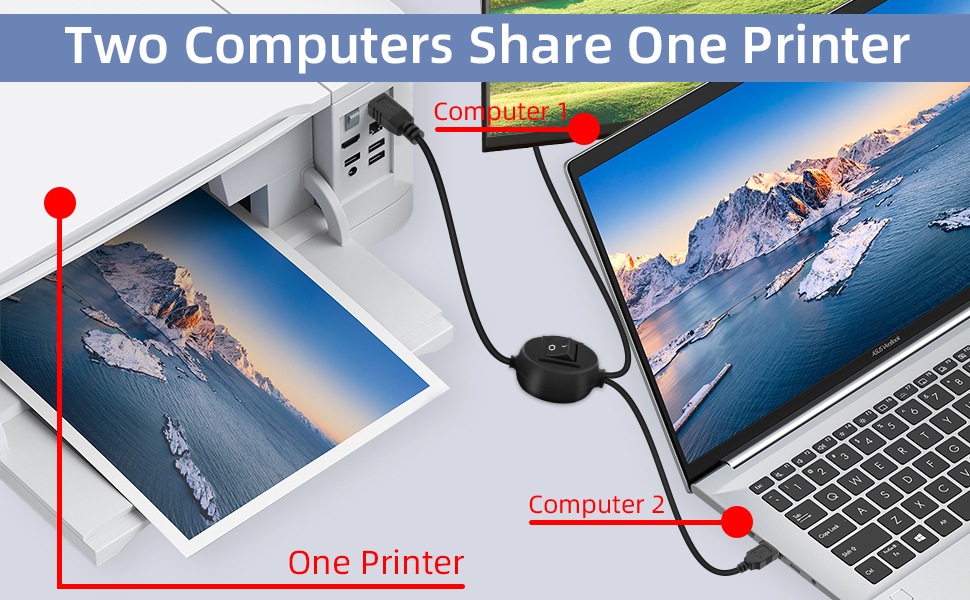
Printer Share Cable
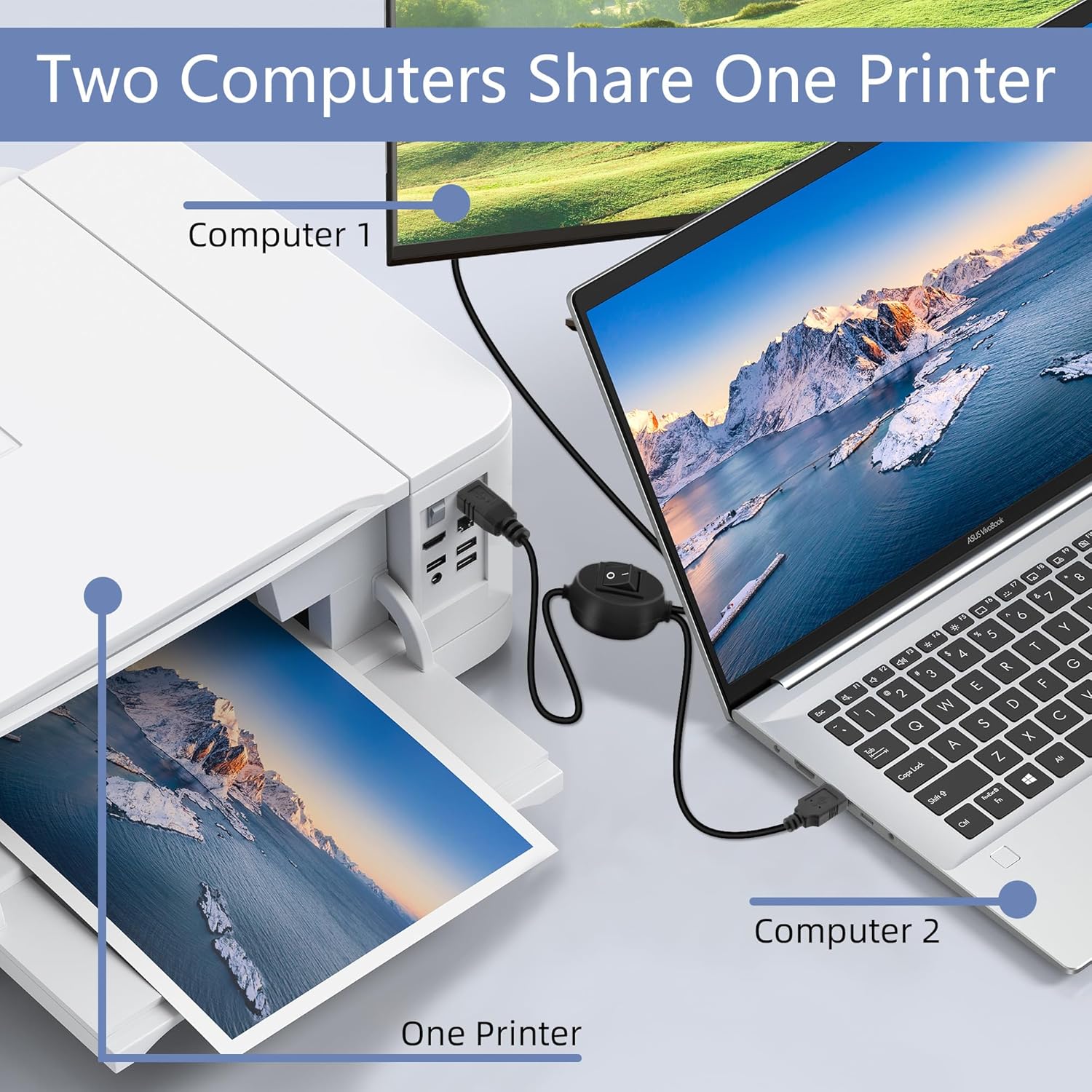
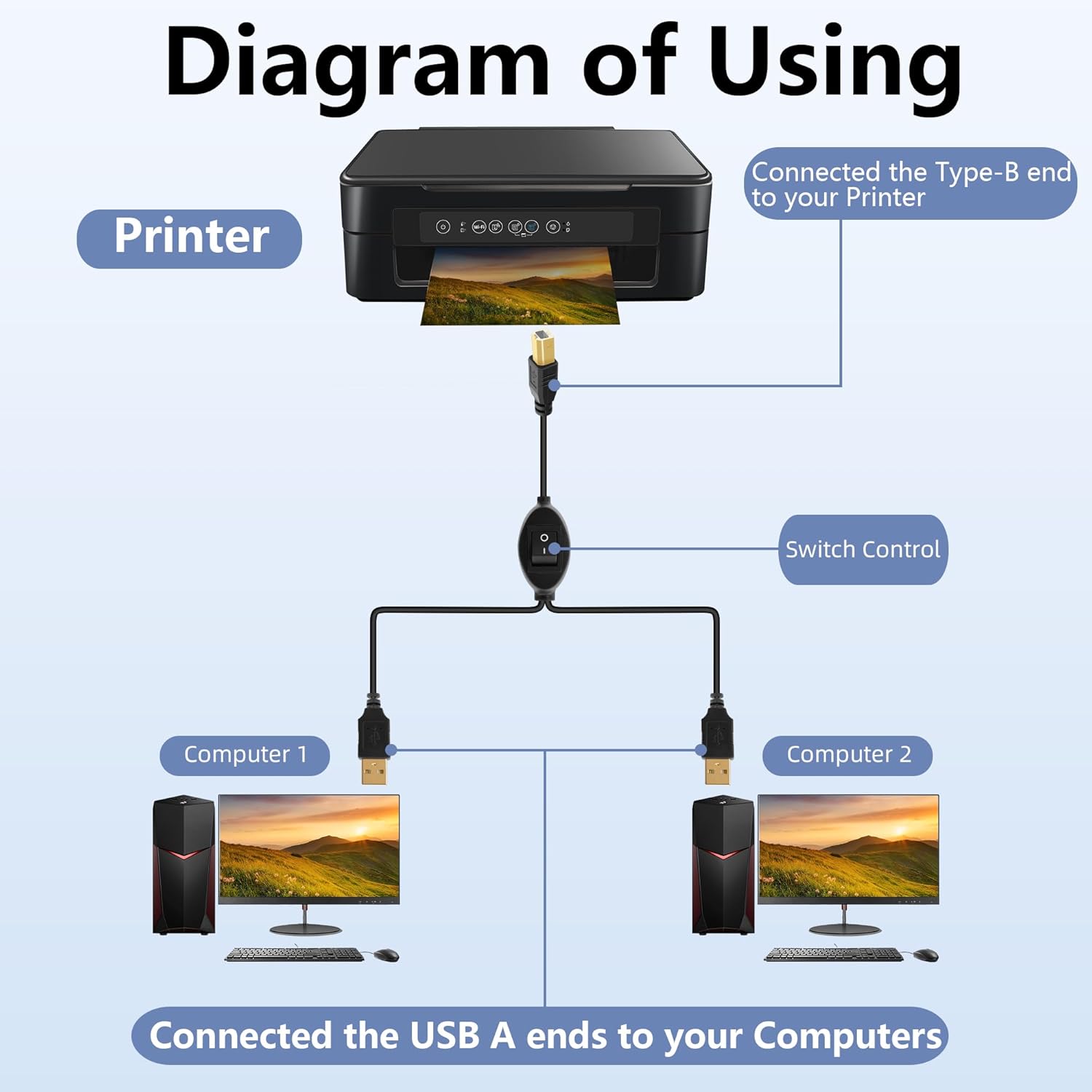
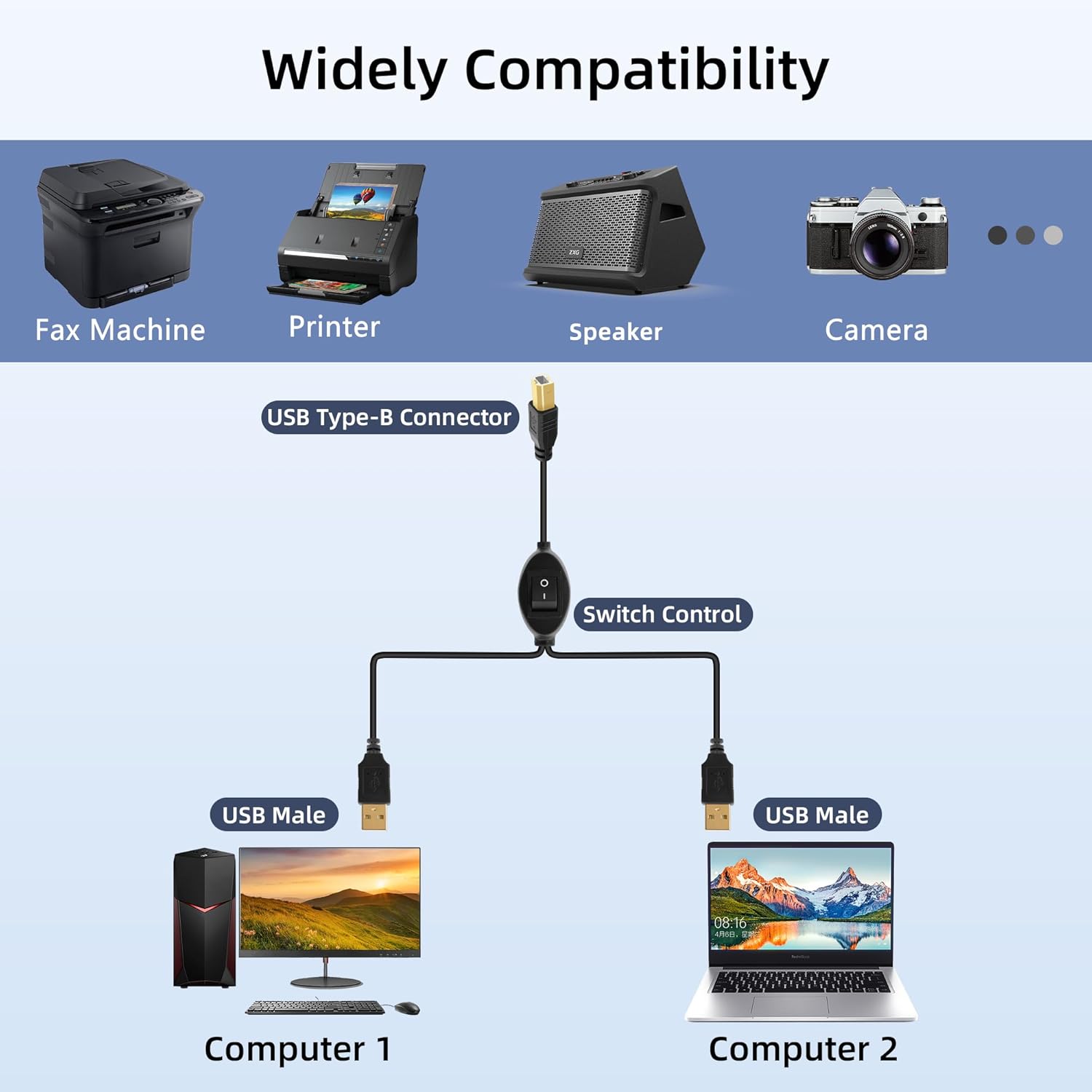
This cable converts your USB B plug into 2 USB A male port, connects one USB2.0 peripheral device to two Computers or laptop
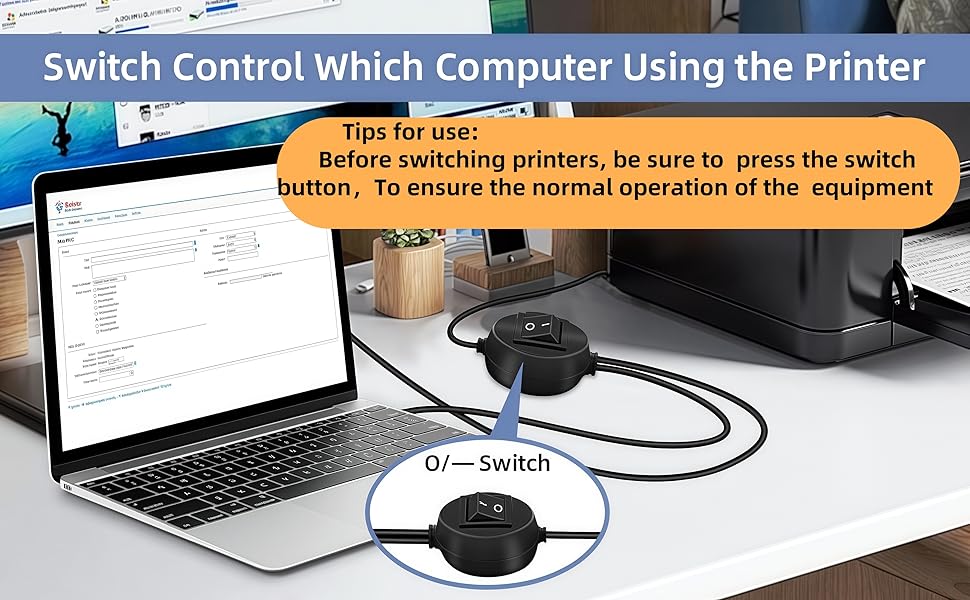
One-Botton Switch, Time and Cost Saving

Fast & Clear Printing
Stable 480Mbps Data Transfer
The transmission speed of this printer cord up to 480 Mbps, can print a page in seconds.
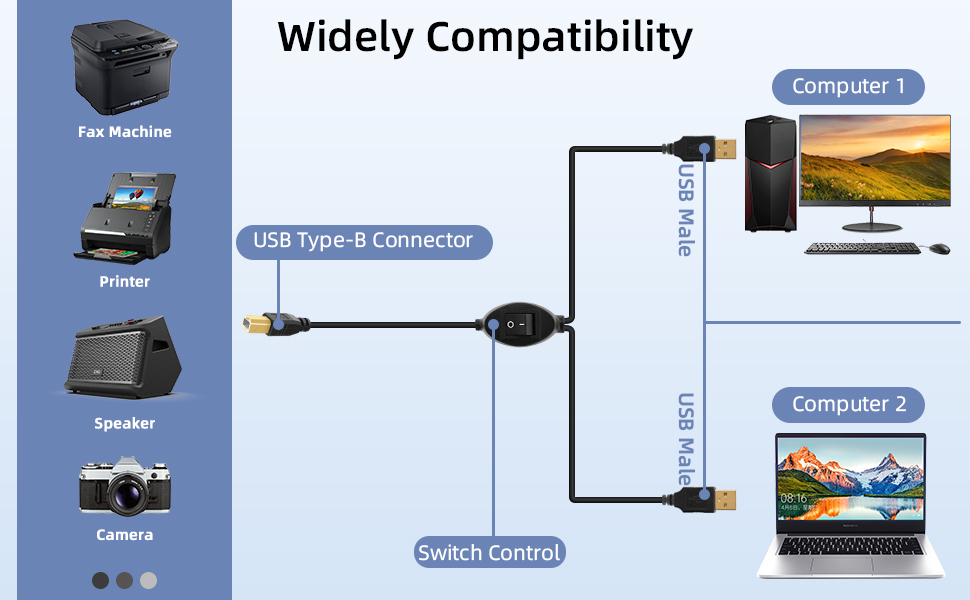
Printer Splitter for Two Computers: This cable converts your USB B plug into 2 USB A male port, connects one USB2.0 peripheral device to two Computers or laptop,allowing easy switching with a flick of a switch. Note: Can not be used at the same time.Very useful product if you have two computers
One-Botton Switch, Time and Cost Saving: The manual switch button will avoid frequently unplugging the USB Printer cable. By this we can cut down office equipment spending and save lots of space,works with any USB-enabled computer without drivers. Best solution for people who need to work with 2 computers.
Easy to Use: Plug and Play. Simple press of a button to swap signal within one second, no plug and unplug the printer cables anymore. Note: When you first plug it in ensure you do a reboot of your devices so they recognise this device.
High speed printing,Stable Data Transfer: The transmission speed of this printer cord up to 480 Mbps, can print a page in seconds. And solving the problem of unstable wireless printing. Please make sure this is what you need before ordering!!! Won’t work for midi electronic musical instruments!!!
Enhanced Durability: GELRHONR’s Printer Sharing Switch Cable can withstand over mang times bending tests not easy to break. Gold-plated connectors for optimal signal clarity and shielding to minimize interference.
7 reviews for GELRHONR USB B Printer Cable Splitter, USB B to USB A Printer Cable,USB-B Male to Dual USB2.0 Male Y Cable 1 in 2 Out Cord Switcher 2 Computers Share Keyboard Mouse Scanner (2.5M/8.2Ft)
Add a review
Related Products


£14.98
Amazon Customer –
Simple but effective solution for two devices to connect to a printer
This is a nicely made, strong cable with a plug for a printer or scanner, leading to a junction with two USB-A plugs to connect to your devices. The junction box has a switch that connects one USB-A lead or the other. The plug tips are gold-plated, providing the best possible connectivity.I tested the lead with my printer, computer, and laptop. It worked perfectly, creating a direct connection between the printer and the device I had switched to. I printed a letter from my computer, then switched to my laptop and printed a photo.It might not suit everyone, as most modern printers can connect via your network, wirelessly, or even by sending a print to the manufacturerâs website. However, for me, in a poor signal situation, it was ideal.I recommend this versatile cable for its adaptability.
EL –
Effective and easy solution, saves having to disconnect any cables
Good quality flexible cable with gold ends for good connectivity, we use this for our 4×6 shipping label printer, shared between a desktop and a laptop, which allows wireless printing from the phone app but only cabled connection from a computer.Effective and easy solution, saves having to disconnect any cables, with one permanently attached to the desktop and the other lead available for the laptop when required.Switch works well, perfect for our needs.
Gianni –
Per chi possiede una stampante e due PC (con diverse prestazioni) rappresenta un accessorio indispensabile
HÃ¥kan Karlsson –
En kvalitetskomponent! Fungerar som förväntat.
Grzegorz –
Warto kupiÄ.
97gérard216 –
Super produit, très pratique avec deux imprimantes. Je recommande
Siegfried –
Da ich mir einen zweiten Pc zugelegt habe und den Drucker nicht ständig hin und her stecken wollte, habe ich mir diesen Splitter zugelegt. Das ist schon eine Erleichterung. Zu dem Umschalter sei gesagt, dass die Stellung O keineswegs zum Ausschalten dient, sondern Quasi die Einstellung für den anderen PC ist.