

hey! Smart Contact Sensor Alarm for Windows and Doors, Wi-Fi Enabled, No Hub Required
Original price was: £25.00.£11.99Current price is: £11.99.




Price: £25.00 - £11.99
(as of Jun 17, 2025 21:44:47 UTC – Details)
From the manufacturer

hey! Smart Contact Sensor – Indoor Contact Sensor For Lights, Night Light Motion Sensor, Wi-Fi Enabled, Battery Powered, Works with Alexa / Google Home, App Controlled, Doors/Windows (Pack of 1)
 Who are we
hey! has been created to bring a simple, all in one solution to the smart home industry. With simplicity & innovation at the heart of hey! we hope to bring you the perfect smart home solution for your home.
hey! Smart Contact Sensor – Indoor Contact Sensor For Lights, Night Light Motion Sensor, Wi-Fi, Battery Powered, Works with Alexa / Google Home (Pack of 1)
hey! have created a high quality eco system that gives consumers the ability to control a wide range of Smart products, all through one simple user friendly App that requires no Hubs
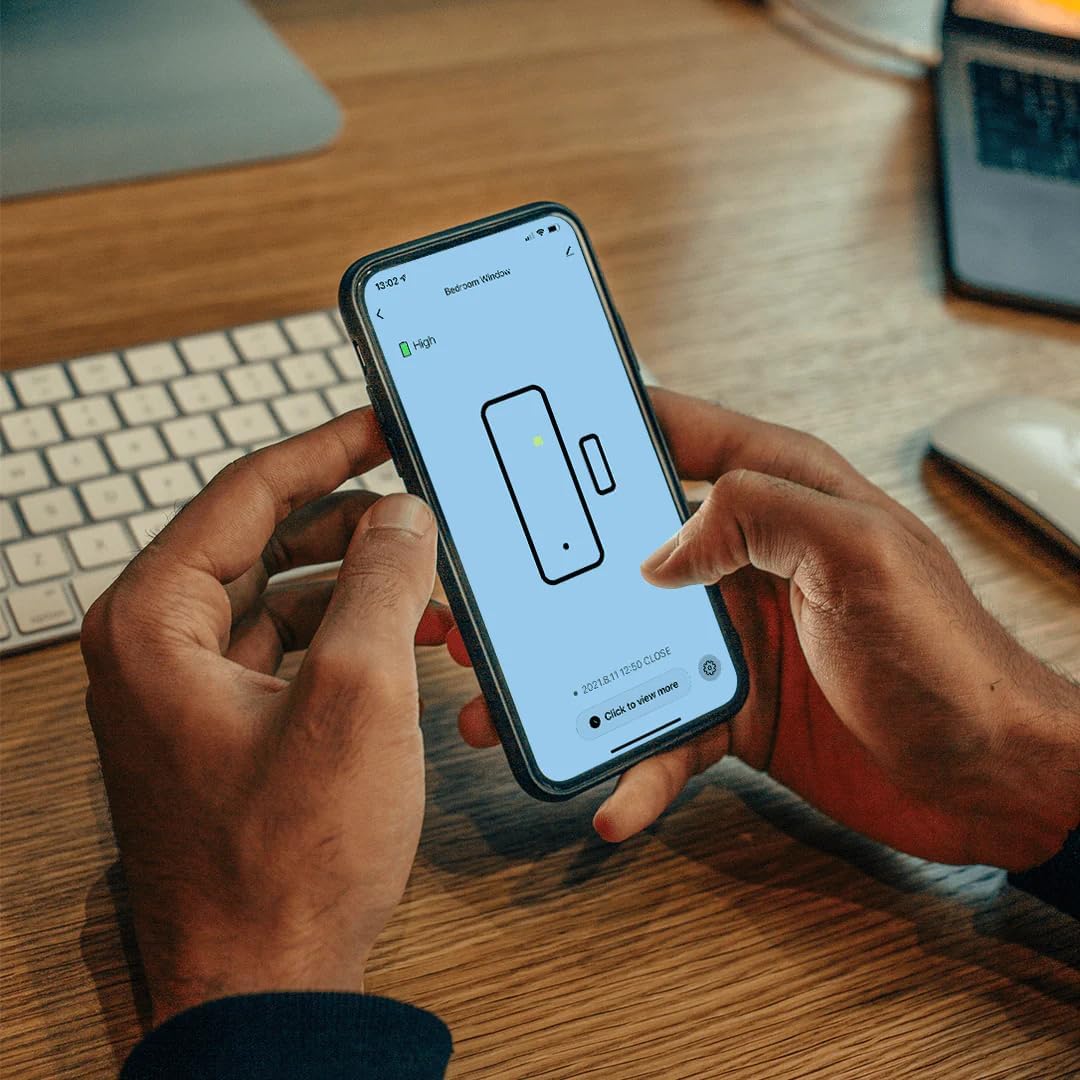
Are you worried about someone opening your doors or windows who shouldn’t be, then the hey! Smart contact sensors can help. Simply place a hey! Smart contact sensor on a window or door and it’ll send real time notifications to your phone every time a window, door or gate is opened.
Indoor Contact Sensor For Lights: Make your home a smart home with hey! contact detectors, and turn lights and appliances on and off just by opening and closing doors/windows Night Light Motion Sensor: With instant detection the hey! contact detectors can be placed discreetly around your home and you can get real-time notifications the moment a door or window opens Wireless Contact Sensor: Keep things clutter free with a hey! smart sensor. Because they are battery powered (2 x AAA) these contact sensors don’t require any complicated or unsightly wiring work Alexa/Wi-Fi Contact Sensor: This Contact sensor is compatible with Amazon Alexa / Google Home, connects to any iOS/Android device via Wi-Fi and doesn’t require a separate hub to be integrated. Easy Contact Sensor Set up: Simply install in place with the adhesive tape, connect directly to your Wi-Fi router and you’re good to go. With the setup guide, you’ll be set up in around 10 minutes
hey! have created a high quality eco system to control a wide range of Smart products, all through one simple user friendly App that requires no Hubs
The hey! Smart Contact Sensor has instant detection and is compatible with Amazon Alexa / Google Home requiring no seperate hub to be integrated.
Wouldn’t it be nice if you could control all the lighting and power points in your home and even see who’s ringing your doorbell all from one App?
With so many smart products on the market nowadays all from different brands, consumers have to download multiple Apps and install multiple hubs to their routers to operate them. Well not anymore!
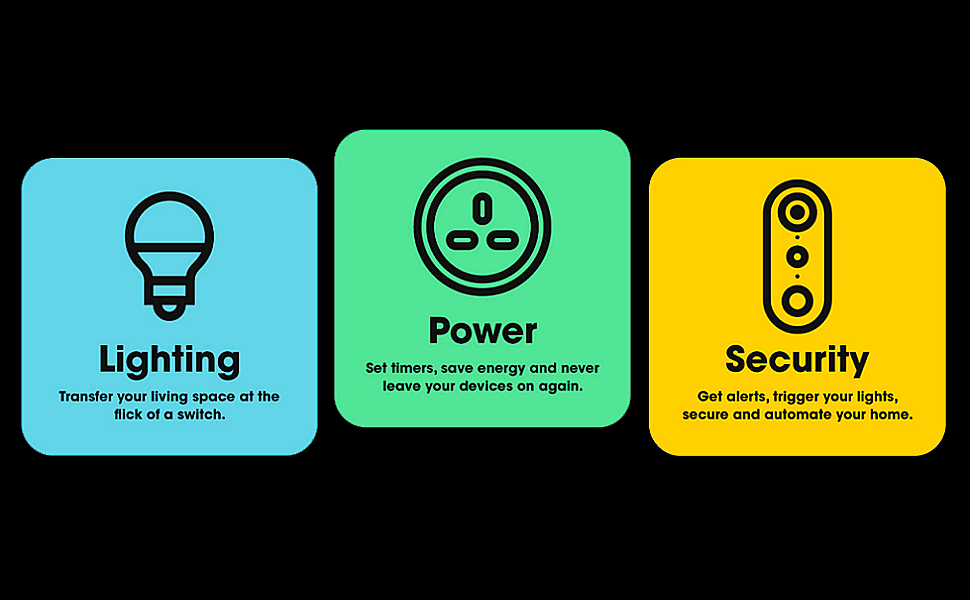
hey! have created a high quality eco system including Lighting, Power and Surveillance that gives consumers the ability to control a wide range of Smart products, all through one simple user friendly App that requires no Hubs
Are you worried about someone opening your doors or windows who shouldn’t be, then the hey! Smart contact sensors can help. Simply place a hey! Smart contact sensor on a window or door and it’ll send real time notifications to your phone and system every time a window, door or gate is opened or if there is an intrusion. Featuring a small, subtle design, the hey! Smart contact sensors keep things simple and clutter free and because they are fully battery powered (2 x AAA batteries included), it means these 5V Smart contact sensors can be placed discreetly throughout your home without disturbing the aesthetics of your interior decor, plus thanks to the adhesive back on each sensor, they can be installed quickly and easily without the use of damaging screws or complicated or unsightly wiring work. The hey! Smart contact sensor is fully compatible with Amazon Alexa / Google Home devices and does not require a separate hub to integrate your devices, allowing you to control them via voice commands, but you can also control multiple sensors at a time as well, all you simply need is a 2.4Ghz Wi-Fi connection and an iOS/Android device with up-to-date software, which will allow you to easily control your sensors at the touch of a button. The hey! Smart contact sensor is really easy to setup and is designed to be discreet and unobtrusive, so you can easily position and fix it in place wherever you want, plus once your connected to your Wi-Fi router, you’ll be set up in as little as 10 minutes, thanks to the clear written setup guide provided.
Further features include: Works with Amazon Alexa / Google Home, Improve your home security, Easily automate your home, Easy to install, System requirements – iOS / Android device with up to date software, Wi-Fi enabled – 2.4Ghz, Batteries required – 2 x AAA, Operating voltage – 5V, Get real-time notifications the moment a door or window opens in your home, Control and adjust the smart contact sensor with the handy hey! mobile app, Battery powered so there’s no need for complicated or unsightly wiring, With instant alerts and trigger functionality the sensor is ideal for home security & automation, Fully integrated with full Hey! Product range. **Includes Contact Sensor (two parts), 2 x AAA Batteries, Adhesive Tape**
Make your home a smart home with hey! contact detectors and turn lights or appliances on/off just by opening and closing doors/windows, so there’s no more fumbling around in the dark for switches

Smart Contact Sensor control via hey! app
To control multiple sensors on your smartphone, all you need is a 2.4Ghz Wi-Fi connection and an iOS/Android device with up-to-date software and your good to go

Simple Wi-Fi Plug Set Up
Simply install your hey! Smart Contact Sensor in place with the adhesive tape, connect directly to your Wi-Fi router and you’re good to go. With the clear written setup guide provided, you’ll be set up in as little as 10 minutes.

Wireless Contact Sensor
Because the hey! Smart contact sensors are battery powered (2 x AAA) they don’t require any complicated or unsightly wiring work, allowing you to keep things simple, easy and clutter free
Because the hey! Smart contact sensors are battery powered (2 x AAA) they don’t require any complicated or unsightly wiring work, allowing you to keep things simply, easy and clutter free

Night Light Contact Sensor
No more fumbling around in the dark to for switches. With an instant detection the hey! contact detectors can be placed discreetly around your home to light the way at night.

Indoor Contact Sensor For Lights
Make your home a smart home with hey! contact detectors, and turn lights and appliances on and off just by opening and closing doors or windows.

Amazon Alexa Smart Contact Sensor
Amazon Alexa Smart Contact Sensor / Google Home Contact Sensor: The hey! Smart Contact Sensor is fully compatible with Amazon Alexa and Google Home and doesn’t require a separate hub to be integrated.
Contact Motion Sensor Light Switch: Make your home a smart home with hey! door/window sensor motion detectors, and turn smart lights and other smart home gadgets on and off just by opening and closing doors/windows.
House Alarms Security System: A door motion sensor alarm is essential for home alarm systems. Improve door security with your own burglar alarm system. Get instant home alarm alerts and easily set up trigger functionality with the hey! app.
Discrete Wireless Alarm System Smart Home Devices: Keep things clutter free with a hey! smart motion sensor for doors. Because it’s battery powered (2 x AAA) the 5V smart sensor doesn’t require any complicated or unsightly wiring work.
Alexa/Google Smart Device Contact Sensor: This Wifi door sensor is compatible with Amazon Alexa and Google Home, and doesn’t need a separate hub to be integrated. To control multiple sensors on your smartphone, all you need is 2.4Ghz Wifi connection and an iOS/Android device with up-to-date software.
Easy Smart Detector Set up: Simply install in place with the adhesive tape, connect directly to your Wifi router, and you’re good to go. With the clear written setup guide, your smart devices will be set up in as little as 10 minutes. Includes: contact sensor (made up of two parts), 2x AAA Batteries, adhesive tape.
5 reviews for hey! Smart Contact Sensor Alarm for Windows and Doors, Wi-Fi Enabled, No Hub Required
Add a review
Related Products


![Tapo Smart Bulb, Smart Wi-Fi LED Light, B22, 60W, Energy saving, Works with Amazon Alexa and Google Home, Colour-Changeable, No Hub Required Tapo L530B(2-pack)[Energy Class F], Multicolor](https://i2.wp.com/m.media-amazon.com/images/I/71C8N4cbiML._AC_SL1500_.jpg?w=300&resize=300,300&ssl=1)


Original price was: £25.00.£11.99Current price is: £11.99.
status webby –
Easy to install
I found these sensors great for turning lights on and off without the need for voice activation, they can be used to activate switches, sockets, lights etcI did away with the Hey! App and installed via SmartLife, it installs under Sensors > Sensor (wifi) – does not install as motion detector. I use Alexa and so I installed Hey! Skill.Setting up 2 seperate routines for each sensor was easy, one routine for lights on when motion detected and another routine for lights off when no motion detected after 1 minute.The lights on routine can be set to only work during hours of darkness to avoid daytime activation.The sensors need to be location tested before fixing in place, both my sensors are less than 7 meters from Wi-Fi router and work well.Items came with batteries fitted, an easy to use mounting plate with 1 screw, a double sided sticky pad and a reset tool.No Separate hub is neededNOTEDuring internet peak times there is delay before the sensor activates an Alexa routine, also installing the sensor during peak times can make them appear faulty when they do in fact work albeit slowly.Expect to change batteries at least every couple of months.
David Tanner –
Looks like someone before me found a problem with them too
Downloaded app, unboxed sensor only to find that it had already been opened (broken clip and missing tab – another clue was that I had to reset device to begin pairing mode after switching on). Added device to app after resetting but was unable to link HEY! App with Alexa App to run Alex’s routines.When scanning QR code on side of box there is a security warning about the website it sends you to but it you override safety advice the website ends up being unobtainable.Not sure it this is where the problem lies linking HEY! with Alexa?Ended up returning items.Disappointing.
Richard O –
Does NOT work with Alexa & no refund weeks after returning
The info on this motion sensor deliberately includes information on other products in their range which are compatible with alexa, giving the impression that this product is compatible. It is not (confirmed directly after puchase by email from the merchant). Returns have to be posted to Ireland at customers expense (as this is not done through Amazon), and although I regularly post to Ireland with no issues, nearly two weeks later the company says they have not received, so are yet to refund my purchase (few weeks since return now). The misleading marketing, non performing product and dubious returns process indicates to me that a significant portion of this firms revenue will come from customers who have been misled and are unable to get a refund. Avoid if in any doubt.
gogo cat –
work when everything go smooth, not handle exception well
this is a smart motion sensor from the brand hey! never heard of this brand before, from their website i can see that they have various types of smart home product, wifi connectivity, doesnât need a smart hub to run, however these product is proprietary and not working with other app or smart hubi got the motion sensor for testing only, so in order to have the simplest setup, i need another hey! product to run, anyway, i will first test the response time and user interface from appthe hey! mobile app is needed for this product, a bit trouble to setup as the motion sensor was not detected by the app automatically, i need to use the pin to reset the sensor and also need to add it manually from the list of productapp interface is almost same as most popular smart home app, intuitive to setup and use, and the motion sensor is ready to use after paired with the appwell, when the motion sensor is triggered, the red light will flash once and a notification will shown in the app, the sensor will stop triggering until there is 30 seconds cooling off period (without motion sensed)something i doesnât like is that, within the 30 seconds cooling off period, whenever there is some new motion detected, cooling off period will be extended for other 30 seconds until there is no motion for 30 second, but the red light will not flash, and no more notification to app whenever the cooling period extended, so what i felt is that the motion sensor seems stopped workingfor the rest of the smart function thatâs same as most smart home app, thatâs the all sequence of work will be triggered by the sensor, include all voice assistant functionsfurthermore, i was a bit disappointed about the connectivity of the sensor to app, i tried to remove and reinstall batteries and see how the app response, unfortunately the app seems didnât know the sensor is disconnected (battery removed), and still saying it is âworkingâ until i reinstalled batteries, turn off and turn on the switch, then i saw a new notification came and say motion detectedall in all, this sensor, or product from this brand didnât impressed me at all, i believe it works if everything went smooth and expected, but when there is some exception, it may not response well, also in order to use it, i have to change all smart devices to this brand, at the moment i donât think theyâre justified for this big change
Ryan –
Simple to set up
Works well, easy to install with the supplied sticky pad, battery life should be good as itâs powered by 3 AAA batteries. Small size and good value for money. Bit of a delay when using it to control a routine but thatâs as expected when it connects to the cloud first.