

HUION Note Smart Notebook Writing Pad Digital Notepad Bluetooth 5.0 with 8192 Pressure Levels for Note-taking and Sketching Compatible Android/iOS/Windows/macOS/Linux, Brown, 7.35×5.5 inch
Original price was: £122.99.£98.37Current price is: £98.37.






Price: £122.99 - £98.37
(as of Jun 08, 2025 11:12:41 UTC – Details)
From the brand

Huion Note
Writing synchronizing, off-line storage, document management, one-click share PDF and portable A5 size

As a high-tech company that focuses on digitizing handwriting, Huion wants to bring digital ink solutions to more people around the world. As a professional digital ink device and solution provider, Huion is committed to helping creative people by providing them with original handwritten digital devices.
2025 New Kamvas Slate
2025 NEW KAMVAS 16(GEN3)
2024 NEW KAMVAS 13(GEN3)
2024 NEW BLUETOOTH TABLET

NEW TECHNOLOGY PENTECH 4.0
2024 NEW 4K SCREEN
NEW ANDROID-BASED TABLET
GOLDEN PIN DESIGN AWARD!
REDDOT AND GOLDEN PIN DESIGN

Batteries : 1 A batteries required. (included)
Product Dimensions : 24.1 x 17.8 x 1.3 cm; 1 kg
Date First Available : 4 Nov. 2022
Manufacturer : HUION
ASIN : B0BLH1SKLD
Item model number : HUION Note X10
Country of origin : China
Guaranteed software updates until : unknown
Delivery information:: We cannot deliver certain products outside mainland UK ( Details). We will only be able to confirm if this product can be delivered to your chosen address when you enter your delivery address at checkout.
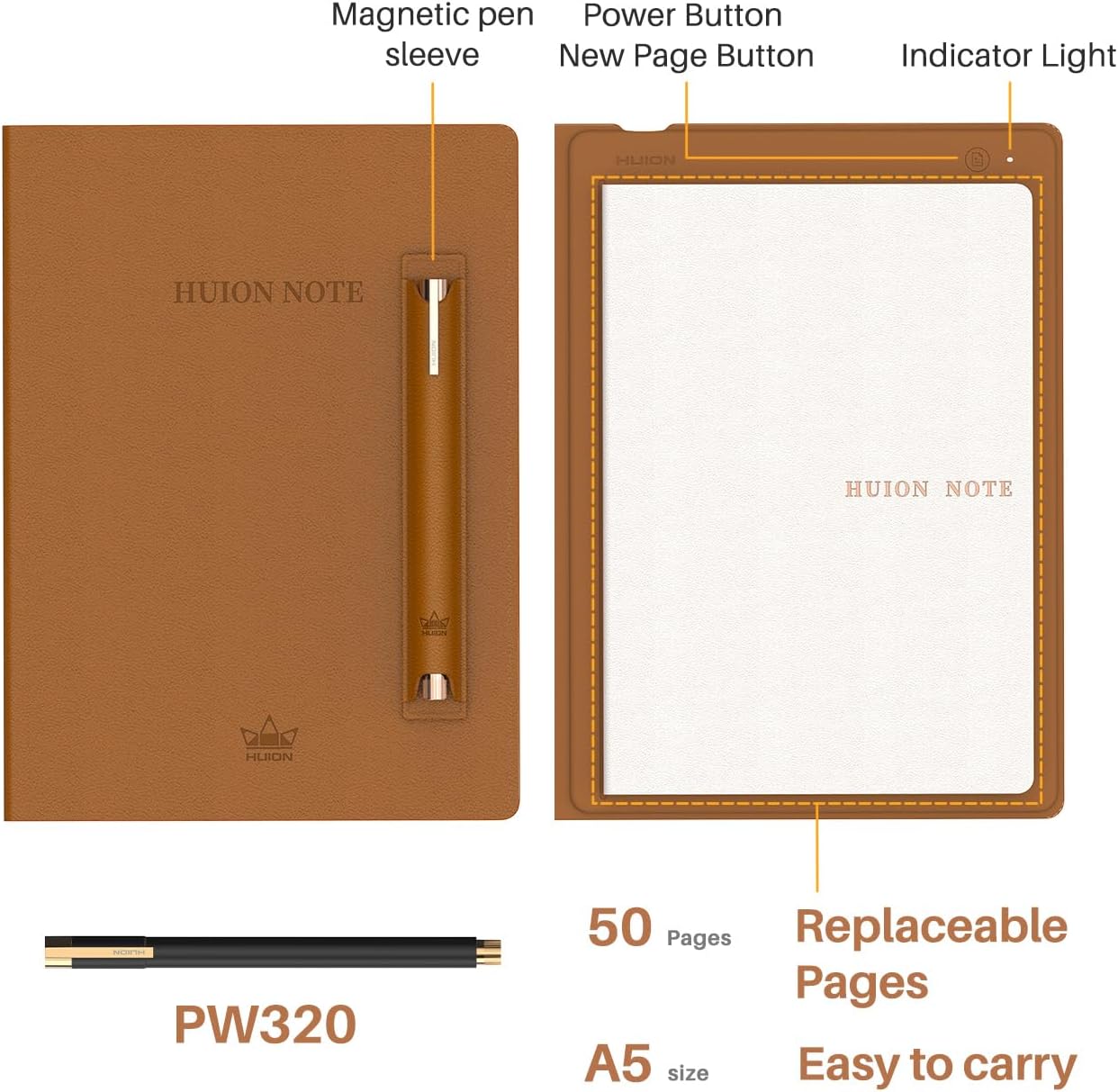
Intelligent and Delicate A5 Notebook : HUION Note is great combination notebook and e-reader. You can expect an all-in-one A5 notebook with writing synchronization, offline storage, document management, and PDF one-click sharing. HUION Note has a durable spunlace leather protective cover and 50 pages of replaceable paper.
2nd Gen HUION Scribo Pen : PenTech 3.0 technology provides more stable stroke and curve performance to the 2nd gen HUION Scribo pen. Besides, the pen is equipped with plastic nibs and standard ballpoint refills for various writing demands.
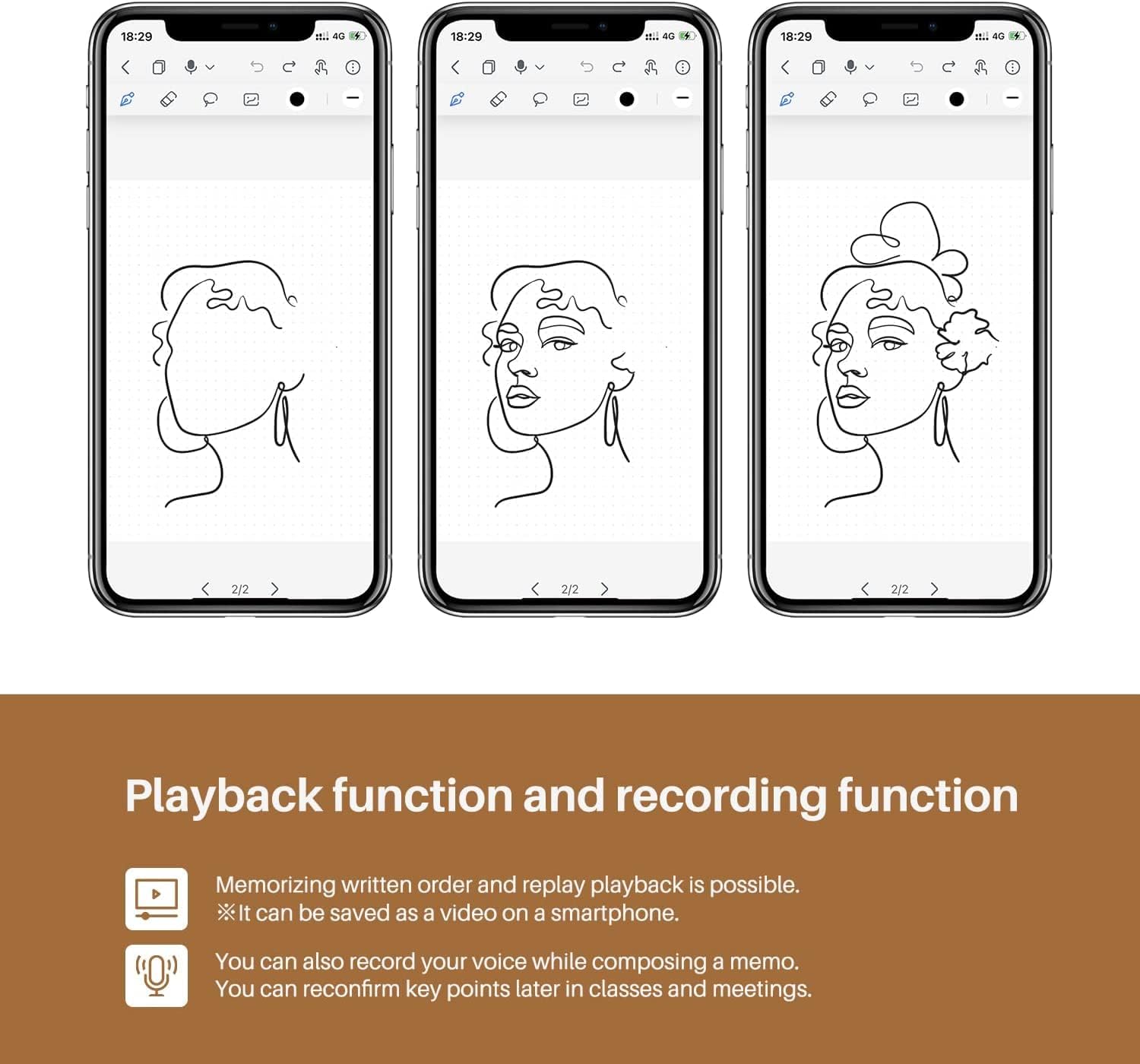
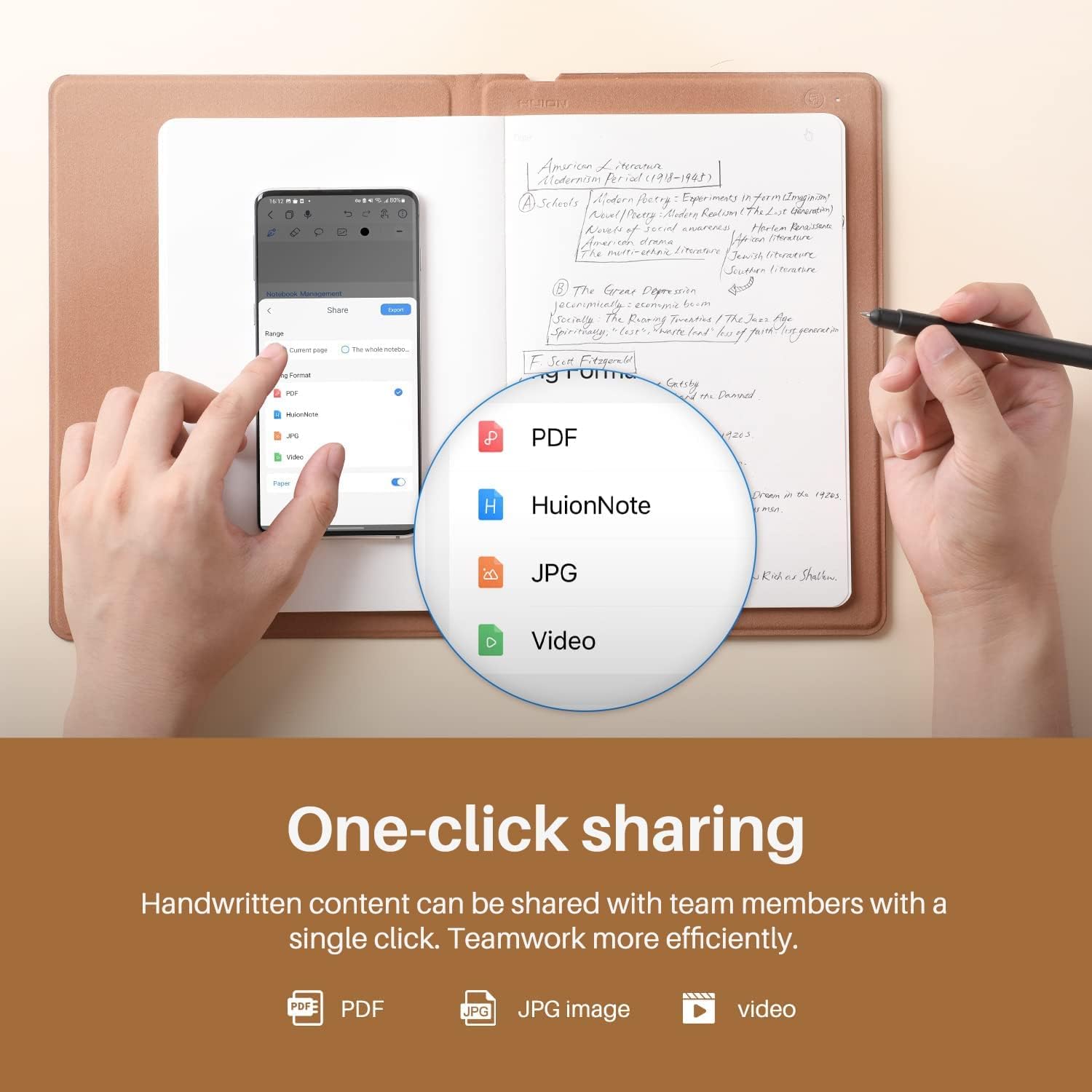
Digitalize Your Inspiration : You can access editing tools in HUION Note App, including highlighters, erasers, lassoes tool to edit your notes. And the handwriting can be synced to your phone as an e-document. You can share your notes in PDF format with your team members to enhance communication. What is more, HUION Note supports recording voice when you take notes and supports recording, replaying and sharing voice so that you can catch the point easily.
All-day Lasting and Stable Transmission : HUION Note will automatically pair your device when opening the notebook and the App and disconnect when the notebook is closed. HUION Note gets 18 hours of battery life to ensure all-day work. Moreover, it features an indicator to showcase the current battery level. Given the A5 size, it’s portable to put HUION Note in your bag. A magnetic pen sleeve that can be attached to the body is designed for anti-loss.
Pen Tablet Mode : We additionally provide a Pen Tablet mode for artists. Replace the inner pages with the panel inside the box, and connect to your PC (with HUION driver preloaded). Now you get a pen tablet with 8192 levels of pressure sensitivity and ±60°tilt function, allowing you to modify your inspiration and notes easily.
OS Compatibility : Note-Taking Mode(Wireless Connection to Phone/Tablet): compatible with iOS/iPados/Android. Pen Tablet Mode(Wired/Wireless Connection to PC/Laptop/Desktop): compatible with Windows/macOS/linuxOS. NOTE: Currently, linuxOS only supports wired connections. Please note that if users want to connect to a computer running Windows OS or macOS, please note that the product must be set to ”Pen Tablet Mode”.
Customers say
Customers find the graphic tablet to be a game-changing piece of technology that’s easy to install and use, with great value and quality. They appreciate its premium feel, sleek appearance, and lightweight design, with one customer noting it’s ideal for beginners to learn with.
13 reviews for HUION Note Smart Notebook Writing Pad Digital Notepad Bluetooth 5.0 with 8192 Pressure Levels for Note-taking and Sketching Compatible Android/iOS/Windows/macOS/Linux, Brown, 7.35×5.5 inch
Add a review
Related Products


Original price was: £122.99.£98.37Current price is: £98.37.
Billy –
Amazing
Itâs amazing. It somehow syncs perfectly to my phone with the app, and itâs easy to set up. Itâs really good for any aspiring writers, itâs good for drawing, and itâs great quality. If you know anyone who does anything (ANYTHING) related to handwriting, please get it for them.
Mel –
If I could give this 100 stars, I would!
The book is presented in classy packaging. On opening, the quality is on point. This is an absolute game changing piece of tech. I’m a tattooist, the ability to be able to sketch and have it converted into a vector file immediately is wonderful. Dead easy to use. The only smol gripe is the magnetic pen holder isn’t great at staying on, I’ve bought a 10inch tablet sleeve to keep it protected so it’s not really a problem. It comes with spare refills and nibs for when using as a graphics tabletAny A5 notebook will work with this, or graph paper, you name it! The ability to trace photos, etc is fantastic. Hooking up to the computer it can be used as a perfectly competent graphics tablet. The pen is fast and responsive.The price point is very good, with the discount offered this was just a smidge over £100. I was looking at ones nearly double the price, but am so glad I purchased this one. Buy it and you seriously won’t regret it! 🙂
Gym Mum –
Unsure
Unable to provide honest feedback on product as my husband decided this is something he wouldnât get round to using. Looked really good quality and well presented. Sadly returned unopened.
Angela lorenz –
Not value for money
Too technical and very expensive
Mr. G. Webb –
Lovely bit of technology
Wasn’t sure about how I’d get on with this, but I’m loving it so far. It’s a fantastic looking device and I’ve had plenty of interest in it from colleagues when in the office. The app works well, and has good features. I appreciate the fact that it’s not forcing you to sync notes to a proprietary cloud system, you can upload notes if you wish, but it’s not required. Only a couple of minor complaints, the first is that the hardware button on the device to add a new page in the app often adds multiple blank pages (this is easily sorted out though). The other is documentation, and to be fair what’s there is quite good but it didn’t answer all of my questions, so some trial and error was used. But overall a great device that has exceeded my expectations!
Shrestho –
A great affordable touch input device!
The tablet is superb for the price! The touch response is accurate and we did not experience any input lags whatsoever. The surface is smooth and the pen is light as a feather which makes it easily maneuverable. However, the online caveat I noticed is that, due to the smoothness of the surface, there is no resistance feedback from the pen while writing or drawing something on the tablet. Therefore, there is a smal learning curve of using this for annotations and drawing on apps like Whiteboard. As educators, I and my missus have been taking classes and making presentations remotely for a while due to covid and this device became a staple at our online sessions! Will recommend this to any educator who is taking remote teaching sessions amid this pandemic.
Ardo Lifts Ltd –
Great, Premiuim Notebook
Was worried a bit to buy it with only 1 review. But now i can tell, the notebook is really easy to use between gadgets and notebook, packaging and product itselt has a premiuim feel. Highly recommend.I am using notebook daily and sincing everything to my gadgets at the end of the day for digital use.
Sparky –
A very nice piece of kit
The HUION 2023 New Huion Note Smart Notebook has proved to be a very useful piece of kit. Firstly it looks and feels just like a regular notepad because it is. It links to an app on your phone, in the app you can change the colour of the ink being recorded. It has quite a few other features that I have yet to explore, but one tool I can’t see that would be a real benefit is OCR – this is why my overall rating 4 & not 5. One other thing to be aware of is that you can only write on one side of the paper, to get around this, you could use loose-leaf paper and simply turn it over then click on the next page icon. Other than that if you are looking for a smart notebook, and this does look smart, and to have real paper notes, the Huion is a great product at a reasonable price for what it does; recommended
Ugur Akin –
The product is fine – I use it for conceptual drawing and coloring. It is quite sensitive but I found that the app needs to be in the dock so that PS doesn’t forget the pen sensitivity is active; I doubt this will be an issue on a windows machine. Either way it works great and is compact. Try different driver versions to see which one works best. All in all I am pleased.
Nacho MG –
Estas tabletas tienen usos prácticos que mucha gente ni se plantea.- Si eres profesor te permitirá escribir con comodidad en la pizarra digital durante tus clases via streaming, firmar documentos, corregir exámenes, etc.- Es ideal para retoque fotográfico.- Puede ser una valiosa herramienta para ayudarte durante la edición de video.- Puede ser un buen primer paso para aprender a dibujar / colorear / modelar con programas digitales. El siguiente será sin duda una tableta con pantalla integrada, pero para empezar con esta basta y sobra.Yo en esta reseña me centraré en este último uso:Si hace quince años, cuando empecé mis estudios de Ilustración, me dicen que iba a salir una tableta gráfica con un rendimiento tan bueno, drivers fiables y a una cuarta parte del precio de una Wacom, pensarÃa que se estaban quedando conmigo. Afortunadamente el dominio absoluto de Wacom ha llegado a su fin: ahora los ilustradores/ animadores/ creativos gráficos tienen alternativas bastante más equilibradas y económicas tanto en el lado profesional (¿Alguien ha dicho iPad Pro con Apple Pencil?), como en el de las gamas de acceso como esta Huion.¿Sus virtudes? Es pequeña y cómoda, con botones programables simétricos (genial para zurdos), tecnologÃa de lápiz inalámbrica (sin pilas ni baterÃa), detección de 8 mil grados de presión, muy sencilla de instalar y con unos drivers que funcionan sin problemas en Windows 10. Es cierto que Huion no termina de acertar con sus tabletas profesionales, que siguen teniendo problemas comparadas con la Cintiq, pero actualmente son la mejor opción en esta gama de entrada, ofreciendo un producto muy barato ideal para que los profesionales la tengamos como tableta secundaria o para aficionados y estudiantes que estén empezando en esto.Solo puedo decir algo un poco negativo y es que tacto de la superficie táctil es demasiado ‘plasticoso’, aunque podemos solucionar esto instalando una cubierta que ofrezca una textura más similar al papel.PD: Un consejo, mantened actualizados los drivers para evitar fallos y problemas de compatibilidad (podéis encontrarlos en la web oficial de Huion).
Rob –
An sich ein tolles Gerät, einfach zu bedienen, sync funktioniert gut und es braucht keinen speziellen Schreibblock und keinen speziellen Stift. Man kann auf jedem Papier schreiben und eine Standard-Schreibmine im Stift verwenden. Nur die Hülle muss sein ;-)Frage: wie kann ich Notizen mit Audiobemerkungen am Windows PC wiedergeben? Treiber ist installiert, ich kann den Stift auch als Eingabe bei div. Zeichenprogrammen verwenden. Aber die erstellten Notizen nur als pdf ohne Ton wiedergeben. Abhilfe ?
MissKhustom –
Ãr precis som alla TikTok videos. Perfekt när man vill ha anteckningarna pÃ¥ telefonen ocksÃ¥.
R –
Ik gebruik deze tablet om digitaal te tekenen met programma’s zoals Krita en Gimp. De tablet werkt prima en zonder merkbare invoer lag. De tablet komt met een batterijloze pen geleverd en reserve tips. Je krijgt er ook een micro-usb naar usb A kabel bij en een adapter voor naar usb-C of micro-usb voor gebruik op de telefoon.De extra knoppen op de tablet en muis maakt het werken met teken programma’s erg makkelijk, ik beveel het zelf niet aan om het alleen te gebruiken als muis.– Drivers –De tablet werkt op je mobiel zonder drivers. Het teken vlak is 1:1 met je mobiele scherm, dus oudere en kleinere smartphones zouden hier last van kunnen hebben.Voor op de computer moet je de Huion drivers downloaden zodat de pen goed werkt. Zonder het extra software werkt de tablet niet vloeiend in Krita of Gimp. In de programma kan je de twee knoppen wijzigen op de pen en de vier knoppen op de tablet. Ik vind het handig je de knoppen kan re-mappen en de drukgevoeligheid kan aanpassen.– Minpunten –Waarom dit geen 4/5 ster product is:1. de tablet krast vrij snel. Met lichte druk krijg je zichtbare krassen op het oppervlakte. Het is niet diep, maar ik vind dat na een week er geen krassen op moeten komen.2. de driver past Windows software aan (?). Nadat ik de Huion driver heb geïnstalleerd van de officiële webpagina kreeg ik een virtuele toetsenbord bij het inloggen. Dit heb ik zelf nooit ingesteld. Zelfs als ik de instelling uit zet krijg ik dit toetsenbord niet weg. Ik geloof dat dit komt door de driver zelf, want ik heb geen verklaring voor die virtueel toetsenbord wanneer ik het in RegEdit heb uitgeschakeld.– Overal –Het is een goeie tablet die zijn prijs waard is. De knoppen werken fijn en de input is goed genoeg. Het maakt teken of OSU een stuk makkelijker.