

i-tec USB-C Docking Station 2x4K with 100W Power Delivery – 2x DisplayPort 1x USB-C 3x USB 3.0 2x USB 2.0 1x GLAN 1x Audio/Mic
Original price was: £125.99.£98.75Current price is: £98.75.


Price: £125.99 - £98.75
(as of Jun 11, 2025 02:23:15 UTC – Details)
I-TEC USB-C DUAL DISP DOCKINGUK
Product Dimensions : 11.3 x 4 x 11.3 cm; 643 g
Date First Available : 26 Oct. 2020
Manufacturer : i-tec
ASIN : B08LVXTZGJ
Item model number : C31DUALDPDOCKPD100WUK
Country of origin : China
Guaranteed software updates until : unknown
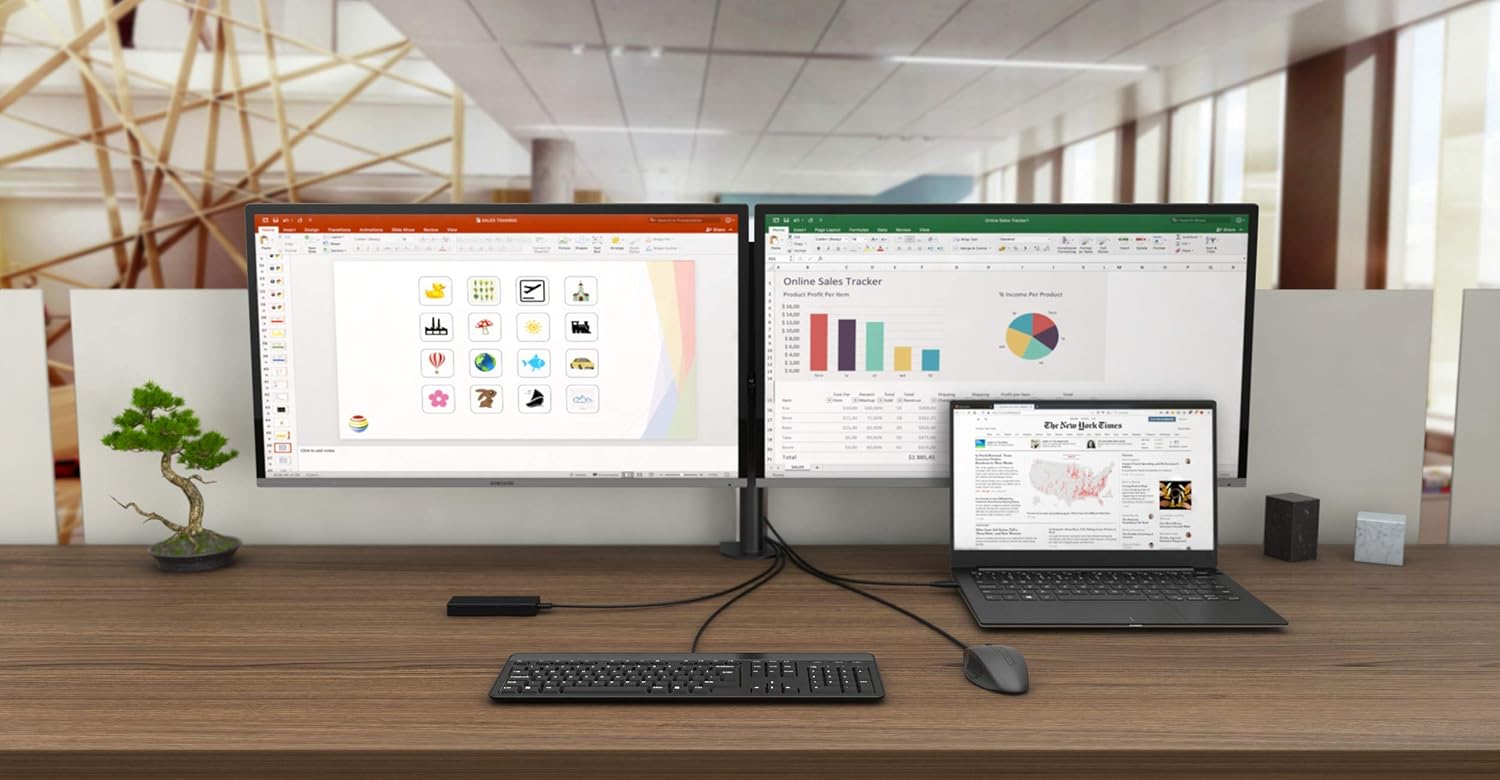
USB-C office docking station with support for up to 2 external monitors with 4K resolution, Two available DisplayPorts – up-to 4K resolution
3x USB 3.1, 1x USB-C 3.1 and 2x USB 2.0 for easy connection of your USB devices and peripherals. Gigabit Ethernet RJ-45 provides reliable, robust and high-speed Internet connection supporting 10/100/1000 Mbps speeds
Combined jack for audio and microphone on the front panel and Kensington lock protects against theft, particularly in shared offices or public spaces
The Docking Station features VESA support, allowing smart vertical installation behind a VESA compatible monitor, Supports Windows 10, macOS X, Android, ChromeOS and Linux
The docking station is available in three versions: 1. without enclosed USB-C charging adapter (product code C31DUALDPDOCKPD), 2. with enclosed 65 W adapter (product code C31DUALDPDOCKPD65WUK) and 3. with enclosed 100 W adapter (product code C31DUALDPDOCKPD100WUK)
Customers say
Customers find that the docking station works really well, particularly with Surface Laptop 3. The build quality receives mixed feedback, with some customers appreciating the nice design while others express concerns about questionable quality.
10 reviews for i-tec USB-C Docking Station 2x4K with 100W Power Delivery – 2x DisplayPort 1x USB-C 3x USB 3.0 2x USB 2.0 1x GLAN 1x Audio/Mic
Add a review
Related Products


Original price was: £125.99.£98.75Current price is: £98.75.
Ryan Northwood –
HP Probook & 2x Dell P2419H monitors
Looks good, compact & well finished. Works perfectly with my HP Probook 640 G5, connected to two Dell monitors via DP â all without having to install a driver. 7 USB ports is quite a lot for such a relatively small device, and nice to see the addition of an extra USB-C port, which is ideal for my SSD. So far, so good!
Dan –
Perfect for home office
Arrived next day so my home office set-up is now complete. Works seamlessly with my Surface Laptop 3 and two monitors. Iâve also connected my keyboard, hard drive and Bluetooth dongles for my mouse and headset. Nice long USB-C cable to the laptop, which works well for my set-up. Nice design and well built.
Mrdk –
Questionable quality
The product felt cheaply made, and it did not work for me.
CS –
Good functionality average reliability.
Works really well. However the first one failed after 14 months so I had to buy another.
Julian –
Worth every penny
Great value for money! we use the dock with a Dell Latitude (two screens) and sometimeswith are iPad Pro ( one screen). All works via the single USB-C cable, so really convenient.We connected the Dell USB-C charger to the dock, then it charges the laptop or iPad whilewe work.
Cliente Amazon –
El articulo no funciona adecuadamente y de manera intermitente, las conexiones de pantalla fallan i dejan de funcionar
Edward S –
Compliant and quality product. But be careful to check compatibility. The product is compatible with the HP Elitebook 850 G5, G6, G8 and not G7. It is compatible (Ethernet + DisplayPort) with the Lenovo MIIX 520 (not included in the list of compatible products)
Thorben Reichel –
Da ich mit meinem Laptop auch gerne mal Computerspiele spiel, war ich auf der Suche nach einem Dock, welches mit DP Alt Mode funktioniert und habe dieses Dock bestellt. Es ist super für spielen geeignet. Man hat keine Verzögerungen und auch leidet die Leistung nicht. Meine 2 Monitore (QHD und FHD) funktionieren einwandfrei. Auf beim arbeiten für die Uni gibt es keine Probleme. Ich kann jedem diese Docking Station weiterempfehlen.
Amanda –
Started a new job and recieved a very nice brand new HP Elitebook 840 G8…but no docking station. Why? Because they are on indefinite backorder.Should be easy to find some adapter to conver USB-C to displayport and drive two basic Dell 23 inch flat screens, right? No because HP has a very strange interpretation of Thunderbolt so very few adapters or docks work, and the few that do require some patience because they sync very very slowly.Frustrated and with an achy neck from looking at a 14 inch laptop display, I start searching Amazon and land on this gem. 2 DP ports, PD to pass on the electrical goodness for my laptop, small, and the price is 1/4 of what any name brand dock costs.Functionally it is perfect. Monitors are running fine on dvi to DP adapters. Power is provided by my laptop’s adapter (thank goodness it is USB-C), gained multiple large USB ports and even get the use of a USB c port right on the front. When I need to go mobile, I just unplug. Docking is reverse and sync to monitors takes seconds.Only cons are it does get a bit warm during the day but apparently all USB-C / Thunderbolt devices do. Also I cannot find the iTech adapter for sale…would be nice so then I could keep the HP adapter in my bag for travel.Been recommending this to my new colleagues. If company will reimburse, I’ll cancel the HP one and get another that will stay at the office.
Fred –
Hinweis: ich nutze die Docking-Station an einem Notebook mit Ubuntu Linux. Manche der beschriebenen Probleme können spezifisch für dieses OS sein.Lieferung:Erste Ãberraschung beim Auspacken: Warum ist das Teil zerkratzt? Die Docking-Station sah insgesamt schon benutzt, aber akzeptabel aus. Ein Blick in die Bestellung hat offenbart, dass ich ein Gebrauchtgerät gekauft habe. Das ist auch so auf dem Karton vermerkt und wenn man sehr genau schaut, auch unter dem Bestell-Button. Aber man muss eben sehr genau schauen. Aus der Produktbeschreibung ging es nicht hervor. Immerhin erklärt es den niedrigen Preis und hätte ich es vorher gewusst, wäre ich nicht negativ überrascht gewesen. Da wäre ein deutlicher Hinweis in der Produktbeschreibung hilfreich gewesen.ÃuÃerer Anschein:Mit dem Kratzer im Gehäuse kann ich leben, das Gerät hängt ja hinter meinem Monitor. AuÃerdem war das Gehäuse etwas eingestaubt, auch das ist schnell behoben. Sehr ärgerlich ist, dass man auch dem USB-C-Kabel, mit dem ich das Gerät mit meinem Notebook verbinde, sein Alter ansieht. Es ist ein eher starres Kabel, das offensichtlich oft verdreht und gefaltet wurde und dementsprechend Gebrauchsspuren aufweist. AuÃerdem ist die Ummantelung aus dieser Art Kunststoff, der Weichmacher verliert und etwas Speckig wirkt. Hier war der Aufwand gröÃer, das Kabel in einen gebrauchsfähigen Zustand zu bringen. Leider kann man es nicht einfach austauschen, weil es fest mit der Box verbunden ist. Das ist sehr ärgerlich, weil man so auch auf eine Länge festgelegt ist. Aber es ist auch verständlich, weil USB-C nicht gleich USB-C ist under der Hersteller so wenigstens sichergehen kann, dass die Leute nicht das falsche Kabel verwenden.Aufbau:Alle Buchsen sind vorhanden wie erwartet. Flugs 2x Display Port & Klinke Audio angeschlossen. Ich habe die Version ohne Netzteil bestellt und ein vorhandenes USB-C-Netzteil angeschlossen, was auch problemlos funktioniert. In meinem Setup ist alle Peripherie, die ich an meinem Notebook betreibe, an eine schaltbare Steckdosenleiste angeschlossen – so auch die Displays und die Dockingstation. Wie sehr das zu den unten beschriebenen Probleme beiträgt kann ich nicht sagen, meine Erwartung ist, dass eine professionelle Dockingstation damit zurecht kommt.Monitore & Power Delivery funktionieren mit passendem Treiber:Ich bin hin und her gerissen, die Dockingstation zurück zu schicke, da sie sich im Gebrauch sehr bockig erweist. Erstaunlich war, dass sie bei der ersten Inbetriebnahme tadellos beide Monitore und Sound ausgegeben hat ohne dass ich dafür irgendwas im Betriebssystem einstellen musste. Einfach USB-C-Kabel rein und los gehts. Power Delivery funktioniert auch tadellos.Der Ãrger fing an, nachdem ich den Rechner das erste Mal im Ruhezustand hatte. Danach ist nur noch ein Monitor erwacht und der Sound war weg. Wie gesagt, Ubuntu kann speziell sein, v.a. bei Audio. Nach etwas Recherche habe ich die Community-Treiber für’s DisplayLink Protokoll installiert. Seither funktionieren die Bildschirme tadellos.Audio ist zickig:Probleme macht weiterhin Audio. Es werden alle Audio-Geräte angezeigt, aber das Umschalten zwischen den Ausgängen funktioniert nicht. Es ist auch kein druchgängiges Muster erkennbar, manchmal funktioniert es, manchmal nicht und es ist auch nie so eindeutig, was gerade nicht funktioniert.Sehr eindeutig ist, dass die Docking-Station Ãrger mit meinen Bluetooth-Audio-Geräten macht. Immer wenn sie angeschlossen ist, kann ich keine BT-Audio-Geräte mehr verbinden. Andere BT-Geräte funktionieren aber weiterhin. Sehr ärgerlich im Alltag. Wie gesagt, das kann auf Windows anders sein, aber wer die Station für Ubuntu nutzen will sollte gewarnt sein!Ein/Aus, Handhabung, Energieversorgung:Die Docking-Station hat einen Ein-/Ausschalt-Knopf am Gehäuse. Der ist etwas schwer zugänglich, wenn man das Gerät hinter den Monitor hängt. Er ist aber unerlässlich, um das Gerät aus allerhand Problemzuständen zu befreien. Beim Einschalten der Steckdosenleiste hat die Dockingstation bisweilen Schwierigkeiten, beide Bildschirme zu erkennen, dann hilft der Knopf beim Neustart. AuÃerdem weigert sie sich manchmal strikt, wieder aus dem Ruhezustand aufzuwachen, was enorm nervig ist.Hoher Pfeifton:Super nervig ist, dass die Station bisweilen einen hohen, aber gut hörbaren, Pfeifton (Spulen-Fiepen) ausgibt. Im Betrieb, wenn Last anliegt, ist der nicht hörbar, aber sobald ich das Notebook abstecke ist der nervtötend laut. D. h. man kann die Station auch nicht einfach im Standby laufen lassen, um o.g. Probleme biem Einschalten zu umgehen.Fazit:Wer die Station nur für Bildschirme und Power Delivery braucht, wird damit gut zurecht kommen. LAN habe ich nicht getestet. Audio ist eine nervige Katastrophe (zumindest unter Ubuntu). Das Spulenfiepen sollte bei einem hochwertigen Gerät nicht sein und ist sehr nervtötend. Hätten Händler und Amazon deutlicher darauf hingewiesen, dass ich ein Gebrauchtgerät kaufe, hätte ich mir die erste Enttäuschung erspart. Immerhin ist der Preis dadurch in einer Region, dass ich darüber nachdenke, das Gerät trotz aller Probleme doch zu behalten.