

INKBIRDPLUS Thermostat Plug Socket, Digital Temperature Controller with Timer Outlet Plug, Heating Cooling Mode, Sensor Probe for Reptile Greenhouse Home Fermentation Farm Aquarium
£24.99

Price: £24.99
(as of Jun 19, 2025 02:40:40 UTC – Details)
Product Description

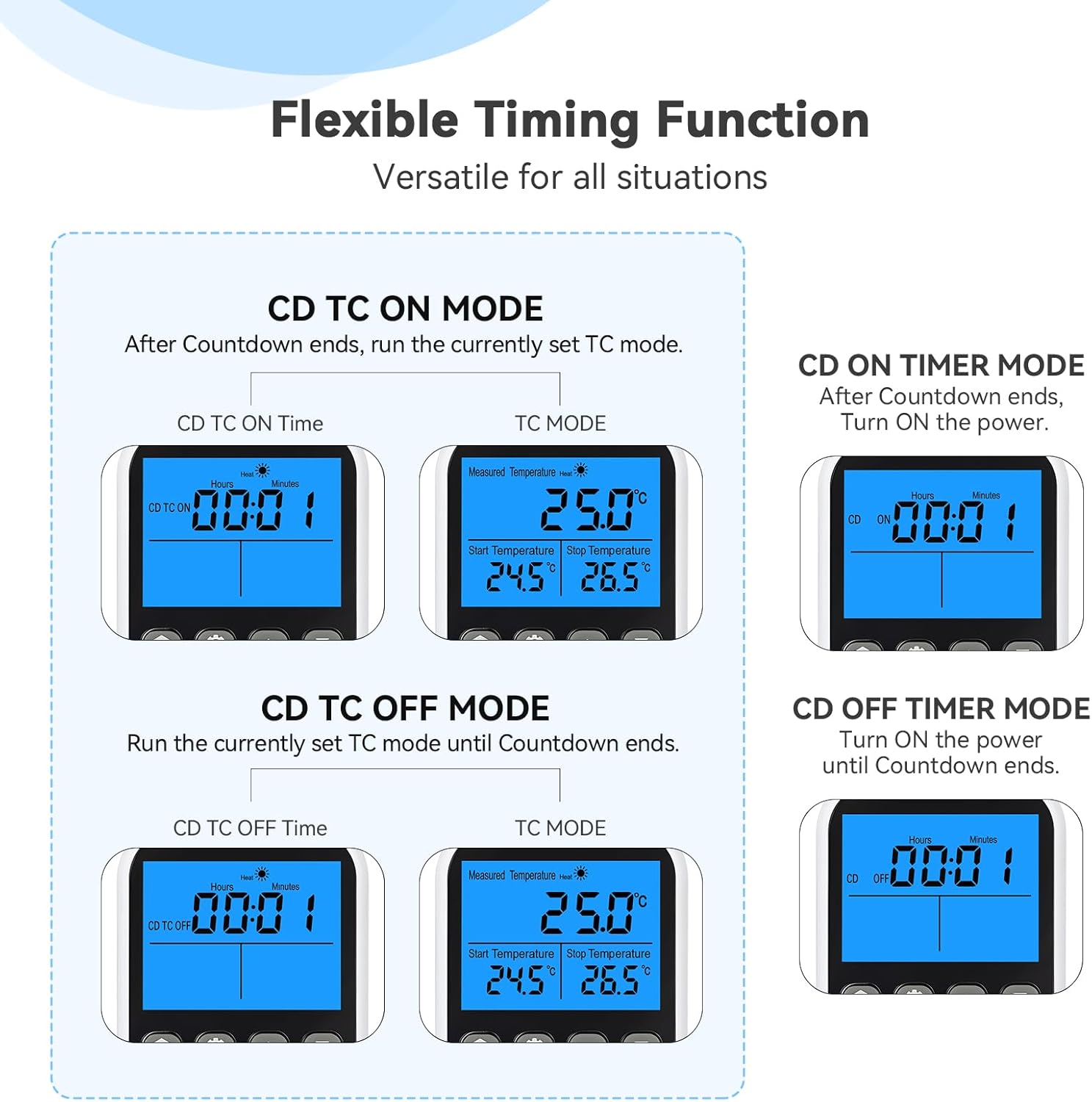
Work at a specified time
Count Down ON & Temperature Control Mode
Set CD TC ON=00:30. Countdown 30 min, the system will auto start working with Temper Control.

Stop at specified time
Count Down OFF & Temperature Control Mode
Set CD TC OFF=00:45. the system will auto start working for 45 min with Temper Control and stop.

Work at a specified time
Count Down ON Mode
Set CD ON=00:30. the countdown for 30 min, the
system will automatically start and keep working.

Stop at specified time
Count Down OFF Mode
Set CD OFF=00:45. the system will automatically
start working for 45 min and stop.
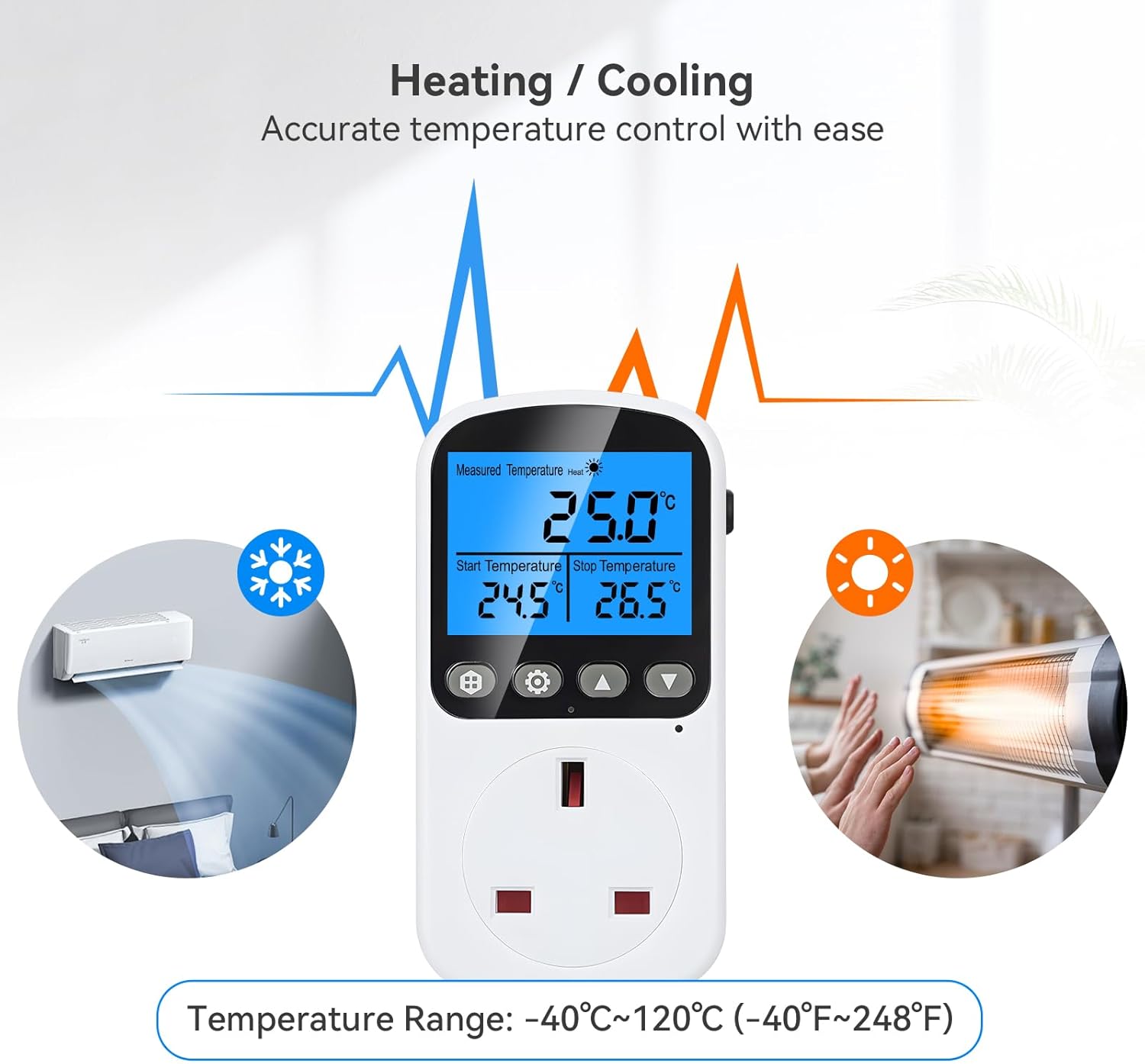
 Heating OR Cooling Mode
Set ON & OFF temperature.
Cooling : ON > OFF (eg. 70°F – 40°F)
Heating : ON < OFF (eg. 50°F – 80°F)
1 CD TC ON
2 CD TC OFF
3 CD ON
4 CD OFF
5 Temperature Control


1 Easy to Use
2 Backlit Screen
3 Temperature Calibration
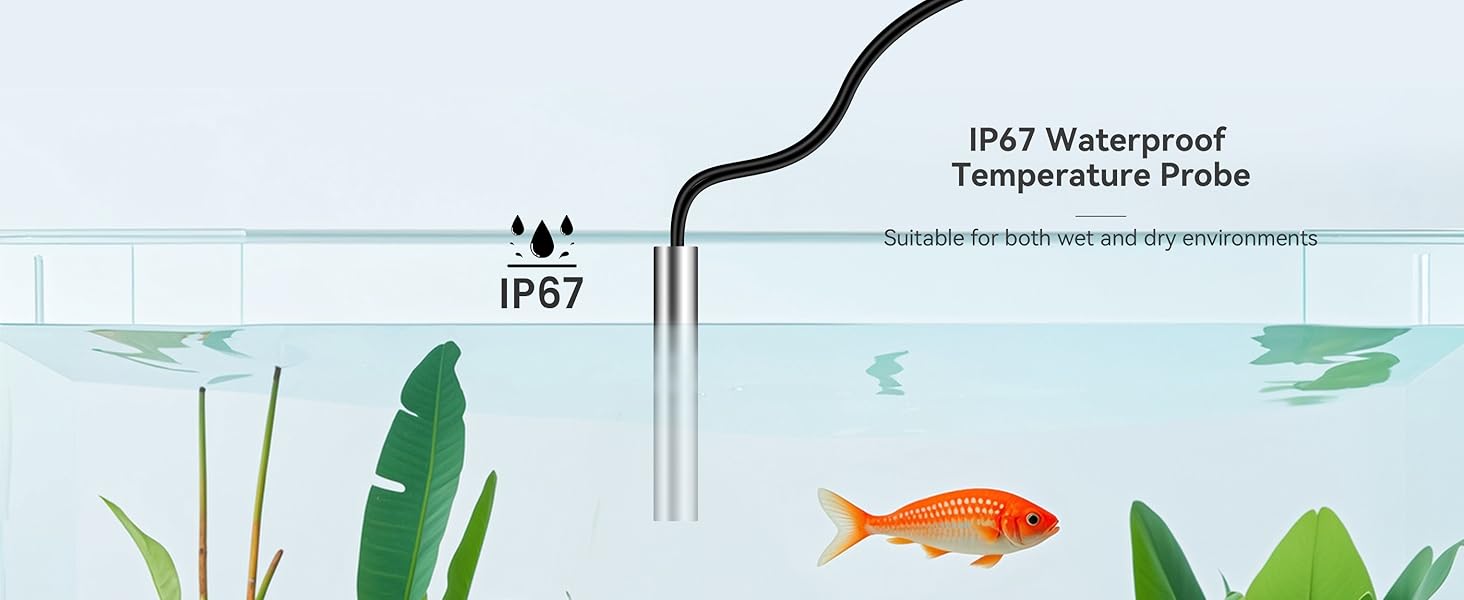
4 IP67 Watreproof Probe
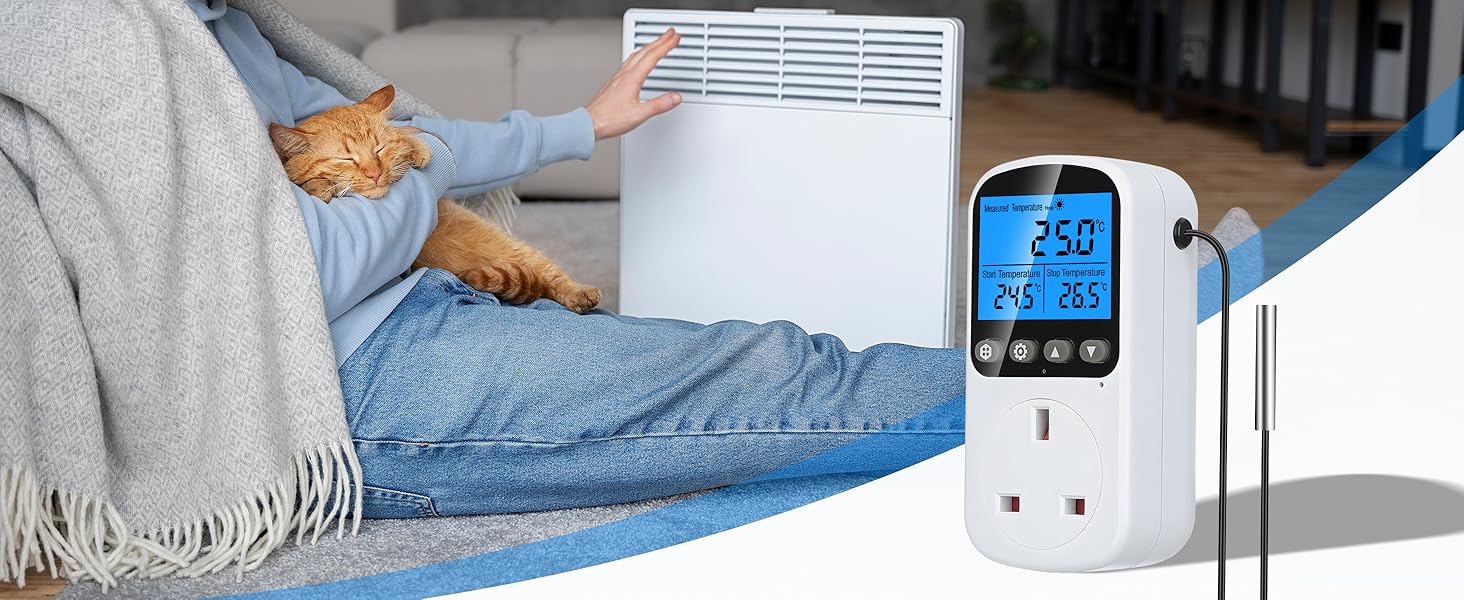

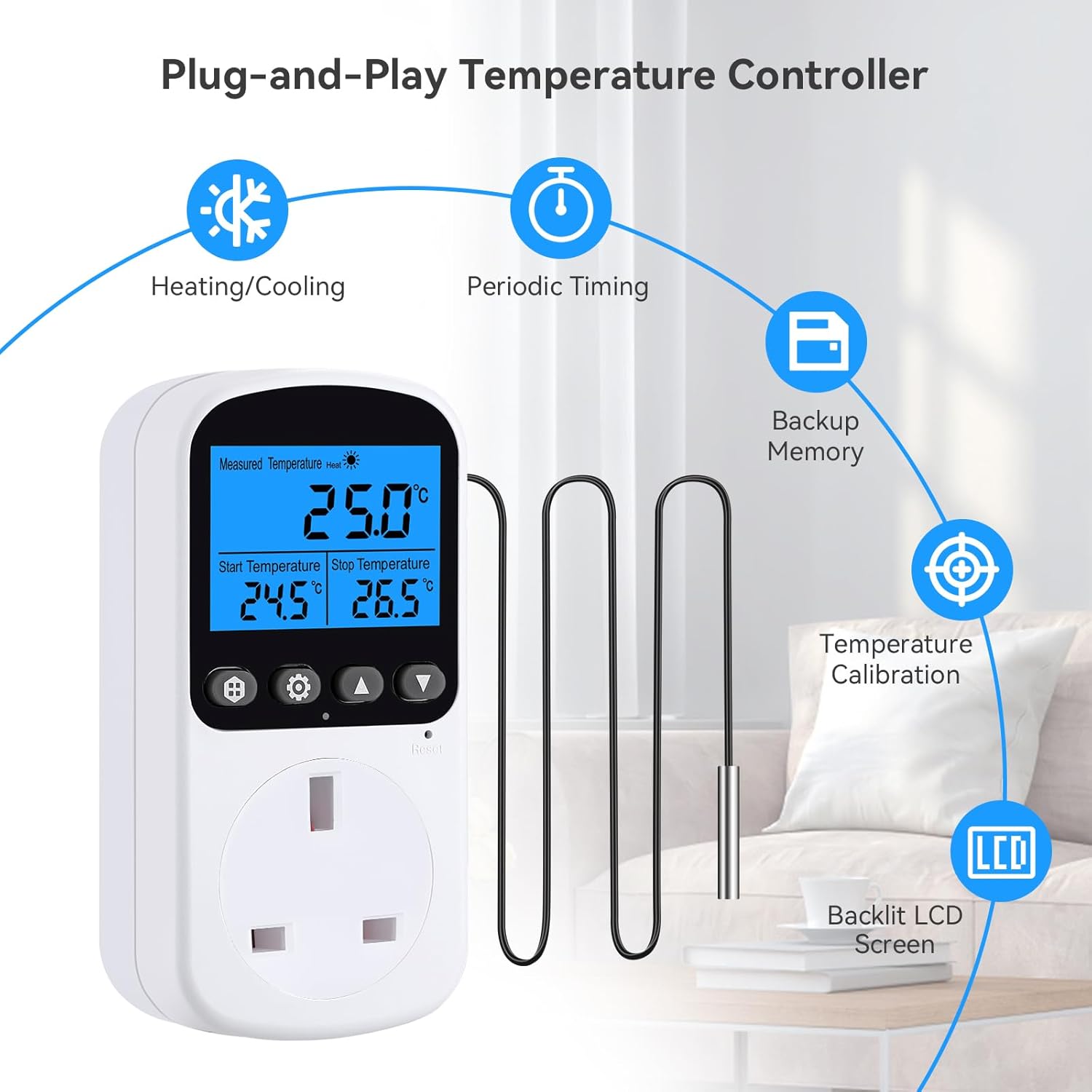
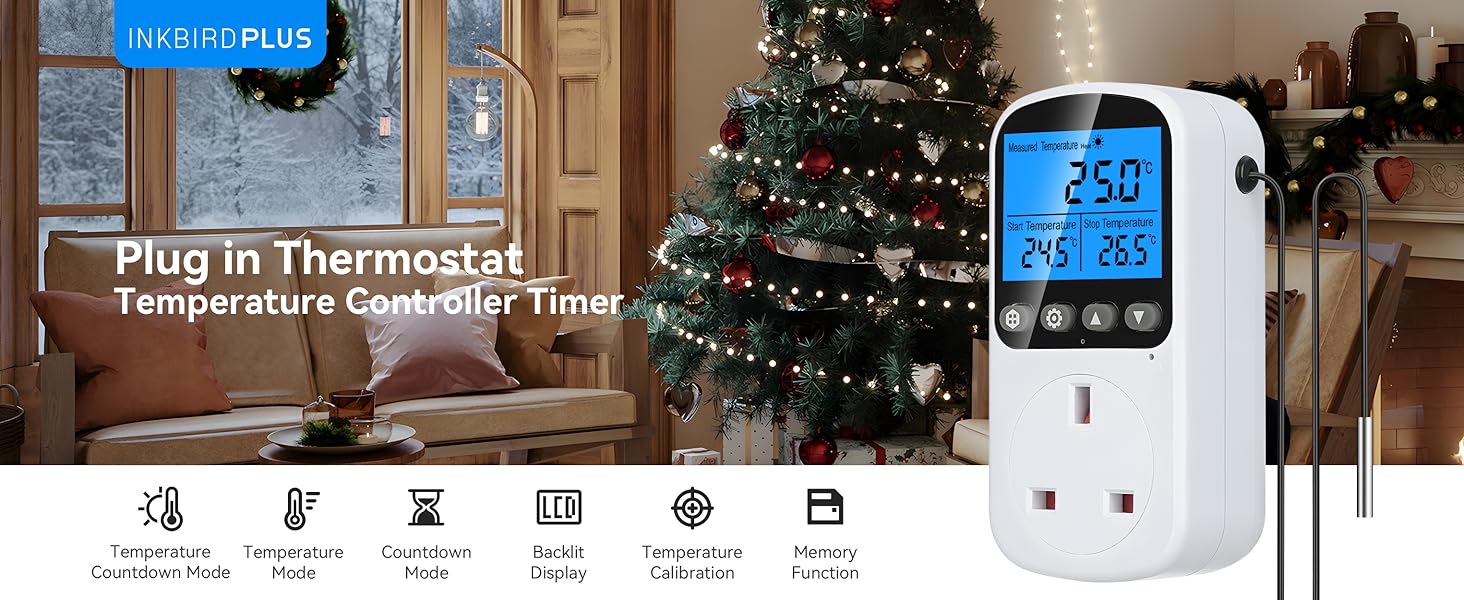
Heating & Cooling Mode: This thermostat plug socket supports both heating and cooling modes, with a high output power of 2900W. It is compatible with various heating and cooling devices, ensuring optimal temperature control for your home, greenhouse, or reptile habitat, no matter the season
Timer & 3 Control Periods: Featuring a cycle timing function, this temperature controller offers 3 preset periods for different temperature levels throughout the day. The timer mode automatically turns on/off, providing a comfortable environment from day to night
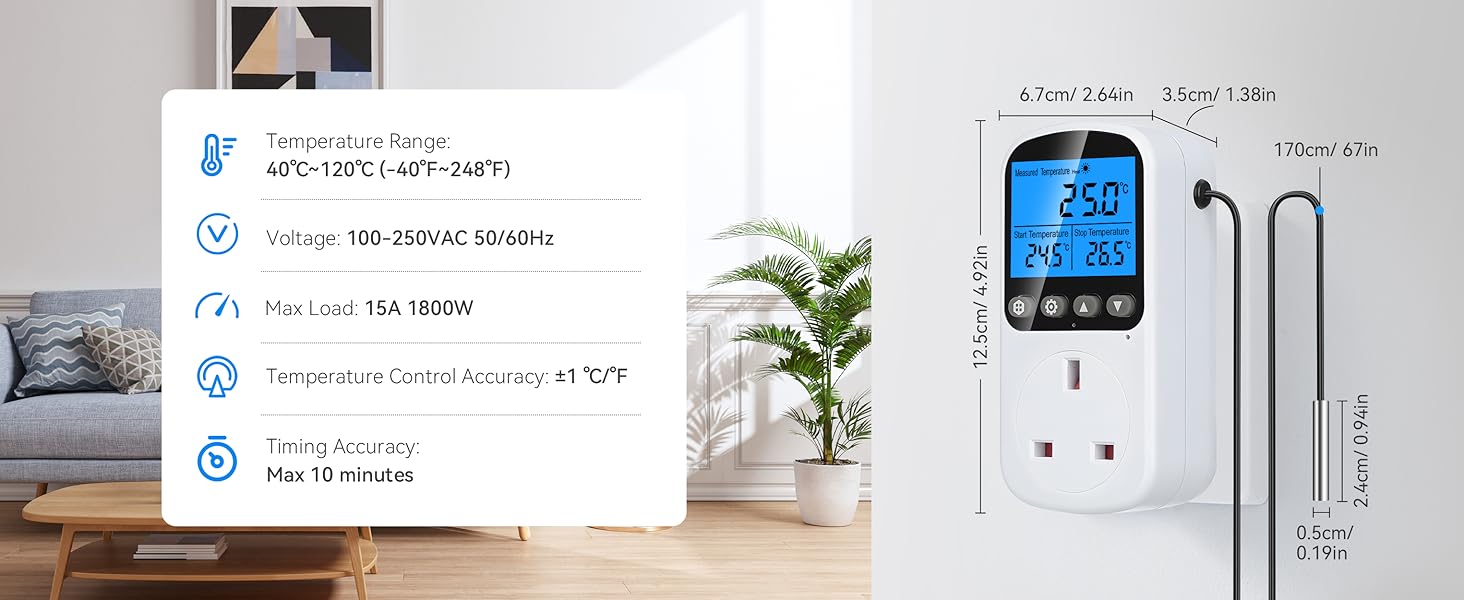
Precise Temperature Control: With a wide temperature range of -40°C to 120°C (-40°F to 248°F) and a precision sensor accurate to ±1°C/℉, this thermostat timer outlet plug is ideal for home use, fermentation, or scientific research. It also supports self-calibration for consistent accuracy
High & Low Temperature Alarm: The built-in intelligent detection system allows you to set custom high/low temperature alarm thresholds. It instantly alerts you to abnormal temperatures, ensuring the safety of your equipment and environment
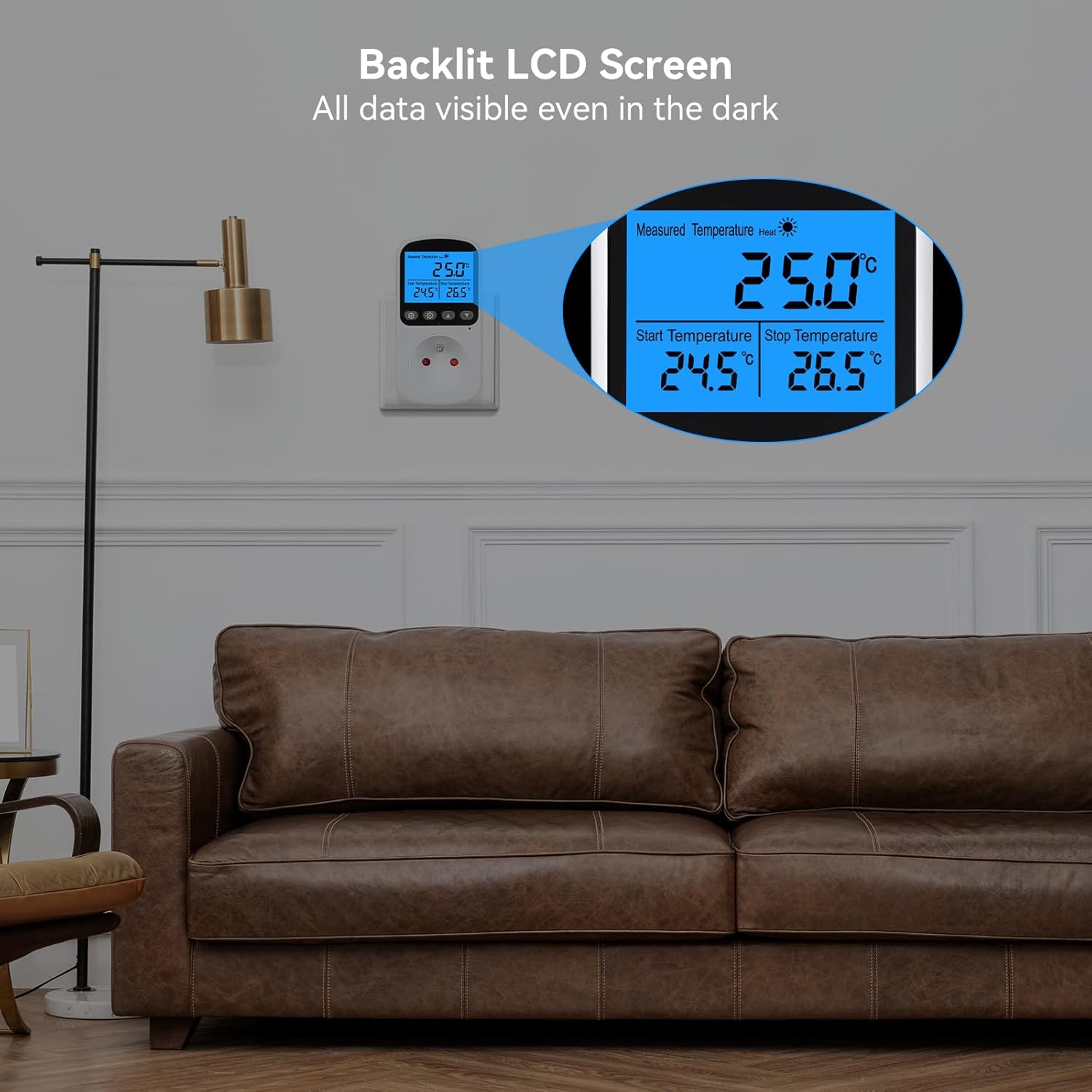
Large Screen & Multi-function: The 2.7-inch LCD screen with adjustable backlight ensures clear visibility. Perfect for planting, fermentation, or pet care, this digital temperature controller is a versatile and essential tool for any smart home setup
Customers say
Customers find the temperature controller easy to set up and say it works well.
7 reviews for INKBIRDPLUS Thermostat Plug Socket, Digital Temperature Controller with Timer Outlet Plug, Heating Cooling Mode, Sensor Probe for Reptile Greenhouse Home Fermentation Farm Aquarium
Add a review
Related Products


£24.99
kevin m –
Low price, decent quality, works well !
Been using this for a few weeks now in my dedicated tarantula room.Used it initially to control a fan in the room on the “cooling” setting which worked well, controlling the fan to cut in when the room reached the maximum desired temperature, and switched back off when it reached the lower temp I had set.(To enable “cooling” setting, you just set the minimum temperature higher than the maximum when programmingð).I now have it controlling my small nursery enclosure for all my spiderlings, with a small 16 watt heat mat, keeping them around 24c, and so far it seems to keep a very stable temperature, without much fluctuation at all.Easy to switch between centigrade and Fahrenheit with one button.One nice feature is the built in calibration setting, which is very easy to set, and ensures it is always at the exact right temperature. (Shown in my video)You can calibrate the temperature from 9.9c below the current reading, to 9.9c above, which gives you a good range of adjustment.(A feature that is not often found on lower priced thermostats).Overall, I found that it works well, seems to be very stable, and is quick and easy to setup with only 4 buttons.Instructions could be a bit clearer (as with all Inkbird products), but if you watch my video, you’ll see it isn’t really complicated to program at all.Also fairly slimline, which is always good when you have a lot of other plugs/timers, etc as a reptile /invertebrate keeper.I would definitely recommend this product if you are looking for a thermostat at a lower price point ð.
Damion Howlett –
Easy to use
Works very well so far, easy to use interface and a generous length on the probe. Highly recommend this product.
isabella linton –
Doesnât work
Worked well up until a few days ago where it would stop turning the heater back on in reptile tank
Verity Vine –
INKBIRDPLUS Thermostat Plug Socket: Useful temperature range controller
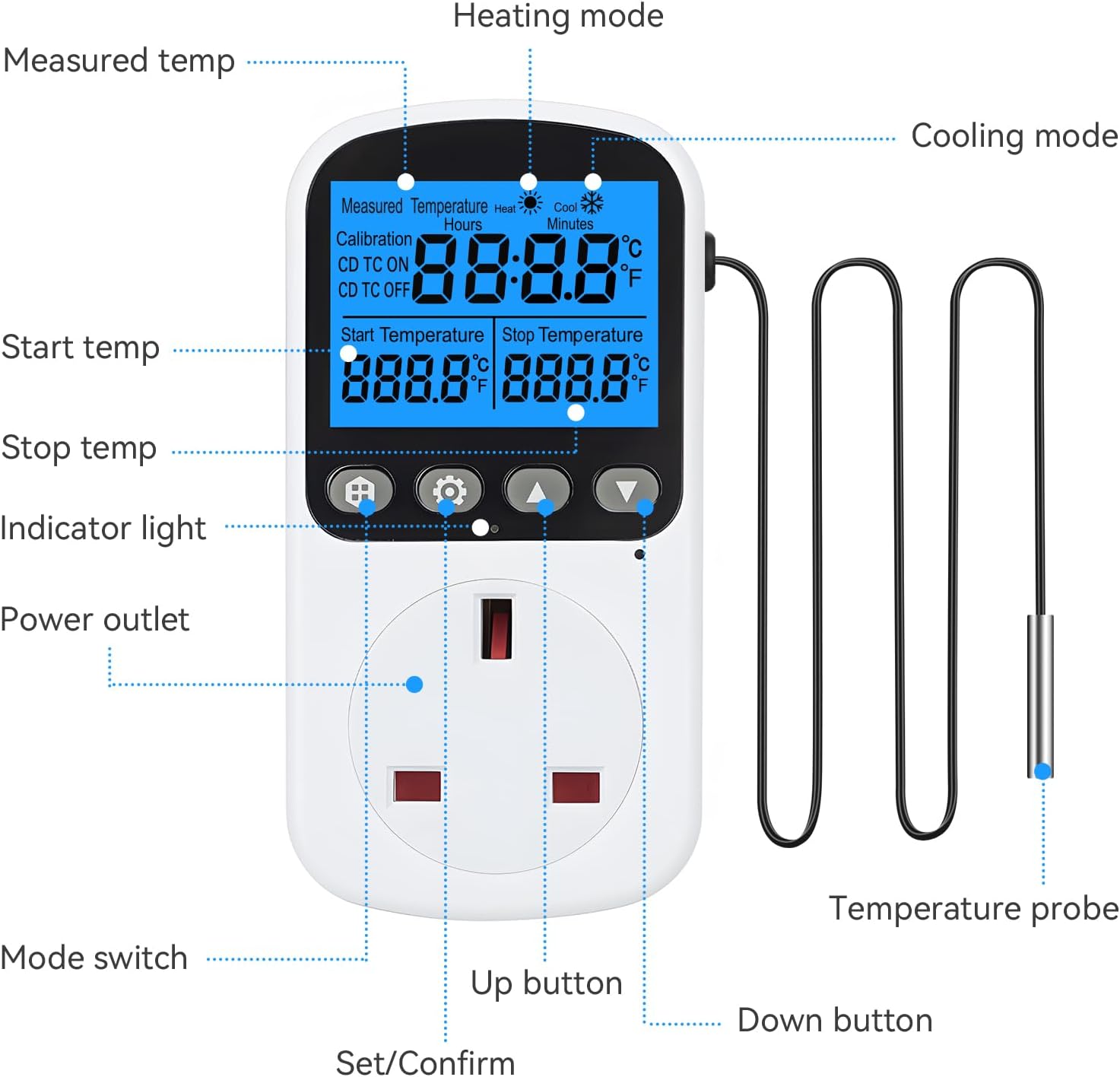
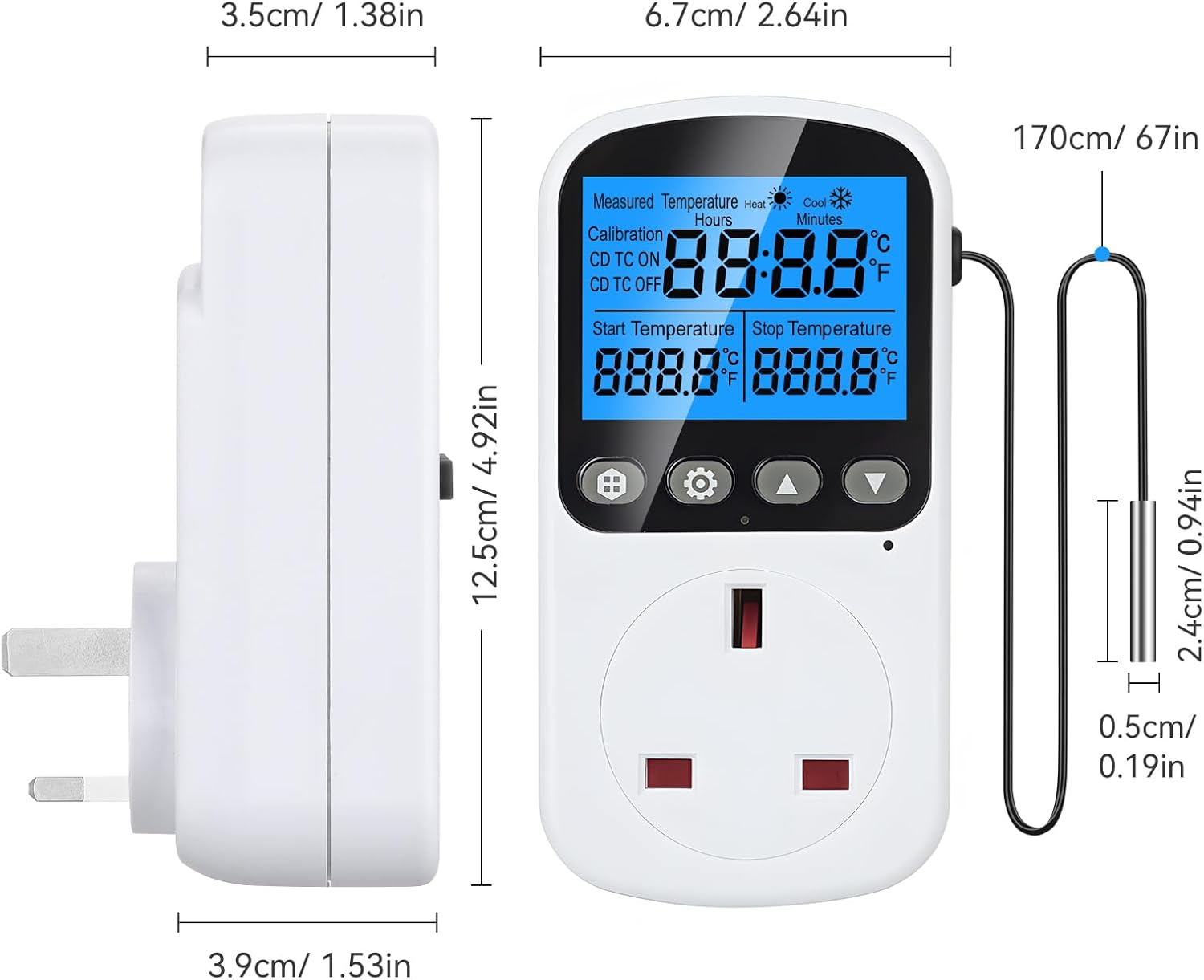
INKBIRDPLUS Thermostat Plug Socket: Useful temperature range controllerRight, so, the Inkbirdplus plug-and-play temperature controller, I had a go with this thing. It’s basically a plug socket that lets you control the temperature of whatever you’ve plugged into it. Think of it like a smart plug, but instead of turning things on and off on a timer, it activates depending on a set temperature range.It’s a fairly compact unit thatâs about 12.5cm tall, 6.7cm wide, and 3.5cm deep. You’ve got a screen on the front that shows the current temperature, and a probe that you place wherever you’re sampling the temperature. In my case, I used it to keep my home brew at a steady temperature. The probe’s on a long cable, a good 170cm, so you’ve got some flexibility in where you put it. The cable itself is quite thin, only about half a centimetre in diameter, but seems sturdy enough.Now, it’s got a few different modes, see. You’ve got heating mode, cooling mode, and then these timer modes. The timer modes are pretty clever, actually. You can set it to turn on and off at specific times, or even to cycle between different temperatures throughout the day. It’s all done through the buttons on the front, and the screen shows you what you’re doing.It’s got a few other bits and bobs too. There’s an alarm that goes off if the temperature goes too high or too low, and you can calibrate it yourself to make sure it’s accurate. It works on standard UK voltage, 100-250VAC, and can handle a decent load of 13A/230V, which is roughly 2990W. The temperature range is very wide, from -40°C to 120°C, and it’s accurate to within a degree, which is spot on for most things. The timing accuracy is a bit less precise, it’s maxed out at 10 minutes, so don’t expect it to be bang on the second.Easy to use, I simply plugged it in, placed the probe in the brewing cupboard and programmed it to control my heater, although it has much better functions than simply switching on and off at a set temperature. If you’re after something that switches on an appliance to prevent things getting either too hot or too cold, this’ll do the job.The plug comes with a paper leaflet of instructions, and Iâve included them below.⢠Display and ModesTemperature Display: The device displays temperatures in Celsius, ranging from -40°C to 120°C (-40°F to 248°F).⢠Error Codes:”E1″ indicates a disconnected sensor or a temperature below -40°C.”E2″ indicates a short circuit or a temperature above 120°C.Cooling Mode: Set the start temperature higher than the stop temperature.Heating Mode: Set the start temperature lower than the stop temperature.Modes: The device has four main modes, selectable by repeatedly pressing the “button”:TC Mode (Temperature Control Mode): Maintains a temperature range.CD TC ON Mode (Countdown Timer Temperature Control ON): Turns on based on a countdown timer and temperature control.CD TC OFF Mode (Countdown Timer Temperature Control OFF): Turns off based on a countdown timer and temperature control.CD ON Timer Mode (Countdown Timer ON): Turns on after a set time.CD OFF Timer Mode (Countdown Timer OFF): Turns off after a set time.⢠Detailed Operation Instructions:1. Switching Modes:Press the “button” repeatedly to cycle through the available modes (TC Mode, CD TC ON Mode, CD TC OFF Mode, CD ON Timer Mode, CD OFF Timer Mode). The current mode is displayed on the LCD screen.2. TC Mode Setting (Temperature Control):Switch to TC Mode: Press the “button” until “TC Mode” is displayed.Set Start and Stop Temperatures:Press the “button” to select either the start or stop temperature. The selected number will flash.Use the “â²” and “â¼” buttons to adjust the flashing number.⢠Save and Run:Press the “button” to save the settings and start the TC Mode.If no button is pressed for 10 seconds while setting, the current number will be saved automatically, and the TC Mode will start.3. CD TC ON Mode Setting (Countdown Timer Temperature Control ON):Switch to CD TC ON Mode: Press the “button” until “CD TC ON Mode” is displayed.Set Timer, Start, and Stop Temperatures:Press the “button” to select the CD TC ON time (hours and minutes), start temperature, or stop temperature. The selected number will flash.Use the “â²” and “â¼” buttons to adjust the flashing number.Save and Run: Press the “button” to save the settings and start the CD TC ON Mode.⢠Completing the Mode Settings:4. CD TC OFF Mode Setting (Countdown Timer Temperature Control OFF):Switch to CD TC OFF Mode: Press the “button” until “CD TC OFF Mode” is displayed.Set Timer, Start, and Stop Temperatures:Press the “button” to select the CD TC OFF time (hours and minutes), start temperature, or stop temperature. The selected number will flash.Use the “â²” and “â¼” buttons to adjust the flashing number.Save and Run: Press the “button” to save the settings and start the CD TC OFF Mode.5. CD ON Timer Mode Setting (Countdown Timer ON):Switch to CD ON Timer Mode: Press the “button” until “CD ON Timer Mode” is displayed.⢠Set Timer:Press the “button” to select the CD ON time (hours and minutes). The selected number will flash.Use the “â²” and “â¼” buttons to adjust the flashing number.Save and Run: Press the “button” to save the settings and start the CD ON Timer Mode.6. CD OFF Timer Mode Setting (Countdown Timer OFF):Switch to CD OFF Timer Mode: Press the “button” until “CD OFF Timer Mode” is displayed.⢠Set Timer:Press the “button” to select the CD OFF time (hours and minutes). The selected number will flash.Use the “â²” and “â¼” buttons to adjust the flashing number.Save and Run: Press the “button” to save the settings and start the CD OFF Timer Mode.(Note for Countdown Modes): After the countdown operation ends (00:00), press the “â²” button once to return to the set time.⢠Additional Functions:7. Temperature Calibration:Enter Calibration Mode: Press and hold the “button” for 5 seconds. The first row of the LCD will show “CALIBRATION” and the actual temperature. The second row will flash the current calibration value.Set Calibration Value: Use the “â²” and “â¼” buttons to set the calibration value. The calibration range is -9.9°C to 9.9°C.Save and Exit: After correction, press and hold the “button” for 5 seconds to exit and save the current calibration.8. °C/°F Switching:Switch Temperature Units: Press and hold the “button” for 3 seconds to switch between Celsius (°C) and Fahrenheit (°F).9. Backlight (If Applicable):Turn Off Backlight: When the backlight is on, press the “button” to turn it off.Turn On Backlight: Press any button to turn the backlight on.10. Reset Function:Reset to Factory Settings: Use a reset tool (like a pin) to press the reset button located in the small hole on the device. This will clear all data and settings, restoring the factory defaults.Lastly, here’s the electrical specification for the controller:The device is designed for various electrical standards depending on the region:EU FR IT Type: 16A 230V, Max 3680WUK Type: 13A 230V, Max 2900W (This is the relevant specification for the UK)US Type: 15A 120V, Max 1800WAU BR Type: 10A 240V, Max 2400Wâ Not recommendedââ Consider other options before this oneâââ A decent product that’s worth consideringââââ A great product, keep high on your listâââââ An outstanding product, and one of my top choices
John –
Keeping temp constant
Bought the product to be able to monitor temperature when making biltong. It was very accurate and easy to set up. I am now experimenting using time settings to turn off and on when certain temps are reached to ensure curing process is constant. Temp is accurate as I had another manual thermometer to check. It should work well to either keep pets warm or cold. Maybe in the future will come with an app.
Kevin Hansford –
Gets the job done
I ordered the inkbird thermostat plug to control the temperature in my beer fermentation vessel and too that end it’s working very well. It’s more compact than the other thermostat I’ve used with allot less wires. Setup was so easy i didn’t even need to look at the manual so all in all I can highly recommend this product.
Amazon Customer –
Good plug in thermostat
 This Inkbirdplus plug-and-play temperature controller, I went with this as It’s basically a plug socket that lets you control the temperature of whatever you’ve plugged into it. Think of it like a smart plug, but instead of turning things on and off on a timer, it activates depending on a set temperature range. It works well for my tortoise to regulate the temperature. Good value and is really easy to use.