

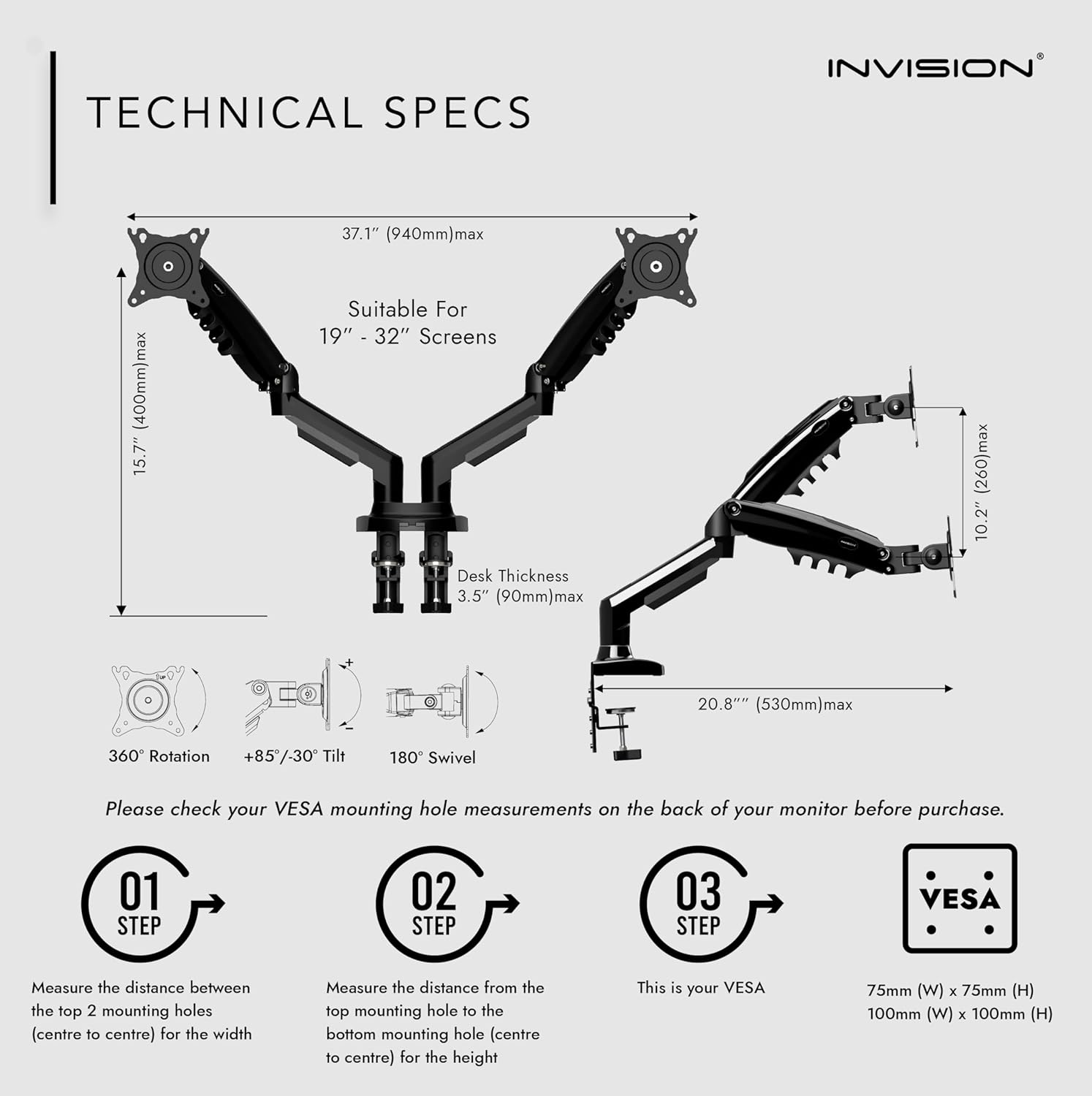
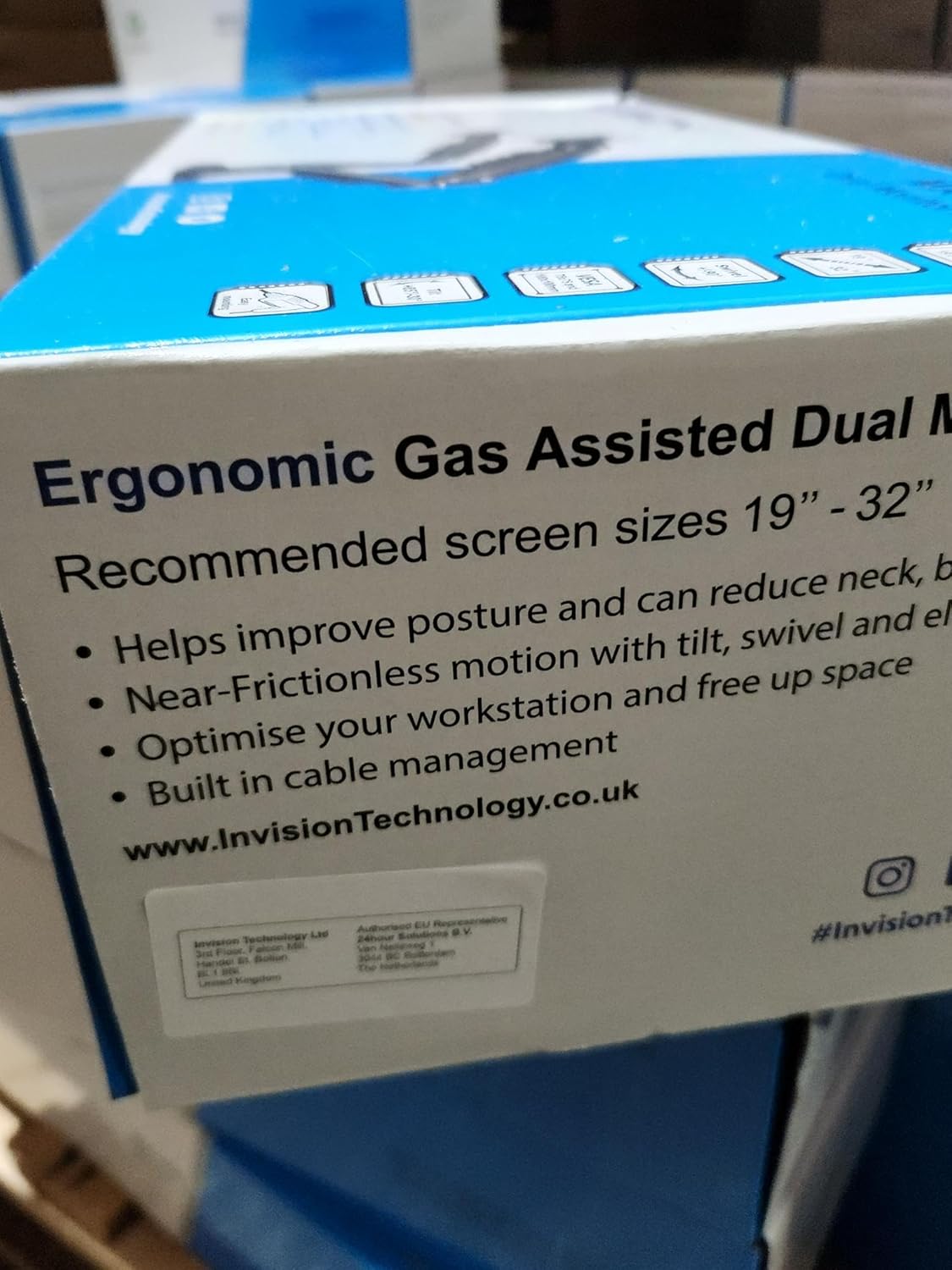
Invision Dual Monitor Arm Desk Mount for 19 to 32 Inch Screens – VESA 75 & 100mm Desk Clamp Stand – Tool Free Height Adjustment with Tilt Swivel Rotate – Increased Load Capacity from 2-9kg (MX400)
Original price was: £69.99.£49.99Current price is: £49.99.




Price: £69.99 - £49.99
(as of Jun 09, 2025 19:38:48 UTC – Details)
From the brand


Package Dimensions : 42.2 x 20.1 x 13.75 cm; 4.83 kg
Date First Available : 16 Aug. 2021
Manufacturer : Invision Technology
ASIN : B09CQCYH75
Item model number : MX400
Country of origin : China
Guaranteed software updates until : unknown
Invision are the UK’s leading manufacturers of screen mounting solutions. We are original UK-based product designers who champion your health and wellbeing in work.
We are passionate about changing the way you work and play! The MX400 is designed around you and is our most advanced monitor arm to date. With so much time spent at our screens it’s our mission to help you maximise your productivity, comfort, and enjoyment while working or gaming
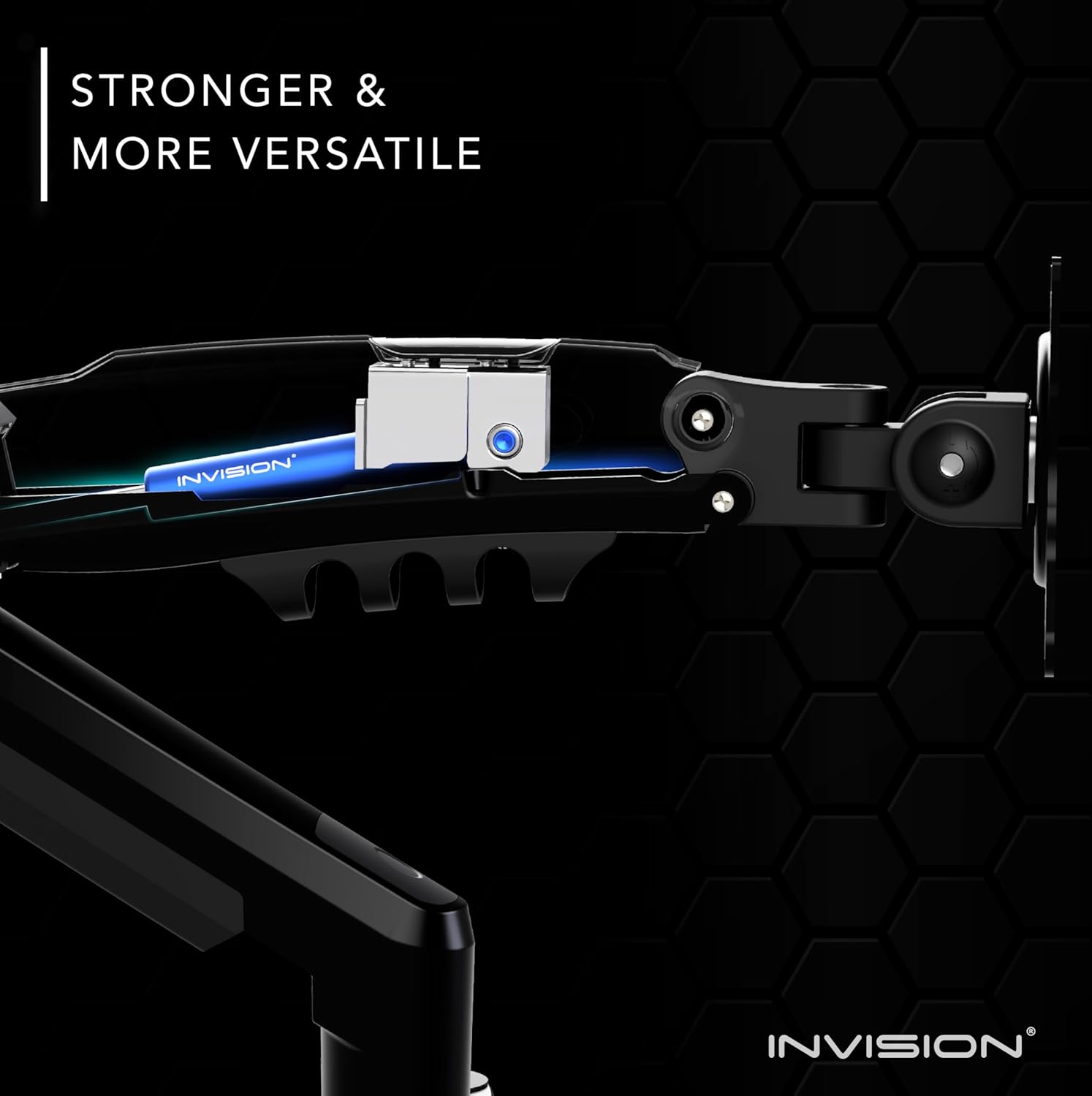
The MX400 is one of the strongest, lightest, and most versatile monitor mounts on the market. Its leading ergonomic design supports a much healthier working posture and the enhanced viewing angles help you to transform your desktop space for the better
This solution also compliments a positive holistic lifestyle change for people looking to adopt healthier habits. Mounting your screen gives you not only a great looking setup but actively promotes better posture by providing you with easy to adjust, customised viewing angles
Invision is proud to be removing plastic waste materials from our packaging and reducing our emissions across the business. Our expert UK-based team are on hand to help and are committed to finding you the right solution. Experience better with Invision
Customers say
Customers find the monitor mount incredibly stable with a solid base that can support its weight, and appreciate its ease of assembly and adjustment, particularly noting the ability to adjust for different desk surface thicknesses. The product provides ample desk space, with one customer mentioning it accommodates two 32″ monitors, while offering good mobility with smooth screen movement. Customers like the design, with one noting how it makes the workspace cleaner, and consider it a great solution for dual screens.
13 reviews for Invision Dual Monitor Arm Desk Mount for 19 to 32 Inch Screens – VESA 75 & 100mm Desk Clamp Stand – Tool Free Height Adjustment with Tilt Swivel Rotate – Increased Load Capacity from 2-9kg (MX400)
Add a review
Related Products


Original price was: £69.99.£49.99Current price is: £49.99.
Amazon Buyer –
Super sturdy and flexible
This monitor arm is easily one of the best purchases Iâve ever made.It’s super strong and reliable and holds the weight of my monitors effortlessly – no wobbling, no sagging, just a solid hold. Moving the screens around is smooth too – you can tilt, swivel, push them forward or back with barely any effort.Another thing I absolutely love is how clean it makes my desk look. It hides all the messy wires, so my setup looks tidy and clean (and is easier to clean)!One small thing to keep in mind is that if you want your monitors right up against each other with no or little gap, youâll need some space behind your desk. The arms have to extend outward first before they curve inward, so if your desk is right up against a wall, you might need to pull it out slightly. I had to make a small adjustment, but if space is tight, you might have to work around it. Or just embrace the gap!
Anya –
Value for money
So far itâs great & really stable! The arm is sturdy and holds very well. Itâs a little heavier than what I expected which is good considering its function but just note that might need another person to also help set up. Iâm quite small and not very strong so it took me a while to set up. But great value for money for sure!
Shah –
Good value for money
Very good value for money – I am able to move my monitors in most positions anytime I want without having to use an Allen key which is very convenient for me. I am using 2 monitors, one of which is heavier than the other and it does seem to be weighing down a bit but this is not bothering me. Very sturdy and has saved me lots of desk space.
S. Timbers –
Excellent value and does the job, for the newly working from home
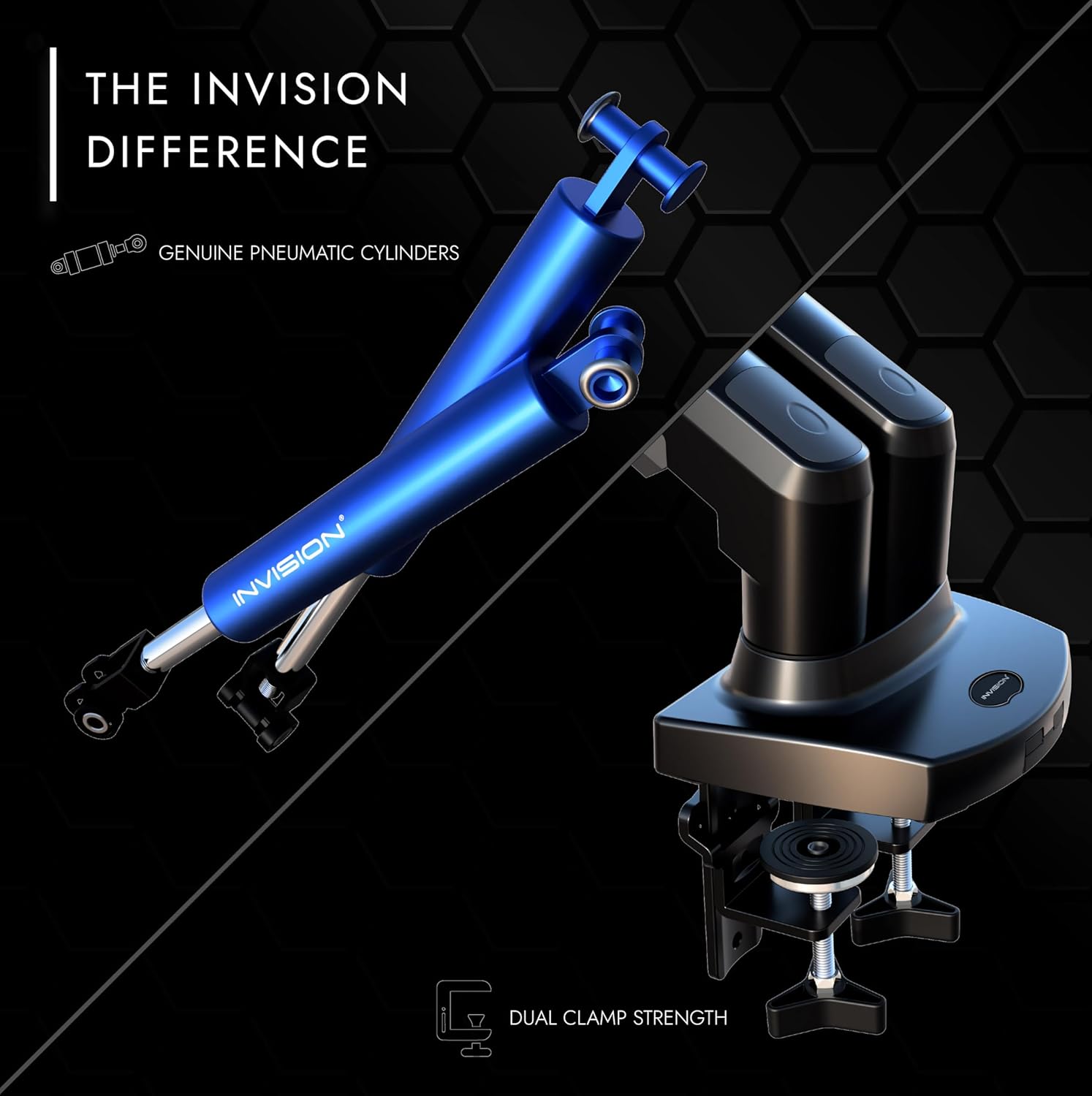
I have recently joined the “working from home” demographic, which my wife was already a part of, and so we each bought identical 24-inch monitors to emulate our workplace comforts and maintain our productivity. With both our desks next to each other and already housing all our other IT equipment, we needed a monitor mounting solution that took up as little space as possible whilst providing maximum flexibility on how to position both monitors for both our advantage. This dual monitor arm presented the best solution, that was also the best value for money having just bought 2 new monitors!Inside the box, you get a full compliment of screws and mounting hardware, as well as three sizes of Allan keys to adjust everything to your liking; the clear and concise instructions tell you how to install the arms and adjust all the screws. It’s worth studying the base/arms to note the locations of all adjustment screws before assembly, as you’ll may need to pull your desk away from the wall to get to some of the adjusting screws (which I didn’t do and it made the job more fiddly!)The arms can be mounted either by bolting through the desk or by using the dual clamp which can be adjusted for any thickness of desk surface; all the clamping elements appeared to be made from nice thick solid metal. The base even had optional breakouts to fit a couple of USB extension cables if, for example, you wanted to bring some USB ports up from your under-desk PC! I have an on-desk USB hub, so I can’t comment on whether or not the breakouts would fit all USB cables, so I imagine this could be a trial and error thing.The arms themselves come in two parts which fit to each other and the base with plastic swivel joints and are tightened by grub screws; tightening too much will lock the arms in a given position, so tighten the screws just enough to give just the right amount of resistance and prevent the arms being pulled out of the base. The bottom half of each arm is rigid whereas the top halves are pneumatically height adjustable, and both halves of each arm have plastic cable management clips on the underside to make everything neat and tidy.It is the cable management that would be my biggest criticism of this product, as they seem quite flimsy or prone to breaking – especially on the top half of each arm. My monitors serve more than one computer as well as having integral speakers and USB hub, so I managed to squeeze a power cable, two data cables, 2 USB cables and an audio cable into the arm cable clips; however I had to compliment the top arm with cable ties to ensure the cable clips didn’t break or deform into uselessness after a couple of weeks.The bi-jointed metal monitor mounts allow the monitors to be tilted upwards/downwards, as well as rotated, and can accommodate any monitor that conforms to the VESA mounting standard. The top two mounting holes are opened out to the edge of the mount so that you can initially hook the monitor on with the top two screws, and this will hold the monitor whilst you sort the bottom two screws; this may sound like a tiny feature, but it makes the mounting of the monitors so much easier when you don’t have to worry about supporting the monitor at the same time as eliminating the risk of cross-threading the mounting screws!When adjusting the strength of the pneumatic height adjustment it’s worth noting that the adjustment screws don’t seem to lock the top arms in a fixed height no matter how much you tighten them; therefore the monitors will still move up/down if you accidentally knock them for example, which can be a little annoying if you don’t need to adjust your monitor frequently.Overall, this product is of reasonably good quality and does the job well for it’s price; when considering that the next similar products start at over twice the price and can go into hundreds of pounds, this dual monitor arm mount is definitely quite a bargain!
Alex –
Solid monitor arms
Pros-Sturdy and stable-Aesthetically pleasing-Easy to adjust and maneuver-Ability to rotate screens-Available cable management section-Solid clamp mountCons-N/A
Mr. S. H. –
Fantastic stand
Very sturdy and strong stand. 2 29″ monitors. Easy to adjust . Plus fantastic customer service too.
Rimgaudas Vasikauskas –
Excellent mount !!
Really awesome monitor desktop mount, great quality and strong for bigger or heavier monitors.
Mr T. –
Overall very happy with this purchase
I have been working from home for a number of years now and decided to get a second monitor.To enable me to do this I needed to get a monitor arm to fit them on my desk.This product is very good quality and very sturdy, also weighs a bit too.Plenty of versatility and functionality in the arms for height, depth and rotation of the screens, I have 2 27″ screens one Portrait and one Landscape.The dampers are adjustable so you can get the balance right depending on the screen weight.If you are a competent Ikea flat pack builder you should have no problem putting these together, if not the instructions provided are pretty good.
AeG –
Acquistato con uno sconto del 25% sul prezzo di 79.99 e ricevuto in un giorno, il supporto arriva smontato in una serie di pezzi ben disposti in una scatola di dimensioni contenute.Il fissaggio alla scrivania può avvenire tramite 2 morsetti sul bordo del tavolo (spessore raccomandato dai 2 ai 9 cm), oppure tramite una vite (in quest’ultimo caso è necessario forare la scrivania con una punta da 10 mm ad almeno 4 cm dal bordo, con spessori del piano da 1 a 9 cm).Io ho optato per il fissaggio coi morsetti. Nel mio caso, l’ancoraggio sul bordo del tavolo prende 4.5 cm.MONTAGGIOAbbastanza semplice, si può fare anche in una sola persona. Avviene a partire dalla base, su cui si montano i due bracci e, su questi, i monitor. I cavi si passano infine nelle apposite guaine.Nel mio caso, i monitor erano due 24 pollici con aggancio VESA 100×100. à importante avere lâaccortezza di avvitare prima le due viti superiori sul monitor, che si usano come agganci sulla piastra del braccio (altrimenti sarebbe difficoltoso reggere il monitor per fissarlo).Tra il piano e la base ho interposto in via provvisoria del cartone, che ho intenzione di sostituire con un tappetino/pannello sottile sagomato, sebbene non strettamente necessario nel mio caso (trattandosi di monitor abbastanza leggeri). Le istruzioni comunque dicono questo: âse stai montando schermi pesanti su questo braccio, valuta la tua scrivania. Esempio: le superfici di legno fabbricate come il truciolato o MDF sono pannelli compressi ad alta densità e hanno meno probabilità di causare segni o rientranze. Le superfici in legno naturale sono più morbide e quindi è consigliabile aggiungere un rinforzoâ.Sarebbe stata comunque molto apprezzata la presenza nella confezione di una protezione aggiuntiva per la scrivania da utilizzare secondo necessità , anche se a questo prezzo non si può pretendere di più.REGOLAZIONIUna volta montato il tutto, bisogna regolare gli snodi per fare in modo che gli schermi si possano spostare come desiderato, senza però che si muovano da soli. Per far questo si agisce sulle viti a brugola. In particolare, segnalo che la vite sul âgomitoâ dei bracci, che permette di alzare ed abbassare i monitor, inizialmente era tutta svitata e nel mio caso, con monitor da 24â, è stato necessario avvitarla al massimo (tensione minima), altrimenti lo sforzo per abbassare i monitor sarebbe stato troppo alto. Nel caso di monitor più pesanti è necessaria una tensione maggiore per tenerli in posizione.FUNZIONALITAâIo ho scelto un montaggio sullâangolo della scrivania. In termini di ingombro dei bracci, la loro sporgenza oltre il bordo del tavolo è di meno di 10 cm. I monitor si muovono in maniera molto fluida (per cui possono essere allineati e accostati al millimetro), ma al tempo stesso mantengono stabilmente la posizione impostata. La sezione dei bracci è abbastanza generosa (4.5×8.5 cm, inclusa la canalina per i cavi) e sul retro si fa notare abbastanza, ma esteticamente rimane abbastanza gradevole, anche considerato che frontalmente si vede soltanto la base e il piano di lavoro rimane quindi pulito e lineare.Nel complesso il giudizio è molto positivo, in termini di estetica, ergonomia e rapporto qualità /prezzo. Ottima la configurazione a doppio morsetto, che non si trova in prodotti analoghi e permette di avere maggiore stabilità distribuendo meglio lo sforzo sul piano di appoggio.
Quentin Morel –
Je suis extrêmement satisfait du support Invision MX400 pour deux écrans. C’est une véritable amélioration pour mon espace de travail, et je peux déjà constater une nette différence en termes de confort et d’ergonomie.Points positifs :Réglable en hauteur : Le système de réglage à gaz fonctionne parfaitement. Il permet d’ajuster la hauteur des écrans de manière fluide et précise. Cela m’aide à éviter les douleurs au dos et au cou lors de longues sessions de travail.Flexibilité totale : Les bras sont pivots, inclinables et rotatifs, ce qui permet de positionner les écrans exactement comme je le souhaite, que ce soit pour un usage bureautique ou pour des sessions de divertissement.Facilité d’installation : L’installation a été relativement simple et rapide. Tout est bien expliqué dans le manuel, et les outils nécessaires sont fournis. En moins de 30 minutes, mes deux écrans étaient installés et parfaitement positionnés.Compatibilité VESA : Il est compatible avec des écrans de 19 à 32 pouces et les systèmes de montage VESA 75x75mm et 100x100mm, ce qui le rend idéal pour une large gamme d’écrans.Capacité de charge robuste : Il supporte des écrans pesant de 2 à 9 kg, et je n’ai pas constaté de problèmes avec mon configuration. Les écrans sont bien maintenus sans tremblement ni risque de chute.Gain d’espace : Le support permet de libérer de l’espace sur le bureau en surélevant les écrans. Cela donne un bureau plus propre et plus organisé.Points négatifs :Aucun : Je n’ai rencontré aucun problème avec ce produit. Tout fonctionne parfaitement.Conclusion :Je recommande vivement le support Invision MX400 pour ceux qui cherchent à optimiser leur poste de travail. Il combine robustesse, flexibilité et confort, tout en offrant une excellente capacité d’adaptation à différentes tailles d’écrans. C’est un excellent investissement pour ceux qui passent beaucoup de temps devant leurs écrans, que ce soit pour le travail ou pour les loisirs. Vous ne serez pas déçu !
Bernard Braet –
perfect quality, easy to regelate the weight of the screen. very stable, just what I need
Wallas –
24inch ve 27inch ekranlarımı saÄ-sol oryantasyonda rahatlıkla kullanabiliyorum. Sadece sabitleme kısmında masanın bir tık kalın olması gerekiyor. Masam kalın olmadıÄı için araya sabitleme için farklı bir cisim kullandım. Kollarda kablo rotalaması için kanallar mevcut. Bu da size kompakt bir görüntü elde etmenizi saÄlıyor. 2 senedir ürünü kullanmaktayım. Masada herhangi bir deformasyon vb. durum olmadı. Ä°Ålevini ilk günkü gibi devam ettiriyor.
mampa90 –
Buen soporte, no se mueven las pantallas y no caen, lo único es que no se puede adaptar la altura de éstas y si está el escritorio contra una pared que suele ser lo normal el rango de movimiento de las pantallas es más limitado. Pero es el mejor stand de pantallas que he tenido a nivel de robustez en cuanto al agarre a la mesa.