

Kensington (SD3600) USB 3.0 Dual Display Universal Laptop Docking Station for Home Office, With HDMI, DVI outputs (includes DVI-VGA + DVI HDMI adapters)
Original price was: £109.00.£94.99Current price is: £94.99.


Price: £109.00 - £94.99
(as of Jun 02, 2025 03:08:07 UTC – Details)
From the brand


The Professionals’ Choice
Headquartered in California, Kensington are a leader in desktop and mobile accessories, trusted worldwide for over 40 years.

Docking Stations
With Kensington universal docking solutions, a single cable is all it takes to get a full desktop experience from your laptop.

Pro Video Conferencing
In a world where life is caught on camera, Kensington knows that the right video set up will help you to look and sound your very best.
Shop the Kensington Range

Health and Wellbeing Solutions
Working should feel like living. Improve your comfort in the workplace with Kensington Health & Wellbeing products.

Bags and Sleeves
Carry your devices and accessories with ease. Kensington bags and sleeves are designed to fit all your needs and most importantly, you.
Shop the Kensington Range

Security Solutions
From computer cable locks, to privacy screen filters and more, keep your devices protected with Kensington security solutions.

Control Solutions
Kensington mice, keyboards, trackballs and presenters are made with comfort, efficiency and productivity in mind.
Shop the Kensington Range
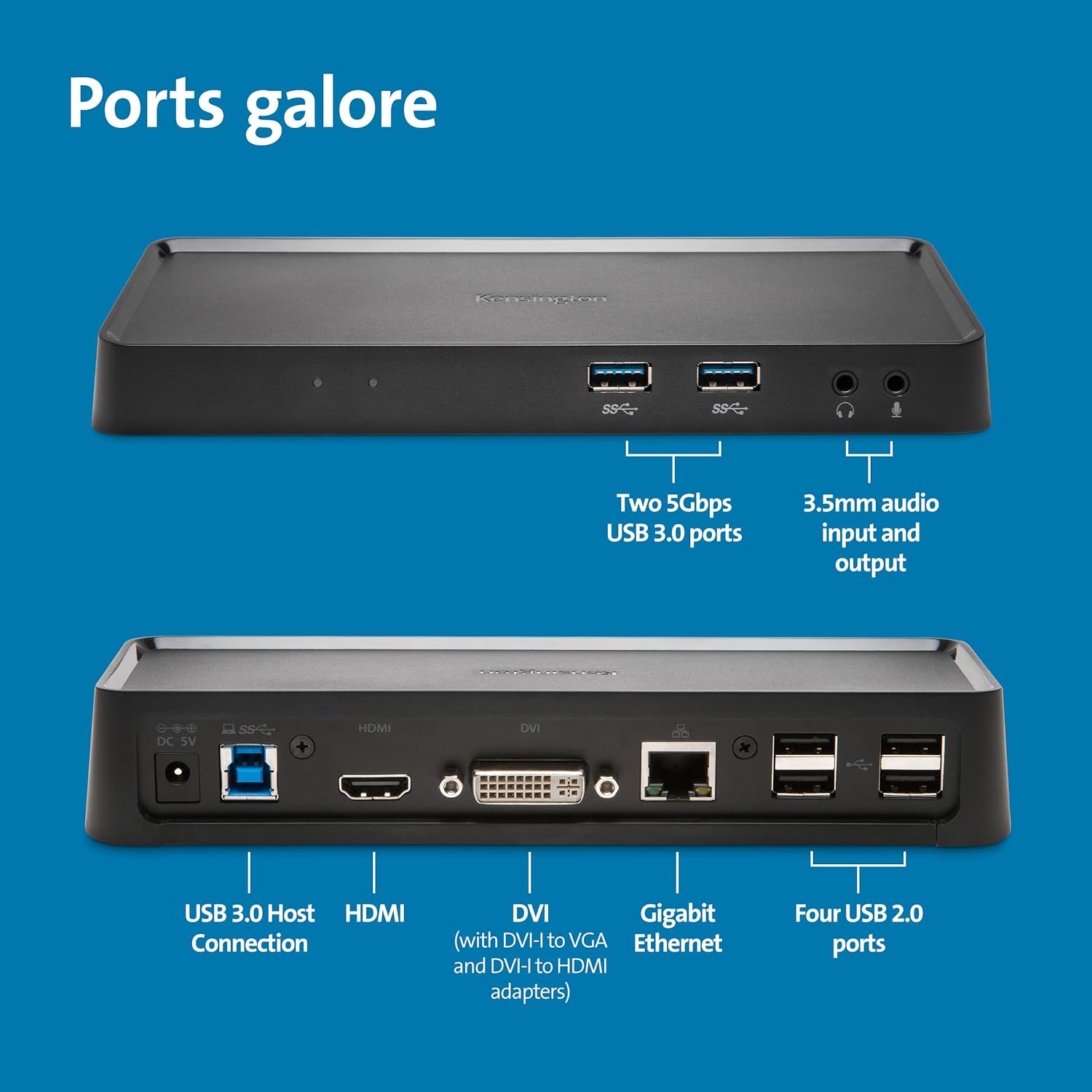
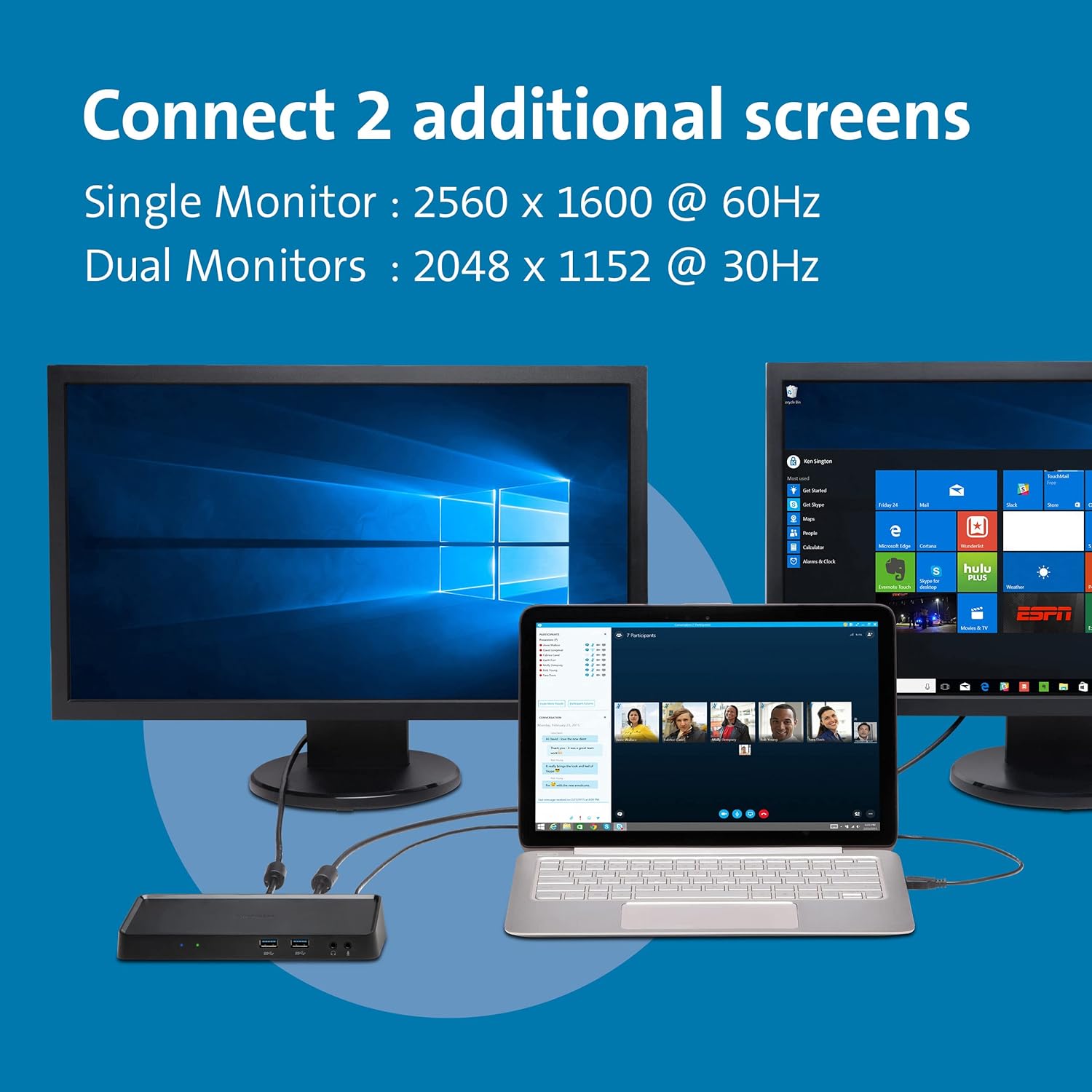
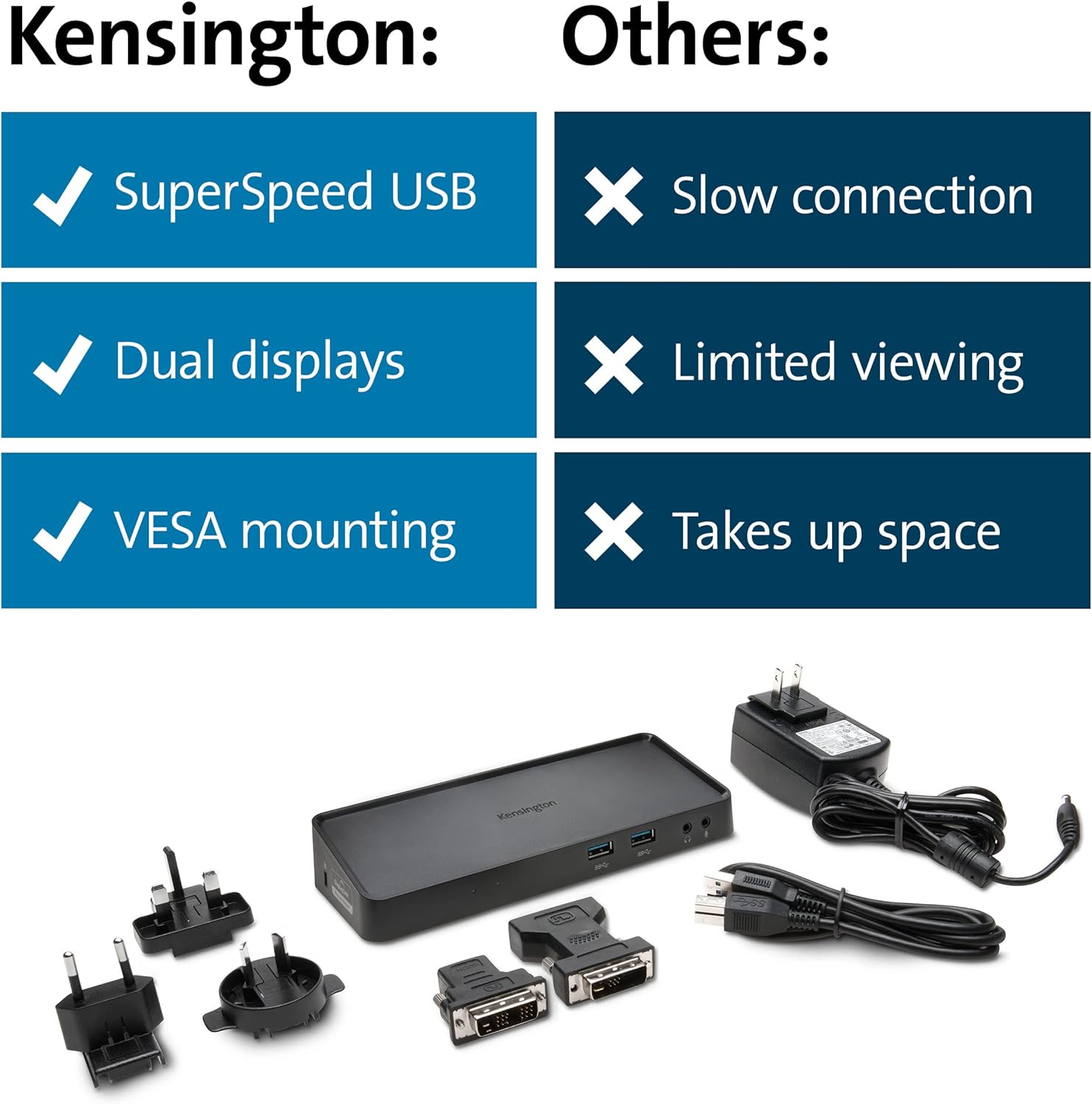
DUAL HD VIDEO – HDMI port and a DVI port for two external screens. The HDMI connects directly while the DVI port can be connected directly or through the included DVI-to-VGA or DVI-to-HDMI adapter
ZERO FOOTPRINT MOUNTING – The dock can be mounted to the back of a 75 mm or 100 mm VESA-compatible external monitor (mounting plate sold separately), allowing you to keep your desktop less cluttered
EXTEND OR MIRROR MODES – Extend mode allows you to drag an application to an external monitor, while Mirror mode allows you to replicate the content on your computer display to an external screen
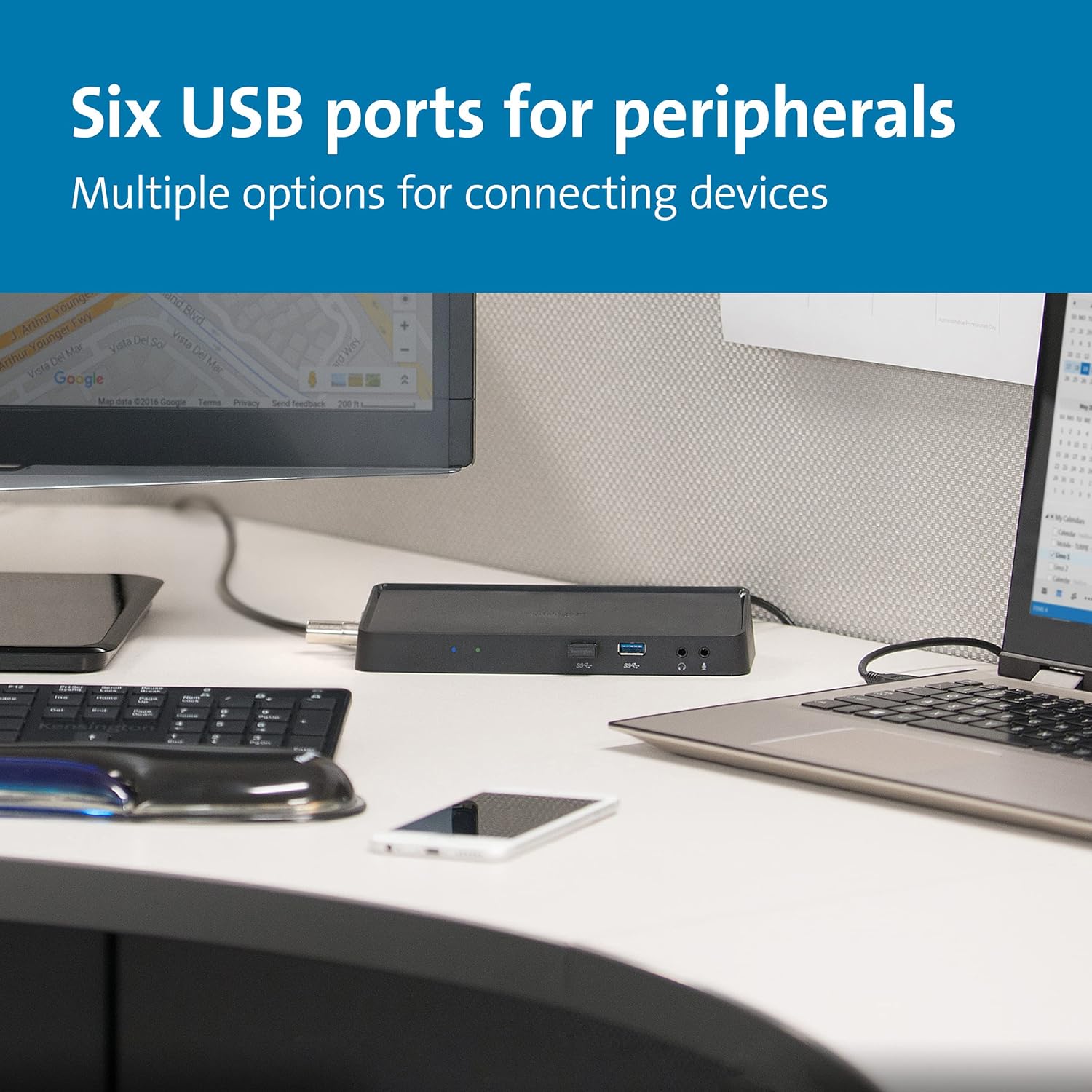
2 FRONT USB 3.0 PORTS – Two USB 3.0 ports are on the front of the dock for phone or tablet charging, or to transfer data from another device; there are also headphone and microphone input ports
4 REAR USB 2.0 PORTS – Connect items like a keyboard, mouse or printer to help keep cables or wireless receivers hidden from view. Optimised for Windows 11, compatible with Windows 7 and above
Customers say
Customers find the docking station works well straight out of the box and is very easy to set up. They appreciate its small, sleek design and consider it good value for money. However, some customers report issues with losing connection periodically.
AI-generated from the text of customer reviews
13 reviews for Kensington (SD3600) USB 3.0 Dual Display Universal Laptop Docking Station for Home Office, With HDMI, DVI outputs (includes DVI-VGA + DVI HDMI adapters)
Add a review
Related Products


Original price was: £109.00.£94.99Current price is: £94.99.
John –
Works as intended after driver downloads
I bought this from Belgium on 5th September for £105, it’s now even better value at time of writing £80 but no longer delivers to Belgium.
I had no problem setting this up running Windows 10 creator addition with 2 external screens. I had to download the display link drivers to get both screens working with the dock but these were available from the Kensington site.
It took some time with windows laptop settings to ensure that both screens stayed on with the laptop screen closed but this was due to my preferences having the laptop sleep automatically when the lid is closed. Once this was changed and one of the external screens was designed the default screen everything worked fine. I have noticed a couple of times when playing some games that the connection seems to have dropped and it searches and finds again the connection. Not sure this is a bandwidth issue with the USB or perhaps my internet connection to the gaming site.
I bought this as I take my laptop home from work and didn’t want to plug and unplug several screens each time this way I only have one USB to change.
Been using it for a couple of weeks now and it works fine no issues with speed or transmission, everything is smooth.
I would recommend this as a good option for a home office looking to go with multiple screens.
J walker –
A lot of functionality in a small form-factor
Excellent Product. Works out of the box with great results. I use it to hook my Surface Go 4gb Tablet up to a desk top set-up using a USB 3.0 to USB-C cable (purchased separately). I have ThinkVision T24D connected with HDMI, and a old Dell LCD connected with VGA (using a VGA to DVI adaptor purchased separately). I have a wired mouse and keyboard connected, a Dell USB sound bar, and a Seagate 2TB portable hard drive for extra stored in desktop mode.
The only downside is the last of USB 3.0 ports on the rear, which means I have to plug my Seagate Harddrive into the front ports to gain the extra transfer speeds. Otherwise it’s a nice clean set up to allow you to extend a laptop or tablet easily.
Tim –
Working for 2 external monitors for MacBook Pro 13″ 2022 M2 chip (read below)
I bought this product as an attempt to get the MacBook Pro 13″ 2022 M2 chip working with 2 external monitors. I’ve now achieved this – see below for quirks.
If you’re looking to address the same issue as me, you will know the mentioned MacBook model only has 2 USB-C ports and does not officially support 2 external monitors (what a nightmare). I was not able to get this working whilst plugging both monitors into the product. Instead I’ve only plugged 1 monitor into the product (HDMI to HDMI), and the other monitor is using the second USB-C port (USB-C to HDMI). See accompanying screenshot – product is plugged into the 2nd USB-C port and continues to charge.
——-
After the hardware setup, you need to download the DisplayLink software. Its mediocrely self explanatory but has some quirks too…
If you do not see the MacOS screen recording permission request on first download, you need to go to settings and enable it manually under ‘Security & Privacy’.
If you do not see a screen recording section in ‘Security & Privacy’, you will need to download any other software that does request this permission (Microsoft Teams/Discord etc.), after those products have requested the screen recording permission, you will also see the DisplayLink software will also appear, which you must enable to get this all working.
Good luck… Apple, just gives us some more ports next time.
Johnny Hedgehog –
It just worked first time with no set up needed other than plugging in cables.
My laptop had only one hdmi out but I needed two screens, this does the ticket and the hdmi port still works so I could have 3 screens. I don’t game so I don’t know what it’s like with gaming but for netflix and dvd’s it works fine. No complaints so far, in fact I am impressed.
Dirk van Voorst –
Not working with 2020 MacBook Pro
Not working with 2020 MacBook Pro. All software installed and causes continuous automatic shutdown of the MacBook
M J Brown –
these are better than I thought they would be and good value …
Yep, these are better than I thought they would be and good value for money (£80) so I bought another one. I have a 4 screen card with all ports used and this let me add another touch screen with no issues at all. As it’s powered it has also helped with some power problems I was experiencing from some USB devices so all in all it’s been great. The second one I am using for a laptop dock at home but I take it away with me when working away for longer periods to allow me to use 4 screens (2 out of the dock, 1 out of the laptop + the laptop screen).
ElvisP –
Problematic !
Unfortunately this dock is problematic and only works *some* of the time. When it works – it works well BUT some of the time it exhibits strange behaviour i.e. It repeatedly disconnects and reconnects itself resulting in Screen Flicker and the attached USB devices are no longer accessible. Tested on both a Windows 10 Machine & a Macbook and the dock exhibits the same strange behaviour on both (at times).
KeenShopper –
Amazing even on USB2
Amazing – I write software and use the screens intensively and have zero tolerance for screen lag or fuzzy images etc. I bought this dock to run 2 screens on my Lenovo Yoga 900 laptop. As expected it worked as advertised on the Lenovo Yoga 900 when plugged into a USB3 port. What I didn’t expect was it to work on my old Lenovo T420 plugged into a USB2 port. I am writing this review on the Lenovo T420 with the dock plugged into a USB2 port and the following: The laptops built in screen running at 1600×900 and then plugged into the dock is a 28 inch screen running at 2048×1152, a third 21 inch screen running at 1600×1200, the Ethernet connection and a USB keyboard and mouse. To be honest I cannot see the difference using the dock or with the screens plugged in directly to the T420s two external display ports and all on USB2. I know USB2 is not what is advertised to use and I am sure if I pushed the ports hard by copying large files the USB2 bottle-neck would show up. But for a 3 screen setup for writing software it is amazing. If I had known how well this works I would have bought one years ago.
Nat –
As described. Easy to use and easy to setup.
David Parler –
I work from home with a company-provided laptop, but also gave a tower computer of my own at home. This docking station allows me to connect the mouse, monitors, and keyboard (as well as microphone and camera) to the docking station and keep it that way, and just unplug one simple cord when I want to switch over from my work station (laptop) to my personal desktop computer (tower). You can also reproduce this work station at another remote location and simply âtravelâ with your laptop, unplugging it from one work station and transporting bit to the other. Customer service was also very helpful with a problem I experienced.
jerome –
Je suis très satisfait de ce produit qui a grandement amélioré mes conditions de travail en me permettant de brancher mon portable sur 2 écrans sans avoir à acheter une docking station spécifique à mon matériel professionnel amené à changer tous les 3 ans.
Aucune configuration n’est nécessaire. Il suffit juste de bancher et tout fonctionne de suite.
Les adaptateurs DVI-HDMI et DVI-VGA sont très pratiques.
Je ne peux pas parler du port ethernet puisque je suis branché en wifi uniquement.
Je l’ai discrètement attaché à l’arrière d’un de mes écrans à l’aide d’attaches adhésives 3M command. Pas la peine d’acheter le support de fixation qui n’aurait pas été adapté à mon écran.
Je ne vois aucun point négatif pour le moment.
mario giuseppe calzavara –
Per chi , come me , deve continuamente assemblare la propria postazione di lavoro , collegando il pc portatile con stampanti , scanner , linea etc , in più studi ,uno strumento come questo è utilissimo per non dire indispensabile. Tutte le periferiche possibili sono infatti collegate alla docking station e basta collegare un unico cavo con il pc per essere pienamente operativi. Semplice nel funzionamento e performante . Consiglaibilissimo.
Toobizzee –
Works well right out of the box, plenty of receptacles for my 2 monitors, speakers and external hard drive. No lag that i can tell, unlike my old one, which I believe had lived it’s life. Lightweight and small so easy to hide under the desk with the 5,000 feet of cords that go with all the technology.