

Kensington Wireless Mouse -ValuMouse Wireless 3-Button Computer Mouse with Silent Clicking, Ambidextrous Design, Scroll Wheel and USB 3.0 Connection – Black (K72392EU)
£19.99





Price: £19.99
(as of Oct 15, 2025 15:22:47 UTC – Details)
From the brand


The Professionals’ Choice
Headquartered in California, Kensington are a leader in desktop and mobile accessories, trusted worldwide for over 40 years.

Docking Stations
With Kensington universal docking solutions, a single cable is all it takes to get a full desktop experience from your laptop.

Pro Video Conferencing
In a world where life is caught on camera, Kensington knows that the right video set up will help you to look and sound your very best.
Shop the Kensington Range

Health and Wellbeing Solutions
Working should feel like living. Improve your comfort in the workplace with Kensington Health & Wellbeing products.

Bags and Sleeves
Carry your devices and accessories with ease. Kensington bags and sleeves are designed to fit all your needs and most importantly, you.
Shop the Kensington Range

Security Solutions
From computer cable locks, to privacy screen filters and more, keep your devices protected with Kensington security solutions.

Control Solutions
Kensington mice, keyboards, trackballs and presenters are made with comfort, efficiency and productivity in mind.
Shop the Kensington Range
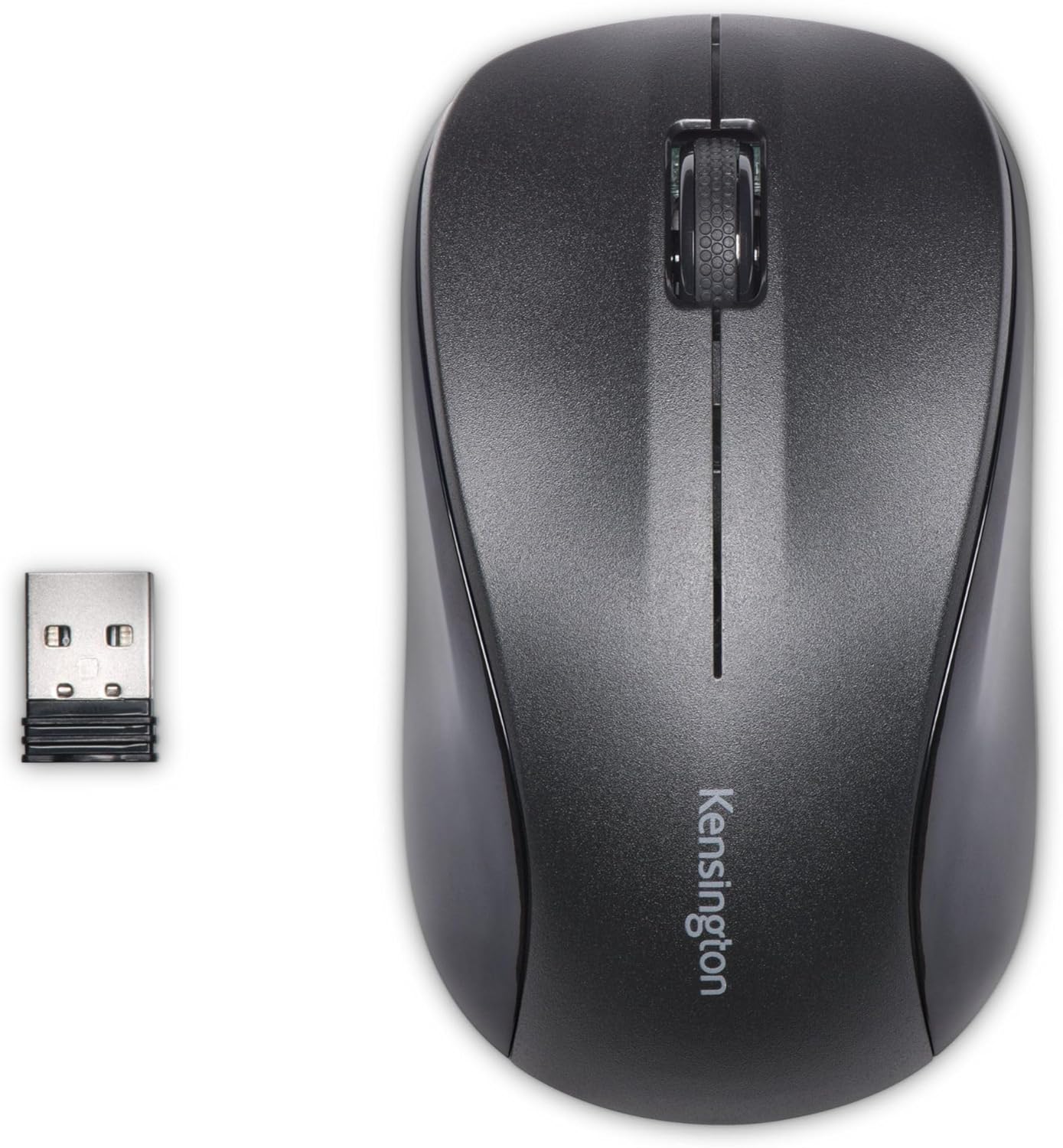
USB 3.0 Wireless Mouse – The Kensington ValuMouse Wireless Mouse uses a 2. 4GHz nano receiver that provides a reliable connection and can be stored within the mouse when not in use, ideal travel mouse
Ambidextrous Design – The two-button, scroll wheel design makes this the ideal right-handed mouse or left-handed mouse for users who want a mid-size comfortable computer mouse for extended use
1000 DPI Sensor – The high-definition laser tracks the mouse movements with smooth accuracy for optimal performance and productivity, whilst the silent clicking is ideal for office and home office use
Wireless Battery Powered Mouse – The mouse features a low battery indicator to let you know when it will soon be time to change the batteries; there is also an on/off switch to help save battery power
Set Up and Compatibility – Plug and Play installation with the storable USB 3.0 Nano receiver, no need for driver or software downloads. Compatible with Windows 10, 8. 1, 8, 7 and Mac OS 10.9 or later.
Customers say
Customers find the mouse well-made and comfortable, with a size that suits larger hands and a grip that feels great in hand. The responsiveness and functionality receive mixed reviews – while some find it very responsive, others report issues with the right button stopping after two years. The value for money also gets mixed feedback, with some considering it excellent value while others find it expensive.
13 reviews for Kensington Wireless Mouse -ValuMouse Wireless 3-Button Computer Mouse with Silent Clicking, Ambidextrous Design, Scroll Wheel and USB 3.0 Connection – Black (K72392EU)
Add a review
Related Products


£19.99
K. L. Green –
Responsive and comfortable wireless mouse with on/off switch.
This is a very good mouse. I’ve got the full size version, and it’s very comfortable to hold and to use. It’s sensitive and responsive, with no apparent delay in cursor movement. The cursor speed can be adjusted between normal and fast mode (one of 2 settings using the dpi switch).On the upper left hand side of the mouse there are two small back and forward web browser buttons. However, I find it easier and quicker to use the mouse cursor – especially if the mouse is switched to fast mode.The mouse uses two AA batteries (2 alkaline batteries are supplied). When not in use, the mouse can be switched off from underneath. I’m using the mouse with a Windows 10 laptop. No additional drivers were required. I only needed to plug the supplied receiver into a USB port; press the ‘connect’ buttons on the mouse and on the receiver and it worked immediately. Overall, it’s much better than my previous mouse, which was more expensive.For someone with larger hands / longer fingers, this full size mouse would probably be a better choice than the usual small or mid size mice.
xopher –
A satisfactory choice for my Android tablet
I wanted a mouse that would work with my Samsung SM-T510 Android tablet using Bluetooth 5.0. It connects easily, is comfortable to hold, and the buttons and scroll wheel are responsive. The WiFi-OFF-Bluetooth 3 way switch is a bit small and fiddly. Also, on the slowest setting, the pointer speed is somewhat faster than I would like. It is well made, but somewhat expensive. I am satisfied.
edelm –
Good medium sized mouse
A decent size mouse. Works fine for a medium sized hand
mrs i j curtis –
great, big mouse
for a female I have quite big hands and using my normal mouse for gaming made my hands ache, I was told all computer mice are the same, but having bought a cheap mouse that messed up lots of games because it would ‘wander off’ by it’s self, I can tell you they’re not. THIS MOUSE IS GREAT !!!!!! it’s so comfortable, it’s shaped for a hand, it’s very smooth and precise, I’m winning all my games now because this one goes where I want it, very accurate, very easy to use, and very comfortable, it took a bit of getting used to because of the size, but it’s much better than any mouse I’ve had before, and to make life even better, the instructions for the first use are easy, plug in the usb part, turn the computer on and it sets itself up, and off you go, AND BATTERIES ARE INCLUDED !!!!
Domazon –
Great… apart from the MMB
I’ve had half a day of use with this mouse so far.The initial setup was supremely easy, just plug in and go. The mouse’s design is great, it fits my hand perfectly like a big, mousey glove. My growing RSI pains have noticeably improved already. The extra buttons on the thumb side are new to me but I can already see the benefit while browsing.Sounds great, right? My only negative is that the MMB requires a LOT of pressure to click down. Unless it somehow loosens up I can tell this will cause me strain over a greater period of time. My choices are to adapt my technique to avoid the MMB where possible, reconfigure the side buttons to replace the MMB (I’m not sure the mouse is fully recognised by the PC so I might have to download extra software for this), or look elsewhere for a mouse with a kinder middle button. At the moment I think the third option is the most likely.Edit – Two weeks later I decided to return the mouse and purchase a Logitech m500 instead. I came to the conclusion that the mouse was a little too big for my hand, which wasn’t helping with the other issues I had with it.
Ted –
Why the big receiver???
The mouse worked fine and was the size I wanted, but the receiver is as long as a usb memory stick, meaning I would have to unplug it every time I want to put my laptop in my bag, which would no doubt result in it getting lost. A bigger mouse doesn’t create a bigger signal so doesn’t need a bigger receiver. As a result I returned the item. Disappointing.
niels b –
a decent sized mouse
After my mouse packed in I purchased a new one from a local store,I began to think you could only get these small mice now,the one I got you could hardly hold, then I discovered this one,what a difference, you can actually get a good hold on it due to it being a large size. Setting up is just a matter of inserting the receiver in a spare USB port and it sets itself up,would reccomend this to anyone with a large hand.
Chris Carson –
So close to being perfect…
This mouse is so close to being perfect, but is let down by poor build quality. Although it’s much better than the wired version, which has very little structural integrity and doesn’t so much click, but creaks. The wireless version because it has the batteries and the battery chassis, offers a little more structural integrity but could still be improved upon. If it had a decent click when you clicked it, instead of the squidgy creak it would be more acceptable. But what really lets it down, as other reviewers have complained about, is the fact it keeps switching itself off and goes to sleep. Which means you cannot absentmindedly just grab it, but have to make a conscious effort to wake it up. Which is so very annoying. Like I said, it’s so close to being perfect. Come Kensington, smarten up your act.
IVAN –
Funciona perfectamente, y no necesita ningún cable para que funcione. Gasta casi nada de pilas. No hay que instalar drivers.
sadgasm –
Peso, tamaño, sonoridad, .materiales … bastante bien ajustado.Se configura inmediatamente y es cómodo, con un tamaño normal (no soy fan de los ratones extra planos, no son cómodos para manos grandes). Los botones y ruedas son silenciosos (aunque los hay mejores). Se agradece que tenga selector de DPI y con buena calidad.Solo dos tonterÃas como punto “negativo”. La primera, que las marcas del dedo aparecen enseguida (se quitan frotando con un trapo). La otra, que el reborde inferior está muy cerca de la superficie, por lo que, para levantarlo de la mesa tienes que sujetarlo bien abajo si no quieres que se resbale de los dedos (a la segunda vez ya le has pillado el truco)
Ohai Boo –
I thought this would be a much lower profile like their old style. It’s very bulky!
najaf –
A broken non functional and heavily scratched used mouse was shipped and even the color of mouse was not as advertised, very disappointing but thanks to amazon i was refunded.
Kin –
This is exacly what my dad wanted. The blue laser is usable on surfaces that are covered with transparent glass or plastic desk pads so you can place your favourite deskmat/poster under it.