

Lexar Professional 3-in-1 Multi-Card Reader – Up to 312MB/s for SD/Micro SD, 160MB/s for CF, USB 3.0/2.0 & USB-C to USB-A Cable (LRW500URBAMZN)
£24.99







Price: £24.99
(as of Jun 30, 2025 04:47:21 UTC – Details)
From the brand


For more than 20 years, Lexar has been trusted as a leading global brand of memory solutions – so we know first-hand just how quickly data is transforming our world.
Our award-winning lineup performs second-to-none and includes memory cards, USB flash drives, readers, and solid-state drives for retail and OEM customers.
New Release
New Release
Lexar SD Cards
Lexar SD Cards
Lexar CF Card & Card Reader
Lexar Micro SD Cards
Lexar DDR5 DRAM
Lexar DDR5 DRAM
Lexar DDR4 DRAM
Lexar Internal SSD
Lexar External SSD
Lexar USB Flash Drive
Lexar Card Reader
How did Lexar get started and develop?
Lexar is the first brand to create the standard for read and write speed on CF cards as an innovator of digital storage products. In August 2017, Lexar was acquired by Longsys, a company specializing in storage products and market service R&D.
What makes Lexar professional in the storage industry?
Lexar has been manufacturing high-end image memory cards for the past 23 years. Since its establishment, Lexar has worked diligently to bring unparalleled value to our customers.
How did Lexar keep high quality?
The Lexar Quality Labs are a group of testing facilities where all Lexar memory cards, card readers, and USB flash drives undergo extensive testing to ensure performance, quality, compatibility, and reliability.
Why is the actual available capacity different?
Due to different capacity algorithms and partial capacity are used for system file, management, and performance optimization, so the actual available capacity may be less than the identifying capacity.
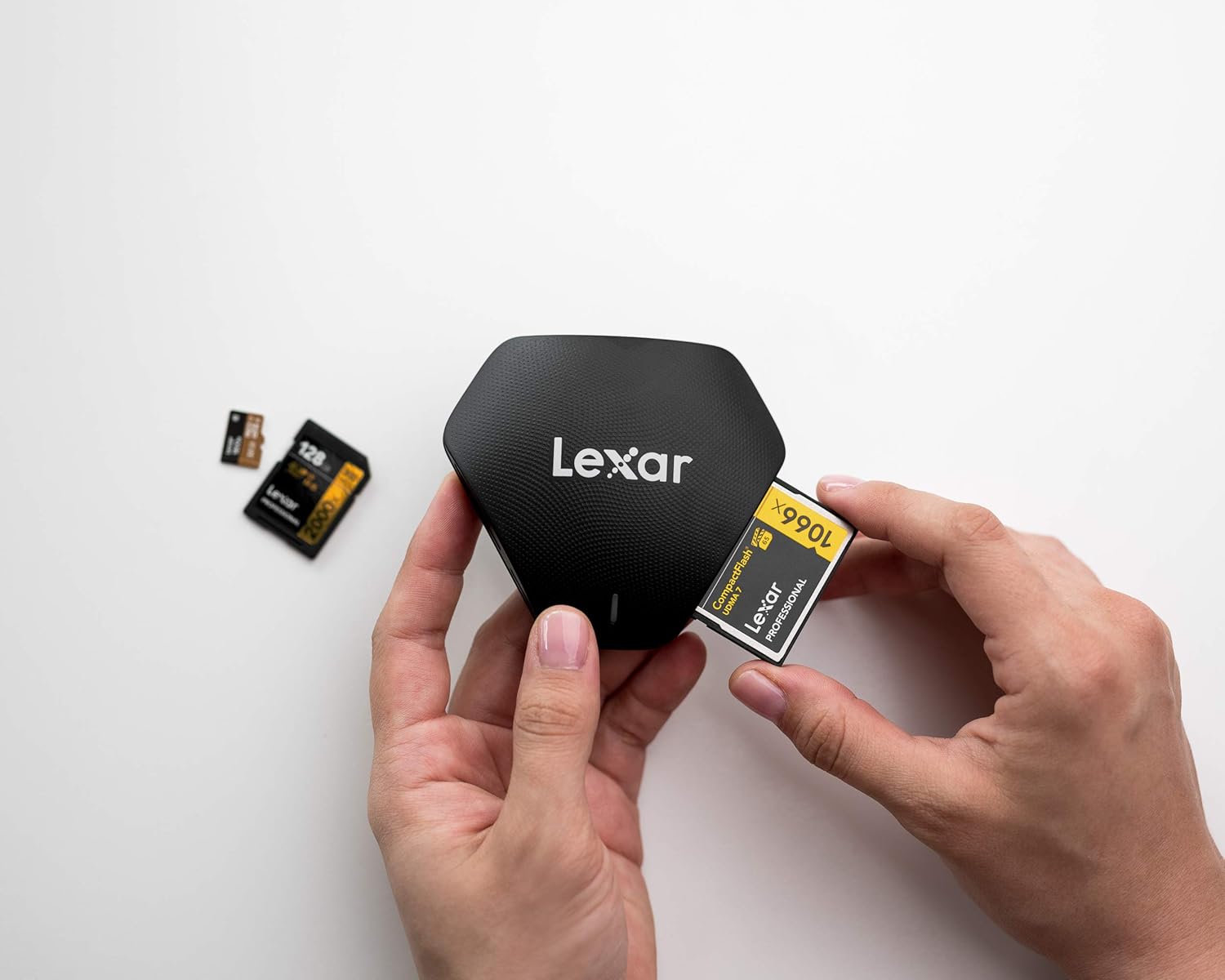
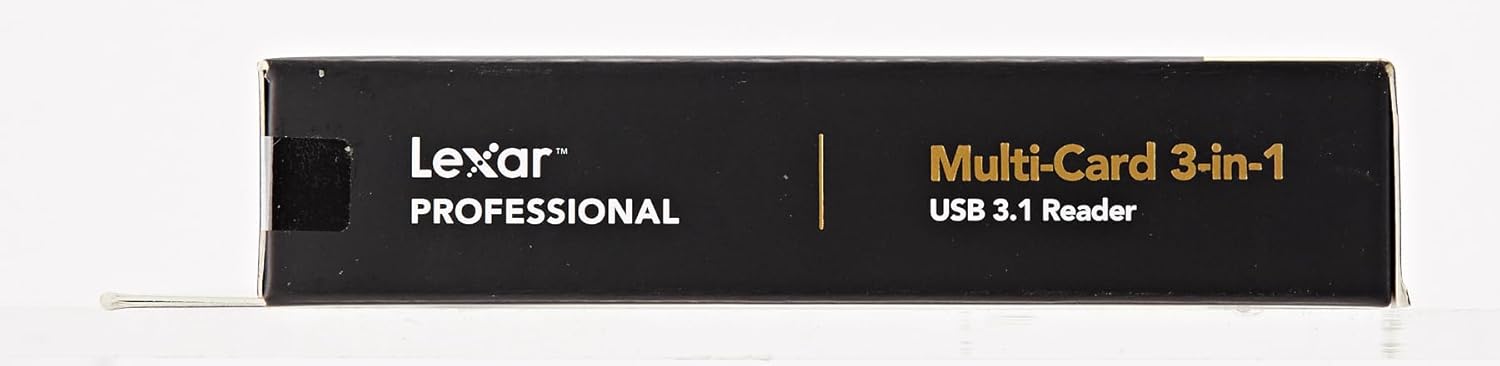
Extremely versatile multi-card reader with speedy file transfers
Backwards compatible with SD and microSD UHS-I cards (up to 170MB/s)
Transfer speeds of up to 312MB/s for SD and microSD and up to 160MB/s for CompactFlash cards
Two-year limited product support
Customers say
Customers find the card reader fast with speedy data transfer and appreciate its solid build quality and reliable performance. The product is easy to use with plug-and-play installation, and customers consider it good value for money. They like its compact design, with one customer noting its small footprint, and another mentioning it supports all their newer faster cards. The style receives mixed feedback, with some customers finding it looks good while others disagree.
13 reviews for Lexar Professional 3-in-1 Multi-Card Reader – Up to 312MB/s for SD/Micro SD, 160MB/s for CF, USB 3.0/2.0 & USB-C to USB-A Cable (LRW500URBAMZN)
Add a review
Related Products


£24.99
MasterP0 –
A Speedy SUPER FAST Companion for Your Data Transfer Needs!
The Lexar Professional Multi-Card 3-in-1 USB reader is an absolute gem! Super FAST, rock-solid connection, and zero dropoutsâthis card reader has it all. Despite never having heard of Lexar before, I took the plunge based on stellar reviews, and I’m thrilled I did. The performance is top-notch, far outpacing my previous SanDisk card reader, which I suspect had been refurbished. That one was a nightmare, frequently disconnecting and unbearably slow.In contrast, the Lexar reader is a breeze to use, with lightning-fast speeds (up to 312MB/s for SD and Micro SD cards) that make file transfers almost instantaneous. It’s a reliable workhorse that has completely changed my workflow. I’m now eagerly eyeing what other wonders Lexar has to offer. If you’re in the market for a dependable, high-speed card reader, look no furtherâthis one’s a winner! Love it!
Home-Studio –
Bit pricey but worth it.
I am an amateur photographer ð¸ and I have several memory card readers but some of them are cheap and failed after some time. I did a good research and Lexar card reader came on top of my list as I didn’t need 20 in 1 etc I have SD cards in my Nikon D750 and D7200. So use micro SD cards for mobiles and my security cameras. Therefore I was only looking for card reader that is small in foot print, fast, reliable and cost effective. I picked this one up on Amazon Day sale and I am glad that I chose this.It is fast and Lexar is a very well known and trusted brand in photographic community. I particularly love that the base has a good weight to it so it stays where you put it unlike the plasticy cheaper version that get dragged by USB cable. I can insert and eject card with on hand as it is very sturdy.Money well spent.
Chiffs –
Looks and works great
Nice a reliable with decent transfer speeds
S. Allen –
Good and solid
Well, I never thought that I would fall in love with a card reader/writer, but this is good. It writes a little faster than my reputable-name micro SD USB 3.0 writer, but not as much as I had hoped.But it is a good solid build and the flashing lights are useful.The best thing though is it’s solidity – if any of your cards run hot, the unit dissipates the heat somewhat. That means there is one less thing to worry about.
Customer –
Does what it says
Does what it says.
Sir Percy –
Does exactly what it says on the tin, in an exceptional way!
Very easy to use, simply plug in and go. Nice weight so it feels solid and doesn’t slide about when using it. Used with my Apple iMac without any problems. Very fast transfer rate of both Raw and JPEG files. Haven’t tried writing to memory cards yet, but will do at some point to test its flexibility. Excellent product.
Martin McNeil –
Fantastically fast transfers IF you have all the right elements to support it.
A nicely compact card reader supporting three sizes, capable of very fast transfer speeds, which will depend on:1. The memory cards you’re using are capable of fast reads: 1000x (150MB/s) to 2000x (300MB/s) rated cards would be in that ballpark.2. The port that you plug the reader into is USB 3.0 or better; USB 3.0 supports throughput of up to 600MB/s, far outclassing USB 2.0 ports that can only manage 60MB/s… so you can see if you’ve got a memory card that can be read at, say, 300MB/s, plugging the reader into an older port is going to be your bottleneck.3. The drive you’re *writing* data to has to be able to keep up. If you’re writing to a mechanical drive, even the fastest ones will max out at 160MB/s, but more likely be around half that at 80MB/s; this is why having an SSD is necessary since they can have data written to them at rates of 200 ~ 550MB/s.So: a fast card reader alone isn’t always going to speed up your workflow – you need to pay attention to all the links in the process.If you DO have those elements, I can personally attest that using 150MB/s rated memory cards, writing to my SSD using this Lexar 3-in-1 reader results in transfer rates of 140MB/s, since there’s always a little slowdown due to processing overhead.
tumbleweed –
Had to mark it down one star
The indicator on/off light is too bright when it is infront of you so double layered masking tape over it to dull it down
Speedster –
Zuerst: der Kartenleser ist schnell. Deutlich schneller als die normalen Wald- und Wiesenprodukte mit Micro-USB 3.0 Stecker, welche man von verschiedenen Seiten angeboten bekommt, siehe anhängende Tabelle von Vergleichsmessungen verschiedener Kartenleser mit verschiedenen Kartentypen an unterschiedlichen Mainboard-USB-3.1-Anschlüssen (CrystalDiskMark 8).Es scheint ein wenig wie Würfeln, also Glückssache, ob man mit einer bestimmten Kombination der drei Kriterien wirklich schnellstmögliche Datenraten bekommt oder nicht. So ist ein Kartentyp im Lexar langsamer als in einem von Samsung bei den Pro-Karten mitgelieferten Micro-SD-Reader. Ein anderer Kartentyp verhält sich dann umgekehrt.Was sich aber sagen lässt, es gibt keine technische Begrenzung des Lexar-Kartenlesers auf rund 100 MB/s wie bei vielen anderen, etwas preiswerteten Lesern. Aber man tut gut daran, sich den Anschluss am Computer entsprechend durchzutesten, ob dieser in Verbindung mit dem Kartenleser und dem Verbindungskabel auch entsprechend schnellen Datentransfer bietet. Hier ist ein wenig Experimentieren sinnvoll. Richtline: möglichst ein USB-C-Kabel mit SS (Super Speed) Klassifizierung auswählen (5 oder 10 Mbps) und am Computer möglichst auch an einen mainboardseitigen USB-C-Anschluss gehen, alternativ einen USB-A mit mindestens Klassifizierung 3.1. Auch Front-USB-Ports können genug Dampf haben, wenn sie am Mainboard entsprechend angeschlossen sind.Der Lexar Kartenleser ist ein solides Gerät für ordentlich Potential, was die Ãbertragungsraten angeht. Es steht und fällt aber mit dem Kartentyp und dem Anschluss an den PC. Ich bin zufrieden.
Maciej –
Åwietny i szybki czytnik, trzeba tylko podpinaÄ dobrym kablem i do wÅaÅciwego portu USB (3.2, 3.1).Nie zdarzyÅy mi siÄ bÅÄdy odczytu w tym czytniku ani karty (SD UHS), których by ten czytnik nie odczytaÅ.Natomiast najciekawszÄ rzeczÄ w nim jest sygnalizacja LED: gdy jest wÅÄ czony, ale bez kart, LED Åwieci na czerwono – po wÅożeniu karty Åwieci na niebiesko i miga w trakcie odczytu, a po odmontowaniu karty w systemie (jeszcze przed wyjÄciem) LED wraca do koloru czerwonego – bardzo przydatne i uÅatwiajÄ ce szybkie wyjÄcie karty z czytnika bez patrzenia na ekran komputera. Dodatkowo kolor niebieski zwraca uwagÄ, że np. zapomnieliÅmy wyjÄ Ä kartÄ po zgraniu zdjÄÄ. *** POLECAM! ***
Shady –
٠٠تاز جدا Ùسرعة ÙÙ ÙÙ٠اÙبÙاÙات Ùخا٠ات ÙظÙÙØ© جدا جدا..Ù Ù Lexar .
Ãmer AKALAN –
henüz test etmedim fakat üzerinde birkaç farklı yerde toz benzeri bir Åeyler gördüm. kullanılmıŠürün mü gönderildi acaba?Lexar ile mailden iletiÅime geçtim tatmin oldum.
Michael T –
Ich hatte bisher immer günstige SD Kartenleser, aber der von Lexar spielt in einer ganz anderen Liga. Ruckzuck sind groÃe Datenmengen übertragen. Mehrere Hundert Bilder sind schnell auf dem Rechner. Vorher konnte ich in Ruhe einen Kaffee trinken gehen. Absolut zu empfehlen!