

Logitech C922 Pro Stream Webcam, HD 1080p/30fps or HD 720p/60fps Hyperfast Streaming, Stereo Audio, HD light correction, Autofocus, For YouTube, Twitch, XSplit, PC/Mac/Laptop/Macbook/Tablet – Black
Original price was: £109.99.£64.99Current price is: £64.99.




Price: £109.99 - £64.99
(as of Jun 02, 2025 11:12:25 UTC – Details)
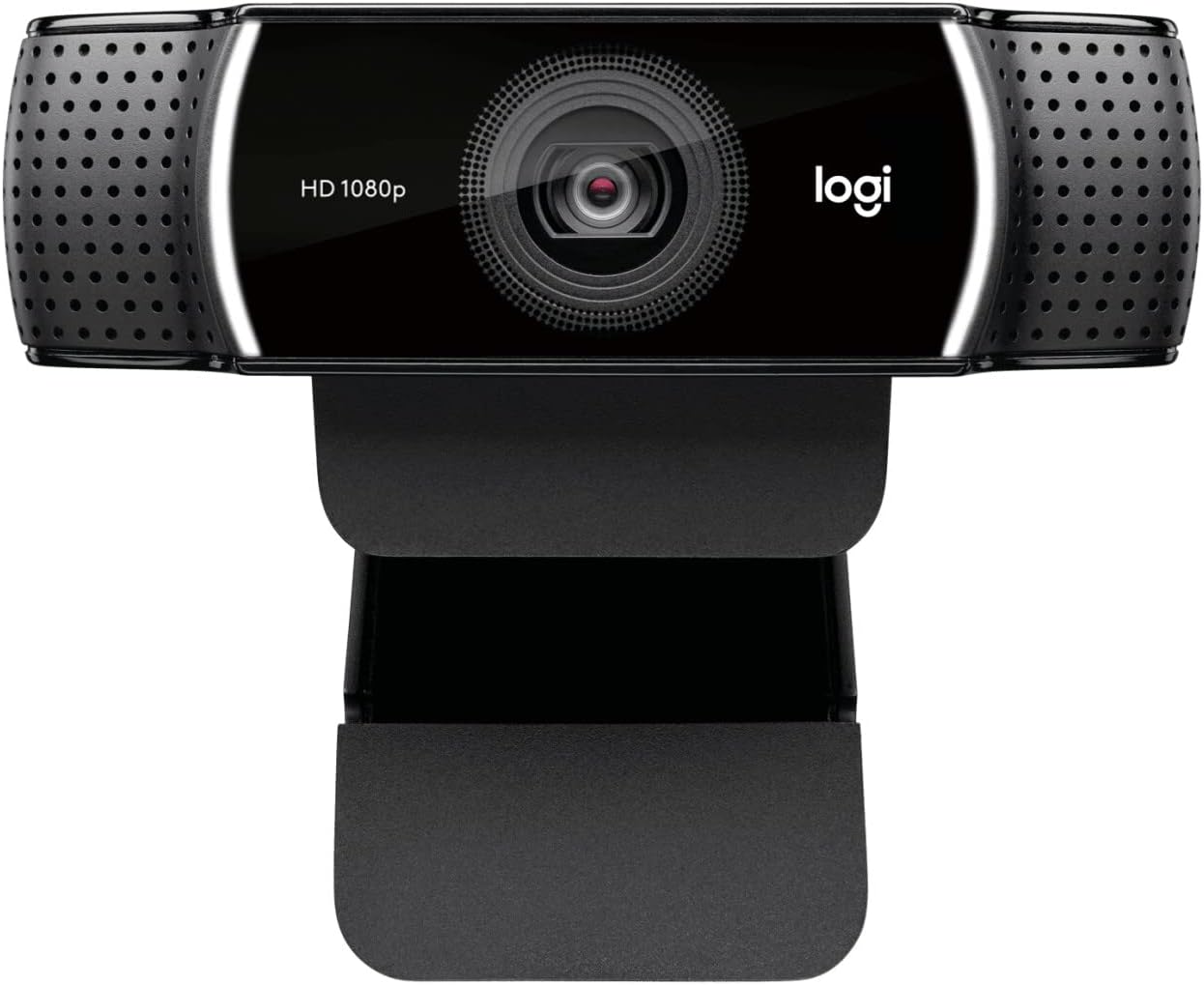
The Logitech C922 Pro Streaming Webcam is designed for serious streamers. It enables you to live-feed and record vibrant, true to life full HD 1080p video, while capturing the most exciting details at 30fps, or at 720p at 60 fps. This impressive gaming streaming webcam automatically adjusts to your lighting situation, even in low-lights, ensuring your viewers are always able to see you in a clear and crisp picture. The HD streaming webcam is compatible with Logitech Capture, which makes creating content with your webcam easy, fast and intuitive. Either side of the streaming webcam are two omni-directional microphones, capturing stereo audio from every angle – giving your audience full sound coverage. The 78-degree field-of-view keeps you in focus with the ability to fit another person in the view as well, with an adjustable table top tripod and swivel mount to give you your most flattering angle. Included with this HD streaming webcam is a free 3-month XSplit Premium License, giving you an all-in-one streaming solution that best suits your project. Logitech has also provided a 1-year limited hardware warranty with this webcam, so you can enjoy a worry-free streaming experience.
Full HD streaming: Logitech C922 provides two streaming qualities to choose from. Whether you’re after full HD 1080p at 30fps, or 720p at 60 fps, your audience will always be able to see you clearly. It covers all of the action with 78-degree field of view
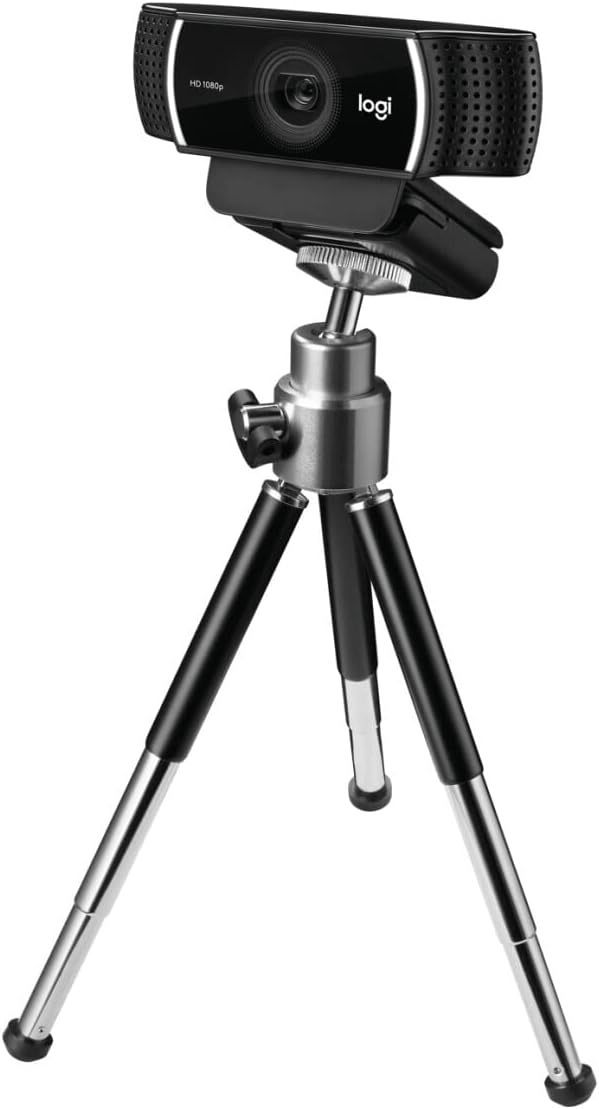
Multiple mounting options including tripod: This HD streaming webcam comes equipped with a versatile tripod. Mount the USB streaming camera on your LCD screen, notebook, table top or on your tripod
Auto-lighting corrections: Alongside full HD streaming over wifi, this gaming webcam is equipped with autofocus and instant light correction, producing a clean-cut high definition image for viewers, even in low light
Premium stereo audio: Either side of this streaming webcam are two omni-directional microphones, meaning you can capture more sound from any angle – so your voice sounds natural to your audience
Powered by capture: Start creating high quality video content the second you plug in your new gaming webcam using the Logitech Capture App. This enables you to customise recording, adjust camera settings and even stream to YouTube in one intuitive interface
XSplit license included: Includes 3-Month XSplit Premium Licence
Upgrade to Logitech StreamCam for superior video quality, vertical mount for HD Vertical video and Logitech Capture Software for easy content creation
Customers say
Customers find the webcam delivers clear 1080p HD video and works well with both Mac and ChromeBook, making it great for video meetings and streaming. The camera is easy to set up and use, though opinions on value for money are mixed, with some saying it’s worth the price while others find it disappointing. Sound quality receives mixed feedback – while some say the audio is fantastic, others report FaceTime sound distortion. The auto focus feature also gets mixed reviews, with some praising it while others find it terrible.
AI-generated from the text of customer reviews
7 reviews for Logitech C922 Pro Stream Webcam, HD 1080p/30fps or HD 720p/60fps Hyperfast Streaming, Stereo Audio, HD light correction, Autofocus, For YouTube, Twitch, XSplit, PC/Mac/Laptop/Macbook/Tablet – Black
Add a review
Related Products


Original price was: £109.99.£64.99Current price is: £64.99.
PROS & CONS –
For itâs price… Iâm well impressed!
How can I actually do a video review, as Iâm reviewing the camera I use to do my video reviews?!? ðððIâm not going to give you all the high-tech specs, etc.All the specs are on the description so me telling you everything again would not really help.What I can say is that although I nearly bought the Amazon one, as my intention was to simply buy a camera to do video reviews with… I ended up buying this model which is better. Why? Because the price difference was so small and because a fellow customer recommended this one over the Amazon model on the questions and answers. At the moment I have only used it for video reviews, but in future I might use it for other things. The better image quality on this model versus the little difference in price makes it worth it!Right now, I am only using custom frame sizes and frames per second required for an Amazon video. In case it helps anyone, Amazon videos need to be 30 fps. It is recommended that the frame size is 480Ã270 . Maintaining and 16:9 ratio.If you would like to see any of the quality of the videos, youâre very welcome to check out any of my reviews on my Amazon profile. I havenât uploaded one here, to avoid favouritism.All I can say is that this camera is super easy to use!Plug it into your computer and find a place to put it on.That simple!The Logitech software will download the first time you broke your camera Irene. From then on, when you need it, simply search Logitech from your search bar and start using.The software is so easy even a child could work it all out.Obviously this camera is good for streaming as well as recording. There is even an option where you can record whilst having a computer screen on. This is probably what I most like about this camera, that I have possibilities for future uses. Specially thanks to that little tripod that came with it and an extension cable of 3 m that I also purchased. At the moment itâs helping me to do my video reviews with the requirements needed without having to filter or modify anything through any other software. Saving me time and hassle ðBut in future… Iâm sure Iâll find it many other uses.ProsExtremely easy to usePricetagComes with mini desk tripodGood picture qualityStraight forward, free and easy to use Logitech softwareStart using straight out of the boxgood focusWhat would I improve?I have noticed that if I use the zoom, the picture quality decreases enormously. Even if I only use a little zoom.I would also like the WebCam to come with some sort of âpegâ to be able to attach it easier to places.I have added a picture for you to see how right now itâs on a picture frame, just above my desk. Iâm still ð¤ð¼hoping itâs not going to fall, as the above the screen mechanism it has is too wide for my surface screen and is not good for me to do my video reviews anyway.ConsNoneThis is a great piece of kit for its price.Would I buy again?I would, but I hope I donât have to! (Stay put on the frame pls)Would I recommend?Yes!Years ago, I used to do video reviews with my DSLR. Although the video quality was a lot better, when it focused correctly (letâs not forget my Nikon camera was made for photographs not videos). I had to prepare camera and tripod, record, remove the memory card, remove the little memory card from inside the cardâs larger adapter of the camera, introduce the memory card in my laptop, copy the file onto my laptop, pass the file through a software to adjust the permitted parameters and then use the file… ð©ð«ðYes, you can imagine…Now, I open the software, record and upload the file on amazon and social media. Done! ðð¥³ð¥³ð¥³It has made my life easier and it hasnât broken my pocket!
Ade –
rather than yourself to get a better shot, and the more obvious reason
Iâve been using Logitech webcams for several years. Thereâs many benefits to using a separate webcam to the one thatâs attached to your laptop or all in one. For one you can move it, rather than yourself to get a better shot, and the more obvious reason, the quality is much better.Upon starting blogging again I knew I needed to upgrade the camera I currently had if I wanted to do live broadcasts, or start doing some video reviews of things. In hindsight, when it comes to doing video reviews an actual camcorder or DLSR would be a better choice, but as those can cost into the hundreds if not thousands, for what I wanted it for, a new good quality webcam should do the job. Iâve also recently secured a new position at my place of work, so now that Iâm generally stuck in a room with one other person, communicating with others around the business requires Skype for Business, thereâs also the opportunity to work from home.So it seemed like I had all the excuses I needed to make yet another tech purchase.Happy with my Logitech Quickcam Pro 9000 which was now getting on for about 10 years old and still throwing me out in glorious 720p HD over Skype it seemed a no brainer to stick with Logitech. Iâm all for cheap tech if you can find the tool that does the job and doesnât look like itâs going break down on you within a month, or is just something to dip your toes into that world before deciding on a better product, but for the content I âmayâ want to throw out there it seemed like sticking with one of the best manufacturers out there was the best idea.The HD Pro Webcam C920 by Logitech has been the webcam of choice now for bloggers, skype & Twitch users for almost 5 years. Knocking reviews out of the park with itâs clear 1080p HD video and clear stereo audio. On many sites it is still to this day the recommended camera to buy, some 5 years after release. But, whatâs this. Logitech gave it an upgrade in the past 12 months. The C922 Pro Stream webcam, with background replacement technology and even comes with a little desk tripod. Perfect for idiots like me!So did the best get better, or did Logitech take a backwards step?I guess in reality, Iâm not qualified to answer that question, after all, I never owned the C920, so I canât give a like for like comparison.What I can say however is, that for the price difference, it seems a no brainer to buy the newer tech, Itâs about £15 more than the older version, so why on earth would you try and save £15 on tech thatâs over 5 years old.On paper, and visually thereâs not a lot of difference between them. The C922 does however offer 720p video at 60fps. The design is also very similar, so unlike other tech companies, it was good to see Logitech stick to the âif it isnât broke, it doesnât need fixingâ rule.Both come with tripod mounts, something many many webcams are missing in this digital age, and itâs a massive trick to be missing, so itâs no wonder Logitech come out trumps for so many users of Skype and Twitch.Also like the C920, both sides of the camera have forward facing microphones, which as far as communicating over the Internet goes, will serve you well. If youâre looking to do high quality tutorial videos however, you might want to look at adding an external microphone. Sound quality for me, will always trump the quality of the video.The USB lead comes in at a good length also, 6 foot, so even if youâre attaching this to a tower desktop system thatâs sat on the floor, you shouldnât need to go out and find yourself a USB extension lead, seems on the design front, Logitech have thought of everything.Video quality is fantastic, which I guess shouldnât come as a surprise either knowing that the C920 has been out performing newer models for over 5 years, youâll look super sharp to your buddies, so make sure youâve popped your spots or applied your makeup first! ðSo at this point you might be thinking, hold on, you told me to spend an extra £15 on this new bit of kit, but from the sounds of it, itâs not really that much different from the old model, save a lick of paint here and an updated logo there.Personally, I think the desk standing tripod alone, at least adds £5-£10 to the value of the newer package.What about the other £5.Well that comes with the software, and thatâs really where users of Twitch for example have been catered for allowing you to replace or remove your background entirely, leaving just you as if youâre in front of a green screen.Itâs all virtual, the software, provided by Personify, will aim to detect your head and shoulders and remove everything else around it. Or, if you prefer, youâre able to easily add in a replacement background instead. When it works. When I say when it works, itâs because itâs quite hit and miss, Ideally you still need a very blank background behind you, or it just getâs really confused. It also needs a bit of welly. Odds are if youâre using your PC for gaming anyway, youâll have the processor the handle it.If youâre after a new webcam, and have around £100 budget for a new one, then I canât recommend it enough
FrankyBoy –
Utilisé comme caméras (top view et front view) sur un robot
drmike –
Just upgraded my old Logitech webcam to the Logitech C922 Pro Stream. The video quality is simply amazing (compared to my other cam). I purchased this model and it works with Logitech’s Capture software which is highly advantageous as it allows me to record lectures at home (similar to Camtasia).The limitation to the Logitech Capture is that you cant reduce screen size (its full or nothing) which results in especially large file sizes (so I use HandBrake to reduce file size) Logitech, I’m giving you 9 out of 10 for the camera and software, please update your software that we can specific screen size we want/need.
Mohammed.Khalefa –
رائع
Alvargon –
Una webcam con un rango de precio “razonable”, si la pillas de oferta, pero que de verdad te da lo que cuesta. La calidad de imagen es muy buena y esta vez si está integrada en la plataforma de G Hub permitiéndote ajustarla sin tener que recurrir a programas de terceros. Por lo que sea la intensidad del halo de luz no puedes controlarla, quedando en una iluminación ligera que mitiga la necesidad de usar iluminación adicional pero que tampoco es la gran cosa.El soporte está bastante bien, es bastante versátil y como viene con un trÃpode plegable muy comodo puedes ponerla donde quieras.
Client d’Amazon –
Facile à installer et qualité du son et de l’image impécable pour cette game de prix