

Logitech MX Master 4 for Mac, Ergonomic Bluetooth Mouse with Advanced Performance Haptic Feedback, Ultra-Fast Scrolling, USB-C Charging, MacOS, iPadOS, Windows – Space black
£119.99




Price: £119.99
(as of Nov 17, 2025 21:10:42 UTC – Details)
From the manufacturer
The video showcases the product in use.The video guides you through product setup.The video compares multiple products.The video shows the product being unpacked. MX Master 4 for Mac Merchant video
 Designed for Mac
MX Master 4 for Mac optimised for macOS and iPadOS (9), offers programmable functions for macOS via Logi Options+ (1), and matching finishes for your Apple setup.
 MX + Creative Cloud
Get a complimentary 1-month Adobe Creative Cloud subscription with your purchase of MX Master 4 for Mac.
 Immerse yourself with the Haptic Sense Panel
Experience tactile feedback, offering precision and customisable control for an immersive workflow.
 Personalise haptic feedback
With Logi Options+ (1). Assign haptic feedback to the Actions Ring, Smart Actions and more. Use plugins for 3rd party apps and adjust feedback intensity.
 Save up to 33% of time with Actions Ring(2)
Your favorite tools, shortcuts, and actions at the tip of your cursor through a dynamic overlay that adapts to the app you’re using.
 Reduce mouse movements by up to 63% (2)
Streamline navigation by cutting time from searching menus for shortcuts, tools, and actions to stay immersed in your workflow.
 Create shortcuts that work for you
Tailor your Actions Ring with plugins for third-party apps and personalised shortcuts, tools, and actions designed for your workflows (1).
 Scroll 1,000 lines per second
With the MagSpeed scroll wheel. 87% more precision (3) and 90% more speed (4) with its 2 modes: ratchet & hyper fast scroll.
 Track even on glass (5) with an 8K DPI sensor
With an 8K DPI sensor with customisable sensitivity (1) for precision on large screens. Logitech’s most accurate sensor is 5x more precise than a basic mouse (6).
 Experience 2x times more powerful connectivity (7)
For faster, more reliable performance. Powered by an advanced radio chip, optimised antenna placement, and a new USB-C dongle (not included).
 Deeper flow with 90% less click noise (8)
Quiet clicks deliver a satisfying feel – but with 90% less click noise(8). You’ll get the same performance and precision you’ve come to expect
 Customise your workflow with Logi Options+ (1)
Using shortcuts and app presets for editing, designing, or coding. Automate workflows with Smart Actions and expand functionality through powerful plugins.
 More comfort, deeper focus
MX Master 4’s tilt angle supports natural arm posture, and intuitive button placement reduces strain — keeping you comfortable and focused for longer.
 USB-C quick charging, long lasting
Stays powered for up to 70 days on a full charge – and gets 3 hours of use from a 1-minute quick charge (10). Work while you recharge with an USB-C cable (not included).
 Work seamlessly across Apple devices
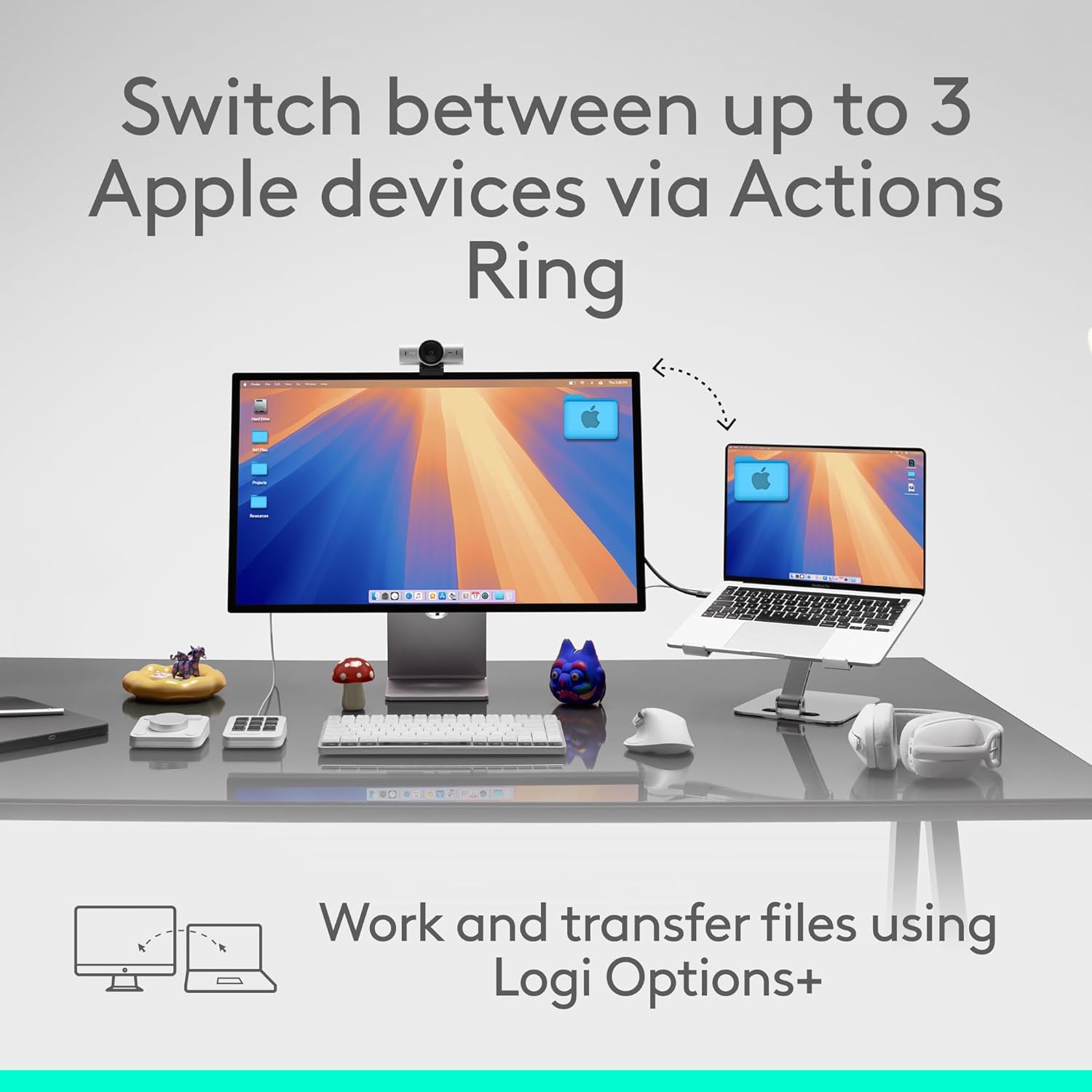
Connect with up to 3 devices and switch between them via Actions Ring or Easy-switch buttons. Transfer files across devices seamlessly with Logi Options+ (1).
 Be more productive with MX Mechanical Mini for Mac
Next-level typing experience with fluid mechanical switches, smart illumination and matching colourways. The keyboard follows the mouse automatically when switching devices.
 Get MX Brio Ultra HD webcam for sharper calls
Level up calls with 4k video, streaming optimisation and adjustable field of view settings. Optimised for streaming with a wide, adjustable field of view.
 Get MX Creative Console
Access tools, shortcuts, and actions effortlessly with the customisable LCD display keypad and take control with precise tactile analog controls on the wireless dialpad.
 Get Combo Touch for iPad Pro
The keyboard case that enables new levels of versatility. Type, view, sketch, and read with iPad Pro — all while keeping the front, back, and corners snug and protected.
With matching Apple finishes, Logi Options+ functions for macOS (1), USB-C charging while you work (cable not included), MX Master 4 for Mac makes for a perfect fit with your Apple setup
Precision you can feel with the Haptic Sense Panel; customisable (1) haptic feedback on specific actions, shortcuts, notifications enhancing productivity on this wireless Bluetooth mouse
Effortlessly access favourite tools with Actions Ring (2)on this MX Series mouse—a dynamic, customisable overlay adapts to each app, placing most used filters, adjustments, shortcuts at your cursor
Scroll 1,000 lines per second and stop on a pixel with the MagSpeed scroll wheel—Logitech’s fastest (3), quietest, and most precise (4) scrolling experience
Ergonomic mouse designed for comfort, MX Master 4 for Mac keeps you in flow with a natural tilt, intuitive buttons, and a thumb scroll wheel that reduces hand stress for fluid navigation
Quiet Clicks on MX Master 4 for Mac reduce noise and distractions, offering a satisfying feel with 90% less click noise (7) —perfect for focused workflows
Get a complimentary 1-month Adobe Creative Cloud subscription with your purchase of MX Master 4 for Mac
Designed for a positive future: Plastic parts include recycled plastic – 54% Space Black; 48% White Silver (12); 100% recycled cobalt in the battery; Built to last with improved stain resistance (7)
Customers say
Customers find this mouse to be a premium product with a lovely soft touch surface and comfortable grip, featuring lots of customisable buttons that are easy to program for different programs. The mouse performs well on glass surfaces, has fantastic battery life that can be charged while in use, and customers appreciate its scrolling capabilities, particularly the horizontal scroll feature. The functionality and value for money receive mixed reviews – while some say it works flawlessly, others report it stops working for 3-5 seconds, and while some consider it worth the price, others find it expensive.
8 reviews for Logitech MX Master 4 for Mac, Ergonomic Bluetooth Mouse with Advanced Performance Haptic Feedback, Ultra-Fast Scrolling, USB-C Charging, MacOS, iPadOS, Windows – Space black
Add a review
Related Products


£119.99
LL –
Logitech MX Master 4 â A Graphic Designerâs Perspective
Logitech MX Master 4 â A Designerâs Perspective (Switching from the Apple Magic Mouse)As a graphic designer, I spend most of my day navigating creative software, fine-tuning details, and switching between apps. After years of using the Apple Magic Mouse, I decided to make the jump to the Logitech MX Master 4, and itâs been a surprisingly smooth transition â with a few caveats.Pros* Silent Clicks: The soft, silent clicks make a huge difference during long design sessions. It feels premium and eliminates that constant âclick fatigue.â* Haptic Feedback: Subtle and satisfying â it gives just enough tactile response without being distracting.* Works on Any Surface: From glass desks to sketchbooks, it tracks perfectly everywhere. No need for a mouse mat.* Customisable Buttons: The ability to map shortcuts to different buttons is a game-changer for design work. Zooming, switching tools, or changing workspaces is now seamless.* Ergonomic Comfort: The contoured shape fits naturally in hand. After hours of editing, thereâs noticeably less strain compared to the flat Magic Mouse design.* Connects to the Mac without donglesCons* Limited Horizontal Scrolling: I do miss the Magic Mouseâs intuitive left-to-right scrolling â especially when working on wide artboards or timelines.* Requires Software Setup: To unlock its full potential, youâll need Logitechâs Options+ software. Itâs easy enough to set up, but itâs another step compared to the plug-and-play simplicity of Appleâs ecosystem.*Final ThoughtsThe Logitech MX Master 4 feels like a professional tool built for productivity and comfort. While it lacks the effortless gesture controls of the Magic Mouse, it more than makes up for it with precision, ergonomics, and customisation. For designers who value comfort and efficiency over minimalism, this mouse is a worthy upgrade. A bit pricey for £119, but it has a long battery life.
Amazon Customer –
Excellent mouse
I’m a great fan of Logitech MX mice, having had several over the years. The 3S model still continues to be an excellent mouse. Some things are better than the 2S model, some not so good.Ergonomically, it fits the hand beautifully. The scroll wheel is smooth and responsive, and you can choose whether you want it to click or be smoothly rotating. My preference is the latter. If you do go for the click scroll, you can still spin the wheel if you give it a decent flick. The positiion of the horizontal scroll wheel doesn’t fall to the thumb in the same way as the 2S and this will take a little getting used to. On the plus side, the forward and back buttons now are easier to operate.The mouse can control up to three different devices and I use it to control a Mac, a desktop PC and a mini PC. It works flawlessly for all three. The new “quiet click” buttons are not silent but are much quieter than the previous model. This is good if you are recording videos or streaming and the mouse is near the microphone. The disadvantage is that they require less pressure, so accidental clicking is more likely – especially if you are a bit heavy-handed.You can connect to your computer using the supplied dongle or using Bluetooth. Both methods work fine and the dongle is useful for desktop PCs that may not have Bluetooth.These mice have never been cheap but they have proved themselves over and over.
Kostas P. –
Super solid mouse
Got this Logitech MX Master 3S for my son and Iâm honestly kinda jealous. The build quality is amazing, feels super solid and well made. The matte finish and metal scroll wheel make it look and feel premium, not like the cheap plasticky stuff you usually see.The buttons are smooth and quiet, and everything about it feels really precise. Itâs got a bit of weight too which makes it feel stable in the hand, not flimsy at all.The grip on the side is soft and comfy, and the clicks are silent but still satisfying. It connects to up to 3 devices, so we can easily switch between laptops and desktops â super handy since we all use it at home.Itâs not a cheap mouse but you can tell itâs built to last. My son loves it for school and gaming, and I might end up getting one for myself too.
Patricia Lemos –
Me encantó este ratón. Es muy funcional, cómodo y preciso. Los botones personalizables facilitan muchÃsimo el trabajo diario, y el diseño ergonómico hace que sea un placer usarlo durante horas. Sin duda, una excelente compra.
Rubén López Rosique –
El MX Master 3S de Logitech se presenta como una evolución en la lÃnea de ratones de alto rendimiento, ofreciendo caracterÃsticas avanzadas que buscan satisfacer las necesidades de profesionales y entusiastas por igual.Pros:- Sensor de alta precisión: Equipado con un sensor óptico Darkfield de 8000 DPI, permite un seguimiento preciso en prácticamente cualquier superficie, incluyendo cristal.- Clics silenciosos: Las actualizaciones en el diseño de los botones ofrecen una experiencia de clic más silenciosa, manteniendo una sensación táctil satisfactoria.- Desplazamiento electromagnético MagSpeed: La rueda de desplazamiento permite una navegación ultrarrápida y precisa, adaptándose tanto a desplazamientos lÃnea por lÃnea como a desplazamientos rápidos por largas páginas.- Diseño ergonómico: Su forma está diseñada para adaptarse cómodamente a la mano, permitiendo largas sesiones de uso sin fatiga.- Conectividad versátil: Compatible con múltiples sistemas operativos, puede conectarse mediante Bluetooth o el receptor USB incluido, facilitando su uso en diversos dispositivos.Contras:- Precio elevado: Su costo puede ser un factor a considerar para aquellos con presupuestos más ajustados. Aunque según mi opinión el precio va acorde a su calidad y a la experiencia que aporta, por lo que no me parece “caro”.Conclusión:El Logitech MX Master 3S destaca por su combinación de precisión, funcionalidad y diseño ergonómico. Aunque su precio es elevado en comparación a otros ratones más económicos, ofrece caracterÃsticas que justifican claramente la inversión para usuarios que buscan un ratón de alto rendimiento. Ideal para programadores como yo o gente que trabaja desde el PC
Mathews –
The Logitech MX Master 3S is hands-down the best mouse Iâve ever used. The design is sleek and ergonomic, with a finish that feels luxurious yet sturdy, making it comfortable to use all day without any strain. The battery life is incredibleâI use it heavily throughout the day, and it lasts well over a month on a single charge, which is a game-changer for anyone who hates constantly recharging devices.The software is highly intuitive and makes customizing buttons a breeze. Whether Iâm working across multiple screens or toggling between apps, everything is smooth and seamless. The scroll wheel is another highlight, with a magnetic mechanism thatâs whisper-quiet and allows for effortless, precise scrolling. Logitech has truly thought of everything with this model, from functionality to design. Worth every penny for anyone who wants a mouse that delivers on quality and performance.
Philippe Goffin –
Superbe évolution par rapport à la Master 3. J’espère qu’elle va bien supporter le temps avec sa nouvelle matière
François – Belgique –
Très qualitative au niveau des matériaux, bonne position du poignet (sans être une verticale évidement)