

ORICO 2Bay Hard Drive Enlcosure Type-C to SATA 3.5inch Enclosure Magnetic Tool-Free External HDD SSD Enclosure Storage Case Built-in Fan for Data Backup, NAS Expansion Up to 36TB(2×18) – DS200C3
Original price was: £35.82.£31.32Current price is: £31.32.







Price: £35.82 - £31.32
(as of Jun 02, 2025 03:11:21 UTC – Details)
From the brand

ORICO
Little Change, Big Difference


Hard Drive Accessories

Multi Bay HDD/SSD Dock
Dual Bay Hard Drive Dock
ORICO DAS Storage

DAS 97 Series
Local Personal Database
Offline Clone HDD Dock

5 Bay SSD/HDD Dock
5-8 External HDD Dock
Package Dimensions : 25 x 22.9 x 13.3 cm; 1.19 kg
Date First Available : 30 July 2020
Manufacturer : ORICO Technologies Co.,Ltd
ASIN : B089LR4JHY
Item model number : DS200C3
Guaranteed software updates until : unknown
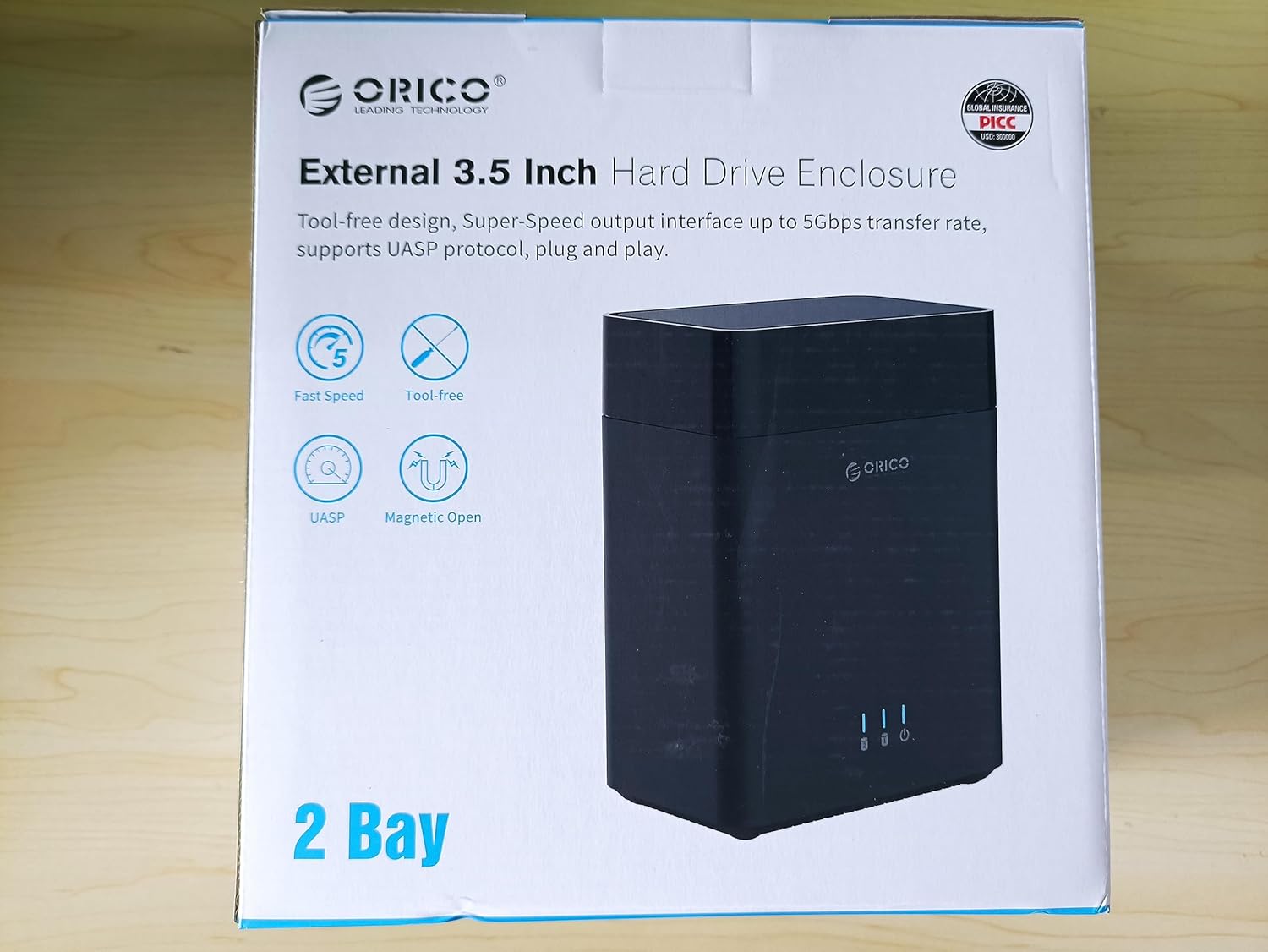
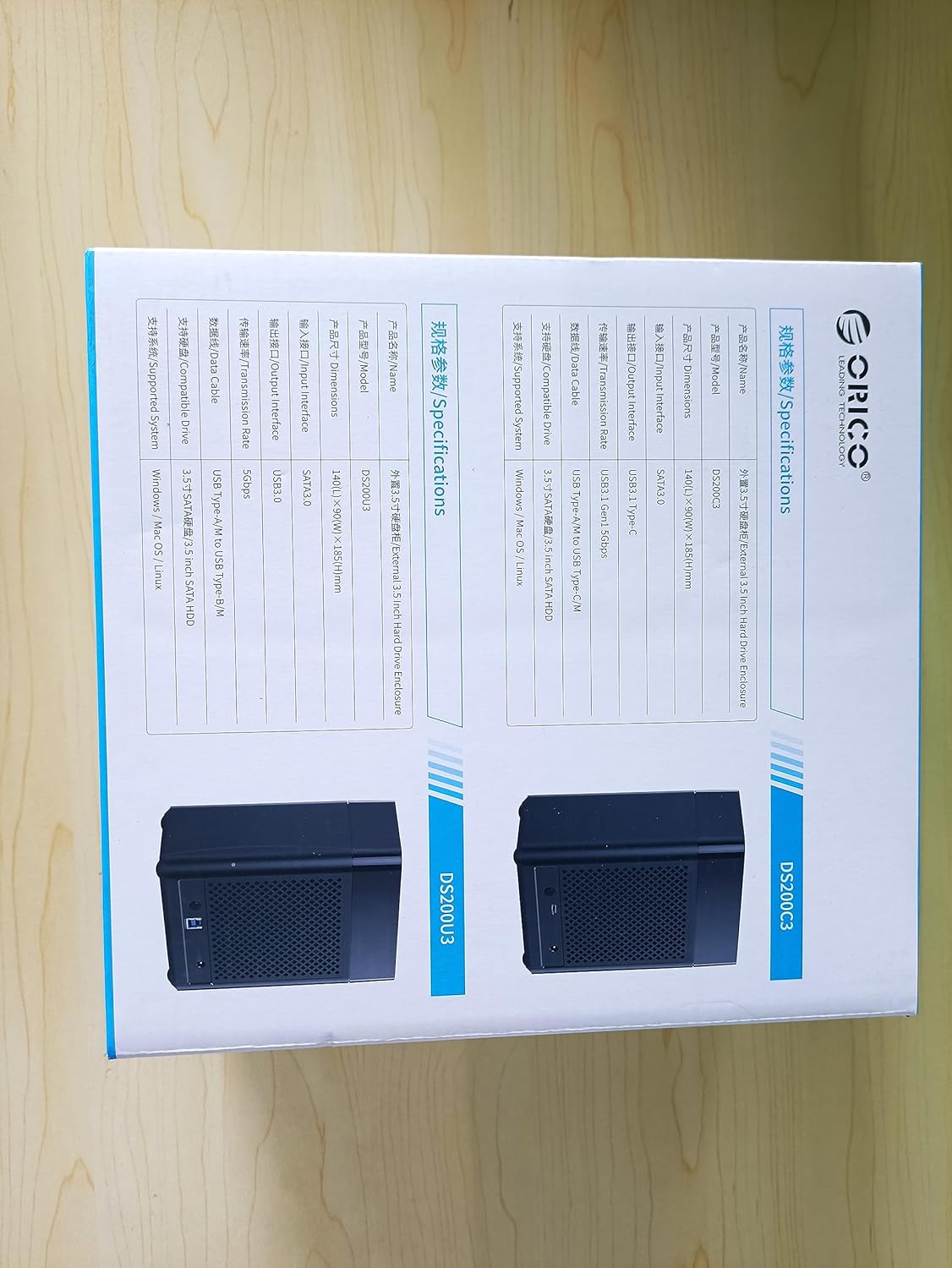
【Transfer 1GB in 3 Seconds】 — This 2-bay hard drive enclosure adopts SATA III protocol and supports UASP, connected to USB C devices transfer rate of up to 5Gbps (MAX). Equipped with a versatile USB 3.1 Type-C interface, it also can connect to other peripheral devices. Compatible with Windows XP / Vista / 7/8, Mac OS X 10.2 and higher and Linux.
【Up to 36TB Large Capacity】– The SATA hard drive bay can support all 3.5 inch SATA HDD up to 36TB (single up to 18 TB), which is the ideal choice for home storage expansion, such as saving and backup precious family videos, photos and movies.
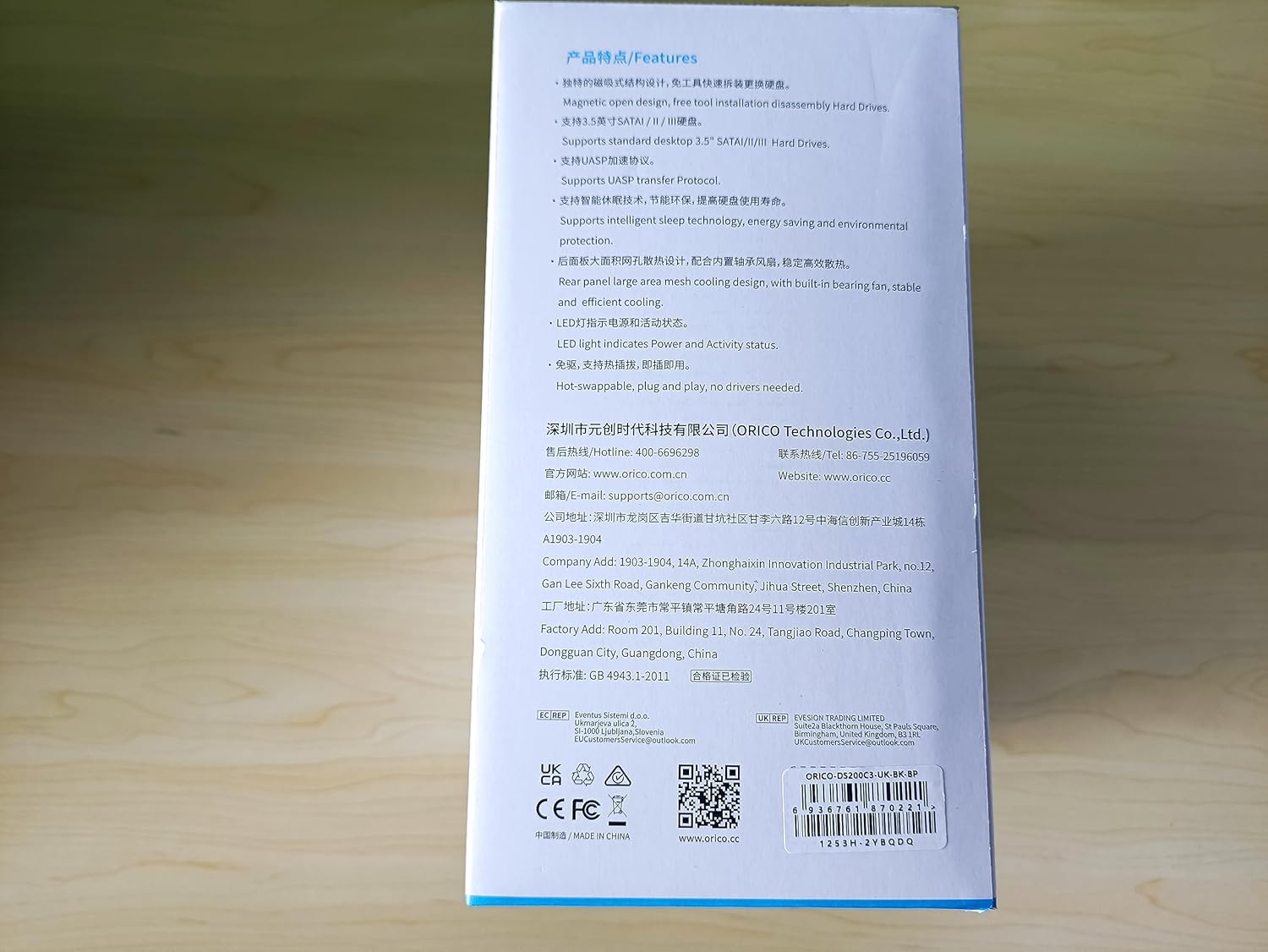
【Easy and Quick Use】– The ORICO 3.5-inch external HDD enclosure is designed with magnetic chips on the cover, no screws and tools are needed; Plug and play, and quickly recognize the hard drives in 3 seconds to save your time and improve your working efficiency(Pls Note: In a Linux system, all multi HDD enclosures only one of the hard drives can be read at a time).
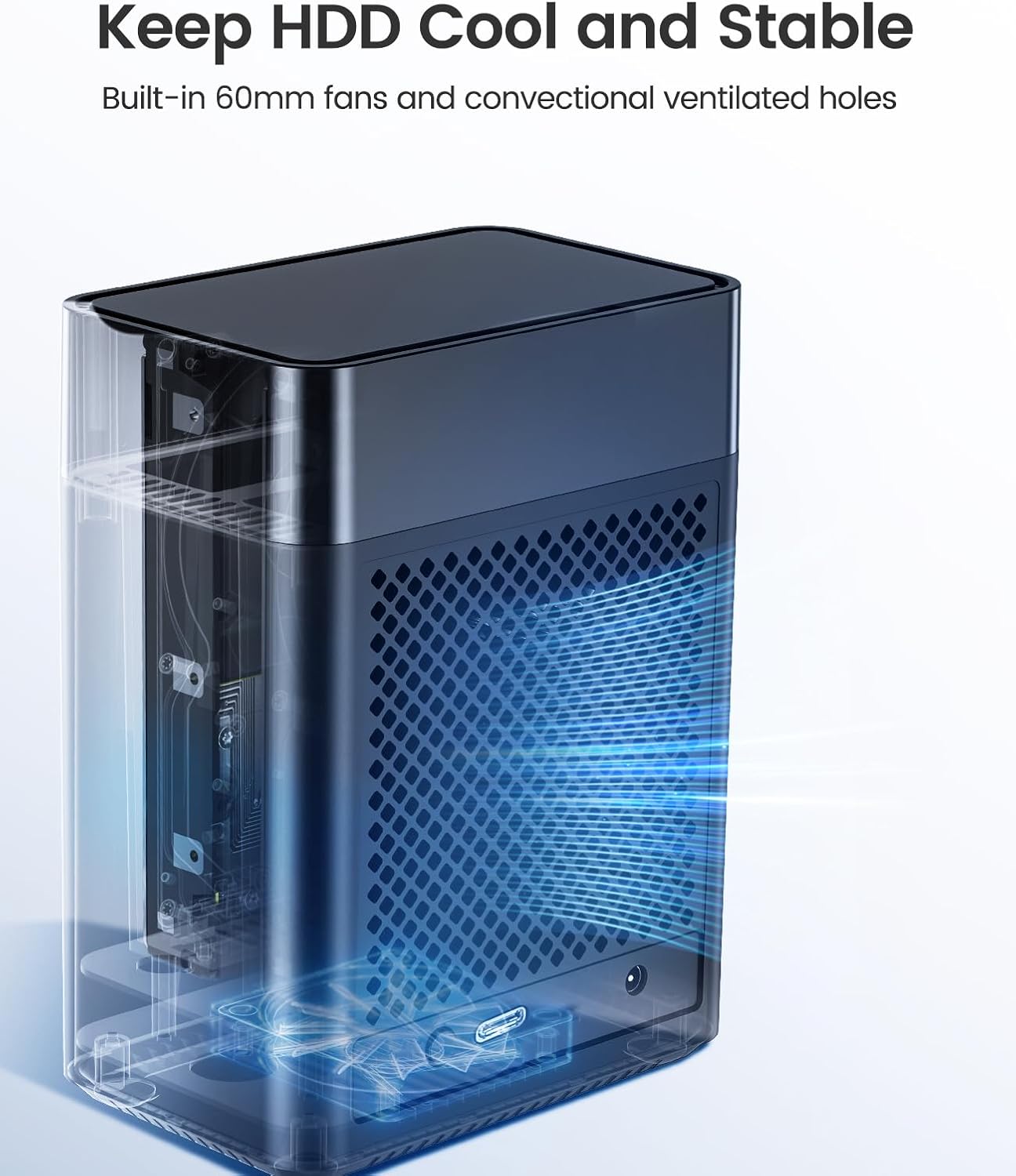
【Cooling and Heat Dissipation】– The ORICO 3.5-inch HDD enclosure is equipped with a 60mm double-ball bearing fan, which can to some extent cool and heat dissipating for the hard drive that heats up due to high-speed operation; and the rear panel of this enclosure is designed with many small honeycomb holes, which further facilitate air flowing and heat dissipation.
【Multi-Protection】 — Anti-over voltage, over-current, overheat, short-circuit, leakage, and other multiple protection designs to ensure the security of data transmission of the external HDD enclosure. Four indicator lights help you to monitor the working status of your hard drives whenever. Any problem with ORICO products, we will always welcome and provide you with a suitable solution.
Customers say
Customers find the hard drive enclosure easy to install and appreciate its design, noting it doesn’t look out-of-place. Moreover, the storage capacity receives positive feedback, with one customer highlighting its suitability for media library drives. However, the functionality, build quality, noise level, and transfer speed receive mixed reviews, with some customers reporting it works well while others find it virtually unusable and noisy.
AI-generated from the text of customer reviews
10 reviews for ORICO 2Bay Hard Drive Enlcosure Type-C to SATA 3.5inch Enclosure Magnetic Tool-Free External HDD SSD Enclosure Storage Case Built-in Fan for Data Backup, NAS Expansion Up to 36TB(2×18) – DS200C3
Add a review
Related Products


Original price was: £35.82.£31.32Current price is: £31.32.
pixiedust1975 –
Fast access with external PSU brick
If you’re looking for a hassle-free and efficient way to manage your expanding storage needs, the ORICO 5-Bay 3.5″ HDD Enclosure is a compelling choice. I recently acquired this enclosure to streamline my data backup and storage setup, and I’ve been thoroughly impressed with its performance and ease of use.
Tool-Free Installation:
One standout feature of this enclosure is its tool-free installation design. Thanks to the magnetic chips on the cover, installing a hard drive is a breezeâliterally taking a few seconds. No more hunting for screws or tools, which greatly enhances workflow efficiency.
High Capacity Support:
The ability to support up to 80TB of storage across multiple 16TB disks is a boon for those dealing with large volumes of data. This makes it ideal for enterprise-level backup solutions or personal data archiving without constraints.
Super-Speed Transmission:
Equipped with USB 3.0 connectivity, the transfer speeds are impressively fastâreaching up to 5Gbps. This is significantly quicker than the older USB 2.0 standard, ensuring swift data transfers and backups.
Efficient Cooling System:
Heat dissipation is crucial for maintaining drive health and longevity. The ORICO enclosure features a built-in 120mm double ball bearing fan and large-area honeycomb holes for effective heat dissipation, keeping your drives cool even during heavy usage.
Multi-Protection Design:
Safety and data integrity are paramount. The enclosure comes with multiple protection features including anti-over voltage, over-current, overheat, short-circuit, and leakage protection. This ensures the safety of your drives and data during operation.
Compatibility:
It’s great to see wide compatibility with various operating systems including Windows XP/Vista/7/8, Mac OS X 10.2 and higher, as well as Linux distributions. This versatility ensures seamless integration into different setups.
Overall Impression:
In conclusion, the ORICO 5-Bay 3.5″ HDD Enclosure is a robust and user-friendly solution for expanding your storage capabilities. The tool-free installation, high capacity support, fast transfer speeds, efficient cooling, and comprehensive protection features make it a standout choice in the market. Whether you’re a professional needing reliable data backup or a tech enthusiast looking to organize your digital library, this enclosure offers excellent value and performance.
Pros:
Tool-free installation
High storage capacity support
Fast USB 3.0 speeds
Effective cooling system
Multi-protection design
Cons:
May be slightly bulky due to accommodating multiple drives
Power adapter could be more compact
Overall Rating: 4.5/5
I would highly recommend the ORICO 5-Bay 3.5″ HDD Enclosure to anyone seeking a versatile, high-performance storage solution for their data management needs.
HaywardsHeathen –
Works with VMware VM, but won’t power itself back up after a power outage
I bought this to rehome a bunch of disks I had in an ESXi server that were attached to a Windows VM. It does work for that, though I’d note a couple of points:
1) The VM needs to have a USB3 controller
2) The entire device gets mapped to one VM, there’s no way to spread the disks across different VMs if you wanted to do that (though I expect that could be worked around by using network shares).
Thanks to other reviews I was aware of the rather aggressive sleep mode, but for my use case it isn’t actually a problem, and I’m glad for the power savings.
What *is* a problem is that the enclosure won’t power itself back on after a power outage. That shouldn’t be a problem, as I have a UPS; but UPSs are unreliable things 🙁 The ESXi host is configured to restart on power resumption, and the VM then auto starts, but if the button hasn’t been pressed on the enclosure the drives are missing (causing some apps to recheck their files when things come back). The workaround is to hold the power button down with some tape/blu-tac, which isn’t elegant, but seems to do the trick.
I was impressed with the build quality and ease of installation.
Whitt –
Worked flawlessly on Ubuntu server with MergerFS
Formatted my drives to EXT4 and added to the enclosure, plugged in to my Ubuntu Server (Intel NUC 8) and turned it on, it picked it up immediately. Mounted the drive in fstab and added it to a MergerFS and it’s working perfectly. Fans are audible but behind my cupboard door, I can’t hear it.
Stuart Devlin –
KEEPS GOING TO SLEEP!
Great enclosure, really easy to install drives and an absolute bargain.
HOWEVER… It’s virtually unusable as it continually goes to sleep and brings my otherwise high performance computer to a standstill as it wakes up every time I want to do something.
Mark R –
Simple works well – mostly.
Simple to use, works well when in operation apart from 1 issue (discussed later). I have 4 drives in there so far, a mix of 2.5″ and 3.5″ drives. Build quality is relatively flimsy but does the job if you are going to leave it alone. Drives are not tightly held in their sockets as such. It’s fine if you are not intending to move the unit around.
I was going to give it 4 stars but one issue I have found so far, is when powering on the PC, this unit seems to lock up. All LEDs are on and 1 is flashing constantly as if it’s confused. So I have to turn it off and on at each PC boot otherwise no drives are available. It is quite annoying as I have this under the desk currently, so I docked another star for that.
Jeff R –
Very good and easy installation. Simple push in/pull out top loading for drives. Quite happy
S Dillon –
Ok so I have only had this for a couple of weeks but so far it is operating perfectly well. Fast read / write speeds. I like the fact that after a few minutes (not sure how many) of not being used it turns itself into standby mode and so the fans turn off. Ok the fans are a bit on the noisy side but if – as I am – you only use this enclosure for backing up purposes this shouldn’t be a concern. I am not sure about putting the lid on it when in heavy use particularly if you have multiple drives running because of the potential for heat build up. Perhaps it may be fine but given others have reported an issue with this I don’t take the risk. It is easy enough to take the lid off when in use and pop it back on afterwards.
JustLarry –
I have a media server computer that needs vast amounts of storage. I used this array to consolidate my four hard drives all from different manufacturers. It takes a few moments to spin up but they all show up and will accept all my converted media, backups from my computer and anything else I would need it for. I use the included USB 3.0 cable, while it may not be the fastest way to connect, I would prefer a USB-C the trough put is more than my current needs. The included power supply seems to service my mechanical hard drives with no issue
stevenkw2t –
This enclosure has strengths and weaknesses so it may be perfect for a particular use case, or a disaster depending on your requirements. I had a bunch of old HDDs I needed to access occassionally but I don’t want to keept them in a PC just for that. On the plus side this enclosure was cheap and it works easily and reliably. As others have said the fan is a little noisy and the ventilation is terrible so they would run hot under heavy usage. But the most important detail to realise is that it goes into stand-by mode very quickly and takes about 10 seconds to wake up from stand-by mode. For my use that is fine – occassionally I just need to dig around and retrieve some stuff and then job done. But if I was using software that was trying to regularly read data from the HDDs it would send me mad, especially if the software can’t wait and returns an error.
Jayson Jones –
Easy Installation:
The ORICO enclosure features magnetic chips on the cover, eliminating the need for screws and tools.
You can install your hard drives in just 3 seconds, saving time and improving efficiency.
Large Capacity:
This 5-bay enclosure supports up to 90TB of storage (single drive up to 18TB).
Ideal for home storage expansion, including backing up family videos, photos, and movies.
Fast Data Transfer:
It uses USB 3.0 with a SATA III protocol, achieving transfer rates of up to 5Gbps.
Compatible with Windows, Mac, and Linux systems.
Cooling and Protection:
Equipped with a 60mm double-ball bearing fan for cooling during high-speed operation.
The rear panel has small honeycomb holes for efficient heat dissipation.
Multi-Protection:
Safeguards against over-voltage, over-current, overheat, short-circuit, and leakage.
Four indicator lights monitor drive status.
In summary, the ORICO 5 Bay enclosure combines ease of use, capacity, and protection, making it a reliable choice for expanding your storage!