

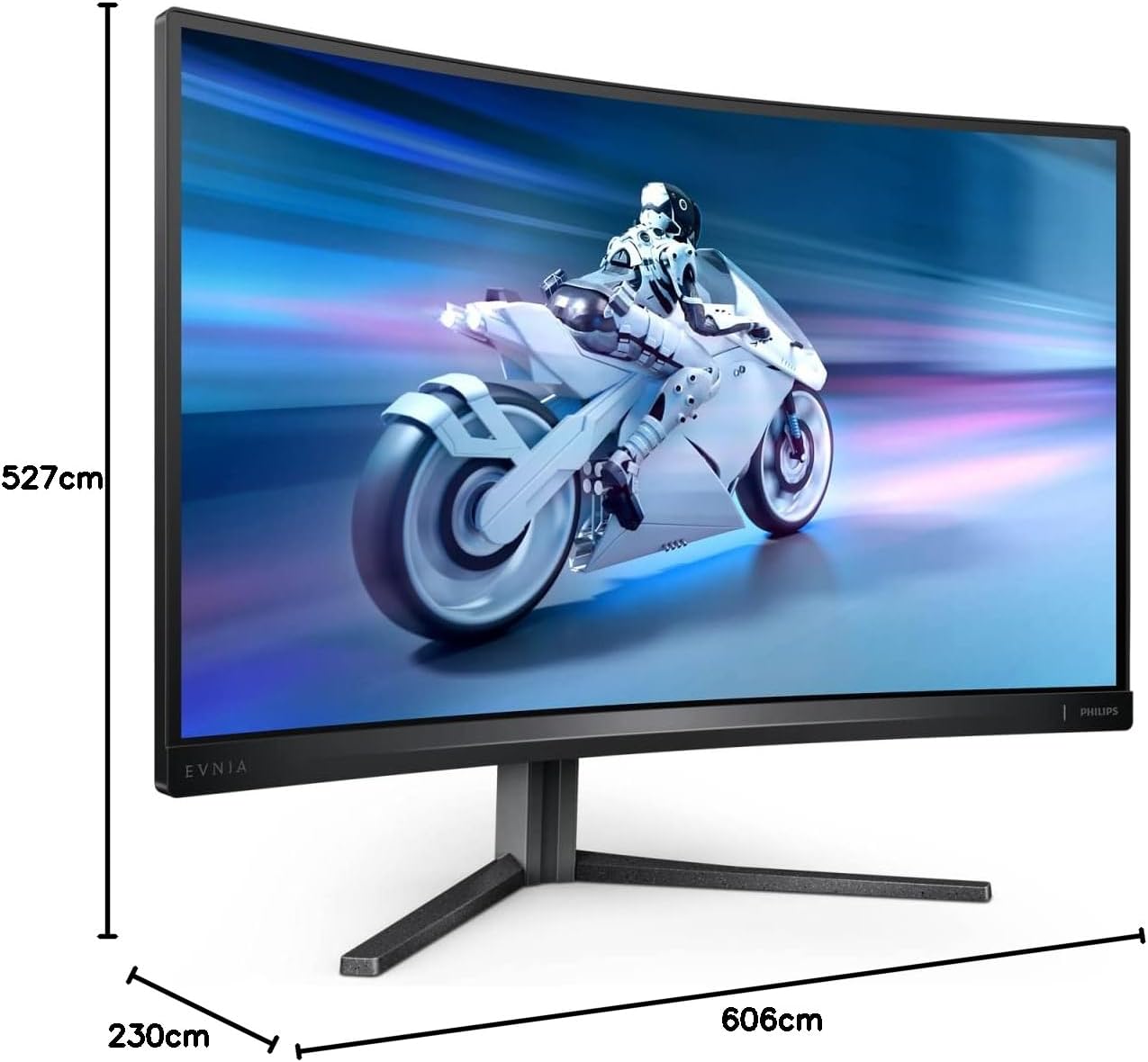
Philips Evnia 27M2C5500W – 27″ QHD Curved Gaming Monitor, 240Hz, VA, 0.5ms, FreeSync premium pro, Low input Lag, Height adjust, HDR (2560 x 1440 @ 240Hz, 400 cd/m², HDMI 2.0 / DP 1.4 / USB 3.2)
£199.00


Price: £199.00
(as of Jun 03, 2025 09:25:09 UTC – Details)
From the manufacturer

 27 inch / 68.5 cm 144 Hz (HDMI) 240 Hz (DP) Separate Sync 2560 x 1440 Audio out
27M2C5500W
Quad HD gaming monitor – Your gaming experience to the utmost
The speed of lightning is no longer a figure of speech with a 240 Hz refresh rate. Smooth gameplay can always be guaranteed by Evnia. The compact ergonomic design allows you to play your game your way.
HDMI 2.0 x 2, DisplayPort 1.4 x 2 HDCP 1.4 (HDMI/DisplayPort) HDCP 2.2 (HDMI/DisplayPort) USB 3.2 Gen 1 / 5 Gbps USB-B upstream x 1 USB-A downstream x 4 (with 2 for fast charge B.C 1.2)

AMD FreeSync Premium Pro; smooth, low latency HDR gaming
Gaming shouldn’t be a choice between choppy gameplay or broken frames. AMD FreeSync Premium Pro provides the true HDR gaming experience: a combination of smooth gaming at peak performance and exceptional high dynamic range visuals while still maintaining low latency.

Ultra-fast 240 Hz refresh rate for virtually lag-free gaming
While playing the most intense, engaging and action-oriented games, the ultra-fast 240 Hz refresh rate creates an ultra-smooth, lag-free gaming experience. This Philips display redraws the screen image up to 240 times per second, effectively faster than a standard display. 240 Hz give superior motion and clarity to the visuals, especially for fast-paced games like FPS and racing games. With the Philips 240 Hz display, action sequences in gameplay look judder-free and ghost-free. You will experience deeper immersion and feel alive in the game.

Low input lag reduces time delay between devices to monitor
Input lag is the amount of time that elapses between performing an action with connected devices and seeing the result on screen. Low input lag reduces the time delay between entering a command from your devices to monitor, greatly improving play on twitch-sensitive video games, particularly important for playing fast-paced, competitive games.

0.5 ms ultra-fast speed for crisp images and smooth gameplay
Philips Momentum display with 0.5 ms Smart MBR effectively eliminates smearing and motion blur, and delivers shaper and precise visuals to enhance your gaming experience. Fast-moving action and dramatic transitions will be rendered smoothly. The best choice for playing thrilling and twitch-sensitive games.

Curved display design for a more immersive experience
Desktop monitors offer a personal user experience, which suits a curved design very well. The curved screen provides a pleasant yet subtle immersion effect, which focuses on you at the centre of your desk.

VA display delivers awesome images with wide viewing angles
The Philips VA LED display uses an advanced multi-domain vertical alignment technology that gives you super-high static contrast ratios for extra-vivid and bright images. While standard office applications are handled with ease, it is especially suitable for photos, web browsing, films, gaming and demanding graphical applications. Its optimised pixel management technology gives you a 178/178 degree extra-wide viewing angle, resulting in crisp images.

Crystal clear images with Quad HD 2560 x 1440 pixels
These Philips screens deliver Crystal Clear, Quad HD 2560 x 1440 or 2560 x 1080 pixel images. Utilising high-performance panels with a high-density pixel count, enabled by high bandwidth sources like USB-C, Displayport and HDMI, these new displays will make your images and graphics come alive. Whether you are a demanding professional who requires extremely detailed information for CAD-CAM solutions and uses 3D graphic applications, or a financial wizard working on huge spreadsheets, Philips displays will give you Crystal Clear images.

SmartImage HDR gives optimal viewing from your HDR content
Select one of SmartImage HDR modes to best suit your needs. HDR Game: optimised for playing video games. With brighter white and darker black, the gaming scene is vivid and reveals more details, easily spot enemies hiding in the dark corners and shadows. HDR Movie: ideal for watching HDR movie. Delivers better contrast and brightness for a more realistic and immersive viewing experience. HDR Photo: enhanced red, green and blue for lively visuals. DisplayHDR: VESA DisplayHDR certified*. Personal: customised settings in picture menu. *Please refer to specification for HDR grade.

LowBlue mode and Flicker-free easy-on-the eyes viewing
Our LowBlue Mode and Flicker-free technology have been developed to reduce eye strain and fatigue often caused by long hours in front of a monitor.

MultiView enables simultaneous dual connection and view
With the ultra-high resolution Philips MultiView display, you can now experience a world of connectivity. MultiView enables active dual connect and view so that you can work with multiple devices like a PC and notebook simultaneously, for complex multitasking.

EasySelect menu toggle key for quick on-screen menu access
The discreetly placed EasySelect Menu Toggle Key allows you to make quick and easy adjustments to monitor settings in the On-Screen Display menu.

Tilt, swivel and height-adjust for an ideal viewing position
The Compact Ergo Base is a people-friendly Philips monitor base that tilts, swivels and height-adjusts so each user can position the monitor for maximum viewing comfort and efficiency.
Add To Basket
Add To Basket
Add To Basket
Add To Basket
Customer Reviews
4.4 out of 5 stars 171
4.3 out of 5 stars 1,025
4.3 out of 5 stars 1,025
4.3 out of 5 stars 1,025
4.3 out of 5 stars 1,025
Price
£199.00£199.00 £129.97£129.97 £134.89£134.89
— no data
£185.98£185.98
Inch/cm
27 inch/68.5 cm 27 inch/68.5 cm 27 inch/68.6 cm 27 inch/68.5 cm 27 inch/68.5 cm
Resolution
HDMI: 2560 x 1440 @ 144 Hz, DP: 2560 x 1440 @ 240 Hz HDMI: 1920 x 1080 @ 180 Hz, DP: 1920 x 1080 @ 280 Hz 1920 x 1080 @ 180 Hz (HDMI/DP) 1920 x 1080 @ 180 Hz 2560 x 1440 @ 180 Hz (DP), 2560 x 1440 @ 144 Hz (HDMI)
MPRT
0.5 ms* 0.3 ms* 0.5 ms* 0.5 ms* 0.5 ms*
Panel
VA LCD VA LCD IPS technology IPS technology IPS technology
Connections
HDMI 2.0 x 2, DisplayPort 1.4 x 2 HDMI 2.0 x 2, DisplayPort 1.4 x 1 HDMI 2.0 x 2, DisplayPort 1.4 x 1 HDMI 2.0 x 2, DisplayPort 1.4 x 1 HDMI 2.0 x 2, DisplayPort 1.4 x 1
Audio out Audio out Headphone out Headphone out Headphone out
HDCP
HDCP 1.4 (HDMI/DisplayPort), HDCP 2.2 (HDMI/DisplayPort) HDCP 1.4 (HDMI/DisplayPort), HDCP 2.2 (HDMI/DisplayPort) HDCP 1.4 (HDMI/DP), HDCP 2.2 (HDMI/DP) HDCP 1.4 (HDMI/DP), HDCP 2.2 (HDMI/DP) HDCP 1.4 (HDMI/DP), HDCP 2.2 (HDMI/DP)
USB
USB 3.2 Gen 1 / 5 Gbps, USB-B upstream x 1, USB-A downstream x 4 (with 2 for fast charge B.C 1.2) NO NO NO NO
USB Fast Charge Port
YES NO NO NO NO
Speaker
N/A N/A 2 W x 2 2 W x 2 N/A
AMD FreeSync Premium Pro; smooth, low latency HDR gaming
Ultra-fast 240 Hz refresh rate for virtually lag-free gaming
Low input lag reduces time delay between devices to monitor
0.5 ms ultra-fast speed for crisp images and smooth gameplay
Curved display design for a more immersive experience
Customers say
Customers praise the monitor’s speed, with one highlighting its 3000:1 contrast with 0.5ms MPRT, and they appreciate its color quality and value for money. The gaming performance receives mixed feedback, with some finding it excellent while others note it’s not suitable for their intended use.
13 reviews for Philips Evnia 27M2C5500W – 27″ QHD Curved Gaming Monitor, 240Hz, VA, 0.5ms, FreeSync premium pro, Low input Lag, Height adjust, HDR (2560 x 1440 @ 240Hz, 400 cd/m², HDMI 2.0 / DP 1.4 / USB 3.2)
Add a review
Related Products


£199.00
LucyC –
Great monitor
Great monitor. Lightweight, not bulky, perfect size for desk. Super quick speed for FIFA/gaming. Son v happy.
Jonathan –
Excellent gaming monitor
Excellent value for money, I’m loving gaming with 280hz !! Please be aware that this screen does not have any speakers, you will need to have your own audio output (speakers, headset etc etc)
anon –
Superb
Excellent monitor for gaming, currently have this hooked up to my laptop which has a HDMI 2.1 port and thus allows a maximum of 240.01hz at 1080. Colours look really good and don’t wash out even when I set the darkboost and MBR settings to the highest. Highly recommend this monitor for gaming needs at 1080p only.It says Iâm reviewing the VA version but I know for sure what I got is an IPS, triple confirmed the name of the monitor on the official Philips website. I think itâs an error here on Amazon. Funnily enough if you go to the VA version it says its an IPSð¬ð¬
Faizhan Akhtar –
Very Responsive And Colours Pop Out
Very Fast And Picture looks good. However 4 stars due to some inverse ghosting at highest overdrive setting
Mr S Birring –
Great for Xbox
Quick free delivery and monitor is great. Works on my Xbox series s with 1440p HDR at 120fs. Gameplay is fast and smooth.
Di –
Excellent
Great product
Francesca Scott –
A great monitor, but the stand is completely unstable – one has already smashed
We bought two of these monitors a couple of months ago, and we’ve already had three incidents where the monitor has toppled over – one of them resulting in a completely smashed and unusable monitor.If you buy this monitor, I would highly recommend buying a monitor claw or alternative base, as the base that comes supplied provides very little stability, and quite a small bump can send it toppling over.
B. Solty –
Very fast and affordable
Had a stuck pixel which I could not fix it, the replacement is ok, 240 Hz refresh rate, 3000:1 contrast with 0.5ms MPRT, what’s not to love? The holder for headphones on the top of the stand is clever. This is a VA panel with absolutely no ghosting (even on 144 Hz), fantastic. The black is black, no light bleeding (like on many IPS panels), it does everything you need from a budget monitor. One of the best.
Andre A. –
Comprei este monitor com o objetivo de usar para trabalhar em jogar. Como a maior parte do tempo eu passo trabalhando, OLED não seria uma opção confortável para mim. Para o meu caso, este monitor prometia a versatilidade que eu precisava, principalmente por ter o KVM.Porém, o KVM não funciona tão bem como eu esperava. Se o computador ficar ocioso e desligar a tela, você não consegue reativá-lo com o teclado e mouse, pois o monitor também desliga. E não adianta deixa habilitada a função de fornecer energia na USB enquanto o monitor está desligado. Eu também esperava que eu pudesse comfigurar atalhos usando o software Precision Center para alternar facilmente entre os computadores, mas não. à necessário acessar o menu do monitor (OSD) para trocar o input. E aà vem o pior problema do KVM: Se o computador para o qual você quer mudar a tela estiver em standby ou em descanso de tela, já era. Você simplesmente não consegue mudar a tela para ele por que sem o sinal de video o monitor volta para o computador anterior. O problema é que o KVM deveria mudar o input do USB ao mesmo tempo que a tela, mas isso não acontece. Muito frustrante, acabei usando um switch USB para teclado e mouse.Para jogos ele é bom. Mas não se deixe levar muito pelo Local Dimming. Além de só estar disponÃvel em HDR, ele causa muito flickering. Vou tentar colocar um vÃdeo mostrando o flickering do Local Diming. O VRR sem o Local Dimming ligado funciona bem, flicka em alguns momentos mas não incomoda tanto. A não ser que você queira joga FC (FIFA). Eu não consegui jogar com VRR ativo. Por algum motivo flica muito no FC com o VRR ativo.Eu não sou muito sensivel ao rastro de imagem, então isso não me incomoda, mas prestando bem atenção eu percebo que tem um pouco sim.O fornecimento de energia via USB-C é bem legal. Além de energia para o notebook, ele serve para dados e para a imagem. Usar um único cabo no notebook para fornecimento de enerfia, transmissão de imagem, e dados pelo HUB USB do monitor é bem legal. Se eu quiser levar o note para outro lugar, é apenas um cabo que preciso remover, literalmente! Ponto forte nesse quesito.Qualidade de imagem, e brilho são excelentes. Só vou dar 4 estrelas por que o KVM deixa muito a desejar, o software também, e o Local Dimming que melhora muito o contraste, mas infelizmente faz a tela ficar piscando.
Abdulla Sharad –
Jävligt bra skärm för priset
nathan –
J’ai testé pas mal d’écran en 1080p en dalle IPS passant du Alienware a du AOC j’ai remarqué une différence flagrante avec ceux de Philips qui sont largement de meilleure qualité si vous hésitez entre celui-ci et un autre prenez celui-ci vous regretterez pas les couleurs sont beaucoup plus vives même si le menu est moins intuitif il faut bien réglé vous avez une image quasiment parfaite de qualité malgré que ça soit du 1080 p c’est là où on voit que Philips ont une avance considérable comparée aux autres constructeurs
Azure –
This is an amazing monitor considering itâs price.Colours are great after some tweaking and no frameskipping 10/10
Daniel –
Great monitor for a good price, what I do find lacking is the 240 hz atleast, but for 600⬠it’s well worth it. I’m using it now for a week and I love it. The curve in the display is just icing on the cake in my opinion. 175 hz, 34 zoll, curved 3440x1440p for just 600⬠is a steal. It’s even enough for competitive games, but if you only play those I would consider a 240+ hz monitor for that little edge. If you are like me, who likes to play some competitive games but still enjoy my share of beautiful singleplayer/story games, then a 100% buy it.Edit: The monitor started flickering noticable.EEdit: Fixed the issue 😀