

Phomemo Bluetooth Thermal Label Printer,D520BT Shipping Label Printer 4×6 Wireless Label Printers,Postage Thermal Printer for Parcels,Address,Logo,Compatible with Ebay,Etsy,Amazon,Shopify
Original price was: £109.99.£83.99Current price is: £83.99.





Price: £109.99 - £83.99
(as of Jun 09, 2025 02:16:09 UTC – Details)
From the brand

Thermal Shipping Label Printer
-Phomemo D520BT-Bluetooth Label Printer
-Phomemo PM246S-USB Thermal Label Printer
with Multi-Color Label Sticker Bring You Convenience!
Bluetooth & Wifi Label Printer
PM246S USB Label Printer
Support Bluetooth And USB Connection: Phomemo D520BT Bluetooth Label Printer connects via Bluetooth through the Free Editing Labelife app,supports IOS and Android,and can be easily operated with mobile phones and tablets,no driver required;You can also connect the label printer to the computer via USB,USB connection needs to be installed Labelife APP and driver (Website:labelife.net/d520),you can print normally,the driver supports Windows,MacOS,ChromeOS,Linux system
High Speed And Quality Printing:150 mm/s,72 labels/minute,203 DPI,Phomemo Transport Label Printer has a wear-resistant printer head for greater stability and durability,and can work continuously for long periods of time,and still prints crystal clear barcodes and graphics for scanning and shipping
Upgraded Design:Phomemo D520BT desktop thermal label printer has a built-in large paper bin to protect the labels from dust,ensure print quality,convenient for you to organise labels and save desktop space,no need to buy additional label holders to place the thermal labels,do not need any cartridges or inks,economical and environmentally friendly,save your costs
Wide Range of Applications:Thermal sticker printer directly into the label,can be a key to automatically learn the size of the label,the first sheet back,for 1 to 4 inches wide (20-115 mm) (direct) thermal labels, phomemo label printer used to print warehouse labels,DHL shipping labels,food and nutrition labels,FBA FNSKU products barcode labels,design logo labels and so on
Wide Range of Compatibility:postage address label printer supports all the mainstream shipping platforms,third-party platforms,e-commerce platforms of the labels,including:eBay,Etsy,Amazon FBA,Amazon FNSK,Shopify,etc.It is the first choice for online sellers and small businesses
Professional After-sales Support:Provide lifetime free/have strong customer support (team) via live chat,phone and email, even support remote desktop operation,don’t have to worry about the printer problem or setup,if you have any problem, please feel free to contact us
Customers say
Customers find the printer easy to set up and connect to their smartphones, with excellent print quality and fast printing speed. They appreciate its functionality and value for money, and one customer notes it’s perfect for printing 4×6 postage labels. The size receives mixed feedback – while some say it shouldn’t take up much desk space, others find it larger than expected.
13 reviews for Phomemo Bluetooth Thermal Label Printer,D520BT Shipping Label Printer 4×6 Wireless Label Printers,Postage Thermal Printer for Parcels,Address,Logo,Compatible with Ebay,Etsy,Amazon,Shopify
Add a review
Related Products


Original price was: £109.99.£83.99Current price is: £83.99.
The Reviewer –
Easy to set up and use
I do a lot of online selling and I used to have to print labels off on a standard printer. This was time consuming as I had to switch on the computer, go on to the selling site and download the label to print. I would then have to cut out the label and tape it on the package. I would also end up using lots of paper (and wasting a lot) and also ink and it can get quite expensive to keep buying ink. I would choose the digital label when the option was there but then I would have to mark my packages so I knew what was in each oneI decided to get a label printer and there are quite a few different sorts but I wanted one that I could connect to via Bluetooth, had the labels stored inside on a roll (but could also use the fan ones), was quick and easy to use, had a supporting app and would also allow me to print other sorts of labelsThis one looked as it would tick all the boxes and so I ordered it. When it arrived it didn’t take too long to set up. The tricky thing was just putting the labels in but I realised that the few included weren’t going to feed through properly so I used a roll of 500 I had ordered separately. It was straightforward putting them in and when you turn the printer on it lines them up. My first label didn’t come out too well but this was probably because it was the first one and all the other ones have come out perfectlyI tend to peel the label off rather than tearing them off as I did get a situation where I took a little off the back of one of the labels and when I printed the next one, it got stuck and wrapped around the roller. I managed to get it off with no issue and there was no residue left behindI have now printed quite a lot of labels and it has saved me a lot of time. As it’s thermal, you don’t need to worry about ink and while it’s a fairly large initial outlay and not probably suitable for someone occasionally printing labels, if you print a lot of labels, you’ll see the benefits. I was going to have to buy some more ink and it was a quarter of the cost of this and I’ve probably spent more on ink in the last year than this printer cost. Also with ink, if you don’t use it for a while, it can dry upThe rolls of labels aren’t expensive and they last ages and you are not restricted to a certain brand. The app is easy to use and while I tend to crop the labels in a photo app, you can do it in the app. You can also print multiple labels at once and there is the option to increase or decrease the print speed, change the label size and you can design your own labels. I have had the odd occasion where the printer is on and the app hasn’t connected but I find turning the printer off and on resolves thisAs for the app, I assumed the Phomemo app was the one to use as that is the make of the printer, but the actual app is called Labelife. They seem to be fairly similar in what they offer, all be it laid out a bit differentlyWith the printer being Bluetooth, I can connect to it with my phone from anywhere in the house and print labels off although you can connect it directly to a computer. It’s also compact so doesn’t take much room up and can be moved around. All you need to do is plug it in and it’s ready to use
Hellsbells –
Great printer
Printer is very easy to use. The app makes it very easy to produce labels. Print quality is very good and labels print quickly. Would highly recommend.
Vinz420 –
Works as intended but BY connection has to be literally infront of it
Great quality and not extremely noisy. Main issue I have is the bluetooth connection doesnât work on me unless I am literally a feet away from it (is this an old Bluetooth 2.0 or similar?)
Donny Tabasco –
Excellent Product
Very easy to set up and operate. Excellent print quality and much better and cleaner than a traditional ink jet printer. I also have another printer from this company for A4 prints which again, is very good. I had some initial difficulty setting up the ‘driver’ to connect to my laptop, this was rectified through online support at an agreed time. I highly recommend this product.
Baz –
Damaged item…
Never got a chance to use it. The top lid was broken off. A lot of hassle to return it for me due to personal reasons so I’ll just have to dispose of it. Was looking forward to using it. Box was a bit squashed and used.
Rachel –
Great little printer!
The selling point for me is it’s compact size, it doesn’t take up much space on the desk, and it’s easy to move around. I also like the fact you can print from your mobile phone via Bluetooth. This is made even easier when using the “Labelife” app, which you’ll find in your app store. It prints out a 4×6 Royal Mail label in a split second. So far the post office hasn’t had any issues reading them. I hghly recommend this printer for all your label printing needs!
Michael Smith –
Perfect for online marketplace sellers. Reliable and fast printer.
We bought this when our marketplace business took off.It’s perfect for printing 4×6 postage labels from Evri, Royal Mail, Yodel, InPost, and any other company that lets you print at home.It’s easy to load the paper / stickers and we use the bluetooth connection from an Android phone to print documents.The app is pretty easy to use. You can import documents (as PDFs), as well as images and then send them over to print. The app allows you to crop or resize as needed.The printing is fast when needed and the connection seems reliable. It should be noted only one device can “see” the printer over bluetooth so if you’re having trouble connecting make sure another device isn’t connected.One bit of advice is to actually lower the print quality setting in the label print app. We found that the middle setting (default) actually caused the stickers to be too dark and the barcodes and QR codes lost fidelity and were difficult to scan. As soon as we lowered the quality setting down it actually printed perfectly and the barcodes were easy to scan as the lines were thinner. Small text was easier to read at this lower setting.Overall a great purchase for the money. Saved us so much time at parcel shops as we don’t need to use their printers any more and we can pack everything up at home.
jake –
Great printer. Issues with direct connection via lead
Firstly, this is a great printer, works with generic labels and is really quick. I compare this to the dymo xl printer which only allows to you use their own expensive labels. I use Royal Mail click and drop labels and this printer accepts them no problem.I did struggle with connecting to my computer via the lead provided though. Even after downloading the driver, the printer couldnât be found. However, as this printer also has Bluetooth, I just hooked it up with Bluetooth via the chrome extension and it worked a treat.
Jill Lalande –
I’m already the owner of a phomemo D30 and a phomemo M221 so when this came out I thought “do I really need it?” Oh man, yes. Unlike previous phomemo label printers this does not require a separate piece to hold and feed your labels. This printer will hold a roll 4×6 address labels. It will also use a stack of 4×6 address labels and it can also use rolls of any other stickers. I bought laser ones specifically for this printer but I also rerolled stickers from both of my other printers and to use for this. Round, square, rectangular, clear, fancy….they all work. I suppose I could sell the other two printers but they each have their own use and place. I wish they all use the same app. That’s a little annoying having different apps and the other apps are much more intuitive than this one. I find the app not as easy to use, not as many pre-made options, and not as many font choices. If they could roll all of the full memo apps into one and have a combination of the pre-made labels and fonts it would be absolutely perfect. Mine you, I bought this mostly for Poshmark shipping labels and that works with ease. Import the off and print. Tada! Done. I should mention I had zero problems connecting it via Bluetooth to my pixel phone to my Amazon fire tablet or to my iPad. I have not tried it connected directly to my computer as it’s the tablets and phones that I use most often. This needs to be plugged into work whereas my other two phomemo printers run off battery or rechargeable battery.
A.S –
Rapide, bonne qualité ! Je recommande
Autoteile Gigant GmbH –
Die Preisleistung dieses Produkts ist insgesamt gut. Für den Preis ist es vollkommen in Ordnung. Allerdings erfordert die Installation der Treiber etwas Geduld und Aufwand. Trotz dieser Herausforderung bietet das Produkt für das Geld einen akzeptablen Wert.
tsra48 –
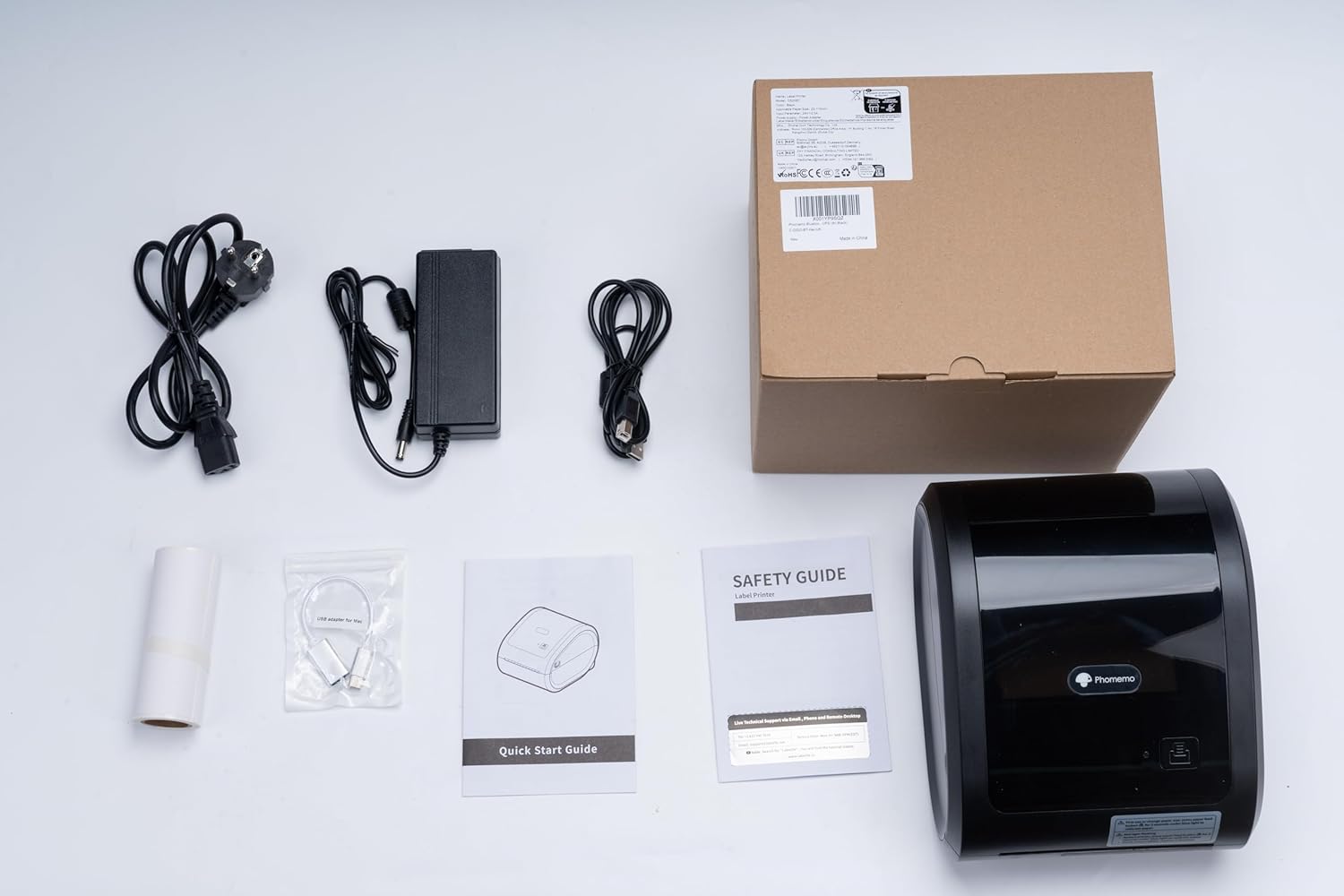
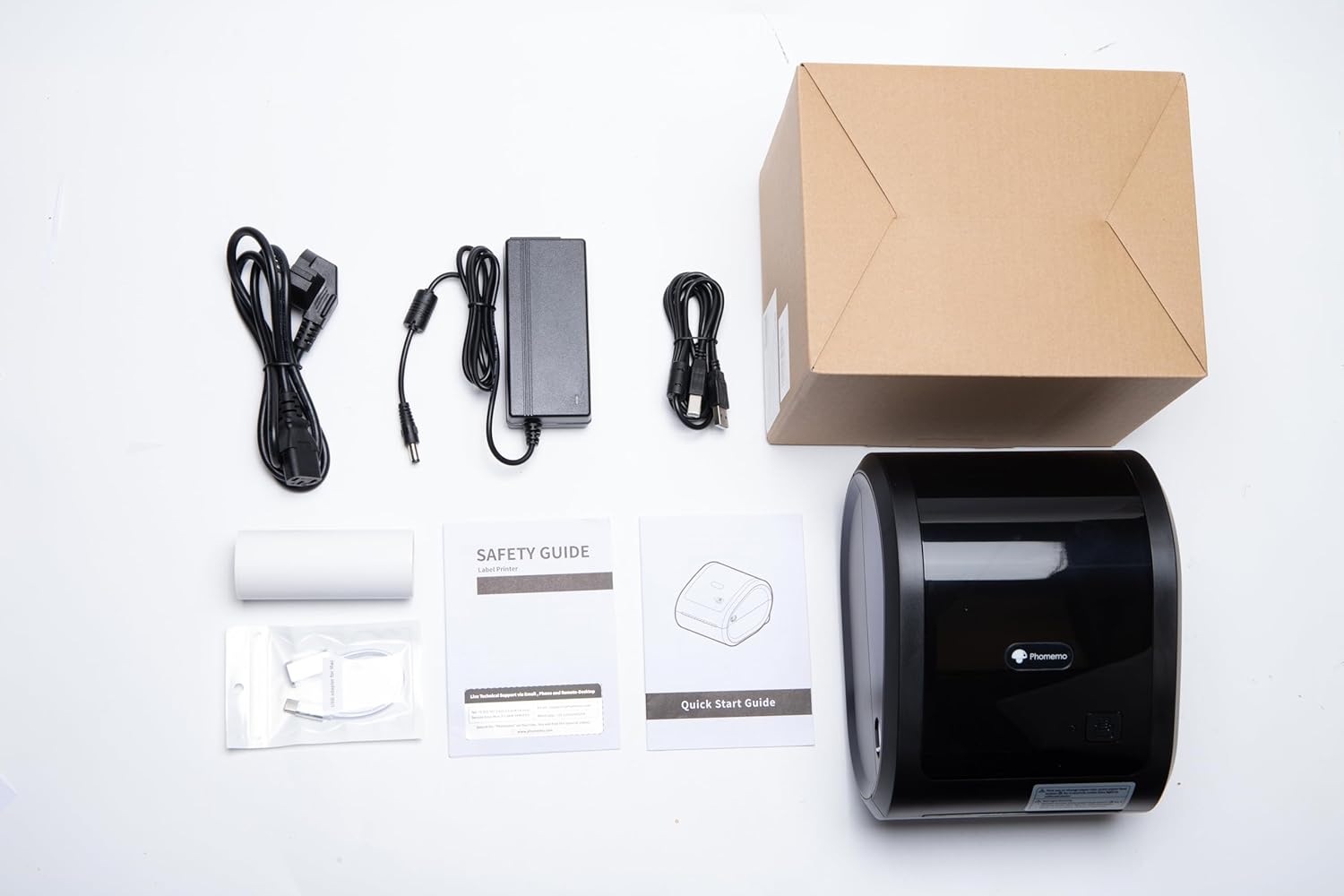
I was impressed with the quality of the D520-BT printer upon unpacking. Everything seems solid and would appear to hold up over time/use. All the necessary cables, cords, etc., are included (even a special USB adapter for a Mac!) as well as a small roll of labels to get you started. The Quick Start Guide is easy to follow and got the printer up-and-running via Bluetooth in only a few minutes. If you stumble, there are several online tutorials to help.Although the first few sheets of the included label roll seemed not to be fully thermally sensitive (print and pictures were incomplete along the edges), after about five sheets the print quality improved to what I expected. Even very small text printed dark, clear and crisp and was easy to read. It prints super fast too!The Labelife software/app is typical of this type of text/graphic layout software and has many features to customize a label to your desire. My main use is to produce standard USPS shipping labels and the printer/software is up to the task. It should save a lot of time and make preparing a package for shipping a lot easier and more accurate.While the printer accepts fanfold labels through the back of the printer, the printer and labels can operate as a self-contained unit- a really nice feature that saves desktop/shelf space and makes the whole thing look professional. The printer will hold a roll of 500 labels inside giving it a relatively small footprint – no stack of labels lurking behind it taking up space.Perhaps the only “con” I might mention is that there’s yet another power “brick” to deal with. After a while you need storage/space just for all the bricks that you wind up with for your peripherals.I can easily recommend this label printer for both personal and small business use. Its size, speed, and affordability make it a great addition!
russ chrapko –
Very good printer.very handy.Doesn’t take up much space.Edward was extremely helpful troubleshooting