

ProtoArc Wireless Trackball Mouse Bluetooth, EM03 Ergonomic RGB Finger-operated Rechargeable Computer Laptop Mouse, 3 Device Connection, Compatible with iPad, Mac, Windows, Black (DE-EM03(Black))
£49.89



Price: £49.89
(as of Jun 12, 2025 09:49:09 UTC – Details)
From the brand


Mission
At ProtoArc, our mission is to deliver innovative workspace solutions that enhance comfort, boost productivity, and foster overall wellness.
Vision
We believe that everyone deserves a workspace that not only meets their functional needs but also empowers them to thrive. Our vision is a world where work environments promote health, happiness, and high performance.

Ergonomic Mouse Series
Ergonomic Keyboard


Package Dimensions : 17.8 x 12.7 x 8.4 cm; 350 g
Date First Available : 9 May 2023
Manufacturer : ProtoArc
ASIN : B0C4PJWWBG
Item model number : EM03
Country of origin : China
Guaranteed software updates until : unknown
Delivery information:: We cannot deliver certain products outside mainland UK ( Details). We will only be able to confirm if this product can be delivered to your chosen address when you enter your delivery address at checkout.
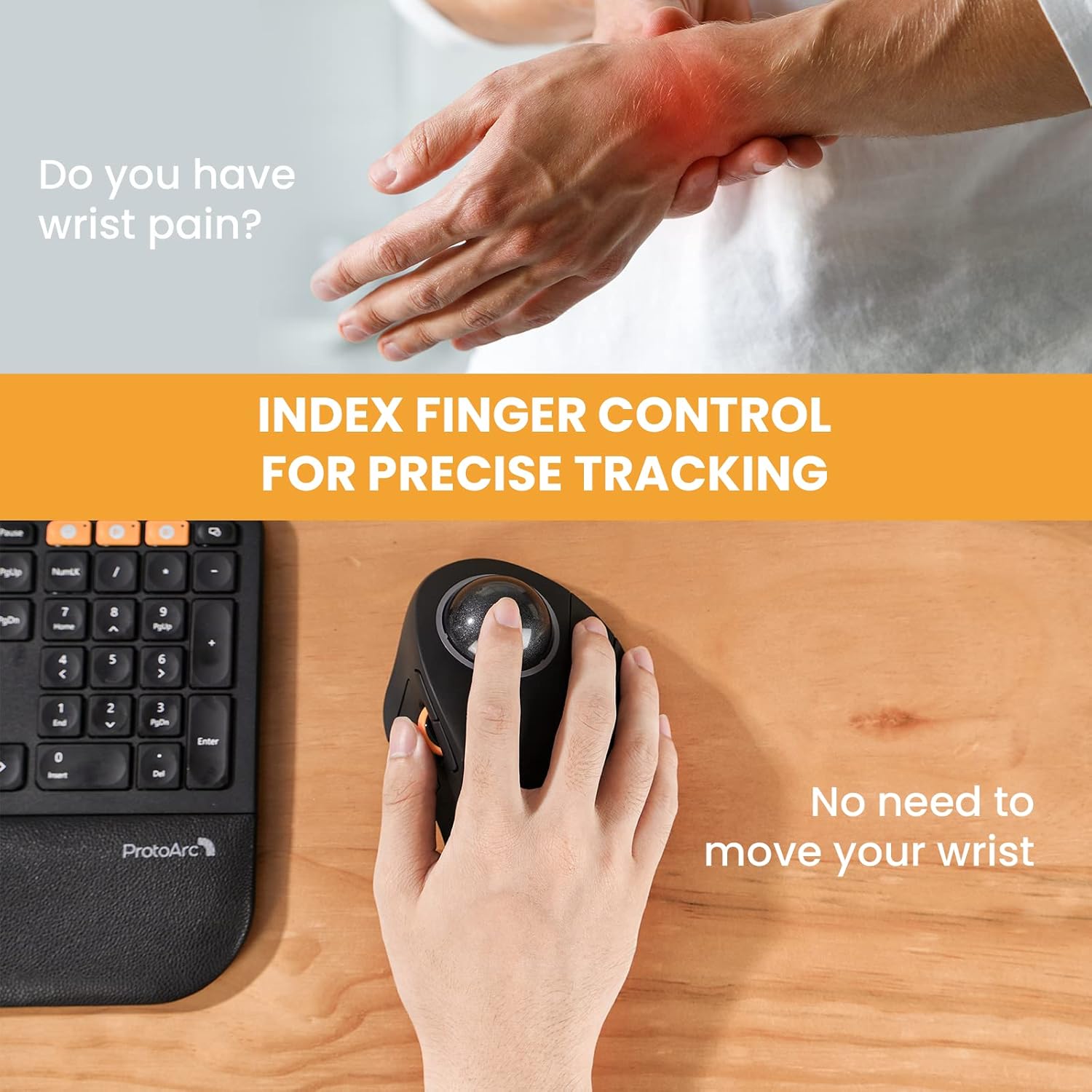
Large Index Finger-operated Trackball: Compared with traditional thumb-operated models, ProtoArc EM03 finger-operated trackball mouse for large hands, equipped with a large 44mm trackball, encourages better ergonomics, full arm movements and neutral wrist posture
Bluetooth & 2.4G Wireless Connection: PLUG and PLAY. EM03 trackball mouse has triple connection modes. You can control three devices at the same time, switch freely between Android, tablet and Mac with just one button. Compatible with Windows, Android, Mac OS, PC, Laptop, Desktop etc. Note: USB Dongle is a standard USB-A, not type C
4 RGB Lighting Mode: You can adjust 4 RGB (Flow, Breath, Constant, Wave) color effects by one button. NOTE: The RGB backlit also can be turned off by clicking the light switch button, which can save battery power for the mouse
Rechargeable Battery: Features built-in 930mAh lithium battery. It can last 1 month per one full recharge with the lights off. Remember to turn it off if you do not use it for a long time. Note: it will enter auto sleep mode if you don’t use it for a few minutes to save battery. The mouse will enter working mode again by clicking any button
Noiseless Clicking & Adjustable DPI: Smooth frosted surface and quiet clicks can bring a better user experience and free your worry about bothering others and keep you stay focused while working. 5 DPI levels (200/400(Default)/800/1200/1600 DPI) allows you to change the cursor sensitivity easily for more precise tracking. DPI can be changed by pressing the scroll wheel and the right button simultaneously for 5S
Tip: ProtoArc EM03 trackball mouse is great for large hand(>19CM). We recommend measuring the size of your hand prior to purchasing for better user experience
Note: All keys are not programmable. The back and forward buttons are not compatible with Mac OS system. You can download User Manual on the details page (Product guides and documents)
Customers say
Customers find the trackball mouse comfortable on the wrist, with no wrist pain reported, and appreciate its ease of use, with one noting it becomes very natural to use. The mouse receives positive feedback for its functionality, smooth trackball movement, and value for money, being half the price of the Kensington model. Customers disagree on the size, with some finding it perfect while others say it’s too large. The buttons’ sensitivity also receives mixed reviews.
13 reviews for ProtoArc Wireless Trackball Mouse Bluetooth, EM03 Ergonomic RGB Finger-operated Rechargeable Computer Laptop Mouse, 3 Device Connection, Compatible with iPad, Mac, Windows, Black (DE-EM03(Black))
Add a review
Related Products


£49.89
BJ –
Silent and positive
is is a superb tool that far exceeds the Kensington versions.Hardly a minute from unpacking, I was scrolling around the monitor as smoothly as silk glides off velvet.
omnione –
Good Value High Quality Trackball.
I bought this to replace a Kensington Expert Mouse that I thought was going to be an upgrade for me but was the opposite and was returned because of very poor quality making it abysmal value.This is superior in every way, smooth track ball and scrolling operations, wireless with three connection methods and a big bonus it’s half the price of the Kensington.It has a colour changing LED light around the ball but this can be disabled if it’s not your thing.Controls are a bit different from what I have been used to so a bit of a learning curve but after a week or so it is now second nature. I originally used Kensington orbits that tended to last about two years before the micro switches failed. It’s to early to tell about the reliability of this one yet if it breaks early I will return and edit this review.
Henk Saenen –
Naice
Brilliant, owned a few different brands up to really fancy but this one has exactly what it needs. Yes it will wear on the top surface quickly but my tendons don’t care too much about that. One but! Or if only! Mouse move speed! If that could be a setting then it would be perfect.
amy –
Perfect size, wish the ball wasn’t as loose
The mouse is a perfect size for resting my hand on. I use for work and gaming and can jump between multiple devices using the Bluetooth connection but i do find the dongle connection to be much more stable. I love that the dongle clips into the mouse and the charging port is in a good spot to be able to use and charge at the same time.My only gripe is that ball is super loose, great for speed rolling but also a major pain when it takes off across the room if i get a little too excited trying to run from enemies. In saying this i am buying a second one so that I can have dedicated ones for work and play so this is by no means a deterrent to buying.
Barry –
Excellent marble mouse replacement
Finally a trackball that can truly replace the Marble Mouse!If, like me, you have found all other trackballs to place the left button too far forward, or found them too stiff, then this is the one you want.Battery life is super impressive, and it can connect using the included dongle or Bluetooth.
Mike Ward –
Rather large
Since I bought this to replace a much cheaper wireless mouse it’s hard to compare the two but it is certainly considerably larger. It’s even bigger than my Logitech Marble Mouse. Putting that to one side, it is of very good quality and a pleasure to use and hopefully should last a good while. Highly recommended if you don’t mind the size.
Keanu –
The scroll wheel could be in a better position
I purchased this mouse as I have been using the Logitech MX Ergo for the past 3 years, but its’ LMB switch is starting to wear out. In addition, since I had every now and then experienced a strain on my thumb joint, this led me to try a few index-finger trackballs to see whether my experience with them would be superior to my thumb trackball.Firstly, I liked the use of a silent switch for the right click button. It is not stiff (unlike the Orbit Fusion which I recently ordered to compare), it feels nice and easy to press. The left click and side buttons are in a great position, however, my main gripe that made me send back this mouse was the position of the scroll wheel. When I tried using the EM03 for a day, I actually experienced more strain on my thumb joint than with my MX Ergo, as the scroll wheel was in quite an awkward position! I really hope that in a later model, ProtoArc experiments with putting a scroll wheel ring around the ball, similar to the Kensington Expert or the Orbit Fusion – this would be far more intuitive.
ievsdoma –
Very good value trackball
This trackball offers very good value. For such a low price you are getting a large, smooth ball, comfortable shape (right hand only, unfortunately), full set of buttons, two connection modes, and even RGB lighting.The buttons are right where you expect them to be, the battery lasts for long, and if you do not like the lighting, you can easily switch it off.The only issue I had with it was that the mouse comes with nice matte finish, which quickly rubs away and becomes shiny. I hope ProtoArc will make it more robust in future iterations.It would also be nice to have an option to configure the buttons and create macos. Maybe in a more expensive model.
smart shopper –
I decided to purchase the EM03 Trackball Mouse, despite the negative reviews, because I just love my ProtoArc brand EK01 and EK01 Plus ergonomic Keyboards and wanted to also try their ergonomic mouse (trackball). So I have read all the mixed reviews, and I can honestly say that I donât see where the negative comments are coming from.In regard to those that say the trackball is not smooth or âsticksâ, I have no such issues and I do not even see how that could become an issue. As an engineer myself, I think the design is very creative and would be less prone to developing issues than one that spins on rollers (like the original old school mouse!).I also have had no issues with connectivity. It quickly and easily connects both with the USB dongle or Bluetooth.In response to those that say its uncomfortable (to big or oddly shaped), that is completely subjective and you shouldnât bother leaving a review to tell others you just couldnât get used to it⦠Thatâs on you, and shouldnât sway someone else or knock the product (star rating) for that. I would admit that it takes some getting used to, just as anything new or unfamiliar. You get used to how a new vehicle handles, and you adjust accordingly. Same thing here. And I find it to be very comfortable and easy to navigate my 3-screen setup. It takes some getting used to with the new button placement however, you can and will adapt so long as you try.It is a very different feeling than we have been used to with the traditional mouse and button arrangement, but it feels fluid and natural. The biggest thing I struggle with is using my thumb to operate the left-click; as well the button are sensitive therefore Im making some erroneous clicks. Im learning to just keep my thumb on the scroll wheel and then move it to depress the button when needed. But Im still on day one using it, and Im adapting to it quickly.For those that reported negatively that it does not give an audible or tactile âclick,â well apparently, they didnât read the ad! The ad makes it a big point that itâs nearly a silent click. And therefore, one should expect that given the nature of making the click silent, the tactile âclickâ feeling will too be significantly less. There is still a tactile click, but its very sensitive. So those that say they canât feel it, they just simply donât have enough sensitivity in their hand to notice. I donât see how this would be a problem for anyone, but to each their own. And again, comments like that while its fine to let others know your feelings and opinions, you shouldnât make it as if there is something wrong with the product and to rate it poorly because YOU didnât like the fact that you donât get the âclick!â The product ad does NOT try to hide this fact, again, they make it a blatant selling point! So you should have bothered to read it (or look at pictures that displayed this) and then you wouldnât have wasted your time with a product you knew you wouldnât like⦠because it doesnât click.As to the battery life issue that some have reported, I can not attest to that, Ive had it for a day now. However, I can say that being itâs a rechargeable lithium battery (from China) they are made in bulk and every so often poorly made ones get through QC. While the manufacturer of this mouse will check to see that it powers on and functions properly, they would not be able to test the batteryâs life span. The truth is, besides the occasional poorly made battery, these batteryâs chemistry is highly volatile, and they can go bad suddenly and without warning. Not to say they are not safe, but we all remember the cell phones blowing up, right?! And on the other side of this, some batteries could have sat around for a long time (either waiting to be purchased by some manufacturer to be used in some product or sitting already installed and in a warehouse waiting for some consumer to buy the item (like this mouse). Either way it happens, the thing is that lithium batteries donât like to go long periods of time without a charge. More especially, if they didnât have them charged to a minimum at a specific âstorage voltageâ and the voltage was below that value (likely after having tested the product) then the batteries are likely to degrade much faster the longer they sit around not getting a charge. And then some poor consumer buys the product with that battery, and automatically blames the product and the brand for having a bad product and for people to stay away from them. This can easily happen with any lithium powered product and not limited to poorly made brands, can happen with big name brands too. Thatâs why they have return/exchange and warranty procedures in place!This got way longer than intended, I just feel like Im tired of seeing people say things about a product that are completely subjective, even itâs a good product.I am in no way affiliated with this product or brand, I am a happy customer that bought this brandâs products and feel that people should have a right to know that its still a great product regardless of a few âbad apples.â And donât rate a product badly just because you arenât in love with it or have some personal gripe (this goes for any product). Write your review, get your feelings and opinions out there, but if the product PERFORMS as advertised its only fair to rate it against what is advertised, not the fact you just couldnât get on board with it!Give it a shot, the worst that happens is your just not satisfied with it and return it. If you keep it and something happens months later, go through the warranty and get it replaced. They offer a 2 YEAR WARRANTY on their electronics; this is straight from their website and it covers Amazon purchases!
AmphibiousMan –
For me the Logitech was always the best trackball but for some reason it is not connecting anymore, long story short for the last 3 years I am looking for a replacement. The Keningston, not bad but after 1.5 years of not to intense use, right mouse button is non functional, then the Adesso I mouse, nice as a 2nd mouse but I don’t like the layout. Now this one is coming close or surpass the Logitech, because function wise it is very similar but here we have a scroll wheel which was a real missed feature on the Logitech. So great, only remark, no macro no adjustable button nothing. It just works
Ilse Andrade Azevedo de Figueiredo –
Perfeito para mão grandes. Facilitando demais a ergonomia evitando dores e desconfortos.O uso deste trackball é perfeito e ajudou muito meu dia-a-dia no trabalho.
n3mo –
Idea molto interessante, un trackball con palla alta, leggero e facilmente trasportabile.La forma è molto comoda, ma questo è ovviamente un fattore che varia di mano in mano.La luce intorno alla sfera non è forte, ma è molto carina, e la sera non da fastidio.I click sono silenzioni, ma forse, come per altri prodotti ProtoArc, troppo sensibili, ci si deve fare un po’ l’abitudine.La qualità dei materiali è molto buona, ma non del tutto al top (per avere un prezzo così contenuto, si deve pur rinunciare qualcosa).Il rivestimento in gomma è comoto ed è antiscivolo, sperando non si rovini presto.A questo però preferisco il modello EM05 NL, che con la sua forma verticale mi si addice di più.ProtoArc si conferma un produttore attento, affidabile ed estremamente economico, ma che non rinucia alla qualità dei materiali.
Wolfgang Zogalla –
Die Kugel dreht sich butterweich, die Tasten reagieren prompt, aber fast ohne Kraft und Geräusch! Einzig das Scrollrad spinnt manchmal. Die Tastennummerierung ist schon irgendwie ok, wenn auch nicht perfekt. Aber wenn man Linux benutzt, kann man das eh alles umdefinieren.Als mein Logitech TrackMan Marble FX nach 25 Jahren kaputt ging, war ich verzweifelt, weil die meisten Trackballs nur noch mit dem Daumen bewegt werden. Ich komme nicht aus der SMS-Generation, und mein Zeigefinger ist da beweglicher. Der hier besprochene Trackball erinnert mich so sehr an das bisher gewohnte, dass mein “Leiden” jetzt ein Ende gefunden hat. Ist natürlich alles Geschmackssache.