

Razer Cobra Pro – Customizable Wireless Gaming Mouse Chroma RGB (10 Customizable Controls, 11-Zone Chroma Lighting, Focus Pro 30K Optical Sensor, HyperSpeed Wireless) Black
Original price was: £129.99.£109.99Current price is: £109.99.




Price: £129.99 - £109.99
(as of Oct 20, 2025 07:08:36 UTC – Details)
From the brand




Powered by Razer Chroma
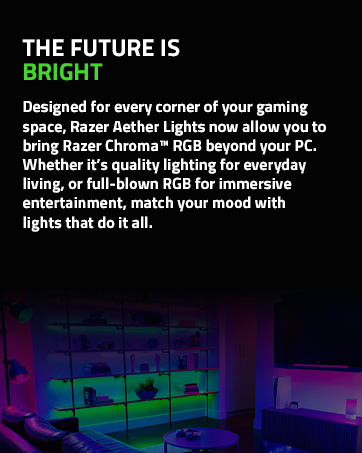
Gamer Room


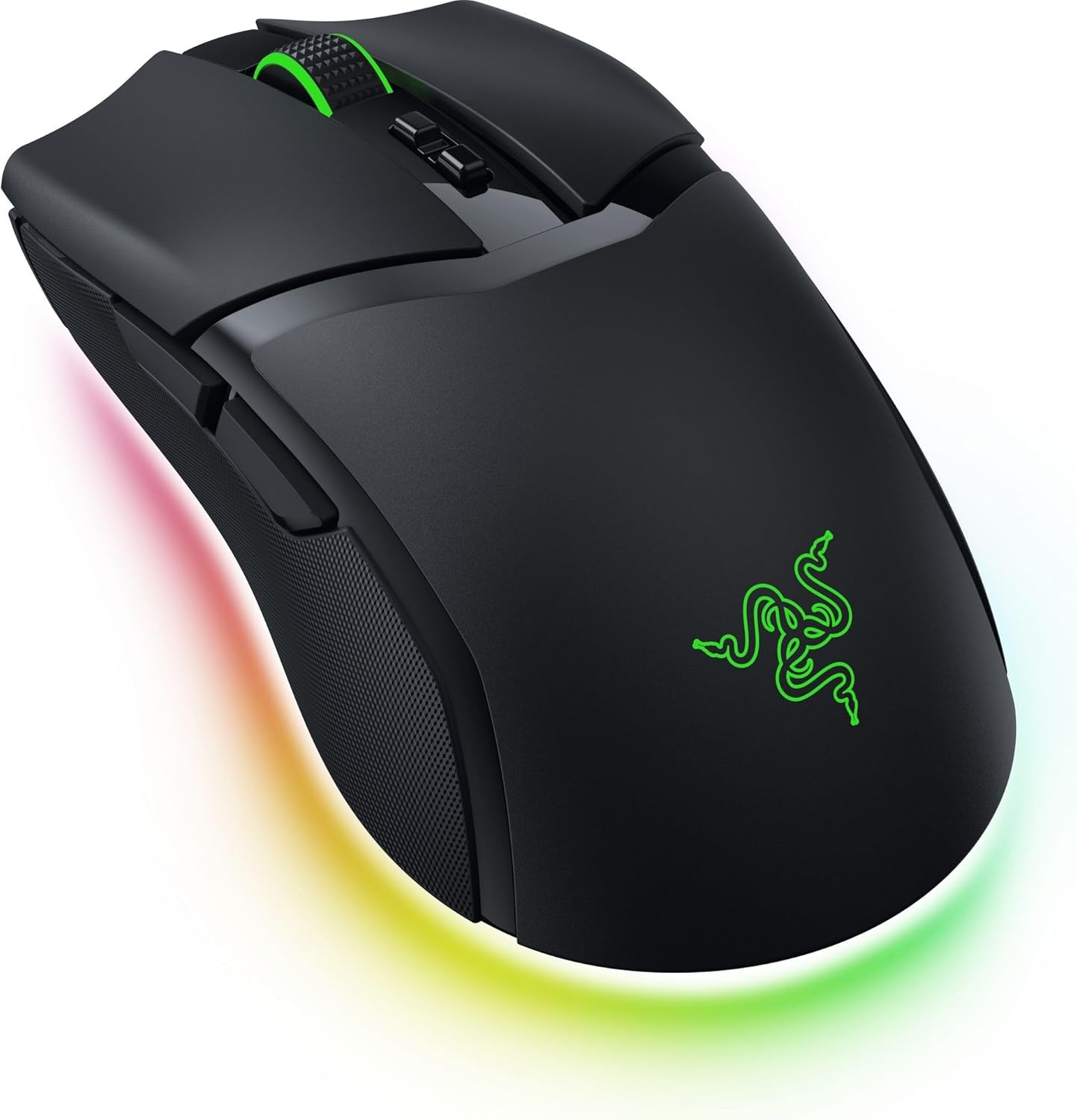
10 Customizable Controls for advanced macros across 5 onboard profiles. From essential commands to complex macros, enjoy a Ideal degree of control at your fingertips and be ready to game anywhere with 5 onboard memory profiles.
11-Zone Chroma Lighting with Underglow powered by Razer Chroma RGB. Customize each zone from 16.8 million colors and countless lighting effects, and experience Ideal immersion as they react dynamically with hundreds of Chroma-integrated games.
Razer Focus Pro 30K Optical Sensor for best-in-class precision. Razer’s brand-Enhanced sensor provides flawless tracking performance on a wider variety of surfaces including glass-supported by intelligent functions for enhanced aim and control.
Razer HyperSpeed Wireless for high-performance, low-latency gaming. Enjoy ultra-responsive gaming with speeds faster than other wireless tech. Upgrade to true 4K Hz polling rate with the Razer Mouse Dock Pro or HyperPolling Wireless Dongle (both sold separately).
Razer Optical Mouse Switches Gen-3 for unrivalled durability and speed. From an improved 90-million click lifecycle with zero double-clicking issues, to a blistering 0.2 ms actuation with no debounce delay, enjoy reliability and speed that outshines all others.
Versatile Connectivity and Power Bluetooth with USB Type C and wireless charging. Lasting up to 100 hours on HyperSpeed or 170 hours on Bluetooth, the mouse can be charged via USB Type C, the Razer Mouse Dock Pro, or the Razer Wireless Charging Puck (can be purchased separately).
Optimise mouse accuracy – Improve accuracy by disabling the ‘Improve pointer accuracy’ option in Windows mouse settings and further optimise performance with the Razer Synapse app.
Customers say
Customers find this gaming mouse to be of good quality, comfortable to use, and appreciate its excellent accuracy and performance. They like its lightweight design and consider it good value for money, with adjustable DPI settings that can be customized through Razer Synapse software. The size receives mixed feedback – while some find it perfect for smaller hands, others say it’s a little small.
13 reviews for Razer Cobra Pro – Customizable Wireless Gaming Mouse Chroma RGB (10 Customizable Controls, 11-Zone Chroma Lighting, Focus Pro 30K Optical Sensor, HyperSpeed Wireless) Black
Add a review
Related Products


![ASUS TUF Gaming K1 RGB Keyboard, 5-Zone RGB, Membrane Switches, 19-Key Rollover, Dedicated Volume Knob, Spill-Resistance, Side Light Bar, Programmable Macros, Black [UK Layout]](https://i3.wp.com/m.media-amazon.com/images/I/61FlfyGpDdS._AC_SL1500_.jpg?w=300&resize=300,300&ssl=1)


Original price was: £129.99.£109.99Current price is: £109.99.
Patryk –
Great gaming choice
After six months of using this product I can say It’s a really good gaming mouse. Quality is great such as precision and speed. It’s very light which is very comfortable in a long sessions.Battery last about 16- 20 hours with light’s on and hyper speed dongle.I truly recommends.
Ali Ashfaq Butt –
the lightweight mouse you need! perfect!
perfect and light weight
Brian Deen –
Exceptional Light Wired Mouse, Ambidextrous with Great Style, Electronics and Performance
This Cobra wired mouse has apparently replaced the obsolescent Razer Viper Mini mouse. This new mouse is more or less the same size which is good and with it being ambidextrous it suits me as I use left handed.The Cobra has improved greatly on its predecessors due to the PTFE sliding feet. Whereas, the Razer Viper mini only had a plastic middle foot around the optical sensor and was prone to scratching my Razer hard mouse pad. The Cobra is very much lighter than any wireless version of any other mouse no matter what make – and as such handles exceptionally well. The electronics DPI, responses and switches are perfect. Could not wish for a better mouse. The price is also a bonus as its about 1/3rd the price of a a wireless Cobra.
Modelmaking Guru –
Good budget gaming mouse, with a caveat for claw-grip users
This is a very nice entry-level gaming mouse. Lightweight and comfortable to use. The Razer software will allow you to remap all the buttons as you wish, to any function, key stroke pattern or whatever you need, and you can create multiple profiles for different applications (I have it set with various Windows functions for when I am not gaming, but when gaming I use a profile with all the extra buttons mapped to specific symbol keys so they can easily be keybound in-game.In all you have 7 buttons that can be reassigned as needed:left clickright clickwheel click2 x left side buttons1 x button below the scroll wheel.Also, the DPI can be adjusted between various presets for different uses.It does have simple LED lighting in the Razer symbol on the butt and around the rear rim underneath. This can be also customised in the software.My only issue is that the two side buttons are perfectly positioned – but ONLY if you use the mouse with your hand flat , operating the wheel with your middle finger and with fingertips all the way at the front of the click buttons. However, if like me you use a “claw” grip position, using the wheel with the index finger, you will find that the rear side button is accessible by the heel of your thumb and is perfect for assigning in-game to CROUCH, for example, but the front side button is out of reach. I can only access it by lifting my palm up off the mouse and gripping the other side of the mouse with my pinky to try to stop the mouse moving – but it always moves, which is useless in game where you need to not shift you aim (for example). I find it uncomfortable to hold the mouse with my hand flat, so this button usually ends up unused or assigned to something non-critical. Your mileage may vary, OBVS.Other than that, it is a very nice mouse!
Ian fletcher –
Excellent wireless mouse
Excellent mouse. Used for work and gaming, does very well for both.
Simply amazing! –
good budget mouse
good for the price
Dimitri Adamou –
Plastic feels quite cheap but the mouse is still rather good
negative: (mouse quality) It’s well put together but the mouse feels like a cheap plastic, which is what makes it lightweight, but the cheap plastic feel makes the clicks sound cheap aswell which makes them feel less satisfyingpositives: mouse is very light and comfortable due to the smooth plastic (may be cheap plastic but still comfortable). The scroll wheel is also great and feels nice. The product is also easy to use as there are minimal buttons and the mouse has a simplistic build. Though, i think £30 is a lot for this product as it probably doesnt cost more than £5 to make.
Zaqqy76 –
good good
good mouse, I rate, nice and light
Qualitarista –
Schön leicht, kein Schnickschnack. Funktioniert zuverlässig. Perfekte Ich-Will-Einfach-Eine-Normale-Gscheide-Maus, zefix. Langzeittest noch nicht durchgeführt.
Parmar –
I bought it around for 2,000 . And it was worth the money spent , Razer products are always best and premium.It’s build quality is good , it’s light weight sovery good for gaming, can fit in any hands and got god grip .There is decent RGB light of its logo.
John P –
works well as a gift nice. I would recommend to buy Cobra HS, since i am using it – bought it from US – and works perfectly and longlasting battery as well
Alex –
Uso questo Razer Cobra Pro da qualche settimana e posso dire che è uno dei migliori mouse da gaming che abbia mai provato. Super leggero, reattivo e comodissimo in mano, soprattutto se usi la presa claw o fingertip.Il sensore è precisissimo anche nei giochi più frenetici, e la possibilità di usarlo via Bluetooth, 2.4â¯GHz o con cavo è comodissima. Gli effetti RGB sono spettacolari e personalizzabili, ma puoi anche disattivarli per aumentare lâautonomia (che è già ottima!).â PRO:Ultra preciso e reattivoDesign compatto e leggeroOttima autonomiaRGB personalizzabileConnessioni multipleSe cerchi un mouse wireless professionale e affidabile per il gaming, questo è da prendere a occhi chiusi. Qualità Razer garantita. ð¥
Sixten –
Lightweight gaming mouse that works great for fps games. Cable is long enough so that it really shouldn’t be an issue.