

SIIIX USB Webcam, 4K Full HD 60 FPS Webcam for PC, Video Calling, Computer Camera with Clear Stereo Audio, Auto Light Correction, Plug&Play, Works with Skype, Zoom, FaceTime, Hangouts and more
£49.99


Price: £49.99
(as of Jun 03, 2025 02:10:27 UTC – Details)
Product Description


𝙉𝙤𝙞𝙨𝙚 𝙍𝙚𝙙𝙪𝙘𝙩𝙞𝙤𝙣 𝙈𝙞𝙘
Built-in stereo microphones, enhanced by the noise reduction technology, it records your voice clearly, fitting perfectly for various occasions such as online conferences, meetings, or chats.

𝙒𝙞𝙙𝙚 𝙖𝙣𝙜𝙡𝙚 & 𝘼𝙙𝙟𝙪𝙨𝙩𝙢𝙚𝙣𝙩
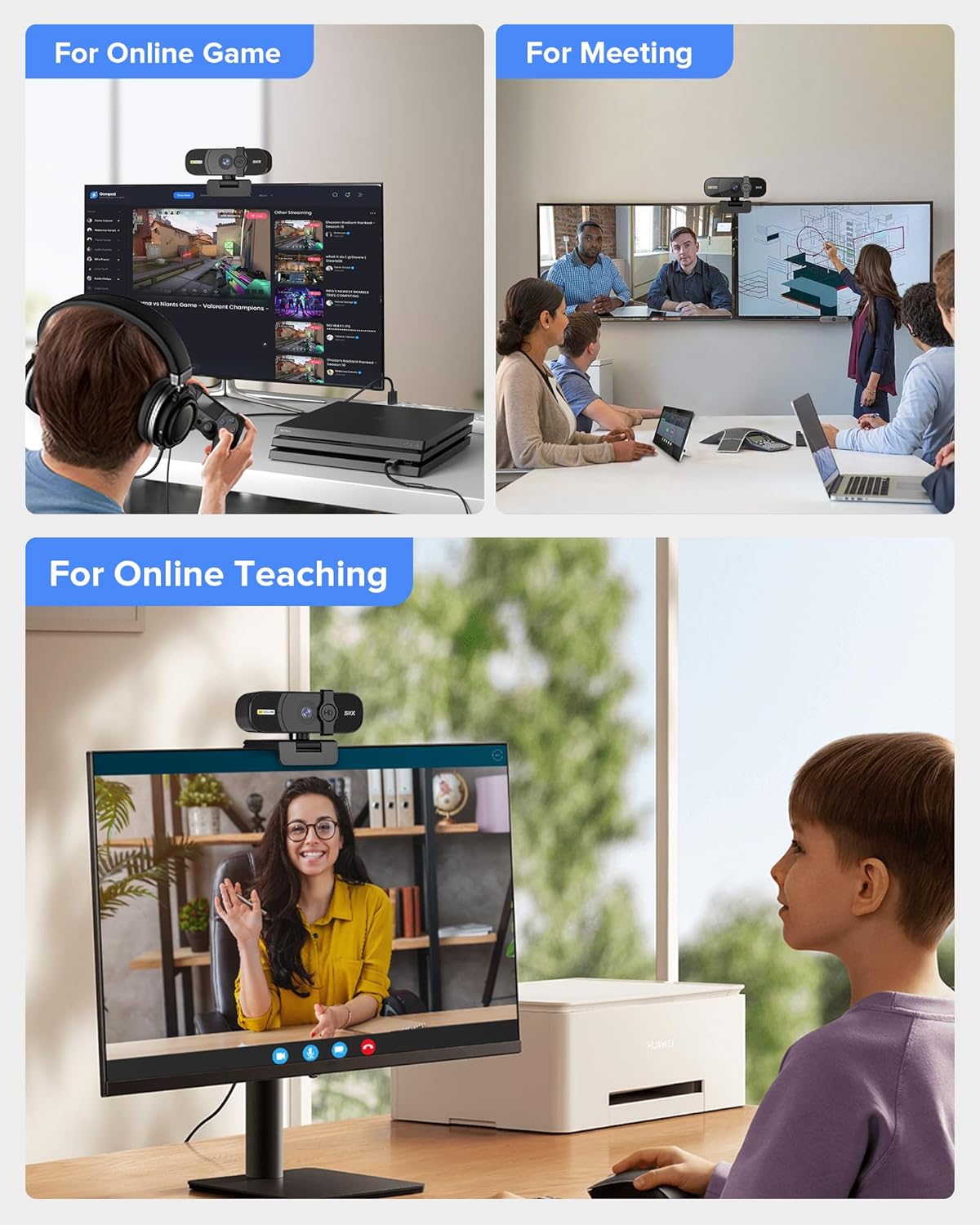
95° wide angle lens PC webcam perfect for conferences, streaming, presentations or any other application with this webcam. It can be flexibly adjusted to reach 90° up and down and 360° left and right to meet your different recording needs, so you can make your video calls as you like.

𝙋𝙧𝙞𝙫𝙖𝙘𝙮 𝘾𝙤𝙫𝙚𝙧
With a switchable cover, it can be turned on/off with just a switch, which blocks out all the potential hacks physically, protecting your privacy most securely.


📷【4K Ultra HD Video Calling】SIIIX USB Webcam runs at Ultra High Definition 4K 3840×2160 pixels of video, specifically designed for professional quality video calling, recording, conferencing, gaming. computer camera with full hd glass lens deliver crisp image and crystal clear video at a fluid 30 frames per sec. equipped with automatic light correction and hdr technology, pro streaming webcam auto adjusts color and brightness for natural lighting.
🎤【Noise Reduction Microphone】Built-in stereo microphones, enhanced by the noise reduction technology, it records your voice clearly, fitting perfectly for various occasions such as online conferences, meetings, or chats. Enjoy clear conversation even in busy surroundings and streaming over wifi with noise reducing mic.
🎥【Plug & Play with Privacy Cover】 Requiring no extra drivers or software, the webcam works easily after connecting to your PC through its USB 2.0 port. Besides, it comes with a privacy cover that can be turned on/off with just a switch, which blocks out all the potential hacks physically, protecting your privacy most securely.
📐【Widely Compatibility】As a webcam for desktop, it works on various systems as well, such as Windows10/8/07/Vista/XP, macOS, and Linux, etc. Widely compatible with major online videoing platforms: Skype, Zoom, Facetime, Facebook Live, YouTube, Twitch, OBS, and Line, etc.
💻【Easy Mount Clamp & 95° Wide View】 Designed for your convenience, the webcam is equipped with a hinged clamp that can either stand to work or be mounted on the edges of your display. Plus The 95° wide-angle lens and the 360°rotatable camera design, your online videoing could be simplified to an extreme.
7 reviews for SIIIX USB Webcam, 4K Full HD 60 FPS Webcam for PC, Video Calling, Computer Camera with Clear Stereo Audio, Auto Light Correction, Plug&Play, Works with Skype, Zoom, FaceTime, Hangouts and more
Add a review
Related Products


£49.99
M. Pritchard –
A decent 4K webcam
This was a very bizarre listing, with very little clue as to what it was and only a picture of a USB plug, but I selected it for review anyway.Imagine my surprise when what turned up was a 4K webcam, and a pretty decent one at that! The stand gives a choice of mounting; use it by itself, fold it over and down the back of a monitor, or mount it on a tripod using the threaded hole in the base.On the front it’s got a physical privacy cap which slides over to obscure the lens, although it doesn’t shut down the camera (or its microphone) when it does, it simply covers it.It connects via USB 2.0 and is detected as vendor ID 0x0bda (Realtek), product ID 0x5856.I was unable to test in Mac OS as El Capitan (10.11.6) only supports the webcam for audio. This is par for the course; El Capitan doesn’t like USB capture cards either.Windows, on the other hand, just detects it and adds it as composite device (because it’s audio and video) called “USB Camera”. Open Broadcaster Software (OBS) Studio recognises it as having a resolution of up to 2592×1944, so it’s a 5 megapixel camera.Picture quality is far better than that of the 720p camera on my old Lenovo ThinkPad L14 Gen 2, but the colour rendition is better on the 1080p camera on my new Lenovo ThinkPad L14 Gen 3. The field of view is tighter on the SIIIX than either of the others, so for conferencing it’s more about you, not about the room behind you.All in all a very good camera for the money, especially if your existing webcam is sub-par.
Katy Sandy –
Better and more efficient work meetings
I do quite a few meetings a day and because my computer doesn’t have a webcam I chose to use this one which is quite effective.It is easy to install then it provides good connectivity during the meetings as well as good quality of the video.The installation process is quite simple, just requiring to connect the cable from the camera that comes in a pack with the computer and it links automatically.I like the fact that it is small and compact and it does not overload my computer screen.I have noticed that as soon as I move it has a very good autofocus which is very important for every meeting that I have.The design is quite minimal and it integrates with any desktop computer or laptop and there’s a good job.This web cam became an essential part of my work from home setup and it provides a consistent and going performance and most importantly provides a good quality of the video which is so important for my job making my online interactions much better.
ð» Puhhhð» –
Die SIIIX Webcam bietet eine gute Lösung für Videoanrufe und Aufnahmen auf verschiedenen Betriebssystemen, einschlieÃlich Linux, Windows 10 und Mac OS. Die Installation verlief schnell und unkompliziert. Besonders positiv ist, dass sie auf allen Plattformen gut funktioniert, ohne dass zusätzliche Treiber installiert werden müssen.Die Bildqualität ist für den Preis sehr ordentlich, mit klaren und scharfen Aufnahmen bei guten Lichtverhältnissen. Auch bei schwachem Licht bleibt die Qualität akzeptabel, dank der automatischen Belichtungskorrektur. Die integrierten Mikrofone bieten eine annehmbare Audioqualität für Videokonferenzen.Ein weiterer Pluspunkt ist die einfache Montage der Kamera. Sie lässt sich sicher auf einem Monitor oder Laptop befestigen und bleibt stabil. Insgesamt ist die SIIIX Webcam eine solide Wahl für den täglichen Gebrauch, egal ob für Arbeit, Schule oder private Videogespräche.
Marge –
We own a bulldog so we get a bulldog calendar every year. This year we opted for one with puppies. We are very pleased with our purchase and with the speed of delivery.
Mickael –
La caméra de mon ordi portable étant HS, j’apprécie de pouvoir installer celle-ci en lieu et place au sommet de mon écran. L’extrémité en L se positionne contre l’écran, prend juste 1cm pour ne pas gêner l’affichage. Puis, à l’arrière un V vient prendre appui un peu plus bas avec un patin antidérapant inclinable. Cela permet une bonne stabilité sans pour autant pincer l’ordinateur.La cam est fixée par un assemblage qui reproduit la liberté d’une rotule permettant de l’orienter vers l’avant, vers le haut et libre pivot jusqu’à même filmer au dos. Mais en gardant l’image toujours parfaitement droite.Un cache permet instantanément de masquer l’objectif. Ce cache glisse de façon à être toujours à dispo et éviter un accessoire qui traîne. Il met l’image dans le noir mais image et son sont toujours transmis.Le support peux aussi se poser à plat sur une table. Ou aussi sur un équipement photo à vis 3/4.Les matériaux ont un aspect solides.Lorsque j’ai branché elle ne fonctionnais pas, il fallait activer une fonction sous Windows (voir capture d’écran). Pour l’essayer rapidement et confirmer son fonctionnement, simplement lancer l’app nommée “Camera” de Windows. L’app vous indiquera si un réglage est à faire.La qualité d’image me paraît bonne. Pas de là à faire des vidéos sur internet, ça reste une webcam pour communiquer. On peut régler la luminosité et la mise au point. Image dispo sitôt après avoir branché.La qualité audio est un peu étouffée comme si je parlais dans une boîte. Mais le timbre de voix est quand même transmis, on peut reconnaître quelqu’un par sa voix. Capte les bruits externes si bien que je peux sortir de la pièce on m’entend toujours parler.Concernant le champ de vision: en étant éloigné de 80 cm de la cam, elle filme 90 cm de large. Je ne sais pas comment exprimer ça autrement désolé!Je regrette juste que le câble ne se détache pas de la cam, ce qui rend l’ensemble délicat à ranger.Câble 1,55 m.
Jsl1 B. –
Jâai choisi cette webcam pour avoir une meilleure qualité dâimage sur mon écran principal en télétravail, plutôt que de me fier à celle intégrée à mon PC portable que je ne pose pas en face de moi.ð¦ Packaging : La webcam est livrée dans une boîte compacte. Lâemballage est sobre, pro et protège bien le produit.Ce que jâapprécie :ð Qualité vidéo : La résolution HD offre une image nette et fluide pour mes appels vidéo.ð Facilité dâinstallation : Elle se branche simplement via USB, sans besoin de pilotes supplémentaires.ð Microphone intégré : Le son est clair et sans parasites lors de mes réunions en ligne.Ce que je regrette :â ï¸ Fixation peu adaptée : Elle ne sâajuste pas parfaitement à tous les écrans, surtout si votre écran est à bord fin (et risque de cacher une partie de lâécran)En conclusion, cette webcam compacte est un excellent choix pour améliorer vos appels vidéo en télétravail, malgré les précautions dâinstallation.
Douglas N. Mitchell –
I love all things bulldog and this is no exception!