

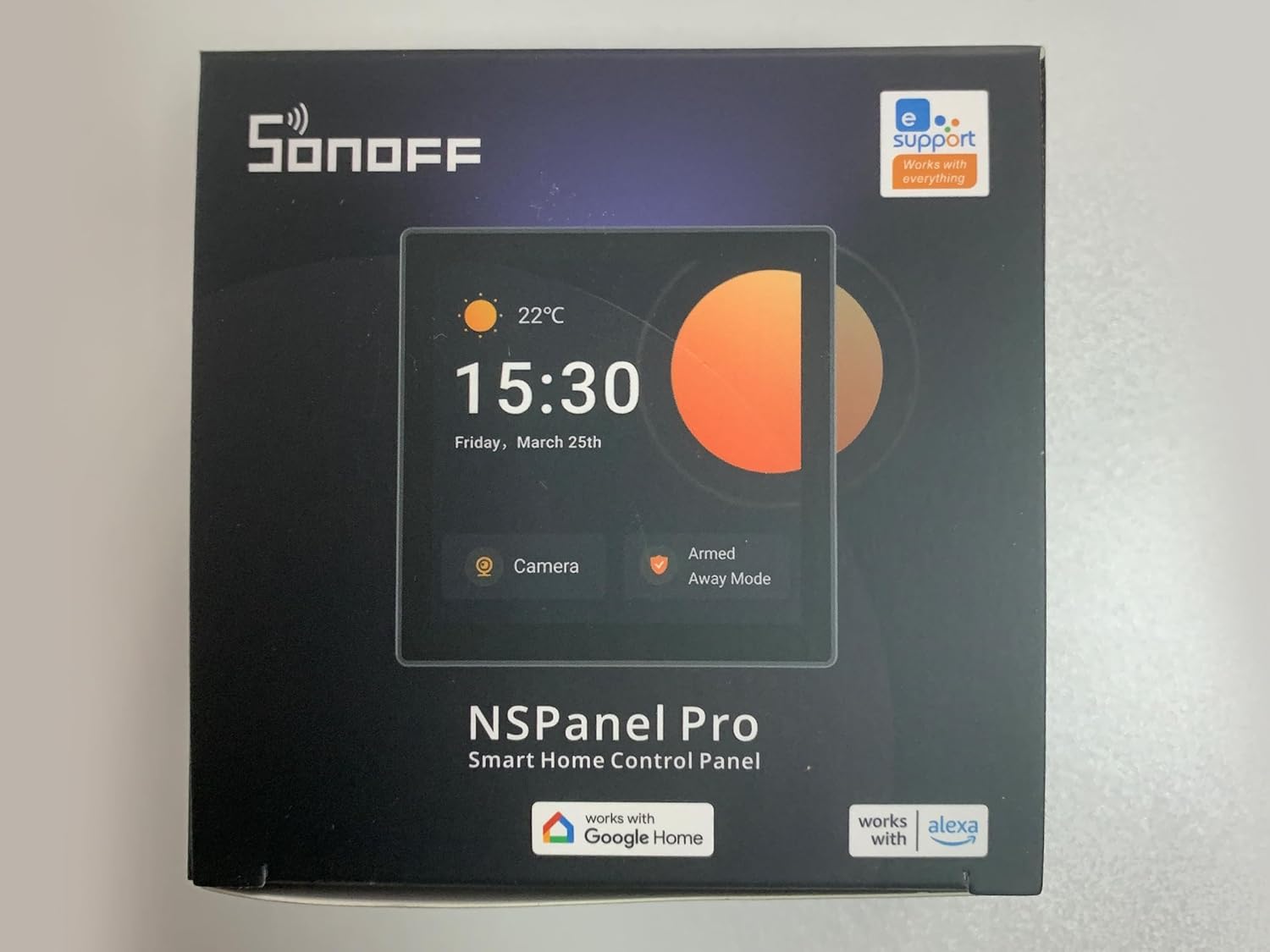
SONOFF NSPanel Pro Smart Home Control Panel, Zigbee 3.0 Gateway Hub, with Power Consumption Statistics, Thermostat, Call Intercom, etc. All-in-One Control Center Hub Dim Gray
£109.00







Price: £109.00
(as of Jun 03, 2025 20:17:04 UTC – Details)
From the brand

SONOFF
Facilitate innovation, make life simpler and smarter.

Sonoff specializes in the development and production of smart home hardware and products.
It is located in Shenzhen, which is the largest electronics market in China and the most integrated electronic supply chain in the world. Thanks to our high capacity for innovation, Sonoff is able to offer high quality innovative products at an affordable cost.
SONOFF ZigBee Series
SONOFF ZigBee Series

Zigbee Protocol 3.0 Standard
Compatible with more Zigbee hubs developed using standard protocols.

Voice Control
Let your voice assistant know your needs, make life smarter.

Smart Interconnection
[Comprehensive Control Panel] The All-in-One Panel allows you to control an unlimited number of devices, supporting all SONOFF products, including smart lights, cameras, security sensors, and switches. It will continue to support future SONOFF devices as they are released
[Not Only Smart Panel, But Zigbee Hub] Easily add multiple Zigbee devices directly from the screen. The Zigbee 3.0 protocol enhances stability and expands coverage, while connected devices can be voice-controlled via Alexa, Google Home, and more
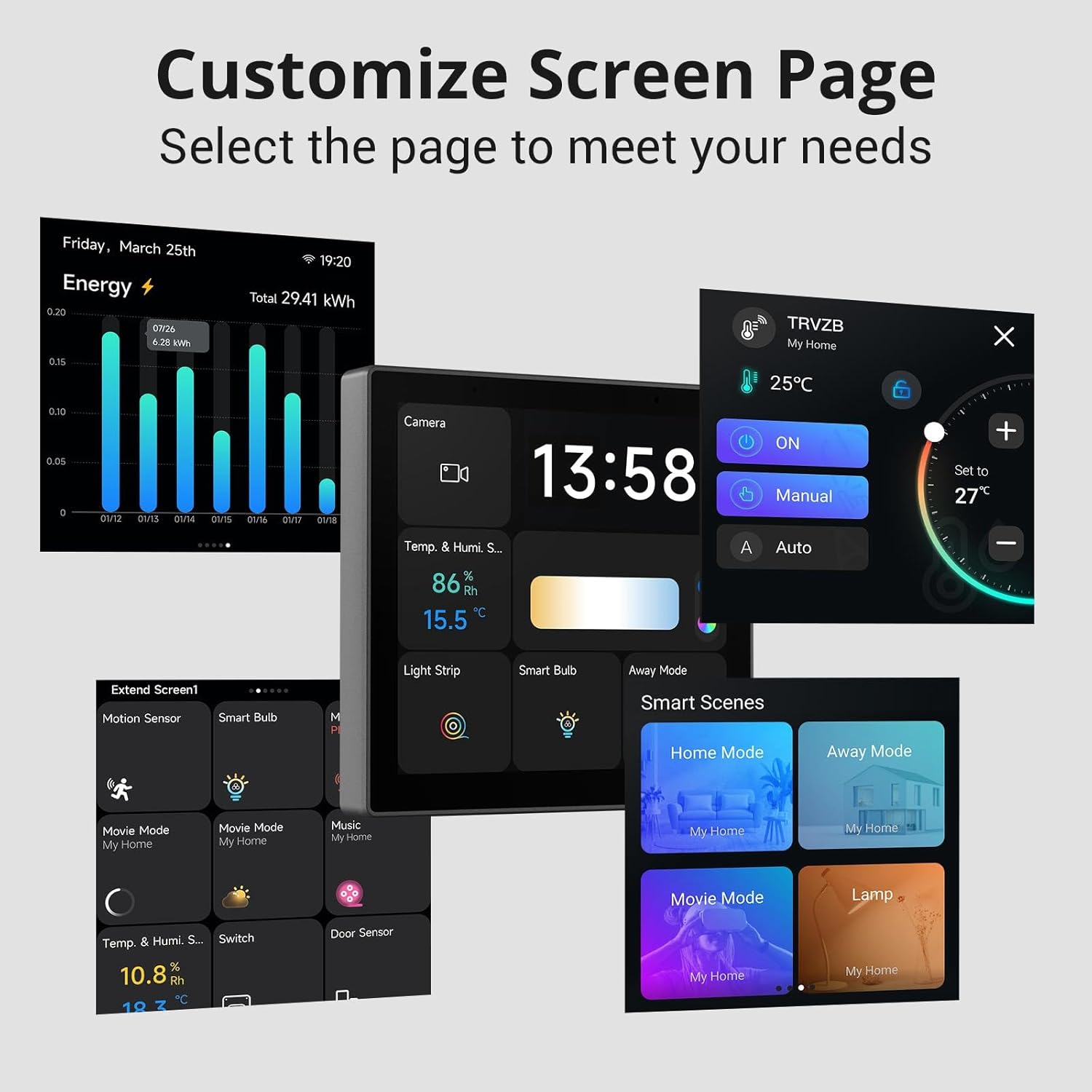
[Smart Scenes with One Click] Activate various smart home scenes instantly with a single press, integrating seamlessly with other smart devices
[Customizable Security Settings] Create up to 3 security modes with different arming devices. Once armed, any triggered sensor will set off an alarm and send an alert notification to your phone
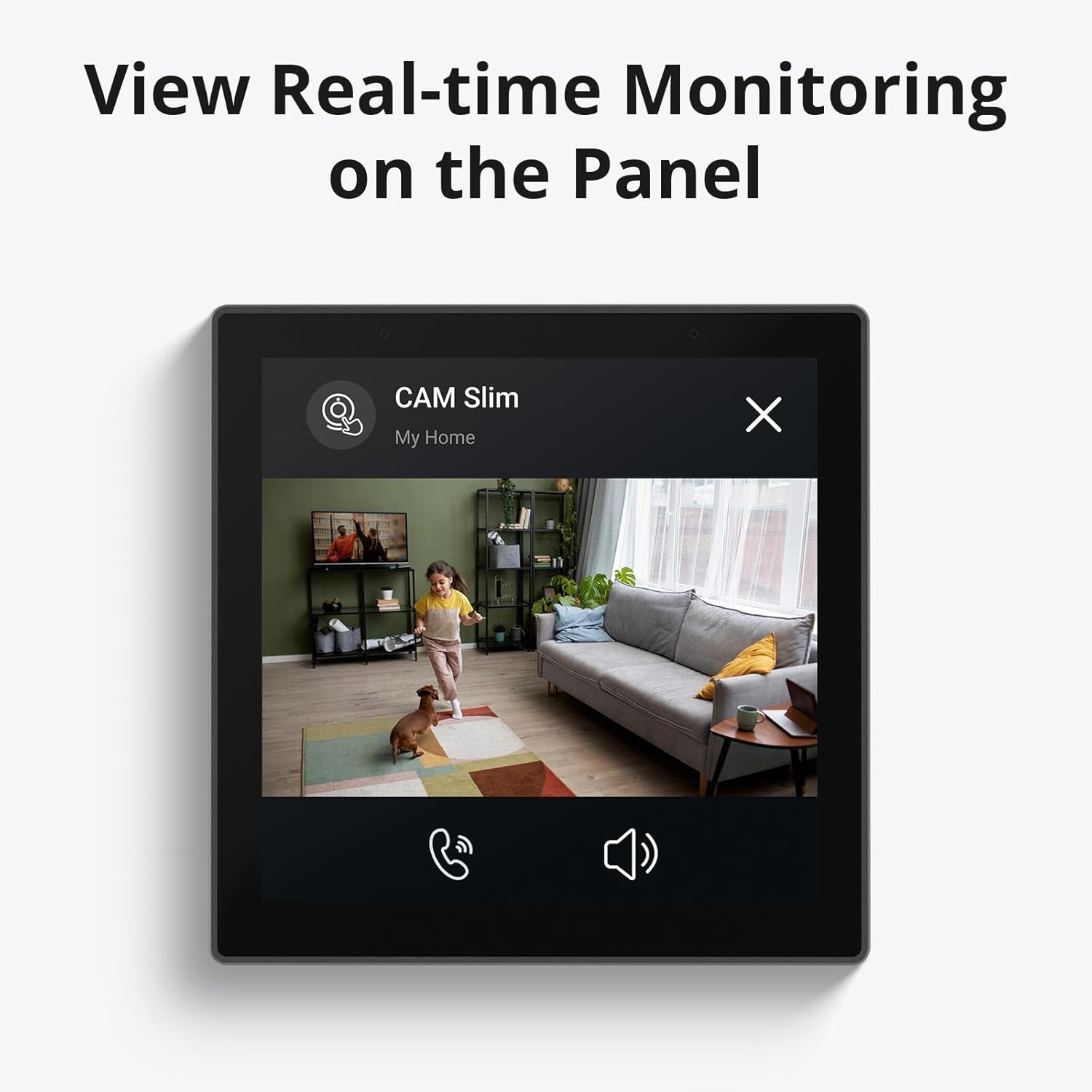
[Live Monitoring on Display] NSPanel Pro acts as a live monitoring screen, supporting up to 4 camera types. Monitor your living spaces like the living room, garage, or bedroom in real time
Note: NSPanel Pro is not designed as a wall switch and does not include relays or physical buttons to control devices such as light bulbs via circuits
Customers say
Customers find the smart control panel works well with Home Assistant and appreciate its display quality. However, several customers mention it’s not worth the price.
13 reviews for SONOFF NSPanel Pro Smart Home Control Panel, Zigbee 3.0 Gateway Hub, with Power Consumption Statistics, Thermostat, Call Intercom, etc. All-in-One Control Center Hub Dim Gray
Add a review
Related Products


£109.00
Michael Browning –
New firmware + Home Assistant = Brilliant
Took a punt on the NSPanel Pro after seeing a Sonoff video on TikTok that showed the new web view available in the latest firmware.It works really well with Home Assistant now, without any messing about with Android dev mode etc. After updating the firmware and connecting to the WiFi, it found my Home Assistant server immediately. After logging in it has worked brilliantly ever since.Will be buying several more when the price is right!
Jake Boulter –
Amazing little touch screen wall mounted device – great for Home Assistant!!
Amazing little wall mounted device! Can’t comment on Sonoff’s ecosystem BUT if you know what you’re doing and you’re looking to side-load this with the Home Assistant app then it really is perfect. Even my girlfriend loved it and asked if I could install a second one in her dressing room – we now have three in the house!Easy to install, touch screen is great and my Home Assistant dashboards work perfectly. Will buy more when I’m allowed!
Amazon Customer –
Good but drops off WiFi frequently!
I use this to display Home Assistant dashboards using the web browser, although you can also flash it with custom Android firmware if you wish but this will void the warranty, and Sonoff wonât allow it to connect to their servers again for updates.Overall itâs a good display and very responsive but unfortunately it keeps dropping off the wifi and you canât tell until you go to interact with it which means you have to reboot it. It may be my wifi as I have a Unifi network and possibly it doesnât like roaming between access points, but just an assumption.
James Clyne –
Be careful on third party Zigbee devices
The device works great, however I have an Innr bridge with lots of Innr devices (plugs, LED strips etc.) these cannot be paired locally with the Zigbee bridge in the Sonoff screen. However, I had a Sonoff PIR which paired up fine. If you have HomeAssistant, Iâm sure you could integrate these this way. Iâll be giving this a go next!
MTC –
C
Nice police are kit for the tech.Gig could do with being a bit cheaper , especially the extra
William –
This is not a switch, or useful in any way, its a lemon
So have just installed the panel, thankfully as 1 side of a 2 way switch as this is not a switch, despite nearly having the terminals for it.Also can’t set it to any city in the UK aside from for time zone so I know the time where I am and the weather in China.Can’t speak for the zigbee side yet, but I don’t need another hub so at best is a node to strengthen my network, useful, but not for the price.I seem to remember it has a temp/humidity sensor inside, if it does they don’t work either.I’m sure from some more careful review reading I would’ve saved myself some money and not bought this so my own fault in part.If you are still considering purchasing, ask yourself what you want it to do and then buy the right tool for the job and not this.
Martin J. Hamilton –
Excellent little control panel
Installed in my office and gives easy control over all the smart devices in this roomIt also works as a Zigbee booster to extend the network coverageA recent update has resolved the thermostat control service so it now automatically controls the heating and cooling in the room perfectly
Mark –
Matter and Zigbee capable hub
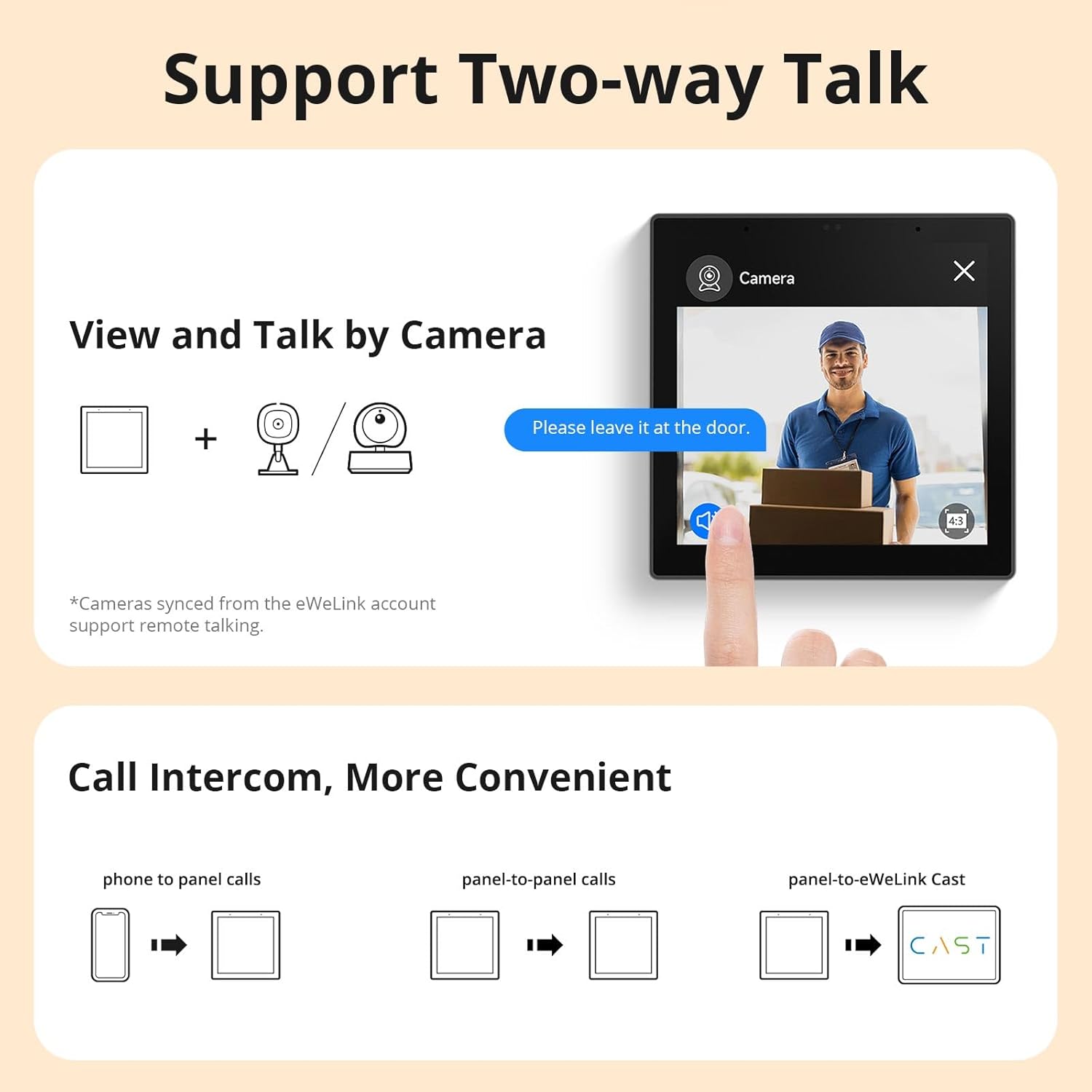
Brought this hub to add Matter and zigbee connectivity to my smart home. Out of the box the hub isn’t matter capable it comes with firmware 1.5.6 and has to be upgraded to firmware 2.1.0 which took a few resets of the hub for it to push a firm upgrade to me. But once done I was able to add matter devices to it and view those matter devices along with this panel in the ewelink app and could then set routines similar to I.F.T.T.T between my old ewelink devices and my new matter device even though the matter device is from a different manufacturer to sonoff/ewelink. I also added a sonoff zigbee door sensor which took a couple of rests of the door sensor to add the panel which was then also displayed in my ewelink app. If you want you can also voice call the panel from the ewelink app which works well whether my phone is on WiFi or mobile signal, I have t done much else with it yet but may consider the sonoff ihost at a later date to add local control to my smart home.
Fred75 –
Ich verwende das Panel als Bedienteil für Homeassistant. Die ist seit kurzem ohne jegliche Veränderung am Betriebssystem (ârootenâ) möglich. Einfach neuestes Update installieren, neu starten und schon wird ein möglicher HA im Netzwerk automatisch gefunden. Damit läuft dann Lovelace auf Fullscreen. Ich habe den Verbauch im Standby gemessen. Der liegt be ca. 1W. Im Betrieb dann 4-5W, aber das ist ja immer nur sehr kurz. Reaktionsszeit ist auch akzeptabel. Klare Kaufempfehlung.
OLBY –
Das SONOFF NSPanel Pro ist genau das, was ich für mein Smart Home gesucht habe. Es vereint Design, Funktionalität und einfache Bedienung in einem kompakten Gerät. Die Installation war überraschend einfach â Strom anschlieÃen, mit dem WLAN verbinden, und schon war das Panel einsatzbereit.Die Benutzeroberfläche ist übersichtlich und lässt sich individuell anpassen. Ich habe Szenen, Geräte und Zeitpläne problemlos eingerichtet. Besonders praktisch ist, dass ich alle Geräte zentral steuern kann â Licht, Steckdosen, Sensoren â alles auf einen Blick. Auch die Integration mit Alexa und Google Assistant funktioniert einwandfrei.Das Touchdisplay reagiert schnell und ist hell genug, um auch bei Tageslicht gut ablesbar zu sein. Die Verarbeitung wirkt hochwertig, und das Panel macht sich optisch gut an der Wand.
Joris –
Houd er rekening mee dat het formaat van de opbouw 86x86mm is. Dat is een gebruikelijke Europese maat, dot wordt onder andere in Duitsland gebruikt. In Nederland is de gebruikelijke maat echter 77x77mm. Deze past dus niet in een standaard stekkerdoos in Nederland. Ook andere landen kunnen andere maten gebruiken. Het is verstandig hiernaar te kijken voor aankoop. Uiteraard kan je hem dan prima gebruiken in een desktopstandaard die ook op Amazon te vinden is. Als je een 3D printer hebt zijn er ook diverse houders en adapters te vinden om te printen.
Mimmo Ruggieri –
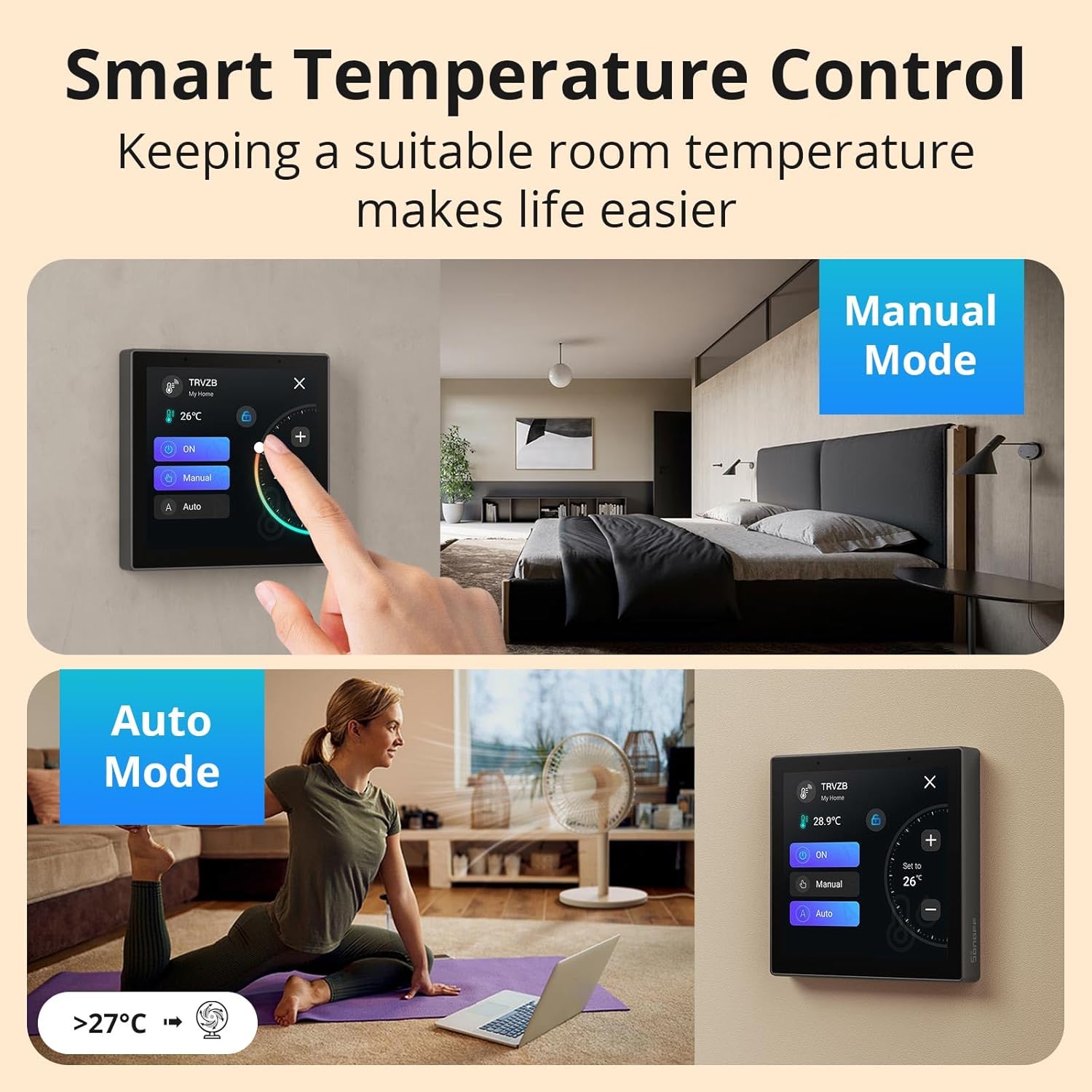
Arrivato e subito messo in funzione.Premessa: a chi leggerà questa mia recensione chiedo la cortesia di non dare importanza alle recensioni negative poiché sono state scritte da chi probabilmente ha ricevuto un oggetto difettato (e quindi da restituire) oppure si tratta di persone che è meglio che non si avventurino in mondi a loro sconosciuti.Amazon si è superata: acquistato alle 22:00 e ricevuto alle 11:00 della mattina successiva, eccezionale.L’oggetto è arrivato nella sua confezione con una interessante novità : oltre alla consueta bustina di plastica e al foglio adesivo trasparente c’era anche un foglio di materiale spugnoso ad ulteriore protezione del display. Sembra una stupidata ma non l’ho visto fare neanche nelle confezioni di telefonini dal costo di diverse centinaia di euro. Il corpo struttura è lo stesso dei Sonoff M5/86, ma con solo i fermi per i due fili dell’alimentazione dato che l’NSPanelPro non ha controllo diretto di carichi elettrici. Si tratta di una normale placca in misura 86×86, sicuramente meno usata in Italia rispetto alla misura 120×72 per scatole 503, ma è comunque una misura standard, probabilmente la più usata al mondo e in molti negozi di materiale elettrico si trovano le relative scatole. Capisco che se si vuole mettere l’NSPanelPro dove c’è una cassetta 503 allora occorre fare modifiche, però c’è anche chi ha le cassette 86×86 e il montaggio è semplicissimo. Io, per esempio, lo monterò dove ho una cassetta 86×86 e pertanto mi va benissimo così. Per prima cosa occorre staccare il display dal corpo di metallo, inserire i due fili dell’alimentazione, inserire il corpo dei metallo nella scatola 86×86, avvitare le due viti fornite in dotazione e riattaccare il display. Dato che lo schermo è touch occorre rimuovere immediatamente il foglio trasparente protettivo perché con tale protezione la sensibilità al contatto è scarsa e la risposta è imprecisa. L’installazione è diversa rispetto alle altre periferiche Sonoff: in pratica si procede in autonomia sull’NSPanelPro. Terminata la fase di avvio, la prima richiesta riguarda la scelta della lingua tra le 13 disponibili e poi il luogo che per l’Italia è limitato alla sola città di Rome-Italy (ma successivamente, quando la periferica sarà on-line, si potrà personalizzare in modo più dettagliato), quindi si procede al riconoscimento della rete WiFi e conseguente digitazione della password direttamente sulla tastiera che appare sul display. Appena connesso alla rete l’orologio si dispone automaticamente sull’orario di Pechino ma, terminata la configurazione, si può procedere alla scelta del fuso orario italiano. Sul display appare un codice QR, pertanto occorre aprire l’app eWeLink sullo smartphone, premere sul pulsante di aggiunta periferica e scegliere l’opzione di scansione. Con la fotocamera dello smartphone è sufficiente inquadrare il suddetto codice QR affinché avvenga immediatamente l’accoppiamento della periferica e il suo inserimento nella lista delle periferiche dell’utente. Stupefacente la velocità , è veramente in tempo reale. La prima schermata si pone automaticamente sulla visualizzazione delle informazioni meteo e ci sono anche due pulsanti (non ho capito il criterio ma nel mio caso sono stati scelti la telecamera Sonoff e una funziona di automatismo, comunque modificabili in seguito tramite app). Nel menu impostazioni si può procedere alla localizzazione della periferica, scegliendo il proprio luogo di residenza e ricevere così le informazioni meteo appropriate, e si può anche procedere all’aggiustamento del fuso orario. Non c’è il pulsante di opzione per l’ora legale (che non esiste in Cina) pertanto ritengo che a fine ottobre dovrò modificare manualmente il fuso orario passando da UTC+02 a UTC+01. Premendo sul pulsante che identifica la telecamera si ottiene la visione immediata con anche la possibilità di attivare l’audio in solo ascolto o bidirezionale. Non c’è possibilità di muovere la telecamera (la mia ha anche le funzioni Pan+Tilt ma evidentemente sull’NSPanelPro non hanno attivato tale controllo ritenendone il suo uso più adatto come un videocitofono, vabbè si può tranquillamente vivere senza, un eventuale controllo lo posso fare tramite app sullo smartphone). In un’altra schermata appaiono tutte le periferiche presenti in casa sia quelle attive che quelle off-line. Eventuali altre periferiche inserite in un’altra casa (intesa come gruppo di utenze nell’app e non come luogo fisico) non vengono associate automaticamente ma occorre attivarle tramite apposito menu d’opzione sull’app eWeLink. I nomi sono gli stessi dell’app compresi i simboli e le icone. Interessante che sull’identificativo dei sensori Zigbee PIR, magnetici e pulsanti, appare anche l’orario di ultima attivazione (tale descrizione aggiuntiva non è invece prevista sui sensori RF433 che sono gestiti diversamente), così come sui sensori termo-igro appaiono entrambi i valori temperatura e umidità e, toccando il pulsante sul display, appare anche un grafico delle temperature delle ultime 24 ore. Attraverso le funzioni di configurazione sull’app eWeLink è possibile attivare ulteriori modalità sullo schermo dell’NSPanelPro, come il controllo di consumi (ci vuole un Sonoff Pow o un’altra periferica compatibile) con visualizzazione dei consumi nell’ultima settimana mostrati tramite istogramma a barre verticali, così come è anche possibile attivare la funzione di termostato e in tal caso occorre un sensore temperatura (TH10/16 o SNZB-02) e un’unità di controllo per l’accensione della caldaia (quindi una periferica Sonoff con contatto pulito, come un 4CH Pro o un 5V, oppure un Basic o un Mini che a loro volta controllano un relè a contatto pulito). L’NSPanelPro non è dotato di termometro interno e non può averlo perché il display scalda un po’ e pertanto la temperatura rilevata da un eventuale termometro interno sarebbe sicuramente falsata in eccesso. Dalla connessione elettrica all’utilizzo finale sono passati meno di 30 minuti. La configurazione è facilissima, a prova di nonna ultra ottantenne. Per il momento sono soddisfatto di quanto già disponibile, il mio prossimo obiettivo è integrare l’NSPanelPro con Alexa e poi procederò a sperimentare funzioni più complesse, come l’attivazione del sistema Android e l’inserimento nell’ambiente Home Assistant. Pertanto provvederò all’aggiornamento di questa recensione. Se proprio devo trovare dei difetti sono limitati all’impossibilità di gestire la sequenza delle schermate e alla incompleta traduzione della descrizione dei pulsanti nelle funzioni di impostazione dato che alcune sono in inglese. Per entrambe le situazioni confido in un aggiornamento software. Per quanto riguarda la dimensione dello schermo posso solo fare i miei complimenti ai tecnici cinesi che sono riusciti a mettere tanta roba rispettando la misura standard 86×86, altrimenti con un display più grande sarebbe stato impossibile montarlo in strutture complesse con più periferiche 86×86 affiancate.Il primo impatto è certamente molto positivo, seguirà aggiornamento.———————–AggiornamentoCome immaginavo, è arrivata la nuova versione del software e sono state sistemate le anomalie delle parole in inglese nel menu italiano. Adesso i menu sono interamente in italiano.
Raul Alexandre De Almeida –
Sonoff é top