

StarTech.com USB-C & USB-A Dock – Dual Monitor 4K 60Hz Dock DisplayPort + HDMI – Hybrid USB 3.0 Docking Station for USB-C/USB-A Laptops – 6x USB Type-A, GbE – USB 3.1 Gen 1 – Mac/Windows (DK30A2DH)
£142.08




Price: £142.08
(as of Jun 05, 2025 21:24:52 UTC – Details)
From the brand


Server Racks
Display and Video Adapters
Computer Cards and Adapters
Cables
Data Storage
Networking


Is discontinued by manufacturer : No
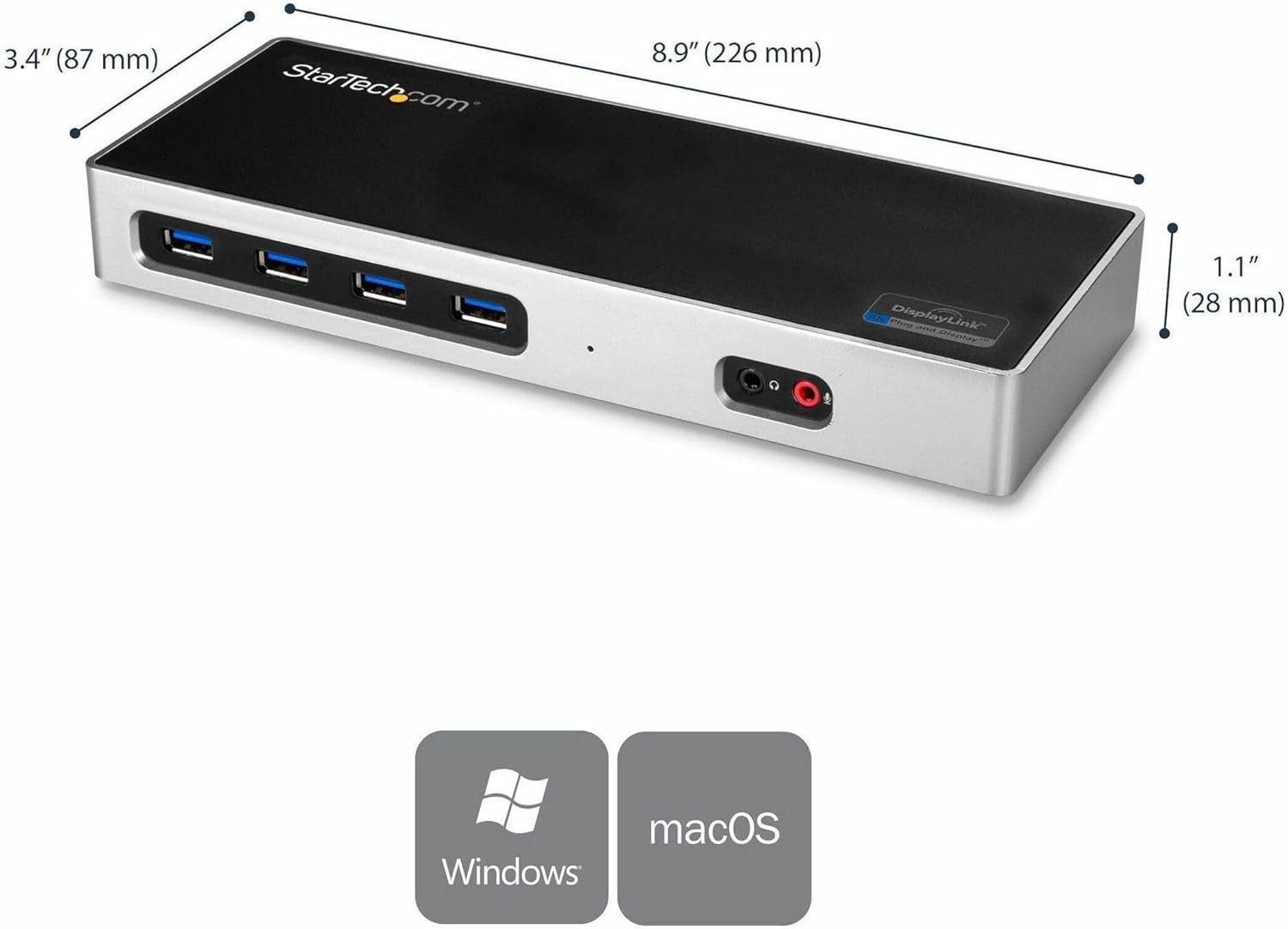
Product Dimensions : 22.61 x 8.64 x 2.79 cm; 301 g
Date First Available : 16 Aug. 2017
Manufacturer : Startech
ASIN : B074VKW195
Item model number : DK30A2DH
Guaranteed software updates until : unknown
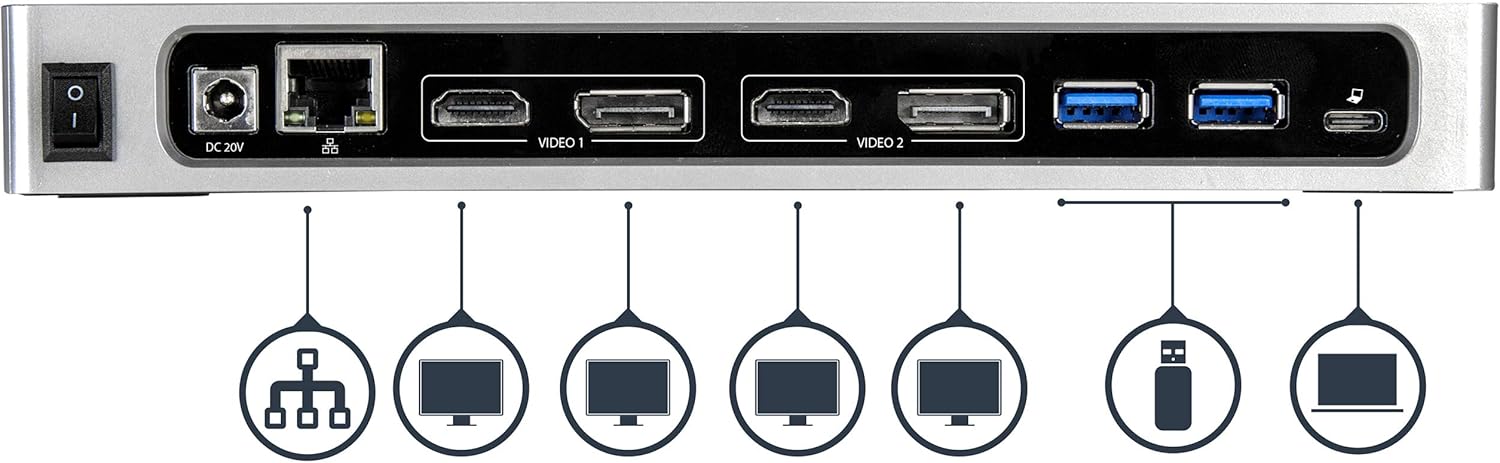
DUAL 4K 60Hz HYBRID USB-C & USB-A DOCK: Universal USB 3.0 docking station (5Gbps) works with USB-C & USB-A laptops/computers; port replicator features 6-Port USB Type-A hub, Gigabit Ethernet, and 3.5mm audio jacks (headset and mic)
FLEXIBLE MULTI MONITOR VIDEO: This dual 4K 60Hz universal laptop docking station can connect up to 2 monitors: Dual DisplayPort or Dual HDMI or DP + HDMI displays; supports two extended displays on MacBooks with both the Intel processor or Apple M1 chip
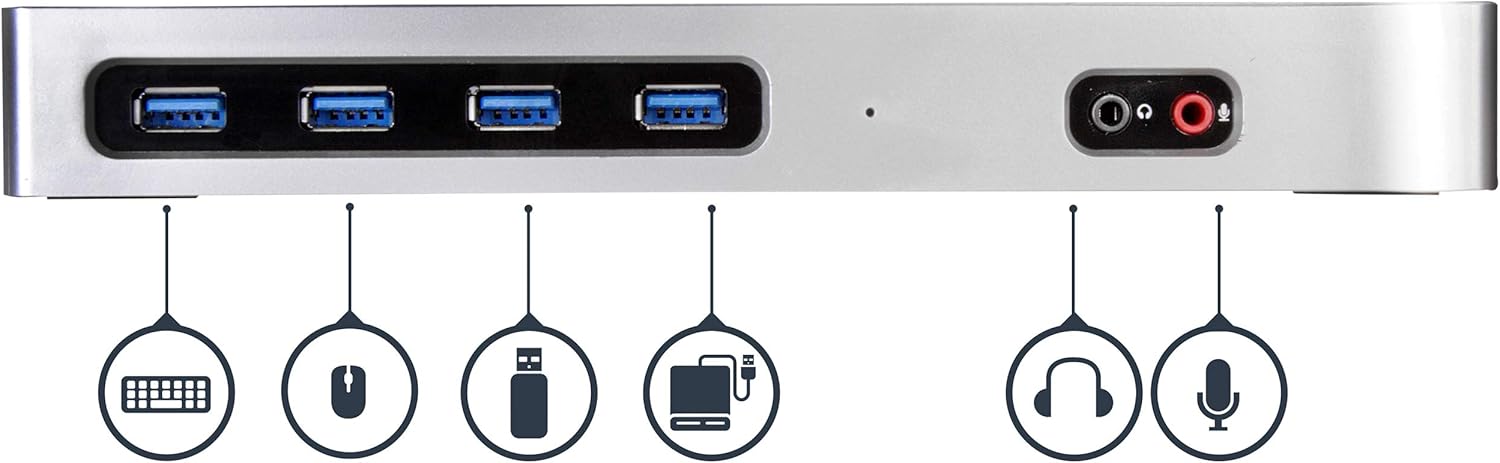
6 DOWNSTREAM USB-A PORTS: Hybrid USB C dock has a built-in 6-port USB 3.1/3.2 Gen 1 (5Gbps) hub with USB-A ports on the front and back to support devices such as a keyboard, mouse, flash drive, external hard drive, and printer
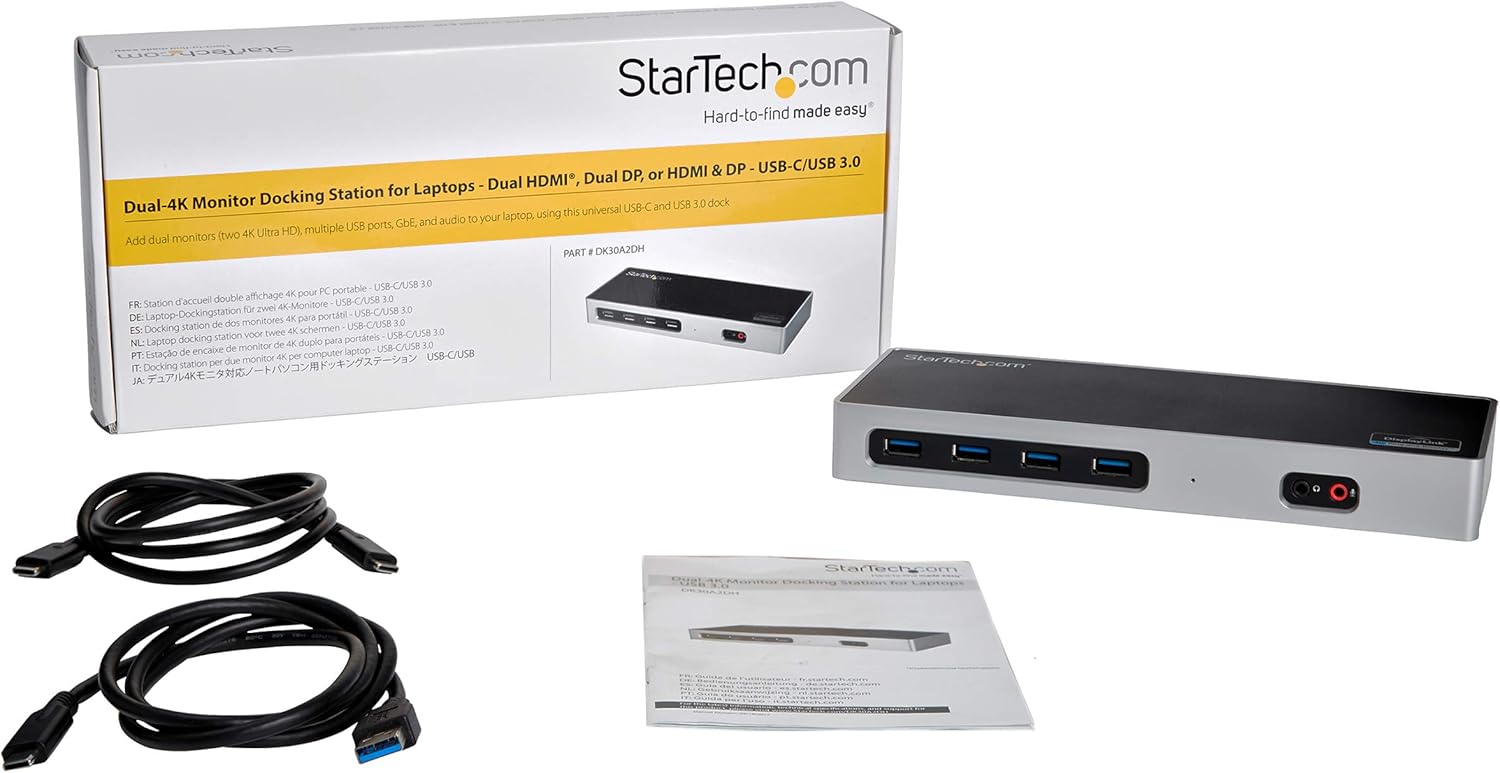
FOR USB-A & USB-C LAPTOPS: DisplayLink certified DL 6950 chipset supports USB-C/Thunderbolt 3 & USB-A PCs; USB-C & USB-A host cables incl; Supports Windows, macOS, Chrome OS, & Ubuntu; This dock does not provide USB-C Power Delivery to charge your laptop
STARTECH.COM ADVANTAGE: StarTech.com offers a 3-year warranty and free lifetime technical support on all docking stations; with over 3000 products globally, StarTech.com makes hard-to-find easy
Customers say
Customers find the docking station to be a high-quality device that works well, with one mentioning it helped with working from home. They appreciate its display support, with one customer noting it successfully drives two monitors, and consider it good value for money. However, the display detection receives mixed feedback, with one customer reporting issues with screens going blank.
13 reviews for StarTech.com USB-C & USB-A Dock – Dual Monitor 4K 60Hz Dock DisplayPort + HDMI – Hybrid USB 3.0 Docking Station for USB-C/USB-A Laptops – 6x USB Type-A, GbE – USB 3.1 Gen 1 – Mac/Windows (DK30A2DH)
Add a review
Related Products


£142.08
Michael –
Very high quality docking station
Excellent docking station, there is an on/off switch which is a very useful feature.I am totally satisfied with the performance of this product. The casing is made of a aluminium which adds to the overall quality of the docking station. Definitely 5 star for me.
Dave –
Decent Dock
Works well, zero issues, StarTech is a good brand, all their stuff is solid….
C. Fletcher –
100% guaranteed to breakâ¦
Ok, that seems a little extreme to say, but I have had 2 of these break in exactly the same way in 6 monthsâ¦. The dock will be running, supporting multiple monitors then thereâs a pop and itâs dead as a dodo. It turns into the fabled Norwegian Blue Dock.The first lasted 13 months. Startech support provided no help as it was out of warranty.Dock number 2 just made it 5.5 months. As this happened over Christmas, Startech support were closed, and 6 days after logging a ticket via email Iâve heard nothing.Thankfully, as this was under a year old, I could return it to Amazon. Iâve not ordered a third, I spent less money on a named PC brand version that offers more connectivity. It also has a smaller power brick than the enormous Startech provided one.
Doris –
Helped with working from home
Recommended but definitely worth it. Had struggled for ages to get the use of two extra screens. This worked where others didn’t.
Mark –
Does not charge your laptop
Great dock if you want dual 4K monitors running at 60hz. This dock does NOT charge your laptop so you will still need to connect your laptop charger.Check Startech support for docks that will also charge your laptop.
Dave –
Versatile Docking Station
I’ve owned this docking station for a little under a month so far and it has been great! I’ve been able to connect 2 HD monitors via HDMI cables and had them both running in extended display mode to both an old Windows 7 laptop and a brand new MacBook Air M1 (2020). Both of these devices only support one external display out of the box, so this dock has made all the difference. The drivers took a little while to download and install on the old Windows laptop, but once they did, it was up and running exactly as required. For the M1 MacBook I had to google “Startech DisplayLink Mac drivers” to find the correct installation package. This is an expensive bit of kit, but well worth it for me so far.
Katarman –
Great while it lasted.
Loads of ports and worked great for 4 weeksBUTProduct started to fail after 5 weeks. Thankfully just in time for a refund. Monitors, keyboard and mouse started to disconnect and then reconnect. Went through diagnostic with star tech online chat. Couldnât resolve. Actually tried to blame my equipment. And then my cables and then my electricity provider. Only after changing monitors, cables and wired keyboard did they accept that it wasnât my equipment.This issue has also been reported in these reviews so buyer beware.
Alex Coull –
Works perfectly
Great docking station for my Razer Blade Stealth 2019. It doesn’t charge the laptop although I didn’t want this feature anyway.Multi monitors work flawlessly – make sure to go into device manager to install the latest drivers from Windows to get this set up.Quite expensive but you get what you pay for.
Sandi Clavis –
After the trouble I had getting two monitors to work with my laptop, I was sceptical when I purchased this docking station. I plugged in the docking station and it worked straight away with two high resolution ultra wide monitors without any need to install drivers. I needed a potable docking station and this is the smallest and lightest docking station I could find with power.
Level One Communications, Inc. –
Excellent product. Worked right out of the box! Save yourself tons of time with trial/error and returns!My needs were quite simple:- When working at home, I simply wanted to set my laptop on my desk, plug in a USB cable (and a power cable to my laptop itself) and be done with it!My hardware:- Lenovo Flex 5 Laptop with USB C 3.0 port non-powered (from Costco)- Dual LG 34″, 21:9 aspect ratio, 2560 x 1080 resolution, wide monitors (from Costco)- Logitech wireless keyboard/mouse combo (from Costco)I had bought literally a half dozen different docking station type of units to try. Until purchasing different docking station products, I did not realize that many of the solutions did not support a USB C 3.0 port that’s on my laptop. I would search for USB C 3.0 products on Amazon, and somehow, apparently the units I bought, even after reviewing countless specs, did not work as advertised.The next best solution I found was by a company called J5. Their docking station worked well too, but it did not work for both of my monitors – one of the HDMI ports only supported 2K. I learned the hard way that 4k is needed for my 21:9 ratio monitors running 2560 x 1080 resolution.The StarTech.com Dual 4K Docking Station was going to be my last option before giving up. Thankfully it worked right out of the box. I chose to use the standard USB A port to connect to my laptop because it was more of a solid connection than using the USB C port. The USB A port has a USB C connector on the other side of the cable to connect to the docking station.I would recommend spending the money on the StarTech, getting something that just works, and stop trying the cheaper alternatives! Lesson learned!
rom1 –
Je l’ai initialement acheté pour brancher des écrans sur un macbookair M1; vous serez en 60 htz mais avec un PC et une bonne carte graphique, deux écrans en 100htz; produit conforma à startech, de la bonne qualité
JFC –
Muy fácil de configurar y pude conectar 3 monitores a mi MacBook Pro M1
willy jaspard –
permet rapidement à un ordinateur portable de se reconnecter à des disques durs usb externes, à des écrans. Ceci m’est devenu indispensable.