

TP-Link EAP615-Wall WiFi 6 Access Point, AX1800 Dual Band Gigabit Wireless Access Points, Omada Mesh, Support PoE+ 802.3af/at, Seamless Roaming, Easily Mount to Wall or Ceiling, Cloud Management
Original price was: £2,199.99.£85.00Current price is: £85.00.



Price: £2,199.99 - £85.00
(as of Jun 07, 2025 01:29:16 UTC – Details)
From the brand


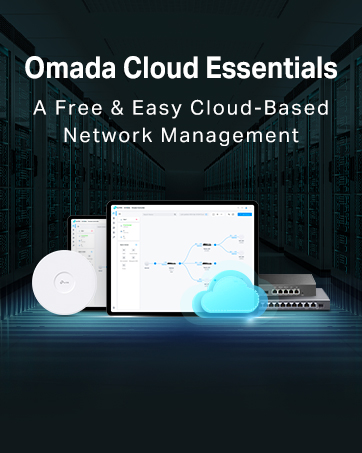
Omada by TP-Link is a cutting-edge Software Defined Networking solution designed to meet the needs of small and medium-sized businesses.
Omada devices includes Access Points, Switches, and Gateway.
By integrating a range of high-performance networking devices, Omada provides a seamless, reliable and scalable network infrastructure that can be managed centrally from a single interface.
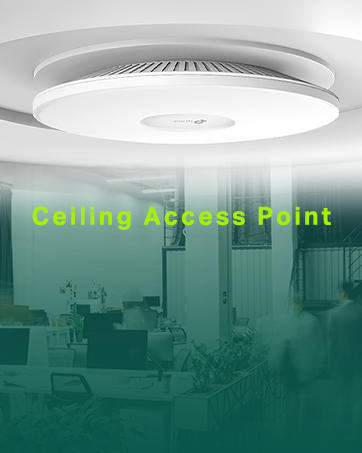
-Mount to a ceiling or wall for wide Wi-Fi coverage in an indoor environment.
-Easy management of hundreds of APs as individually.
Ceiling Mount Access Points
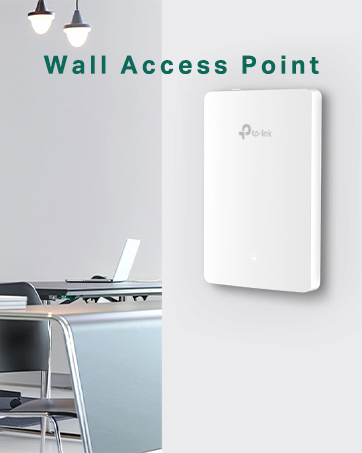
-Install directly into a wall junction box for a seamless Wi-Fi network in each room
-Ideal for hotels/apartments/villas/meeting rooms
Wall Plate Access Points

-Weatherproof, can be mounted to outdoor walls or poles for outdoor Wi-Fi coverage
-Indoor long-range Wi-Fi coverage is also applicable
Outdoor Access Points

Why Choose Omada Switch?
-Support Central management
-Enterprise hardware, advanced software
-High-quality, Superb pre & after sales services and support
Smart Switch
Designed for Surveillance Networks, Hostels, Villas, Big Houses, and Small Offices.
Superior WiFi 6 Speeds – Delivers dual-band speeds of up to 18 Gbps powered by the latest Wi-Fi 6 technology
Complete In-Room WiFi Coverage – Guarantees strong signals and corner-to-corner Wi-Fi coverage in each room
Higher Network Efficiency – OFDMA and DL/UL MU-MIMO* deliver data to multiple devices simultaneously with less lag
Full Gigabit Ports – Connect multiple devices with four gigabit ports and one downlink port offering PoE pass-through
Centralized Cloud Management – Integrates into Omada SDN for cloud access and remote management, with lifetime manufacture warranty
Customers say
Customers find the router works well with Omada Controller software, is easy to set up, and appreciate its reliable build quality and good Wi-Fi coverage that delivers full speeds. They like its unobtrusive design, with one customer noting it fits perfectly in a standard deep pattress box, and another mentioning its AC1200 speeds. While some customers find it fast, others report not achieving advertised network speeds.
13 reviews for TP-Link EAP615-Wall WiFi 6 Access Point, AX1800 Dual Band Gigabit Wireless Access Points, Omada Mesh, Support PoE+ 802.3af/at, Seamless Roaming, Easily Mount to Wall or Ceiling, Cloud Management
Add a review
Related Products


Original price was: £2,199.99.£85.00Current price is: £85.00.
popstar321 –
Fast and very reliable are you recommended
Give me a good Wi-Fi signal and very fast and the ability to have poe through it, is very useful as you can connect up things like p o e cameras, and another plus is allegedly the Chinese government can spyit so if ever breaks hopefully they will send me to replacement straight away
DarkWaterSage –
Great quality and easy to setup (with a PoE switch)
Awesome product, I needed a thin profile access point in my garden office qhich is about 100 feet away from my home.. this does the job – straightforward to setup and you will need a PoE Switch. Now I have 1gbps internet speed (wired) and 800 mbps on wifi =)
MachoGrande –
Brilliant strong signal
Bought this to deal with poor WiFi in the house alongside BT full fibre 500. Very slim profile so mounted half way up the wall behind the TV at rear of the house and now get around 350-400Mbs around the house and down the garden with very very low latency. Having the 2 LAN ports and 1 Poe port on the plate makes it very useful. Only downside is the instructions arenât very helpful if you arenât very confident with getting your network up and running. As others have said use this is an extender so set up as a standalone and use the same SSID and logon as your existing network so you have one network with the same login info.
Mark Chisholm –
Easy, Fast, Discrete
I bought a large house ten years ago for a full gutting and renovation – which, as my wife regularly reminds me I’m still doing…. As part of that renovation I put in loads of Cat6 thankfully with a view to having access in all rooms.Of course WiFi has come a long way since then and most devices need it including my mobile phone which uses the internet to connect when at home due to poor local coverage.But… I introduced a problem. When I re-plastered my house I dry lined the walls using foil backed plasterboard and thus without thinking created a wonderful Faraday Cage, especially when combined with the numerous steel beams I used.WiFi cover was rubbish and became worse when I moved to BT Infinity high speed broadband as all the WiFi routers seemed to have lower ability to punch through my house.So, I moved to a BT Mesh system which, improved things but was still not ideal. I also fundamentally prefer the idea of a wired system for reliability.And then I came across the TP Link Omada system.Happy days.It is of course designed for work places, shops and offices and I did wonder if it would be some over complicated thing that needed an IT Administrator to set up.Nope. Easy as an easy thing.First off, I will say that I bought this along with a few other items. A TP Link POE 8 port switch, an outdoor AP and an indoor ceiling mounted unit as well as the controller module which, isn’t necessary but does make things easier.So, assuming you have set up the controller first (not needed but better) and downloaded the app which, is needed then it’s easy peasy.Using Cat5 or 6 plug into your POE switch and then use the Omada app to search for the unit. Once found give it a name and off it goes.Thing is that as part of the Omada system using the controller module you set up your own SSID and password and then as you add AP’s they all work on the same system. That means you can cover your entire property including your garden with one login and because it’s wired you don’t have the weak repeater signal problems and lower speed that comes with a mesh system.The actual TP link device here is the same physical dimensions as a white plastic single gang plug and it fits into a standard deep pattress box. If you have the really shallow back boxes then they may need changing and the wall recess deepening to take the deep box. I made sure all my back boxes were the deepest available just in case.Overall, this is a superb bit of kit and part of a fantastic system.
Dave Shaw –
Great Service
Great device very useful great service
notthedoctor –
Brilliant unobtrusive access point.
Likesâ¦slimline fitting on standard wall box. Looks good with no wires or power supplies Easy to connect up to ethernet cable – need to have the cable in the wall of course and with a connector rather than bare wires. Transfers full speed from my virgin hub > 200mbpsDislikes = could not connect via web browser âserver not foundâ, but using iphone app method it worked no problem. Instructions could be clearer to point out that you need to change the SSD (network name and associated password) to same as your existing wifi.Notes: remember this needs power from the ethernet connection, so make sure you feed it from a PoE device. I bought a small 5 channel PoE+ switch that i daisy chained with existing switch. ( i need about 15 ethernet port to supply all the bits and bobs in my house!). Perhaps the daisy chaining was reason i could not set up from the browser. Anyway phone app worked just fine. Took about fifteen minutes.Definitely recommend and will buy again for another part of my house.
Marcelo Valim Cardoso –
It does the job
If you’re trying to achieve higher speeds, that’s not the product for you, as it only goes up to 300Mb/sAlso, it bothers me that i cannot configure it on the Mesh network, it needs to have it own network.
Cassandra –
An impressive product
The TP-Link EAP115-WALL is an impressive product. It fits a standard single gang wall outlet, looks sleek, and is powered by POE. I used a TP-LINK Ethernet switch with POE support as its power source. For such a small profile, the Wifi signal it put out was stronger than I anticipated and covers a good area. Importantly, you can set both the channel number and Wifi power level in order to balance units in adjacent rooms.After installation, I used the built in webserver to configure it. The EAP-115’s MAC address is printed on the front and so you can readily look up the IP address assigned to it by your router. I then connected to it from the wired LAN side using the assigned IP Address. The web pages were comprehensive and setup was straightforward.Points to note: at least 1.5 in/35mm depth is required for it to fit into the back box. The supplied screws (for the wallplate) have a triangle head (I suppose to be theft resistant). You will either need a special screwdriver or replace them with standard Electrical Screws.
Adith –
Nice product it’s working well. After purchase only I came to know there is some more models in tp link for the access points. But it’s working well for my room it’s about 550 sq.ft.
Adry-Lory –
Ottimo prodotto, facile e flessibile la configurazione tramite app. Dotati di funzioni solitamente presenti in prodotti di fascia alta. Installati in una struttura Casa Famiglia per distribuire il segnale WiFi nella struttura. Comodo il fissaggio su 503, anche se in questo caso li ho dovuti installare su scatola da canalina in quanto la 503 incassata a parete era già occupata dalla presa tv. Gestiti tramite controller che dà la possibilità di configurare e personalizzare tutto il sistema. Giusto rapporto qualità prezzo.
Mohamed AlSayari –
Good performance, heats up pretty fast
John38 –
Je laisse de coté le commentaire pour installation dans un hôtel ou restaurant ou autre réservé à des pros car là il faut avoir de bonnes connaissances en réseau et un vrai besoin.Pour le particulier cet appareil peut être installé comme un hotspot WIFI en quelques clics et sans AUCUN logiciel à installer:- Brancher sur câble ethernet POE- trouver l’adresse IP qu’à pris le module avec votre scanner de réseau préféré ou télécharger l’outil TPLINK Omada Discovery Utility- Ouvrir une page web sur l’IP du module => Et là vous avez tout ce qu’il faut pour configurer votre hotspot (SSID, password réseau, gateway, subnetmask, …)Un super produit qui peut être utilisé basiquement (hotspot WIFI) ou utilisé par des pros et le tout, à un prix modique.Chapeau bas TPLINK !
Dogan Cosku Arsiray –
48 volt POE adaptörü almanız gerekli. ben tplink olanını aldım. son derece kolay Åekilde web arabiriminden Åifre belirliyorsunuz ve kablo ile gelen internet baÄlantısını wifi haline getiriyor. bir adet network kablonuzun olması lazım ama içinden çıkmadı. 1 dolarlık kablo da dahil olabilirmiÅ. epey iyi menzili var. hararetle tavsiye ederim. çok kaliteli bir ürün.