

UGREEN Webcam for PC, Full HD 1080P/30fps Webcam for Laptop, Clear Stereo Audio Microphone, Auto Light Correction, 85° View Web Cam USB Camera for Live Streaming, Video Calling, Conferences
Original price was: £24.99.£19.99Current price is: £19.99.





Price: £24.99 - £19.99
(as of Jun 02, 2025 01:41:53 UTC – Details)
Product Description


This webcam features the CMOS sensor and efficient chip to achieve HD 1080P resolution and excellent processing capabilities for impressive image quality.


1 Light Correction
2 Fixed Focus
3 Dual Mic


1 Variety of ways 2 Adjustable Angle


1 Video Conference
2 Video Calls
3 Online Courses
4 Live Streaming
1080P/30fps USB Webcam
UGREEN USB Webcam
1080p/30fps
Resolution
2K/30fps
1080P/60FPS
Fixed Focus
Focus
Auto Focus
85°
Field of View
91°
Privacy Shutter
Built-in Mics
Windows,Linux,Mac OS
1080p/30fps
Resolution
2K/30fps
1080P/60FPS
Fixed Focus
Focus
Auto Focus
85°
Field of View
80°
Privacy Shutter
Built-in Mics
Windows,Linux,Mac OS
1080P/60fps USB Webcam 
2K/30fps USB Webcam 
1080P Full HD Video Calling: Whether you want to live broadcast your video game on Youtube or have a video conference with your colleagues on Skype, this UGREEN webcam supports you to make high-definition video calls in 1080P at 30fps.
Built-in Noise-Canceling Microphones: Webcam with dual microphone to capture natural stereo audio from up to 3 meters away. The 2D digital noise reduction function helps you reduce background noise effectively. Enjoy clear conversations even in busy environments.
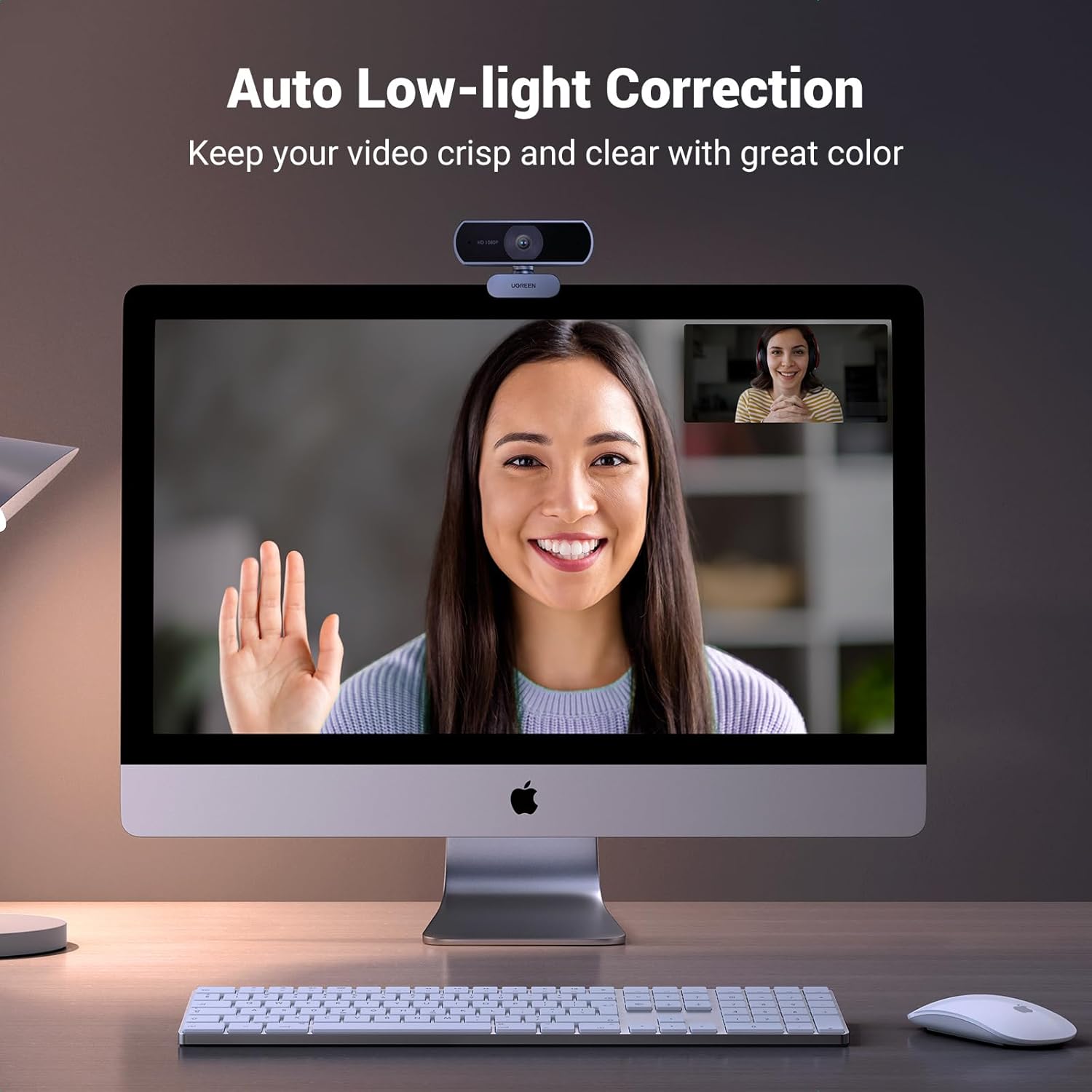
Automatic Light Correction: Thanks to the DRC digital wide dynamic function, the USB camera automatically adjusts color temperature and light correction according to your lighting environment. Bright, high-contrast images can be produced even in dark scenes.
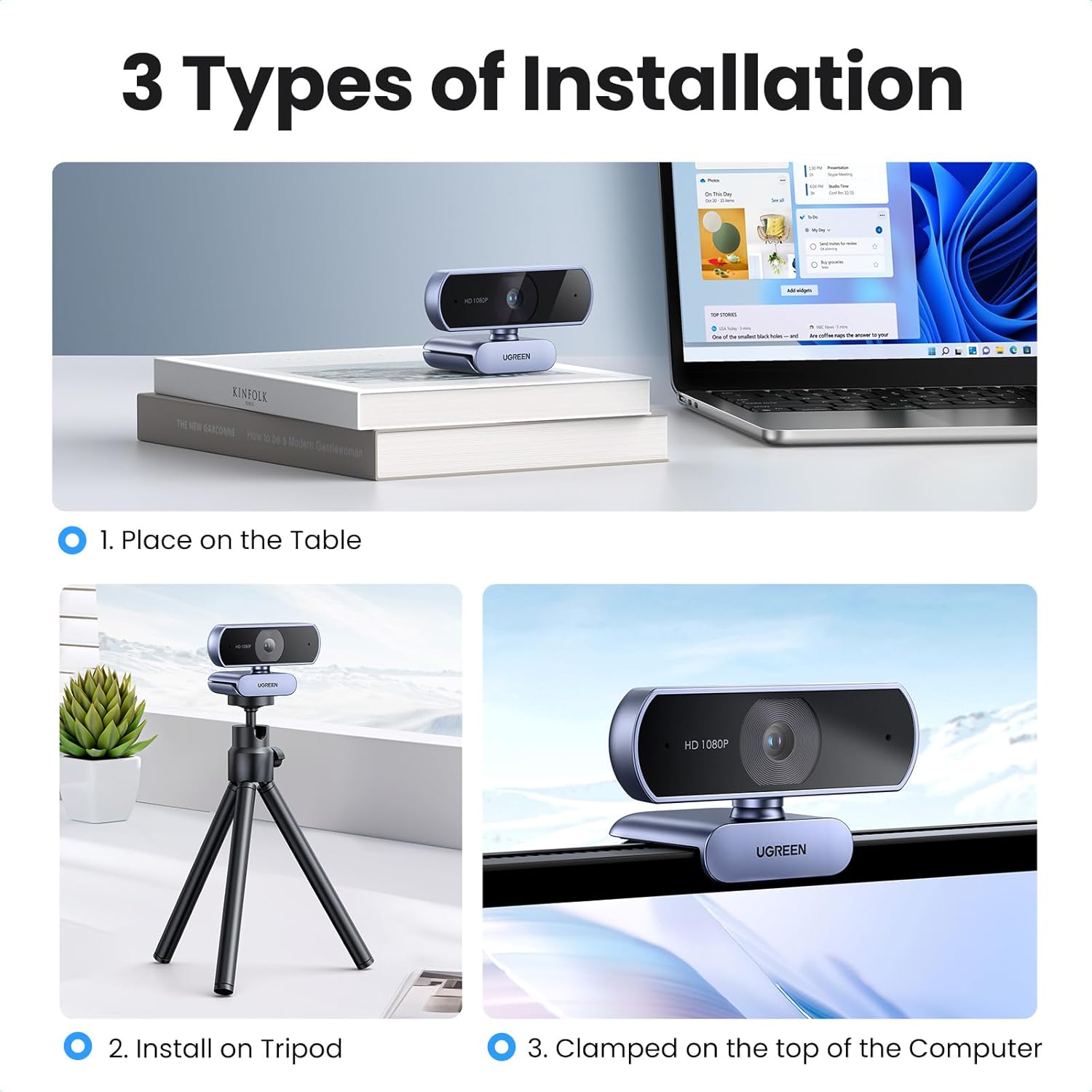
360° Rotation & 85° Wide View: This webcam for PC supports all-around 360° rotation and 15° up and down multi-angle adjustment to help you find the perfect viewing angle. The 85° wide-angle lens will capture a wider camera range, allowing multiple people to participate, running your multi-person conference video smoothly.
Plug & Play: You can easily place the webcam on a monitor, laptop, TV, or tripod to use. Compatible with Windows 7 and above, Mac OS 10.6 and above, Linux, Android 5.0 and above system. Ideal for running on Skype, YouTube, Facebook, Zoom, and other platforms.
Customers say
Customers find the webcam to be a reliable and sturdy device that delivers crystal clear video and sharp 1080P resolution, with good color rendition and clear sound quality. The camera is easy to use as a plug-and-play device, and customers consider it a good value for money. The light quality receives mixed feedback, with several customers noting that it needs better illumination.
13 reviews for UGREEN Webcam for PC, Full HD 1080P/30fps Webcam for Laptop, Clear Stereo Audio Microphone, Auto Light Correction, 85° View Web Cam USB Camera for Live Streaming, Video Calling, Conferences
Add a review
Related Products


Original price was: £24.99.£19.99Current price is: £19.99.
Cameron B. –
Clear, simple, quality.
If as an individual, you’re looking for a cheap upgrade to make your Zoom meetings or content creation look crisp, this webcam is an extremely impressive contender for the price. The picture quality is especially high for the price, and looks great in a variety of light levels. Using the device is as fast and simple as plugging it into your computer, and you’re ready to go. The automatic colour adjustment may not be great for some, but you can always adjust it manually. The microphone is good enough to hear speech clearly. This webcam is now a staple in my desk setup, sitting right on top of my monitor at all times. Would recommend.
Gavin –
Clear Video and Easy Setup – UGREEN Webcam Delivers Great Value
I’ve been using the UGREEN USB Webcam for a few weeks now, and it’s a great value for the price! The Full HD 1080P resolution at 30fps gives a really clear, sharp image during video calls, and the colors look natural. Setup was super easy—just plug it in, and it works right away with my PC, no need for extra drivers. The built-in microphone is a nice addition, and the audio quality is decent, though for professional use, I might pair it with a separate mic. It’s perfect for Zoom meetings, streaming, or even recording videos. The compact size makes it easy to attach to my monitor, and it stays securely in place. Overall, it’s a solid, reliable webcam for everyday use
potterdovis –
Excellent.
Nice quality, nicely packaged. Simple setup, just plug it in and it works. Not the sharpest picture but adequate and excellent given the price.
Bernice bernasty –
Good camera
Works perfectly on sons computer. Has a microphone too. Great for Google meets he has to use for tutoring etc. no issues. Good image quality and others hearing him clearly
Glenn –
What can you say? It’s UGREEN!
It’s UGREEN!I use this company a lot for decent quality and value for money audio/video and have never had an issue with their products.This is an easy Plug’n’Play webcam. It does what it says.Did I mention it’s UGREEN?
thomas boyce –
5 stars
Great webcam sturdy ,sharp picture, vibrant colours, fast autofocus, and smooth connectivity. Works perfectly!
Moltisanti –
Good for the price
It has good build quality despite the price point. You shouldn’t expect a very good image quality unless you have decent lighting behind the webcam. It does the job well enough if you’re in a well lit environment. Very easy to set up, you only need to plug it in. It doesn’t fit very tight on the monitor but it doesn’t move around either. The viewing angle is not too wide or too narrow. Color quality is not the best either.
N. Wright –
Not bad
Value for money, but not an excellent picture. Good enough.
Franck Wajsburt –
J’ai déjà une petite webcam Logitech c920 pro depuis quelques années qui me suffisait pour les visios chez moi. Je voulais prendre une seconde webcam en backup bon marché, alors j’ai pris cette caméra ugreen et je suis bluffé. L’image est bien meilleure en faible luminosité et le son est vraiment meilleur également.Je ne sais pas si c’est parce que la caméra Logitech a vieilli, mais c’est maintenant elle qui sera le backup.
Client d’Amazon –
Conforme à nos attentes
hossam –
كاميرا ويب ممتازة بجودة صورة رائعة وميكروفون مدمج، مثالية لمكالمات الفيديو، التعلم عن بعد، والبث المباشر. خيار رائع لمن يبحث عن أداء جيد بسعر معقول، ولكن قد تحتاج إلى ضبط يدوي للتركيز في بعض الحالات. ينصح بها بشدة! 🎥💻🎙️
M War –
Nach den bislang von mir gemachten Erfahrungen passen Preis und Leistung.Eine Erklärung vorab:Die Kamera wird von mir als nahezu unschlagbar preiswerter Head-Tracker und nicht als Videokonferenz-Kamera eingesetzt.Ich habe mir ursprünglich vor meiner Entscheidung sehr viele Rezensionen und Tests zu “richtig guten” Head-Tracking-Systemen angesehen.Am Ende wollte ich dann aber keinen dreistelligen Euro-Betrag mehr für eine Lösung ausgeben, die wahrscheinlich funktionieren würde – oder aber eben auch nicht.Oder vielleicht nur nicht unter Linux.Außerdem wollte ich nicht ständig irgendetwas auf meinen Kopf setzen müssen, damit das Head-Tracking-System die Bewegungen auch zuverlässig erkennen kann.Irgendwann bin ich dann bei meiner Suche über Opentrack gestolpert, mit dem man sogar eine Handy-Kamera (z.B. mit APPS wie DroidCam oder GimbalTrack) über das Netzwerk zu einem Head-Tracker machen kann.Das funktioniert auch richtig gut.Aber irgendwann wollte ich dann eine richtige Kamera, weil mir das ständige Ausrichten und das Laden des Handies auf Dauer zu umständlich wurde.In der “Black Week” habe ich bei meiner Suche dann diese Kamera gefunden und zwei gekauft.Zur Rezension:Die von mir gekauften Kameras wurden sowohl von Windows 10, Windows 11 und Linux, im Moment grade Manjaro sowohl mit KDE- als auch MATE-Desktop, ohne Probleme erkannt.Video-Ausfzeichnungen habe ich nur mal kurz in den verschiedenen Umgebungen mit auf den Systemen vorhandener Software z.B. MS-Teams getestet und keine zusätzliche Software extra dafür installiert.Ich empfand die gelieferten Bilder als vollkommen akzeptabel für Video-Konferenzen, allerdings habe ich an die Bilddarstellung bei Videokonferenzen nach mehreren Jahren Erfahrung ohnehin keine extrem hohen Erwartungen mehr.Die eingebauten Kameras so einiger Notebooks liefern aber nach meinen Erlebnissen teilweise sogar deutlich schlechtere Bilder.In anderen Rezensionen gemeldete Probleme mit der Befestigung der Kameras kann ich nicht bestätigen.Ich habe beide Kameras an der Oberkante von normalen 43″ Fernsehern befestigt.Das sieht zwas etwas komisch aus, weil die Klemmplatte des Halters wegen der Dicke der Fernseher zu fast 90 Grad abgewinkelt ist, hält aber seit bereits einigen Wochen problemlos, ohne dass die Kameras nachjustiert werden mussten.Einziger Kritikpunkt könnte sein, dass die “Verstellung” des Kugelgelenks zwischen Kamera und Halter etwas schwergängig ist.Aber ich persönlich will die Kamera nicht andauernd verstellen, wenn ich erst einmal eine passende Einstellung gefunden habe. Daher betrachte ich das sogar eher als Pluspunkt.In einzelnen Berichten habe ich gelesen, dass die Kamera keine Warn-Anzeige bei Aufnahmen haben soll.Das ist nicht korrekt.Es handelt sich bei der Anzeige nur um einen sehr dezenten weißen Punkt, den man bei Gegenlicht leicht übersehen kann.Dieser Punkt befindet sich ungefähr in der Mitte der rechten schwarzen Fläche an der Frontseite der Kamera.Ich benutze die Kameras sowohl unter Linux als auch Windows mit Opentrack und dem “neuralnet Tracker”-Plugin.Auf den “Manjaro Linux”-Systemen musste der “neuralnet Tracker” extra kompiliert werden, weil er nicht direkt in der Opentrack Installation enthalten ist.Es war jedoch wesentlich einfacher, als ich es aufgrund der Beiträge im Internet erwartet hätte.Die Kombination funktioniert dafür inzwischen seit einigen Wochen in den von mir benutzen Betriebssystem-Umgebungen gleich gut.Und das sogar bei schlechten Lichtverhältnissen, wenn das Gesicht nur vom Monitor beleuchtet wird.Wenn ich anfangen sollte privat an Videokonferenzen teilzunehmen, werde ich die Rezension entsprechend ergänzen.
Amazon カスタマー –
セット簡単、画像鮮明、使いやすいです。