

USB C Docking Station Dual DisplayPort, 9 in 1 Laptop Docking Station Dual Monitor Adapter USB C Hub with 2 DP, HDMI, 3 USB 3.0, PD 100W, SD&TF for Dell/HP/MacBook/Surface
Original price was: £44.99.£37.78Current price is: £37.78.






Price: £44.99 - £37.78
(as of Jun 03, 2025 09:21:11 UTC – Details)
From the brand

MOKiN USB C DOCKING & HUB
Easily Fulfill Your Multiple Needs

MOKiN, established in the year of 2011, who engaged in developing and creating various kinds of usb c hub multiport adapter and high-valued usb c docking stations, aims to provide the customers with much conveniences by extending more ports from your usb c laptops. which has received much pupularity overseas so far.
Basic USB C Hub
USB C Docking Station
Docking Station Dual Monitor
High Valued Laptop USB-C Dock
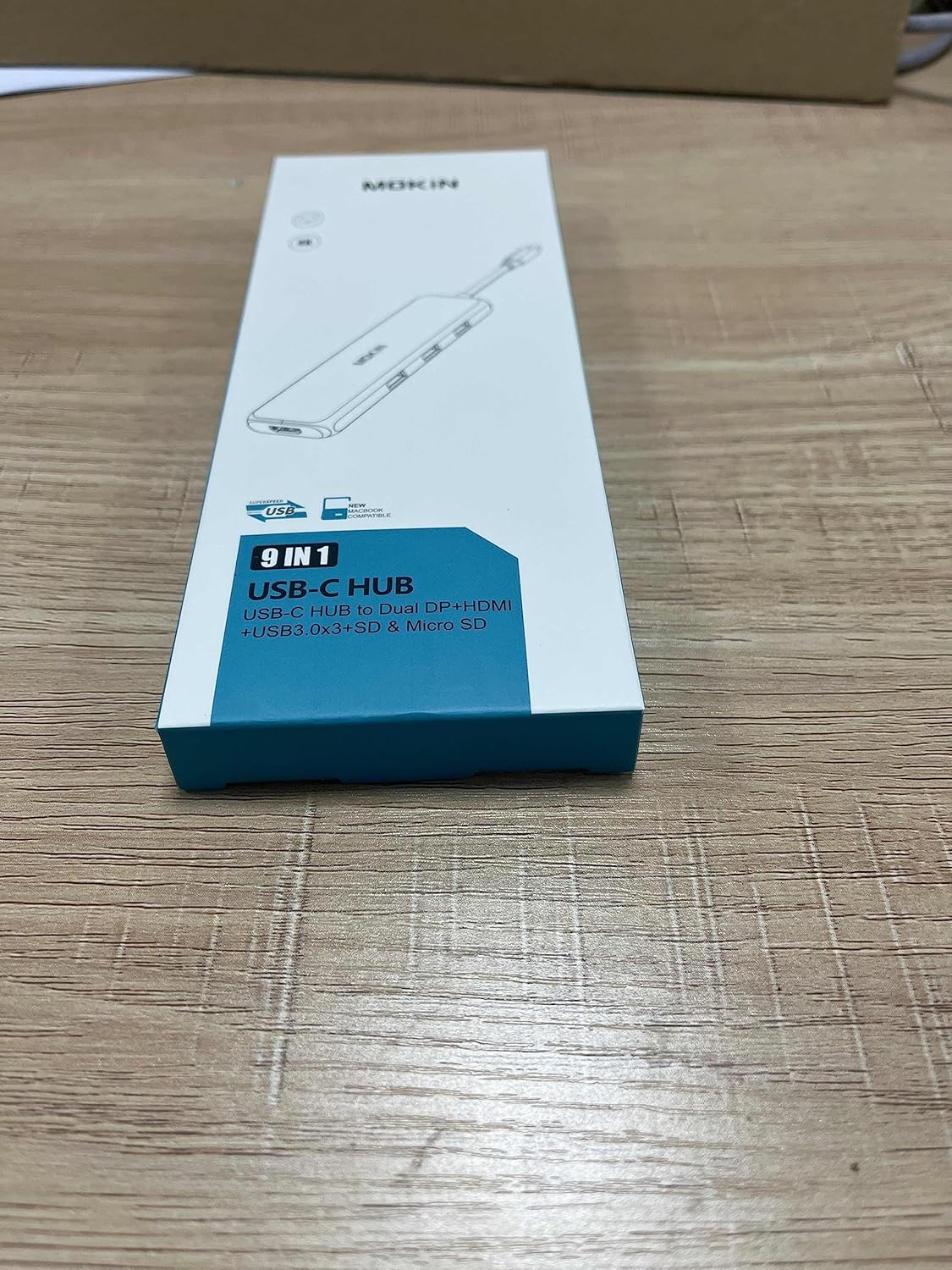
Laptop Docking Station 9 IN 1: This USB C multiport Docking Station equips with 2 x DisplayPort, 1 x HDMI port, 3 x USB A 3.0 port, 1 x SD & Micro SD card slot, 1 x PD charging port. With a plug and play connection, This USB C hub can turn MacBook or USB C capable PC laptop into a mobile workstation
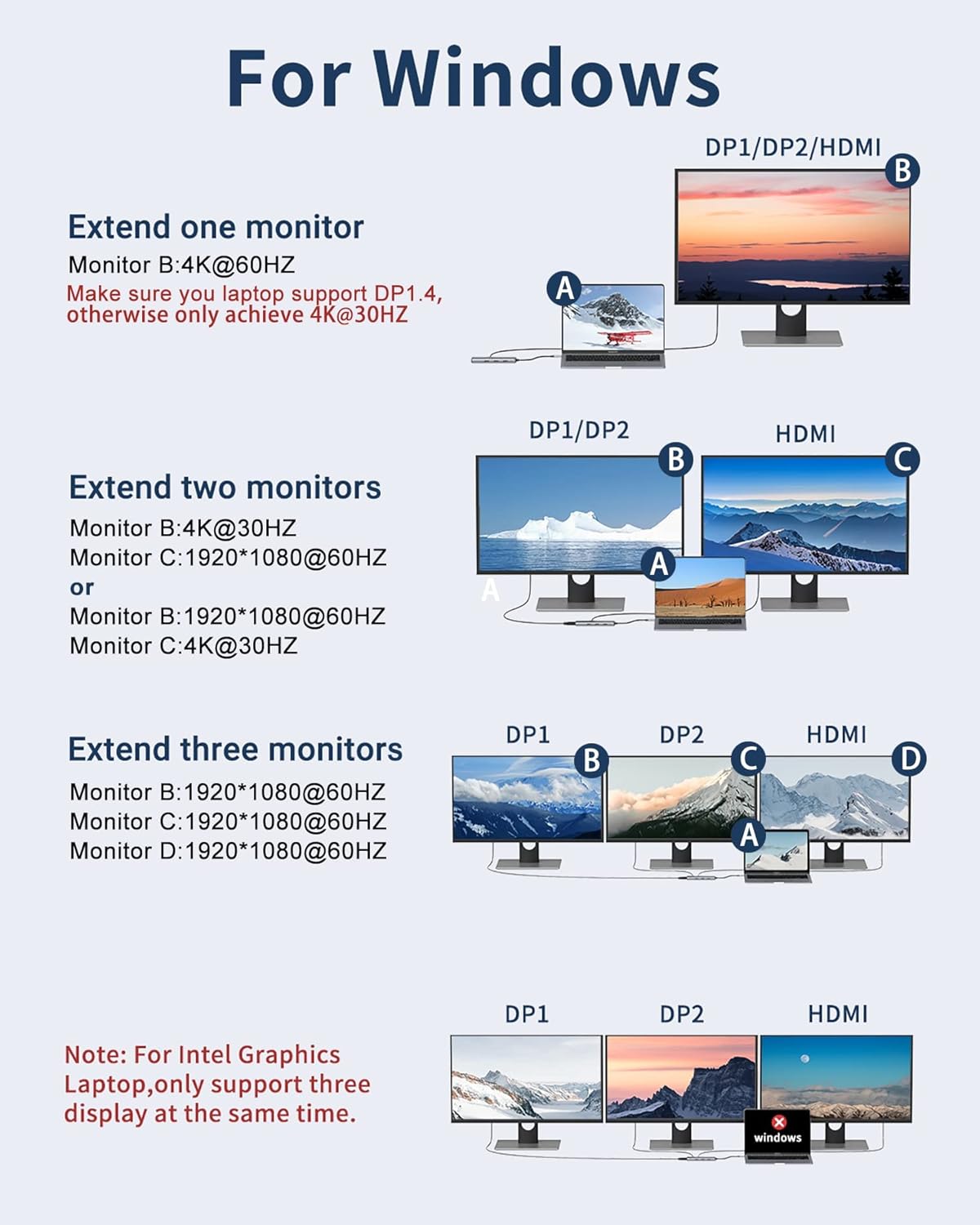
Multiple Display Function: This USB C Docking Station with 2 DP+HDMI ports, allows the usb c laptops to extend 3 different monitors, (Note: MacOS system, the screens of external monitors are the same, no matter they are displayed in mirror mode or extended mode. For MacBook with M1 chip only can extend or mirror 1 monitor, Because M1 chip’s limitation, it won’t allow dual monitor for displaying. So all these types of products won’t support dual monitor for M1 chip.)
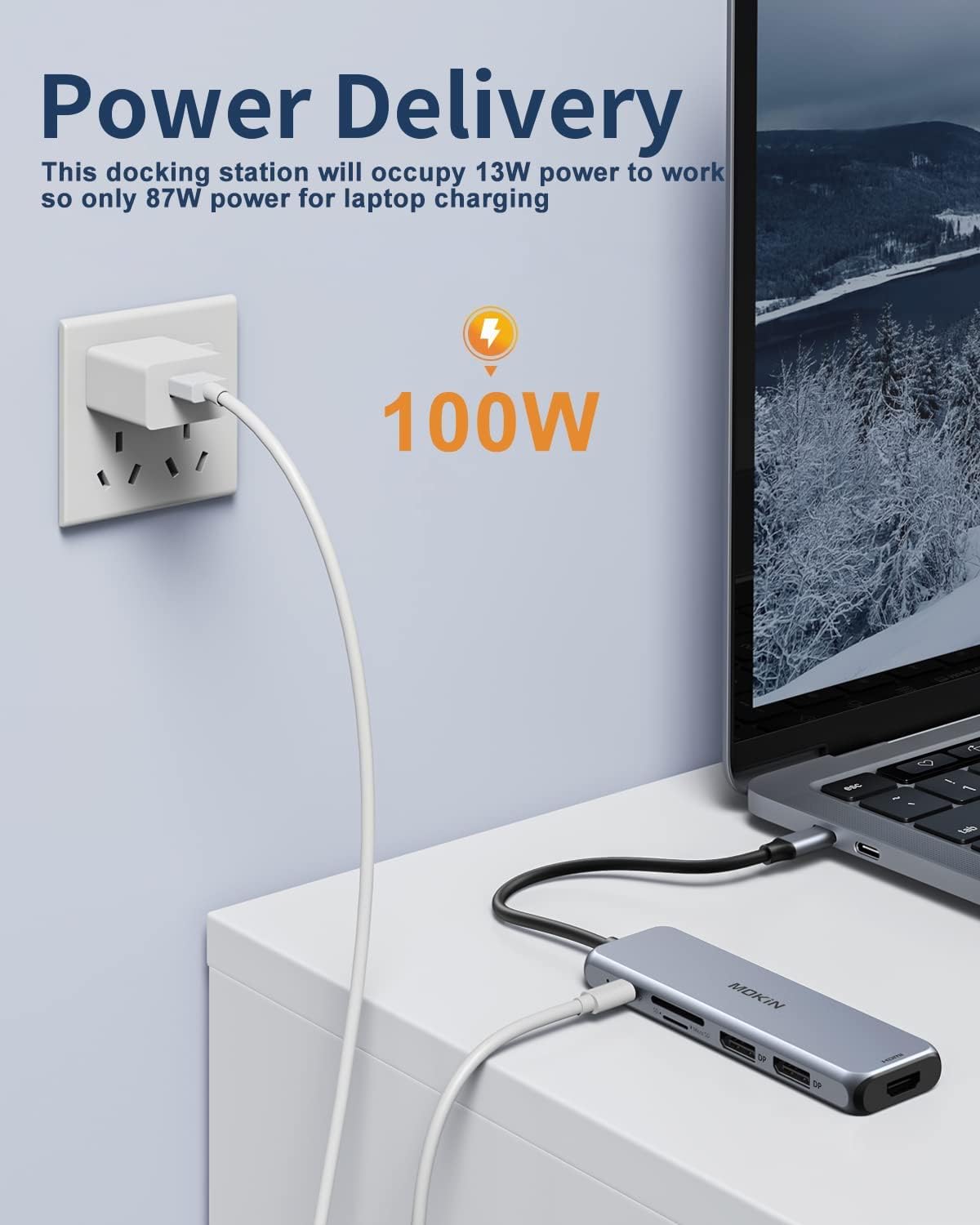
Fast Power Delivery: Dual Monitor USB C Docking Station equips with one Type C port which can charge connected with MacBook or other Type C laptops. Supports 100W power in; Power out (charging) is limited to 87W for safety
Reliable Data Syncing: Triple Monitor Docking Station allows you to transfer and backup your files at speeds up to 5Gbps via the Type C port and 3* USB 3.0 ports could connect the wireless mouse, keyboard and USB hard drive more stablity. Built in SD and TF slots enable you to transfer files quickly, it also supports 2 cards reading simultaneously
Wide Compatibility: This Dual Displayport Docking Station is compatible with Dell XPS 13/15,Samsung Galaxy S9/S9+, MacBook Pro/ Air 2020 2019 2018, MacBook 12, iPad Pro 2018 and others USB C devices. (Note: You need to confirm that the host device supports video output.)
Customers say
Customers find the USB C hub adapter works well and appreciate its sturdy build, compact size that takes up minimal space, and good style that matches MacBooks perfectly. They consider it excellent value for money. The connectivity and monitor compatibility receive mixed feedback – while some say it connects everything needed and works for multiple monitors, others report intermittent HDMI connections and inability to use multiple screens. The USB ports also show mixed results, with some customers finding them useful while others report they don’t work with the receiver.
13 reviews for USB C Docking Station Dual DisplayPort, 9 in 1 Laptop Docking Station Dual Monitor Adapter USB C Hub with 2 DP, HDMI, 3 USB 3.0, PD 100W, SD&TF for Dell/HP/MacBook/Surface
Add a review
Related Products


Original price was: £44.99.£37.78Current price is: £37.78.
Cheshire Cat –
Great tool
Great piece of kit with all ports you would need.
Hannah Hampson –
Great
My MacBook only has usb c so this is essential to connect it to anything else as a teacher. Works great. Recommend.
Marcus P –
Good with a couple of quirks
Overall, the hub is pretty good for the money (£20.00 on offer), but it’s not without its failings. It claims to support a 100W charger and shows a picture of what looks like a phone charger in a wall socket. However, my 100W Xiaomi PD phone charger will not power this hub. It seems not all chargers are created equal. My Xiaomi charger steps up to 6 amps to achieve fast charging, this hub only seems to accept 5 amps, so check your charger. If you already have a 100W laptop charger, you’ll probably be fine. I’ve now bought a new charger (a 100W USB-C Power Adapter) which you can get on Amazon for £15.00 upwards. This type of charger looks more like a laptop charger than a phone charger. I can confirm that both my Surface Pro Go and Lenovo legion 5 laptops charge from it (lid open or closed).The hub can operate unpowered (draws power from the laptop), and when it is, it will still extend and duplicate my display to my two external screens and my laptop screen. The only real issue I’ve found is powering my Anker webcam; I have to plug that into the laptop, not the hub, even when the hub has its own power supply switched on. Powered and unpowered, the hub works fine with my headset, wireless mouse, and wireless keyboard via a couple of USB dongles. The only other annoying thing I’ve found is that, when in Teams and a colleague is sharing Thier screen, my last hub allowed me to have my colleagues on one screen and pop out a shared screen onto my other monitor. That function is now gone in Teams(greyed out), but it’s still available with my other hub.Overall, it’s pretty good for the money, but it has a couple of quirks.Tested using Surface pro go and a 2022 Lenovo legion 5 laptop
MarkyP –
Connects everything you need.
I have been using this hub for quite some time now and it has been nothing but amazing, I have it connected to my Macbook Pro and a screen and also every other connector filled by the various devices I own, chargers the laptop and the quality is the best I have had for one of these hubs.Great Buy.
ColinF –
Easy
Works with both android tablets and HP laptop.Easy to set up and use.
JF –
Excellent device, good value.
Been using this for a while now to connect my laptop to three monitors and power. Works perfectly, had no issues whatsoever. Would definitely recommend.
Mc250 –
Doesn’t work with multiple monitors. Doesn’t work with charger.
This product is fine for multiple USB connections. It doesn’t work for multiple monitors despite multiple HDMI ports, doesn’t work with chargers despite the USB-C port. Would not recommend and need to return.
Frank –
Multi-monitor only works in mirror mode on Mac
I was quite happy with the adapter, until I tried connecting a second monitor (both 4k, same brand and model). On a Macbook Air M4, the adapter can drive both monitors, but only in mirror mode; they can’t be used independently. This is true both when using two DisplayPort or one DisplayPort and one HDMI connection.In other words: good product but be wary of the multi-monitor capability
Marco e Manu di Torino –
Ho acquistato il Mokin per collegare lâiPad pro al mio vecchio televisore che possiede le uscite HDMI e vedere Amazon prime video con lo schermo TV. Lâaggeggio risponde alle aspettative e funziona perfettamente. à possibile, durante lâutilizzo, caricare le batterie dellâiPad mediante il suo alimentatore collegandolo al Mokin. Dopo varie ore di utilizzo risulta scaldate un poco ma non eccessivamente. Non ho ancora provato tutti i vari ingressi di cui è dotato ma ad oggi il giudizio è positivo. Il materiale esterno è alluminiò e nel complesso sembra resistente. Forse potevano progettarlo con un cavetto di connessione un pochino più lungo ma credo sia stata una scelta combinata di praticità e design. Lo consiglio.
Jerry L. Rowe –
Verified to work with a FrameWork 16 laptop, plugged in to this MOKIN dock, and 3 external monitors attached.I did get a short 1.5 ft cable to use from the MOKIN dock with one right angle plug to my laptop that could handle the high charge rate a FrameWork 16 needs, and could handle the video to 3 external monitors.I got right angle on one end of the short wire so it could lay alongside the FrameWork laptop extending to the rear.It works fine so far. I have connected sound, wired Ethernet, a dongle for the Logitech keyboard, a micro-SD card, and the PD/Video rated cable to the FrameWork 16.Two of the monitors are connected via HDMI to the DVI cables, and the one on the left is HDMI to HDMI.The PD/Video rated cable is the only cable connected to the FrameWork 16. One cable only to unplug or plug when I want to take the laptop somewhere.I am running Linux Mint 21.3, and will upgrade to 22.x as soon as I have time.
Carly L. –
Love it! Love the fact that it’s a plug in compared to teeth coming out of the metal to plug in. It’s very convenient with my MacBook and I don’t even have to take off the laptop case. Highly recommend
BRUNO. P –
Conforme à la description semble de qualité. Il y a une consommation de courant résiduelle s’il reste branché à l’ordinateur portable éteint.Le câble de raccordement à celui-ci aurait pu être un peu plus long.
Carmelo Di Salvo –
Ottimo prodotto, lo uso sul mio Macbook Air M2. Lo consiglio.