

RSHTECH USB 3.0 Switch, 2 In 4 Output USB-C Switcher for 2 Computer Share 4 USB 3.0 Ports (1C+3A) for Keyboard/Mouse/Printer, USB3 Splitter with 2x 4ft Data Cable &1x 4ft Wired Controller (RSH-A201R)
Original price was: £29.98.£24.98Current price is: £24.98.



Price: £29.98 - £24.98
(as of Jan 05, 2026 01:59:53 UTC – Details)
Product Description


More RSHTECH USB Switchers
Add To Basket
Add To Basket
Add To Basket
Add To Basket
Add To Basket
Customer Reviews
4.7 out of 5 stars 54
4.4 out of 5 stars 339
4.4 out of 5 stars 339
4.4 out of 5 stars 339
4.4 out of 5 stars 167
4.4 out of 5 stars 167
4.4 out of 5 stars 512
Price
£24.98£24.98
£28.78£28.78
£16.97£16.97
£27.98£27.98
£59.99£59.99
£42.49£42.49
£16.82£16.82
Model
RSH-A201R
RSH-A201C
RSH-A201
RSH-A301
RSH-T12HD
RSH-T11H
RX04
Data Transfer Speed
5Gbps
10Gbps
5Gbps
5Gbps
10Gbps
10Gbps
10Gbps
USB Ports
4-Port (3A+1C)
4-Port (2A+2C)
4-Port (4A)
4-Port (4A)
5-Port (3A+2C)
5-Port (3A+2C)
4-Port (4C)
Video/Monitor Output
/
/
/
1x Monitor
3x Monitor
2x Monitor
/
Other Ports
/
/
3.5mm Audio
4K@60Hz HDMI
2x HDMI/DP/Ethernet/PD/SD/TF
2x HDMI/Ethernet/PD/SD/TF
/
Switching Method
Switch Button/Wired Controller
Switch Button/Wired Controller
Switch Button
Switch Button
Plug and Play
Plug and Play
Plug and Play
Cable Length
4ft
4ft
4ft
4ft
0.8ft
0.8ft
0.5ft
USB Connector
USB-C & USB-A
USB-C & USB-A
USB-A
USB-A
USB-C
USB-C
USB-C
Product Dimensions : 10 x 5 x 1.64 cm; 200 g
Date First Available : 16 July 2025
Manufacturer : Shenzhen Rong Sheng Hui Electronics Co., Ltd
ASIN : B0FHW7LZCT
Item model number : RSH-A201(R)
Country of origin : China
Guaranteed software updates until : unknown
Best Sellers Rank: 25,195 in Computers & Accessories (See Top 100 in Computers & Accessories) 73 in KVM Switches
Customer reviews: 4.7 4.7 out of 5 stars (54) var dpAcrHasRegisteredArcLinkClickAction; P.when(‘A’, ‘ready’).execute(function(A) { if (dpAcrHasRegisteredArcLinkClickAction !== true) { dpAcrHasRegisteredArcLinkClickAction = true; A.declarative( ‘acrLink-click-metrics’, ‘click’, { “allowLinkDefault”: true }, function (event) { if (window.ue) { ue.count(“acrLinkClickCount”, (ue.count(“acrLinkClickCount”) || 0) + 1); } } ); } }); P.when(‘A’, ‘cf’).execute(function(A) { A.declarative(‘acrStarsLink-click-metrics’, ‘click’, { “allowLinkDefault” : true }, function(event){ if(window.ue) { ue.count(“acrStarsLinkWithPopoverClickCount”, (ue.count(“acrStarsLinkWithPopoverClickCount”) || 0) + 1); } }); });
Hybrid 2 In 4 Output USB Switch: Enables two computers to share 4 USB 3.0 ports. 3x USB-A and 1x USB-C hybrid port design, widely compatible with mouse, keyboard, printer, USB external HDD/SSD, USB memory stick, cameras and more devices. Note: This 4-Port USB C 3.0 switch does not support video output (monitor/HDMI/VGA output functions )
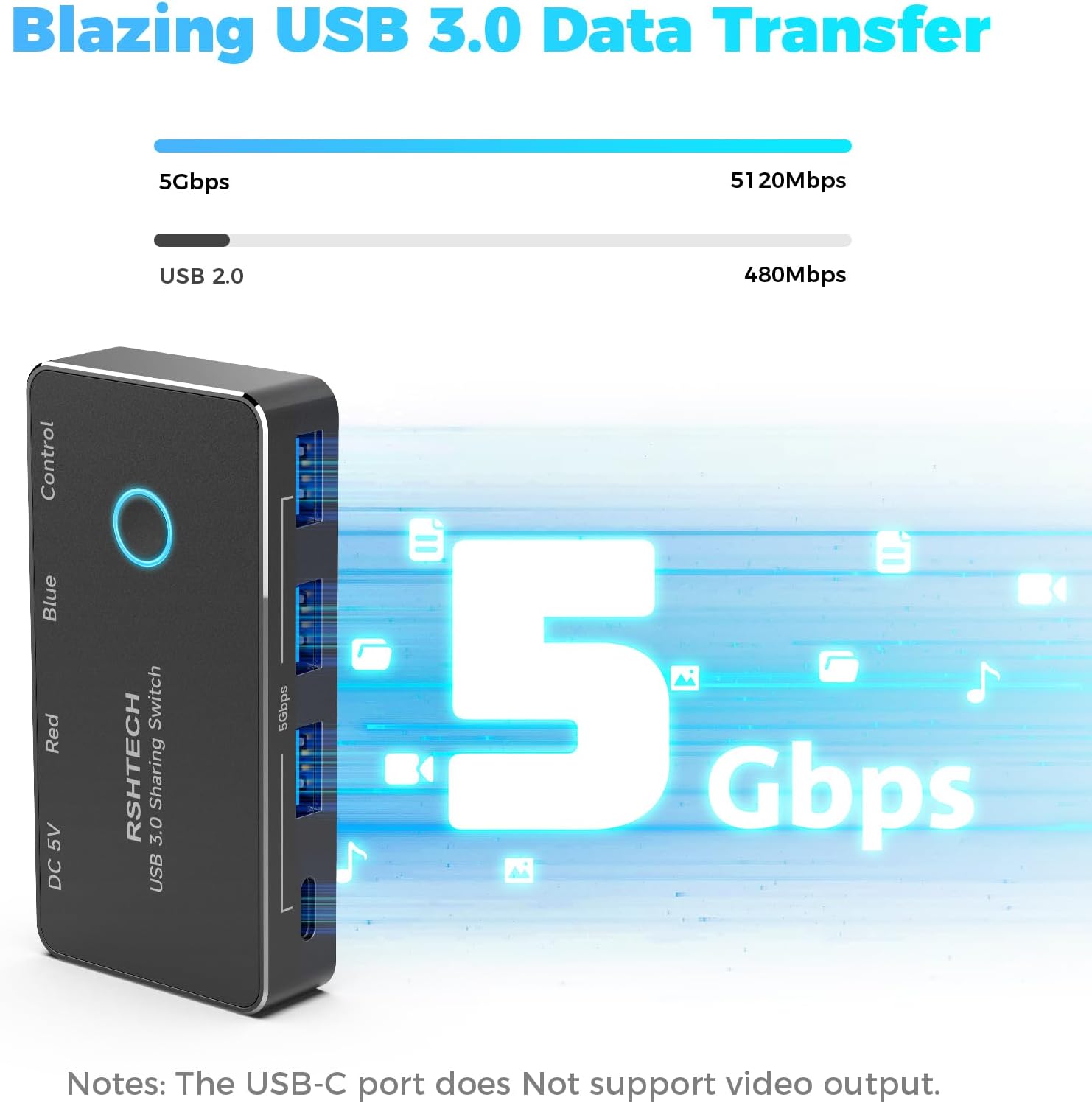
5Gbps High-Speed DataTransfer: Instantly expand 4 USB 3.0 ports for your computer, with data transfer speeds up to 5Gbps—10 times faster than USB 2.0. This effectively reduces large file transfer time and boosts work efficiency.
4Ft Long USB Cable: RSHTECH USB Switch comes with 2x 4ft USB-A to USB-C/A cables, flexibly compatible with USB-A/USB-C/Thunderbolt ports of laptops and desktops, keeping your workspace tidy and clutter-free.
Dual Switching Modes: Switch 4 USB peripherals between two PCs via button or wired controller, no more hassle of repeated plugging/unplugging. Red and blue LED indicators instantly show the active computer. The RSHTECH USB-C 3.0 switch is plug-and-play, no drivers required
What You Get: 1x RSHRECH USB 3.0 Switch, 2x 4ft USB-A to C/A 3.0 Cables, 1x 4ft Wired Controller, User Manual and Friendly Customer Service
11 reviews for RSHTECH USB 3.0 Switch, 2 In 4 Output USB-C Switcher for 2 Computer Share 4 USB 3.0 Ports (1C+3A) for Keyboard/Mouse/Printer, USB3 Splitter with 2x 4ft Data Cable &1x 4ft Wired Controller (RSH-A201R)
Add a review
Related Products


Original price was: £29.98.£24.98Current price is: £24.98.
Countrydance –
Easy to use Switch for two PC’s
If like me you use a laptop and a desktop but share devices such as External HDDâs, Memory Sticks etc, then juggling between the two becomes bit of a task and the laptop had to be close to the Keyboard and remembering which mouse operated which was sometimes frustrating trial and error.I came upon this sharing switch and although a little dubious at first came to love it. On opening the box, the feel of the Switch unit was pure quality smooth metal with cables supplied for connecting 2 PCâs with dual USB C / USB 3.0 connectors and a wired remote to switch between the 2 computers.To put it simply, the switch is a 4 Port USB hub that switches by either a button on the unit itself or by a remote switch so with a mouse and a keyboard occupying 2 of the ports to whichever computer is active and this is easily identified by the light on the switch showing either Red or Blue a single mouse and keyboard controls both PCâs.In use I was worried about switching between computers while copying files to / from and external USB HDD, however with Windows 11 I found an immediate notice about the loss of connectivity to the PC hosting the transfer and by switching back was able to resume until the operation was complete.So my final setup now is the Desktop PC remains connected to the switch an when I introduce the Laptop, I can place it next to the Desktop Monitor keeping the desk free for the single mouse and keyboard.
John Jones –
Perfect USB switch for sharing keyboard and mouse between two Macs
Iâd been looking for a while for a small, neat, and tidy device that would let me share my USB keyboard and mouse between my desktop iMac and MacBook. I often end up working with both computers at once, and while I love using my Keychron keyboard and mouse, I detest using the MacBook keyboard and trackpad for anything beyond small, trivial tasks. I even considered getting two keyboards and two mice, but I just donât have the desk space. Plus, Iâve found software methods of sharing a keyboard and mouse between two devices to be unreliable and clunky.So, when I saw that RSHTECH had brought out this USB 3.0 switch, I had to give it a try.It does a really great job. I can attach my mouse (USB-C) and keyboard (USB-A) to the device and switch the connection between my iMac and MacBook. Switching is instant and, in my experience, completely reliable. Iâve noticed no drop in performance with either device â everything works perfectly. I’ll be taking it on the road, and it seems well-built and sturdy. The supplied leads seem really high quality.If you have a similar setup to mine, Iâd thoroughly recommend this device.
RK –
Portable USB switcher – Good quality – Works well
So far, I am happy to own it. The built quality is good. It has a sleek and modern looking design. It has a wired controller which is quite convenient. Supports 2 computers/laptops to share 4 USB ports. Seems durable and easy to use. Worked well without any issues in my case.Arrived nicely packaged as shown in the attached photos.The price is slightly expensive in my opinion. Will recommend.
The Traveller –
Sturdy USB switch that keeps desk clutter under control & allows sharing of devices so easy
I needed a way to share my keyboard, mouse, and printer between two PCs without having to constantly unplug cables, and this RSHTECH USB 3.0 switch does exactly that. Itâs made from aluminium rather than plastic, which gives it a premium, sturdy feel and helps it stay put on the desk rather than sliding about.Setup was plug-and-play. I just connected the included cables to each computer and plugged my peripherals into the ports. Within seconds, everything worked with no drivers or extra software needed. The included wired controller is particularly handy â I can switch between PCs without even touching the main unit, and the LED indicators clearly show which system is active.Performance-wise, itâs excellent. File transfers through the USB 3.0 ports are quick, and thereâs no lag when switching between machines. Iâve tested it with external drives, a webcam, and even a USB mic, and all worked perfectly. Having one USB-C port alongside the three standard USB-A ports makes it much more flexible than most switches at this price.If thereâs one minor drawback, itâs that it doesnât support video output, so itâs purely for USB peripherals â no HDMI or monitor switching here. But thatâs made clear in the description, and for what itâs designed to do, it performs flawlessly.At £29.98 (and often less with a voucher), itâs great value for a quality-built, reliable USB switch that makes multi-PC setups far more manageable.
Matt –
Very flexible device that works well
Picked up a USB 3 splitter for two tower servers after finding others could not provide full USB 3 speeds.The RSHTech adapter allowed me to switch between two tower servers with an Ajazz AKP846 touchscreen keyboard and a mouse in one go without any hassle.Switching on the fly is easy using the button on top of the device, or optionally the extra control cable button. One thing I’d note though is that the control cable is quite short so it’d be much better if the switch is being used on a desk surface, rather than being above or far underneath.While this does have a DC in port via the USB C port, I found that I didn’t need to use this when plugged into a USB 3 port on a device. This might still be needed for higher power things like external USB HDD enclosures but in my case worked perfectly with the touchscreen keyboard and a mouse plugged in.Would highly recommend for anyone looking to use it to switch between devices or as a makeshift KVM.
Simon & Tatania –
Good USB Switch with a Few Quirks
Iâve been using this RSHTECH USB 3.0 switch to share devices between two computers, and it does the job well. The 4 USB outputs (1 USB-C and 3 USB-A) handle my keyboard, mouse, and printer without issue, and the included data cables are long enough for a neat setup. The wired controller is a nice touch, letting me switch devices without reaching behind the desk.On the critical side, thereâs a slight delay when switching between computers, and occasionally one of the ports doesnât pick up instantly, meaning I have to re-plug. Itâs not a major problem, but worth noting. Overall, a solid and practical device that makes sharing peripherals between two PCs much easier.
“bobdempsey” –
Nice, compact unit. Worked just fine for me on Windows (10), Mac (Ventura) and Linux (Ubuntu). No drivers were needed on any of these O/S’s, it was just plug-and-play.I was able to get about 40 MBytes/sec raw disk transfer speed on Linux from an external SATA-USB drive enclosure (also from RSHTECH). This is not bad, but is also not 5Gbits/sec. It is, however, plenty fast for my needs.Note that there are no USB-C ports on this unit.It works great as a 4-port charger base–you do not need to be connected to a computer to use as a charging station. The ports are not USB-C PD (not surprising since they are USB-A).The combo cable is actually pretty convenient if you’re moving from one laptop to another.The included power supply seems beefy enough to power all 4 ports at the same time. I had no problems hooking up my phone and 2 other devices for simultaneous charging.The individual power switches could come in handy for a webcam or a task light.A nice feature is that the ports point UP rather that sideways as on most hubs and this makes using USB thumb drives particularly easy.
Tetontime –
This hub is compact and yet there’s enough room for four cords to easily fit, and the hub maintains a flat, small footprint. The buttons are convenient for limiting power consumption by devices which are not being used. The lights are a nice extra to know the button position from a distance.The power source is 10w, but using a bigger power cube such as an Apple 20 W cube gives me enough power for a keyboard, hard drive, an SSD and charging my phone.The connecting cable is long enough for convenient placement and has a choice of USB-A or USB C. The provided power adaptor has a sufficient cord, and is satisfactory for normal devices unless you want fast charging.Since the device has no USB C ports, I tried it with a USB-A to USB C connector and the SSD I connected did not seem to slow down.Another nice feature is that the USB-A ports are on top of the unit making connecting very easy.One improvement would be to have a higher watt power adaptor, but at the price it is a fine hub.
ALBERT FIREBAUGH –
Works great
Bayou Reader –
I have fun designing, developing and building Arduino Microprocessor based projects. Programming these small processors using USB ports is quick and easy – unless the USB ports are buried behind the computer or monitor. I mounted this USB 3 Hub on the edge of my workspace for easy access and it has proven itself extremely useful!Now, I am able to easily connect multiple Arduino Microprocessors to the computer during software development and, as these 4 ports are powered from a separate power supply, there is no need to be concerned for exceeding USB Power limits. Very Nice!
Ms. Nikki –
Very helpful in extending my connections for a laptop at work. Doesn’t take much space and easy to use. Good cord length. Loved being able to plug everything in and use the buttons to “turn off” whatever drive I didn’t need in the moment. Problem is that it’s defective. All the buttons light up but the power doesn’t flow to all the plug-in ports. My printer, plugged into one, wouldn’t work after a while. Couldn’t figure it out – the lights were on, it must be working, I thought. Nope. Took the printer plug out of this adapter and plugged it into the laptop directly; the printer came to life with a week’s worth of documents. I tested all the plugs. Only one actually works. Helpful but a total waste of money.