

Akko Rosewood Switch for Mechanical Keyboard, Linear Switches, 5 Pin 40gf, RGB LED Slot, MX Key Switch for DIY Kit/Gamer Barebones Keyboard (45 Pieces, Rosewood)
Original price was: £239.99.£20.99Current price is: £20.99.



Price: £239.99 - £20.99
(as of Sep 24, 2025 07:20:20 UTC – Details)
Product Description

Lubrication Disclaimer: Akko applies a thin factory lube to reduce pings and noise for a better typing experience. For thick lubrication, hand-lubing is recommended.
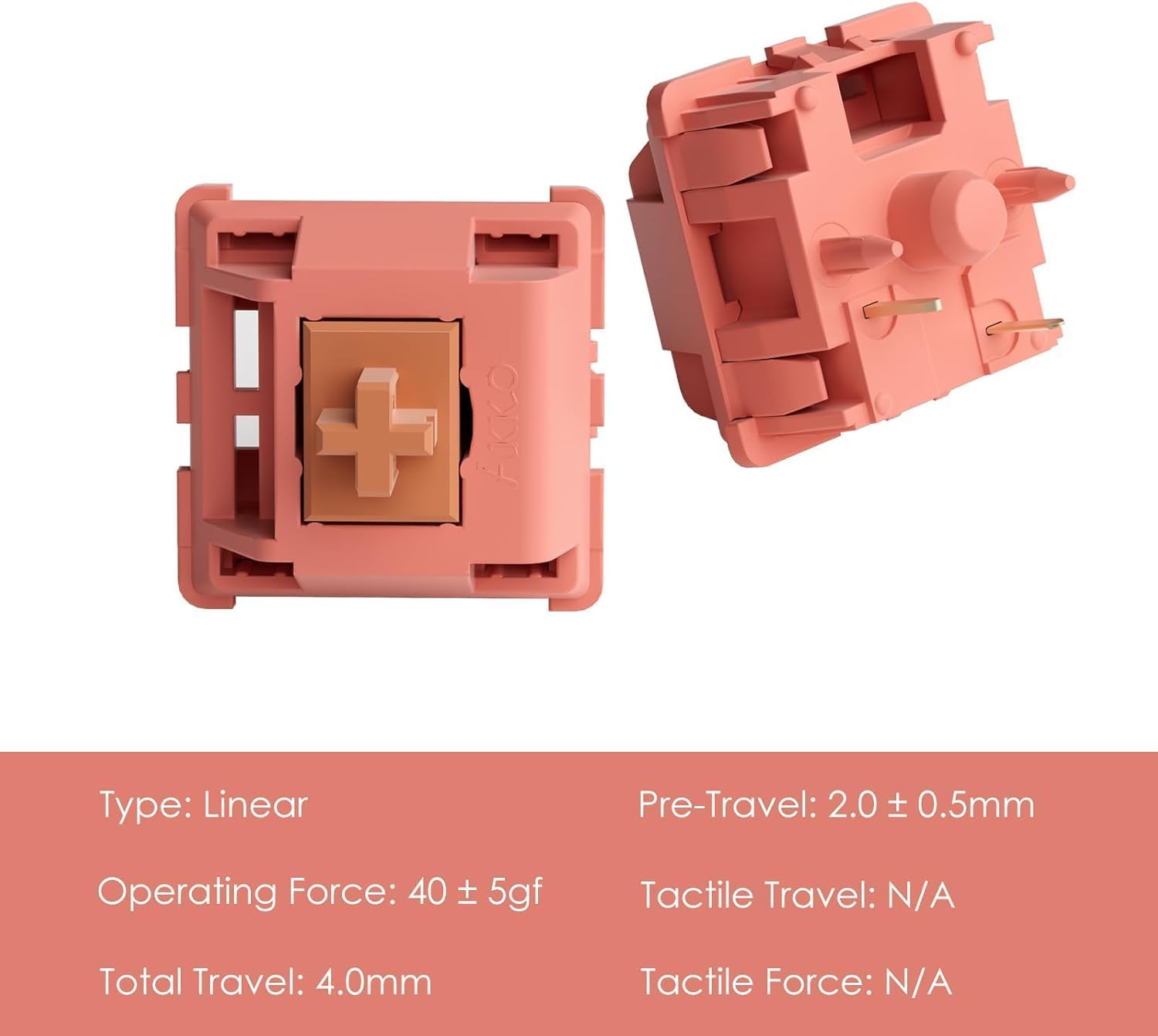
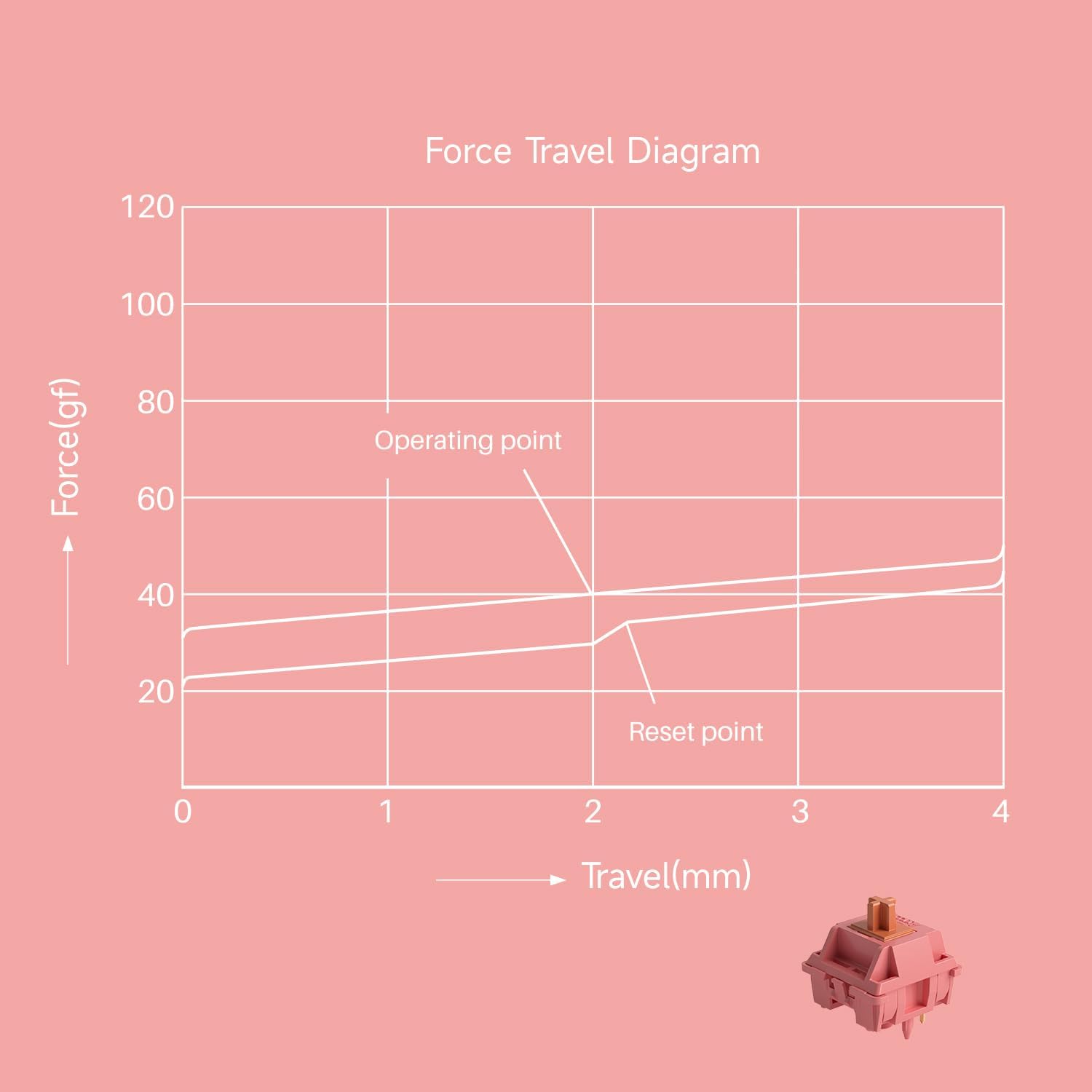
Parameter 


Akko switches compatible with standard MX style keycap sets and 5-pin socketes keyboard,but NOT suitable for Magnetic, optical, Low profile keyboards

How to change the switches? 
1. Remove the keycaps with a keycap puller.

2. Remove the old switch with the switch puller.

3. Place the new switch on the right position.

4. Carefully press the new switches into the board.
This Switch Also Fits…


Akko V3 Pro Switches
Add To Basket
Add To Basket
Add To Basket
Add To Basket
Add To Basket
Add To Basket
Add To Basket
Customer Reviews
4.6 out of 5 stars 3,493
4.6 out of 5 stars 3,493
4.6 out of 5 stars 3,493
4.6 out of 5 stars 3,493
4.6 out of 5 stars 3,493
4.6 out of 5 stars 3,493
4.6 out of 5 stars 3,493
Price
£20.99£20.99
£17.09£17.09
£17.99£17.99
£17.63£17.63
£17.09£17.09
£14.24£14.24
£20.99£20.99
Type
Linear
Linear
Tactile
Linear
Tactile
Linear
Linear
Operating Force
40 ± 5gf
50gf ± 10gf
30gf ± 5gf
55gf ± 5gf
45gf ± 5gf
50gf ± 5gf
40gf ± 5gf
Total Travel
4.0mm
3.3mm
3.0mm
3.3mm
3.3mm
3.8mm
3.3mm
Pre-Travel
2.0 ± 0.5mm
2.0 ± 0.6mm
2.0 ± 0.5mm
2.0 ± 0.5mm
2.2± 0.5mm
2.0 ± 0.5mm
1.0 ± 0.5mm
Tactile Position
/
/
0.5mm
/
0.5mm
/
/
Tactile Force
/
/
55gf ± 5gf
/
55gf ± 5gf
/
/
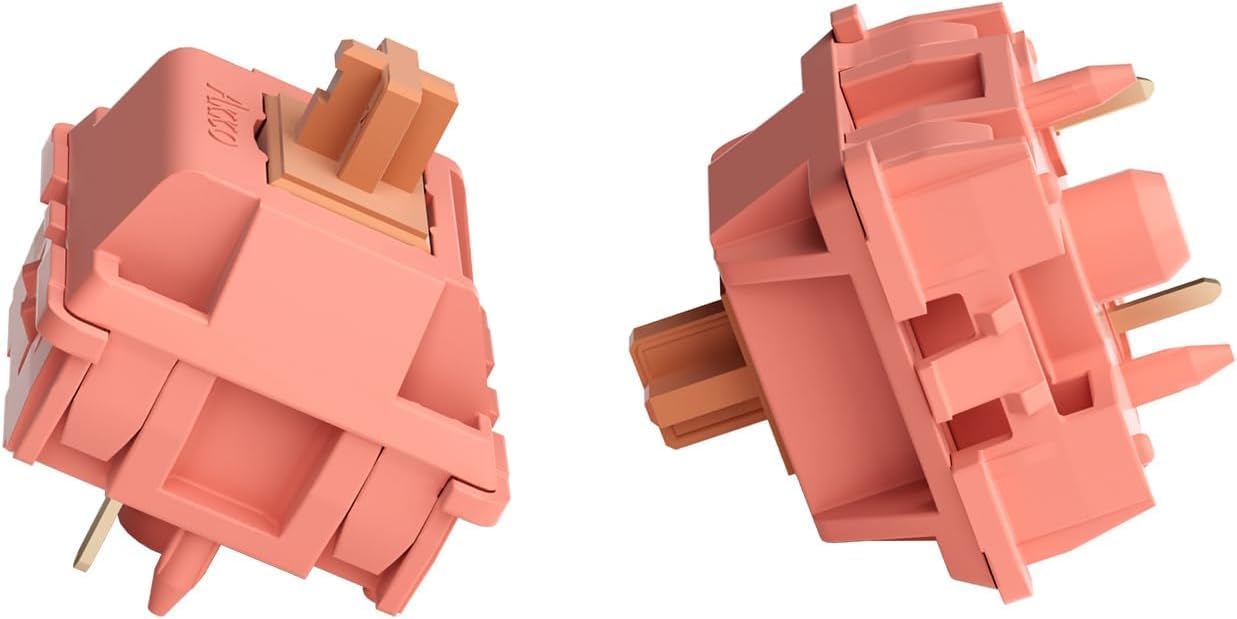
Akko Rosewood Switch – Rosewood Switch for mechanical gaming keyboard is born with the resolution of making a nice low-pitch switch for our gaming keyboard
Thocky Sound Profile – Maintaining the classic and nostalgic 4.0mm full-travel, the switch provides a signature deep and low-pitch sound provides a pleasant thocky sound profile on most keyboard materials with a thin layer of factory lubrication
MX Style Compatibility – Akko key switches come with an MX style structure, making them compatible with most keycap sets with (X) cross stem. Please note that a switch opener is not included (This Akko switches can not work for Magnetic, Optical and Flat Mechanical keyboard)
Built-in LED Slot – Akko keyboard switches are equipped with LED slot ready for LED Mod/Assembly, and are SMD compatible (LED underneath the switch), giving you the flexibility to create a custom keyboard that stands out from the crowd
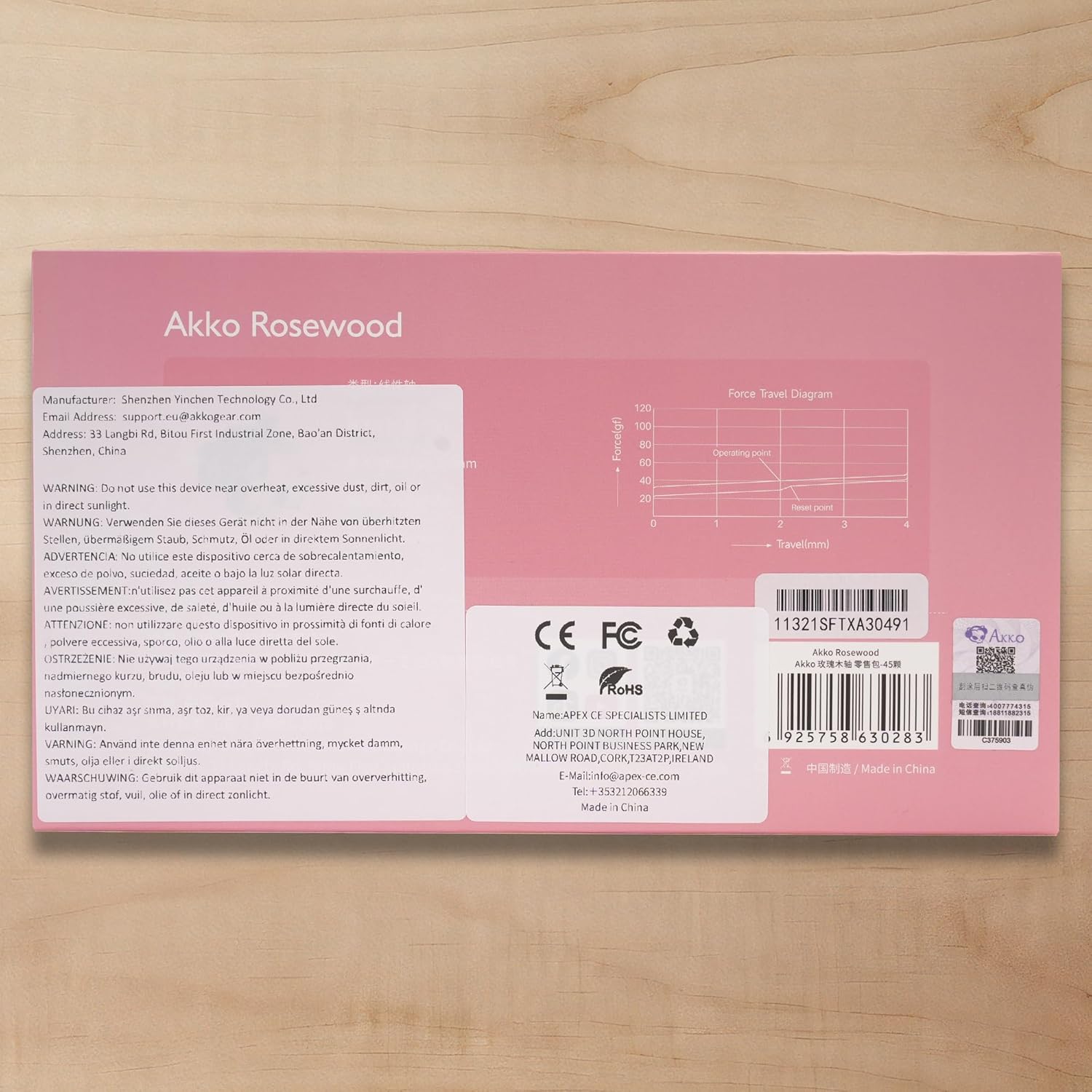
Durability and Longevity – With an approximate lifespan of 60 million keystrokes based on laboratory durability tests, Akko rosewood switches are built to last. Each package comes with 45 switches and a plastic tray
Customers say
Customers find these keyboard switches to be high quality, with a pleasant sound and smooth typing experience without requiring lube. The switches are buttery smooth to type on without fatigue, have a decent feel, and are easy to install. Customers consider them good value for money, and one customer mentions they improved their typing and gaming experience immensely. The functionality receives mixed reviews, with some customers reporting several switches that didn’t work.
11 reviews for Akko Rosewood Switch for Mechanical Keyboard, Linear Switches, 5 Pin 40gf, RGB LED Slot, MX Key Switch for DIY Kit/Gamer Barebones Keyboard (45 Pieces, Rosewood)
Add a review
Related Products


Original price was: £239.99.£20.99Current price is: £20.99.
Nerokeys –
Eye catching tactile switch
The first thing to note about these switches is the excellent packaging (in common with all Akko CS switches). This doesn’t just look nice, it serves the purpose of making sure your switches reach you without bent pins, a really handy benefit for switches.These switches are decently tactile, it is a very crisp tactile event near the top of the keypress and this means its very unlikely you are going to accidentally press the switch and get actuation. They feel good out of the box, and both my wife and I have used them on a board to work with and they sound and feel decent. I have heard others have lubed these and they take lube well so that is something I am considering for the future. If you listen carefully to the switch you can hear some ping from the switch, which if you mount on certain boards will be accentuated, but it isn’t particularly loud (I had to go and listen for it for this review).If you use these boards with an RGB board (as most boards are) it is important to note these will have an effect on the light colours. Currently I have them on a board with pudding keycaps, and as you can see from the picture, there is an effect on the colour (for reference, the pale purple colour is actually white back lighting!). For me this is no issue, I quite like the effect and I take it into account when choosing a back light colour for the board, but with the green (as you can see) it can make the colour a little muddier.Overall these are an enjoyable switch to make use of it you like tactiles, much more tactile than the usual brown switch, with a pleasant sound and a good potential to lube. The switch itself is quite eye catching, with its purple housing. I’d happily recommend these to anyone looking for a tactile switch with more of a tactile event than the usual MX brown, and they have potential to be excellent.
LXReview –
Nice “medium” weight switches with smooth travel and a satisfying click!
I purchased these to replace the “Wisteria” switches included with my Epomaker Split65 (also purchased from Amazon.) The heavier (though not too heavy) actuation force prevents accidental key presses when resting my hands on the keyboard – which happened frequently with the “Wisteria’s”, resulting in me turning or strafing unintentionally in games.The diffusion bars spread the light quite nicely through the keycaps (particularly as I have transparent legends on their south side.) Installing them was straight forward in my hotswap keyboard. Simply remove the keycaps with a puller, then squeeze the 2 tabs on the top and bottom of the switch with the removal tool (not included with the switches, but I had one bundled with my keyboard) while pulling straight upwards (some that were a little stiff required rocking up and down to remove). To install make sure the switches are oriented correctly (light diffuser towards the bottom in my case) and press straight down until you feel the retaining tabs click into place. Then place the keycaps on top and press down **firmly** else you might end up with uneven heights.I ordered 2 packs for a total of 90 switches, out of all of them one was unfortunately defective – however Akko made things right and offered me a replacement or partial refund quickly without issue (I took the refund as I had 2 switches left over).These are my first “clicky” type of switches, although I’ve been a mechanical keyboard user for around a decade they’ve all been linear. The click is satisfyingly audible, yet subtle enough not to be distracting while typing. Feeling wise it gives me a sensation something similar to popping bubble wrap (though not as noisy or requiring as much force), a truly luxurious typing experience. They’re absolutely fine for gaming too, whether FPS or MMO – they’re quick and reliable to activate.I’m using them in my home office setup which is my private space – I’d probably opt for something quieter if I wasn’t by myself (maybe the Akko Penguins), because I imagine the clicks might annoy any co-workers within earshot.All in all a solid buy, with great support from Akko. Would purchase more Akko switches without hesitation in future.
Allan –
Nice switches
Fairly new to modding keyboards. Had some clicky blue switches that were getting annoying at night for my other half and friends on voice.Decided to go complete opposite and so glad I got these. They are really quiet and feel great. They dont have that tactile bump and have a nice travel distance. Was easy enough to swap the switches over. I did bend a pin on the first switch I tried but I think that was down to me ratjer than the switches. All other switches went in just fine.The only issue I noticed was when removing the key cap it also pulled the switch from the board a couple of times. However it popped right back in and considering I’ll probably do that irregularly its bot really a big deal.
Jordan –
Tactile, but they’re not browns
They’re definitely nice. However they’re not the brown equivalent I was expecting. More their own unique switch.I prefer my browns that came with my 65% but I don’t have enough to swap them all on my 75% so I’m getting used to them. Very nice for gaming. Nice sound. Just doesn’t feel as nice as I expected
Matthew Smith –
Great Linear Thocky Switches!
Build quality is impressive, with consistent keystrokes and minimal stem wobble. They feature a custom Nylon Pro Stem, PA12 top housing and a PA6 bottom housing. These materials are the reason for the low-pitched thockiness.These Linear switches sound amazingly thocky from the factory, which sound even better when hand Lubed. They feel buttery smooth to type on without fatigue due to having a very light, but long spring inside them similar to HMX switches. I would definitely recommend to users who want that deep thocky sound you won’t be disappointed.
Mykhailo Stepchenko –
Good switches
Very good switches for the money, they arrive lubricated, which is nice for such a small price, they sound great, quiet and pleasant sound.
Tolga –
Die Akko V3 Pro Creme Gelb Schalter haben meine Erwartungen übertroffen! Ich habe sie in mein mechanisches Keyboard eingebaut und bin absolut begeistert von der Performance.Tastenanschlag & GefühlDiese Schalter sind butterweich und linear, ohne spürbaren Widerstand oder âScratchinessâ. Mit einer Betätigungskraft von 50gf fühlen sie sich genau richtig an â nicht zu leicht und nicht zu schwer. Perfekt für Gaming und schnelles Tippen.LautstärkeSie sind deutlich leiser als Clicky- oder Tactile-Switches, aber nicht komplett geräuschlos. Wer auf sanfte, gedämpfte Tastenanschläge steht, wird diese Schalter lieben.Verarbeitung & HaltbarkeitDie Qualität ist hervorragend. Dank der 5-Pin-Bauweise sitzen sie stabil in der Platine, und der RGB LED Slot sorgt für eine tolle Beleuchtung.FazitEin groÃartiger Preis-Leistungs-Switch für alle, die auf lineare Schalter stehen. Egal ob Gamer oder Vielschreiber â mit den Akko V3 Pro Creme Gelb macht jede Tastatureingabe SpaÃ. Absolute Kaufempfehlung!
Javahound –
Was der Titel sagt 😛
José Martins –
Melhor switch para quem deseja o mais silencioso possÃvel, extremamente macio mas altera a cor do led.
BL –
Silent switchesI love the feel and I enjoyed modding them on my RK71. These are part of my upcoming portable travel setup.
Potatoes –
TL;DR: Good switches – short actuation force (less force to activate, making it good for gaming), smooth experience, sounds good when lubed but also good when not lubed, and cheaper option.These linear keyboard switches offer an incredibly smooth keystroke experience. Personally, I prefer linear switches as I enjoy the smoother and effortless typing experience. Additionally, when these switches are properly lubed, they produce a highly satisfying sound. However, if you choose not to spend a few hours lubing these switches, they are still very good.For gaming, these linear switches are pretty good since it has a low actuation force and travel distance. It’s not the fastest switch in the world but it is definitely more than fast enough. If you are only looking for the fastest switch Akko has, then you should buy the Akko CS silvers.One significant advantage of most Akko switches is their affordability. Despite the high quality, they still offer a cost-effective option that is comparable to many of the top switches. I really like Akko switches and these are no exception.