

FGB 10Gbps Cat6A Patch Panel, 24-Port RJ45 Ethernet Patch Panel for 19″ Rackmount or Wall Mount, 1U Network Panel for Gigabit Networks
£36.35




Price: EUR36.35
(as of Apr 04, 2026 02:49:58 UTC – Details)
Product Description

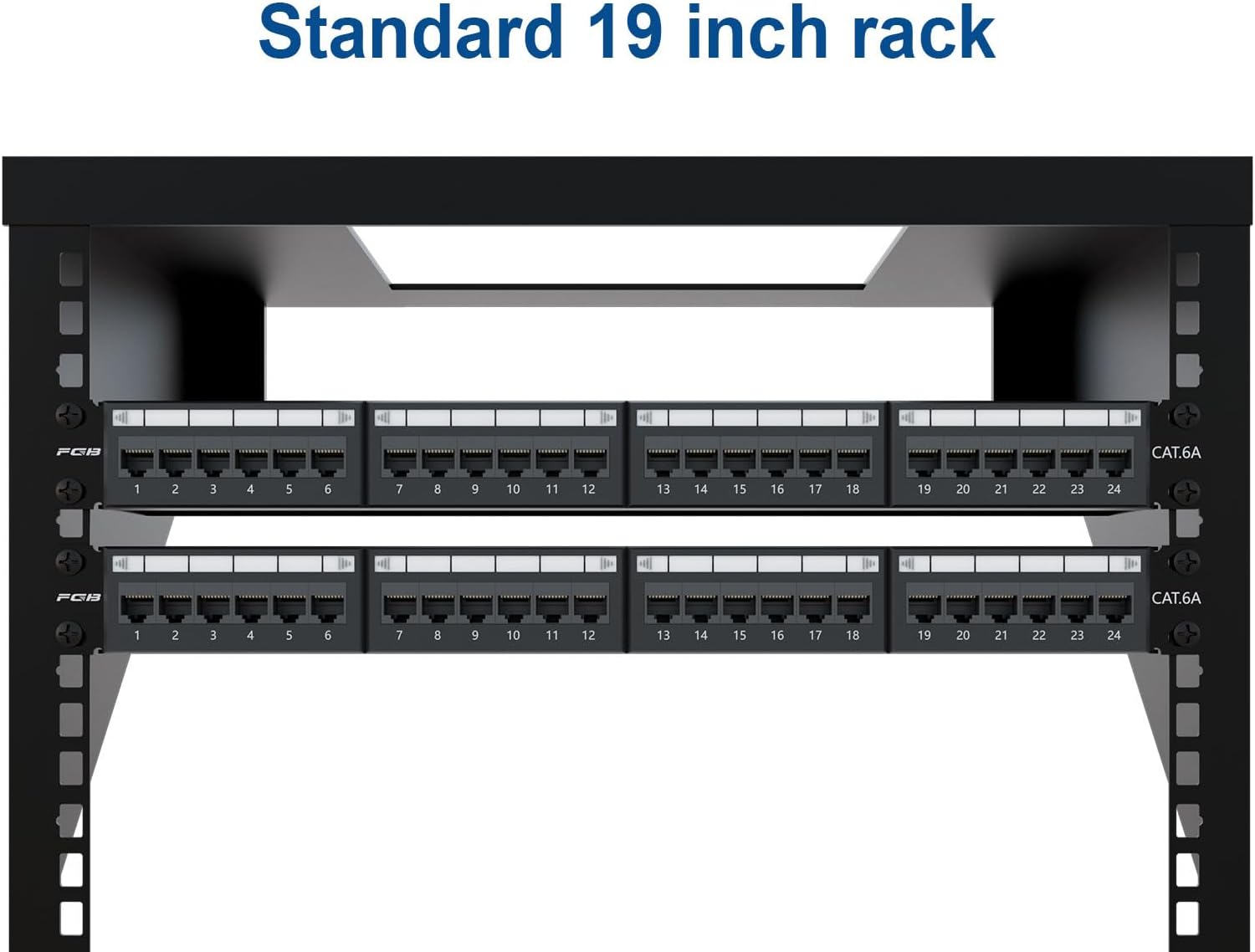
Widely used in network wiring for homes, businesses, surveillance systems, and other applications. Install this universal ethernet patch panel effortlessly in 19″ racks, cabinets, or wall mount brackets.
Feature  cat6 performance
10 Gigabit Ethernet applications (Cable length limited to 35m-55m)1000 Mbps Ethernet applications (Cable length can up to 100m)Bandwidth 250MHZ  replaceable lable
Easy to replaceClear cover  detachable back bar
Keep cables clean and organizedEasy to disassemble  rj45 port
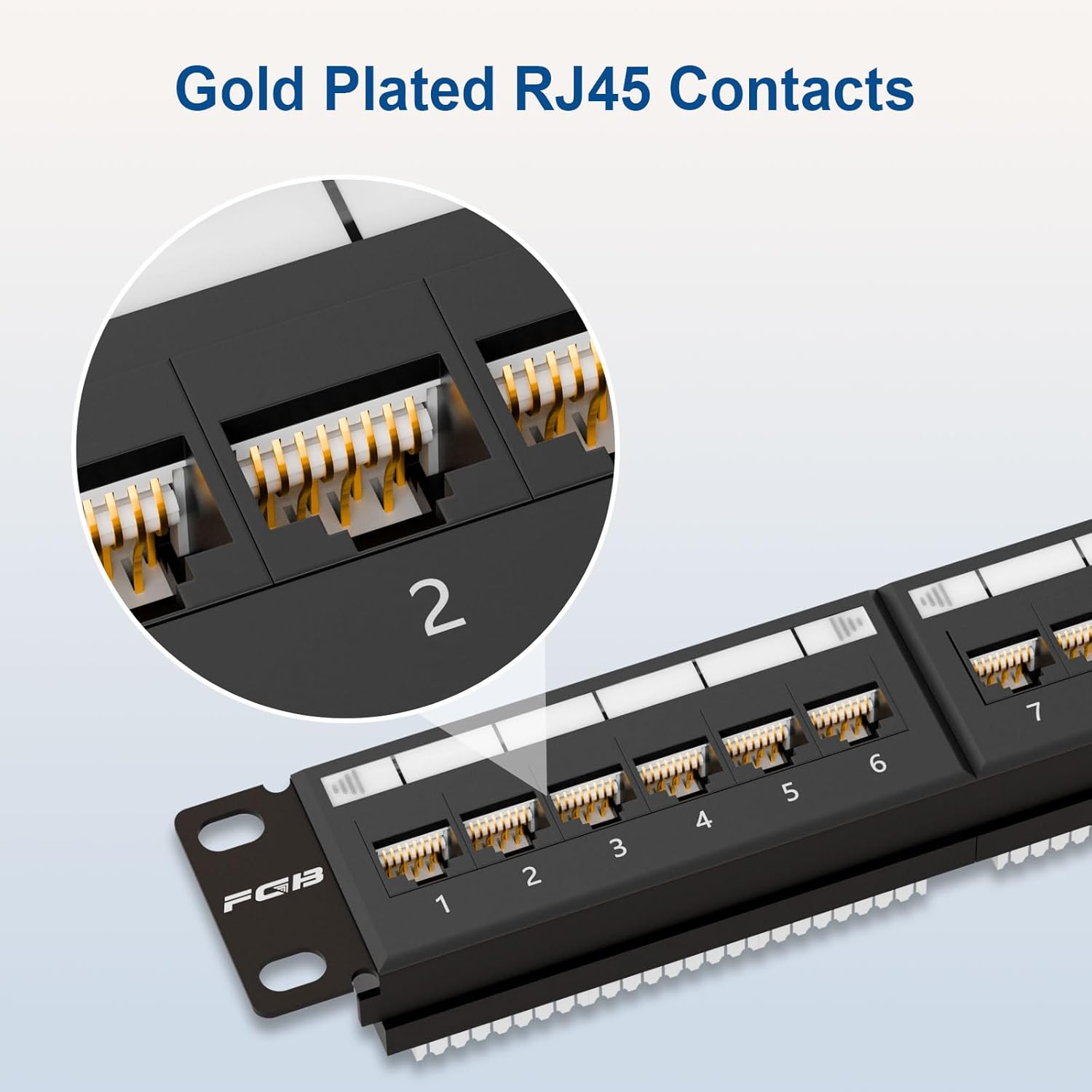
Gold platedPlug and play
MORE PATCH PANEL
How to use FGB patch panel  STEP 1
Strip the cable jacket, trim the spine, and separate the pairs  STEP 2
Insert the cable pairs into the lDC terminals according to T568A/T568B coler code  STEP 3
Terminate the cable with either a Krone or 110 impact tool  STEP 4
Write description on label and place the clear cover
How to manage cables  Option 1
Snap the D-Rings into the patch panel, dress the cables and secure with the cable ties
 Option 2
Install the back bar into the patch panel and secure with the cable ties
Suitable for 19″ rack 
More Product of FGB
Add To Basket
Add To Basket
Add To Basket
Add To Basket
Add To Basket
Add To Basket
Add To Basket
Customer Reviews
4.9 out of 5 stars 43
4.9 out of 5 stars 43
4.2 out of 5 stars 41
4.2 out of 5 stars 41
4.7 out of 5 stars 155
4.8 out of 5 stars 88
4.8 out of 5 stars 143
Price
EUR 36.35EUR36.35
EUR 32.72EUR32.72
EUR 29.81EUR29.81
EUR 42.43EUR42.43
EUR 32.11EUR32.11
EUR 29.81EUR29.81
EUR 10.31EUR10.31
Compatibility
Cat6a/Cat6/Cat5e/Cat5
Cat6/Cat5e/Cat5
Cat6/Cat5e/Cat5
Cat6a/Cat6/Cat5e/Cat5
Cat6a/Cat6/Cat5e/Cat5
Cat6a/Cat6/Cat5e/Cat5
Cat7/Cat6a/Cat6/Cat5e/Cat5
Transmission rate
Up to 10 gbps
Up to 1000 mbps
Up to 1000 mbps
Up to 10 gbps
Up to 10 gbps
Up to 1000 mbps
Up to 10 gbps
Bandwidth
Up to 500 MHz
Up to 250 MHz
Up to 250 MHz
Up to 500 MHz
Up to 500 MHz
Up to 250 MHz
Up to 600 MHz
Shielded
✔
✔
✘
✘
✔
✔
✔
Gold-plated contacts
✔
✔
✔
✔
✔
✔
✔
Package Content
1 pack
1 pack
1 pack
1 pack
25 pack
25 pack
6 pack
EFFORTLESS INSTALLATION: Designed to fit universal 19″ racks, cabinets, or wall-mount brackets, the FGB 1U 24-port patch panel allows for quick and seamless installation in any networking setup
10GBPS HIGH-SPEED PERFORMANCE: Supports transmission rates of up to 10Gbps, with Cat6A standards delivering up to 500 MHz bandwidth. Fully backward compatible with Cat6, Cat5e, and Cat5 cables, this patch panel ensures optimal performance for your network
CUSTOMIZABLE LABELING: Transparent, replaceable labeling slots let you easily mark and organize your ports. Swap out used labels for a clean and professional look over time
ENHANCED CABLE MANAGEMENT: Includes a removable back bar, D-rings, and cable ties to simplify cable organization. Maintain a tidy, clutter-free network setup with ease
USER-FRIENDLY DESIGN: A color-coded T568A and T568B wiring diagram is clearly printed, providing an intuitive reference for quick and accurate termination of cables
6 reviews for FGB 10Gbps Cat6A Patch Panel, 24-Port RJ45 Ethernet Patch Panel for 19″ Rackmount or Wall Mount, 1U Network Panel for Gigabit Networks
Add a review
Related Products


£36.35
Giovanna Graziano Santatata –
Perfect
Perfect, excellent quality worked a treat
Ryan –
Itâs very sturdy and allows for a tight punch, great quality product.
Charles Halley –
Great addition to my network set up at home. It was rather easy to install and use. Makes pilunch downs a lot easier as well.
Lamont C. –
The patch panel worked as advertised. The wiring layout was easy to read and it seems well made. Great for the price.
Keith McElroy –
I have worked in the IT sector for many decades, and when we bought a house several years ago, the first thing I did was pull cable through the attic to various spots in the house. Every smart TV and multiple access points throughout the house all got their own network hard wire. Unfortunately, this meant a slew of wires running into my office to the network switch. I had planned to clean all of it up and finally I got the time and opportunity to do exactly that.I picked up this patch panel because it is 1U, for space considerations, and for the 24 ports that match the port number on my Cisco switch. My plan involved redirecting the bundle of wires running down my office wall to the closet in the same room. I always run my desktop computer hard wired into the switch since I have gigabit fiber wired into the house and want to take advantage of it. I loomed all the incoming wires and cleaned it up.This patch panel is solidly made. All of the incoming wires punched cleanly into the ports and I didn’t have any connection issues. Since I was permanently installing this, I filled in the labels for each port, but I could have used a dry erase marker on the plastic cover if I wasn’t. I had screwed it into a pair of rails I mounted in the closet shelving and it worked extremely well.Overall, a nice patch panel that’s worth the money.
DC –
First – make sure you understand what you are getting – this is a patch panel (not a switch or hub or anything like that). If you don’t know what a patch panel is, then you don’t need one. There are (to my knowledge) three styles of patch panel:a) coupler keystones, which uses premade cables with 8P8C (“RJ45”) ends,b) punchdown keystonesc) punchdown panelThis is type “c”. If you have never used a punch-down tool, and you are doing a small job, you want type “a”. If you are doing a few, with a lot of long and irregular length runs, then type “b” is probably what you want. If you are doing many, however, you want type “c”, as it should save you some money (because you don’t have to buy the keystones separately).The downside of this type, however, is that it is, in my (limited) experience, tough to undo/redo punchdown connections, at least after a point. You really want to get it right the first time. Eventually, you’ll want to replace the punchdown racks. Type “b” with punchdown keystones is more forgiving, since you can replace the individual keystones as needed (but at a cost). This product is excellent. It’s well-made, and there’s nothing to not like about it. It reminded me, however, that I am not a pro with a 110 tool, and that I should stick to types “a” and “b” until I am â¦