

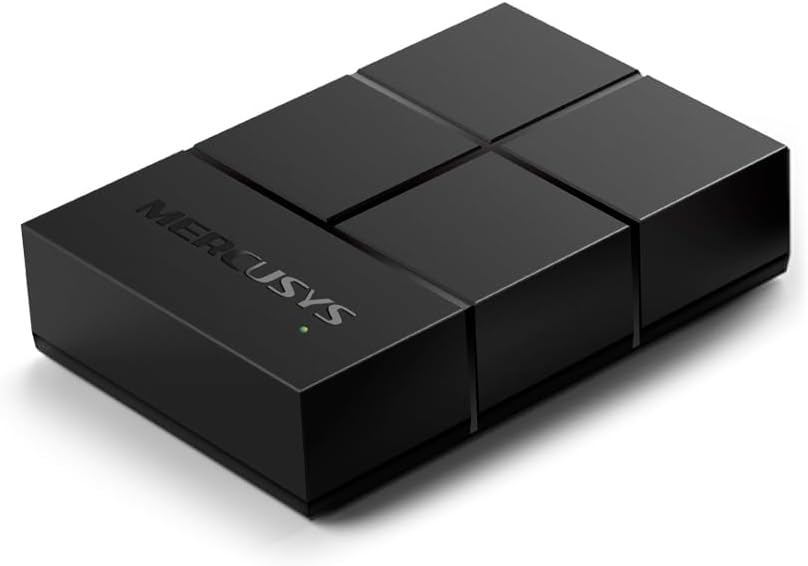
MERCUSYS 5-Port 10/100/1000Mbps Desktop Ethernet Switch/Hub, Ethernet Splitter, Saves power by up to 82%, Plug & Play, no configuration required (MS105G)
£9.99



Price: £9.99
(as of Aug 19, 2025 16:48:29 UTC – Details)
From the brand


The Mercusys mission is simple, professional, affordable. We strive to offer excellent internet access to as many people as possible. We believe that, in an increasingly connected world, everyone should have access to the tremendous wealth of information and entertainment that is available today.
Mercusys is committed to being your trusted partner and broadening your horizons for valuable human connections that the internet provides.

AX1800 WiFi 6 Router MR70X
Next-Gen WiFi 6 Speeds – Up to 1.8 Gbps4× More Capacity – OFDMA and MU-MIMOSmart Connect – Intelligently chooses the best band
Your Affordable WiFi Products

AX3000 Mesh WiFi 6 System
Halo H80X Dual Band WiFi 6 Speeds up to 3000 MbpsWhole Home Coverage – Up to 7,000 ft²3 Full Gigabit Ports

AX3000 Wi-Fi 6 Router MR80X
OPTIMAL WIFI 6 SPEEDSWiFi THAT GOES FARTHER – 4× multi-directional high-gain antennasFull Gigabit Port

AC1900 Whole Home Mesh WiFi
Whole Home Coverage – Up to 4,000 ft²1.9 Gbps Dual Band WiFi – Connections for over 100 devices.3 Full Gigabit Ports

AV1000 Gigabit Powerline Kit
Eliminate WiFi Dead Zones — Extend 300 Mbps WiFi wherever you need 1000 Mbps High-Speed Transfer Rate Super-Fast Wired Connections

AC1200 Wi-Fi Range Extender
Eliminate WiFi Dead ZonesAC1200 Dual Band WiFiFast 10/100 Mbps Port

8-Port Mbps Desktop Switch
Eight 10/100/1,000 Mbps auto-negotiation RJ45 ports with auto MDI / MDIX supportedGreen Ethernet technology saves power by up to 82%

AC650 High Gain USB Adapter
High-Speed Dual-Band Wi-FiHigh-Gain AntennaInternal Driver
Five 10/100/1,000 Mbps auto-negotiation RJ45 ports with auto MDI / MDIX supported
Easily wired network expansion
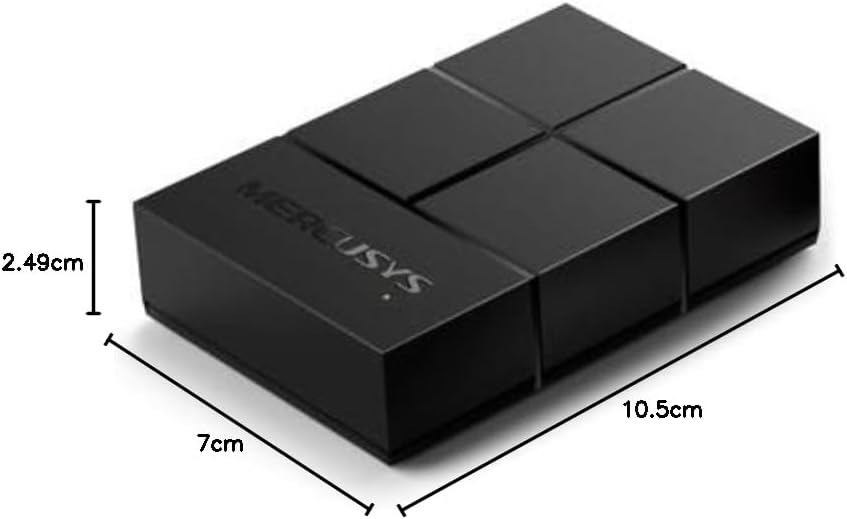
Compact design for flexible arrangement
Plug and play setup, no configuration required
Green Ethernet technology saves power by up to 82%
Customers say
Customers find the Ethernet switch works well and is easy to install as a plug-and-play device. The switch delivers gigabit speeds over CAT5e cables and provides strong WiFi signals, with one customer noting it’s ideal for connecting multiple devices. They appreciate its compact design that fits easily into PCs, good build quality, and consider it good value for money. However, some customers report issues with drivers not working properly.
7 reviews for MERCUSYS 5-Port 10/100/1000Mbps Desktop Ethernet Switch/Hub, Ethernet Splitter, Saves power by up to 82%, Plug & Play, no configuration required (MS105G)
Add a review
Related Products


£9.99
Connor heffer –
Perfect on the go switch, or for small setups
I carry this MERCUSYS 5-port Gigabit switch in my tool bag as a quick test unit. Itâs compact and lightweight, so easy to transport. Great port capacity for small network setups, works with everything I throw at it, and connectivity is rock solid. Quiet operation, very reliable, and super easy to useâmakes on-site network troubleshooting hassle-free.
Luke –
Easy to install, good signal, recommended.
Very easy to install. With a custom build PC, at least in my experience, the WIFI card will work automatically on the lower band, meaning you can use it for installing Windows before installing the driver on your computer. To use the 5g band, you will need to install the driver using the disc provided. I’m getting decent speed, download and upload, signal seems fine working from upstairs (router is downstairs). Good price. Recommended.
LSLJG –
Great item
We werenât expecting much from this as have had bad experience with tech from online sites but this was a big surprise! It does exactly what it says, it even made the connections faster and more stable! Such a great design, small and lightweight, easy to setup and can be used anywhere. Definitely recommend
Wiltshire train man –
Does the job but requires a little faith to install
Acquired this for my wifes PC which previously has used a trailing network lead with resulting trip hazard and cable damage, so thought a wi-fi card would suit. This was on offer otherwise I would have probably bought the same brand as I put in my lads PC. However, I can’t resist a good deal like most of us so plumped for this one.It arrived well packaged and on opening there was the card and a lead to link the card to a USB port on the motherboard, go digging a little deeper and underneath the tray that holds the lead and card and there is a small ‘getting started’ leaflet and a min-CD style install disk.Popped open the PC and the board fitted in easily into the right slot and was secured by a single screw on the backplate (screw was originally there in my case as there was a ‘blank’ backplate already in place which i removed to make way for the wi-fi card). I also managed to link the blue tooth port cable from the card to a spare USB port header on the motherboard fairly easily. The header connector on the cable is ‘keyed’ so you can’t put it in the wrong way round and my only minor issue was aligning it correctly and that is an issue with my ageing eyesight not the product!So once installed and with the PC case back on and secure I looked at the install disk. I happened to have DVD drive with a suitable ‘well’ for a mini-CD disk in the loading tray so popped in and off we went……well it tried to run but my Virus Scanner was none to keen on the autoplay file and latterly one of the other install files on the disk. So I decided to look at the web instead as I was cautious about this reaction from the virus scanner and reluctant to suspend the virus scanner to permit the install to take place using the files on the disk.Having browsed to the correct sit I found the driver fairly easily and downloaded it. Unpacked it (it was zipped) and the ran the installer, again my virus package kicked off and I decided that as I had downloaded the file myself that I would suspend the virus scanner for ten minutes so as the install could proceed. This duly worked and the install completed fairly rapidly – I didn’t like the fact that the driver was as far as I can see unsigned, so that doesn’t help with confidence levels either.Anyway after this act of faith I restarted the machine with the network cable disconnected (I’d used it to get on-line to get the right driver) and the new wi-fi card worked perfectly and has been working happily ever since. It gets a good signal level where its sited and the respoinse times for browsing and download do not to my eye seem materially different from those of the cabled connection we used before.I haven’t tried the Bluetooth part as there is nothing that needs connecting, but Windows did detect that part automatically and installed it before I had got round to looking at it. There are specific drivers within the downloaded package for the Bluetooth element so I may get round to installing them sometime if needed.
fast learner –
it works fine but if gaming get the one with heatsink if your using air cooling.
Why did you choose this product over others?:quite reliable works better then most products out there and includes bluetooth which is a bonus.overall works well however make sure there is plenty of air getting to these chips as without a heatsink they can get quite hot under heavy gaming sessions. ideally you want this above the gpu if using a aio. highly recommend that you don’t sandwich these between a gpu and air cooler as that’s putting 2 very high heat sources next to it. these chips are best operating at 30c-40c max higher temps will cause damage or failure. if you must sandwich them you will need one with a heatsink.
W –
Review
Received packaged in a seal-tight clear-film box. Upon unboxing, the PCIe card slot is packaged with a clean anti-static bag and cardboard to protect the interior inside. Beneath the PCIe card was small manuals and small CD to install drivers.Nowadays, CD drives isn’t common but it is there if you need it. You can alternatively go to Mercusys website to download the Wi-Fi driver and Bluetooth driver separately. Ideally, recommend you do this prior to installing the PCIe card because when installing it the first time, Windows Update or system do not recognise any Wi-fi or Bluetooth card. So if you’re building a new PC by buying new components separately and expecting it will detect it. Unfortunately, it won’t. I recommend installing the drivers first then you will have no issues. This can be achieved by either putting it on a USB once you finish Windows installation or using ethernet for the timebeing to download and install drivers.Overall, happy with the product so far and value for money due to Black Friday.The only thing I didn’t like about it is, the antennas are securely attached on it, so when inserting this into the PC case, you have to slide it through so the antennas slide out and sticks out. This approach is unusual because antennas generally can be unmounted, but these doesn’t seem to be the case. So if you have a Mini-ITX or Micro-ATX PC case, just find some time to figure out HOW-TO insert this safely.Anyhow, it works. I haven’t tested the Bluetooth range (yet) but currently I am just using keyboard and mouse, and works fine. As for bluetooth earphones, I have yet to try. Maybe I’ll repost or re-edit my review later once I have more update about this. But for now, happy with purchase and product. Thank you.
hatemradi –
جÙاز Ùا Ùعط٠اÙثر Ù Ù 100mgb